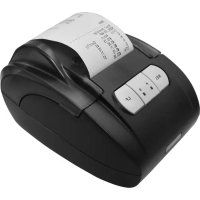
RTP1 - Printer Royal Sovereign - Free user manual and instructions
Find the device manual for free RTP1 Royal Sovereign in PDF.



| Product Type | Direct Thermal Printer |
| Brand | Royal Sovereign |
| Model | RTP1 |
| Printing Method | Direct Thermal |
| Print Speed | 2.5 inches/second |
| Resolution | 8 dots/mm (384 dots/line) |
| Print Width | 1.8 inches |
| Characters per line | 32 |
| Paper Type | Thermal paper 2-1/4 inches (max roll diameter 2 inches) |
| Interface | Standard Serial |
| Power Supply | DC 7.5 V / 4 A |
| Dimensions (L x W x H) | 5.1 x 4.5 x 3.0 inches |
| Weight | 0.9 lb (approx 0.41 kg) |
| Operating Temperature | 0 to 50 °C |
| Operating Humidity | 0 to 80% RH |
| Indicators | Red power indicator, green status indicator |
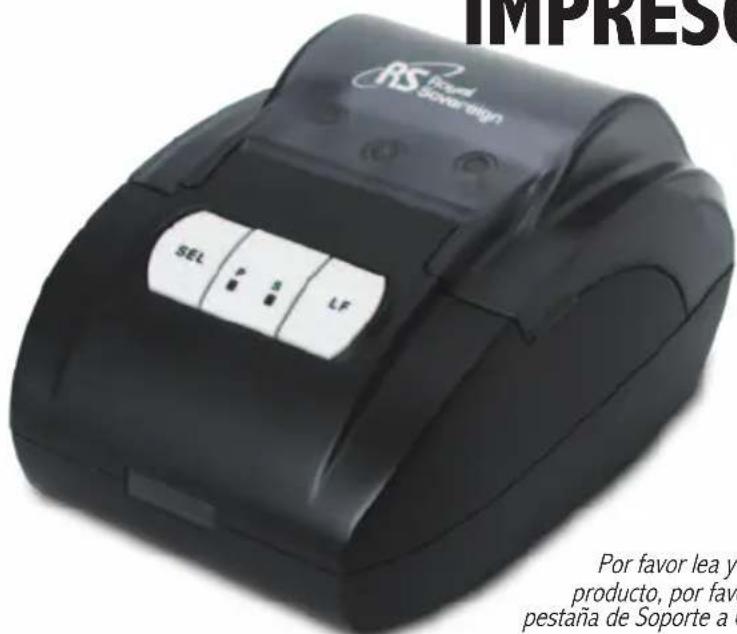
| Buttons | Select (SEL) and Paper Feed (LF) |
| Functions | Online/offline mode, print pause, manual paper feed |
| Box Contents | Printer, cable, power adapter, power cord, manual, paper roll starter |
| Warranty | One-year limited warranty |
| Safety | Do not expose to liquids, unplug before moving, use on a stable surface |
| Maintenance | Clean with a dry cloth, avoid moisture |
Frequently Asked Questions - RTP1 Royal Sovereign
User questions about RTP1 Royal Sovereign
0 question about this device. Answer the ones you know or ask your own.
Ask a new question about this device
Download the instructions for your Printer in PDF format for free! Find your manual RTP1 - Royal Sovereign and take your electronic device back in hand. On this page are published all the documents necessary for the use of your device. RTP1 by Royal Sovereign.
USER MANUAL RTP1 Royal Sovereign
Please read and retain these instructions. To register your product, please go to www.royalsovereign.com USA-Customer Support Tab then Registration Tab.
www.royalsovereign.com
Royal Sovereign International, Inc.
THERMAL PRINTER
CONTENTS
Box Contents 4
Parts 4
Introduction 5
Safety Precautions 5
Operation 6
Specifications 7
Warranty 8
Contact Information 8
Página en Español 9
Page en Français 17
BOX CONTENTS
Thermal Printer, Printer Cable, Power Adaptor, Power Cord, User Manual, Starter Roll of Thermal Paper
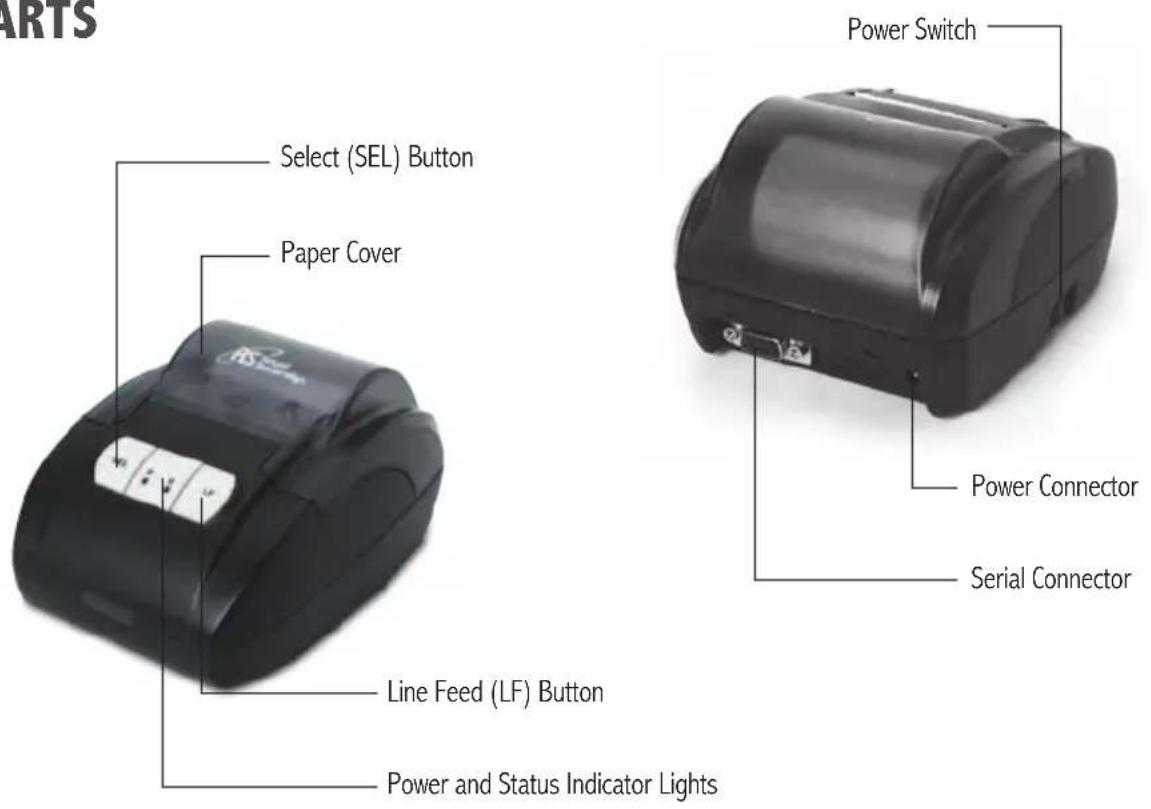
PARTS
INTRODUCTION
Thank you for purchasing the Royal Sovereign RTP-1 Thermal Printer. To ensure optimum performance, please read these instructions carefully before use.
SAFETY PRECAUTIONS
The safety recommendations outlined in this section should be read and understood before operating this printer. Keep this information for future reference.
- To prevent the possibility of electric shock, do not allow any liquids inside or around the printer.
- Do not operate printer for any purpose other than its intended use.
- Place the printer on a sturdy level work surface.
- Do not operate printer if electrical plug or power cord is damaged.
- The machine should be placed nearby an electrical outlet so that the outlet is easily accessible.
- Do not alter the electric plug in any way.
- Turn off the power when unattended or not in use. Unplug the machine before moving it or when it is not in use for an extended period of time.
- Keep printer out of direct sunlight and moisture.
- Printer operates best at room temperature.
OPERATION
Indicators
When the power switch is turned on, the Red Power Indicator will light.
When printer is ready to print, the green Status Indicator will light. If the Status indicator is not lit, the printer is offline.
The green status indicator will blink if the paper cover is open, if the printer is out of paper, or if the paper roll is not inserted properly.
Buttons
There are two buttons, Select (SEL) and Line Feed (LF) on the front panel of the printer.
Printing Modes
The printer will automatically set to online mode when the power switch is turned on.
To switch to offline mode, press the SEL button until the green Status indicator turns off.
To switch to online mode, press the SEL button until the green Status indicator turns on.
If you press the SEL button during printing the printer will pause after finishing the current line. Press the SEL button again to continue printing.
Paper Feeding
To feed paper first turn the printer offline by pressing the SEL button. Then press the LF button to feed the paper forward. Press the LF button again to stop paper feeding. When paper feeding is completed, press the SEL button to turn the printer back online to print.
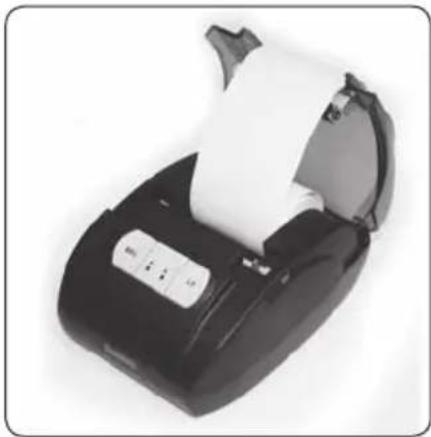
Installing Paper Rolls
To install a new roll of paper, first open the paper cover, then insert the roll of paper so that a small amount of paper sticks out through the paper exit slot. Close the paper cover. Feed paper forward to confirm the paper roll is inserted properly.
Connection to Coin Sorter
Use the included printer cable to connect the Serial Connector on the back of the printer to the Printer Port on the back of the Royal Sovereign FS-44P Coin Sorter.
natural_image
Close-up of a black handheld electronic device with a white scroll, no visible text or symbolsSPECIFICATIONS
| Model RTP-1 | |
| Print Method Direct Thermal Printing | |
| Print Speed 2.5"/sec | |
| Resolution 8 dots/mm, 384 dots/line. | |
| Print Width 1.8" | |
| Character per Line 32 | |
| Paper Type 2-1/4" Thermal Paper (max 2" diameter rolls) | |
| Interface standard serial interface | |
| Power Supply DC 7.5V/4A | |
| Printer Size (L x W x H) 5.1" x 4.5" x 3.0" | |
| Weight 0.9lbs. | |
| Operation Environment Temperature: 0~50°C, relative humidity: 0~80% | |
LIMITED ONE YEAR WARRANTY
This warranty applies to repair or replacement of product found to be defective in material or workmanship for one year from the date of the original purchase. This warranty is extended only to the original purchaser.
This warranty does not apply to damage resulting from abuse, misuse, or improper maintenance of damage that is attributable to acts of nature. Royal Sovereign International, Inc. (and its affiliated companies) is not liable for incidental or consequential damages of any nature. This limitation would not apply if you live in those areas that do not permit the exclusion or limitation of incidental or consequential damages.
Defective products for warranty repair or replacement cannot be returned without a Return Authorization number. Please go to www.royalsovereign.com USA-Customer Support Tab to make a request for an Office Product Return Authorization.
Defective products must be returned to Royal Sovereign International Consumer Return Department, freight prepaid, with proof of purchase and Return Shipping and Handling payment (check or money order). Upon repair or replacement the product will be returned to the customer.
Return defective product to the following address with a detailed description of the problem. If possible, pack in original carton. Please prepay shipping charges.
For out of warranty service or frequently asked questions please go to www.royalsovereign.com USA- Customer Support Tab.
For sales of product, parts or accessories please visit us at www.royalfulfillmentcorp.com.
For service or sales please contact your local Royal Sovereign Office:
ROYAL SOVEREIGN INTERNATIONAL, INC. RS CANADA INC.
2 Volvo Drive Rockleigh, NJ 07647 USA 1025 Westport Crescent, Mississauga On L5T 1E8 CANADA TEL: +1) 800-397-1025 FAX: +1) 201-750-1022 TEL: +1) 905-461-1095 FAX: +1) 905-461-1096 TF #: +1) 866-961-6673
RS HOLLAND B.V. RS INTERNATIONAL AUSTRALIA PTY. LTD.
Industrieweg 6K, 4104AR, Culemborg, The Netherlands 30 Prime Drive, Seven Hills, NSW 2147, AUSTRALIA TEL: +31 (0)345 473 097 FAX: 31 (0)345 519 811 TEL : +61) 2-9674-2127 FAX : +61) 2-9674-2027
www.royalsovereign.com
Manual del Usuario
RTP-1
IMPRESORA TÉRMICA
www.royalsovereign.com
Royal Sovereign International, Inc.
IMPRESORA TÉRMICA
CONTENIDO
natural_image
Close-up of a black handheld electronic device with a white scroll, no visible text or symbolsSPECIFICATIONS
www.royalsovereign.com
www.royalsovereign.com
Royal Sovereign International, Inc.
IMPRIMANTE THERMIQUE
CONTENU
Contenu de la boîte
Pièces
Introduction
Mesures de sécurité
Opération
Spécifications
Garantie
Information de contact
Página en Español
Page en Français
CONTENU DE LA BOÎTE
natural_image
Close-up of a black handheld electronic device with a white scroll, no visible text or symbolsSPECIFICATIONS
Industrieweg 6K, 4104AR, Culemborg, The Netherlands 30 Prime Drive, Seven Hills, NSW 2147, AUSTRALIA
TEL: +31 (0)345 473 097 FAX: 31 (0)345 519 811 TEL : +61) 2-9674-2127 FAX : +61) 2-9674-2027
www.royalsovereign.com
- THERMAL PRINTER
- CONTENTS
- BOX CONTENTS
- INTRODUCTION
- SAFETY PRECAUTIONS
- OPERATION
- Indicators
- Buttons
- Printing Modes
- Paper Feeding
- Installing Paper Rolls
- Connection to Coin Sorter
- LIMITED ONE YEAR WARRANTY
- ROYAL SOVEREIGN INTERNATIONAL, INC. RS CANADA INC.
- RS HOLLAND B.V. RS INTERNATIONAL AUSTRALIA PTY. LTD.
- Manual del Usuario
- IMPRESORA TÉRMICA
- CONTENIDO
- IMPRIMANTE THERMIQUE
- CONTENU
- CONTENU DE LA BOÎTE
Brand : Royal Sovereign
Model : RTP1
Category : Printer