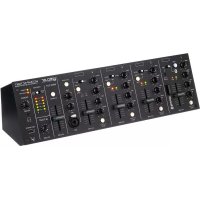
eCOMPACT4BT - DJ Equipment Ecler - Free user manual and instructions
Find the device manual for free eCOMPACT4BT Ecler in PDF.


| Product Type | 4-channel mixer with Bluetooth® |
| Brand | Ecler |
| Model | eCOMPACT4BT |
| Category | DJ Equipment |
| Power Supply | External AC 100-240 V, 50-60 Hz |
| Number of Channels | 4 |
| Microphone Inputs | 4 (one on front panel with XLR/Jack combo connector) |
| Stereo Line Inputs | 6 on RCA + 1 3.5 mm mini-jack on front panel |
| Bluetooth Connection | Class 1, range up to 25 m |
| Equalization | 3-band (high, mid, low) per channel, range ±30 dB |
| High-pass Filter | On all microphone inputs, cutoff frequency 100 Hz |
| Outputs | MAIN OUT (balanced XLR), ALT OUT (RCA), SUB OUT (XLR) |
| Headphone Output | 3.5 mm mini-jack on front panel with volume control |
| Talkover Function | Yes, on channel 4, with attenuation and return time adjustment |
| Phantom Power | 48 V switchable for microphone inputs |
| USB Port | Mobile device charging (5 V, 500 mA) |
| Mounting | Desktop or 19-inch rack mount (3U, kit included) |
| Package Contents | External power supply, 3URMKIT mounting kit, adhesive feet, quick start guide, warranty card, Ecler Bluetooth® Manager software |
| Cleaning | With a dry cloth only |
| Safety | Class I device, mandatory grounding, do not expose to water |
| Repairability | Maintenance by authorized technical services |
| Channel Indicators | SP (green, signal presence) and CLIP (red, saturation) |
Frequently Asked Questions - eCOMPACT4BT Ecler
User questions about eCOMPACT4BT Ecler
0 question about this device. Answer the ones you know or ask your own.
Ask a new question about this device
Download the instructions for your DJ Equipment in PDF format for free! Find your manual eCOMPACT4BT - Ecler and take your electronic device back in hand. On this page are published all the documents necessary for the use of your device. eCOMPACT4BT by Ecler.
USER MANUAL eCOMPACT4BT Ecler
MODE D'EMPLOI
SOMMAIRE
- AVERTISSEMENT IMPORTANT ....3
- CONSIGNES DE SÉCURITÉ IMPORTANTES....4
- NOTE IMPORTANTE....5
- INTRODUCTION 5
- CONSIDÉRATIONS....22
15.1 Versions ......28
15.2 Compatible Devices....28
15.3 Operation....28
1. AVERTISSEMENT IMPORTANT



WARNING: SHOCK HAZARD - DO NOT OPEN
AVIS: RISQUE DE CHOC ÉLECTRIQUE - NE PAS OUVRIR

natural_image
Simple line drawing of a circular object with three internal dots and a plus symbol, labeled 'R' at the top (no text or symbols within the diagram itself)
natural_image
Simple line drawing of a circular object with three internal dots and a plus symbol at the top (no text or labels)flowchart
Electronic circuit diagram showing signal processing and control logic for Bluetooth system, including input/output stages and component connections like Gain, BASS, Tresible, and LED.- SCHEMA TECHNIQUE

13. CARACTÉRISTIQUES TECHNIQUES
eCOMPACT4BT
| Input Sensitivity and Input Impedance | |
| LINE, LINE A, LINE B | 0dBV/50k |
| MICRO (BAL) | -35dBV/>1k |
| AUX INPUT IN1 | -10dBV/316Ω |
| BT INPUT | -10dBVFS |
| Frequency Response | |
| LINE, LINE A, LINE B | 10Hz÷30kHz, -1dB |
| MICRO (BAL) | 10Hz÷30kHz, -1dB |
| AUX INPUT IN1 | 10Hz÷30kHz, -1dB |
| BT INPUT | 10Hz÷30kHz, -1dB |
| Input Selector | |
| INPUT 1 | BT, LINE + AUX |
| INPUT 2 | LINE A, MICRO, LINE B |
| INPUT 3 | LINE A, MICRO, LINE B |
| INPUT 4 (TALKOVER) | LINE, MIC |
| Aux Input (on INPUT 1) | Connected to INPUT1 LINE |
| Gain control | |
| GAIN | ± 15dB |
| Tone control | |
| BASS | 100Hz, ± 15dB |
| MID | 2kHz, ± 15dB |
| TREBLE | 10kHz, ± 15dB |
| THD+N | |
| LINE | <0,03% |
| MICRO | <0,06% |
| AUX | <0,03% |
| BT INPUT | <0,05% |
| Signal Noise Ratio | |
| LINE | >100dB |
| MICRO | >90dB |
| AUX INPUT IN1 | >100dB |
| BT INPUT | >100dB |
| CMRR | |
| BAL INPUTS | >75dB @ 1kHz |
| MICRO 2-4 High Pass Filter | 100Hz, -3dB – 2nd order |
| Outputs Level | |
| MAIN OUT | 0dBV |
| SUB OUT | 0dBV |
| ALT OUT | 0dBV |
| HEADPHONES | 200mW |
| Output VU-METER | +6dB to -40dB, MAIN OUT or ALT OUT selectable |
| STEREO / MONO | Functional only over MAIN OUT, SUB OUT and HEADPHONES |
| ALT OUT | Selectable by ALT OUT SEND buttons in each CHANNEL |
| SUB OUT low pass filter (externally selectable) | 140Hz, -3dB – 3rd order |
| Talkover | |
| TIME | 0,3 / 3 seg |
| ATT | 0 / 30 dB |
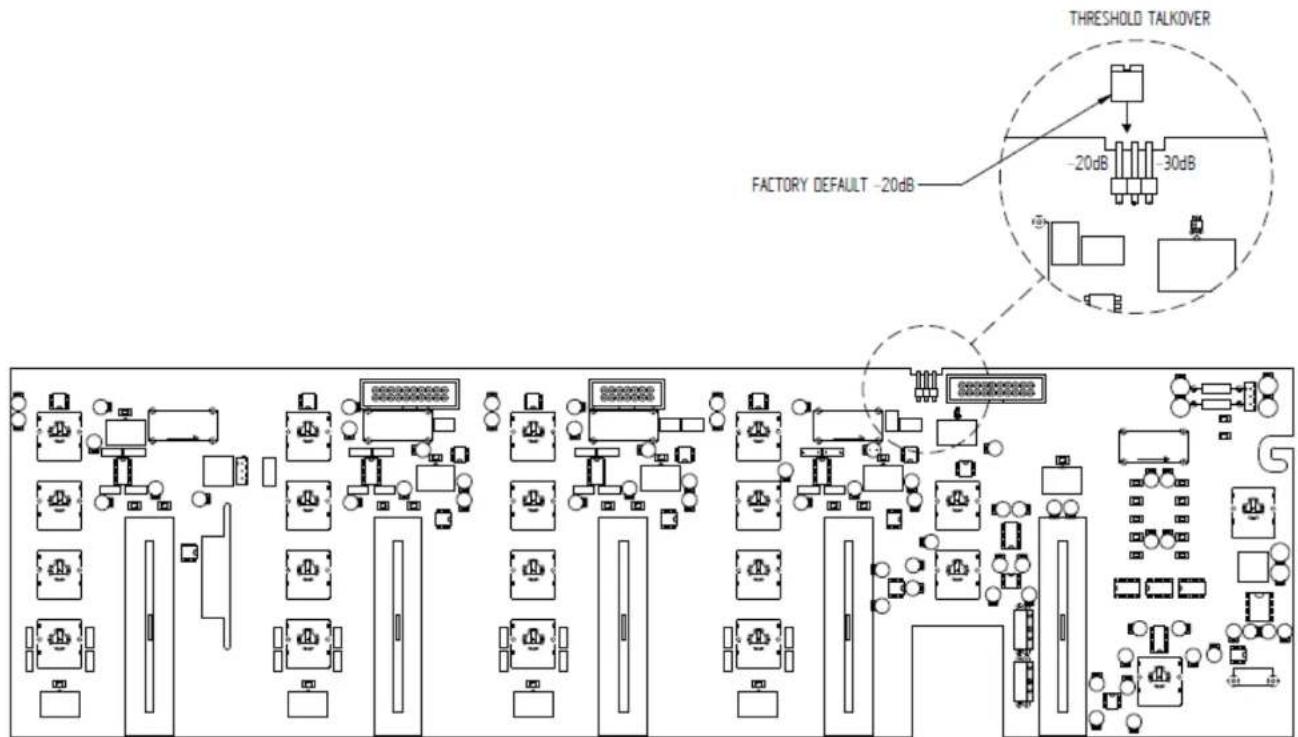
| SENSITIVITY | -20dB (Factory default) / -30dB (internally selectable) |
| LED INDICATOR | Orange when TLK TRIGGERED |
| Signal Present indicators | |
| LINE | -40dB |
| MICRO | -75dB |
| Clip indicators (inputs) | +16dB |
| Phantom voltage (externally selectable) | +48VDC |
| USB port | +5VDC, only for charging |
| RS232 port | Only for configuration purposes |
| BT PAIR Button | Only for UNPAIRING and configuration purposes |
| DC Power Supply | ±17.5 VDC |
| Mains (with External Power Supply) | 100-240VAC + External PSU 17,5VDC |
| Power consumption (with External Power Supply) | 15W |
| Dimensions | |
| Panel | 440x132mm |
| Depth | 125mm |
| Weight | 3,0kg |
14. CONTENU DE L'EMBALLAGE
Configuration tool for Ecler Bluetooth® devices

natural_image
Abstract black and white logo with stylized 'd' and asterisk symbol (no readable text or numbers)
Bluetooth®
USER MANUAL
15. Ecler Bluetooth® Manager PRODUCT OVERVIEW
Ecler Bluetooth Manager is a Windows© application that allows configuring Bluetooth® parameters, such as the Bluetooth® name shown in compatible devices or the password for pairing.
15.1 Versions
• V1.0 [JAN19] – Latest release

natural_image
Abstract logo design with stylized white 'd' and black square elements (no text or symbols)Bluetooth®
15.2 Compatible Devices
- eCOMPACT4BT
15.3 Operation
- eCOMPACT4BT:
- Connect the RS-232 cable to the RS-232 PORT on the eCOMPACT4BT.
- Change the INPUT 1 SELECTOR to BT.
- POWER OFF the device and POWER ON it again while pressing PAIR BUTTON. When POWERED ON, the BT PAIR LED will remain ON - BLUE fixed. This enables the USER to configure the Bluetooth® parameters.
- On the computer, open Ecler Bluetooth Manager Application. It will show this interface:
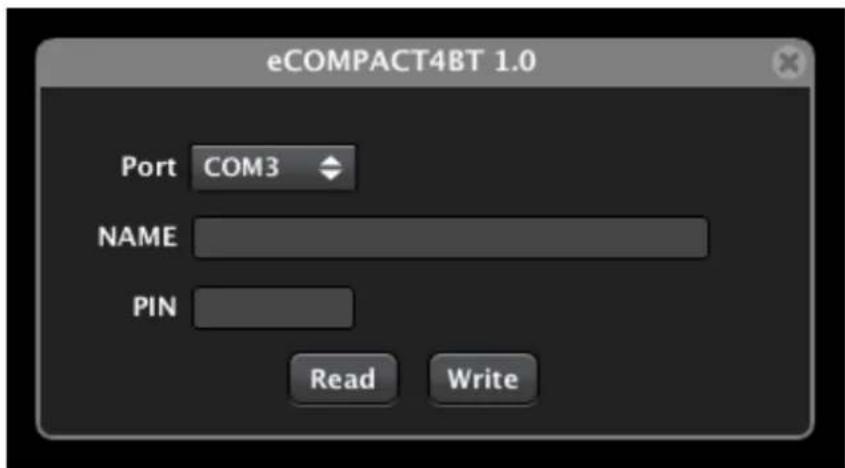
- Select the correct COM Port and click on READ button. Verify that the information about NAME and PIN of the device appear on the screen. This information must be like the following (factory defaults):
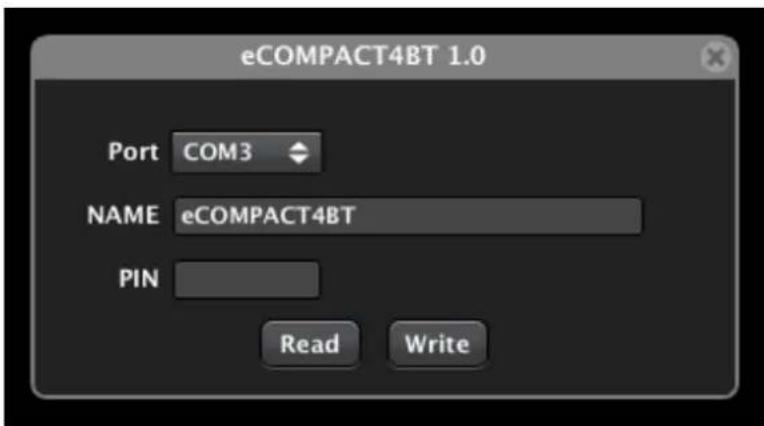
- Change the NAME and PIN as you wish, and click on WRITE button.
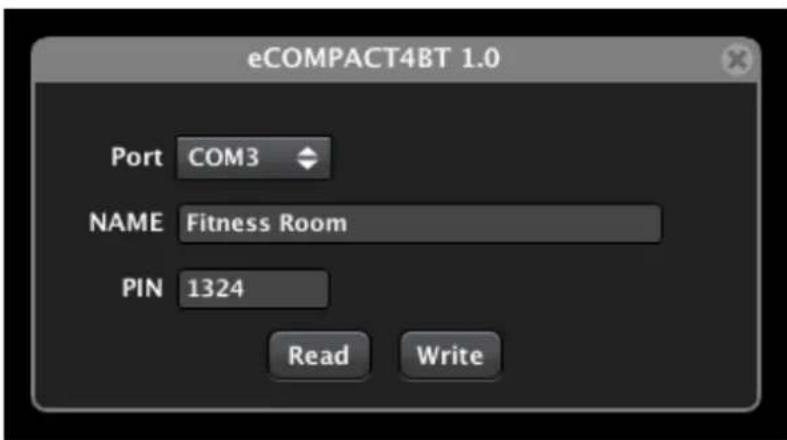
- POWER OFF and ON the device to apply changes.



Brand : Ecler
Model : eCOMPACT4BT
Category : DJ Equipment