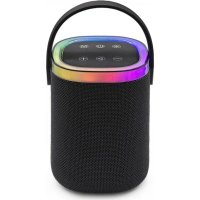
TES268 - Loudspeaker LIVOO - Free user manual and instructions
Find the device manual for free TES268 LIVOO in PDF.



| Brand | Livoo |
| Model | TES268 |
| Category | Bluetooth Speaker |
| Power Supply | DC 5V - 1A (USB cable included) |
| Battery | Li-ion 3.7V 1500 mAh |
| Charging Time | About 2.5 hours |
| Playback Time | Up to 4 hours |
| Bluetooth Version | V5.3 |
| Bluetooth Range | Up to 10 meters |
| Speaker Power | 5 W |
| Connectivity | Bluetooth, AUX 3.5mm, USB, TF card |
| Hands-free Function | Yes (with Play button) |
| RGB Lighting | Yes (Light button) |
| Controls | On/Off, Mode, Play/Pause, Volume, Previous/Next, Light |
| Inputs | USB-C port (charging), USB port (playback), TF card port, AUX 3.5mm input |
| Included Accessories | USB cable, AUX 3.5mm cable |
| Cleaning | Dry cloth, avoid chemicals |
| Safety | Do not expose to heat (>40°C), do not open, do not use non-compliant adapter |
| Intended Use | Wireless audio playback, hands-free calls |
Frequently Asked Questions - TES268 LIVOO
User questions about TES268 LIVOO
0 question about this device. Answer the ones you know or ask your own.
Ask a new question about this device
Download the instructions for your Loudspeaker in PDF format for free! Find your manual TES268 - LIVOO and take your electronic device back in hand. On this page are published all the documents necessary for the use of your device. TES268 by LIVOO.
USER MANUAL TES268 LIVOO
Thank you for choosing a Livoo product!
EN
Your blender, your barbecue, and your headphones are not just objects, they are extensions of yourself, allowing you to get closer to your friends and family, to bring them together, to laugh and to share experiences. Livoo's aim is to help you live your life to the fullest, whatever wishes you have throughout the year. Winter raclette, summer barbecue. Or the other way around. It's up to you. Take advantage of this freedom for feel good moments every day.
That's why we're constantly innovating and creating clever products full of zest, but most of all, accessible.
Find our entire collection on our website www.livoo.en.
Livoo, your daily companion till social networks

@Livoo

@livoo_officiel

@Livoo
Safety Instructions
PLEASE TAKE THE TIME TO READ THESE INSTRUCTIONS CAREFULLY, ESPECIALLY BEFORE USING THE UNIT FOR THE FIRST TIME.
Incorrect use of the device may damage it or injure the user. Make sure that you use the device for its intended purpose; we accept no responsibility for damage or injury caused by improper use or mishandling.
- Keep this product away from naked flames such as candles.
LIVOO
Feel good moments
- This product must only be used with the type of power source indicated on the label.
- Do not place the product in direct sunlight or heat. Keep away from temperatures above 40^ .
- Make sure the product is in a well-ventilated area.
- Do not press the buttons too hard, as this may damage the product.
- Do not attempt to repair this product yourself; consult an authorized technician. Attempting to remove panels or repair the unit yourself could result in electric shock.
- When the device is not in use, make sure it is properly switched off and stored in a cool, dry place.
- Do not insert foreign objects into the product.
- Adult supervision is recommended if children are using this product.
- Avoid dropping the product, as severe impacts could damage it.
- Ensure that infants and children do not play with plastic bags or packaging materials.
- If the USB cable is damaged, it must be replaced by the manufacturer, its service agent or similarly qualified persons to avoid any danger.
- WARNING: For charging, use only the detachable USB cable supplied.
- If you wish to use your product with an adapter (not supplied) instead of the USB cable, use only an adapter with a 5V power supply.
- Exposing a battery to extremes of temperature, whether very high or very low, during use, storage or transport, or leaving the battery in an extremely hot environment, may result in an explosion or leakage of flammable liquid or gas.
- A battery exposed to very low atmospheric pressure may also cause an explosion or leakage of flammable liquid or gas.
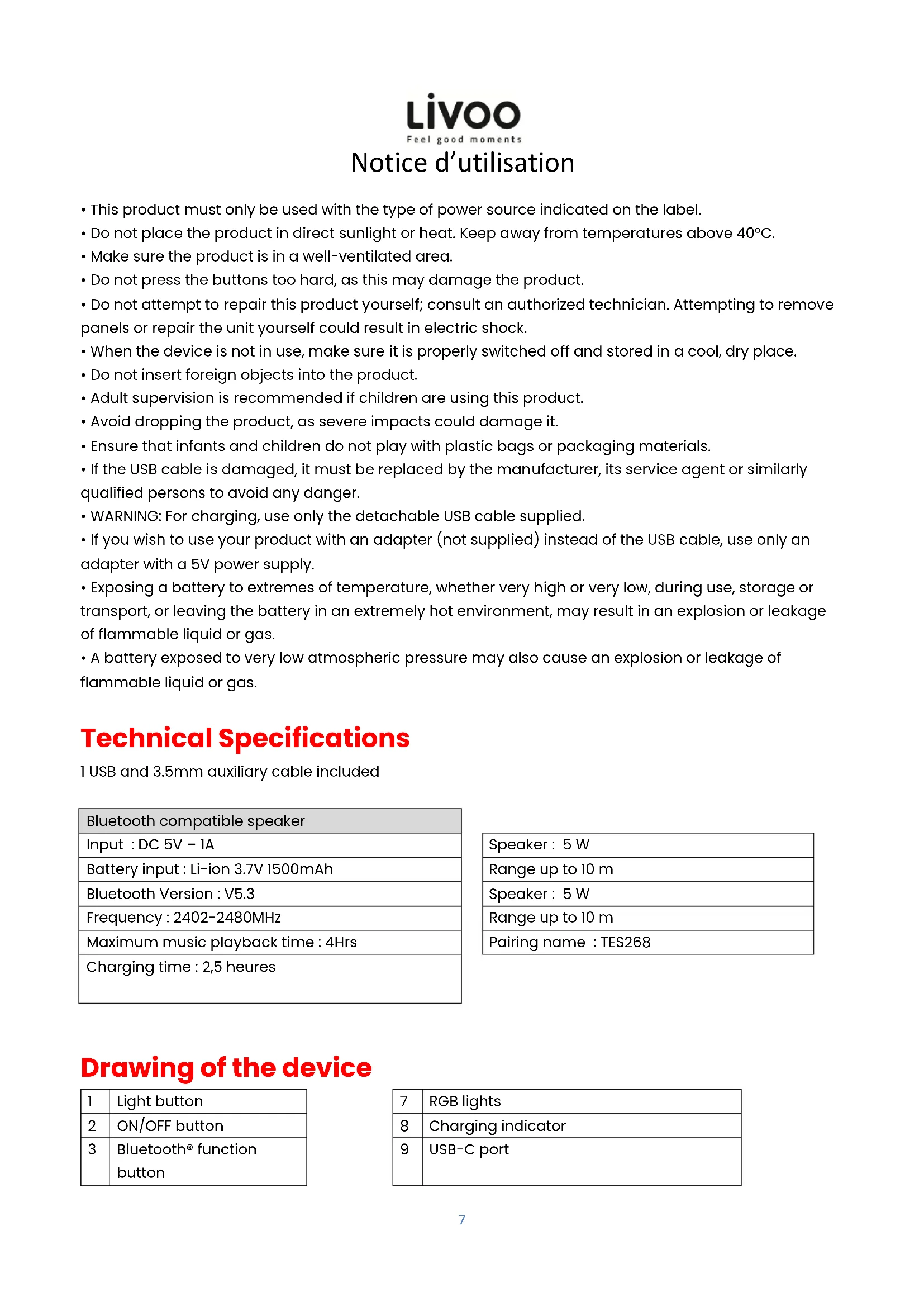
Technical Specifications
1 USB and 3.5mm auxiliary cable included
| Bluetooth compatible speaker |
| Input: DC 5V - 1A |
| Battery input: Li-ion 3.7V 1500mAh |
| Bluetooth Version: V5.3 |
| Frequency: 2402-2480MHz |
| Maximum music playback time: 4Hrs |
| Charging time: 2,5 heures |
| Speaker : 5 W |
| Range up to 10 m |
| Speaker : 5 W |
| Range up to 10 m |
| Pairing name : TES268 |
Drawing of the device
| 1 | Light button |
| 2 | ON/OFF button |
| 3 | Bluetooth® function button |
| 7 | RGB lights |
| 8 | Charging indicator |
| 9 | USB-C port |
LIVOO
Feel good moments
Charging the battery
- Before first use, fully charge the battery using the USB cable supplied. Connect it to a USB port (laptop, computer, AC charger, car charger, etc.).
- A steady red LED indicates that the speaker is charging.
- When the unit is fully charged, it switches off.
ON/OFF
- Press and hold the ON/OFF button to switch your device on or off.
- Briefly press the M button to change function: TF card, USB, Aux, function Bluetooth.
Bluetooth® function pairing
- Your Bluetooth® compatible speaker switches directly to Bluetooth® function when no TF card, AUX or USB cable is connected. When one is connected, press the M button to switch to Bluetooth® function.
- Open the Bluetooth® setting on your phone, tablet or other Bluetooth® compatible audio device and select "TES268".
Music playback
- Select a song, artist or playlist on your phone, tablet or other Bluetooth® compatible audio device.
- Briefly press the play button to start or pause music.
- Briefly press the + / - button to go to the previous or next song.
- Press and hold the + / - button to adjust the volume.
Hands-free calls
- To answer or hang up a call, briefly press the Play button.
- Press the Play button twice to dial the last incoming call.
AUX./TF card
- Insert TF card or USB key into the appropriate port, and music starts playing automatically.
- Briefly press the Mode button to toggle between Bluetooth function / AUX / TF.
Note: The Bluetooth word mark is owned by the Bluetooth SIG.
Cleaning and maintenance
- Do not use a damp cloth on the product. Use a dry cloth to clean this product and keep it dust-free.
- Do not use chemicals on this product.
EU DECLARATION OF CONFORMITY
We
DELTA - BP61071 - 67452 Mundolsheim - France
Declare under our own responsibility that the article :
Description:Bluetooth®compatible speaker
- Reference: TES268
to which this declaration applies, is in conformity with the applicable EU harmonization legislation
| DIRECTIVES | NORMES or SPECIFICATIONS |
| RED 2014/53/EU | EN IEC 62368-1:2020+A11:2020 ETSI EN 300 328 V2.2.2 ETSI EN 301 489-1 V2.2.3 (2019-11) ETSI EN 301 489-17 V3.2.4 (2020-09) EN 62479:2010 EN 50663:2017 EN 55032:2015+A11:2020+A1:2020 EN 55035:2017+A11:2020 |
| ROHS 2011/65/EU | The object of the declaration described above is in conformity with Directive 2011/65/EU of the European Parliament and of the Council of 8 June 2011 on the restriction of the use of certain hazardous substances in electrical and electronic equipment. EU 2011/65/EU et EU 2015/863 |
Mundolsheim 25/01/2023
David Bousquet, CEO
DELTA SAS
True FOCH BP 61071
67452 MUNDOLISHEM CEDEX France
GIRST: 024-326-860060-APX: 616 J
TEL: 9322022161 FAX: 333 93039299
e-mail: cetia@ctella-mont.com
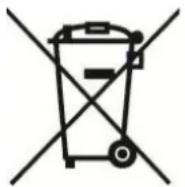

Correct disposal of the unit (Electrical and Electronic Equipment).
(Applicable in the European Union and the rest of Europe that have adopted separate collection systems countries). The European Directive 2012/19/EU on Waste Electrical and Electronic Equipment (WEEE), requires that old household electrical appliances must not be disposed of in the normal household waste stream. Old appliances must be collected separately in order to optimize the recovery and recycling of the materials they contain and reduce the impact on human health and the environment. The symbol of the crossed
out dustbin is marked on all products to remind the obligations of separate collection. Consumers should contact their local authority or retailer for information concerning the correct disposal of their product.
Non contractual illustration
- Product information is subject to change without prior notice.
- Thank you for choosing a Livoo product!
- Livoo, your daily companion till social networks
- Safety Instructions
- LIVOO
- Technical Specifications
- Drawing of the device
- Charging the battery
- ON/OFF
- Bluetooth® function pairing
- Music playback
- Hands-free calls
- AUX./TF card
- Cleaning and maintenance
- EU DECLARATION OF CONFORMITY
- DELTA SAS
- Correct disposal of the unit (Electrical and Electronic Equipment).
Brand : LIVOO
Model : TES268
Category : Loudspeaker