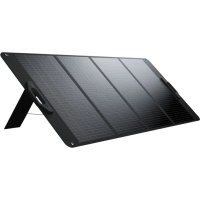
XP2SW200 - Solar panel Xtorm - Free user manual and instructions
Find the device manual for free XP2SW200 Xtorm in PDF.


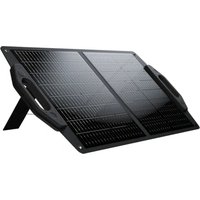
| Product type | Folding solar panel |
| Brand | Xtorm |
| Model | XP2SW200 |
| Nominal power | 200 W (estimated) |
| Power supply | Solar energy |
| Output connector | DC cable |
| Adjustable angle | Yes, via built-in kickstand |
| Carrying handles | Yes |
| Fixing rings | Yes, for attachment on support |
| Main functions | Charging power station via DC cable |
| Instructions for use | Orient towards the sun, optimal angle, avoid rain, do not use behind glass |
| Multi-panel compatibility | Possibility of series or parallel connection, respect the input voltage of the power station |
| Maintenance and cleaning | Clean with a soft cloth, avoid abrasive products |
| Safety | Do not drop, do not disassemble, do not expose to water or humidity, keep out of reach of children |
| Conditions of use | Outdoor use only, do not leave in the rain, no flammable gas |
| Repairability | Do not attempt to repair yourself, warranty void if misused |
Frequently Asked Questions - XP2SW200 Xtorm
User questions about XP2SW200 Xtorm
0 question about this device. Answer the ones you know or ask your own.
Ask a new question about this device
Download the instructions for your Solar panel in PDF format for free! Find your manual XP2SW200 - Xtorm and take your electronic device back in hand. On this page are published all the documents necessary for the use of your device. XP2SW200 by Xtorm.
USER MANUAL XP2SW200 Xtorm
efficiency up to 23.4%

500 × 765 × 60 ~mm (Folded)
1837x765x30mm (Unfolded)
Voltage at max power: 20V
Current at max power: 11A
Open Cicruit Voltage: 23.4V
Short Circuit Current: 14.7A
Operating temperature: -10^ + 65^

8.28kg

1x Solar Panel
1x Manual
PRODUCT OVERVIEW2
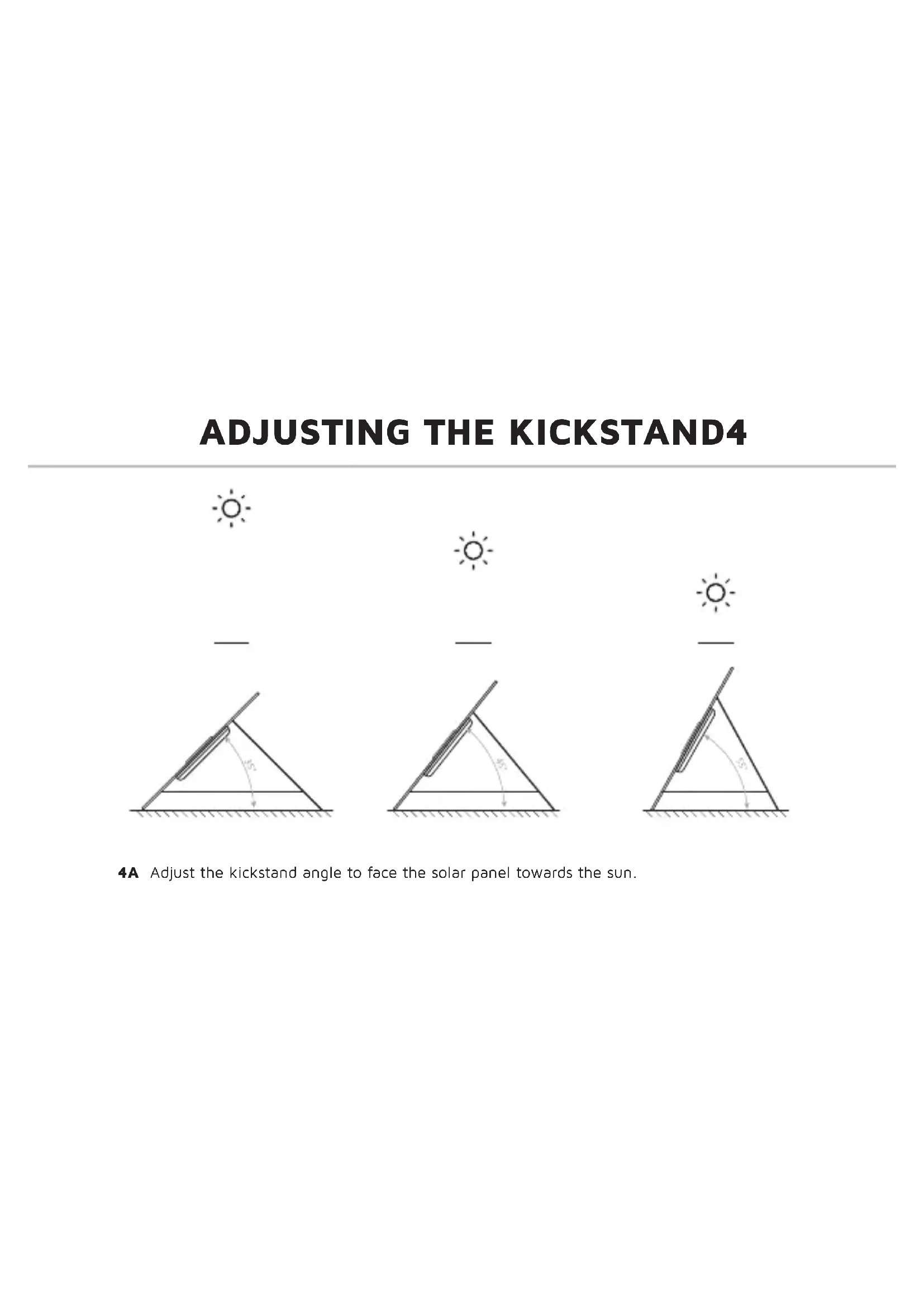
Carrying handles
Cable
2 Fastening rings
Kickstand
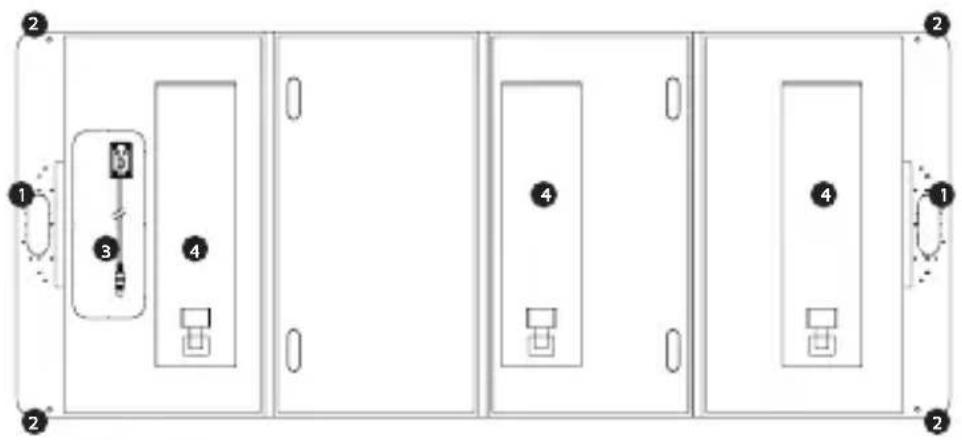
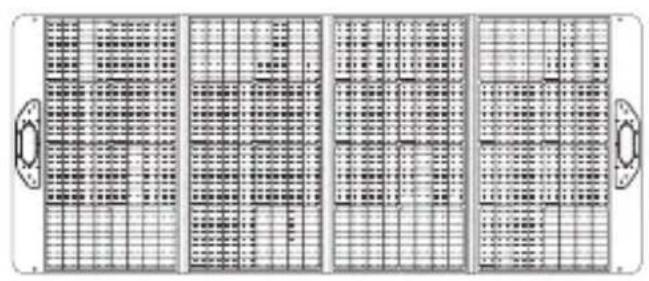
UNFOLDING 3
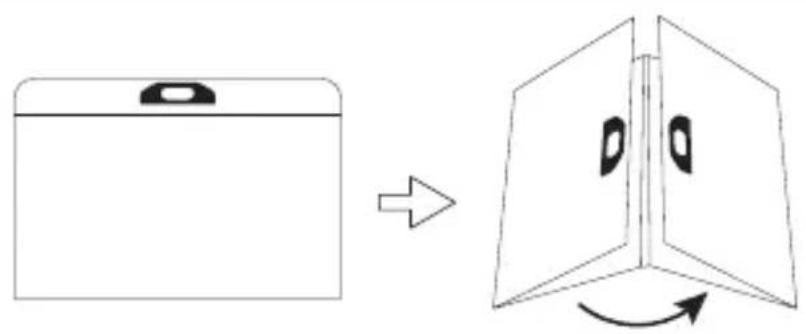
ADJUSTING THE KICKSTAND4
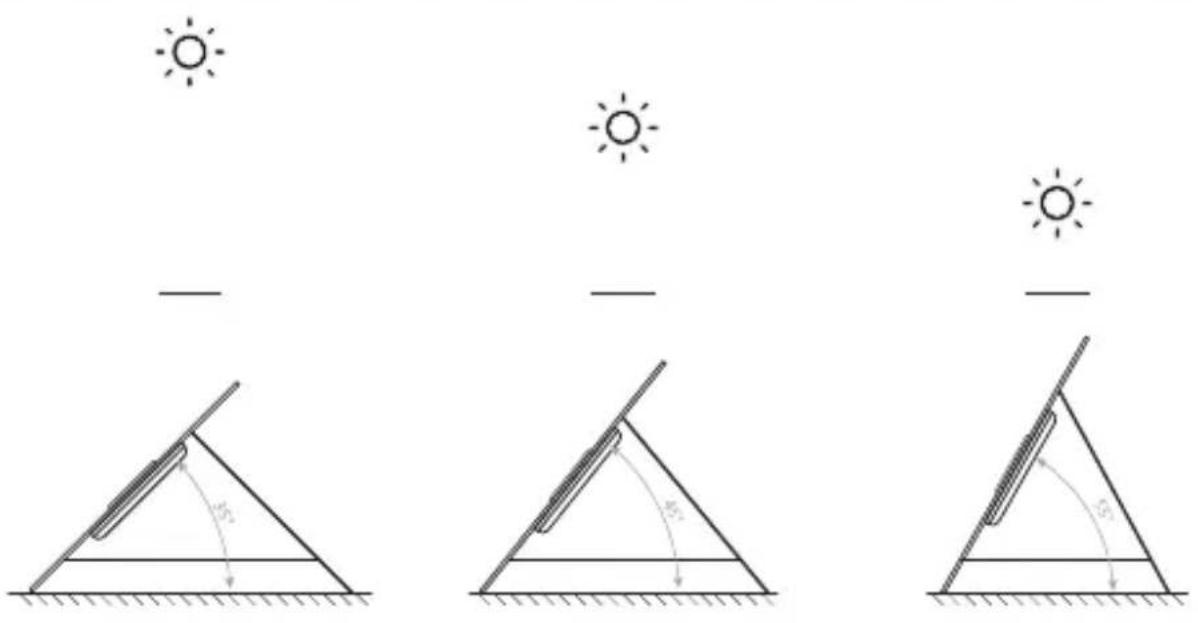
4A Adjust the kickstand angle to face the solar panel towards the sun.
CONNECT TO POWER STATION 5
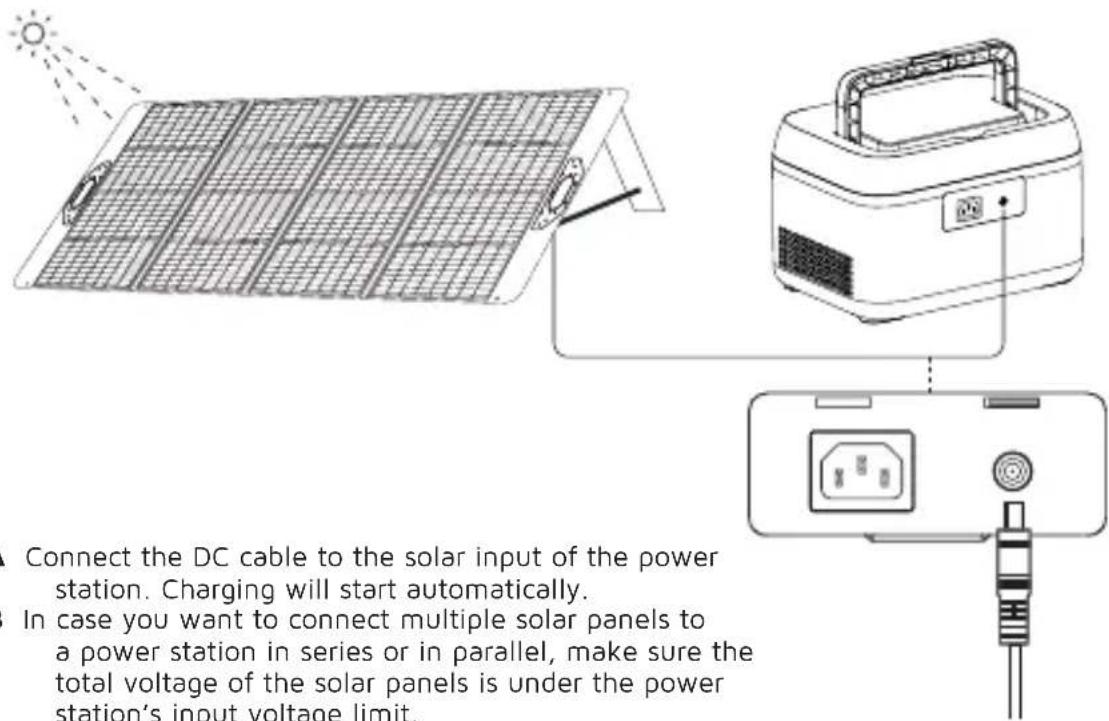
5A Connect the DC cable to the solar input of the power station. Charging will start automatically.
5B In case you want to connect multiple solar panels to a power station in series or in parallel, make sure the total voltage of the solar panels is under the power station's input voltage limit.
6 RULES OF SOLAR CHARGING
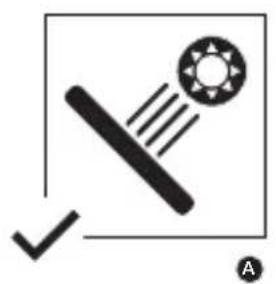
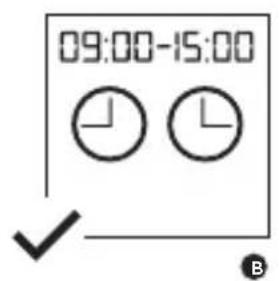
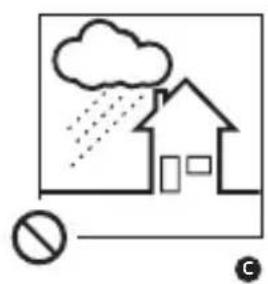
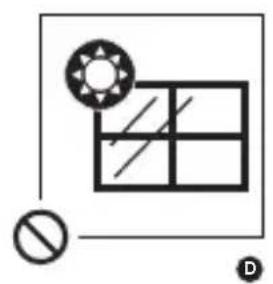
6A Best illumination angle
6B Best time of the day
6C Do not leave out in the rain
6D The solar panel doesn't work behind a window
EN - ENGLISH
1 SPECIFICATIONS
2 PRODUCT OVERVIEW
1 Carrying handles
Fastening rings
3 Cable
Kickstand
6 RULES OF SOLAR CHARGING
6.A Best illumination angle
6.B Best time of the day
6.C Do not leave out in the rain
6.D The solar panel doesn't work behind a window
3 UNFOLDING
4 ADJUSTING THE KICKSTAND
4.A Adjust the kickstand angle to face the solar pabel towards the sun.
5 CONNECT TO POWER STATION
5.A Connect the DC cable to the solar input of the power station. Charging will start automatically.
5.B In case you want to connect multiple solar panels to a power station in series or in parallel, make sure the total voltage of the solar panels is under the power station's input voltage limit.
NL - NEDERLANDS
1 SPECIFICATIONS
2 PRODUCTOVERZICH
Handgrepen
2 Bevestigingsringen
3 Kabel
Kickstand
3 ONTVOUWEN
nnpaJIeHNO, yBepTe ce, He oBcIOTO
HanpexeHne Ha coIapHnTe naHeJI e NOd
OrpaHnueHneTo Ha BxOndHO TaHnpexeHne Ha
eIeKtpoceHTpaIaTata.
6 PABUNA 3A 3APEXDAHE CbC CJbHcEBA EHEPnIa
6A. Han-do6bp bTbH Na OCBETBAHe
6B. Han-do6poTo BpeMe Ha DeHr
6C. He octabrayte HABbH NOI dxbkda
6D. CbHueBnT naHn He pa60Tu 3aI npo3Opu
SR - CPПСКИ
1 CneluΦHKAUJIJE
2 PPERLEIPOUN3BODA
1PyuKe 3a HoIeHbe
2PpCTeHOBn 3a npuYBpshNbahe
Ka6n
Horapa
3 OdBUNJAHBe
4 NODEWABAHbI NOCTOJBa
4A. Iopecnte yrao noctoTaTako da 6ynde OKpeHr npema cyHcy.
5 CNOJNTE HA EJEKTPAHy
5B.ПовекитЕДИКа6нHa co napHy yna3 eNeKtpaHe.Пуьeбe he noчETn ayTomatcKn. 5C.Y cnyajy da keJIte da nobexketE Bnwe conapHnx naHena Ha eNeKtpaHy y cepNJn nI npaJIenHo, yBepHTe ce ja je yKynanH hANOH conapHnx naHena nCnoD rpaHnue yna3Hor hANOHa eNeKtpaHe.
6 PABUNLA COJAPHOR NYBHeBA
6A. Haj60bn yrao oCBetbeHa
6B.Haj6oJIe eoDaHa
6C. He octabjbaje ra Ha KNiSi
6D. Colapn napanen He paun n3a npo30pa
UA - YKPAIHcbln
1 TEXHIYHXAPAKTEPNUKIN
2 ONgA NPOOyKTy
1PuyknIpnpeHenHn
2Kpiinbhi KInbua
3Ka6eπb
4Пдставka ДянHiR
3PO3ROPTAHH
4 PEGYIIOBAHHI IIDCTABKN DJIH H
4A. BīdēpyrηlòuTe KγT hαxùny πιπctáBkτ Tαk, οιο6 coHαyHn Ka6eβI 6γB cπρaMoBaHn Do coHεγ.
5 NIKLIOUeyHn DO EJEKTPOCTAHuI
5A.ПлкючыkaбьпocтIHoro ctpуMydo coHryHOro BXOdy eJeKtpoCTaHci.3apЯнkaNoUHeTbCABTOMaTuHo.
5B. RaO Bu XoYe Te NiKJIOuHTN KInbKa coHnHX naHeJe Do eNeKTPOCTaHcII NocIiDobHO a6o npaJIbHo, nepeKoHaNTecr, Ioo cyMapHa HAnpyra coHnHX naHeJe He nepeBuSye 06MeXeHHBaIXHOI HAnpyr eNeKTPOCTaHcII.
6 PABUN COHJHOI 3APJKN
6A. Haimkpauyn kytocbiTneHHa
6B. HaiKpaunuacnH
6C. He 3aennaaTe NiDdoouem
6D. CoHryHa nAHeIb He npaIoo 3a BIKHOM
RU - PycCKn
1 TEXHnueCKNE XAPAKTEPNUCTUKN
2OB3OPIPOdYKcH
1Pyukn dny nepeHockn
KpeIeKHbIe KOJIbLa
3Ka6eIb
4 NpOCTaBka nIra HOr
3 PA3BOPAQUINBAIOUIXC
4 PEGYINPOBKA CTOIKI JIA HOI
4A. OtperynnpyTe yron HaKnoHa KkCTeHa TaK, YTO6bI cOnHeuHaa NaHEnb 6bila HAnpaBneHa Ha cOnHcE.
5 NOДКЛIOЧЕНЕ KЭЛЕКТРОCTAHЦИ
5A.ПоdkнluчnteKa6eNBNoCToHHOrToTKaK BxOy coJIneHcHOb 6aTapeN 3JIeKtpocTaHcU. 3apAnKa NaHcTcABTomatnueckn.
5B.Ecnn BbXOTnTe NOKNIQUHTb HeCKoNbKO coJHeuHbIX naHeen K 3neKTPOCTaHcnn NocJeIOBaTeIbHO nI npaJIeIbHO, y6eIITecb, YTO oOuee HapJxKeHne coJHeuHbIX naHeen He
npeBbIwaet npeIeIbHOro BXOdHOro HaprJKeHnA 3JIeKtpoCTaHcN.
6 PABUN 3APRAKIN COJHEYHbIX BATAPEI
6A.Lyuynyrolocbeuhenr
6B.ЛучшeeВремДнЯ
6C. He octabnIte noIdoXJem
6D. ColnHeuHa nAHeJIb He pa6OtaeT 3a OKHOM
TR - TÜRKÇE
1 ÖZELLIKLER
2 URUNE GENEL BAKIS
Taśima kollari
2 Sabitleme halkalari
Kablo
Kickstand
SOLAR ŞARJIN 6 KURALI
Provided with a temperature control chip that prevents overheating.

2. OVERLOAD PROTECTION
Protects both the internal battery as well as the battery of the attached device from overcharging.

3. SECURED POWER MANAGEMENT
Automatically picks the correct charging speed and efficiently devides power between attached devices.

4. SHORT CIRCUIT PROTECTION
Breaks the circuit automatically when an overcurrent is detected. This protects the Xtorm charger and your device from short circuit damage.

5. A-CLASS BATTERY CELLS
We only use the best battery cells that provide the fast charging you need and meet all safety requirements.

6. HIGH EFFICIENCY
Our power products are built to power your device as efficient as possible. This ensures the least possible loss of energy during the charging process.

WARNING
EN Warnings
Don't drop, disassemble or attempt to repair the charger by yourself. Avoid exposure to water or high humidity. Don't expose to any heat source. Keep out of reach of children. Don't use in the presence of flammable gas. The warranty will lapse in the event of improper use. Telco Accessories has tested the product in a test environment. All statements/declarations made by Telco Accessories about the (operation) of the product are based on the results obtained from such tests. These results/statements/declarations cannot be guaranteed, for example in cases of deviating or injudicious use and/or use in a different environment.
NL Waarschuwingen
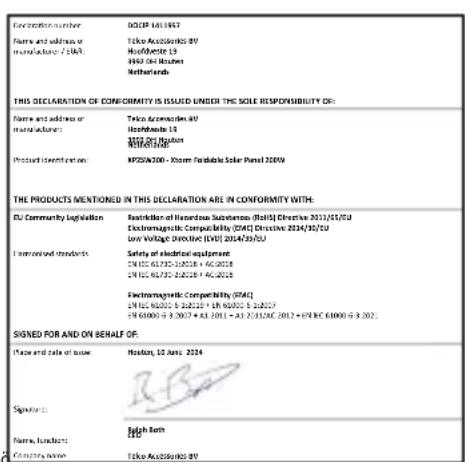
EU DECLARATION OF CONFORMITY (In sequence with 24/19/2012 CFR 1750-4)

HIGHER QUALITY
= LOWER IMPACT
CUSTOMER SUPPORT
support@tag.nl
+31(0)306354800
TELCO ACCESSORIES GROUP

- PRODUCT OVERVIEW2
- UNFOLDING 3
- ADJUSTING THE KICKSTAND4
- CONNECT TO POWER STATION 5
- RULES OF SOLAR CHARGING
- EN - ENGLISH
- SPECIFICATIONS
- PRODUCT OVERVIEW
- UNFOLDING
- ADJUSTING THE KICKSTAND
- CONNECT TO POWER STATION
- NL - NEDERLANDS
- PRODUCTOVERZICH
- ONTVOUWEN
- PABUNA 3A 3APEXDAHE CbC CJbHcEBA EHEPnIa
- SR - CPПСКИ
- CneluΦHKAUJIJE
- PPERLEIPOUN3BODA
- OdBUNJAHBe
- NODEWABAHbI NOCTOJBa
- CNOJNTE HA EJEKTPAHy
- PABUNLA COJAPHOR NYBHeBA
- UA - YKPAIHcbln
- TEXHIYHXAPAKTEPNUKIN
- ONgA NPOOyKTy
- 3PO3ROPTAHH
- PEGYIIOBAHHI IIDCTABKN DJIH H
- NIKLIOUeyHn DO EJEKTPOCTAHuI
- PABUN COHJHOI 3APJKN
- RU - PycCKn
- TEXHnueCKNE XAPAKTEPNUCTUKN
- 2OB3OPIPOdYKcH
- PA3BOPAQUINBAIOUIXC
- PEGYINPOBKA CTOIKI JIA HOI
- NOДКЛIOЧЕНЕ KЭЛЕКТРОCTAHЦИ
- PABUN 3APRAKIN COJHEYHbIX BATAPEI
- TR - TÜRKÇE
- ÖZELLIKLER
- URUNE GENEL BAKIS
- SOLAR ŞARJIN 6 KURALI
- OVERLOAD PROTECTION
- SECURED POWER MANAGEMENT
- SHORT CIRCUIT PROTECTION
- A-CLASS BATTERY CELLS
- HIGH EFFICIENCY
- WARNING
- EN Warnings
- NL Waarschuwingen
- HIGHER QUALITY
- = LOWER IMPACT
Brand : Xtorm
Model : XP2SW200
Category : Solar panel