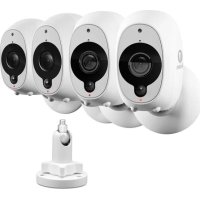
SWWHDINTCM1STPK4UK - Surveillance Camera SWANN - Free user manual and instructions
Find the device manual for free SWWHDINTCM1STPK4UK SWANN in PDF.



| Product Type | Wireless surveillance camera |
| Brand | Swann |
| Model | SWWHDINTCM1STPK4UK |
| Power supply | Built-in rechargeable battery |
| Charging | Via USB port (DC5V, 2.1A recommended) |
| Full charging time | Up to 6 hours (if battery is empty) |
| Motion sensor | Passive infrared (PIR) |
| Night vision | Infrared LEDs |
| Microphone | Built-in |
| LED indicator | Yes, for operating status |
| Connectivity | SAFE by Swann app (iOS/Android) |
| Mounting | Magnetic mount, adhesive strips, or screws |
| Reset button | Yes, on the back |
| Pairing button | Yes, to pair with the app |
| Mobile app | SAFE by Swann (free) |
| Care and cleaning | Clean with a soft, dry cloth |
| Safety | Compliant with directive 2014/53/EU |
| General information | Manual downloadable as PDF from support.swann.com |
Frequently Asked Questions - SWWHDINTCM1STPK4UK SWANN
User questions about SWWHDINTCM1STPK4UK SWANN
0 question about this device. Answer the ones you know or ask your own.
Ask a new question about this device
Download the instructions for your Surveillance Camera in PDF format for free! Find your manual SWWHDINTCM1STPK4UK - SWANN and take your electronic device back in hand. On this page are published all the documents necessary for the use of your device. SWWHDINTCM1STPK4UK by SWANN.
USER MANUAL SWWHDINTCM1STPK4UK SWANN
Smart Security Camera
Caméra de Sécurité Intelligente Cámara de Seguridad Inteligente Intelligente Sicherheitskamera Telecamera di Sorveglianza Smart
EN
Quick Start Guide Guide démarriage rapide

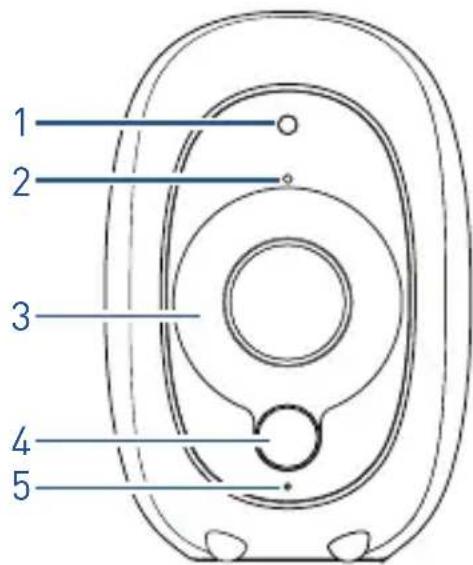
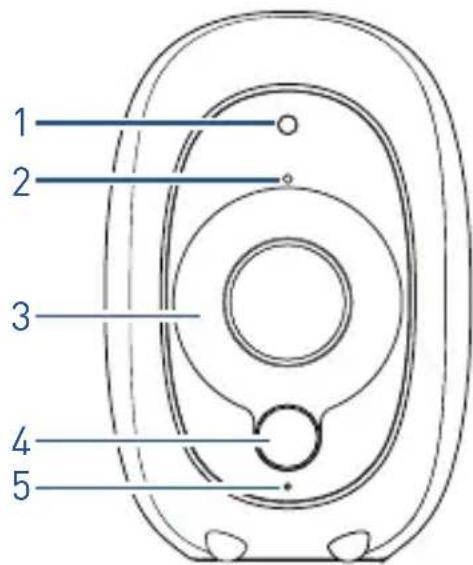
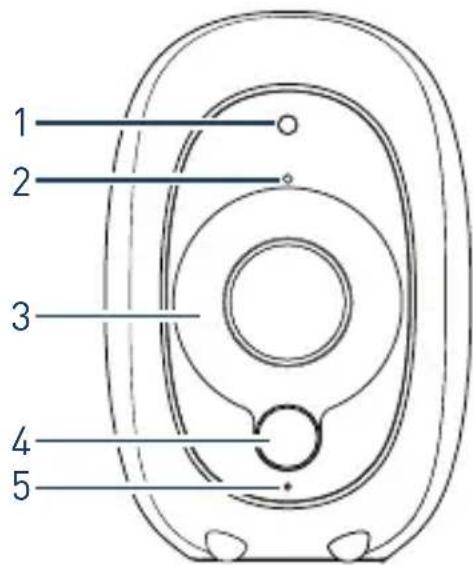
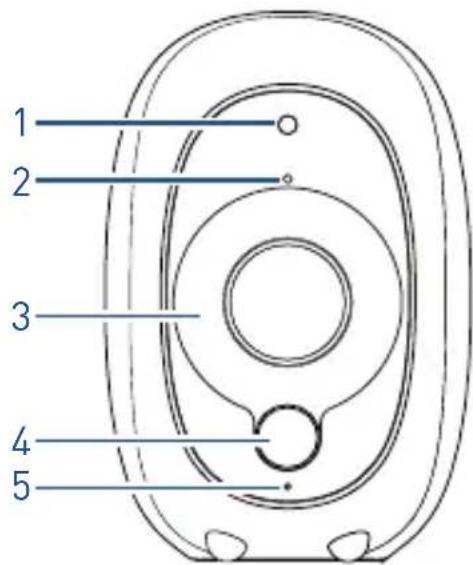
1 Night detection sensor
2 Microphone
3 Infrared LEDs for night vision
4 Passive infrared motion sensor
5 LED indicator
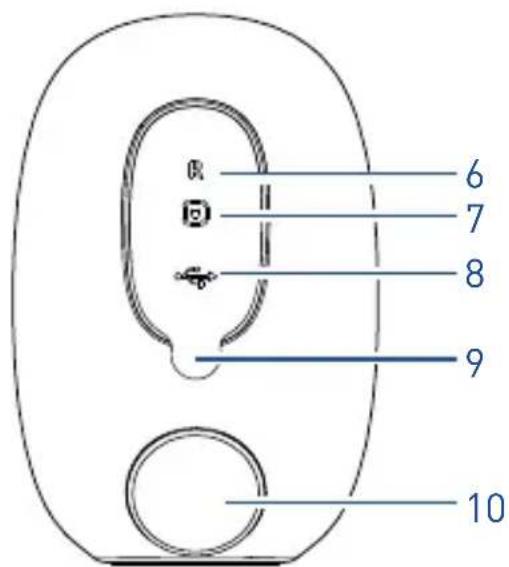
6 Reset pinhole button
7 Pairing button
8 USB charging port
9 Port cover
10 Magnetic mount holder
2
English
CHARGE THE CAMERA
Before using the camera for the first time, charge it for at least two hours with the included USB cable.
1 Open the port cover on the back of the camera.
2 Plug the smaller end of the USB cable into the USB charging port on the camera, and the larger end into a USB wall charger (DC5V 2.1A or above is recommended for faster charging).
3 Actual charging time depends on the USB power supply and the remaining battery level. A full charge can take up to six hours if the camera battery is nearly empty.
TIP Once you have set up your camera, you can easily check the charging progress using the SAFE by Swann app the next time you charge it.
GET THE APP
Download and install the latest version of the SAFE by Swann app from the Apple App Store® or Google Play™ Store on your iOS or Android device. Simply search for "SAFE by Swann".

FIRST TIME SETUP
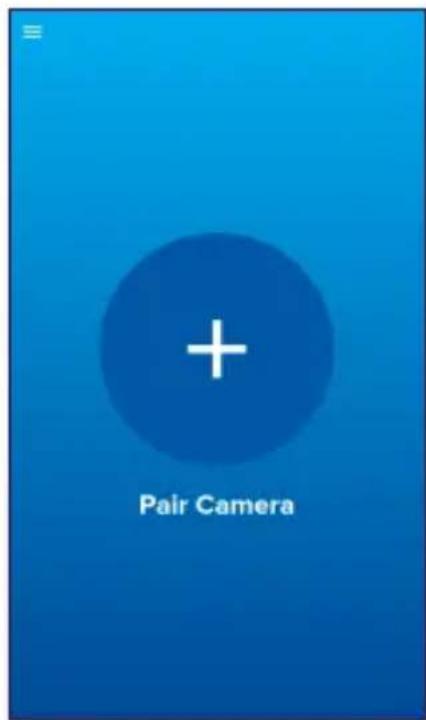
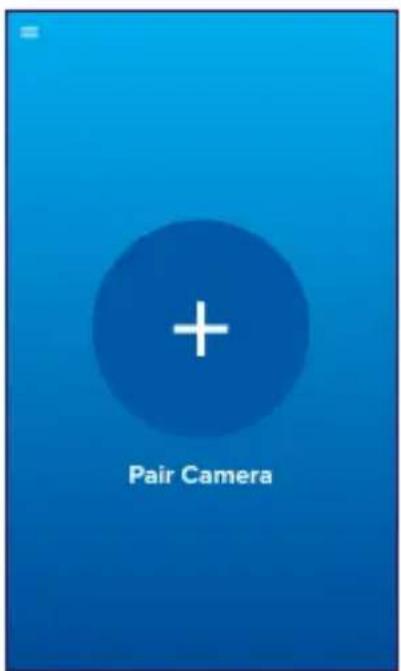
Launch the SAFE by Swann app. Create an account or log in if you already have an account. Once logged in, tap the + icon and follow the on-screen instructions to pair your camera.

English
CAMERA PLACEMENT
Because the camera is completely wire-free, you'll have a lot of flexibility with where you place it. The camera's flat base allows you to put it on a table, shelf, or anywhere with a flat surface.
The camera also comes with a separate magnetic stand which can be mounted to a wall with either the included 3M Command ™ adhesive strips or screws. The stand will hold the camera in place at almost any angle.
Mounting with adhesive strips
The supplied double-sided adhesive strips work best on smooth surfaces. When applying the strips, press firmly for at least 30 seconds to achieve a stronger adhesive bond.
Mounting with screws
Use the supplied mounting template to correctly mark and drill screw holes. Then install screws (and wall plugs, if necessary) and hang the magnetic stand over the screw heads.
DISCOVER MORE
This quick start guide provides the information you need to get started. To learn more about using the mobile app, download the SAFE by Swann App Manual from our Support Center at: support.swann.com

NEED HELP?

tech@swann.com

support.swann.com
APERÇU DE LA CAMÉRA
BESOIN D'AIDE ?

tech@swann.com

support.swann.com
Français
VISTA GENERAL DE LA CÁMARA
¿NECESITA AYUDA?

tech@swann.com

support.swann.com
KAMERAÜBERSICHT
Deutsch
SIE BENÖTIGEN HILFE?

tech@swann.com

support.swann.com
PANORAMICA DELLA TELECAMERA
This device complies with Part 15 of the FCC Rules. Operation is subject to the following two conditions: (1) this device may not cause harmful interference, and (2) this device must accept any interference received, including interference that may cause undesired operation.
FCC RF Radiation Exposure Statement Caution: To maintain compliance with the FCC's RF exposure guidelines, place the product at least 20cm from nearby persons.
WARNING: Modifications not approved by the party responsible for compliance could void user's authority to operate the equipment.
Frequency Range: 2.4GHz ISM Band; 5.0 GHz ISM Band CE Output Power: 2412-2472MHz<16dBm;
5150-5350MHz<13dBm; 5470-5725MHz<13dBm
© Swann Communications 2018 QSGINTCAMVER5
- SMART SECURITY CAMERA
- CHARGE THE CAMERA
- GET THE APP
- FIRST TIME SETUP
- CAMERA PLACEMENT
- MOUNTING WITH ADHESIVE STRIPS
- MOUNTING WITH SCREWS
- DISCOVER MORE
- NEED HELP
- APERÇU DE LA CAMÉRA
- BESOIN D'AIDE
- VISTA GENERAL DE LA CÁMARA
- ¿NECESITA AYUDA
- KAMERAÜBERSICHT
- SIE BENÖTIGEN HILFE
- PANORAMICA DELLA TELECAMERA
Brand : SWANN
Model : SWWHDINTCM1STPK4UK
Category : Surveillance Camera