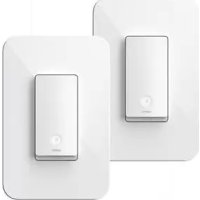
Wemo Smart Light Switch - Electrical switch BELKIN - Free user manual and instructions
Find the device manual for free Wemo Smart Light Switch BELKIN in PDF.


| Brand | Belkin |
| Model | Wemo Smart Light Switch |
| Product Type | Smart Light Switch |
| Approximate Dimensions | 107 x 107 x 30 mm |
| Approximate Weight | 0.2 kg |
| Power Supply | 120 V~, 15 A, 60 Hz |
| Maximum Output Load | 120 V~, resistive load 15 A, incandescent 600 W |
| Wireless Connectivity | Wi-Fi 2.4 GHz 802.11n |
| Required Configuration | Wireless router, Android 6.0+ or iOS 11.0+ |
| Operating Temperature | 0 °C to 40 °C |
| Controls | Press the white front button or use the Wemo app |
| Installation | Requires a disconnect, 14 AWG or larger wire (90 °C min.) |
| Maintenance and Cleaning | Dry cloth only, do not use liquid solutions |
| Safety | Minimum distance of 20 cm from radiator, indoor dry use |
| Compliance | FCC Part 15 Class B, CAN ICES-3(B)/NMB-3(B) |
| Number of Supported Wires | 3-way switch (three-pole) |
| Intended Use | Residential, indoor, dry |
| Repairability | Not detailed, contact Belkin support |
| Spare Parts | Not specified |
| General Information | Manual available in PDF, support at wemo.com/support.html |
Frequently Asked Questions - Wemo Smart Light Switch BELKIN
User questions about Wemo Smart Light Switch BELKIN
0 question about this device. Answer the ones you know or ask your own.
Ask a new question about this device
Download the instructions for your Electrical switch in PDF format for free! Find your manual Wemo Smart Light Switch - BELKIN and take your electronic device back in hand. On this page are published all the documents necessary for the use of your device. Wemo Smart Light Switch by BELKIN.
USER MANUAL Wemo Smart Light Switch BELKIN
The Wemo Light Switch 3-Way can replace existing 3-way and single-pole light switches.
If you purchased a 3-Way bundle, you only need to install one Light Switch 3-Way per circuit. Feel free to install the second Light Switch in a different location.
Neutral wires are required to install the Light Switch 3-Way. Install your Wemo where you have a strong Wi-Fi signal. Be sure the mobile device you're using to set up your Wemo Light Switch is close to the Light Switch until setup is done.
What's in the Box
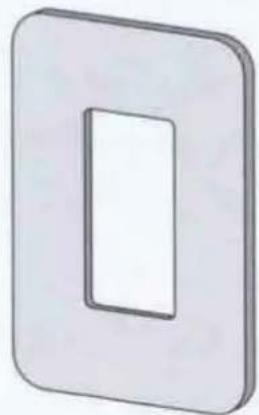
natural_image
Simple 3D illustration of a rectangular panel with a recessed slot (no text or symbols)Cover Plate
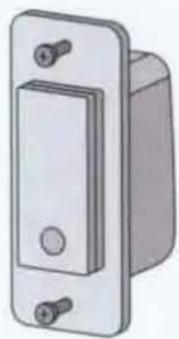
natural_image
Illustration of a metallic toggle switch with mounting holes (no text or symbols)Light Switch

5 Wire Nuts
What You Need


natural_image
Illustration of a pair of pliers (no text or symbols)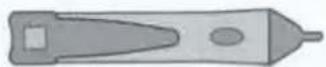
Phillips screwdriver
Standard screwdriver
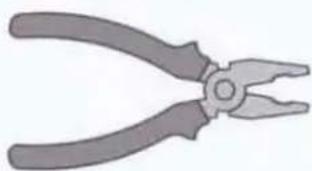
Pliers
(to bend, cut, and strip wires)
Voltage tester
1
Turn Power Off
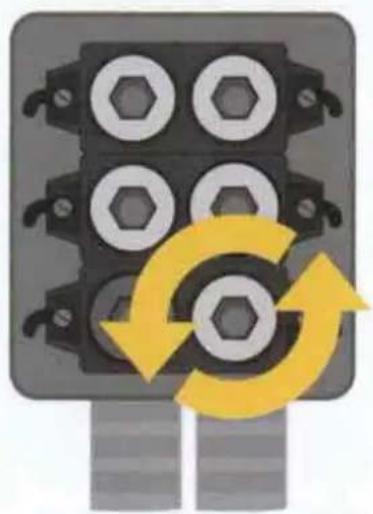
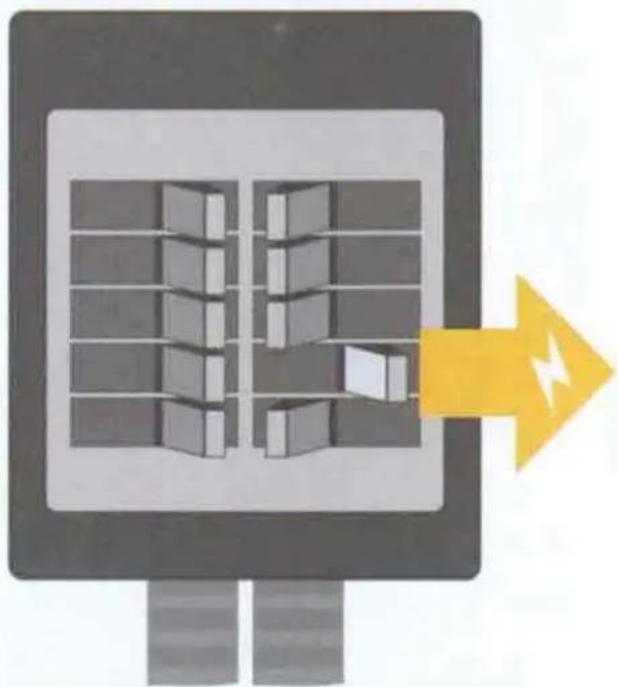
Shut off power to your circuit breaker for the switch you are replacing.
WARNING! RISK OF ELECTRIC SHOCK
Incorrect installation could be dangerous or illegal. Multiple breakers may need to be shut off for safe installation. Please call a professional electrician if you are unfamiliar or uncomfortable with electrical work.
natural_image
Diagram of a mechanical component with four circular holes and yellow curved arrows indicating rotation or cycle (no text or symbols)Fuse panel
OR
natural_image
Illustration of a server rack with a yellow arrow pointing to a device (no text or symbols)Circuit breaker panel
Test That Power Is Off

natural_image
Yellow triangular warning symbol with exclamation mark (no text or numbers)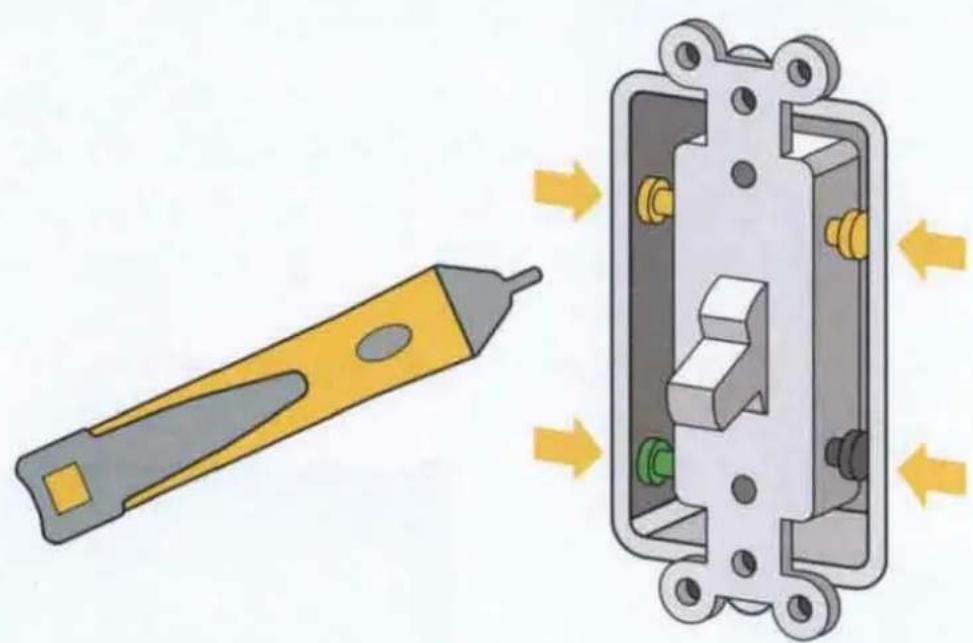
natural_image
Illustration of a tool and its internal components with directional arrows indicating motion (no text or symbols)Cover plate
Remove the faceplate from the switch. Use a voltage tester to test BOTH sides of the switch. You may need to turn off more than one circuit breaker.
Pull Out the Existing Switch
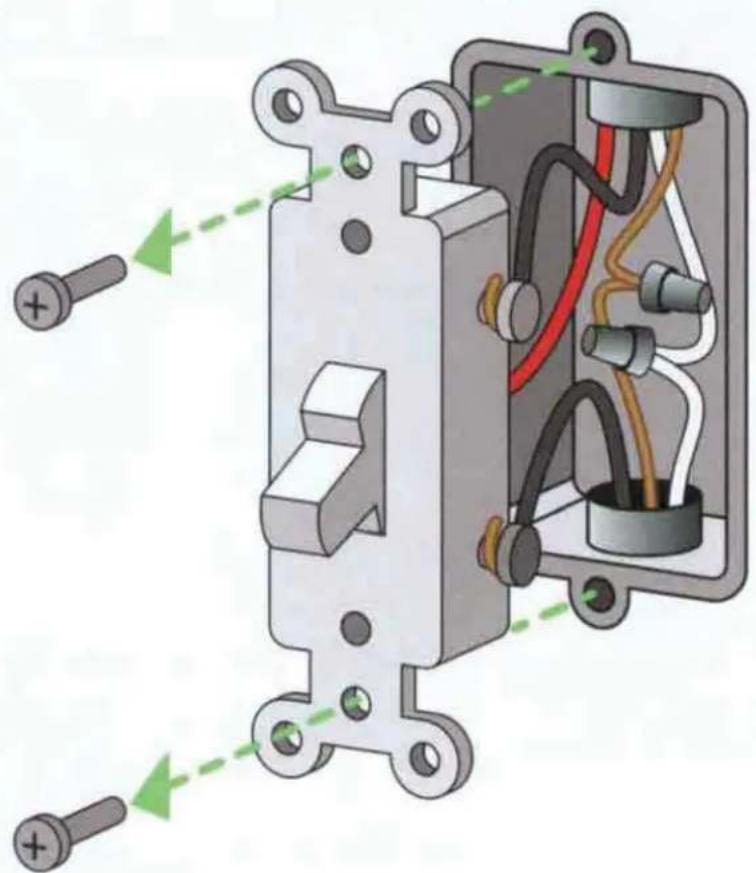
natural_image
Technical diagram of an electrical switchgear assembly with labeled components and wiring (no text or symbols present)Unscrew the switch and pull it out of the wall.
Do not remove any wires.
Identify Your Existing Switch
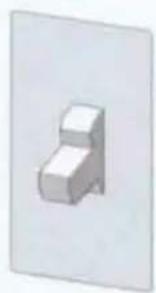
natural_image
Simple 3D geometric shape resembling a stepped block or tower, rendered in grayscale without any text or symbols.Single-pole
If one switch controls one light, it is a single-pole switch.

natural_image
Simple green arrow pointing right, no text or symbols present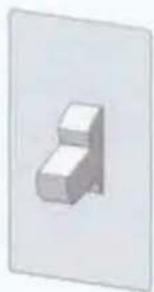
natural_image
Simple 3D geometric shape resembling a stepped block or bracket (no text or symbols)3-Way
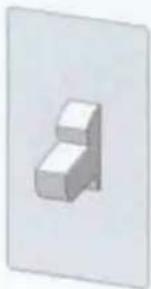
natural_image
Simple 3D geometric shape resembling a stepped block or stair (no text or symbols)3-Way
If two switches control the same light, they are both 3-way switches.

natural_image
Simple green arrow pointing right, no text or symbols present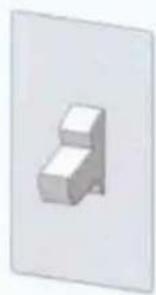
natural_image
Simple 3D geometric shape resembling a staircase or block (no text or symbols)3-Way
natural_image
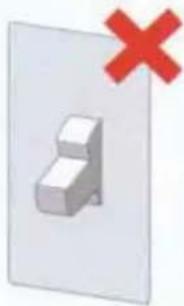
Simple 3D block diagram with a red 'X' symbol above it, no text or labels present.4-Way
natural_image
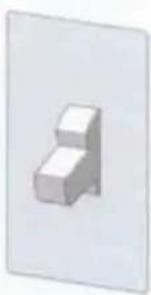
Simple 3D geometric shape resembling a stepped block or tower, rendered in grayscale without any text or symbols.3-Way
If three switches control the same light, one of them is a 4-way switch.

natural_image
Simple green arrow pointing right, no text or symbols presentThe other two are 3-way switches.
natural_image
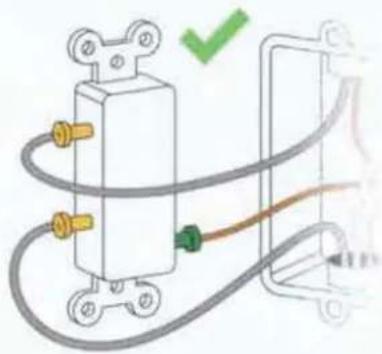
Pure electrical circuit lines without any symbolsSingle-Pole
Follow the single-pole switch instructions.
2 Screw terminals
1 Green ground screw terminal
natural_image
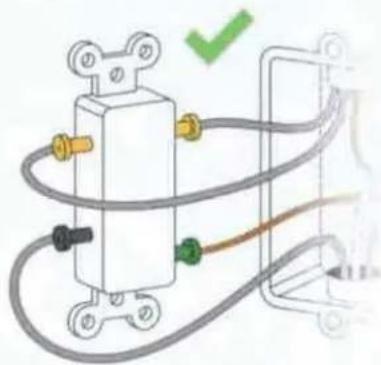
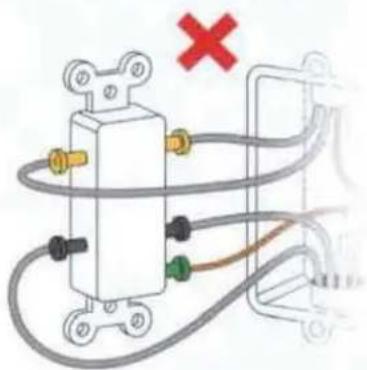
Pure electrical circuit lines without any symbolsFollow the 3-way
switch instructions.
3 Screw terminals
1 Green ground screw terminal
natural_image
Pure electrical circuit lines without any symbolsSorry, Wemo Light Switch cannot replace a 4-way switch.
Reinstall the 4-way switch.
Select a 3-way switch on the circuit that controls the same light.
4 Screw terminals
1 Green ground screw terminal
Go back to step
④
3-Way and Single-Pole
Check for NEUTRAL wires
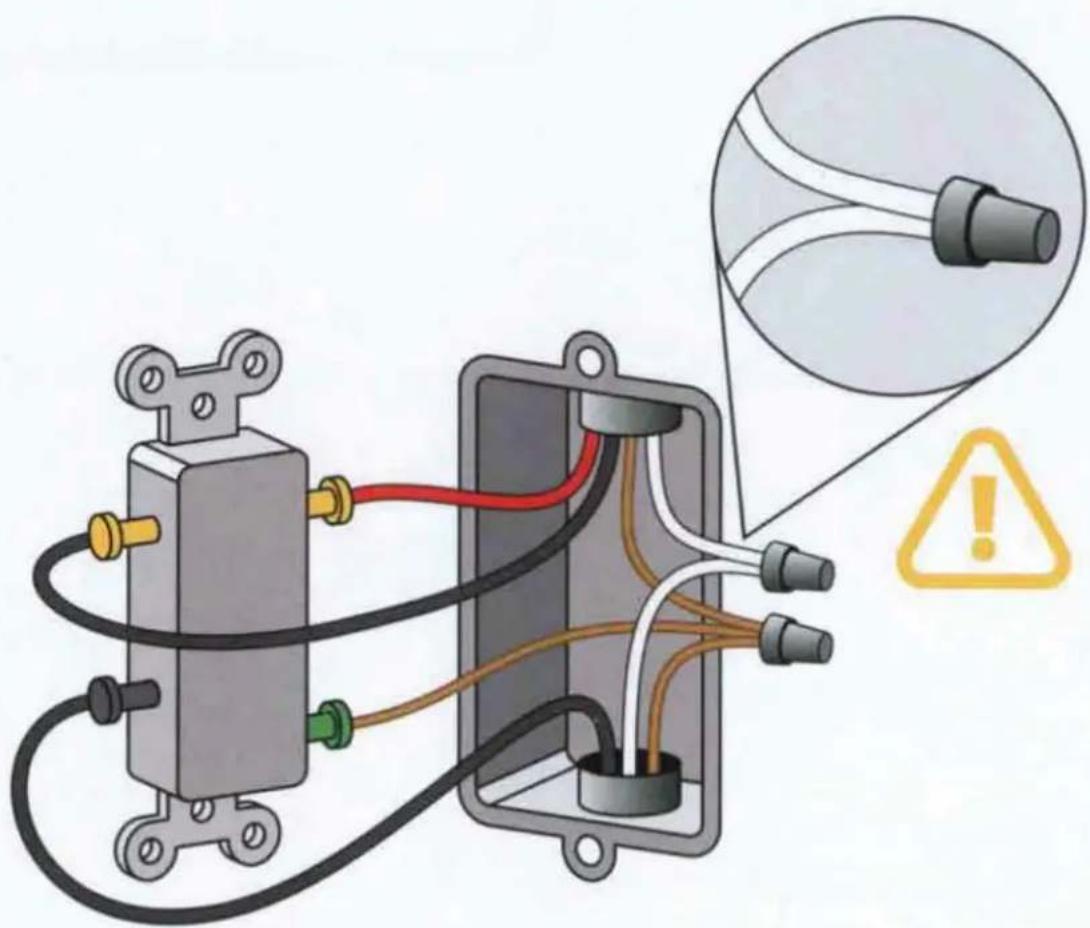
Make sure there are NEUTRAL wires (usually white) in the wall. They are required to install the Light Switch.
3-Way and Single-Pole
Test NEUTRAL wires
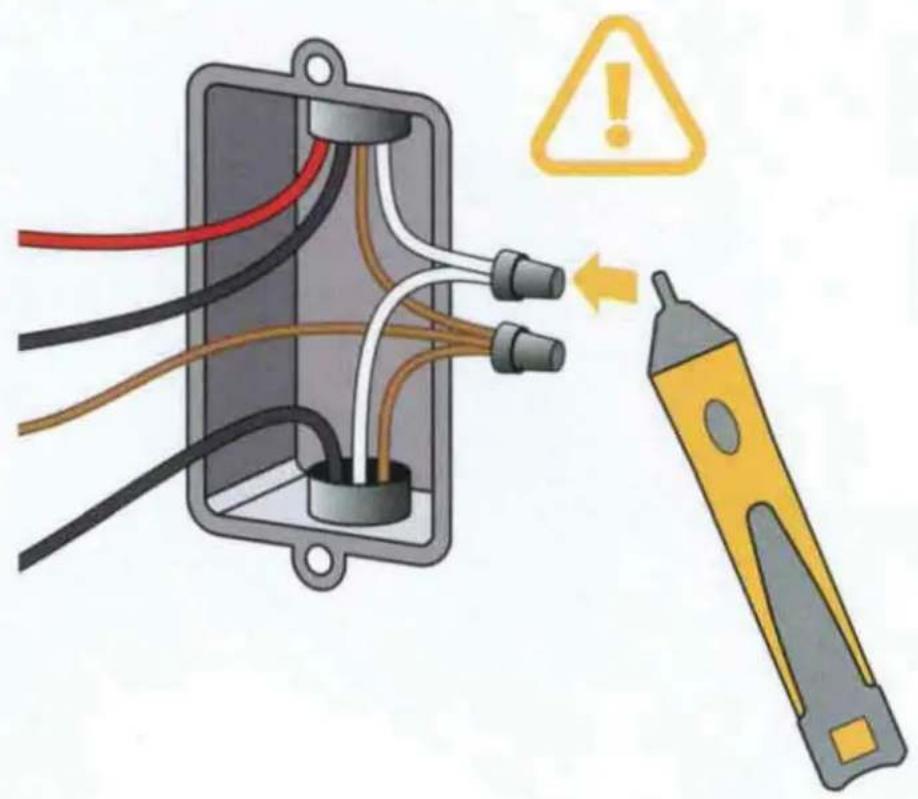
Use a voltage tester to make sure there is no power in the neutral wires from a neighboring circuit. If necessary, shut off additional circuits until no voltage is found.
natural_image
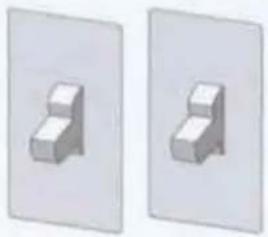
Two identical white panels each showing a 3D block on a stand, no text or symbols present.3-Way Only
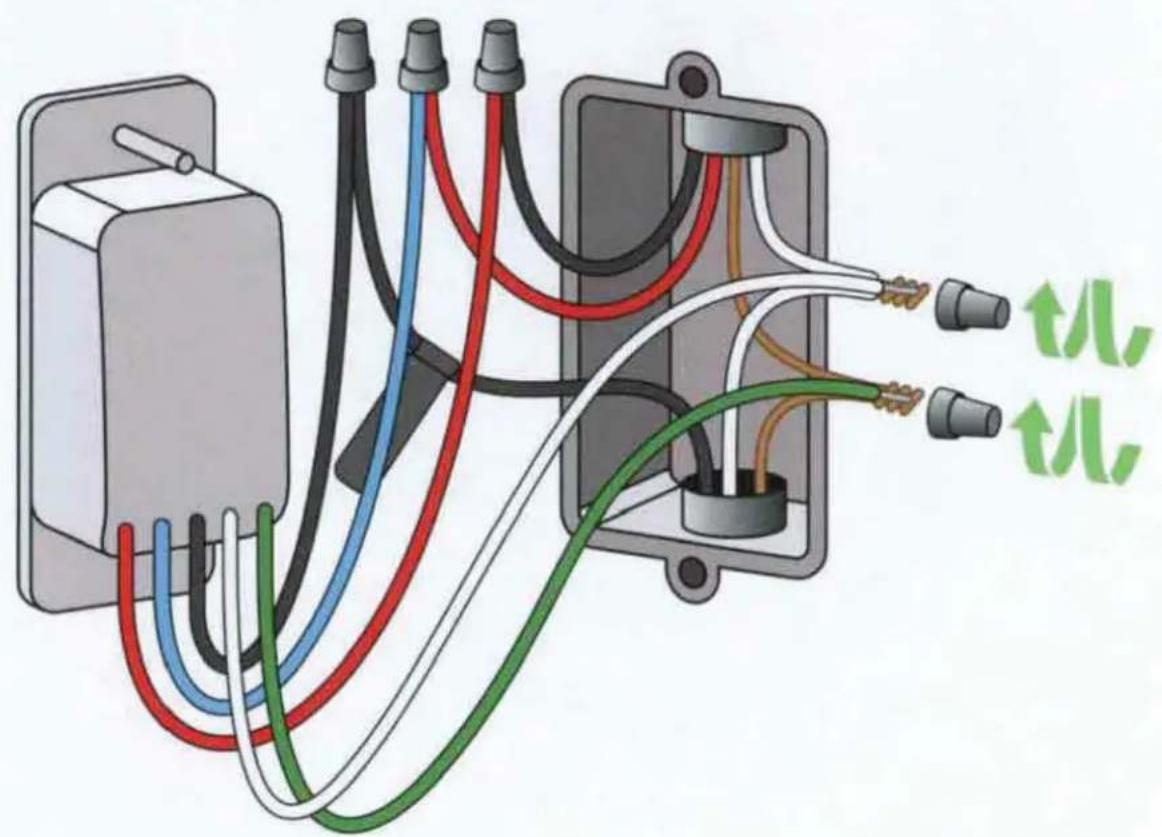
Detach LINE/LOAD wire
Note: Your existing wires may be different colors than shown.
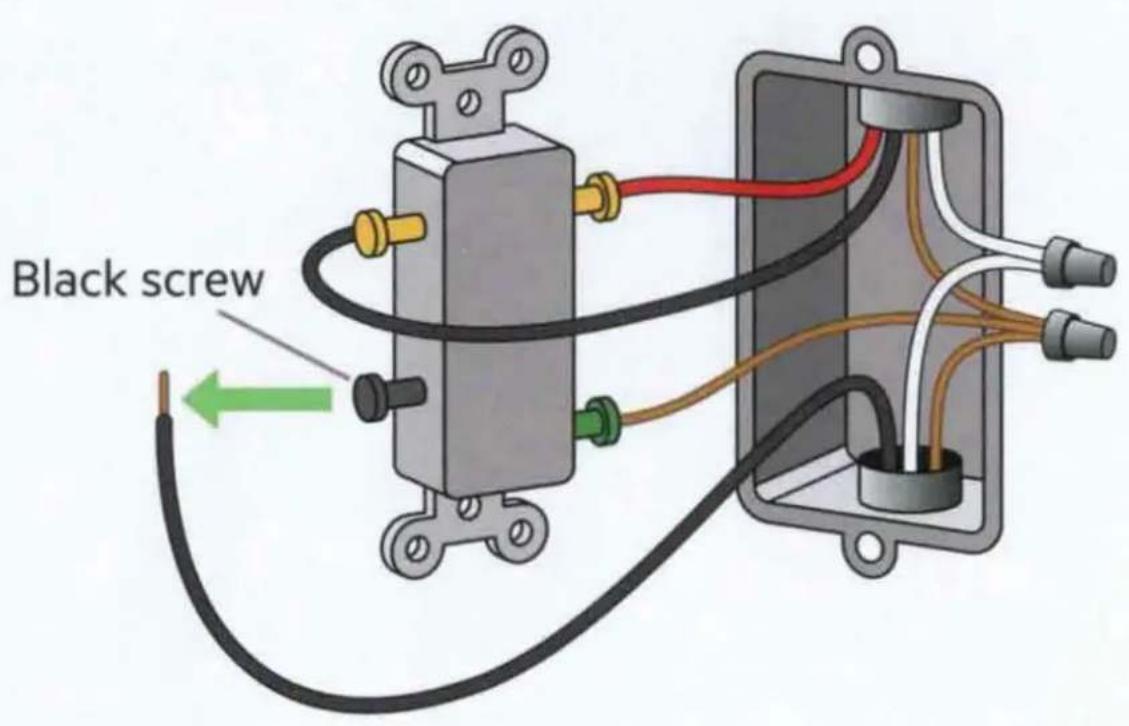
ONLY detach the LINE/LOAD wire from the switch. It is usually BLACK, attached with a black screw, and may be labeled "common."
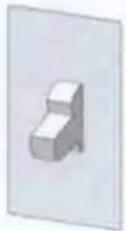
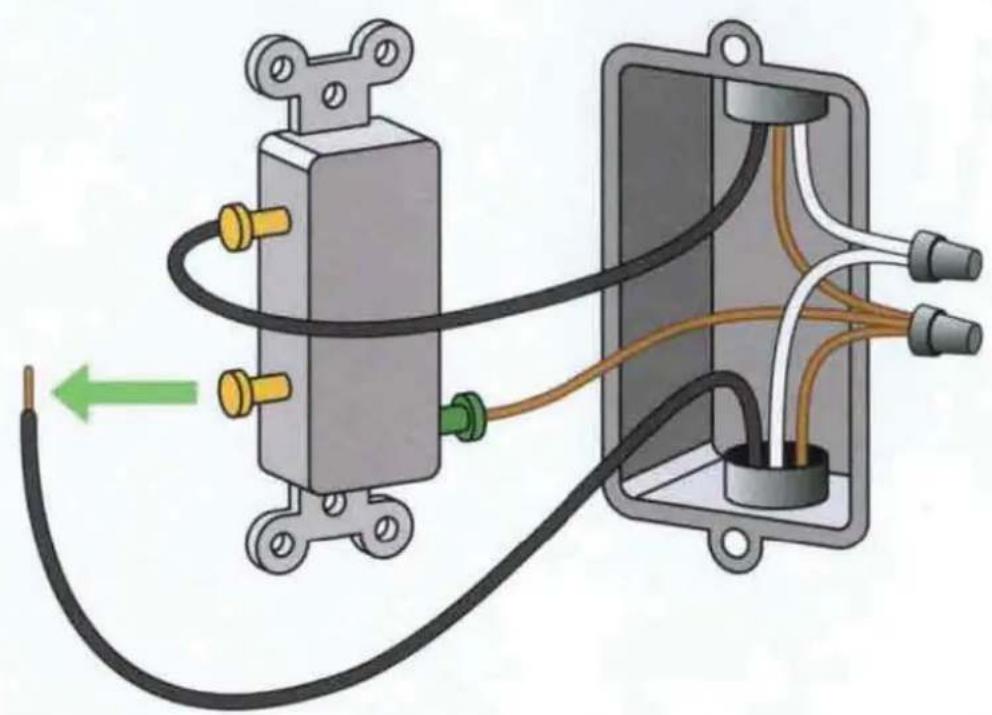
Single-Pole Only
Note: Your existing wires may be different colors than shown.
natural_image
Diagram of an electrical switch connected to a box, showing wiring and components (no text or symbols)Detach the LINE or LOAD wire (usually black).
3-Way and Single-Pole
Label LINE/LOAD wire
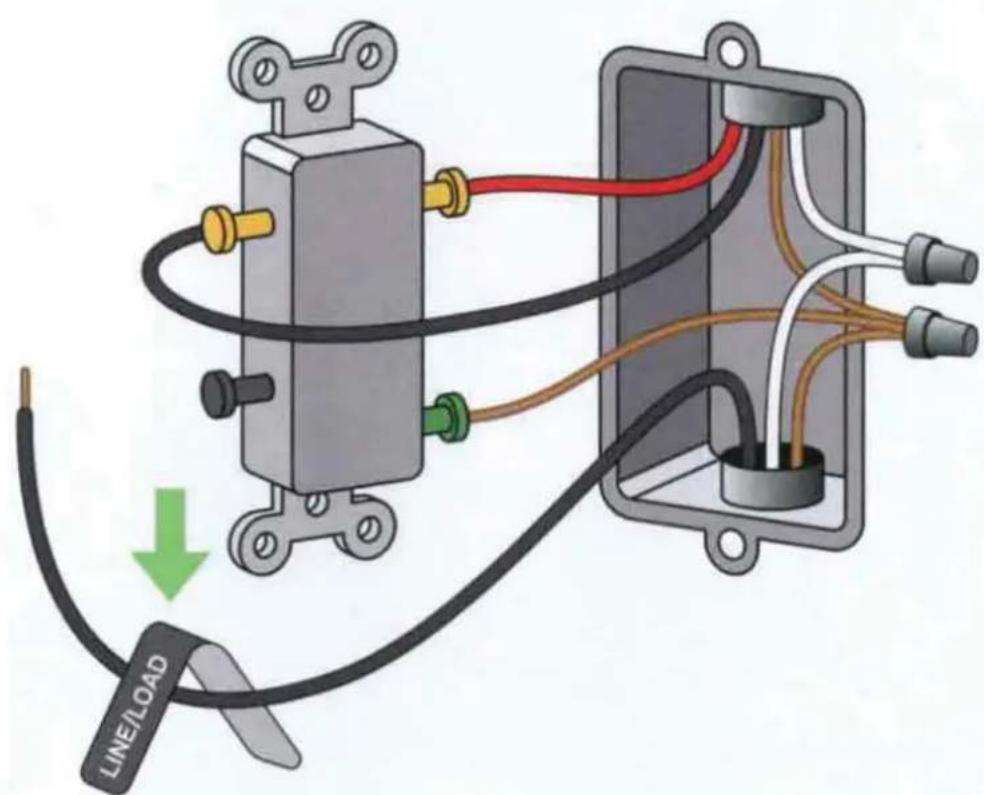
Use this BLACK LINE/LOAD sticker to label the detached LINE/LOAD wire.
LINE / LOAD LIGNE / CHARGE
3-Way and Single-Pole
Remove existing switch
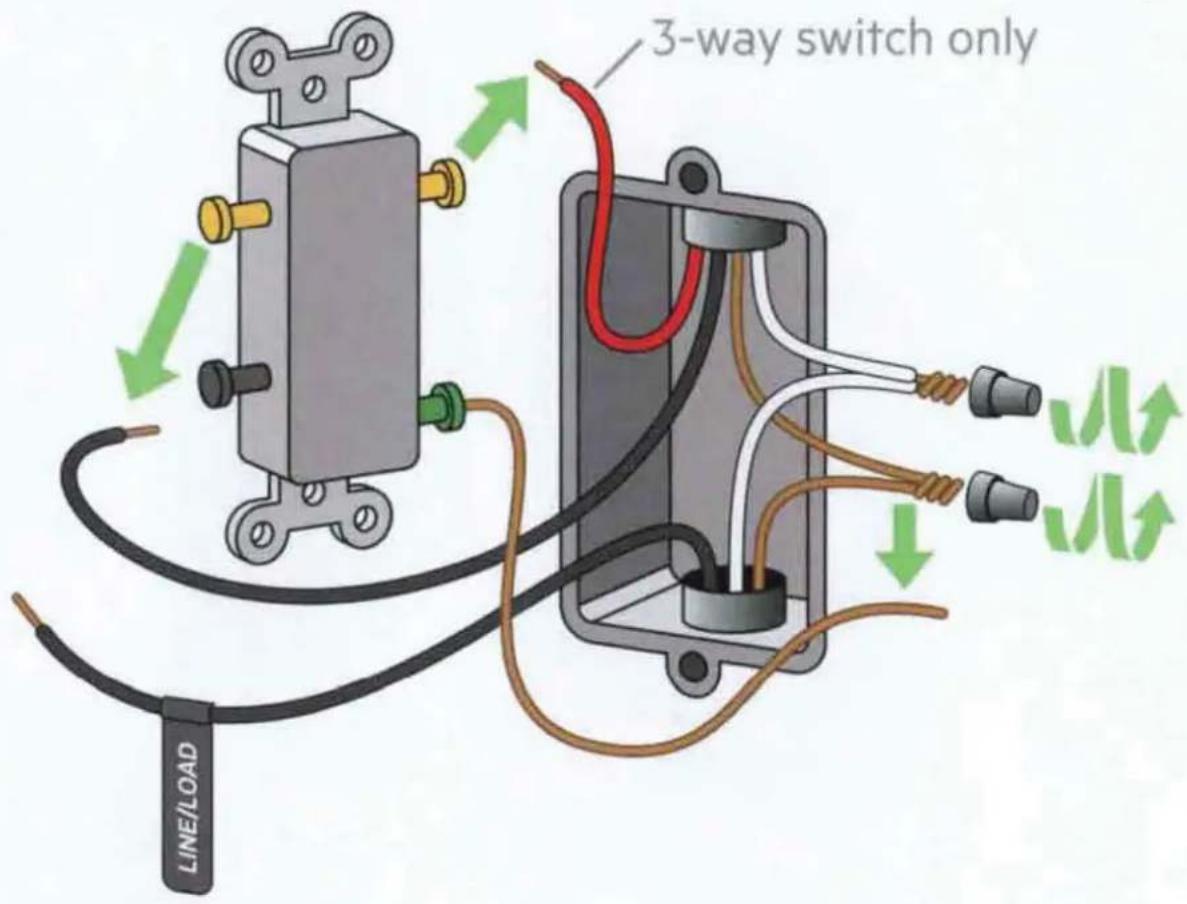
Disconnect the TRAVELER wires (shown in RED and BLACK but may be different colors).
Disconnect the GROUND wire from the wires in the wall (usually BARE COPPER or GREEN).
Remove wire nuts from neutral wires.

3-Way and Single-Pole
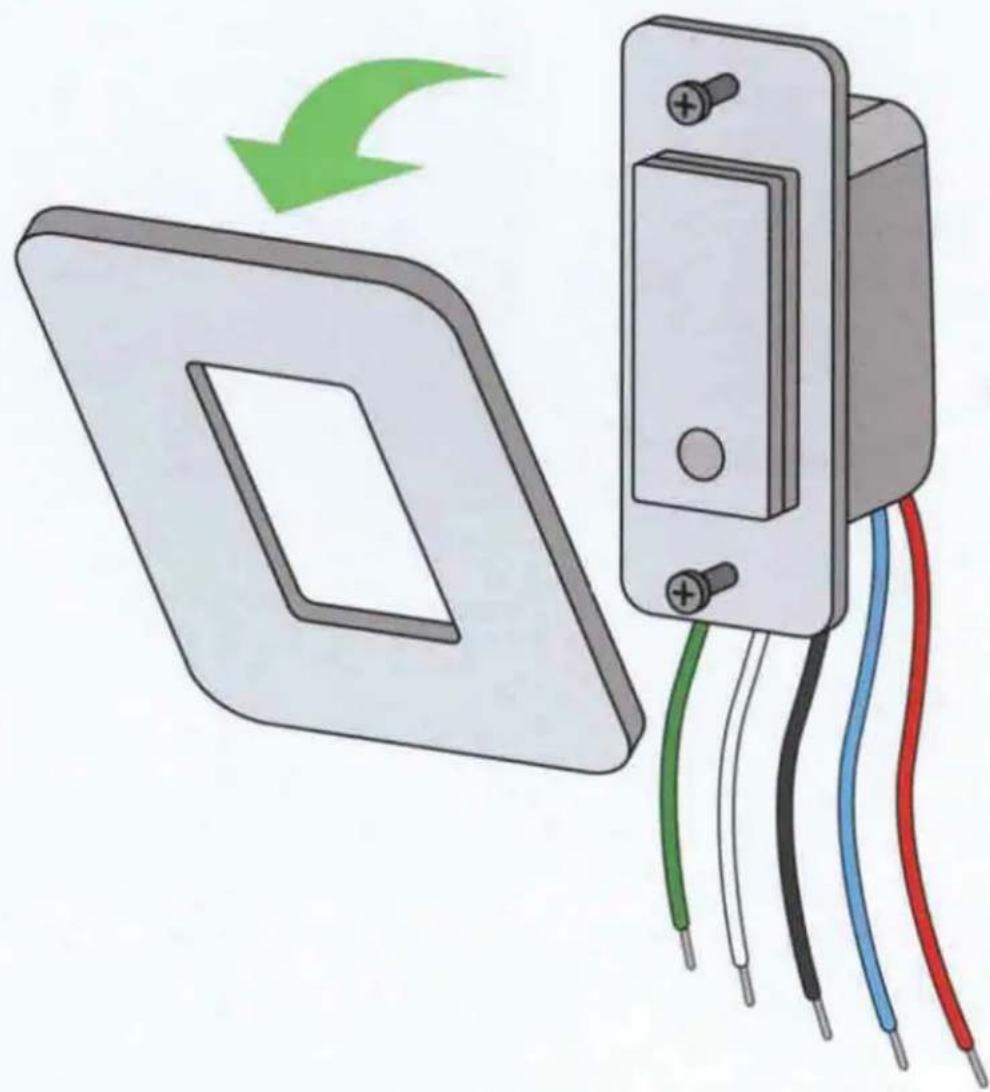
Prepare Wemo Light Switch
natural_image
Illustration of a wall-mounted switch connected to a multi-pin panel, with colored wires and a green arrow indicating rotation (no text or symbols)Snap the faceplate off the Wemo Light Switch. Remove the sticker securing the wires.
11
3-Way and Single-Pole
Connect LINE/LOAD wire
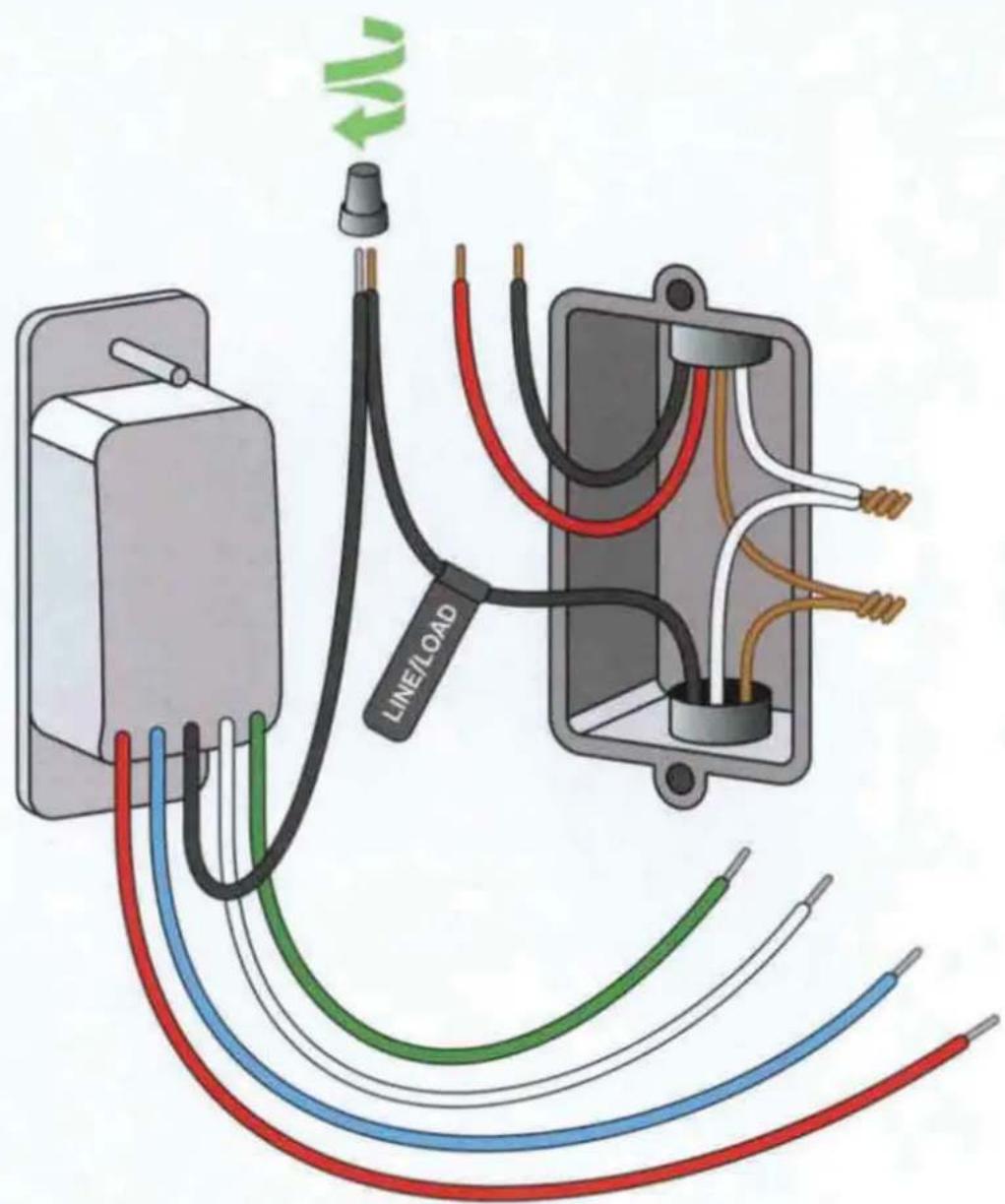
Use a wire nut to connect the BLACK LINE/LOAD wire from the Light Switch to the LABELED LINE/LOAD wire in the wall.

natural_image
Two identical 3D-rendered white objects on plain backgrounds, no text or symbols visible3-Way Only
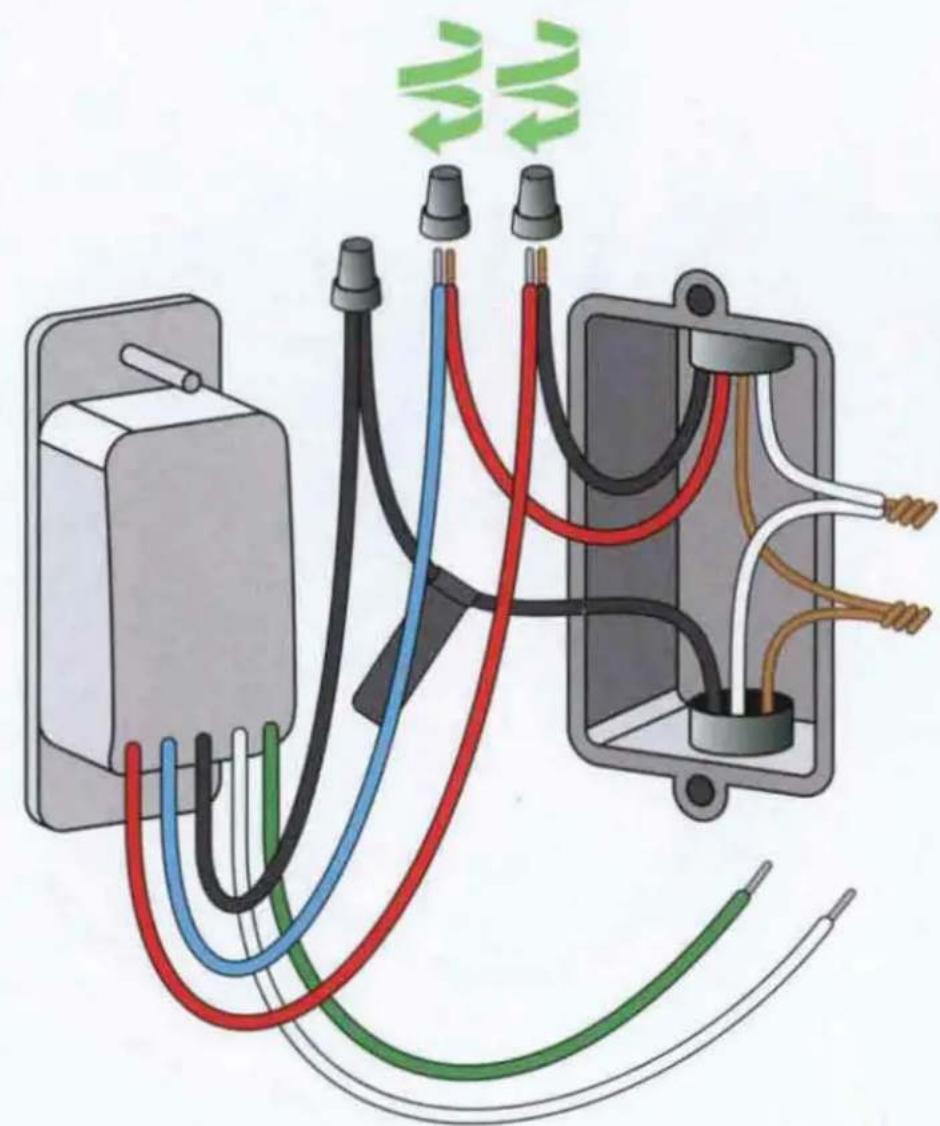
Connect
TRAVELER wires
natural_image
Electrical wiring diagram showing connections between a power outlet, wires, and an electrical enclosure (no text or symbols)Use a wire nut to connect the RED and BLUE wire from the Light Switch to the TRAVELER wires in the wall (may be different colors). Almost done!
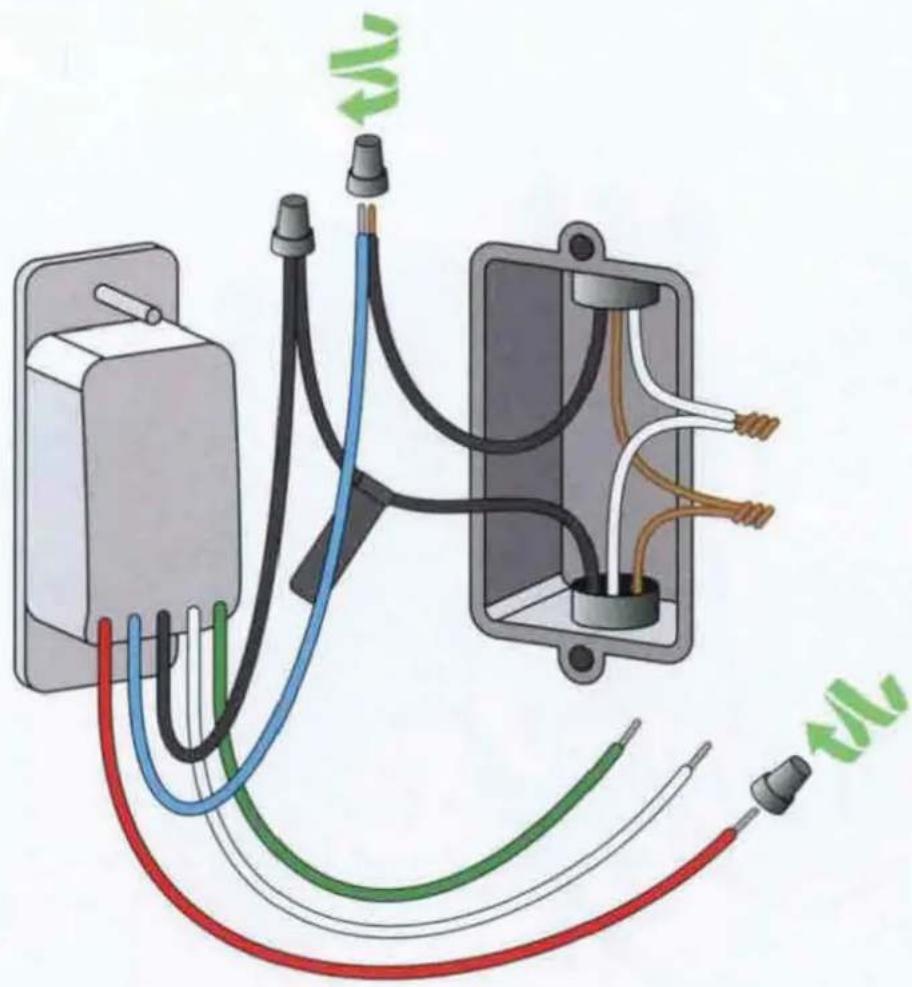
Single-Pole Only
natural_image
Electrical wiring diagram showing connections between an electrical box and a motor (no text or symbols)Use a wire nut to connect the BLUE TRAVELER wire from the Light Switch to the LOAD wire in the wall (usually black).
Cap off the RED TRAVELER wire from the Light Switch with a wire nut.
natural_image
Two identical 3D-rendered objects resembling small blocks or devices, placed side by side on plain backgrounds (no text or symbols)3-Way Only
Connect NEUTRAL and GROUND wires
Use a wire nut to connect the WHITE wire from the Light Switch to the NEUTRAL wires in the wall (usually white).
Use a wire nut to connect the GREEN wire from the Light Switch to the GROUND wires in the wall (usually BARE COPPER or GREEN). Just a few more steps!
Single-Pole Only
Connect NEUTRAL and GROUND wires

Use wire nuts to connect the WHITE wire from the Wemo Light Switch to the NEUTRAL wires (usually WHITE) in the wall.
Connect the GREEN wire from the Wemo Light Switch to the GROUND wires in the wall (usually BARE COPPER or GREEN).
3-Way and Single-Pole
Install Light Switch into the wall
natural_image
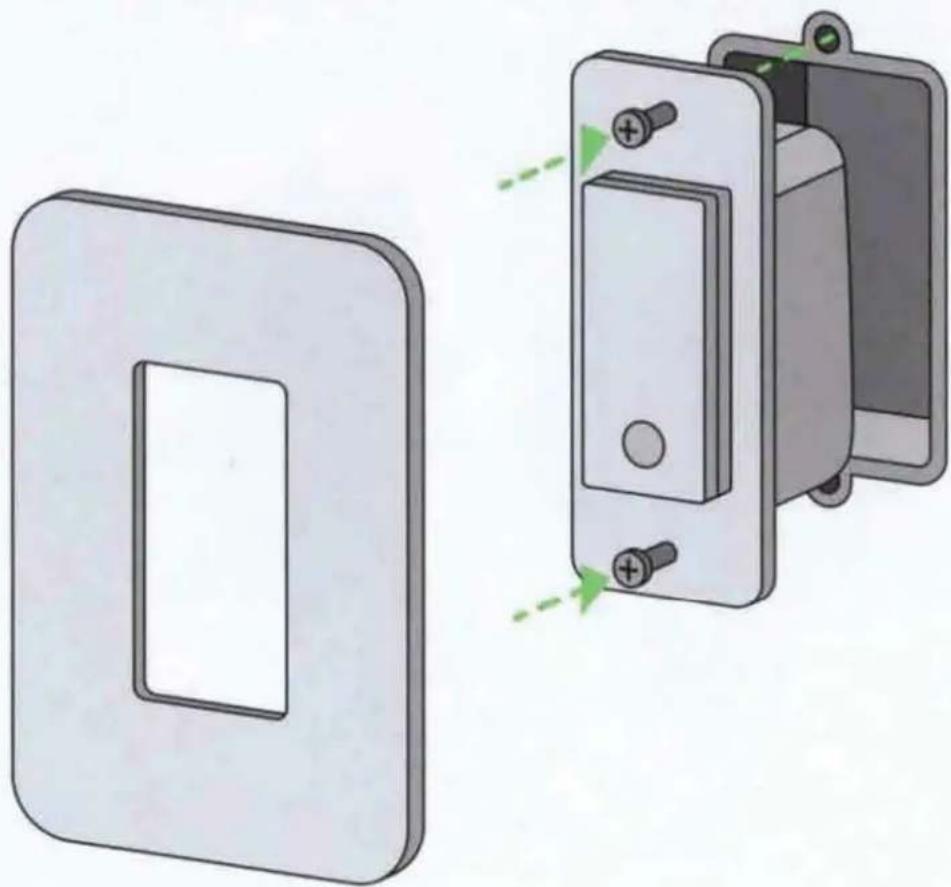
Illustration of a wall-mounted electrical switch with two views: one showing a rectangular panel and the other showing a multi-pin circuit breaker (no text or symbols present)Almost done! Tug on each wire to make sure wire nuts are secure.
Carefully tuck wires behind the Light Switch.
Screw the Light Switch into the wall and snap on the faceplate.
3-Way and Single-Pole
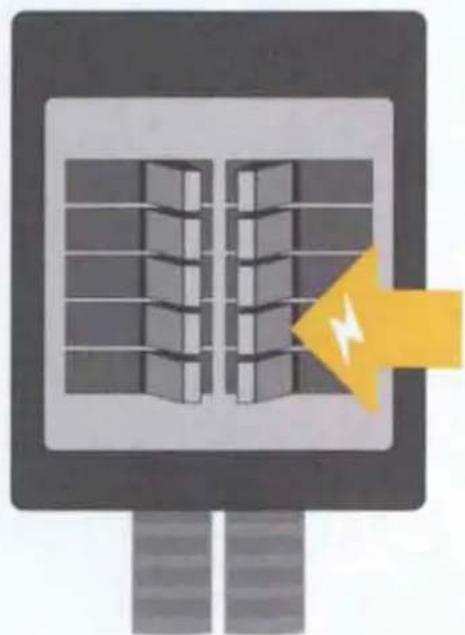
Turn on power
natural_image
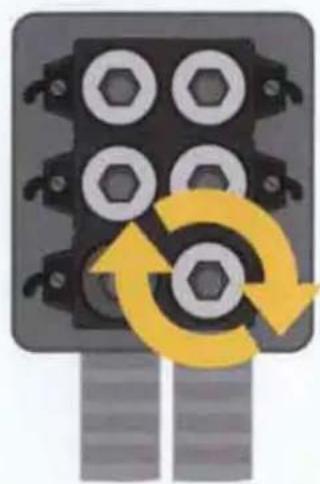
Mechanical component with four hexagonal bolts and a yellow circular arrow indicating rotation (no text or symbols)Fuse panel
OR
natural_image
Illustration of a smart air conditioner unit with grid windows and a yellow lightning bolt (no text or symbols)Circuit breaker panel
Turn power back on at the circuit breaker.
16
3-Way and Single-Pole
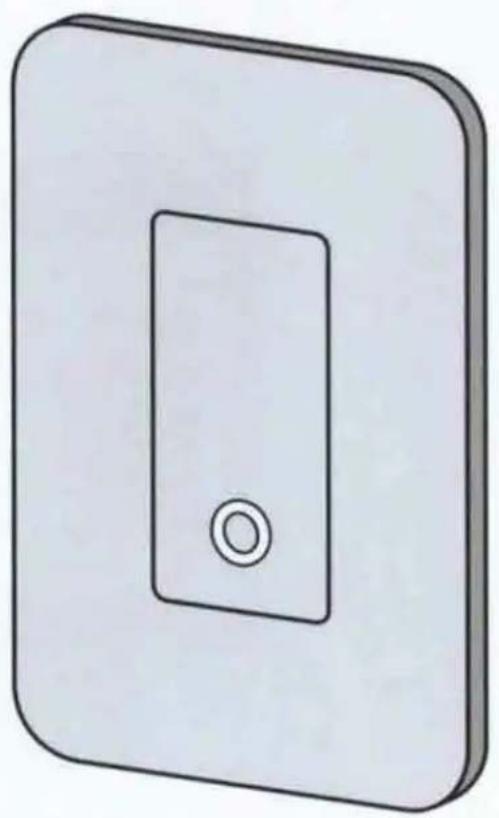
Installation complete
natural_image
Simple 3D illustration of a rectangular device with a circular button on the top (no text or symbols)The Light Switch should blink WHITE during startup and BLUE when ready for setup.
Open the Wemo App to Complete Setup

HomeKit Setup Code
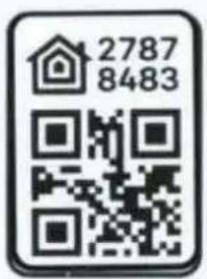
If prompted, scan or type any setup codes into the app. If you bought a bundle, match the 8-digit QR Code to the 8-digit number on the front and the back of the Light Switch. Hang on to this guide in case you need the codes again.
Controlling this HomeKit-enabled accessory automatically and away from home requires an Apple TV with iOS 11.3 or later or an iPad with iOS 11.3 or later set up as a home hub.
Connect to Our Smart Home Partners
Wemo rocks on its own, but it also plays well with others. Add devices that work with Apple HomeKit, Amazon Alexa, or Google Assistant, and use voice commands to control your lights.
Check out all of our partners

Works with
Apple HomeKit

works with the
Google Assistant

WORKS WITH
alexa

works with
nest
Works with
IFTTT
Wemo Light Switch 3-Way Status Lights
White: Business as usual. Wemo is starting up or responding to your action.
Blue: Ready for setup.
Green: Wemo is running a rule or timer.
Red: Error. Check app for details.
White / Blue / Red: Press and hold the light bar below the on/off switch for reset options. Release button when White to restart. Release button when Blue to reset Wi-Fi. Release button when Red to restore factory settings.
Troubleshooting
The Wemo App is not finding my Light Switch during setup
If the Light Switch is not showing up in the Wemo App, make sure it's powered on and blinking BLUE. If it is not blinking BLUE, these tips might help.
If the status light is off or solid WHITE, the Light Switch may already be connected to your Wi-Fi. Close and reopen the Wemo App while connected to your 2.4 GHz Wi-Fi band (same as your Light Switch).
Still not seeing your Light Switch? Restore Light Switch to factory settings.
My Wi-Fi network doesn't appear in the Wemo App
Hmm, do you have at least two Wi-Fi bars on your smartphone? If not, you may be experiencing some interference.
Close the Wemo App and restart your router. Reopen the Wemo App.
If your Wi-Fi network is still not showing up in the app, you may not have a strong enough Wi-Fi signal in the area where you are installing the Light Switch. We recommend either installing the Light Switch in an area where there is a strong enough signal or upgrading your router to provide adequate Wi-Fi coverage.
Troubleshooting
The Wemo App keeps crashing and/or freezing
Force quit and reopen the Wemo App.
Delete the app, reinstall it, and open it again.
Remote Access keeps failing
Make sure you are connected to your 2.4 GHz Wi-Fi band (same as your Light Switch). Then turn on Remote Access manually in the Wemo App settings.
Replacing a router
If you get a new router or change your Wi-Fi name and/or password, you can connect to the new Wi-Fi without losing your Light Switch's settings.
Press and hold the bar underneath the on/off switch. Keep pressing until the light ring turns BLUE, then release.
Open the Wemo App to set up and connect your Light Switch to Wi-Fi.
Still Having Trouble?
Power cycle your router
Unplug your router, wait 10 seconds, and plug it back in.
If that doesn't work, restore your Light Switch to factory defaults
Press and hold the bar underneath the on/off switch. Keep pressing until the light ring turns RED, then release.
When the status light turns BLUE, it is ready for setup.
If you are still having trouble, please call 1-844-745-WEMO for support.
The following paragraphs are required by the FCC and prove that this product meets all regulatory limits with regard to radio interference and radiation exposure. If you use this product as intended you will have no issues with either.
FCC Statement
DECLARATION OF CONFORMITY WITH FCC RULES FOR ELECTROMAGNETIC COMPATIBILITY
We, Belkin International, Inc., of 12045 E. Waterfront Drive, Playa Vista, CA 90094, declare under our sole responsibility that the product, WLS0403 and WLS040, to which this declaration relates, complies with Part 15 of the FCC Rules. Operation is subject to the following two conditions: (1) this device may not cause harmful interference, and (2) this device must accept any interference received, including interference that may cause undesired operation.
Federal Communications Commission Notice
This equipment has been tested and found to comply with the limits for a Class B digital device, pursuant to Part 15 of the FCC Rules. These limits are designed to provide reasonable protection against harmful interference in a residential installation.
This equipment generates, uses, and can radiate radio frequency energy and, if not installed and used in accordance with the instructions, may cause harmful interference to radio communications. However, there is no guarantee that interference will not occur in a particular installation. If this equipment does cause harmful interference to radio or television reception, which can be determined by turning the equipment off and on, the user is encouraged to try to correct the interference by one of the following measures:
- Reorient or relocate the receiving antenna.
- Increase the distance between the equipment and the receiver.
- Connect the equipment to an outlet on a circuit different from that to which the receiver is connected.
- Consult the dealer or an experienced radio/TV technician for help.
FCC Caution: Any changes or modifications not expressly approved by the party responsible for compliance could void the user's authority to operate this equipment.
Radiation Exposure Statement
This equipment complies with FCC radiation exposure limits set forth for an uncontrolled environment.
This equipment should be installed and operated with a minimum distance of 20cm between the radiator and your body.
This transmitter must not be co-located or operating in conjunction with any other antenna or transmitter.
Innovation, Science and Economic Development Canada Statement:
This digital apparatus complies with CAN ICES-3(B)/NMB-3(B).
This device complies with ISED's license-exempt RSS standards. Operation is subject to the following two conditions: (1) This device may not cause harmful interference, and (2) this device must accept any interference received, including interference that may cause undesired operation.
Innovation, Science and Economic Development Canada Radiation Exposure Statement:
This equipment complies with ISED radiation exposure limits set forth for an uncontrolled environment. This equipment should be installed and operated with a minimum distance of 20cm between the radiator and your body.


Recycling programs for this packaging may not exist in your area.
System Requirements:
WiFi router
Android 6.0 or later, iOS 11.0 or later
General Specifications:
Input Electrical Rating: 120V\~, 15A, 60Hz
Max Output Electrical Rating: 120V\~, 15A Resistive Load, 600W Incandescent
WiFi: 2.4GHz 802.11n
Operating Temperature: 0 - 40°C.
Care:
- Use dry cloth on exterior of the device. To avoid shock hazard and/or damage to device, DO NOT use any liquid solution.
Caution:
- Risk of Electric Shock – More than one disconnected switch may be required to de-energize the equipment before servicing.
• For residential and Indoor Dry Location Use Only.
- For supply connections, use 14 AWG or larger wires rated for at least 90^ C.
- Changes or modifications not expressly approved by party responsible for compliance could void the user's authority to operate the equipment.
• To avoid any risk or hazard that may be caused due to the end product connected to 3-Way Light Switch, please read and understand the operation of the connected equipment before operating with 3-Way Light Switch.
- If any of the above instructions are not followed, or the equipment is used in a manner not specified by the manufacturer, the protection provided by the equipment may be impaired.
Device can be toggled on/off by touching the white button on the front of the unit, or by using the WEMO® App.
For support, please visit: http://www.wemo.com/support.html
- What's in the Box
- What You Need
- 1
- Turn Power Off
- WARNING! RISK OF ELECTRIC SHOCK
- Test That Power Is Off
- Pull Out the Existing Switch
- Identify Your Existing Switch
- Single-Pole
- 3-Way and Single-Pole
- Check for NEUTRAL wires
- Test NEUTRAL wires
- 3-Way Only
- Detach LINE/LOAD wire
- Single-Pole Only
- Label LINE/LOAD wire
- Remove existing switch
- Prepare Wemo Light Switch
- 11
- Connect LINE/LOAD wire
- Connect
- TRAVELER wires
- Turn on power
- 16
- Installation complete
- Open the Wemo App to Complete Setup
- HomeKit Setup Code
- Connect to Our Smart Home Partners
- Check out all of our partners
- Wemo Light Switch 3-Way Status Lights
- Troubleshooting
- The Wemo App is not finding my Light Switch during setup
- My Wi-Fi network doesn't appear in the Wemo App
- The Wemo App keeps crashing and/or freezing
- Remote Access keeps failing
- Replacing a router
- Still Having Trouble?
- Power cycle your router
- If that doesn't work, restore your Light Switch to factory defaults
- FCC Statement
- DECLARATION OF CONFORMITY WITH FCC RULES FOR ELECTROMAGNETIC COMPATIBILITY
- Federal Communications Commission Notice
- Radiation Exposure Statement
- Innovation, Science and Economic Development Canada Statement:
- Innovation, Science and Economic Development Canada Radiation Exposure Statement:
- System Requirements:
- General Specifications:
- Care:
- Caution:
Brand : BELKIN
Model : Wemo Smart Light Switch
Category : Electrical switch