Light Tab V9 - Tablet ZTE - Free user manual and instructions
Find the device manual for free Light Tab V9 ZTE in PDF.



| Product Type | Tablet |
| Brand | ZTE |
| Model | Light Tab V9 |
| Screen | 7 inches (estimated) |
| Screen Resolution | 800 x 480 pixels (estimated) |
| Processor | Not specified (estimated 600 MHz - 1 GHz) |
| RAM | 512 MB (estimated) |
| Internal Storage | 4 GB (estimated) |
| Expandable Storage | microSD up to 32 GB |
| Connectivity | Wi-Fi 802.11 b/g, Bluetooth 2.1, 3G (via SIM card) |
| SIM Card | Standard SIM card |
| Battery | Rechargeable lithium-ion |
| Rear Camera | 2 megapixels (estimated) |
| Front Camera | 0.3 megapixel (estimated) |
| Audio | Built-in speaker, 3.5 mm headphone jack |
| Sensors | Accelerometer |
| Weight | 350 g (estimated) |
| Dimensions | 190 x 110 x 12 mm (estimated) |
| Power Supply | AC adapter 5V/1A |
| Operating System | Android 2.2 Froyo (estimated) |
| Main Functions | Internet browsing, multimedia playback, messaging, apps |
| Maintenance and Cleaning | Soft dry cloth, avoid liquids |
| Safety | Turn off in regulated areas, do not disassemble |
| Spare Parts and Repairability | Not specified by the manufacturer |
Frequently Asked Questions - Light Tab V9 ZTE
User questions about Light Tab V9 ZTE
0 question about this device. Answer the ones you know or ask your own.
Ask a new question about this device
Download the instructions for your Tablet in PDF format for free! Find your manual Light Tab V9 - ZTE and take your electronic device back in hand. On this page are published all the documents necessary for the use of your device. Light Tab V9 by ZTE.
USER MANUAL Light Tab V9 ZTE
Copyright © 2011 ZTE CORPORATION.
All rights reserved.
No part of this publication may be excerpted, reproduced, translated or utilized in any form or by any means, electronic or mechanical, including photocopying and microfilm, without the prior written permission of ZTE Corporation.
The manual is published by ZTE Corporation. We reserve the right to make modifications on print errors or update specifications without prior notice.
Version No.: R1.0
Edition Time: 2011.1.4
Manual No.: 079584502981
C∈1588
Overview
Before Getting Started
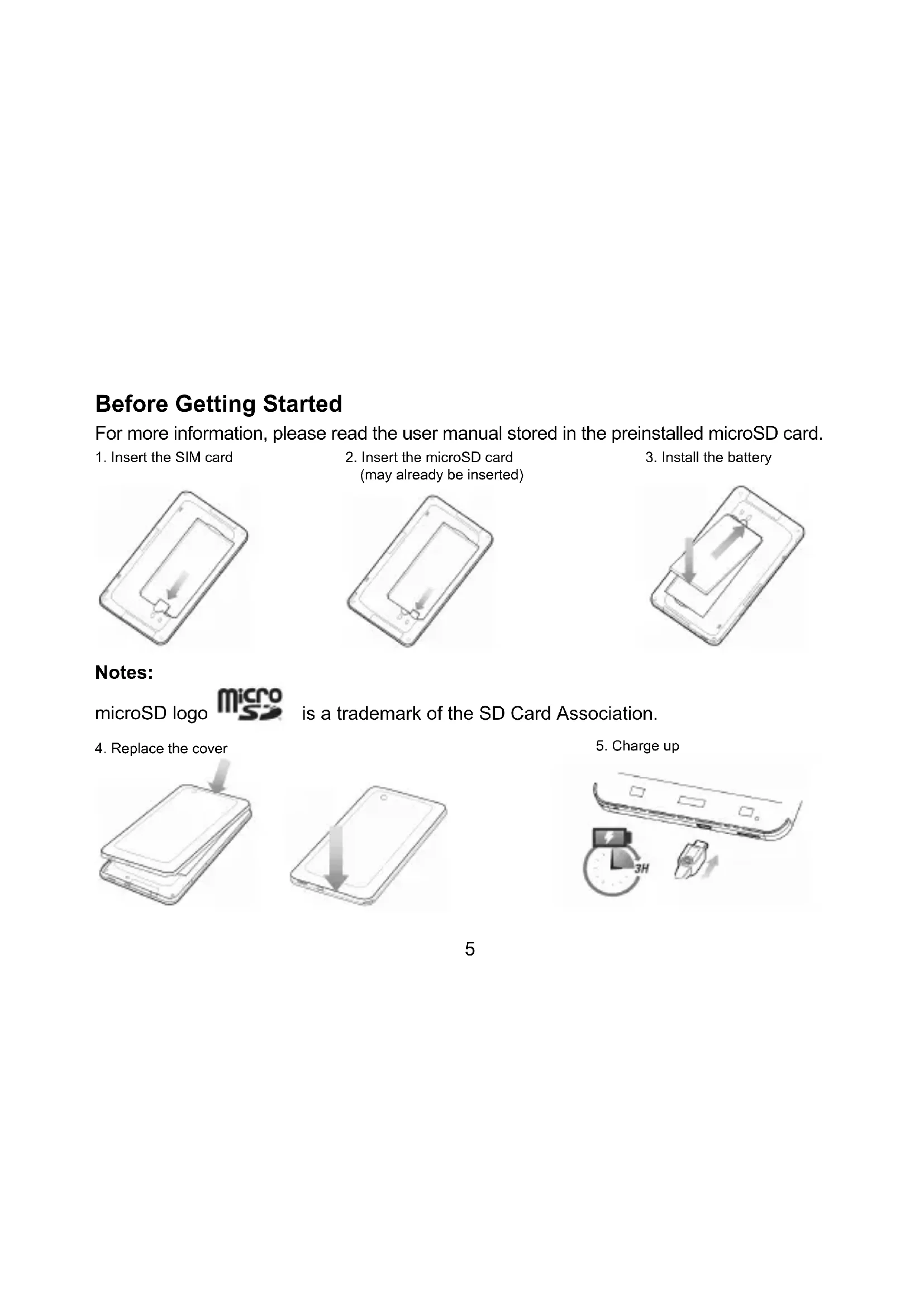
For more information, please read the user manual stored in the preinstalled microSD card.
-
Insert the SIM card
-
Insert the microSD card (may already be inserted)
-
Install the battery
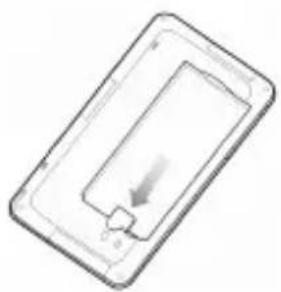
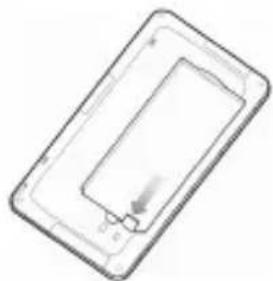
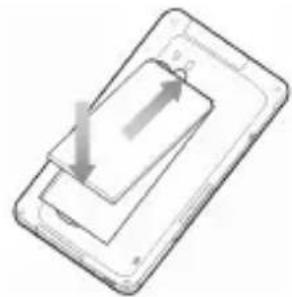
Notes:
microSD logo

is a trademark of the SD Card Association.
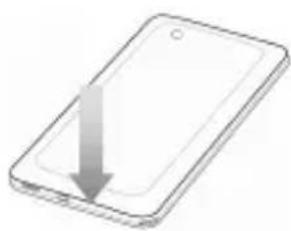
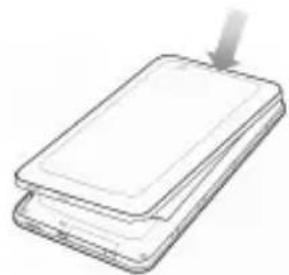
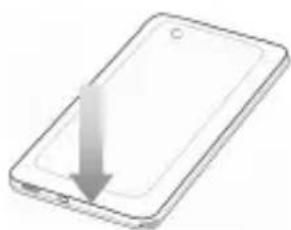
- Replace the cover
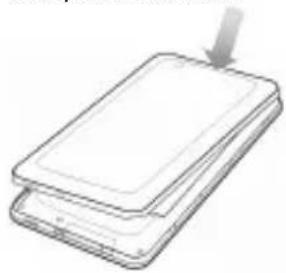
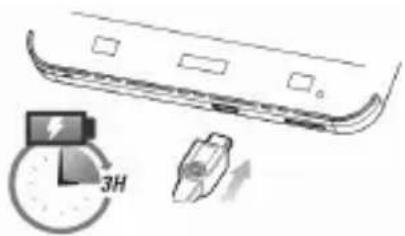
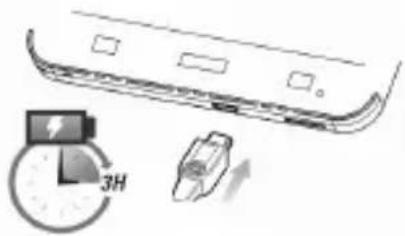
- Charge up
Powering On & Off
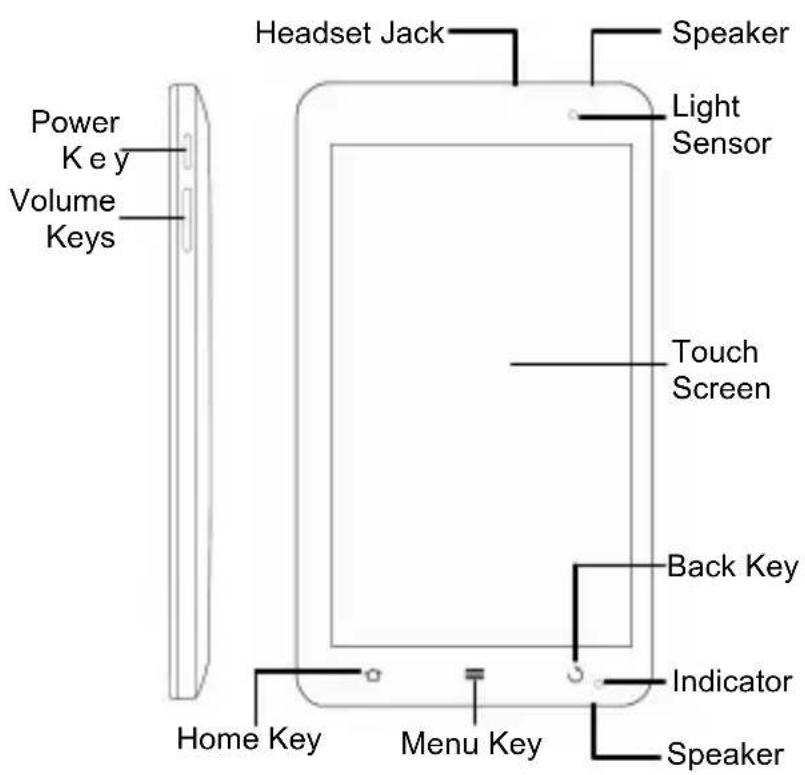
- To power on your device, hold Power Key.
- To power off your device, hold Power Key to get the phone options, select the Power off option, and then tap OK.
Switching Your V9 to Sleep Mode
Sleep Mode suspends your device to a low-power-consumption state while the display is off to save battery power. Your device also goes into Sleep Mode automatically when you leave it idle after a certain period of time.
Press Power Key.
Waking Up Your V9 from Sleep Mode
- Press Power Key to activate your screen display.
- Drag the unlock icon to the right.
Product Safety Information
| Read the Safety Information section on this page. | Do not use while re-fuelling. | ||
| Do not use hand-held while driving. | This device may produce a bright or flashing light. | ||
| Small parts may cause a choking hazard. | Do not dispose of it in a fire. | ||
| This device may produce a loud sound. | Avoid contact with magnetic media. | ||
| Keep away from pacemakers and other personal medical devices. | Avoid Extreme Temperatures. | ||
| Switch off when instructed in hospitals and medical facilities. | Avoid any contact with liquid, keep it dry. | ||
| Switch off when instructed in aircrafts and airports. | Do not attempt to disassemble. | ||
| Switch off in explosive environments. | Do not rely on this device for emergency communications. | ||
| Only use approved accessories. |
V9
Copyright © 2011 ZTE CORPORATION.
Copyright © 2011 ZTE CORPORATION.
Copyright © 2011 ZTE CORPORATION.
Copyright © 2011 ZTE CORPORATION.
I I logo microSD micro
Copyright © 2011 ZTE CORPORATION.
Todoosdireitosreservados.
Telif Hakki © 2011 ZTE CORPORATION.
Copyright © 2011 ZTE CORPORATION.
Copyright © 2011 ZTE CORPORATION.
Copyright © 2011 ZTE CORPORATION.
Me Tnv ETIiPuaEg n TavToC dikaiWmuToC.
- Tontotheintote gava to kalumu
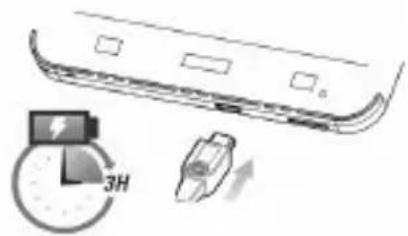
5.Φopriotε nγ μπatapia

EvεpyoToinσn/απεvεpyoToinσn
- Tia va evepyoTioInoTe Tn ouokeu n oac, TatnoTe TnapaTeaeva To NAnktpo λεitoupyiac.
- Ia va aTVEpyoTOIOE TE Tn OUKEUN OAC, TATNOTE TAPATETapeVA TO Nkpo λeIToupyiac EWC OTOU EmuaviOTOV oi EIIAOYc TOU TNAEPWvou. EIIAECTE AINVEpyoToiOn kai, OTN OUVEXIA, TATNOTE OK.
EvpyoToiOnn kataoTaaonc aBpavEiaC oTO tnAeFwvo V9
Otav n ouokeu n bpiketai oE kataoaon abpaveiaç, eiwvetai n katavalwon evepyeiaC kai n obovn aTevepyotoieita wote va eoikovoeiata mtaapia. EITIeov, n ouokeun eTaBaivei autouata oE kataoan abpaveiaç, otav dev xpnoiopoioietai ia eva opioevo xpoviko diaotma.
PntnoTe To NAnKtpo AetoupyiaS.
Eπαφopá Tou Tnλεφωvou V9 από Tny katáστaση αβρáveiaç
Pnpoopiecs yia nv aovtou pioiovto
Copyright © 2011 ZTE CORPORATION.
Med ensamratt.
Copyright © 2011 ZTE CORPORATION.
KpaTKoe pyKOBoIDCTBO NOIb3OBaTeJIa
IOPNINUeCKA INHΦOPMAUЯ
AВторсné пава © ZTE CORPORATION, 2011 r.
Bce npaba coxpaHeHbl.
3a npeu aetcra uTnpoBaTb, Boc npo3BOuNTb, nepeboHTb IIN NCnOJb3OBaTb IIO6yU Oactb daHHo ny6nkaunB JIO60 fOpme n C npimeHeHem JIO6bix CpeicTB - MexaHuecknx IIN 3JIeKTPoHHbIX, B TOM YIcNe I3rOToBJIaTb MIKpo- N KCEpOKOnN, 6e3 PpeDbapntbHoro nnCbmHoro pa3peuHnza ZTE Corporation.
PykoBODCTBO ony6nKOBaHO ZTE Corporation. KomnaHra octabJareT 3a co6oI npaBO nCnpaBJIbToB OwnB NeuathOu KOnn pyKOBoDCTBa N BHOCTb N3MeHeHn 6e3 npedBapntelbHOrO yBeDoMJIeHn.
HomeBepcn:R1.0
YBJIaTcT ToproBoM MapKoS D Card Association.
5.3apnTe aKymyTTop
BkIIOueHne N BbIKIOueHne
- YTo6bI BKJIIOUHTb yCTpoINCTBO, yIepKINBaIte KJNaBnSy NITaHna.
- UTo6bI BbIKHouHTb yCTpOiCTBO, ydepxBaIe KJIaBnUy NITaHn, noka Ha 3KpaHe He NOBArTc npaMeTpbl, BbIbepnte nyHKT OTKHouEHHe NITaHn, KOCHNTecb nyHKta OK.
IpeekJIoueHne TeJefoHa V9 BpeKIM OxNdaHnA
Bpexime oXndaHn yCTpoiCTBO notpe6JareT MehIe 3Heprn, a dinCJIne OTKIOUaETcR, UTO NO3BOJAreT 3KOHOMITb 3aprA aKKyMylrTopa. YCTpoiCTBO nepeKIOUaETcR B peXIM OXndaHn aBTOMaTIueCKn PO nCTeueHn ONpeJeNEHHoro nepNoDa BpeMeHn HEAKTINBHOCtN.
HaxmTe KnaBnuy nTaHn.
OTKIIHueHne pexnma oXnDaHnTepeoHa V9
- Haxmte KnaBnuy nntaHny, yTo6bI BkNIOHTb 3KpaH yCTpoiCTBa.
2.переташиьзнayok pa36лokировкиВпраBO.
Copyright © 2011 ZTE CORPORATION.
Minden jog fenntartva.
Copyright © 2011 ZTE CORPORATION.
Sva prava zadržana.
Nijedan deo ove publikacije ne sme da se izdvaja, reprodukuje, prevodi niti koristi ni u kom obliku i ni na koji način, elektronski ili mehanički, što obuhvata fotokopiranje i mikrofilmovanje, bez prethodne pismene dozvole od korpacije ZTE Corporation.
Ovaj prisćnik je izdala korpacija ZTE Corporation. Zadržavamo prava da izmenimo štamparske greške ili da ažuriramo specifikacije bez prethodne najave.
Verzija br.: R1.0
Vreme uredivanja: 4.1.2011.
C∈1588 ①
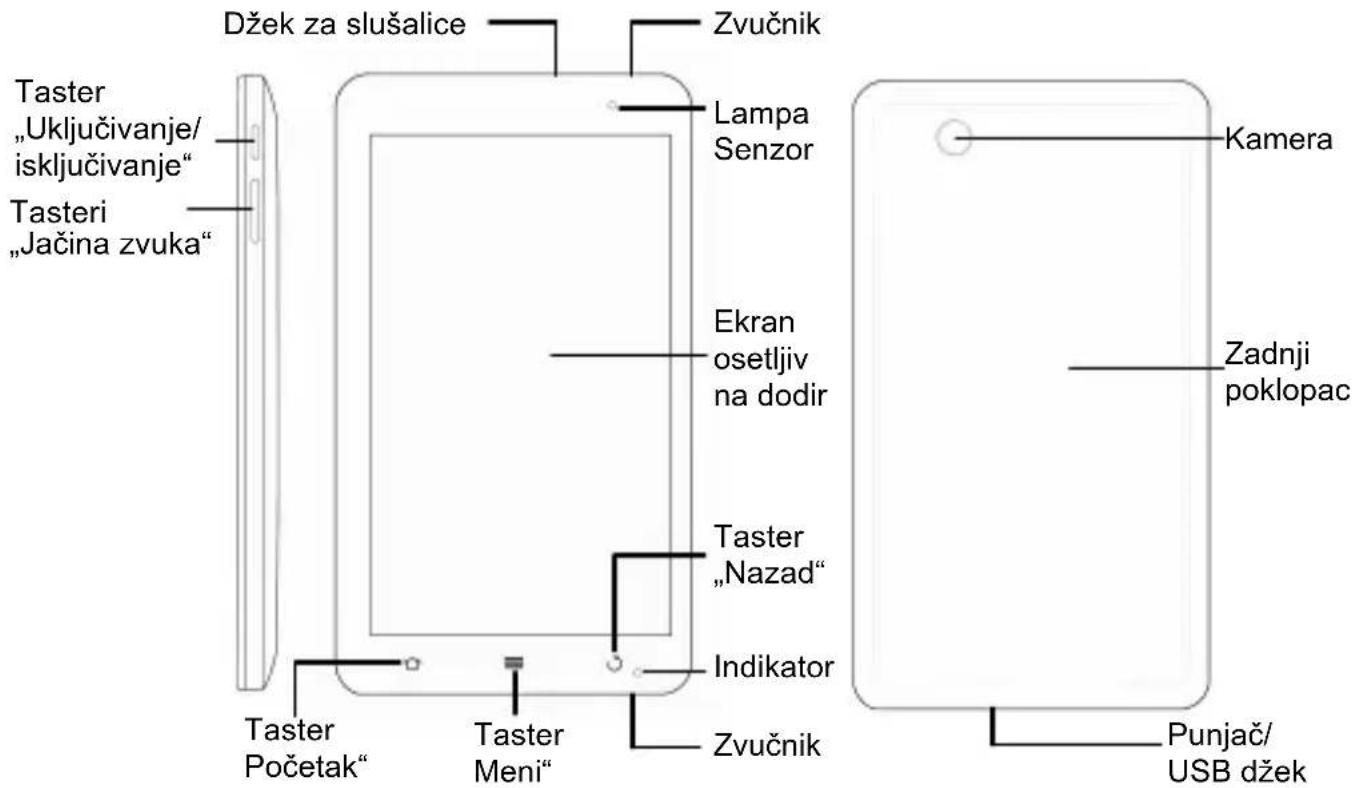
Pregled
Copyright © 2011 ZTE CORPORATION.
Vsechna przyva vyhrazena.
Copyright © 2011 ZTE CORPORATION.
Drept de autor © 2011 ZTE CORPORATION.
ZTE Plaza, Keji Road South, Hi-Tech, Industrial Park,
Nanshan District, Shenzhen, Guangdong, 518057, R.P. China

- All rights reserved.
- Before Getting Started
- Notes:
- Powering On & Off
- Switching Your V9 to Sleep Mode
- Waking Up Your V9 from Sleep Mode
- Product Safety Information
- V9
- Copyright © 2011 ZTE CORPORATION.
- EvεpyoToinσn/απεvεpyoToinσn
- EvpyoToiOnn kataoTaaonc aBpavEiaC oTO tnAeFwvo V9
- Eπαφopá Tou Tnλεφωvou V9 από Tny katáστaση αβρáveiaç
- Med ensamratt.
- KpaTKoe pyKOBoIDCTBO NOIb3OBaTeJIa
- IOPNINUeCKA INHΦOPMAUЯ
- BkIIOueHne N BbIKIOueHne
- IpeekJIoueHne TeJefoHa V9 BpeKIM OxNdaHnA
- OTKIIHueHne pexnma oXnDaHnTepeoHa V9
- Minden jog fenntartva.
- Sva prava zadržana.
- Vsechna przyva vyhrazena.
Brand : ZTE
Model : Light Tab V9
Category : Tablet