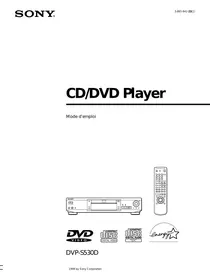


What are the buttons on the front panel of the Sony DVP-S530D DVD player for?
Response Notice-Facile
The Sony DVP-S530D DVD player features a front panel with several buttons and controls that allow you to manage essential functions without using the remote control:
- Button 1/⏻ (POWER): Turns the device on or completely off.
- Button §OPEN/CLOSE: Opens and closes the disc tray to insert or remove a DVD, CD, or VIDEO CD.
- Button =/+ PREV/NEXT: Allows you to skip to the next chapter or track, or go back to the previous chapter or track during playback.
- Control knob: Allows you to adjust the playback speed by turning the knob, useful for fast forward or rewind in the content.
- Buttons ?/>/.//// ENTER: Used to select and execute the settings or adjustments displayed on the television.
- JOG button/indicator: Allows you to activate frame-by-frame playback of a disc, useful for examining sequences in detail.
- SHUFFLE button: Displays the “SHUFFLE” menu allowing random playback of titles or tracks.
- VES button/indicator: Allows you to adjust the “VES” (Video Enhancement System) setting. A light indicator turns on if this setting is active.
- DOLBY DIGITAL indicator: Lights up when you play a Dolby Digital audio track on a DVD, or when no disc is inserted in the player.
- Disc tray: Surface on which you place the disc for playback.
These controls provide direct access to the main functions of the player. For more advanced operations such as skipping titles, changing audio language, selecting subtitles, or accessing DVD menus, the RMT-D108A remote control provided with the device is necessary.