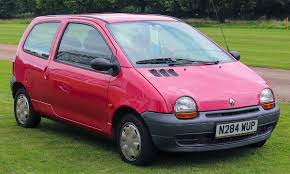
RENAULT TWINGO 1 - City car

TWINGO 1 - City car RENAULT - Free user manual and instructions

Find the device manual for free TWINGO 1 RENAULT in PDF.

📄 16 pages English EN Download 💬 AI Question 3 questions
Notice RENAULT TWINGO 1 - page 9
View the manual : Français FR English EN
Pick your language and provide your email: we'll send you a specifically translated version.

User questions about TWINGO 1 RENAULT

3 questions about this device. Answer the ones you know or ask your own.

Ask a new question about this device

The email remains private: it is only used to notify you if someone responds to your question.

What is the symbol for the brakes on the dashboard of the Renault Twingo 1?
Frequently Asked Questions - 11/03/2026
Response Notice-Facile

On the dashboard of your Renault Twingo 1, the brakes are indicated by several distinct warning lights. The main alert symbol for the braking system is a red circle with an exclamation point that lights up when the handbrake is engaged or if there is a problem with the braking system (low brake fluid level, worn pads, pump malfunction, etc.). This warning light should be taken very seriously, and you must stop the vehicle immediately if the alert remains on while driving.

An important second symbol is the handbrake symbol, represented by the letter P surrounded by a red circle. This light simply illuminates to indicate that the parking brake is activated. It is normal for it to stay on when stopped, but it should turn off once the brake is released when starting the vehicle.

You may also encounter a light in the shape of a drop or can, which indicates insufficient brake fluid level in the system. If this light comes on, it indicates that your braking circuit has a leak or that the brake fluid needs to be topped up.

If your Twingo 1 is equipped with the ABS (anti-lock braking system), you will also see a specific light with the ABS inscription. If this light comes on or flashes, it indicates a malfunction of the anti-lock system. The regular braking system remains operational, but the ABS is no longer functioning.

Important: Never ignore these braking warning lights. If any of them remain on while driving (except for the handbrake P light), quickly inspect your braking system with a qualified mechanic to ensure your safety and that of others on the road.

Respond (be the first)
What does an orange indicator light mean on the dashboard of my Renault Twingo 1?
Frequently Asked Questions - 11/03/2026
Response Notice-Facile

An orange indicator light on the dashboard of your Renault Twingo 1 (model 1992-2007) signals an anomaly to monitor that generally does not present an immediate danger, unlike red lights. However, it is important to take this alert seriously and to quickly check what it indicates to avoid a breakdown or material damage.

Common orange lights on the Twingo 1 include first the engine light (check engine), which lights up when an anomaly is detected by the engine or emission management system. This could be a minor issue like a loose fuel cap, or something more serious. Secondly, the engine oil level warning light illuminates when the oil level is low. You should immediately check the level and top up if necessary with the recommended oil (usually standard motor oil for the 3 or 4-cylinder engines of your Twingo). A lack of oil can quickly damage the engine.

Next, the brake pad wear indicator lights up when the lining reaches a wear limit. This means you need to have the pads checked and probably replaced in the coming weeks. The engine temperature light may also illuminate in orange if the temperature rises abnormally, for example, in the case of a coolant leak. If this light comes on, check the cooling system and consult a professional quickly.

It is also possible that you see a light related to the battery charging system (12V on your Twingo 1), indicating that the alternator is not charging properly. Finally, some models equipped with ABS may display an orange light in case of a malfunction of the anti-lock braking system.

Recommended procedure: Precisely identify the illuminated light by comparing it with the pictograms on the dashboard of your Twingo 1. Consult the logbook or the user manual provided with the vehicle for the exact meaning of the light. First, perform simple checks (oil and coolant levels, tire pressure if equipped). If you are not comfortable with the diagnosis, consult a mechanic who will connect a diagnostic tool to accurately identify the fault recorded by the electronics of your Twingo.

Respond (be the first)
How to identify the interior lighting fuse on a Renault Twingo 1?
Frequently Asked Questions - 21/01/2026
Response Notice-Facile

To identify the fuse corresponding to the interior lighting of your Renault Twingo 1, follow these steps:

1. Locate the fuse box

The fuse box is usually located inside the vehicle, under the dashboard on the driver's side, or in the engine compartment. On the Twingo 1, it is often found under the dashboard to the left of the steering wheel.

2. Open the fuse box

Remove the cover of the fuse box to access the fuses. Be careful not to force it to avoid damaging the cover or the clips.

3. Consult the fuse diagram

Inside the cover or nearby, a diagram indicates the function of each fuse. Look for the mention related to the interior lighting, often referred to as "dome light" or "cabin lighting".

4. Identify and check the fuse

  • Locate the corresponding fuse on the diagram.
  • Visually check if the metal wire inside is intact. A broken wire means that the fuse is blown.

5. Replace the fuse if necessary

If the fuse is faulty, replace it with a fuse of the same amperage to avoid any electrical risk or damage.

By following these steps, you will be able to easily identify and check the interior lighting fuse on your Renault Twingo 1.

Respond (be the first)

Download the instructions for your City car in PDF format for free! Find your manual TWINGO 1 - RENAULT and take your electronic device back in hand. On this page are published all the documents necessary for the use of your device. TWINGO 1 by RENAULT.

USER MANUAL TWINGO 1 RENAULT

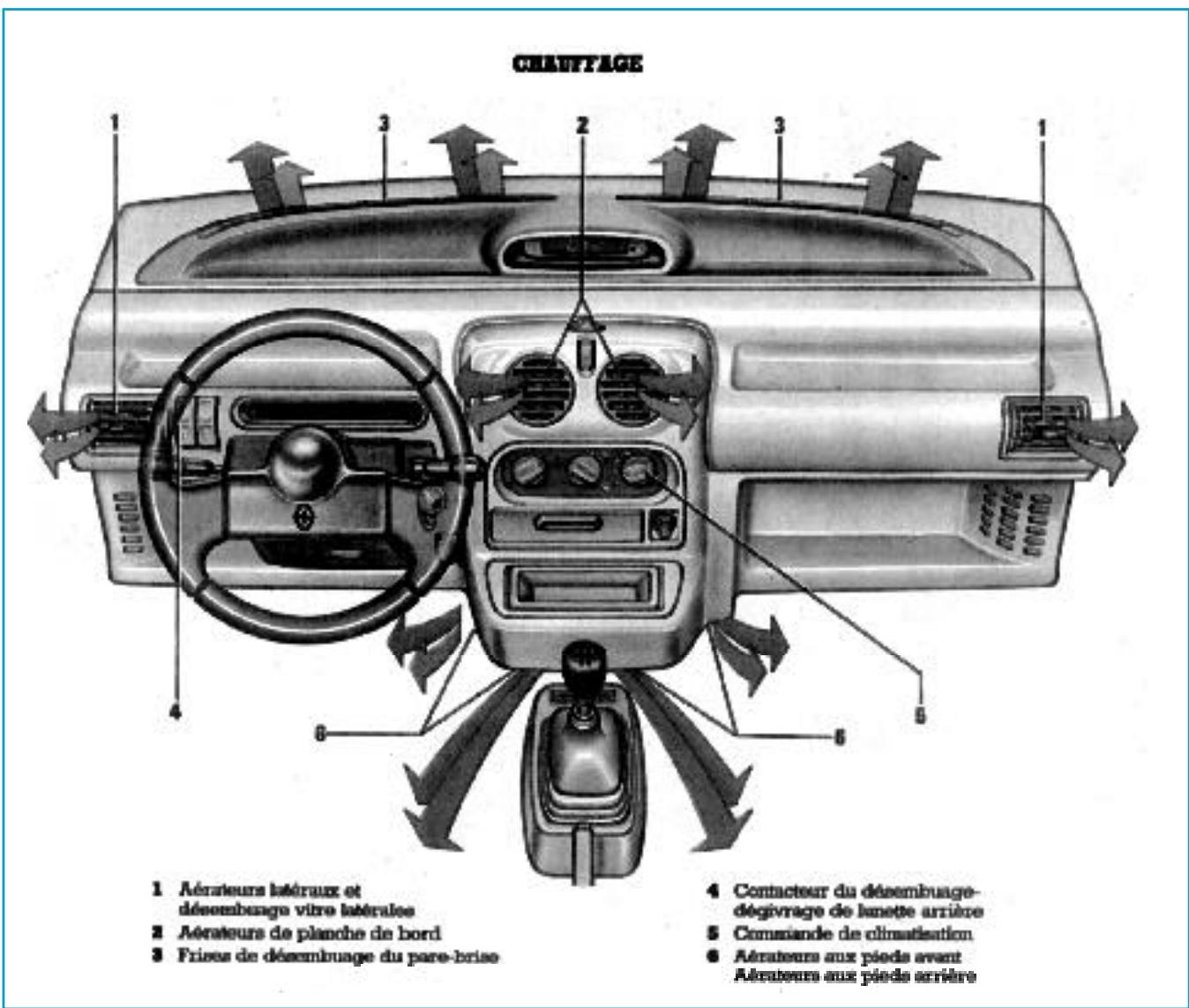
1 Lateral air vent
2 Rear window defrosting control switch
3 Rear fog light switch
4 Indicator bar
5 Windshield defroster
6 Central air vents
7 Display module
8 Hazard warning switch
9 Lateral air vent D
10 Speaker location D

11 Storage pocket D
12 Fan speed control button
13 Cigarette lighter
14 Ashtray
15 Storage compartment or car radio location
16 Coin tray
17 Parking brake
18 Gear shift lever
19 Air distribution control button

20 Heating control button
21 Display module control button
22 Hood opening control
23 Starter switch
24 Front and rear windshield wiper/washer lever
25 Fuse box
26 Storage pocket L
27 Turn signal, horn, and light control lever
28 Speaker location L

Driving - Maintenance

DISPLAY MODULE

1 Display

Light intensity decreases in day/night mode when the lights are turned on.
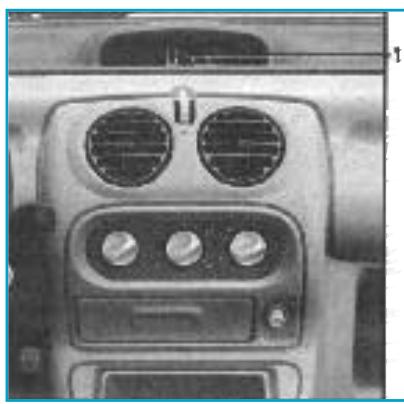
RENAULT TWINGO 1 - Display - 1

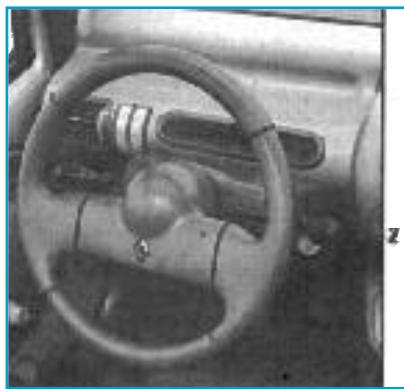
2 Display selection button

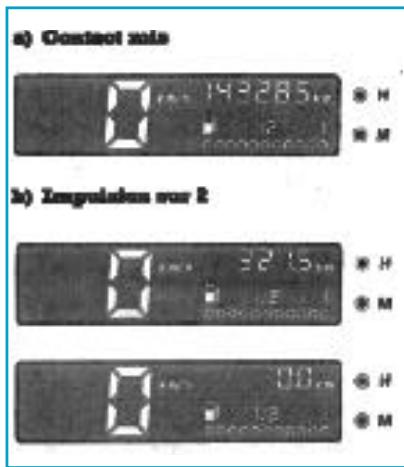
By successive presses of button 2 located at the end of the wiper lever, step-by-step scrolling of the following information:

a) total mileage counter.
b) daily mileage counter,
c) time display.
RENAULT TWINGO 1 - Display selection button - 1

RENAULT TWINGO 1 - Display selection button - 2

Important. In case of power supply failure (battery disconnected, power cable cut), the values displayed by the clock and the daily counter lose their meaning. It is necessary to reset the time. We recommend not making adjustments while driving.

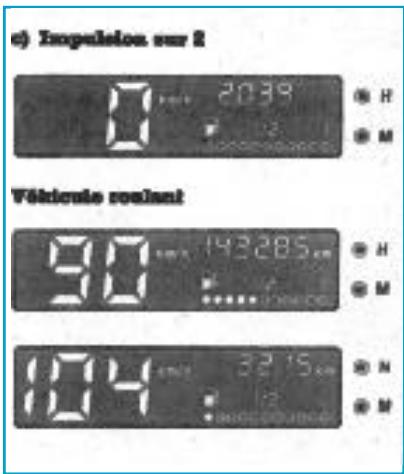
Total mileage counter

  • Display of distance traveled (in km) since the vehicle was commissioned.

Daily mileage counter

Distance traveled since the last reset of the counter.

The daily counter is reset by pressing button 2 for more than two seconds.
- The digits flash then the indicator displays 0.0 km.
RENAULT TWINGO 1 - Daily mileage counter - 1

Time display

Adjust hours by pressing button H.
- Adjust minutes by pressing button M

Speed display (km/h)

  • This information varies depending on vehicle speed.

Fuel level bar graph

  • Level indication, shown by a series of light points.
  • When 5 to 8 liters of fuel remain, an orange light comes on under the fuel indicator.
  • Fill up as soon as possible.

Note. - To ensure proper reading of the bar graph during refueling, turn off the ignition.

Important. - Clock setting: for safety reasons, adjust the hours and minutes with the ignition on and the vehicle stopped.

Usage recommendations

for the dashboard

  • Do not touch the display with your fingers.
  • Do not press on the display.

If there are marks on the display, use only a disposable cotton wipe soaked with alcohol to wipe the display without pressing.

Do not use solvents for cleaning.

INDICATOR LIGHTS BAR ON DASHBOARD

RENAULT TWINGO 1 - INDICATOR LIGHTS BAR ON DASHBOARD - 1

1 Position indicator light

RENAULT TWINGO 1 - INDICATOR LIGHTS BAR ON DASHBOARD - 2

2 Driving hours indicator

RENAULT TWINGO 1 - INDICATOR LIGHTS BAR ON DASHBOARD - 3

3 Rear fog light indicator

RENAULT TWINGO 1 - INDICATOR LIGHTS BAR ON DASHBOARD - 4

4 Rear window defrosting indicator

RENAULT TWINGO 1 - INDICATOR LIGHTS BAR ON DASHBOARD - 5

5 Turn signal indicators right and left

Warning. Lighting of these indicators while driving requires an immediate and mandatory stop.

RENAULT TWINGO 1 - INDICATOR LIGHTS BAR ON DASHBOARD - 6

P Parking brake and brake system fault indicator

If it lights up while driving, it indicates a drop in the brake circuit level, it can be dangerous to continue driving.

RENAULT TWINGO 1 - INDICATOR LIGHTS BAR ON DASHBOARD - 7

Oil pressure warning light

It goes out as soon as the engine runs; if it comes on while driving,

stop immediately and turn off the ignition. Check the oil level. If the oil level is normal, the fault comes from another cause.

RENAULT TWINGO 1 - Oil pressure warning light - 1

Coolant temperature warning light

If it lights up, stop and let the engine run at idle for one or two minutes. The temperature should drop and the light should go out, otherwise stop the engine, check the coolant level (after letting it cool down), check the belts.

RENAULT TWINGO 1 - Coolant temperature warning light - 1

Battery charge indicator

While driving, this indicates an overcharge or undercharge of the electrical circuit. Stop and have the circuit checked.

CONTROLS

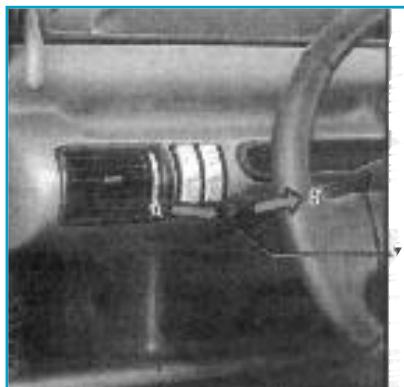
Horn

Press at the end of lever 1, towards the steering column A.

Light flash

To get a light flash, even if lighting is not in use, press lever 1 towards you, perpendicular to the steering wheel plane B.
RENAULT TWINGO 1 - Light flash - 1

RENAULT TWINGO 1 - Light flash - 2

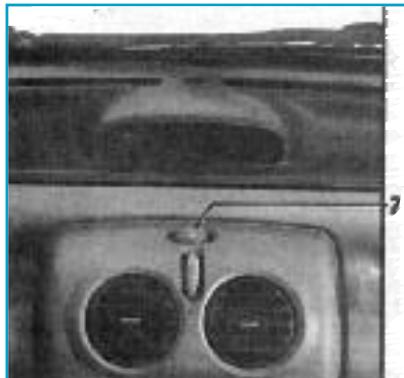
Hazard warning

RENAULT TWINGO 1 - Hazard warning - 1

  • Press switch 2

  • The turn signal indicator lights up and flashes on the indicator bar.

  • This device activates all four flashing lights and side repeaters simultaneously.

  • Use only in case of danger to warn other drivers when:

  • forced to stop in an unusual or prohibited location,
    - in particular driving conditions.
RENAULT TWINGO 1 - Hazard warning - 2

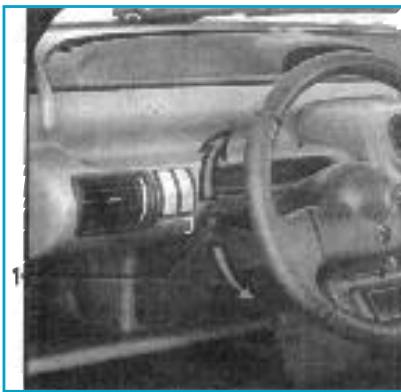
Turn signal lights

  • Move lever 1 in the steering wheel plane in the direction you will turn the wheel.

Note. - On highway driving, steering wheel movements are generally insufficient to automatically return the lever to 0. There is an intermediate position in which you must hold the lever during the maneuver. Releasing the lever, it automatically returns to 0.

Exterior lighting

Parking lights
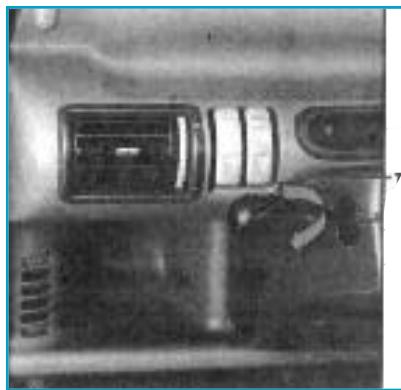
  • Rotate the end of lever 1 by 1/4 turn until the symbol appears.

  • The position indicator lights up on the indicator bar.

RENAULT TWINGO 1 - Parking lights - 1

Low beam

  • Rotate the end of lever 1 by 1/2 turn until the symbol appears.
  • The position indicator remains lit on the indicator bar.

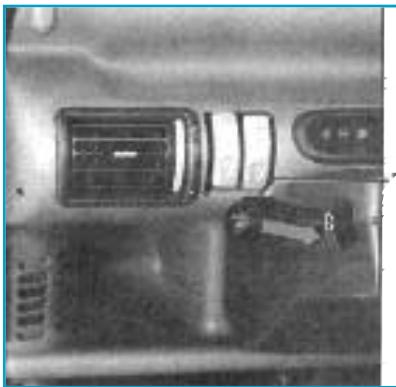
High beam

- Lever 1 in low beam position, push the lever towards you B.
When the high beams are on, an indicator lights up on the indicator bar.
To return to low beam position, push the lever towards you again B.
RENAULT TWINGO 1 - High beam - 1

Turning off

  • Bring lever 1 back to its initial position.

Audible alarm

  • When the front left door opens, an audible alarm sounds to signal that the lights have remained on
RENAULT TWINGO 1 - Audible alarm - 1

#

while the engine ignition is off (battery discharge).

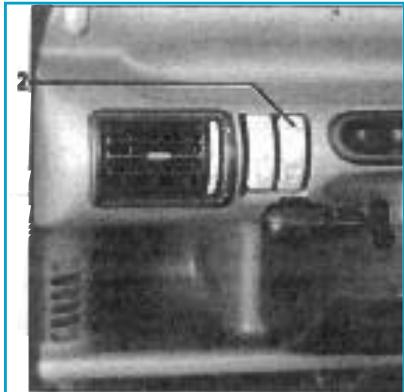
Rear fog lights

  • Toggle switch 2

RENAULT TWINGO 1 - Rear fog lights - 1

  • Operation depends on the position selected in exterior lighting and an indicator lights up on the indicator bar.
RENAULT TWINGO 1 - Rear fog lights - 2

Note. -- Remember to turn off this light when no longer needed so as not to bother other drivers.

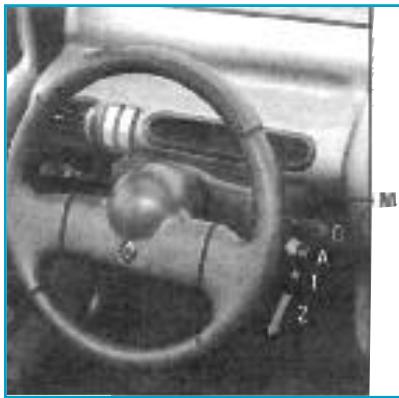
Front windshield wiper

  • Ignition on, operate lever M downward, in the steering wheel plane.
RENAULT TWINGO 1 - Front windshield wiper - 1

- 0 Off.
- Single stroke, the wiper performs one sweep.
- This function stops as soon as you release pressure on the lever.
- 1 Continuous slow sweep.
- 2 Continuous fast sweep.

Front windshield washer

  • Ignition on

RENAULT TWINGO 1 - Front windshield washer - 1

  • by operating lever M towards you, perpendicular to the steering wheel plane regardless of the lever position.
    When you release pressure on the lever, the windshield washer stops.

Rear window wiper/washer

  • Press lever M perpendicular to the steering wheel plane towards the dashboard.
    - B Press to the first detent: the rear wiper

performs continuous sweeping.

C Press to full stroke: spraying and rear window wiper sweeping occur.

The spraying function stops as soon as you release pressure on the lever.
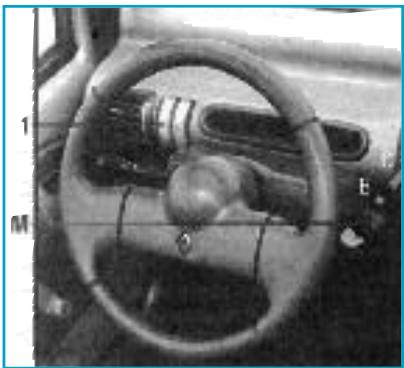
RENAULT TWINGO 1 - Rear window wiper/washer - 1

Rear window defrosting/defogging

Press switch 1, an indicator lights up on the dashboard. Avoid leaving it running unnecessarily.
RENAULT TWINGO 1 - Rear window defrosting/defogging - 1
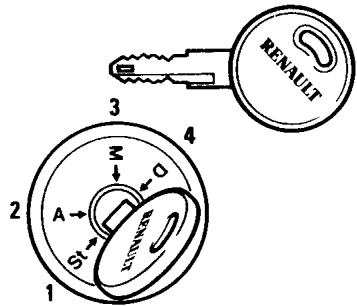
IGNITION/ANTI-THEFT SWITCH

1 Position "Stop and Anti-theft" St

To lock, remove the key and turn the steering wheel until the steering lock clicks.

RENAULT TWINGO 1 - Position "Stop and Anti-theft" St - 1

To unlock, slightly wiggle the key and steering wheel.

2 Position "Accessories" A

Ignition off, any optional accessories (radio...) continue to operate.

3 Position "Running" M

The ignition is on, everything is ready to start.

4 Position "Starting" D

If the engine does not start, bring the key back before operating the starter again. Release the key as soon as the engine starts.

Engine starting

Cold or hot engine

  • Operate the starter without accelerating.

  • Release the key as soon as the engine starts.

Engine stopping

  • Engine at idle, bring the key to "Stop" position
  • Never remove the key before the engine has completely stopped.
RENAULT TWINGO 1 - Engine stopping - 1

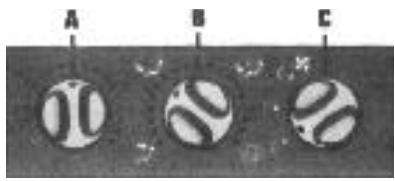
Heating controls without air conditioning

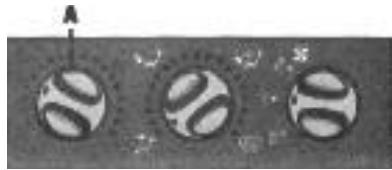
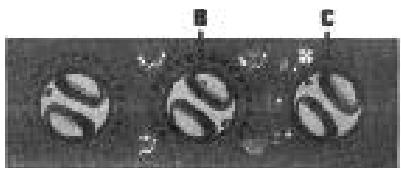
A Temperature control
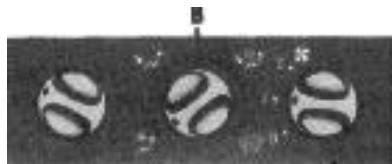
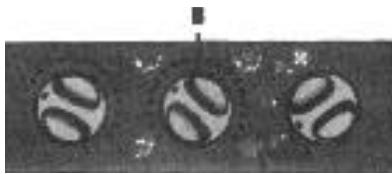
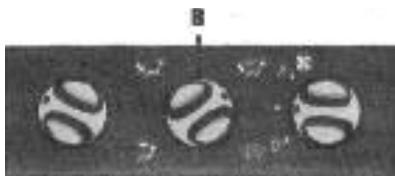
B Air distribution control
C Air intake control
RENAULT TWINGO 1 - Heating controls without air conditioning - 1

Air intake temperature

  • Operate button A

  • The further to the right the button is positioned, the higher the temperature.

RENAULT TWINGO 1 - Air intake temperature - 1

Air distribution in the cabin

  • Operate control B.

RENAULT TWINGO 1 - Air distribution in the cabin - 1

RENAULT TWINGO 1 - Air distribution in the cabin - 2

- Position

  • Air flow is directed only to the dashboard vents.
RENAULT TWINGO 1 - - Position - 1

RENAULT TWINGO 1 - - Position - 2

- Position

Air flow is directed to the feet of front and rear occupants and to the dashboard vents.
To direct air flow only to the feet, close the dashboard vents.
RENAULT TWINGO 1 - - Position - 1

RENAULT TWINGO 1 - - Position - 2

- Position

  • Air flow is distributed between the vents, the windshield defrost vents and the feet of occupants.
RENAULT TWINGO 1 - - Position - 1

RENAULT TWINGO 1 - - Position - 2

- Position

  • For better efficiency, close the central dashboard vents and direct the side vents to the side windows.
    All air flow is then directed to the windshield defrost vents and front side windows.
    To achieve maximum efficiency, position control C on 2.

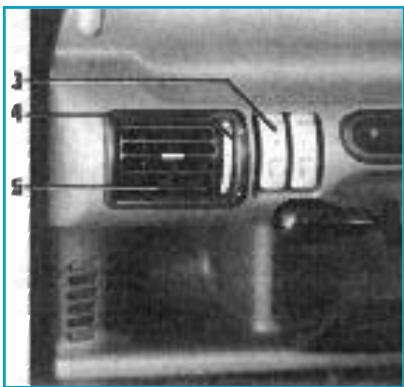
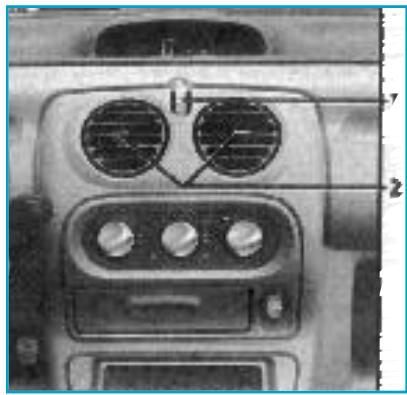
Central air vents

Flow adjustment
Flow: operate dial 1.
maximum opening upward
closing downward
RENAULT TWINGO 1 - Central air vents - 1

  • Distribution:

- right/left: operate slider 2
- up/down: press the top or bottom of the diffuser

Rear window defrosting

  • Press button 3 (indicator lit on the indicator bar).

Side air vents

  • Flow adjustment

  • operate lever 4.

RENAULT TWINGO 1 - Side air vents - 1

maximum opening

closing

RENAULT TWINGO 1 - Side air vents - 2

RENAULT TWINGO 1 - Side air vents - 3

  • Distribution:

- right/left: operate slider 5.
- up/down: press the top or bottom of the diffuser.

Maintenance

ENGINE OIL LEVEL

  • An engine normally consumes oil for lubrication and cooling of moving parts and it is sometimes necessary to top up the oil between oil changes.

Periodically

- The elimination of engine oil changes between 1000 and 3000 km does not exclude checking the oil level periodically, approximately every 1000 km and, in any case, before each long trip, on pain of risking engine damage.

Level

  • Engine cold or after a long stop, it is measured using dipstick 2 and should never drop below the "mini" mark A.
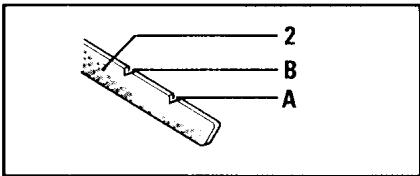
RENAULT TWINGO 1 - Level - 1

Filling

Cap 1. Top up the level with the same oil as the previous oil change.
- Do not exceed the "maxi" mark B.

Warning. During work under the engine hood, the cooling fan can start running at any time.
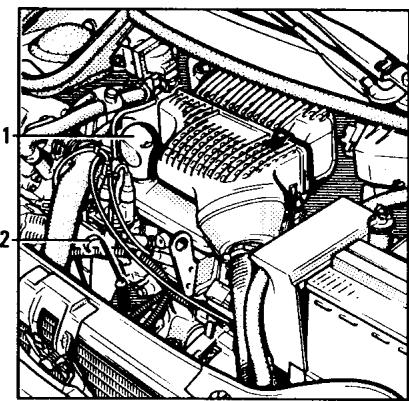
RENAULT TWINGO 1 - Filling - 1

ENGINE OIL CHANGE

- Cap 3.

Periodicity

  • Perform more frequent oil changes if used intensively.
    -- In any case, perform engine flushing
  • Capacity approximately 3.5 l, oil filter included.

TRANSMISSION OIL LEVEL
RENAULT TWINGO 1 - Periodicity - 1
- The filter must be replaced periodically.

Oil filter

  • Check every 10,000 km

  • Unscrew cap 1,

  • Fill up to the level of the opening.

TRANSMISSION OIL CHANGE
Oil quality
RENAULT TWINGO 1 - Periodicity - 2
- Use Tranself B 80 W oil (Standards 80 W API GL5 or GL4; MIL-L-2105 C or D).

  • Remove the protective skid under the engine and unscrew cap 2.

RENAULT TWINGO 1 - Periodicity - 3
Oil change

Capacity

  • Approximately 3.4 l.

AIR FILTER

To remove the filter element

  • Unclip the four fasteners 3 to remove the filter cover.

RENAULT TWINGO 1 - To remove the filter element - 1

COOLANT LEVEL

  • It must be checked periodically (at least every 1000 km).

Warning. No work should be performed on the cooling system when the engine is hot.

Burn hazard

The cold level must be between the MIN and MAX marks indicated on the expansion tank 1.
- Top up this level when cold before it reaches the MIN mark.

RENAULT TWINGO 1 - Burn hazard - 1

Capacity

  • Approximately 5.5 l

Warning. - When working under the hood, the cooling fan may start at any time.

WINDSHIELD WASHER RESERVOIR LEVEL

Filling

  • The reservoir 1 is located in the engine compartment.
  • This reservoir also supplies the rear window washer.

Fluid

Water plus windshield washer fluid (anti-freeze product in winter).

RENAULT TWINGO 1 - Fluid - 1
Sprayers

To adjust the windshield washer sprayers, rotate the small ball using a needle.

BATTERY LEVEL

Remove caps 2

Periodicity

-- Every month.

RENAULT TWINGO 1 - Periodicity - 1

Fluid

-Distilled or demineralized water, up to 1.5 cm above the plates.
- Never add electrolyte or other products

BRAKE FLUID LEVEL

  • It should be checked frequently, and in any case each time you notice even a slight difference in braking effectiveness.

RENAULT TWINGO 1 - BRAKE FLUID LEVEL - 1

Level 3

It must never fall below the 'min' warning level
- In case of abnormal loss, have the circuit checked for leaks.

Filling

  • Any work on the hydraulic circuit must involve replacement of the fluid by a specialist.
  • Use only approved fluid that conforms to SAE J1703f standards

DOT 3, taken from a sealed container.

RENAULT TWINGO 1 - Filling - 1

HEADLIGHT

Headlight adjustment

The adjustment must be performed with the vehicle empty and in running order with all tanks full:

  • horizontal adjustment: screw 1,
  • vertical adjustment: screw 2
  • load adjustment: use wheel 2, turn right to lower the headlights.

RENAULT TWINGO 1 - Headlight adjustment - 1

HEADLIGHT BULB REPLACEMENT

Dipped and main beam lights 4

  • Remove the plastic cover 3 by unclipping it.
  • Remove the bulb connector.
  • Unhook spring 5 and remove the bulb.
    -Replace it with a bulb of the same type.

RENAULT TWINGO 1 - Dipped and main beam lights 4 - 1

  • Reinstall the spring and connector.
  • Reclip the plastic cover 3 ensuring proper engagement of the two lower lugs.

Bulb type

  • Halogen bulb H4 60/55 W

FRONT POSITION LIGHT BULB REPLACEMENT

  • Remove the plastic cover 3
    Remove the bulb holder 6 to access the bulb.

Bulb type

W5W

Tip. - Do not touch the glass of a halogen bulb. Hold it by its base.

RENAULT TWINGO 1 - Bulb type - 1

FRONT TURN SIGNAL BULB REPLACEMENT

Using a Phillips screwdriver, remove the light cover.
Remove the bulb from its holder

Bulb type

  • Pear shape with lugs P 21 W

RENAULT TWINGO 1 - Bulb type - 1

REAR LIGHT BULB REPLACEMENT

Position, brake, turn signal, fog and reverse lights
- From outside the vehicle, with the rear trunk open, lift clip 1 located at the top of the light cover and tilt the light lens rearward (the two lower clips release when opening the cover)

cover)

  • Remove the defective bulb and replace it with a bulb of the same type.
  • Reverse the procedure to close the cover, ensuring the lower clips are locked.

RENAULT TWINGO 1 - REAR LIGHT BULB REPLACEMENT - 1

Bulb type

A Reverse light (right side)
Fog light (left side)
Pear bulb with lugs P 21 W
B Turn signal light
Pear bulb with lugs P 21 W
C Position and brake light Pear bulb with lugs dual filament P 21/5 W

RENAULT TWINGO 1 - Bulb type - 1

FUSES

  • The fuses are located in two places:

A Under the hood
B Under the dashboard

  • If an electrical device does not work, before troubleshooting, check the fuses. Also ensure that the connector plugs of the device in question are properly connected

LARGE FUSES

RENAULT TWINGO 1 - LARGE FUSES - 1
Good

RENAULT TWINGO 1 - LARGE FUSES - 2
Bad

  • In case of a short circuit, unscrew the wing nut that caps one of the battery terminals to isolate it.

RENAULT TWINGO 1 - LARGE FUSES - 3

A-Under the hood

-To access the fuse box, unclip cover 1.
To locate the fuses, use the diagram etched under the cover.
- Check the concerned fuse and replace it, if necessary, with a fuse of the same amperage (indicated on the back of the fuse).

RENAULT TWINGO 1 - A-Under the hood - 1
Fuse assignments
(depending on equipment level and country)

SymbolAmpereAssignment
25 AFuel injection (all types)
60 AGeneral cabin protection before ignition
60 AGeneral cabin protection after ignition
30 AHeating motor group*
40 AFan motor group*

* Air conditioning version

RENAULT TWINGO 1 - A-Under the hood - 2
B-Under the dashboard
Open panel 2

To locate the fuses, use the identification label 1.
- Using the puller 3, remove the concerned fuse to check it, and replace it if necessary with a fuse of the same amperage (indicated on the back of the fuse).
-To remove the fuse from the puller, slide it sideways.

RENAULT TWINGO 1 - A-Under the hood - 3
Small fuses
Fuse assignments
(the presence of fuses depends on the equipment level of the vehicle)

SymbolAmpereAssignment
10Interior lights
10Fixed stop windshield wiper front
10Horn
10Left position light illumination
10Right position light
15Left dipped beam
15Right dipped beam
15Left main beam
15Right main beam
10Rear fog light
10Turn indicator/hazard signal
20Fan motor group (heating)
SymbolAmpereAssignment
10Radio
20Ventilation motor group (engine)
STOP10Brake lights/flasher unit
INJECT20Fuel injection
15Front windshield wiper
15Cigarette lighter/reverse light
15Rear window wiper
20Rear window defroster

Tip. - A good precaution: obtain from a Renault dealer an emergency kit containing a set of bulbs and a set of fuses.

10 A10 A10 A10 A10 A15 A15 A15 A15 A10 A10 A
20 A10 A20 ASTOPINJECT15 A15 A15 A20 A
Manual assistant
Powered by Anthropic
Waiting for your message
Product information

Brand : RENAULT

Model : TWINGO 1

Category : City car