MXTC2215 - Toaster Mx Onda - Free user manual and instructions
Find the device manual for free MXTC2215 Mx Onda in PDF.



| Product type | Toaster |
| Brand | Mx Onda |
| Model | MXTC2215 |
| Dimensions (L x W x H) | 390 x 154 x 194 mm |
| Weight | 1.66 kg |
| Power supply | 220-240 V ~ 50 Hz |
| Rated power | 1000 W |
| Cable length | 0.8 m |
| Number of slots | 2 |
| Maximum bread thickness | 30 mm |
| Functions | Toasting, reheating, defrosting, cancellation |
| Toasting time control | Knob with variable positions |
| Centering system | Yes, for even toasting |
| Removable crumb tray | Yes, for easy cleaning |
| Automatic shutdown | Yes, at the end of the cycle |
| Indicator lights | Power, reheating, defrosting |
| Housing material | Plastic |
| Maintenance | Clean the crumb tray regularly; wipe surfaces with a damp cloth |
| Safety | Do not immerse; hot surface; unplug before cleaning |
| Compliance | EMC and low voltage directives; RoHS |
Frequently Asked Questions - MXTC2215 Mx Onda
User questions about MXTC2215 Mx Onda
0 question about this device. Answer the ones you know or ask your own.
Ask a new question about this device
Download the instructions for your Toaster in PDF format for free! Find your manual MXTC2215 - Mx Onda and take your electronic device back in hand. On this page are published all the documents necessary for the use of your device. MXTC2215 by Mx Onda.
USER MANUAL MXTC2215 Mx Onda
natural_image
Exterior view of a Mx Onda toaster with control knobs and a blank tray (no visible text or symbols on the device itself)CE
ANTES DE SU USO LEA ATENTAMENTE ESTE MANUAL
MANUAL DE INSTRUÇÕES
Mx Onda
TORRADEIRA
MODELO: MX-TC2215
natural_image
Exterior view of a Mx Onda toaster with control knobs and a blank tray (no visible text or symbols on the device itself)CE
ANTES DE SEU USO LEIA ATENTAMENTE ESTE MANUAL

natural_image
Warning symbol with a lightning bolt inside a triangle (no text or numbers)natural_image
Exterior view of a Mx Onda toaster with control knobs and a blank tray (no text or symbols on the device itself)CE
PLEASE READ THIS INSTRUCTION MANUAL BEFORE USE
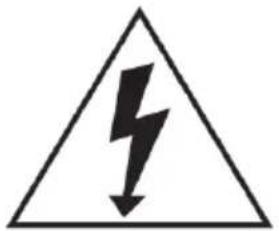
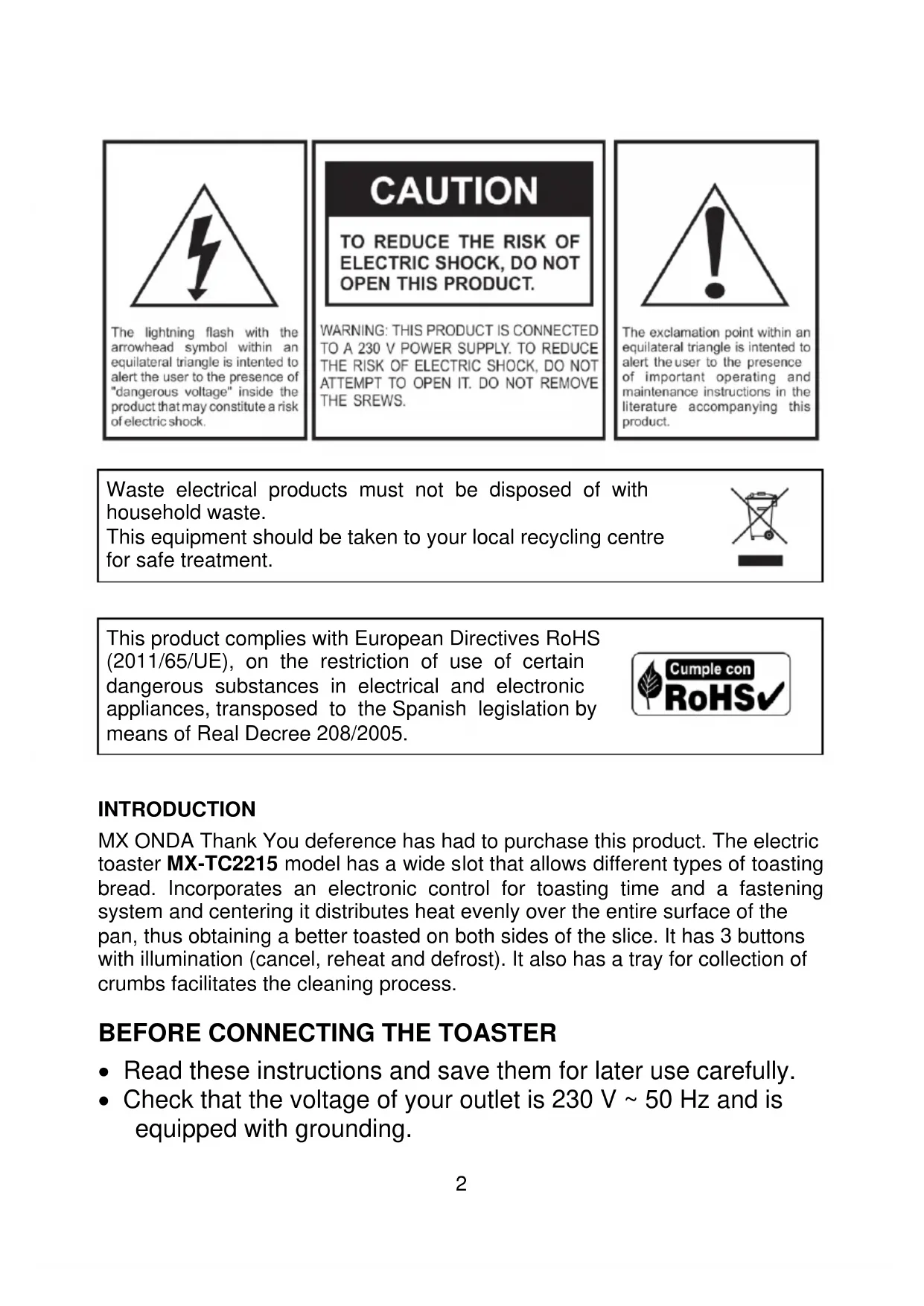
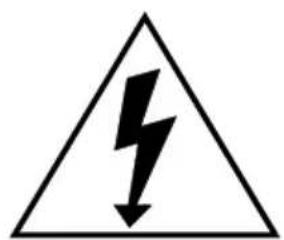
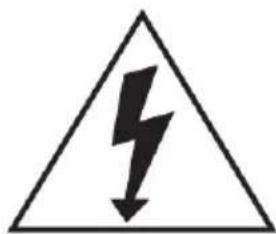
The lightning flash with the arrowhead symbol within an equilateral triangle is intended to alert the user to the presence of "dangerous voltage" inside the product that may constitute a risk of electric shock.
CAUTION
TO REDUCE THE RISK OF ELECTRIC SHOCK, DO NOT OPEN THIS PRODUCT.
WARNING: THIS PRODUCT IS CONNECTED TO A 230 V POWER SUPPLY. TO REDUCE THE RISK OF ELECTRIC SHOCK, DO NOT ATTEMPT TO OPEN IT. DO NOT REMOVE THE SREWS.

The exclamation point within an equilateral triangle is intended to alert the user to the presence of important operating and maintenance instructions in the literature accompanying this product.
Waste electrical products must not be disposed of with household waste.
This equipment should be taken to your local recycling centre for safe treatment.
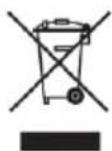
This product complies with European Directives RoHS (2011/65/UE), on the restriction of use of certain dangerous substances in electrical and electronic appliances, transposed to the Spanish legislation by means of Real Decree 208/2005.

INTRODUCTION
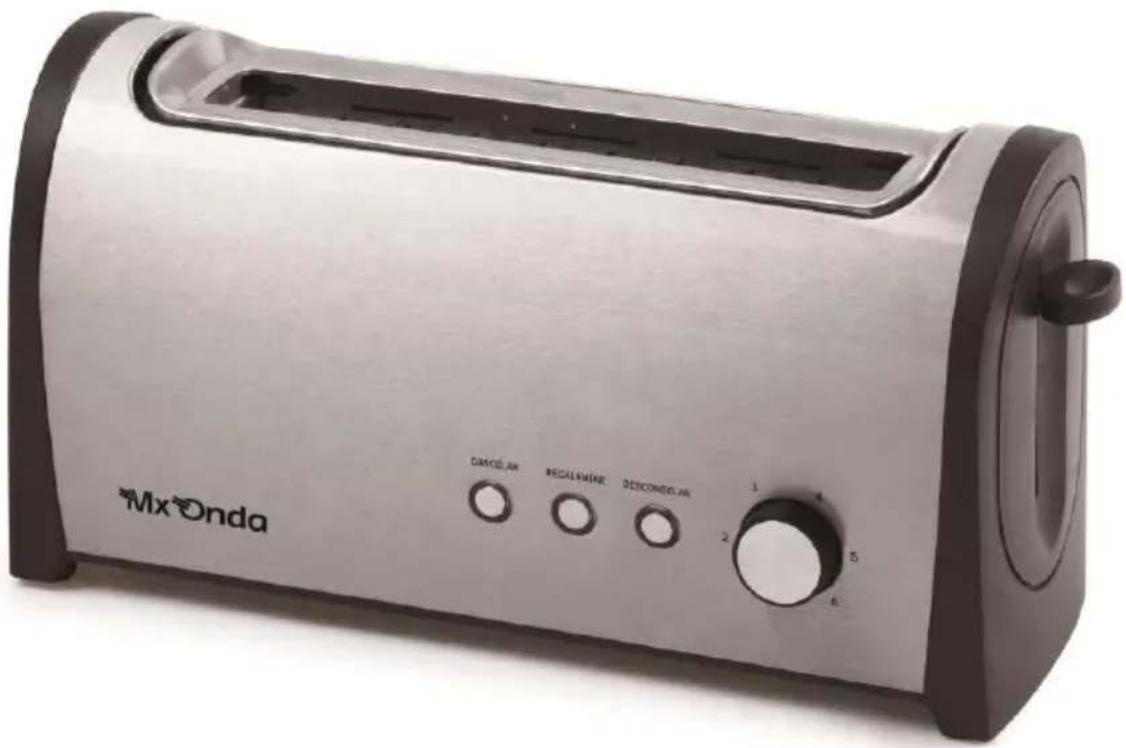
MX ONDA Thank You deference has had to purchase this product. The electric toaster MX-TC2215 model has a wide slot that allows different types of toasting bread. Incorporates an electronic control for toasting time and a fastening system and centering it distributes heat evenly over the entire surface of the pan, thus obtaining a better toasted on both sides of the slice. It has 3 buttons with illumination (cancel, reheat and defrost). It also has a tray for collection of crumbs facilitates the cleaning process.
BEFORE CONNECTING THE TOASTER
- Read these instructions and save them for later use carefully.
-
Check that the voltage of your outlet is 230 V \~ 50 Hz and is equipped with grounding.
-
The power cord is relatively short, to prevent accidents caused by tripping or entanglement.
- The electrical safety of this appliance is guaranteed only if it is connected to an efficient earth, as provided safety regulations in force. The manufacturer is not liable for damages resulting from the lack of grounding installation. If in doubt, consult a qualified electrician.
- If you need to use an extension cord, use only one that is in good condition, equipped with grounding plug and is suitable for the power of the appliance.
- The extension cord should be placed so that not drape over the countertop or table so that children can pull it or can trip over it by mistake.
- To protect against risk of electric shock and personal injury, do not insert the cable, plug or the appliance itself in water or any other liquid.
- After removing the packaging, check that the appliance is not damaged. If in doubt do not use the device; contact the technical support staff.
- Packaging materials (plastic bags, etc.) must not be left within reach of children as they are a potential source of danger.
- The manufacturer is not liable for damages resulting from improper, incorrect or careless use of the appliance.
SECURITY MEASURES
• Children should not play with this device.
- Cleaning and maintenance by the user can not be done by children unless they are older than 8 years and are supervised.
- When the machine is running, keep hands and cord away from hot areas.
- This device operates at high temperatures, so during handling extreme caution.
- Failure to follow these warnings and safety instructions could result as a result burns or serious injury.
- This device can not be used by children (under the age of 8 years) or persons with or without experience and knowledge reduced physical, sensory or mental capabilities, unless they have received appropriate on using the appliance instructions and be supervised by an adult.
- This appliance is designed only for domestic use, not professional. MX ONDA not accepts any responsibility and the guarantee will not apply in case of misuse or failure to follow instructions.
- While the toaster is plugged or follow hot, do not neglect their vigilance and keep out of reach of children.
- Not enter into the very thick slices of bread toaster or wrapped in aluminum foil, cellophane, etc., nor any utensil.
- Always place the toaster on a dry, stable and level surface, do not use outdoors.
- When the toaster is plugged or still hot do not covers with a cloth or approaching the materials that can easily burn like curtains, tablecloths, curtains, etc.
- Do not insert slices of bread with toaster running.
- Make sure the outlet where the toaster is connected is easily accessible. To disconnect the unit from the mains, pull out the plug. you do never pull on the cable.
- Unplug the toaster whenever not in use, when a power outage occurs, "skip" a fuse or circuit and before the own maintenance cleaning.
- Unplug the toaster and let it cool before moving or cleaning it.
- Do not place the toaster or cord on or near gas burners or electric hot plates.
- In case of failure, anomalies, if the toaster is dropped, the plug or other parts have impaired, or the cord is damaged, turn off the appliance and do not attempt to repair it yourself. Contact our Customer Service nearest MX ONDA.
CONTROLS AND ELEMENTS
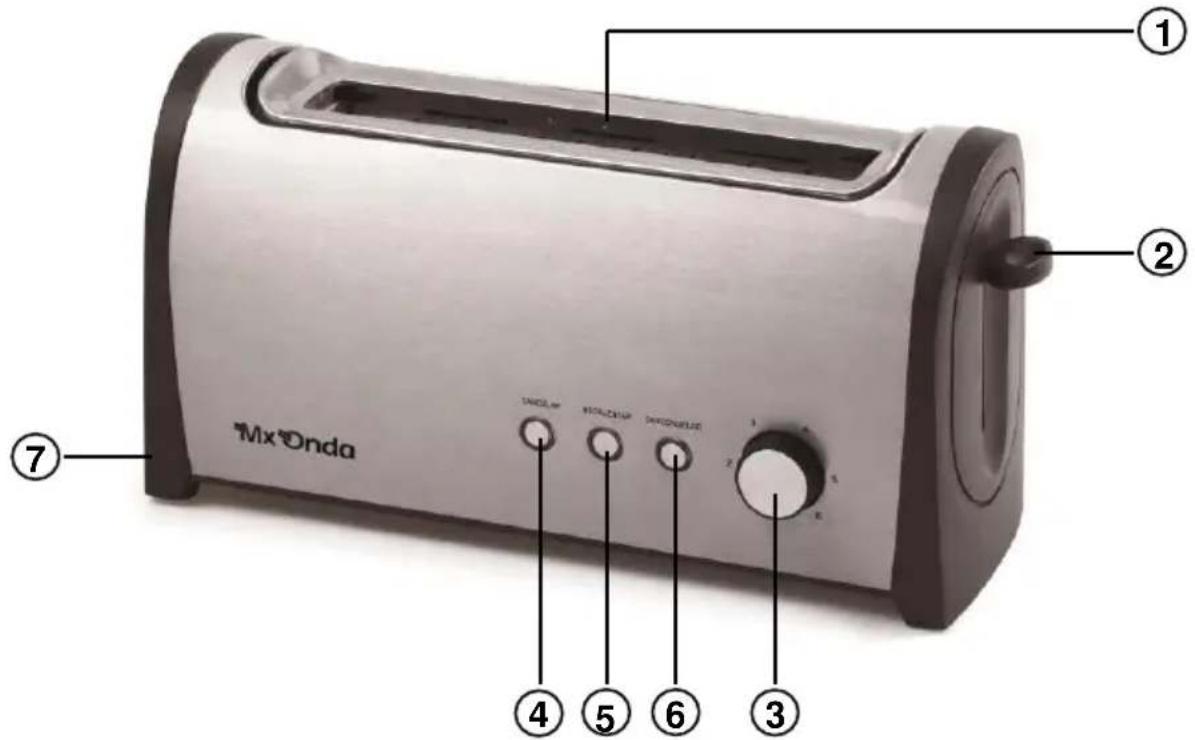
- Bread slot
- Ignition lever
- Toasting time selector
- Cancel button and indicator light (Cancelar)
- Button and light to reheat (Recalentar)
- Button and light for thawing (Descongelar)
- Crumb collector tray
USING THE TOASTER
This device supports any type of bread provided it does not exceed the maximum width of the input slot (approximately 30 mm).
- Insert the plug on the power cord into an electrical outlet of 230 V 50 Hz, provided grounding.
- Insert one or two slices of bread in slot 1.
- Turn the toasting time selector 3 according to your preference, but note that not all breads are roasted in the same way. Depending on the thickness and type, you must select the toasting time.
- Press the lever switch 2 down until it reached the stop lever in this position will remain on hold and the bread will be centered by the mounting brackets. The power indicator light 4.
-
After the toasting time, the lever will automatically release and toasts will be expelled, while the toaster is switched off and the power indicator 4 goes out.
-
At any time you can stop the toasting time, for it just press the button to cancel 4 (Cancelar).
Attention:
- When the toaster is unplugged, if you operate the ignition lever 2 is not will remain on hold.
- During the roasting process or immediately after the end of this, careful not to touch the metal surfaces of the toaster as being very hot it could cause burns.
Reheating function
This function allows you to reheat the slices of bread once they have been toast, for this follow the following process:
- Bread slices should be in slot 1.
- Press the ignition lever 2 down until it reached the top, the power indicator 4 will light.
- Press the reheat button 5 (Recalentar) and indicator lights.
- After approximately 30 seconds, the lever 2 is released automatically. Bread slices will be ejected while the toaster is switched off and the power indicators 4 and reheat 5 turn off.
- At any time you can stop the reheating function, for it just press the button to cancel 4 (Cancelar).
Note:
The duration of reheating time will always be about 30 seconds, regardless of the position in which the selector 3 is toasting time.
Defrost function
This function allows you to defrost the bread. To proceed to defrosted, proceed as follows:
- Insert in slot 1 frozen bread slices.
- Turn the toasting time selector 3 according to your preference, but note that the defrost function, increases the time normal roasting. We recommend starting with short times.
- Press the ignition lever 2 down until it reached the top, the power indicator will light 4.
- Press the button to unfreeze 6 (Descongelar) and the corresponding indicator lights.
-
After the previously set for defrosting time, the lever 2 is released automatically. Bread slices will be ejected while the toaster is switched off and the power indicators 4 and defrost 6 turn off.
-
At any time you can stop thawing, for it just press the button to cancel 4 (Cancelar).
CLEANING AND MAINTENANCE
- Disconnect the toaster from the mains and wait until it is completely cool before cleaning it.
- Remove the tray crumb 7 (pulling the tab out) and empty. You can clean this tray with a damp cloth. Never in the dishwasher.
- Do not immerse the appliance in water or under running water.
- Plastic surfaces can be cleaned with a damp cloth. Do not use abrasive products.
STORING THE TOASTER
- Before storing the toaster verify that it is completely cold.
- The cable can be rolled into the base.
- Keep the toaster in a dry, dust-free and upright in its own packaging or cover it with a protective plastic bag, paper, etc.
TECHNICAL SPECIFICATIONS
Supply voltage 220-240 V \~ 50 Hz Maximum power 1000 W Bread maximum thickness 30 mm (approximately) Cable length 0.8 m Dimensions 390 x 154 x 194 mm (L, W, H) Weight 1,66 Kg
Specifications subject to change without notice.
This product complies with the European Directives 2014/30/EC (EMC – Electromagnetic Compatibility) and the 2014/35/EC (LVD – Low Voltage Directive) relative to Low Tension Security.
"MX, MX ONDA" and its logos are trademarks of MX ONDA, S.A.
Telephone of information and Technical Service: +34 902 551 501
MX ONDA, S.A.
C / Matabueyes, 7 nave 1A
19171 - Cabanillas del Campo (Guadalajara - Spain)
E-MAIL: mxsat@mxonda.es http://www.mxonda.es
MANUEL D'INSTRUCTIONS
Mx Onda
GRILLE-PAIN
MODÈLE: MX-TC2215
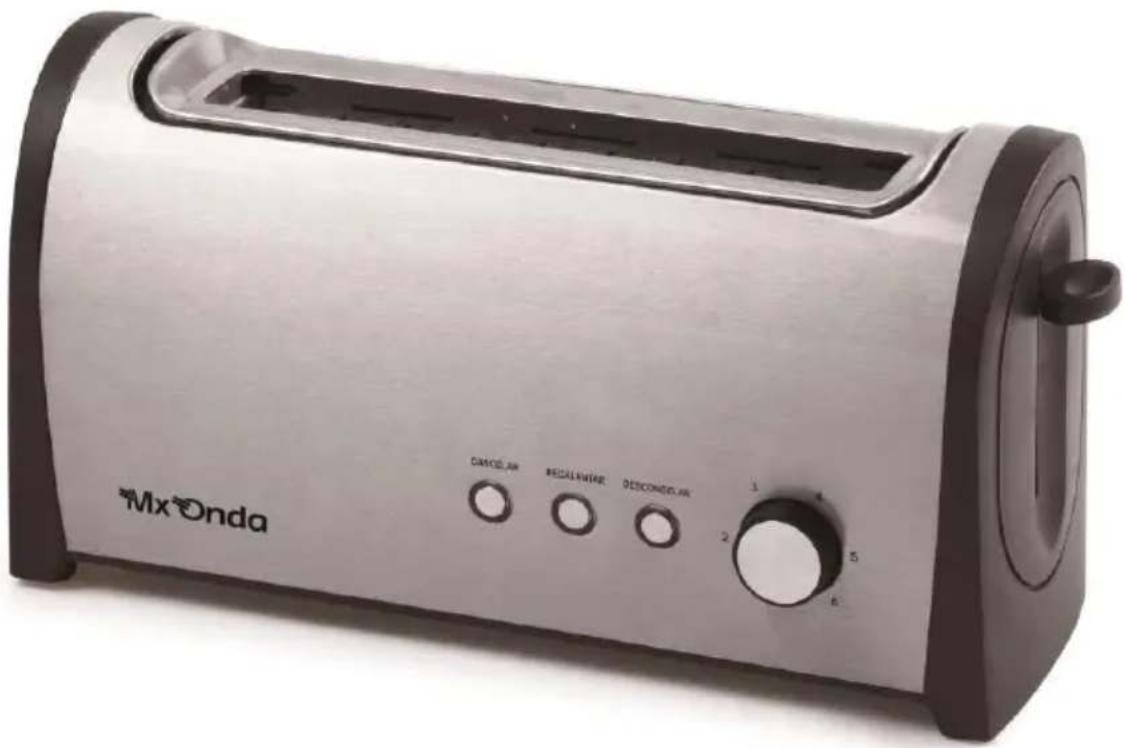
natural_image
Exterior view of a Mx Onda toaster with control knobs and a blank tray (no visible text or symbols on the device itself)CE
AVANT D'UTILISER CE MANUEL DE LIRE ATTENTIVEMENT
ATTENTION
natural_image
Exterior view of a Mx Onda toaster with control knobs and a blank tray (no text or symbols on the device itself)CE
PRIMA DI UTILIZZARE IL MANUALE DI LEGGERE ATTENTAMENTE
ATTENZIONE
natural_image
Exterior view of a Mx Onda toaster with control knobs and a blank tray (no text or symbols on the device itself)CE
VOR GEBRAUCH SORGFÄLTIG LESEN SIE DIE
natural_image
Icon of a person reading a book inside a circle (no text or symbols)E-MAIL: mxsat@mxonda.es
http://www.mxonda.es
- MANUAL DE INSTRUÇÕES
- Mx Onda
- TORRADEIRA
- CAUTION
- INTRODUCTION
- BEFORE CONNECTING THE TOASTER
- SECURITY MEASURES
- CONTROLS AND ELEMENTS
- USING THE TOASTER
- Attention:
- Reheating function
- Note:
- Defrost function
- CLEANING AND MAINTENANCE
- STORING THE TOASTER
- TECHNICAL SPECIFICATIONS
- MANUEL D'INSTRUCTIONS
- GRILLE-PAIN
- ATTENTION
- ATTENZIONE
Brand : Mx Onda
Model : MXTC2215
Category : Toaster