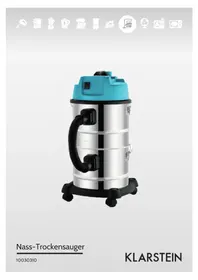
10030310 - Vacuum Cleaner Klarstein - Free user manual and instructions
Find the device manual for free 10030310 Klarstein in PDF.



| Product type | Vacuum cleaner |
| Brand | Klarstein |
| Model | 10030310 |
| Power supply | 220-240 V ~ 50-60 Hz |
| Power | 1800 W |
| Dimensions (L x D x H) | 30 x 30 x 50 cm |
| Weight | 5 kg |
| Tank capacity | 2 L |
| Functions | Suction and blowing |
| Included accessories | Hose, tubes, filter, brush nozzle, crevice tool, floor brush, blower nozzle |
| Filter material | Washable (clean with hot water without detergent) |
| Safety | Audible signal when tank is full or motor overload; recommended to stop if tipped over |
| Overheat protection | Yes, via audible signal |
| Maintenance | Empty the tank after each use; clean the filter regularly |
| Cleaning the filter | With hot water, no cleaning product, dry completely before reinstalling |
| Plug type | Grounded plug |
| Cord length | 5 m |
| Noise level | 75 dB |
| Energy class | A |
| Warranty | 2 years |
Frequently Asked Questions - 10030310 Klarstein
User questions about 10030310 Klarstein
0 question about this device. Answer the ones you know or ask your own.
Ask a new question about this device
Download the instructions for your Vacuum Cleaner in PDF format for free! Find your manual 10030310 - Klarstein and take your electronic device back in hand. On this page are published all the documents necessary for the use of your device. 10030310 by Klarstein.
USER MANUAL 10030310 Klarstein
Congratulations on purchasing this equipment. Please read this manual carefully and take care of the following hints to avoid damages. Any failure caused by ignoring the mentioned items and cautions mentioned in the instruction manual are not covered by our warranty and any liability.
Content
Technical Data 7
Safety Instructions 7
Product Description 8
Before first Use 9
Use and Operation 10
Accessories Overview 10
Cleaning and Care 11
Disposal and Declaration of Conformity 11
Technical Data
| Item number 10030310 | |
| Power supply 220-240 V ~ 50-60 Hz | |
| Power 1800 W |
Safety Instructions
- Check before operation that the local power supply is same as the specification on the rating label.
- Do not use machine in the combustible and explosive place in case the motor spark cause fire.
- Do not jam the air inlet mouth, in case causing high temperature rise and damage the motor.
- Do not pick up combustible and explosive objects such as glowing cigarette.gasoline, etc.
- Do not pick up sharp objects.
- Do not pick up objects which easily attach on the filter such as calcareousness powder, gesso and graphite powder that will block the ventilation and damage motor.
- If water out from air outlet mouth, do not overturn the machine when repairing in case water goes into the motor and cause damage.
- Turn off the machine and remove the plug each time after using or when repairing.
- Keep machine away from strong sunlight and high temperature place in case plastic distorting.
- This device is not to be used by children or persons with reduced physical, sensory or mental capabilities, or lack of experience and knowledge, unless they have been given supervision or instruction.
Children must be supervised to ensure they do not play with the appliance.
If the supply cord is damaged, it must be replaced by the manufacturer, its service agent or similarly qualified persons in order to avoid a hazard
- The plug must be removed from the socket-outlet before cleaning or maintaining the appliance.
Protective Device
This vacuum cleaner is equipped with several protective devices.
- When the barrel is full, the vacuum will lose suction and emit a noise to indicate the motor is under strain. Turn off and unplug the vacuum cleaner immediately, then empty the barrel and reassemble according to the instructions.
- Should the vacuum cleaner be turned on its side, immediately turn the unit off. Right the vacuum cleaner, then turn it on again.
- If the vacuum cleaner loses suction or emits sounds, turn it off and empty the barrel before continuing use.
Product Description
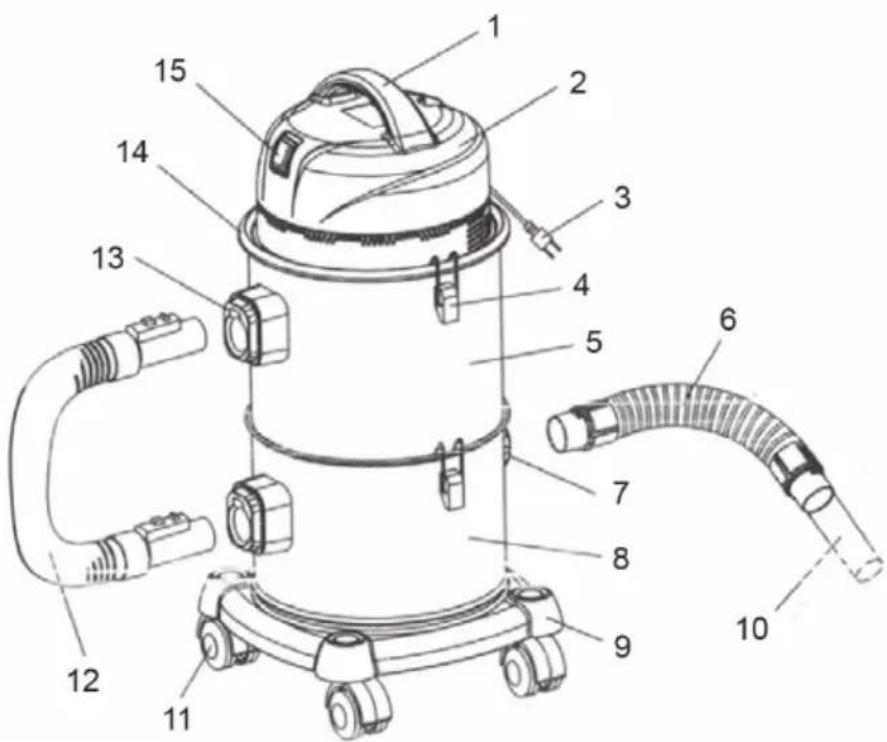
1 Handle
2 Top cover
3 Power plug
4 Barrel cap
5 Upper tank
6 Metal hose
7 Ash inlet mouth
8 Bottom tank
9 Pedestal
10 Aluminium inlet tube
11 Wheel
12 Connection hose
Before first Use
Connection
| Insert the hose connector into the air inlet mouth as picture shows,make sure the con- nector is tightly fastened. |
| Press the connector button as picture shows and pull the connector out when you want to pull hose connector from machine. |
| Insert hose connector into the blowing mouth as picture shows when you want to use its blowing function. |
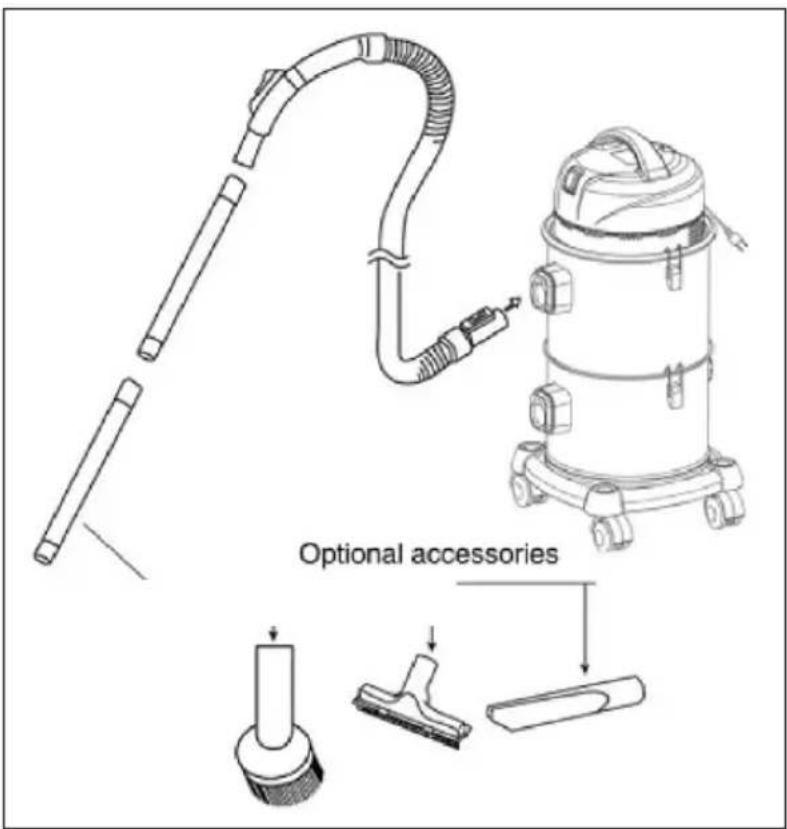
Connect all the accessories as picture shows:
Use and Operation
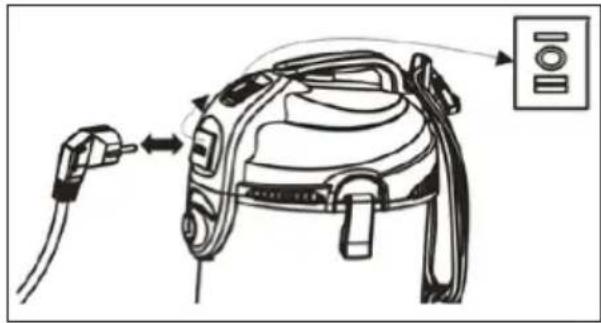
Insert the plug into the supply socket. Press switch button, the machine begin to work. There are 3 possible positions for the switch:
| O stands for turn off, the socket is not electrify. |
| Istands for turn on,the socket is electrify. |
| II The vacuum cleaner is switched off. If the plug is be-ing used by an external device, the vacuum cleaner starts to operate after 5-8 seconds. If the plugged device is being switched off, the vacuum cleaner will run for another 5-8 seconds. This is particularly helpful when using a drilling machine. |
Operation of blower
Always wear safety goggles before using the blower.
- Keep bystanders clear from blowing debris.
- Wear a dust mask if blowing creates dust that might be inhaled.
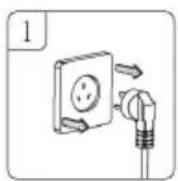
Make sure that the power cord is disconnected from the socket.
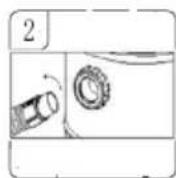
Unscrew the inserted hose assembly from the suction port with a left-hand rotation.
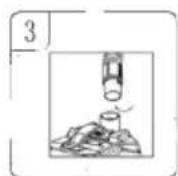
Insert the main cannula of the hose assembly into the air outlet on the top of the head and tighten it with the right hand rotation.
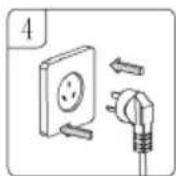
Insert the power cord.
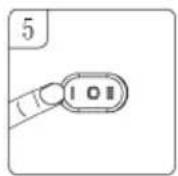
Start the switch button.
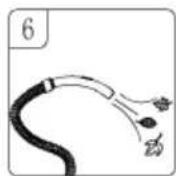
Hold the hose assembly, let outlet port aimed at the leaves and so on.
Accessory Overview
1 Hose assembly
2 Tubes
3 Filter
4 Bristle (optional)
5 Crevice nozzle (optional)
6 Floor brush (optional)
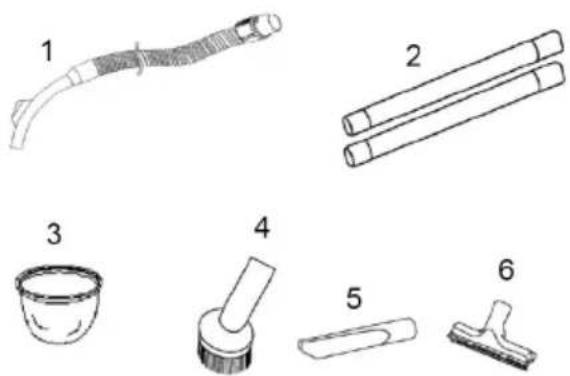
How to use the Accessory:
| Bristle for bookshelf,window and table, etc. | Bibulous brush for floor and carpet, etc. | |
| Crevice nozzle for crevice, corner, etc. | Blowing mouth for blowing the dust away in the crevice of the machine. | |
| Use the aluminium tube and the steel hose, can be used for cold fire place ash, cleaning. | ||
Cleaning and Care
Cleaning the Barrel
After use or when the barrel is full of dust (which is accompanied by a noticeable loss of suction), the barrel must be emptied.
- Unfasten the locking knob and remove the top cover.
- Remove the filter bag and clean out the dust from the dust barrel.
- Replace the filter bag and top cover, and fasten the locking knob.
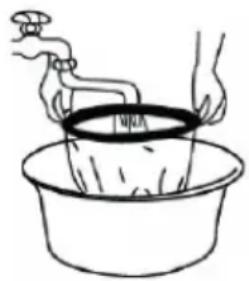
Cleaning the filter bag.
- Remove the filter.
- Gently wash in clean, warm water only.
- Allow to dry completely before reassembly.

Hints on Disposal
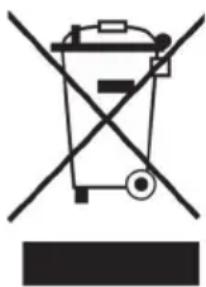
According to the European waste regulation 2012/19/EU this symbol on the product or on its packaging indicates that this product may not be treated as household waste. Instead it should be taken to the appropriate collection point for the recycling of electrical and electronic equipment. By ensuring this product is disposed of correctly, you will help prevent potential negative consequences for the environment and human health, which could otherwise be caused by inappropriate waste handling of this product. For more detailed information about recycling of this product, please contact your local council or your household waste disposal service.
Declaration of Conformity
Producer: Chal-Tec GmbH, Wallstraße 16, 10179 Berlin, Germany.

This product is conform to the following European Directives:
2014/30/EU (EMC)
2014/35/EU (LVD)
2011/65/EU (RoHS)
Estimado cliente,
Chere cliente, cher client,

Brand : Klarstein
Model : 10030310
Category : Vacuum Cleaner