
10031892 - Vacuum Cleaner Klarstein - Free user manual and instructions
Find the device manual for free 10031892 Klarstein in PDF.



| Brand | Klarstein |
| Model | 10031892 |
| Device type | Vacuum cleaner |
| Vacuum type | Vacuum with water tank (washing) |
| Power supply | 230 V ~ 50 Hz |
| Nominal power | 1400 W |
| Functions | Suction and washing |
| Tank material | Plastic |
| Filter type | Sponge filter |
| Washable filter | Yes |
| Included accessories | Hose, washing nozzle, flat nozzle |
| Transport system | Casters and handle |
| Power cable | Yes |
| On/off switch | Yes |
| Suction opening | Yes |
| Air outlet grille | Yes |
| Maintenance | Cleaning the tank and washing the filter |
| Compliance | CE (2014/30/EU, 2014/35/EU, 2011/65/EU) |
Frequently Asked Questions - 10031892 Klarstein
User questions about 10031892 Klarstein
0 question about this device. Answer the ones you know or ask your own.
Ask a new question about this device
Download the instructions for your Vacuum Cleaner in PDF format for free! Find your manual 10031892 - Klarstein and take your electronic device back in hand. On this page are published all the documents necessary for the use of your device. 10031892 by Klarstein.
USER MANUAL 10031892 Klarstein
bar
| Category | Value | |---|---| | Category 1 | 100 | | Category 2 | 100 | | Category 3 | 100 | | Category 4 | 100 | | Category 5 | 100 | | Category 6 | 100 | | Category 7 | 100 | | Category 8 | 100 | | Category 9 | 100 | | Category 10 | 100 | | Category 11 | 100 | | Category 12 | 100 | | Category 13 | 100 | | Category 14 | 100 | | Category 15 | 100 | | Category 16 | 100 | | Category 17 | 100 | | Category 18 | 100 | | Category 19 | 100 | | Category 20 | 100 | | Category 21 | 100 | | Category 22 | 100 | | Category 23 | 100 | | Category 24 | 100 | | Category 25 | 100 | | Category 26 | 100 | | Category 27 | 100 | | Category 28 | 100 | | Category 29 | 100 | | Category 30 | 100 | | Category 31 | 100 | | Category 32 | 100 | | Category 33 | 100 | | Category 34 | 100 | | Category 35 | 100 | | Category 36 | 100 | | Category 37 | 100 | | Category 38 | 100 | | Category 39 | 100 | | Category 40 | 100 | | Category 41 | 100 | | Category 42 | 100 | | Category 43 | 100 | | Category 44 | 100 | | Category 45 | 100 | | Category 46 | 100 | | Category 47 | 100 | | Category 48 | 100 | | Category 49 | 100 | | Category 50 | 100 | | Category 51 | 100 | | Category 52 | 100 | | Category 53 | 100 | | Category 54 | 100 | | Category 55 | 100 | | Category 56 | 100 | | Category 57 | 100 | | Category 58 | 100 | | Category 59 | 100 | | Category 60 | 100 | | Category 61 | 100 | | Category 62 | 100 | | Category 63 | 100 | | Category 64 | 100 | | Category 65 | 100 | | Category 66 | 100 | | Category 67 | 100 | | Category 68 | 100 | | Category 69 | 100 | | Category 70 | 100 | | Category 71 | 100 | | Category 72 | 100 | | Category 73 | 100 | | Category 74 | 100 | | Category 75 | 100 | | Category 76 | 100 | | Category 77 | 100 | | Category 78 | 100 | | Category 79 | 100 | | Category 80 | 100 | | Category 81 | 100 | | Category 82 | 100 | | Category 83 | 100 | | Category 84 | 100 | | Category 85 | 100 | | Category 86 | 100 | | Category 87 | 100 | | Category 88 | 100 | | Category 89 | 100 | | Category 90 | 100 | | Category 91 | 100 | | Category 92 | 100 | | Category 93 | 100 | | Category 94 | 100 | | Category 95 | 100 | | Category 96 | 100 | | Category 97 | 100 | | Category 98 | 100 | | Category 99 | 100 | | Total (Total) = [sum of bars] / [bar chart] + [line chart] = [bars] * (sum of bars + line chart) * (bars). The total bar is divided into two parts: 'Number of items' and 'Percentage'. The total bar is divided into two parts: 'Percentage' and 'Number of items'. The total bar is divided into two parts: 'Percentage' and 'Number of items'. The total bar is divided into two parts: 'Percentage' and 'Number of items'.natural_image
Symbol of a trash bin crossed with a diagonal line, no text or numbers presentCongratulations on purchasing this equipment. Please read this manual carefully and take care of the following hints to avoid damages. Any failure caused by ignoring the mentioned items and cautions mentioned in the instruction manual are not covered by our warranty and any liability.
CONTENTS
Technical Data 9
Declaration of Conformity 9
Safety Instructions 10
Product Description 11
Use and Operation 12
Cleaning and Care 13
Troubleshooting 14
Hints on Disposal 14
TECHNICAL DATA
| Item number 10031892 | |
| Power supply 230 V ~ 50 Hz | |
| Power consumption 1400 W |
DECLARATION OF CONFORMITY

Producer:
Chal-Tec GmbH, Wallstraße 16, 10179 Berlin, Germany.
This product is conform to the following European Directives:
2014/30/EU (EMC)
2014/35/EU (LVD)
2011/65/EU (RoHS)
SAFETYINSTRUCTIONS
- Read all instructions before using the vacuum cleaner and save for future reference. To reduce the risk of personal injury or damage to your vacuum, use only recommended accessories.
- Do not leave vacuum unattended when it is plugged in and/or operating. Unplug unit when not in use.
- Never operate this unit when fl ammable materials or when vapors are present because electrical devices produce arcs or sparks that can cause a fire or explosion.
• Always disconnect the plug from the wall outlet before removing the tank cover.

CAUTION
Risk of injury! Always wear eye protection to prevent rocks or debris from being blown or ricocheting into the eyes or face which can result in serious injury.
- Do not allow to be used as a toy. Close attention is necessary when vacuum is in use by or near children.
- Use only as described in this manual. Use only manufacturer's recommended attachments.
- Do not use with a damaged cord, plug, or other parts.
- If your vacuum is not working as it should, has missing parts, has been dropped, damaged, left outdoors, or dropped into water, call customer service.
- Sparks inside the motor can ignite fl ammable vapors or dust. To
- reduce the risk of fire or explosion, do not use near combustible liquids, gases, dusts, gasoline or other fuels, lighter fluid, cleaners, oil-based paints, natural gas, coal dust, magnesium dust, grain dust, aluminum dust or gun powder.
- Do not pull or carry the appliance by cord, close a door on cord, or pull cord around sharp edges or corners.
- Do not unplug by pulling on cord. To unplug, grasp the plug firmly.
- Do not handle plug or appliance with wet hands.
- Do not put any object into ventilation openings. Do not vacuum with any ventilation openings blocked; keep free of dust, lint, hair, or anything that can reduce air flow.
- Keep hair, loose clothing, fingers, and all parts of body away from openings and moving parts.
- Turn off the control before unplugging.
- Use extra care when cleaning stairs.
- Do not use to pick up fl ammable or combustible liquids such as gasoline or use in areas where they may be present.
-
Do not pick up anything that is burning or smoking, such as cigarettes, matches, or hot ashes.
-
Do not use without filters in place.
• Always unplug this appliance before connecting or disconnecting vacuum hose. - Store the vacuum indoors. Put the vacuum away after use to prevent tripping accidents.
PRODUCT DESCRIPTION
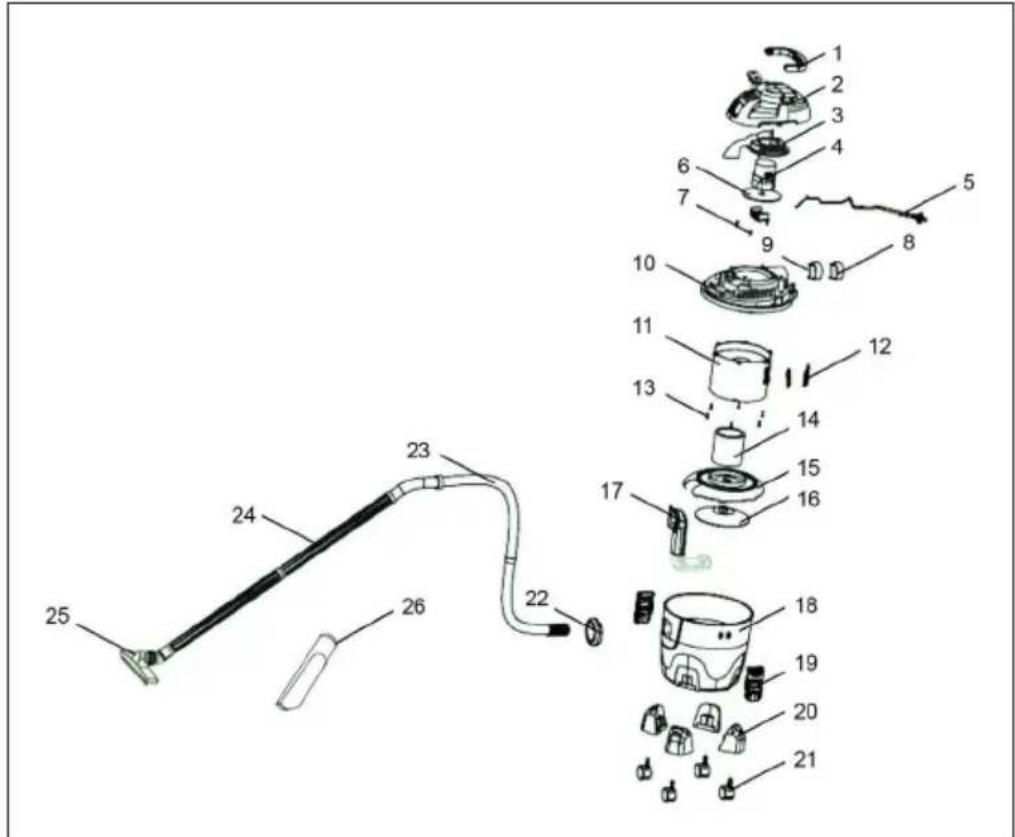
| 1 Handle 10 Motor Cover 19 Clips | ||
| 2 Top Cover 11 Motor Cap 20 Holder for Castor | ||
| 3 Motor Baffle 12 Filter Grid 21 Wheel | ||
| 4 Motor 13 Screw 22 External Suction | ||
| 5 Power Cord 14 Sponge 23 Hose | ||
| 6 Fan Blade 15 Wind Cover Plate 24 Plastic Tube | ||
| 7 Screw 16 Water Fender 25 Wet Brush | ||
| 8 Air Outlet Grid 17 Outlet Suction Mouth 26 Crevice Nozzle | ||
| 9 Air Outlet Sponge 18 Plastic Tank |
USE AND OPERATION
| 1 | Insert the hose joint into the suction of the vacuum cleaner and turn it clockwise. When removing the hose, hold the hose joint and turn it anti-clockwise. | |||
| 2 | 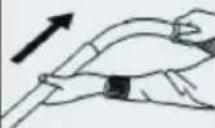 | Please ensure the bend is connected to the tube firmly. | ||
| 3 | 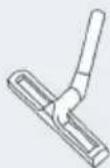 | Please ensure the adapter is connected to the brush firmly. | ||
| 4 | 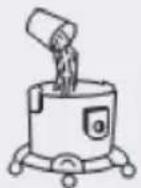 | Pour water into the barrel. Please do not fill the barrel over the „MAX“ level or below the „MIN“ level. | ||
| 5 | 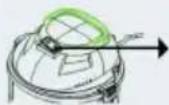 | Insert the plug into the socket and press the switch to turn the vacuum vacuum cleaner on. | ||
| 6 | 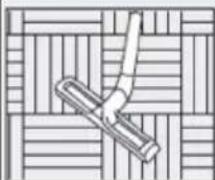 | 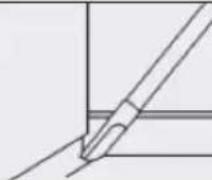 | 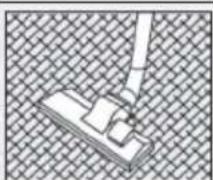 | Select the nozzle according to the condition of the floor. |
CLEANING AND CARE
Remove the Dust
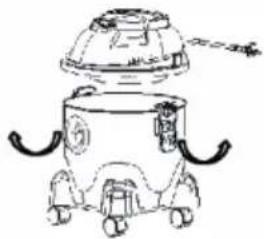 | 1 Ensure that the power cord is disconnected from the outlet.2 Per the image above, undo the latches.3 Lift the power head off the dust drum.4 Remove the contents of the tank.5 Remove the dust and sewage.6 Pour clean water into the barrel again. |
Replace the Filter
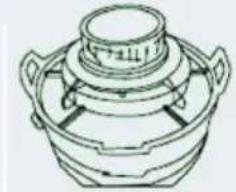 | 1 Ensure that the power cord is disconnected from the outlet.2 Undo the latches.3 Lift the power head off the dust drum.4 Remove the filter and replace it with a new one. |
Wash the Filter
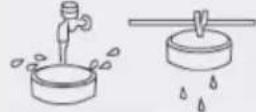 | 1 Wash in water by hand.2 Dry completely and let it sit for a while. |
Clean the Vacuum Cleaner
To clean the outside: clean with a damp cloth and mild soap.
Clean the drum
1 Remove the debris.
2 Wash the drum thoroughly with warm water and mild soap.
3 Wipe with a dry cloth.
Storage
Before storing the vacuum cleaner, empty and clean the dust drum. Wrap the power cord around the unit. Keep accessories in the same area as the vacuum cleaner so that they are readily available. Store it indoors. If the power cord is damaged, it must be replaced by the manufacturer or their service agent or by a similarly qualified person to reduce the risk of an accident.
TROUBLESHOOTING
| PROBLEM POSSIBLE CAUSES CORRECTIVE ACTION | ||
| Vacuum will not operate. | No power supply. Check power supply-cord, breakers and fuses. | |
| Faulty power cord. Unplug and check the power cord. If damaged, have it repaired by a professional. | ||
| Power switch isn't turned on. Turn on the switch. | ||
| Reduced efficiency and motor/speed vibration. | There is a blockage in the nozzle, hose or the vacuum inlets. | Check nozzle, hose and inlets for blockage. |
| Container full. Empty container. | ||
HINTS ON DISPOSAL
natural_image
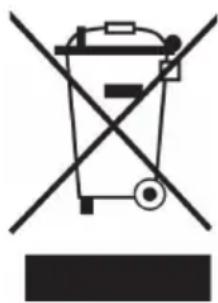
Symbol of a trash bin crossed with a diagonal line, no text or numbers presentAccording to the European waste regulation 2012/19/EU this symbol on the product or on its packaging indicates that this product may not be treated as household waste. Instead it should be taken to the appropriate collection point for the recycling of electrical and electronic equipment. By ensuring this product is disposed of correctly, you will help prevent potential negative consequences for the environment and human health, which could otherwise be caused by inappropriate waste handling of this product. For more detailed information about recycling of this product, please contact your local council or your household waste disposal service.
Estimado cliente,
natural_image
Symbol of a trash bin crossed with a diagonal line, representing no waste or discharge (no text or labels)DÉCLARATION DE CONFORMITÉ
Fabricant :
Chal-Tec GmbH, Wallstraße 16, 10179 Berlin, Allemagne.

natural_image
Line drawing of a mechanical device with gears and a dome (no text or symbols)natural_image
Line drawing of a mechanical component with two handles and a central lid (no text or symbols)natural_image
Symbol of a trash bin crossed with a diagonal line, no text or numbers presentnatural_image
Line drawing of a mechanical device with gears and a dome (no text or symbols)natural_image
Line drawing of a mechanical component with two handles and a central lid (no text or symbols)natural_image
Symbol of a trash bin crossed with a diagonal line, no text or numbers present
Brand : Klarstein
Model : 10031892
Category : Vacuum Cleaner