GCH 970NA2TS - Tumble dryer CANDY - Free user manual and instructions
Find the device manual for free GCH 970NA2TS CANDY in PDF.



| Product type | Heat pump dryer |
| Brand | Candy |
| Model | GCH 970NA2TS |
| Loading capacity | 7 kg |
| Drum volume | 115 liters |
| Energy class | A+ |
| Dimensions (H x W x D) | 85 x 60 x 60 cm |
| Power supply | See rating label (door open) |
| Drying programs | Cotton, Synthetics, Delicates, Shirts, Jeans, Wool, Quick 40', Anti-Crease, Mix & Dry, Ready to Iron, Ready to Store, Dry |
| Options | Delayed start (1-24h), Gentle drying, Wrinkle removal |
| Drying sensor | Yes (automatic programs) |
| Water drainage | Water tank (max 4 kg) or optional permanent drainage kit |
| Lint filter | Yes, in the door; clean after every cycle |
| Condenser | Yes, located behind the protection plate; clean regularly |
| Indicator lights | Water tank empty, filter maintenance, program end |
| Anti-crease function | Yes, at end of cycle |
| Adjustable feet | Yes |
| Noise level | Not specified |
| Net weight | Not specified |
Frequently Asked Questions - GCH 970NA2TS CANDY
User questions about GCH 970NA2TS CANDY
0 question about this device. Answer the ones you know or ask your own.
Ask a new question about this device
Download the instructions for your Tumble dryer in PDF format for free! Find your manual GCH 970NA2TS - CANDY and take your electronic device back in hand. On this page are published all the documents necessary for the use of your device. GCH 970NA2TS by CANDY.
USER MANUAL GCH 970NA2TS CANDY
Heat Pump Tumble Dryer

7kg

English 2
Italiano 14
Deutsch 26
Français 38
Ελληικα 50
Dutch 62
Español 74
Introduction 3
Delivery Information 3
Unpacking the Product 3
Safety Reminders 3
Use 3
Installation 4
The Laundry 4
Environmental Issues 4
Gias Service 4
Installation 5
Electrical Requirements 5
Adjusting the Feet 5
Ventilation 5
Drain Hose Kit: Fitting Instructions 6
Preparing the Load 7
Clothes Preparation 7
Do Not Tumble Dry 7
Energy Saving 7
Sorting the Load 7
Controls and Indicators 8
Selecting the Programme 9
Door and Filter 10
Opening the Door 10
Filter 10
Filter Care Indicator 10
To Clean the Condenser Filter 10
Water Container 11
To Remove the Container 11
Operation 11
Delay Start Function 12
Cancelling and Resetting the Programme 12
Cleaning and Routine Maintenance 12
Cleaning the Dryer 12
Technical Specifications 12
Troubleshooting 13
Customer Service 13
Spares 13
Gias Service 13
INTRODUCTION
Please read and follow these instructions carefully and operate the machine accordingly. This booklet provides important guidelines for safe use, installation, maintenance and some useful advice for best results when using your machine.
Keep all documentation in a safe place for future reference or for any future owners.
Delivery Information
Please check that the following items are delivered with the appliance:
⚠️ Check that no damage has occurred to the machine during transit. If it has, call for service by GIAS.
⚠️ Failure to comply with the above can compromise the safety of the appliance. You may be charged for a service call if a problem with your machine is caused by misuse.
UNPACKING THE PRODUCT

natural_image
Line drawing of a hand holding a bracket with a curved handle (no text or symbols)Remove the machine from its packaging close to the final location of the machine.
1- Cut carefully around the base of the packaging and up one corner.
2- Remove the polythene sleeve and lift the dryer off the polystyrene base.
⚠ Dispose of the packaging safely. Make sure it is out of the reach of children, it is a potential source of danger.
SAFETY REMINDERS
Use
sensory or mental capabilities, or lack of experience and knowledge, unless they have been given supervision or instruction concerning use of the appliance by a person responsible for their safety.
that the instructions for installation and use are fully understood before operating the appliance.
ignited.

of the tumble dryer may be in excess of 60 degrees C.
appliance.
removing the laundry.
Installation
damage before use. If damaged do not use and please call GIAS Service.
and/or extensions.
sure to prevent items from falling or collecting behind the dryer.
lockable door, a sliding door or a door with a hinge on the opposite side to that of the tumble dryer.
The Laundry
ignited by spontaneous combustion. Items such as foam rubber (latex foam), shower caps, waterproof textiles, rubber backed articles and clothes or pillows fitted with foam rubber pads MUST NOT be dried in the tumble dryer.
Clothes that are dripping wet should not be put into the dryer.
near the machine.
garments are contaminated with the glass fibres.
kerosene, spot removers, turpentine, waxes and wax removers should be washed in hot water with an extra amount of detergent before being dried in the tumble dryer.
instructions.
Environmental Issues
environmentally-friendly and recyclable.
Please help dispose of the packaging via environmentally-friendly means. Your local council will be able to give you details of current means of disposal.
tumble dryer disconnect the mains plug from the socket, cut the mains power cable and destroy this together with the plug. To prevent children shutting themselves in the machine break the door hinges or the door lock.
European Directive 2002/96/EC
This appliance is marked according to the European directive 2002/96/EC on Waste Electrical and Electronic Equipment (WEEE).
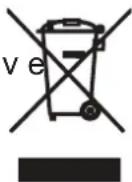
By ensuring this product is disposed of correctly, you will help prevent potential negative consequences for the environment and human health, which could otherwise be caused by inappropriate waste handling of this product.
The symbol on the product indicates that this product may not be treated as household waste. Instead it shall be handed over to the applicable collection point for the recycling of electrical and electronic equipment.
For more detailed information about treatment, recovery and recycling of this product, please contact your local city office, your household waste disposal service or the shop where you purchased the product. Disposal must be carried out in accordance with local environmental regulations for waste disposal.
GIAS Service
operation of this appliance we recommend that any servicing or repairs are only carried out by an authorised GIAS service engineer.
⚠️ If the appliance is not running properly or breaks down, switch it off and disconnect the plug from the socket. Consult GIAS Service for possible repair.
Electrical Requirements
Tumble dryers are supplied to operate at a voltage of 220-240V, 50 Hz single phase. Check that the supply circuit is rated to at least 6A.
Electricity can be extremely dangerous.
This appliance must be earthed. The socket outlet and the plug on the appliance must be of the same type.
Do not use multiple adapters and/or extension leads. The plug should be accessible for disconnection after the appliance has been installed.
CE Appliance complies with European Directive 2004/108/EC, 2006/95/EC and subsequent amendments.
You may be charged for a service call if a problem with your machine is caused by incorrect installation.
If the mains cord on this appliance is damaged, it must be replaced by a special cord which is ONLY obtainable from the spares service. It must be installed by a competent person.
Do not plug the machine in and switch it on at the mains until the installation is completed. For your safety, this dryer must be correctly installed. If there is any doubt about installation, call GIAS Service for advice.
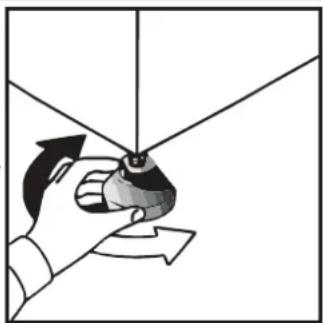
Adjusting the Feet
Once the machine is in place the feet should be adjusted to ensure that the machine is level.
natural_image
Illustration of a hand holding a small object with directional arrows indicating rotation or movement (no text or symbols)VENTILATION
Adequate ventilation must be provided in the room where the tumble dryer is located to prevent gases from appliances burning other fuels, including open fires, being drawn into the room during operation of the tumble dryer.
flue which is used for exhausting fumes from appliances burning gas or other fuels.
the dryer is not restricted.
necessary.
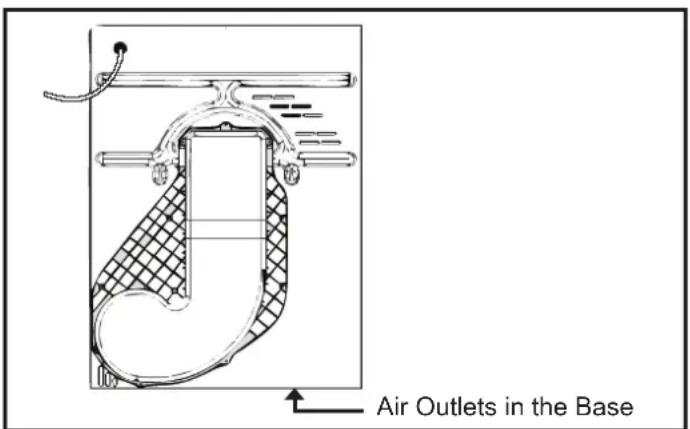
obstructions. To ensure adequate ventilation the space between the bottom of the machine and the floor must not be obstructed. There should be a gap of at least 12mm between the machine and any obstructions.
the dryer as these may obstruct the air inlet and outlet.
Important: During transport ensure that the dryer is in an upright position, if it's necessary you can only flip in the side shown;

natural_image
Simple line drawing of a washing machine with a black X mark on its side (no text or symbols)
natural_image
Simple line drawing of a washing machine with a black checkmark on its side (no text or symbols)Caution: If the product is in different side, wait at least 4 hours before switching on so that the oil can flow back into the compressor. Failure to do this could result in damage to the compressor. EN 5
DRAIN HOSE KIT: FITTING INSTRUCTIONS
To avoid having to empty the water container after each drying cycle, the water normally collected during the drying cycle can be discharged directly to a waste water drain pipe (the same drainage system as household sinks). Water Bye-Laws prohibit connection to a surface water drain. The waste water drain pipe system should be located adjacent to the tumble dryer.
The kit is composed: 1 hose, 1 straight hose connector, 1 pipe clip and 1 plastic tie.

WARNING!
Switch off and remove the
tumble dryer plug from the electricity supply before carrying out any work.
Fit the Kit as Follows:
-
Unscrew and remove the 3 screws, at the rear of the machine, retaining the worktop trim.
-
Remove the rear worktop trim and the worktop surface by carefully sliding it towards the rear of the machine.
-
The waste water container is situated at the right-hand side of the machine (viewed from the rear). A grey hose connects to the bridge above the water container. Using pliers, remove the pipe retaining clip from the bridge.
-
Pull the hose off the bridge connection.
- Attach the hose from the kit, using the connector and pipe clips supplied, to the hose removed from the bridge connection.

natural_image
Close-up of a hand using a screwdriver to adjust or install a white plastic component (no visible text or symbols)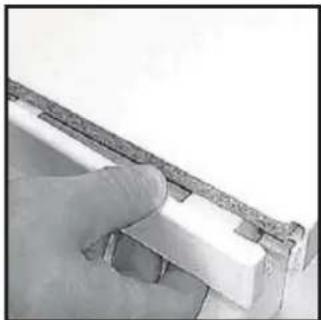
natural_image
Close-up of a hand holding a small white object with a dark border, possibly part of a mechanical or architectural component (no visible text or symbols)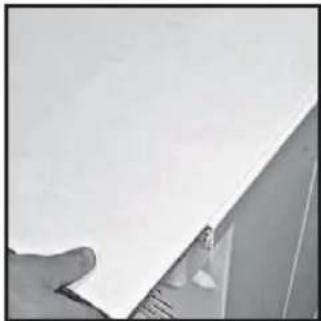
natural_image
Close-up of a hand holding a white sheet of paper, partially visible against a plain background (no text or symbols)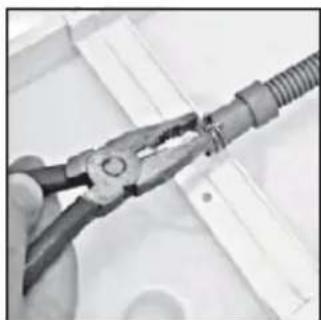
natural_image
Close-up of a hand using a pliers to handle a coiled cable or wire (no text or symbols visible)-
Take off the water container cover from the rear of the machine by removing the two screws and unclipping the cover.
-
Break off the tab on the side of the cover and replace the cover on the machine, refit the screws. You should now have revealed a hole in the back of the cabinet next to the Cover.
-
Feed the drain hose through the hole in the cabinet.
-
Locate the grey pipe in the cutout of the tray and secure the pipe assembly to the bridge with the plastic tie.
-
Carefully slide the worktop back into position ensuring that the hose is not trapped and replace the worktop rear trim with the 3 screws.
-
Connect the new drain hose to the waste water pipe. Make sure that the new hose does not kink when pushing the tumble dryer into position. Ensure that the guidelines, as shown, are followed when routing the new external hose.
-
Connect to the mains electricit supply.
-
After emptying the waste water container switch the machine ON (and press the 'START' button on electronic models) to commence with the drying program.

natural_image
Close-up of a hand holding a coiled cable or wire inserted into a white plastic housing (no visible text or symbols)
natural_image
Close-up of a hand using a screwdriver to adjust or install a white electronic device (no visible text or symbols)
natural_image
Close-up of a hand holding a white plastic object with a small protrusion (no visible text or symbols)
natural_image
Close-up of hands connecting a flexible hose to a white electrical panel (no visible text or symbols)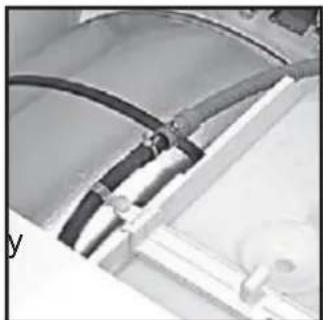
natural_image
Close-up of electrical connectors and wiring (no visible text or symbols)
Before using the tumble dryer for the first time:
Maximum Drying Weight
damp cloth to remove any dust which may have settled in transit.
Clothes Preparation
Make sure that the laundry you are going to dry is suitable for drying in a tumble dryer, as shown by the care symbols on each item.
Check that all fastenings are closed and that pockets are empty. Turn the articles inside out. Place clothes loosely in the drum to make sure that they don't get tangled.
Do Not Tumble Dry:
Woollens, silk, delicate fabrics, nylon stockings, delicate embroidery, fabrics with metallic decorations, garments with PVC or leather trimmings, training shoes, bulky items such as sleeping bags, etc.

IMPORTANT: Do not dry articles which have been treated with a dry cleaning fluid or proper clothes (danger of fire or explosion).
During the last 15 minutes (roughly) the load is always tumbled in cool air
Energy Saving
Only put into the tumble dryer laundry which has been thoroughly wrung or spin-dried. The drier the laundry the shorter the drying time thus saving electricity.
ALWAYS
will save time and electricity.
drying cycle.
NEVER
time and electricity.
this may damage the appliance.
Do not overload the drum, large items when wet can exceed the maximum admissible clothes load (for example: sleeping bags, duvets).
Sort the Load as Follows

Tumble drying at high temperature.
Tumble drying at low temperature only.
Do not tumble dry.
of polyester or polyamid, as well as for cotton/synthetic mixes.

Do not install the product in a room where there is a risk of frost occurring. At temperature around freezing point the product may not be able to operate properly: there is a risk of damage if the water is allowed to freeze in the hydraulic circuit (valves, hoses, pumps).
For a better product performance the ambient room temperature must be between +2°C and +35°C.
CONTROLS AND INDICATORS

flowchart
graph TD
    A["Programme Selector"] --> B["Empty Water Indicator"]
    B --> C["Filter Care Indicator"]
    C --> D["Program Display"]
    D --> E["Alarm TIME Control AUTO Program"]
    E --> F["Start/Pause Button"]
    F --> G["Anti-Crease Button"]
    G --> H["Acrylic Synthetic Button"]
    H --> I["Delay Start Button"]
    I --> J["Time Selection Button"]
    J --> K["GCH 970NA1T 7 KG"]
    K --> L["Heat Pump"]
    L --> M["Rapid 40"]
    M --> N["SPECIAL"]
    N --> O["Time OFF"]
    O --> P["Jeans AUTO"]
Control Panel and Indicator Lights
Knob: You can turn it in both directions to choose the required programme.
Time selection ⚙:To modify the drying timing of required programme; it works only with certain programmes.
Delay start ⏻: To delay the start of the drying cycle and to dry your laundry when electricity costs less (please see dedicated section)
Delicate fabrics: When pulled, this indicator 📊 turns off and this new one 🌐 turns on; with this special function, the drying temperature is lower to better protect your delicate clothes.
Anti-Crease Button 📋 – Select the anti-crease function at the end of drying cycle. The drum keeps moving at regular phases to refresh the laundry.
Cool down ⚙ : This indicator turns on during the final cool phase of the cycle.
Start/Pause ▷: To start the programme required or to pause the cycle.
Automatic programmes: Depending on desired programme, specific indicators turn on (please see "programme list"); ECO indicator turns on when you select a low consumption programme.
Filter care 📋 : When on, please clean the filters.
Full water tank 📋 : When on, please empty the water tank.
SELECTING THE PROGRAMME
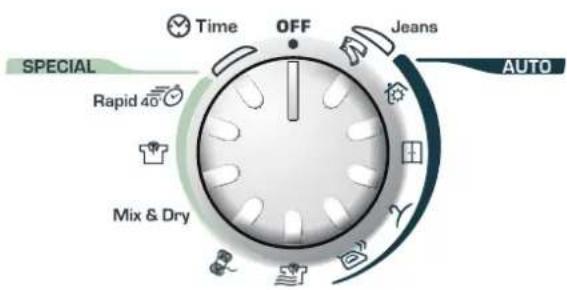
This machine has a special Sensor Dry to help you choose your preferred programme simply by selecting the level of dryness wanted.
For small loads and pre-dried clothes, please use a Timing programme and select "Delicate fabrics" button to lower the temperature inside the drum.
If the Sensor does not detect any item, this Dryer will work for only 10 minutes before starting the Cool down phase. If the load is too big or too wet, this Dryer will automatically work for 3 hours and then start the Cool down phase.
At the end of each programme, there is always the Cool Down phase: it is a cool-air refresh phase of around 15 minutes.
SELECTING THE PROGRAMME
| PROGRAMME | IDEAL FOR |
| Perfect Home | Clothes you want completely dried, e.g. towels, bathrobes, table clothes or sheet. Time: around 3h. |
| Store Dry | Clothes you want to fold and store without ironing, e.g. shirts in mixed fabrics, socks, baby clothes. Time: around 2h and 45 min. |
| Hang Dry | Clothes you don't need to iron, but just hang after the drying cycle. Time: around 2h and 30 min. |
| Iron Dry | Leave clothes slightly damp to allow easier ironing. Time: around 1h and 50 min. |
| No Crease | Clothes you just need to refresh. Good for items of clothing which have been left prior to ironing or if they have been dried outside or on radiators. This programme has a specific Anti-Crease function that relaxes fibres and makes easier ironing. Time: 9 min + 3 min cool down. |
| Wool | To soften your woollen clothes or to simply refresh them after a long time in the wardrobe. Time: 12 min. |
| Mix & Dry | To dry mixed cotton and synthetic clothes: save time and no need to separate the washing and dry them in different cycles. Time: around 2h (max 4 kg). |
| Shirts | To dry shirts both cotton and synthetic fabrics. Time: 1h for 2kg of synthetic shirts (around 10 shirts); 1h and 20 min for 3 kg of cotton shirts (around 10 shirts). |
| Rapid 40' | For dry, refreshed and ready to dress clothes in onyl 40 minutes. Sensor system keeps under control the temperature to have always the best result. Max 2 kg. |
| Time | If you want to choose drying times, from 30 to 180 minutes. By selecting “20 min” you choose a “cool programme”, ideal to refresh clothes and to remove eventual smells. |
| Jeans | To dry up to 4 kg of Jeans (around 5 pairs). The programme works for around 2h, but timing can change according to the load and washing spin speed. Jeans programme can only be used for 100% cotton items, please do not mix colours nor dry jeans with embroideries or accessories. |
Opening the Door

natural_image
Line drawing of a hand holding a circular mechanical component (no text or symbols)Pull on handle to open the door.
To restart the dryer, close the door and press ▷III.
WARNING! When the tumble dryer is in use the drum and door may be VERY HOT. Never stop a tumble dryer before the end of the drying cycle unless all items are quickly removed and spread out so that the heat is dissipated.
Filter
IMPORTANT: To maintain the efficiency of the dryer check that the fluff filter is clean before each drying cycle.
Do not operate the dryer without the filters. Clogged filters can increase the drying time and cause damage which may result in expensive repair costs.
- Pull the filte upwards.
- Open filter as shown.
- Gently remove lint using a soft brush or your fingertips.
- Snap the filter together and push back into place.

natural_image
Line drawing of a hand holding a rectangular object inside a car (no text or symbols)Filter Care Indicator
●Lights when the filter needs cleaning.
Check and clean the main filter in the door and the condenser filters allocated in the bottom of the dryer, If the laundry is not drying check that the filter is not clogged.

natural_image
Illustration of two hands holding a folded or layered object, no text or symbols presentTo Clean the Condenser Filter
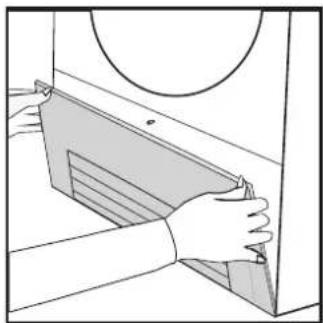
- Remove the kickplate.
- Turn the two locking levers anti-clockwise and pull out the front cover.
- Gently remove the filter frame and clean any dust or fluff with a cloth from the filter. Do not use water to clean the filter.
- Remove the sponge gently from its place and then wash the sponge by holding it under a running tap turning it so to remove any dust or fluff.
- Refit the front cover ensuring it is in the correct way (as indicated by the arrow) and pushed firmly into place. Lock the two levers by turning them clockwise.
- Refit the kickplate.
natural_image
Illustration of hands installing or adjusting a panel with a circular component (no text or symbols)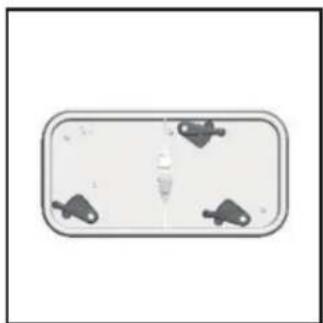
natural_image
Top-down view of a rectangular device with four small icons on its sides (no text or symbols visible)
natural_image
Illustration of two hands holding a device with a grid pattern (no text or symbols)
natural_image
Illustration of hands holding a flatbed object with a diagonal blade, no text or symbols present
natural_image
Hand inserting a component into a rectangular housing (no text or symbols visible)DO NOT USE WATER TO CLEAN THE FILTER
The water removed from the laundry during the drying cycle is collected in a container inside the door of the dryer. When the container is full the 📋 indicator on the control panel will light, and the container MUST be emptied. However, we recommend that the container is emptied after each drying cycle. NOTE: Very little water will collect during the first few cycles of a new machine as an internal reservoir is filled first.
To Remove the Container
-
Gently pull out the tray until it is completely removed. Support the tray with both hands. When it is full the water container will weigh about 4kg.
-
Tilt the water container to empty the water out through the rear hole.
When emptyslide the water container back into position. PUSH FIRMLY INTO PLACE.
- Press ▷III to restart the cycle.
NOTE: If you have the option of drainage near the dryer it is possible to use the discharge kit to provide a permanent drain for the water collected by the dryer. This will remove the need to empty the water tray. All the information for assembly of the kit is contained in the kit envelope.

natural_image
Hand holding a sheet of paper or paper, partially covered by a circular object (no text or symbols visible)
natural_image
Line drawing of two hands shaking over a cylindrical object (no text or symbols)
natural_image
Line drawing of a hand holding a skin with circular and ring elements (no text or symbols)OPERATION
-
Open the door and load the drum with laundry. Ensure that garments do not hinder closure of the door.
-
Gently close the door pushing it slowly until you hear the door 'click' shut.
-
Turn the Programme Selector dial to select the required drying programme (see Programme Guide).
-
If drying synthetics, acrylics or delicate items, press the 📄 button to reduce the heat level. The indicator will light up when the machine is in low heat setting. To deselect in the first few minutes of the programme, press the 📄 button, after this time reset the machine to change the setting.
-
Press the ▷■ button. The dryer will start automatically and the indicator above the button will be continuously lit.
-
If the door is opened during the programme to check the laundry, it is necessary to press to recommence drying after the door has been closed.
-
When the cycle is nearing completion the machine will enter the cool down phase, the clothes will be tumbled in cool air allowing the load to cool down.
-
Following the completion of the cycle the drum will rotate intermittently to minimize creasing. This will continue until the machine is switched OFF or the door is opened.
Do not open the door during the automatic programs in order to obtain a proper drying.
Delay Start Function
The Delay Start Function ⏻ allows the user to delay the start of the drying cycle by 1 to 24 hours.
When the function is first selected the display will show a delay of 1 hour, subsequent presses of the button will increase the delay with 1 hour steps.
To commence the programme press ▷III and the appliance will complete the drying cycle at the end of this time. The indicator light will flash to indicate that the start delay is in progress.
Cancelling and Resetting the Programme
To cancel a programme press the▶III button for 3 seconds. In the TIME CONTROL display 0:00 Light will flash to indicate that it has been reset.
CLEANING AND ROUTINE MAINTENANCE
Cleaning the Dryer
container after every drying cycle.
the drum and leave the door open for a while to allow circulation of air to dry it.
door with a soft cloth.
agents.
of fluff clean the inner door and gasket with a damp cloth after every drying cycle.

WARNING! The drum, door and load may very hot.
Technical Specifications
| Drum capacity | 115 litres |
| Maximum load | 7 kg |
| Height | 85 cm |
| Width | 60 cm |
| Depth | 60 cm |
| Energy Label Band | A + |
Information for Test Laboratory
| EN 61121 Programme | Programme To Use |
| -DRY COTTON | -HANG DRY |
| -IRON DRY COTTON | -IRON DRY |
| -EASY-CARE TEXTILE | -HANG DRY + SYNTHETIC |
Note: Install and use the drain hose to discharge the condensing water.

IMPORTANT Always switch off and move the plug from the electricity supply before cleaning this appliance.

For electrical data refer to the rating label the front of the dryer cabinet (with the door n).
TROUBLESHOOTING
What Might be the Cause of...
Defects you can remedy yourself
Before calling GIAS Service for technical advice please run through the following checklist. A charge will be made if the machine is found to be working or has been installed incorrectly or used incorrectly. If the problem persists after completing the recommended checks, please call GIAS Service, they may be able to assist you over the telephone.
Time display to end could change during drying cycle. The time to end is continuously checked during the drying cycle and the time is adjusted to give the best estimation time. The displayed time may increase or decrease during the cycle and this is normal.
Drying time is too long/clothes are not dry enough...
time/programme?
thoroughly wrung or spindried?

previous cycle?
The dryer does not operate...
dryer? Check using another appliance such as a table lamp.
supply?
supply and at the machine?
selected?
opening the door?
The dryer is noisy...
for advice.
The ◎ Indicator is on...
The 📋 Indicator is on...
CUSTOMER SERVICE
Should there still be a problem with your dryer after completing all the recommended checks, please call GIAS Service for advice.
They may be able to assist you over the telephone or arrange for a suitable appointment for an engineer to call under the terms of your guarantee. However, a charge may be made if any of the following applies to your machine:
installation instructions.
Spares
Always use genuine spares, available direct from GIAS Service.
GIAS Service
For service and repairs call your local GIAS Service engineer.
The manufacturer declines all responsibility in the event of any printing mistakes in this booklet. The manufacturer also reserves the right to make appropriate modifications to its products without changing the essential characteristics.
Introduzione 15
natural_image
Line drawing of a hand holding a door panel, showing structural details (no text or symbols)natural_image
Illustration of a hand holding a small object with directional arrows indicating rotation or movement (no text or symbols)VENTILAZIONE
natural_image
Simple line drawing of a computer with a cross mark on top, no text or symbols present.
natural_image
Simple line drawing of a washing machine with a checkmark and base (no text or symbols)natural_image
Close-up of a hand using a tool to adjust or install a white plastic component (no visible text or symbols)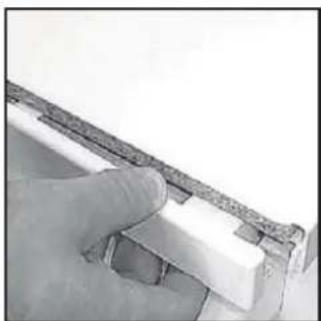
natural_image
Close-up of a hand holding a small white object with a textured surface, possibly a tool or component (no visible text or symbols)
natural_image
Close-up of a hand holding a white sheet of paper, partially visible against a plain background (no text or symbols)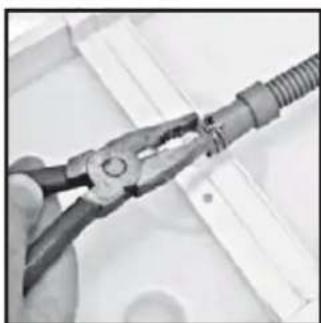
natural_image
Close-up of hands using pliers to handle a cable or wire (no text or symbols visible)natural_image
Close-up of a hand holding a coiled cable or wire inserted into a white plastic housing (no visible text or symbols)
natural_image
Close-up of a hand using a screwdriver to cut or mark a white object on a surface (no visible text or symbols)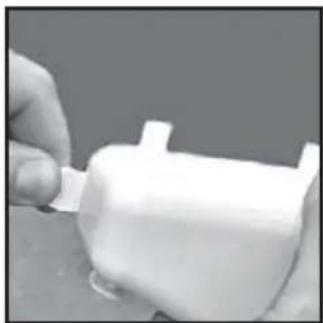
natural_image
Close-up of a hand holding a small white object with a protruding part (no visible text or symbols)
natural_image
Close-up of hands holding a black cable with coiled wire, partially visible against white background (no text or symbols)
natural_image
Close-up of a mechanical component with black hoses and connectors (no visible text or symbols)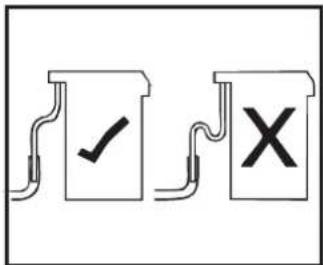
natural_image
Line drawing of a hand holding a circular mechanical component (no text or symbols)natural_image
Line drawing of a hand opening a car door with a rectangular panel inside (no text or symbols)natural_image
Illustration of two hands holding a folded or folded object with visible internal structure (no text or symbols)
NON USARE ACQUA PER PULIRE IL FILTRO
PULIZIA FILTRO
natural_image
Illustration of hands installing or adjusting a rectangular panel with a circular inset (no text or symbols)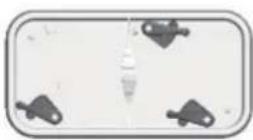

natural_image
Illustration of two hands holding a rectangular object with internal lines (no text or symbols)
natural_image
Illustration of hands using a tool to cut a mechanical part (no text or symbols visible)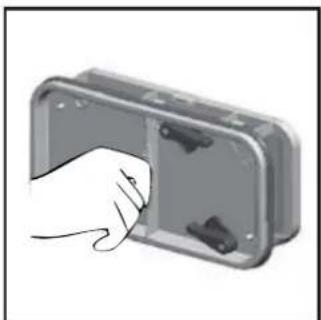
natural_image
Illustration of a hand inserting a component into a plastic housing (no text or symbols visible)VASCHETTA DELL'ACQUA
natural_image
Line drawing of a hand cleaning a surface with a cloth (no text or symbols)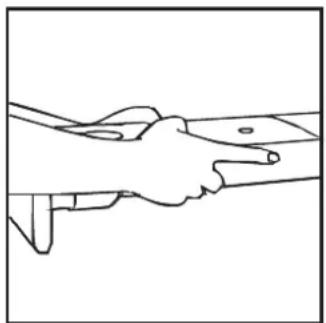
natural_image
Line drawing of two hands shaking over a cylindrical object (no text or symbols)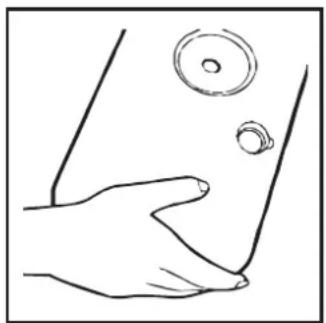
natural_image
Line drawing of a hand pressing down on a surface with circular features (no text or symbols)FUNZIONAMENTO
natural_image
Line drawing of a hand holding a bracket with diagonal line indicating alignment (no text or symbols)natural_image
Black rubber hose with two plastic clips and a separate screw (no text or symbols visible)
natural_image
Close-up of a hand using a tool to adjust or install a white mechanical component (no visible text or symbols)
natural_image
Close-up of a hand holding a small white object with a metallic edge, possibly a tool or component (no visible text or symbols)
natural_image
Close-up of a hand holding a white sheet of paper, partially obscured by a small object (no visible text or symbols)natural_image
Close-up of hands using a pliers to handle a cable or wire (no text or symbols visible)
natural_image
Close-up of hands holding a coiled spring component, partially enclosed in a white plastic housing (no visible text or symbols)
natural_image
Close-up of a hand using a tool to cut or mark a white plastic component (no visible text or symbols)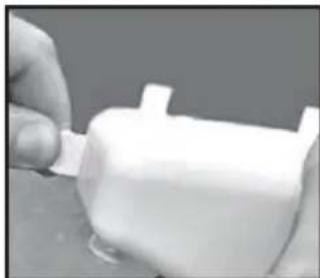
natural_image
Close-up of a hand holding a white plastic cylindrical object with a small protrusion (no visible text or symbols)
natural_image
Close-up of hands holding a black cable with a coiled wire, no visible text or symbols
natural_image
Close-up of electrical connectors and wiring (no visible text or symbols)
natural_image
Line drawing of a hand holding a circular mechanical component (no text or symbols)natural_image
Line drawing of a hand holding a rectangular object inside a car (no text or symbols)Flusensieb-Anzeige
natural_image
Illustration of two hands holding a folded or folded object, no text or symbols presentnatural_image
Illustration of hands installing or adjusting a mechanical component with a circular component (no text or symbols)
natural_image
Top-down view of a rectangular object with four small mechanical components on its surface (no text or symbols visible)
natural_image
Illustration of two hands holding a rectangular object with internal lines (no text or symbols)
natural_image
Illustration of hands holding a tool or device with a blade, no text or symbols present
natural_image
Illustration of a hand inserting a component into a rectangular housing (no text or symbols)KONDENSWASSER-BEHÄLTER
natural_image
Line drawing of a hand cleaning a car window with a cloth (no text or symbols)
natural_image
Line drawing of two hands shaking over a surface, no text or symbols presentnatural_image
Line drawing of a hand holding a small object near the lower body, with no text or symbols present.BETRIEB
natural_image
Line drawing of a hand holding a bracket with a curved handle (no text or symbols)natural_image
Black rubber hose with two metal clips and a small hook, shown in a row (no text or symbols visible)
natural_image
Close-up of a hand using a tool to adjust or install a component, no visible text or symbols
natural_image
Close-up of a hand holding a small white object with a textured edge, possibly a mechanical or architectural component (no visible text or symbols)
natural_image
Close-up of a hand holding a white sheet of paper, partially obscured by a small object (no visible text or symbols)natural_image
Close-up of hands using a pliers to handle a wire (no text or symbols visible)
natural_image
Close-up of hands holding a coiled metal component with a black tool inserted (no visible text or symbols)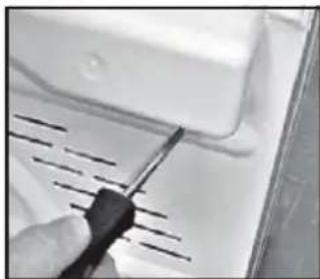
natural_image
Close-up of a hand using a screwdriver to cut or wire on a white appliance (no visible text or symbols)
natural_image
Close-up of a hand holding a white plastic object with a small protrusion (no visible text or symbols)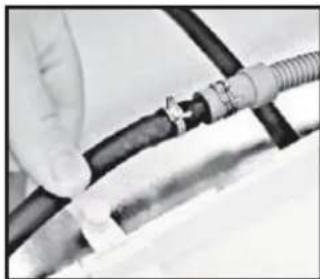
natural_image
Close-up of hands connecting a black cable with a coiled wire (no visible text or symbols)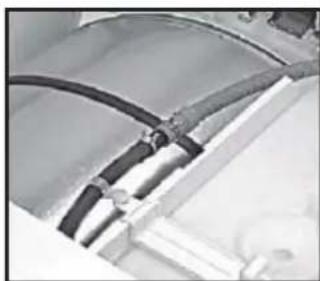
natural_image
Close-up of electrical connectors with black insulation bands (no visible text or symbols)
PRÉPARATION DE LA CHARGE
natural_image
Line drawing of a hand holding a circular mechanical component (no text or symbols)natural_image
Line drawing of a hand holding a rectangular object inside a car (no text or symbols)natural_image
Illustration of two hands holding a folded or layered object, no text or symbols presentnatural_image
Illustration of hands installing or adjusting a rectangular panel with a circular inset (no text or symbols)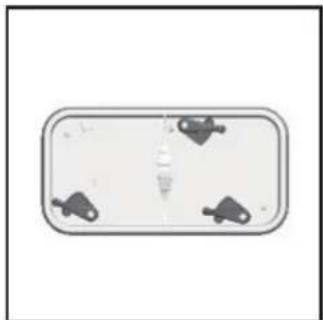
natural_image
Top-down view of a rectangular object with four small icons on its surface, no text or symbols visible.
natural_image
Illustration of two hands holding a rectangular object with internal lines (no text or symbols)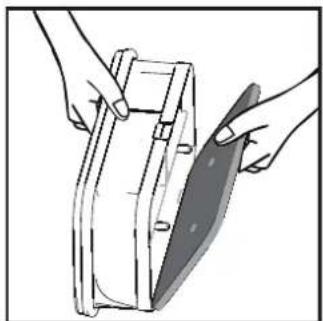
natural_image
Illustration of hands holding a mechanical component with a shaded blade (no text or symbols)
natural_image
Illustration of a hand inserting a plug into a plastic housing (no text or symbols visible)CONDENSEUR
RÉSERVOIR D'EAU
natural_image
Hand holding a sheet of paper or paper, partially covered by a circular object (no text or symbols visible)natural_image
Line drawing of two hands shaking over a surface (no text or symbols)natural_image
Line drawing of a hand pressing down on a surface with two circular objects above (no text or symbols)FONCTIONNEMENT
natural_image
Line drawing of a hand holding a bracket with diagonal line indicating alignment (no text or symbols)natural_image
Illustration of a hand holding a small object with directional arrows indicating rotation or movement (no text or symbols)VENTILATION
natural_image
Simple line drawing of a computer monitor with a cross mark on the screen (no text or symbols)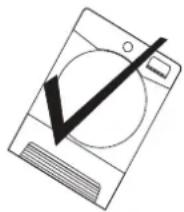
natural_image
Black rubber hose with two metal clips and a small gear (no text or symbols visible)
natural_image
Close-up of a hand using a tool to adjust or install a component, no visible text or symbols
natural_image
Close-up of a hand holding a small metallic object with a textured surface (no visible text or symbols)
natural_image
Close-up of a hand holding a white sheet of paper against a plain background (no text or symbols visible)natural_image
Close-up of hands using pliers to handle a wire (no text or symbols visible)
natural_image
Close-up of hands holding a coiled spring and a black rod inside a white plastic housing (no visible text or symbols)
natural_image
Close-up of a hand using a screwdriver to cut or mark a white surface with diagonal lines (no text or symbols visible)
natural_image
Close-up of a hand holding a white plastic cylindrical object with a small protrusion (no visible text or symbols)
natural_image
Close-up of hands holding a black cable with coiled wire, no visible text or symbols
natural_image
Close-up of electrical connectors and wiring (no visible text or symbols)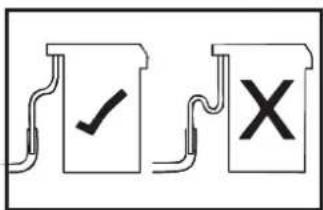
FORBEREDELSE AF ILÆGNING AF T∅J
natural_image
Line drawing of a hand holding a circular mechanical component (no text or symbols)natural_image
Illustration of two hands holding a folded or layered object with no visible text or symbols
BRUG IKKE VAND TIL RENG∅RING AF FILTERET
natural_image
Illustration of hands installing or adjusting a mechanical component (no text or symbols visible)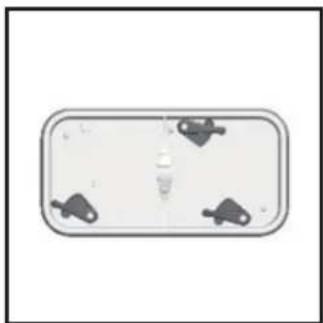
natural_image
Top-down view of a rectangular device with four small mechanical components on its surface (no text or symbols visible)
natural_image
Illustration of two hands holding a rectangular object with internal lines (no text or symbols)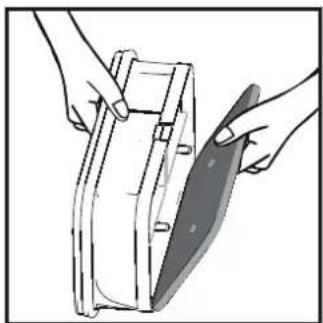
natural_image
Illustration of hands holding a tool or device with a blade, no text or symbols present
natural_image
Illustration of a hand inserting a component into a rectangular device (no text or symbols visible)
IKKE BRUK VANN FOR Å RENGJ∅RE FILTERET.
VANDBEHOLDER
natural_image
Hand holding a cloth over a surface, no text or symbols visible
natural_image
Line drawing of two hands shaking over a surface (no text or symbols)
natural_image
Line drawing of a hand pressing down on a surface with a circular object above (no text or symbols)Forsinket start
natural_image
Line drawing of a hand holding a bracket with diagonal line indicating alignment (no text or symbols)natural_image
Hand holding a small object with directional arrows indicating rotation or movement (no text or symbols)ΕΞΑΕΡΙΣΜΟΣ
natural_image
Technical line drawing of a mechanical assembly with a gasket and housing (no text or symbols)Air Outlets in the Base
natural_image
Close-up of a hand using a screwdriver to adjust or install a component on a white shelf (no visible text or symbols)
natural_image
Close-up of a hand holding a small electronic component with visible traces and components (no text or symbols)
natural_image
Close-up of a hand holding a white sheet of paper against a plain background (no text or symbols visible)
natural_image
Close-up of a hand using pliers to handle a coiled cable or wire (no text or symbols visible)natural_image
Close-up of a hand holding a coiled metal pipe attached to a white plastic housing (no visible text or symbols)
natural_image
Close-up of a hand using a screwdriver to adjust or install a white electronic device (no visible text or symbols)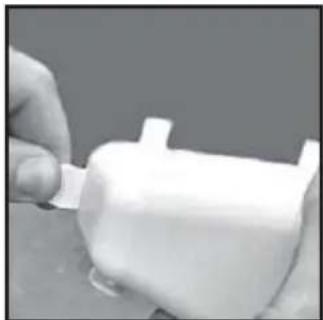
natural_image
Close-up of a hand holding a small white plastic object with a protruding part (no visible text or symbols)
natural_image
Close-up of a gloved hand holding a black cable with coiled wire, partially visible against a white background (no text or symbols)
natural_image
Close-up of a mechanical component with black hoses and connectors (no visible text or symbols)
natural_image
Line drawing of a hand holding a circular mechanical component (no text or symbols)natural_image
Line drawing of a hand opening a car door with a rectangular panel on the side (no text or symbols)natural_image
Line drawing of two hands holding a folded or folded object, no text or symbols present
natural_image
Illustration of a person using a tool to clean or adjust a rectangular object, no text or symbols present
natural_image
Top-down view of a rectangular object with four small icons on its sides, no visible text or symbols.
natural_image
Illustration of two hands holding a rectangular object with internal markings (no text or symbols)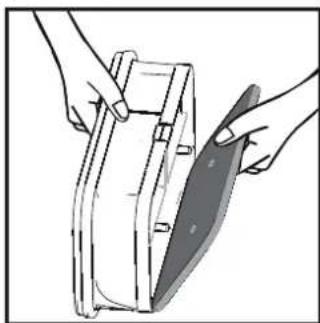
natural_image
Illustration of hands holding a tool or device with a blade, no text or symbols present
natural_image
Illustration of a hand inserting a component into a device housing (no text or symbols visible)
DO NOT USE WATER TO CLEAN THE FILTER.
ΔΟΧΕΙΟ ΝΕΡΟΥ
natural_image
Line drawing of a hand cleaning a car window with a cloth (no text or symbols)
natural_image
Line drawing of two hands shaking over a surface (no text or symbols)
natural_image
Line drawing of a hand holding a circular object above a curved surface (no text or symbols)ΛΕΙΤΟΥΡΓΙΑ
natural_image
Line drawing of a hand holding a bracket with a diagonal line indicating alignment or folding (no text or symbols)natural_image
Illustration of a hand holding a small object with directional arrows indicating rotation or movement (no text or symbols)VENTILACIÓN
natural_image
Black rubber hose with two metal clips and a small bracket, no text or symbols visible
natural_image
Close-up of a hand holding a tool interacting with a white plastic component (no visible text or symbols)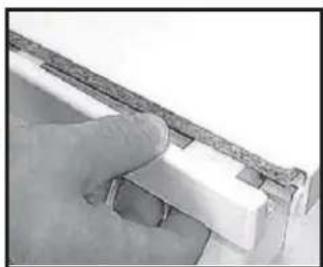
natural_image
Close-up of a hand holding a small white object with a textured surface, possibly a tool or component (no visible text or symbols)
natural_image
Close-up of a hand holding a whiteboard with a small lamp (no visible text or symbols)natural_image
Close-up of hands using a pliers to handle a threaded pipe (no text or symbols visible)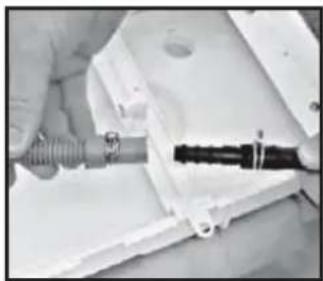
natural_image
Close-up of hands holding a coiled spring and black rod inside a white plastic housing (no visible text or symbols)
natural_image
Close-up of a hand using a tool to cut or mark a white surface with diagonal lines (no text or symbols visible)
natural_image
Close-up of a hand holding a white plastic object with a small protrusion (no visible text or symbols)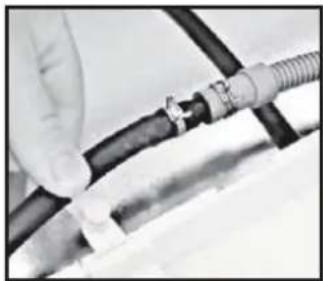
natural_image
Close-up of hands holding a black cable with a coiled wire, no visible text or symbols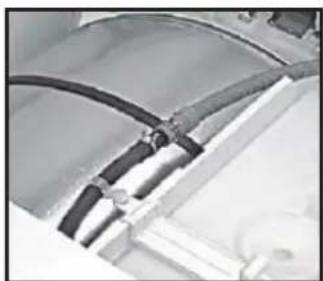
natural_image
Close-up of electrical wiring harnesses and connectors (no visible text or symbols)
natural_image
Line drawing of a hand holding a circular mechanical component (no text or symbols)natural_image
Line drawing of a hand placing a rectangular object into a car's side panel (no text or symbols)natural_image
Illustration of two hands holding a folded or folded object, no text or symbols present
natural_image
Hand holding a cloth over a surface, no text or symbols visible
natural_image
Line drawing of two hands shaking over a cylindrical object (no text or symbols)natural_image
Line drawing of a hand holding a circular object near the lower part of a garment (no text or symbols)natural_image
Illustration of hands installing or adjusting a rectangular panel inside a cabinet (no text or symbols visible)
natural_image
Top-down view of a rectangular device with four small icons on its sides, no text or symbols visible.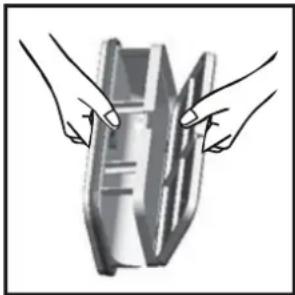
natural_image
Illustration of two hands holding a rectangular object with internal lines (no text or symbols)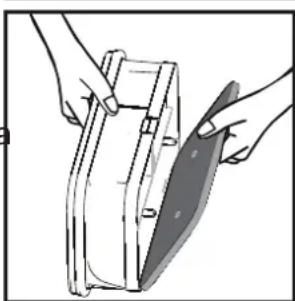
natural_image
Illustration of hands holding a mechanical component with a shaded blade (no text or symbols)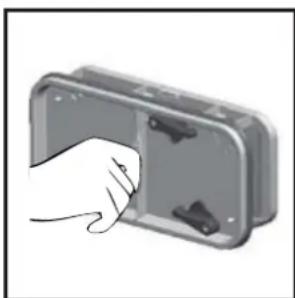
natural_image
Illustration of a hand inserting a component into a device housing (no text or symbols visible)OPERACIÓN
- Heat Pump Tumble Dryer
- 7kg
- Introduction 3
- INTRODUCTION
- Delivery Information
- UNPACKING THE PRODUCT
- SAFETY REMINDERS
- Use
- Installation
- The Laundry
- Environmental Issues
- European Directive 2002/96/EC
- GIAS Service
- Electrical Requirements
- Adjusting the Feet
- VENTILATION
- DRAIN HOSE KIT: FITTING INSTRUCTIONS
- WARNING!
- Fit the Kit as Follows:
- Maximum Drying Weight
- Clothes Preparation
- Do Not Tumble Dry:
- Energy Saving
- ALWAYS
- NEVER
- Sort the Load as Follows
- CONTROLS AND INDICATORS
- Control Panel and Indicator Lights
- SELECTING THE PROGRAMME
- Opening the Door
- Filter
- Filter Care Indicator
- To Clean the Condenser Filter
- To Remove the Container
- OPERATION
- Delay Start Function
- Cancelling and Resetting the Programme
- CLEANING AND ROUTINE MAINTENANCE
- Cleaning the Dryer
- TROUBLESHOOTING
- What Might be the Cause of...
- Defects you can remedy yourself
- The dryer does not operate...
- CUSTOMER SERVICE
- Spares
- VENTILAZIONE
- PULIZIA FILTRO
- VASCHETTA DELL'ACQUA
- FUNZIONAMENTO
- Flusensieb-Anzeige
- KONDENSWASSER-BEHÄLTER
- BETRIEB
- PRÉPARATION DE LA CHARGE
- CONDENSEUR
- RÉSERVOIR D'EAU
- FONCTIONNEMENT
- FORBEREDELSE AF ILÆGNING AF T∅J
- VANDBEHOLDER
- Forsinket start
- ΕΞΑΕΡΙΣΜΟΣ
- ΔΟΧΕΙΟ ΝΕΡΟΥ
- ΛΕΙΤΟΥΡΓΙΑ
- VENTILACIÓN
- OPERACIÓN
Brand : CANDY
Model : GCH 970NA2TS
Category : Tumble dryer