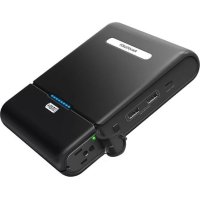
RPPB055 - Power bank RAVPower - Free user manual and instructions
Find the device manual for free RPPB055 RAVPower in PDF.



| Product type | Portable battery / Portable power supply |
| Brand | RAVPower |
| Model | RP-PB055 |
| Battery capacity | 27000 mAh / 99.9 Wh |
| Input voltage | 19 V DC, 1.6 A |
| USB iSmart 1 output | 5 V DC, 2.4 A max |
| USB iSmart 2 output | 5 V DC, 2.4 A max |
| Type-C output | 5 V DC, 3 A max |
| AC output | 110 V, 60 Hz, 100 W max (85 W nominal) |
| Net weight | 847.2 g (29.9 oz) |
| Dimensions | 13.8 x 17 x 3.5 cm |
| Battery level indicators | 8 LED indicators |
| AC output activation | Press and hold the Power button for 3 seconds |
| Safety protection | Automatic shutdown in case of abnormal connection |
| Package contents | Battery, power adapter, user guide, Micro USB cable (short and long) |
| Warranty | 18-month limited warranty |
| Maintenance | Full recharge at least once every 6 months |
| Usage precautions | Keep away from heat sources and liquids, do not disassemble |
Frequently Asked Questions - RPPB055 RAVPower
User questions about RPPB055 RAVPower
0 question about this device. Answer the ones you know or ask your own.
Ask a new question about this device
Download the instructions for your Power bank in PDF format for free! Find your manual RPPB055 - RAVPower and take your electronic device back in hand. On this page are published all the documents necessary for the use of your device. RPPB055 by RAVPower.
USER MANUAL RPPB055 RAVPower
support@raypower.com(US)
support.ca@raypower.com(CA)
Tel:1-888-456-8468(Monday-Friday:9:00-17:00 PST)
Address: 46724 Lakeview Blvd, Fremont, CA 94538
EUROPE
E-mail:
support.uk@raypower.com(UK)
support.dey 已 ravpower.com(DE)
support.fnr@raypower.com(FR)
support.es@raypower.com(ES)
support.it@ravpower.com(IT)
EU Importer: ZBT International Trading GmbH, Lederstr 21a,
Shenzhen NearbyExpress Technology Development Company Limited
Address: Block D. Minle Industrial Park, Meiban Road, Longhua District, Shenzhen, China. 518131
MADE IN CHINA
Hello
RAVPOWER POWERSTATION SERIES 27000mAh PORTABLE POWER OUTLET
User Guide
CONTENTS
English
01/05
Deutsch
06/10
Francais
11/15
Espanol
16:20
Italiano
2175
日本語
26/30
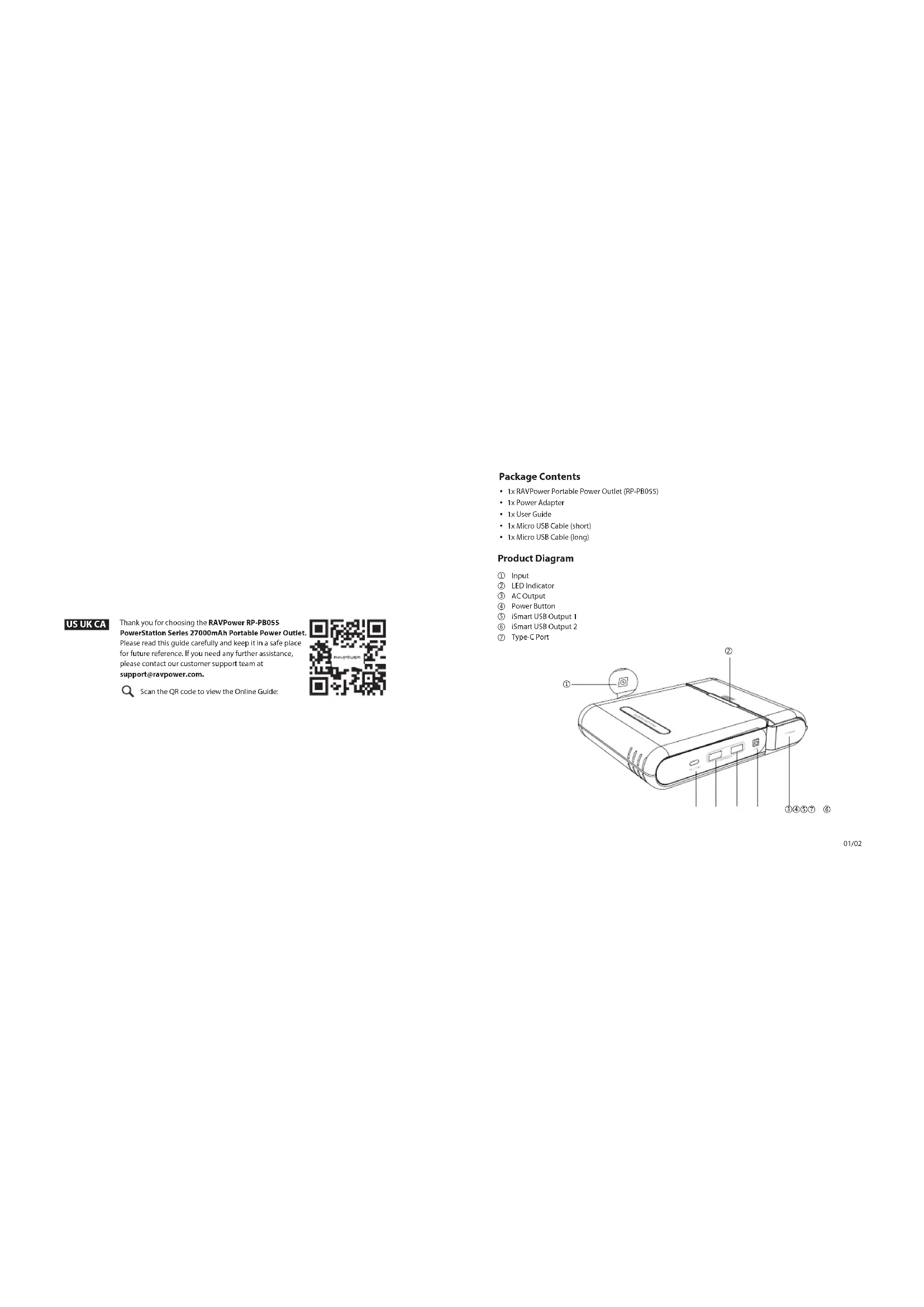
Package Contents
- 1x RAVPower Portable Power Outlet (RP-PB055)
- 1x Power Adapter
- 1x User Guide
- 1x Micro USB Cable (short)
- 1x Micro USB Cable (Long)
Product Diagram
① Input
LEDIndicator
③ AC Output
④ Power Button
⑤ iSmart USB Output 1
⑥ JSmart USB Output 2
⑦ Type-C Port

Specifications
| Model | RP-PB055 |
| Battery Capacity | 27000mAh / 99.9Wh |
| Input | AC 19V / 1.6A |
| iSmart USB Output 1 | DC 5V / 2.4A Max |
| iSmart USB Output 2 | DC 5V / 2.4A Max |
| Type-C Output | DC 5V / 3A Max |
| AC Output | 110V/60Hz, 100W Max / 85W Rated |
| Net Weight (Battery Pack) | 847.2 g / 29.9 oz |
| Dimensions | 13.8 x 17 x 3.5 cm / 5.4 x 6.7 x 1.4 in |
LED Indicator
There are eight LED indicators to display the battery level status of the portable power outlet. When being recharged, the LED indicators will light up based on the current battery level: Charging: (R) LED flashes; (O) LED is off; ●LED is on
| Battery Status Indicator | Battery Level |
| ○○○○○○ | 0% - 13% |
| ○○○○○○ | 14% - 25% |
| ○○○○○○ | 26% - 38% |
| ○○○○○○ | 39% - 50% |
| ○○○○○○ | 51% - 63% |
| ○○○○○○ | 64% - 75% |
| ○○○○○○ | 76% - 88% |
| ○○○○○○ | 89% - 99% |
| ○○○○○○ | 100% |
When devices are connected, the LED indicators will light up as follows: LED is on; LED is off)
| Battery Status Indicator | Battery Level |
| ********** | 100% - 87% |
| ********** | 86% - 75% |
| ********** | 74% - 62% |
| ********** | 61% - 50% |
| ********** | 49% - 37% |
| ********** | 36% - 25% |
| ********** | 24% - 12% |
| ********** | 11% - 1% |
| (2Hz blinking frequency) | 0% |
- USB Low Output: When the power of the USB and Type-C output is too low, the output will automatically
Low Battery: The last LED flashes blue. - Protection Activation: When an abnormal connection is detected, all of the LED indicators will flash and the portable power outlet will cut off all connections. To start using it again, recharge or press the Power Button.
Power Button
- When the AC output is off, press and hold the Power Button for 3 seconds to turn on the AC output. Press the button again to show the remaining battery level.
- When the connected device is fully charged, the AC output will automatically shut off. Turn it on again before
charging another device.
If the AC output fails, press the Power Button for 3 seconds to turn on the AC output again.
How to Use
- Use the Micro USB or a Type-C cable to connect the portable power outlet to your device and charging will start automatically. If nothing happens after connecting your device, press the power button to restart the outlet.
- Press and hold the Power Button to turn on the AC output. The AC output will shut off automatically when no connection is made after powered on for 1 minute.
- Press the Power Button once to check the remaining battery level.
- Use a 19V/1.6A (max) adapter to charge the portable power outlet.
Note: When battery is low and the output power is higher than that of input, the portable power outlet will stop working.
Caution
It is normal for the portable power outlet to become slightly warm during charging / discharging.
- Keep away from heat sources and liquids.
- Please do not dismantle this product.
Fully charge the portable power outlet at least once every 6 months.
Warranty
RAVPower products are covered by an 18 month limited warranty from the date of its original purchase. If any problems occur, please contact our support team.
We can only provide after sales service for products that are sold by RAVPower or RAVPower authorized retailers and distributors. If you have purchased your unit from a different place, please contact your seller for return and warranty issues.

This device complies with Part 15 of the FCC Rules. Operation is subject to the following two conditions: (1) this device may not cause harmful interference, and (2) this device must withstand any interference received, including interference that may cause undesired operation.


Brand : RAVPower
Model : RPPB055
Category : Power bank