ManualGo.com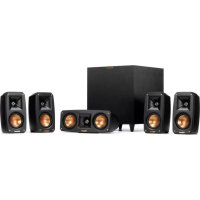
Reference Theater 5.1 - Speaker KLIPSCH - Free user manual and instructions
Find the device manual for free Reference Theater 5.1 KLIPSCH in PDF.



Download the instructions for your Speaker in PDF format for free! Find your manual Reference Theater 5.1 - KLIPSCH and take your electronic device back in hand. On this page are published all the documents necessary for the use of your device. Reference Theater 5.1 by KLIPSCH.
USER MANUAL Reference Theater 5.1 KLIPSCH
READ these instructions.
KEEP these instructions.
FOLLOW all these instructions.
DO NOT use this apparatus near water or moisture.
If you hear ringing or experience pain or discomfort in your ears during or after using any in-ear audio product, that is a sign you are listening too loud. When your ears are exposed to high volumes (in excess of 85dB) for over an hour, you may be permanently damaging your hearing.
Turn down your listening device’s volume to zero before you insert the Klipsch headphones and turn on the device. Once you have the headphones on, gradually increase the volume to a comfortable, moderate volume.
Do not install near any heat sources such as radiators, heat registers, stoves, or other apparatus (including amplifiers) that produce heat.
9. ONLY USE attachments/accessories
specified by the manufacturer.
REFER all servicing to qualified service personnel. Servicing is required when the apparatus has been damaged in any way, such as power-supply cord or plug is damaged, liquid has been spilled or objects have fallen into the apparatus, the apparatus has been exposed to rain or moisture, does not operate normally, or has been dropped.
NEVER operate a motor vehicle while listening to or wearing your headphones. Not only dangerous, it is illegal in many places.
NEVER operate heavy machinery while listening to or wearing your headphones.
We don’t recommend you use the headphones while riding a bicycle, running,or walking in heavy traffic areas.
Except in case of emergency, Klipsch recommends you do not use these headphones or headsets (headphones plus microphone) as aviation communication equipment as they are not engineered for many environmental conditions common in commercial or non-commercialaircraft (including, but not limited to: altitude, temperature, noise conditions, unpressurized aircraft, etc.) resulting in possible interference to critical communications. The Occupational Safety Health Administration (OSHA) has issued headphone usage recommendations for maximum daily exposure and sound pressure levels (measured in decibels (dB)). A decibel is a unit of measure of sound, and decibels increase exponentially as sound gets louder. For example, conversational speech is typically around 60dB, and a rock concert in a stadium is often about 110dB.
OSHA GUIDELINES FOR NOISE EXPOSURE
LIMITS Sound Pressure Level Recommended Maximum Exposure Per Day 90dB 8 Hours 92dB 6 Hours 95dB 4 Hours 97dB 3 Hours 100dB 2 Hours 102dB 1.5 Hours 105dB 1 Hours 110dB 30 Minutes 115dB 15 Minutes or less 120dB Avoid as damage may occurEU COMPLIANCE INFORMATION Eligible to bear the CE mark; Conforms to European Union Low Voltage Directive 2006/95/EC; European Union EMC Directive 2004/108/EC; European Union RoHS Directive 2002/95/EC; European Union WEEE Directive 2002/96/EC; European Union Registration, Evaluation, Authorization and Restriction of Chemicals (REACH) Directive 2006/121/EC. WEEE NOTICE Note: This mark applies only to countries within the European Union (EU) and Norway. This appliance is labeled in accordance with European Directive 2002/96/EC concerning waste electrical and electronic equipment (WEEE). This label indicates that this product should not be disposed of with household waste. It should be deposited at an appropriate facility to enable recovery and recycling.
FCC AND CANADA EMC COMPLIANCE
INFORMATION NOTE: This equipment has been tested and found to comply with the limits for a Class B digital device, pursuant to part 15 of the FCC Rules. These limits are designed to provide reasonable protection against harmful interference in a residential installation. This equipment generates, uses and can radiate radio frequency energy and, if not in-stalled and used in accordance with the instructions, may cause harmful interference to radio communications. However, there is no guarantee that interference will not occur in a particular installation. If this equipment does cause harmful interference to radio or television reception, which can be determined by turning the equipment off and on, the user is encouraged to try to correct the interference by one or more of the following measures: Reorient or relocate the receiving antenna. Increase the separation between the equipment and receiver. Approved under the verification provision of FCC
Part 15 as a Class B Digital Device.
Caution: Changes or modifications not expressly approved by the manufacturer could void the user’s authority to operate this device. Caution: To comply with the limits of the ClassB digital device, pursuant to Part 15 of the FCC rules, this device is to comply with Class B limits. all peripherals must be shielded and grounded. Operation with non-certified peripherals or non-shielded cables my result in interference to radio or reception. This Class B digital apparatus complies with Canadian ICES-003.
WIRELESS TRANSMITTER COMPLIANCE
INFORMATION The term “IC:” before the radio certification number only signifies that Industry Canada technical specifications were met. This device complies with part 15 of the FCC rules and the applicable Industry Canada license-exempt RSS standard(s). Operation is subject to the following two conditions: (1) this device may not cause harmful interference, and (2) this device must accept any interference, including interference that may cause undesired operation of the device. PRODUCT REGISTRATION Register your product online at www.klipsch. com/register
- Klipsch will keep you up-to-date on new products and promotions.
- Your personal information will never be resold.
- This registration information is not used for warranty purposes. Please retain your receipt for warranty claims.POWER/PAIR CHARGING JACK HEADPHONE JACK STATUS INDICATORHOLD 2 SECONDS HOLD 2 SECONDSGETTING STARTED
1. Turn on the headset by pressing the Power/Pair button for 2 sec-
onds. The headset will automatically go to pairing mode and the status indicator will begin pulsing BLUE.
2. Connect to “Klipsch Over-Ear BT” from your device.
3. Once connected, the headset will periodically blink BLUE.
Note: The headset will automatically pair to the last device connected to it when turned on. TURNING OFF Press the Power/Pair button for 5 seconds to turn the headset off. CHARGING Use the included Micro-USB cable to charge the headset from your computer or USB wall adapter (not included). The status indicator will glow RED until the headset is charged, at which point it will turn off.SPECIFICATIONS Bluetooth
1. The headset can be connected to an audio source using the direct
connect audio cable. Note: When the audio cable is connected the Bluetooth function and controls are disabled.
2. You can mute the microphone by pressing and holding “Volume
Up” and “Volume Down“ simultaneously during a call.
3. You can access voice control by pressing and holding
4. You can reject a second incoming call by pressing and holding
Play/Pause.FEATURE LED COLOR LED INDICATOR Standby Red Discoverable Blue Connected Blue PAIRING STATUS INDICATORFEATURE LED COLOR LED INDICATOR Charging Red ON Fully Charged Red OFF FEATURE LED COLOR LED INDICATOR Low Battery Red Incoming Call Blue CHARGING