ManualGo.com
HTDual - Guitar amp BLACKSTAR - Free user manual and instructions
Find the device manual for free HTDual BLACKSTAR in PDF.

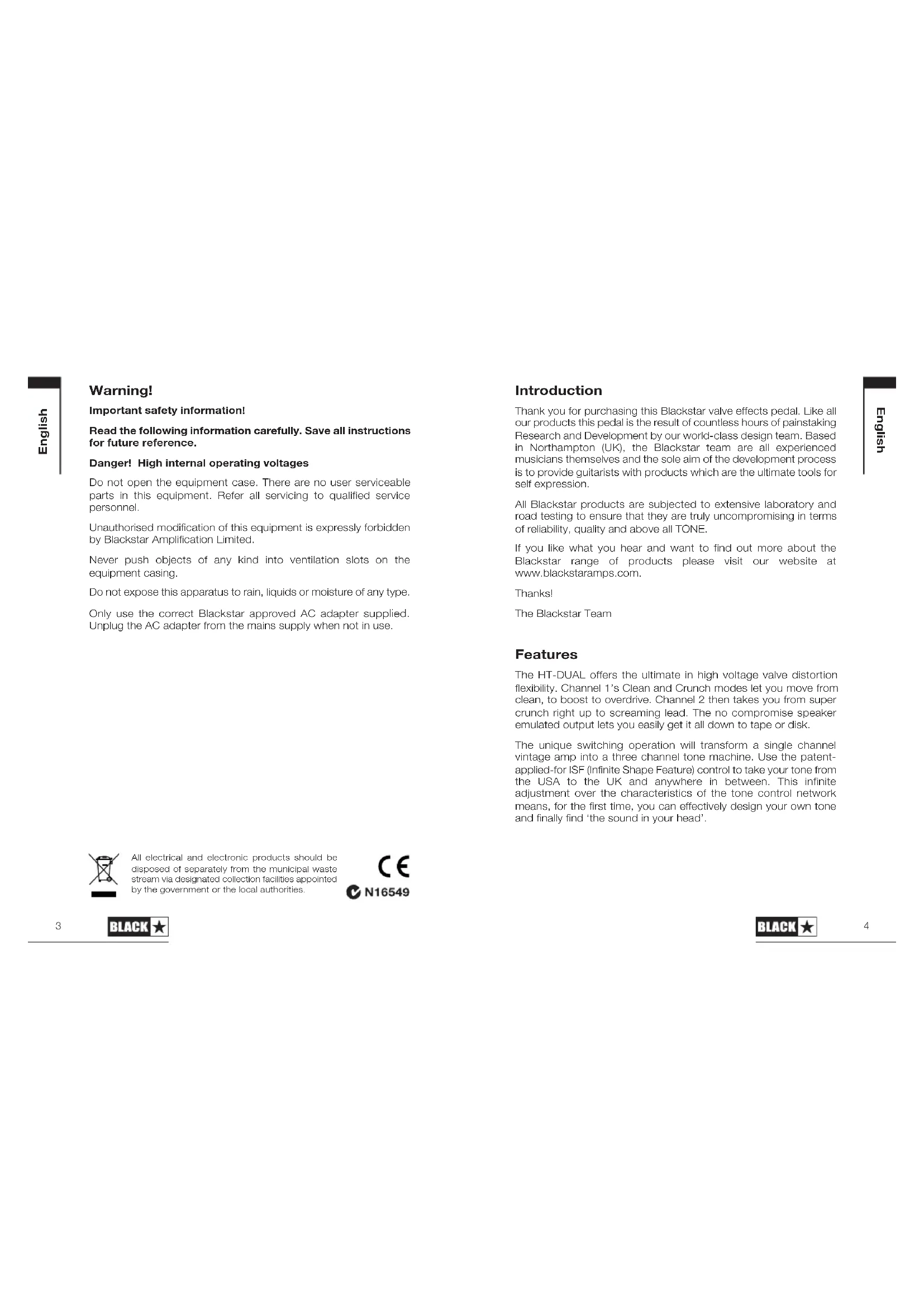


| Technical Features | Tube amplifier, 2 channels, 40W power, 12-inch speaker. |
|---|---|
| Usage | Ideal for guitarists seeking a warm and dynamic sound, suitable for rehearsals and concerts. |
| Maintenance and Repair | Regularly check the tubes, clean contacts and inputs to ensure optimal operation. |
| Safety | Use only with compatible cables and accessories, avoid exposure to moisture. |
| General Information | Weight 15 kg, compact dimensions, connectivity for pedals and external effects. |
Frequently Asked Questions - HTDual BLACKSTAR
Download the instructions for your Guitar amp in PDF format for free! Find your manual HTDual - BLACKSTAR and take your electronic device back in hand. On this page are published all the documents necessary for the use of your device. HTDual by BLACKSTAR.
USER MANUAL HTDual BLACKSTAR
Owner’s Manual HBK-1005 02/07 Blackstar Amplification Ltd, Beckett House, 14 Billing Road, Northampton, NN1 5AW, UK For the latest information go to: www.blackstaramps.com The specifications and information in this publication are subject to change without prior notice.
American Clean - Channel 1, Clean Mode British High Gain - Channel 2 British Crunch - Channel 1, Crunch Mode British Clean - Channel 1, Clean Mode
TREBLEBASSMIDDLEISFCH1 GAINCH2 GAINCH1 LEVELCH2 LEVELCLEANCRUNCH
American High Gain - Channel 2Warning! Important safety information! Read the following information carefully. Save all instructions for future reference. Danger! High internal operating voltages Do not open the equipment case. There are no user serviceable parts in this equipment. Refer all servicing to qualified service personnel. Unauthorised modification of this equipment is expressly forbidden by Blackstar Amplification Limited. Never push objects of any kind into ventilation slots on the equipment casing. Do not expose this apparatus to rain, liquids or moisture of any type. Only use the correct Blackstar approved AC adapter supplied. Unplug the AC adapter from the mains supply when not in use. English
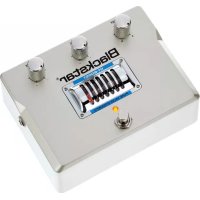
Introduction Thank you for purchasing this Blackstar valve effects pedal. Like all our products this pedal is the result of countless hours of painstaking Research and Development by our world-class design team. Based in Northampton (UK), the Blackstar team are all experienced musicians themselves and the sole aim of the development process is to provide guitarists with products which are the ultimate tools for self expression. All Blackstar products are subjected to extensive laboratory and road testing to ensure that they are truly uncompromising in terms of reliability, quality and above all TONE. If you like what you hear and want to find out more about the Blackstar range of products please visit our website at www.blackstaramps.com. Thanks! The Blackstar Team Features The HT-DUAL offers the ultimate in high voltage valve distortion flexibility. Channel 1’s Clean and Crunch modes let you move from clean, to boost to overdrive. Channel 2 then takes you from super crunch right up to screaming lead. The no compromise speaker emulated output lets you easily get it all down to tape or disk. The unique switching operation will transform a single channel vintage amp into a three channel tone machine. Use the patent- applied-for ISF (Infinite Shape Feature) control to take your tone from the USA to the UK and anywhere in between. This infinite adjustment over the characteristics of the tone control network means, for the first time, you can effectively design your own tone and finally find ‘the sound in your head’. English
All electrical and electronic products should be disposed of separately from the municipal waste stream via designated collection facilities appointed by the government or the local authorities.100 ISF Frequency
7. ISF (Infinite Shape Feature)
The ISF control works in conjunction with the Bass, Middle and Treble controls. It allows you to choose the exact tone signature you prefer. Fully CCW is a more American characteristic with a tight bottom end and more aggressive middle, and fully CW is a British characteristic which is more ‘woody’ and less aggressive. See illustration below. We recommend that to start with the ISF is set to half way and the Bass, Middle and Treble are set to taste. Then try gradually adjusting the ISF CW and CCW until you find the sound you prefer.
This Level control sets the overall level or volume from Channel 1 of the pedal. It should be used in conjunction with the Gain 1 control to achieve the exact type of drive you require. Generally speaking at lower Gain settings the Volume will be increased and at higher Gain settings the Volume should be decreased.
This Level control sets the overall level or volume from Channel 2 of the pedal. It should be used in conjunction with the Gain 2 control to achieve the exact type of drive you require. Generally speaking at lower Gain settings the Volume will be increased and at higher Gain settings the Volume should be decreased.
This output is for connection to the input of your amplifier or into other pedals or effects. For best noise performance we recommend you place the overdrive pedal first in the effects chain. Always use a good quality screened guitar lead. English Controls
This Gain control adjusts the amount of overdrive or distortion that Channel 1 will deliver. As the Gain control is increased clockwise (CW) the sound will become more overdriven moving through crunch tones until, at its maximum position, a full distorted crunch tone is arrived at.
This Gain control adjusts the amount of overdrive or distortion that Channel 2 will deliver. As the Gain control is increased (CW) the sound becomes more overdriven moving through crunch tones until, at its maximum position, a full distorted lead tone is reached.
3. Channel 1 Clean/Crunch Mode Switch
With this switch disengaged (out) Channel 1 is configured as a clean channel. With this switch engaged (in) Channel 1 is configured as a crunch channel.
The Bass control adjusts the amount of low end frequencies in your tone. This pedal has an advanced tone shaping circuit (shared by Channel 1 and Channel 2) which allows the tone to be tight and cutting, counter clockwise (CCW), to warm and thumping (CW).
The Middle control adjusts the amount of middle frequencies in your tone. The middle frequencies are particularly important in getting the amount of ‘body’ your tone has. With the Middle control set to its minimum position (fully CCW) the sound will be aggressive and scooped, this is a tone ideal for aggressive rhythm playing. As the Middle control is increased (CW) the amount of ‘body’ is increased, which is more suitable for sustained lead guitar tones.
The Treble control allows exact adjustment of the treble frequencies within the sound. At low settings (CCW) the sound will be warm and darker in character. As the Treble control is increased (CW) the sound will become brighter. At the maximum settings the sound will be aggressive and cutting. English 65TREBLEBASS MIDDLE ISFCH1 GAIN CH2 GAIN CH1 LEVEL CH2 LEVEL CLEANCRUNCH CH 1 CH 2
Technical Specification Power: 16V AC Maximum Current Draw: 0.8A Controls: Gain 1, Gain 2, Bass, Middle, Treble, ISF, Level 1, Level 2 Valve: ECC83 / 12AX7 Switches: Channel 1 On/Off Switch, Channel 2 On/Off Switch, Clean/Crunch Switch (Channel 1) Indicators: Channel 1 On/Off, Channel 2 On/Off, Power On/Off (Valve Backlight LED) Jacks: Input, Output, Emulated Output Input Impedance: 1MΩ Output Impedance: < 1KΩ Dimensions (mm): 160 x 119 x 80 Weight: 1.2kg AC Adaptor: ADA Series supplied English
11. Speaker Emulated Output
This output emulates the tonal characteristics of a guitar speaker cabinet and provides a natural valve overdrive tone for connection to a recording device or mixing desk. Always use a good quality screened guitar lead.
Plug your guitar in here. Always use a good quality screened guitar lead.
13. Valve Viewing Window
Through this grille you can see the ECC83 valve at the heart of your pedal.
WARNING: Do not attempt to remove the fixing screws or grille. No
user serviceable parts inside.
14. Channel 1 On/Off LED
When the GREEN LED is on Channel 1 is on. When the LED is not on, Channel 1 is off.
15. Channel 1 On/Off Footswitch
Press this switch to turn Channel 1 on or off.
16. Channel 2 On/Off LED
When the RED LED is on Channel 2 is on. When the LED is not on, Channel 2 is off.
17. Channel 2 On/Off Footswitch
Press this switch to turn Channel 2 on or off.