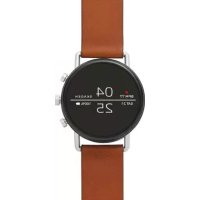
Falster Gen 4 Connected - Wristwatch Skagen - Free user manual and instructions
Find the device manual for free Falster Gen 4 Connected Skagen in PDF.


| Product type | Connected watch |
| Brand | Skagen |
| Model | Falster Gen 4 Connected |
| Operating system | Wear OS by Google |
| Phone compatibility | Android and iOS (via Wear OS app) |
| Case dimensions | Approximately 40 mm |
| Weight | Approximately 50 g |
| Screen type | Touchscreen AMOLED |
| Battery | Rechargeable lithium-ion (autonomy about 24 h) |
| Charger included | Magnetic wireless charger |
| Sensors | Accelerometer, gyroscope, heart rate monitor, altimeter |
| Main functions | Notifications, activity tracking, heart rate, connected GPS, Google Fit |
| Connectivity | Bluetooth 4.2, Wi-Fi b/g/n, NFC (Google Pay) |
| Water resistance | 5 ATM (resistant up to 50 meters) |
| Case material | Stainless steel |
| Strap | Interchangeable (20 mm) |
| Care and cleaning | Wipe with a soft, dry cloth. Avoid abrasive products. |
| Safety | Do not expose to extreme temperatures. Use only original charger. |
| Spare parts and repairability | Contact Skagen support for any repair or part. |
| General information | Made by Skagen. Manual available online. |
Frequently Asked Questions - Falster Gen 4 Connected Skagen
User questions about Falster Gen 4 Connected Skagen
0 question about this device. Answer the ones you know or ask your own.
Ask a new question about this device
Download the instructions for your Wristwatch in PDF format for free! Find your manual Falster Gen 4 Connected - Skagen and take your electronic device back in hand. On this page are published all the documents necessary for the use of your device. Falster Gen 4 Connected by Skagen.
USER MANUAL Falster Gen 4 Connected Skagen
wnwwnnn nn Waeos by Googletm App StoreSM n a Google PlayTM Store
BUOC 1: SAC VA BAT NGUON
Két不好意思。
CÁNH BAO: Dé tranh lam hóng dǒng hó, chí su dung sá ā kěm.
Khong dung cng USB, bo chia USB, cap USB chy, bo pin hao thiet bi ngoi vi khac de sac.
BUOc 2: TAIVE VA KET NOI
Trén dien thoai, hay tāi vē ng dung Wear OS by Google™ tue App StoreSM hoac Google Play™ Store.
Mó (£ng dung Wear OS by Google™ trén dien thoa i va lam theo goi y dé két não dong hô cua ban su dung qua Bluetooth™. Khi dα két não, man sinh dong hô cua ban se huáng dan ban cu the cac quy trinh cai dati.
Hāy ghe thām www.skagenconnected.com dé biét them thong tin.
Apple va logo cua Apple la nhung nhan hiieu cua Tap dong Apple duoc dang k y O Hoa Ky va cac quoc gia khac. App Store la mot nhan hiieu dich vu cua Tap dong Apple. Wear OS by Google va Google Play la nhung nhan hiieu cua Tap dong Google LLC.
SKAGEN
Smartwatch
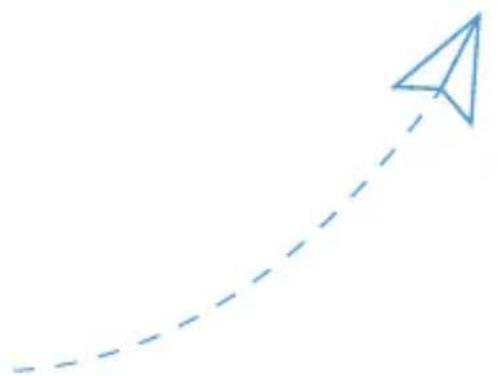
STEP 1
CHARGE AND POWER ON
Connect your watch to the charger. When your watch is charged, press the button to turn it on.
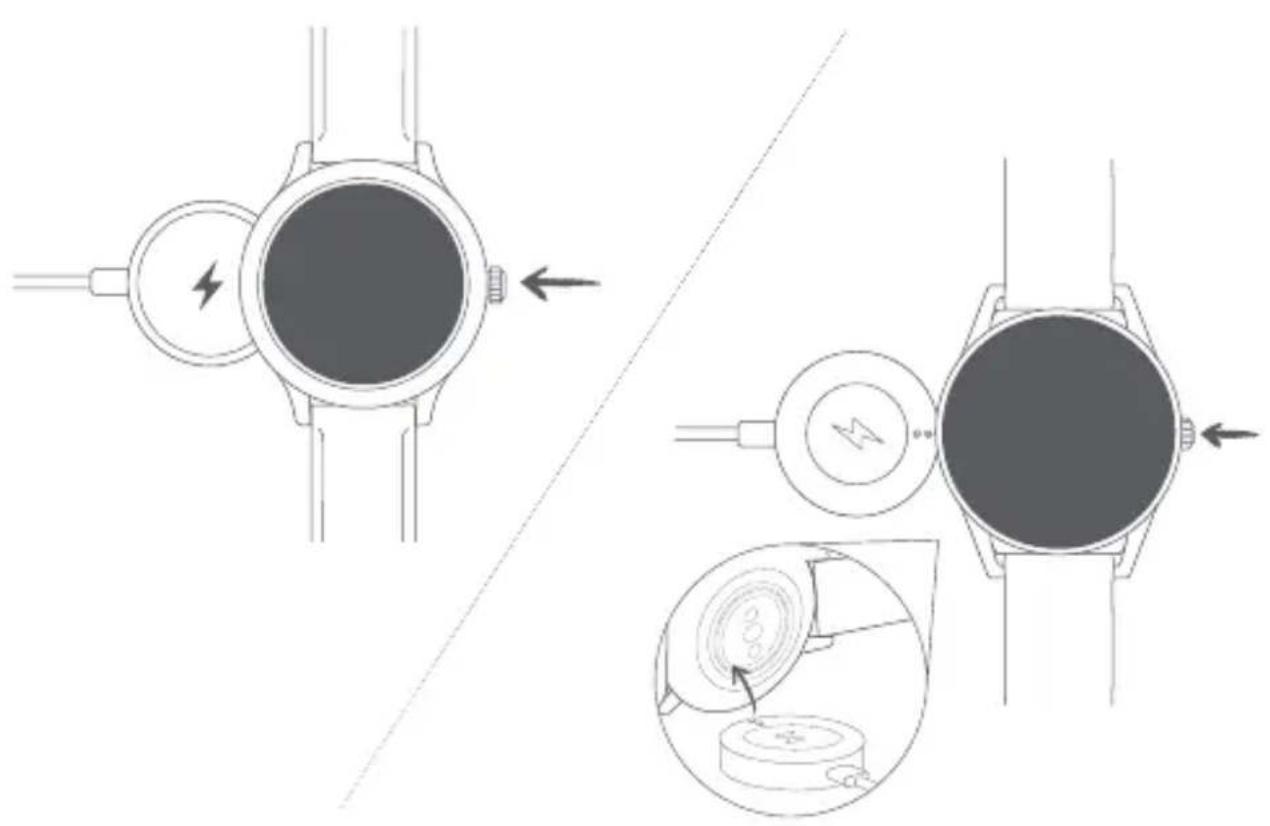

WARNING: To avoid damage to your watch, only use with included charger. Do not use a USB hub, USB splitter, USB y-cable, battery pack or other peripheral device to charge.
STEP 2
DOWNLOAD AND PAIR
On your phone, download the Wear OS by Google™ app from the App Store™ or Google Play™ Store. Open the Wear OS by Google™ app on your phone and follow the prompts to pair your watch using Bluetooth™ connection. Once paired, your watch screen will walk you through setup procedures.
For users in China: Download and install the Chinese version of the WearOS by Google™ App from any major app market.

Wear OS by Google

Available on the App Store
Apple and the Apple logo are trademarks of Apple Inc., registered in the U.S. and other countries. App Store is a service mark of Apple Inc.

GETITON GooglePlay
Wear OS by Google and Google Play are trademarks of Google LLC.
Visit www.skagenconnected.com for additional information.
TRIN 1: OPLADNING

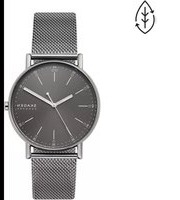
Brand : Skagen
Model : Falster Gen 4 Connected
Category : Wristwatch