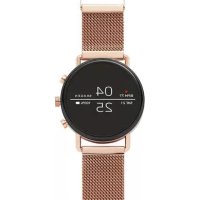
Falster Gen 4 Connected - Wristwatch Skagen - Free user manual and instructions
Find the device manual for free Falster Gen 4 Connected Skagen in PDF.


| Product type | Smartwatch |
| Brand | Skagen |
| Model | Falster Gen 4 Connected |
| Dimensions | 42 mm diameter, 11 mm thickness |
| Weight | Approximately 50 g (without strap) |
| Display | Circular 1.2 inch AMOLED (390 x 390 pixels) |
| Operating system | Wear OS by Google |
| Processor | Snapdragon Wear 3100 |
| Connectivity | Bluetooth 4.2, Wi-Fi, NFC |
| Sensors | Accelerometer, gyroscope, altimeter, heart rate monitor, ambient light |
| Battery | 300 mAh, lithium-ion |
| Battery life | Up to 24 hours in normal use |
| Water resistance | 5 ATM (50 meters) |
| Case material | Stainless steel |
| Strap | Leather or silicone interchangeable (20 mm) |
| Charger | Included magnetic wireless charger |
| Main features | Notifications, activity tracking, GPS, NFC payments, voice commands |
| Compatibility | Android 4.4+ or iOS 9.3+ |
| Care and cleaning | Clean with a soft, dry cloth; avoid salt water and chemicals |
| Security | Screen lock possible via code or pattern |
| Spare parts and repairability | Contact Skagen or an authorized center; replaceable strap |
| General information | Made in Japan; 2-year warranty |
Frequently Asked Questions - Falster Gen 4 Connected Skagen
User questions about Falster Gen 4 Connected Skagen
0 question about this device. Answer the ones you know or ask your own.
Ask a new question about this device
Download the instructions for your Wristwatch in PDF format for free! Find your manual Falster Gen 4 Connected - Skagen and take your electronic device back in hand. On this page are published all the documents necessary for the use of your device. Falster Gen 4 Connected by Skagen.
USER MANUAL Falster Gen 4 Connected Skagen
wnwwnnn nn Waeos by Googletm App StoreSM n a Google PlayTM Store
Wear OS by GoogleTM yuTnwnwovauauauauauauauauauauauauauauauauauauauauauauauauauauauauauauauauauauauauauauau
www.skagenconnected.com
Apple uata Apple uunuununununu Apple Inc. uauu uauu uua uauu uuuu App Store uunuunununu unu Apple Inc. Wear OS by Google uauu Google Play uunuunununu unu Google LLC.
UAP1:3APRAIKA IN BKJIIOUOHEHNE
PoiocoeHHnTe yacbIK 3apAnHomy ycTpoNCTBy. Nocne torokak yacbI 3apAnTCa, HaxKMITE KONky, TTO6bl BKIOUYHTb INX.
IPENYIPEXKJENHE:Bo n36eKaHne nobpeKJehn yacOBNCIOJIb3yIte TOJIbKO 3apRdHOe yCTpOJCTBO, NOCTaBJIaEMOE B KOMJIeKTE.
He nCnoB3yIte IJI 3apAKn USB-KoHcEHTpaTOp, USB-CnIITep, USB-pa3BeTBnTeJIb, pe3epBHBi aKKymJaTOp IJN dpyroe nepupehmuHoe ycTpoIcTBO.
UAR2:3APY3KA IN COPNJXEHNE
3a rpy3nTe Ha cMaprTfoH npinloKeHne Wear OS by GoogleTM n3 App StoreSM nnGoogle PlayTM.
OtkpoTe npinloKeHne Wear OS by GoogleTM ha cMapTfoHe n cIeDyIte noIcKa3kam no cOpJxKeHIO uacOB no KaHany BluetoothTM. No OKOHaHn cOpJxKeHn cIeDyIte yKazAHm Ha 3KpaHe yAcOB IJI BbINOnHeHn npOceDypbl HAcToPkn.
Ha caiTe www.skagenconnected.com npedctablenha donolHntelbna HnDopMaun.
Ha3BaHme Apple n IorOTnApple RAJIOTc TropOBbIMm MapKaMn KOMaHm Apple Inc., 3aperncTnpoBaHH B CllAn dpynx cTpaHax. App Store JaIReTc3 hAkoM o6ClyKbAHm KOMMaHm Apple Inc. Wear OS by Google n Google Play RaJIOTc TropOBbIMm MapKaMn KOMaHm Google LLC.
KROK 1:NABIJENIA ZAPNUTI
BUOC 1: SAC VA BAT NGUON
Két não dong hó voi sac. Khi dong hó duoc sac, hy an nut dé bát nguón.
CÁNH BAO: Dé tranh lam hóng dǒng hó, chí su dung sá ā kěm.
Khong dung cng USB, bo chia USB, cap USB chy, bo pin hao thiet bi ngoi vi khac de sac.
BUOc 2: TAIVE VA KET NOI
Trén dien thoai, hay tāi vē ng dung Wear OS by Google™ tue App StoreSM hoac Google Play™ Store.
Mó (£ng dung Wear OS by Google™ trén dien thoa i va lam theo goi y dé két não dong hô cua ban su dung qua Bluetooth™. Khi dα két não, man sinh dong hô cua ban se huáng dan ban cu the cac quy trinh cai dati.
Hāy ghe thām www.skagenconnected.com dé biét them thong tin.
Apple va logo cua Apple la nhung nhan hiieu cua Tap dong Apple duoc dang k y Hoa Ky va cac quoc gia khac. App Store la mot nhan hiieu dich vu cua Tap dong Apple. Wear OS by Google va Google Play la nhung nhan hiieu cua Tap dong Google LLC.
SKAGEN
Smartwatch
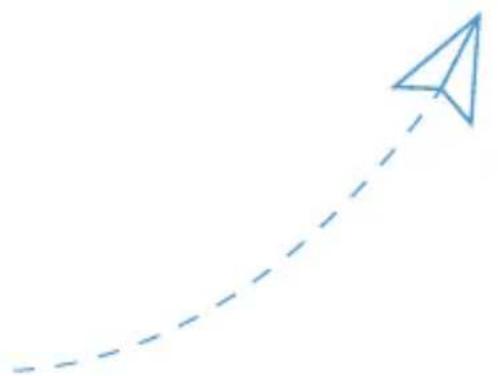
STEP 1
CHARGE AND POWER ON
Connect your watch to the charger. When your watch is charged, press the button to turn it on.
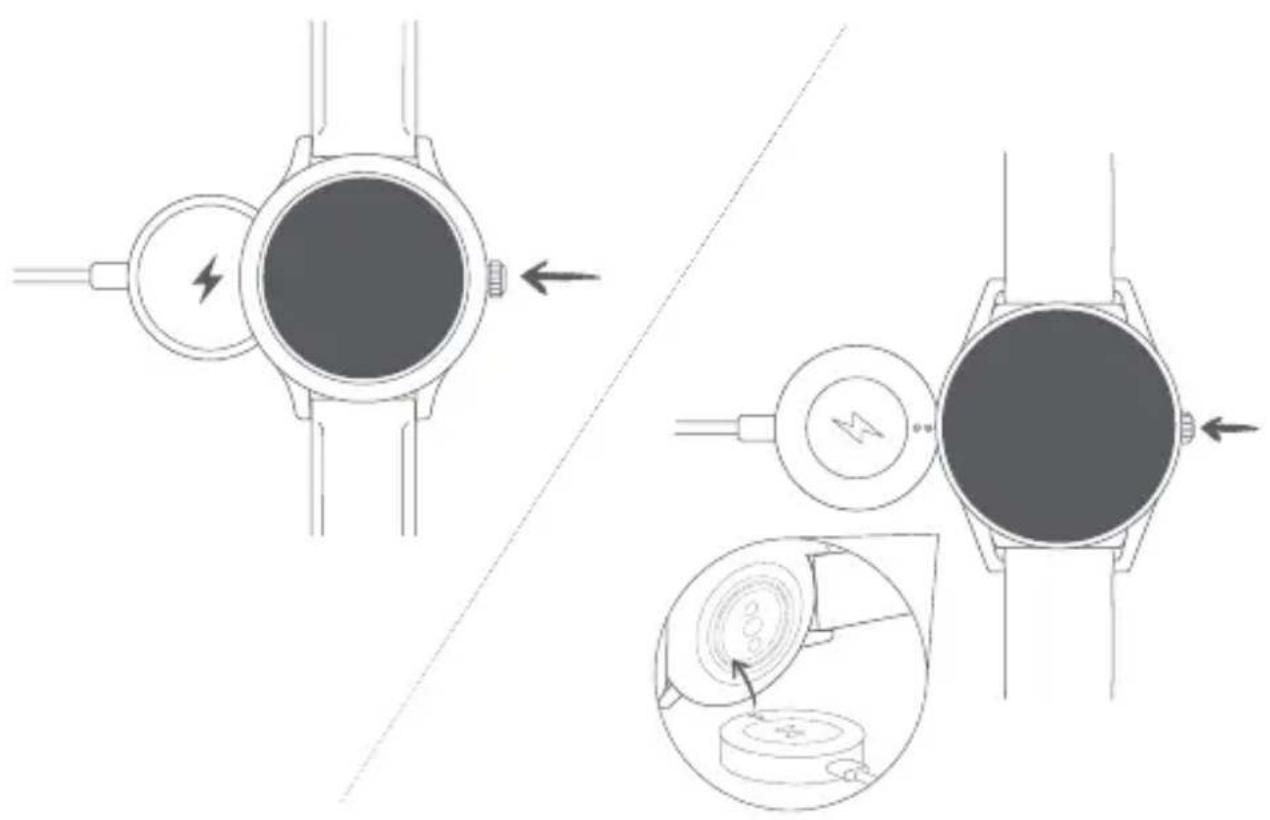

WARNING: To avoid damage to your watch, only use with included charger. Do not use a USB hub, USB splitter, USB y-cable, battery pack or other peripheral device to charge.
STEP 2
DOWNLOAD AND PAIR
On your phone, download the Wear OS by Google™ app from the App Store™ or Google Play™ Store. Open the Wear OS by Google™ app on your phone and follow the prompts to pair your watch using Bluetooth™ connection. Once paired, your watch screen will walk you through setup procedures.
For users in China: Download and install the Chinese version of the WearOS by Google™ App from any major app market.

Wear OS by Google

Available on the App Store
Apple and the Apple logo are trademarks of Apple Inc., registered in the U.S. and other countries. App Store is a service mark of Apple Inc.

GETITON GooglePlay
Wear OS by Google and Google Play are trademarks of Google LLC.
Visit www.skagenconnected.com for additional information.
TRIN 1: OPLADNING

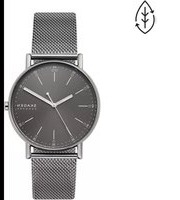
Brand : Skagen
Model : Falster Gen 4 Connected
Category : Wristwatch