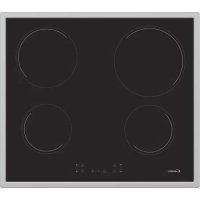
CH64FC - Cooker CANDY - Free user manual and instructions
Find the device manual for free CH64FC CANDY in PDF.



| Product type | Ceramic hob |
| Brand | Candy |
| Model | CH64FC |
| Number of burners | 4 cooking zones (including a double/triple zone) |
| Maximum power | Up to 7.2 kW (adjustable between 2.5 and 7.2 kW) |
| Supply voltage | 220-240 V ~ |
| Control type | Touch |
| Main functions | Power management, timer (99 min), automatic shutdown, bridge function, double/triple zone, child lock, overflow safety |
| Residual heat indicator | Yes (H display) |
| Cut-out dimensions | Standard (approx. 560 x 490 mm) |
| Worktop thickness | 25 to 45 mm |
| Minimum clearance above | 700 mm |
| Maintenance | Clean with specific detergent and a scraper with blade tilted at 30° |
| Child safety | Automatic lock after 15 minutes of shutdown |
| Environmental protection | WEEE compliant (2012/19/EU) |
| Electrical connection | Single-phase or three-phase (220-240 V / 380-415 V) according to diagram |
| Recommended cable section | H05V2V2-F (3x2.5 mm² for single-phase) |
Frequently Asked Questions - CH64FC CANDY
User questions about CH64FC CANDY
0 question about this device. Answer the ones you know or ask your own.
Ask a new question about this device
Download the instructions for your Cooker in PDF format for free! Find your manual CH64FC - CANDY and take your electronic device back in hand. On this page are published all the documents necessary for the use of your device. CH64FC by CANDY.
USER MANUAL CH64FC CANDY
MATERIALS IN COMPLIANCE WITH REQUIREMENTS OF EU DIRECTIVE 2002/95/CE + AMENDMENTS
ALL RIGHTS RESERVED, THE REPRODUCTION OF ANY PART WITHOUT OUR WRITTEN CONSENT IS FORBIDDEN
| RELEASE LEVEL | |||||||||
| PRODUCTION RELEASED | |||||||||
| E | |||||||||
| D | |||||||||
| C | |||||||||
| B | |||||||||
| A | |||||||||
| CL N° REV. DATE | MODIFY DESCRIPTION | MODIFIED BY | |||||||
| SPECIFICATION | DATE SIGNATURE | PROPERTYOF CANDY·HOOVER GROUP | |||||||
| GENERAL TOLERANCEISO 2768 - m | DRAWN29.07.2021 Y.GÜLTÜRK | ||||||||
| CHECKED29.07.2021 B.SERHATLI | NAMEUSER MANUAL VC B 18 | ||||||||
| BASE CODE | FORHOB | (LOCAL LANGUAGE)KULLANMA KILAVUZU VC B 18 | |||||||
| - | |||||||||
| WEIGHT SCALE | PART CODE | SHEET | |||||||
| TREATMENT | Kg. | 1:1 | 7 0 0 0 5 1 6 4 | 1/1 | |||||
| Printing ColorGrey Scala | |||||||||
| MATERIAL | SIZE | REPLACE No ORIGIN CL No Class Specification | |||||||
| Enzo Paper | A4 | ---- | ---- | ECBR-00000196 | SC 000-000 | ||||
CANDY
HOBS USER INSTRUCTIONS GB
VARNÉ DESKY NAVOD POU ITŽ Í CZ
UGRADNE PLOČE UPUTE ZA KORISNIKE HR
FÖZÖLAPOK HASZNÁLATI UTASÍTÁS HU
PŁYTY INSTUKCJE DLA U YTKOWNIKAŻ PL
PLITE INSTRUCTIUNI DE UTILIZARE RO
NAVODILA ZA UPORABO VGRADNJO IN PRIKLJU ITEVČ____ SI
UGRADNE PLOČE UPUTSTVO ZA UPOTREBU SR
SAFETY INSTRUCTIONS ....04
.1 Protection of the environment....05
.2 Installation....05
-
Electrical connection 05
-
Hob cookware advice 07
.5 Use....07
- Cleaning and maintenance 09
.7 Problem solving....09
- Aftercare 09
INDICE
IT
ISTRUZIONI DI SICUREZZAi....1...1
2.Installation....103
We recommend you keep the instructions for installation and use for later reference, and before installing the hob, note its serial number in case you need to get help from the after sales service. WARNING: the appliance and its accessible parts become hot during use. Care should be taken to avoid touching heating elements. Children under 8 years of age must be kept away from the appliance unless they are continuously supervised.
WARNING: use only hob guards designed by the Manufacturer of the cooking appliance or indicated by the Manufacturer of the appliance in the instructions for use as suitable or hob guards incorporated in the appliance. The use of inappropriate guards can cause accidents.
WARNING: unattended cooking on a hob with fat or oil can be dangerous and may result in fire.
NEVER try to extinguish a fire with water, but switch off the appliance and then cover flame e.g. with a lid or a fire blanket.
WARNING: danger of fire: do not store items on the cooking surfaces.
WARNING: if the surface is cracked, do not touch the glass and switch off the appliance to avoid the possibility of electric shock.
This appliance can be used by children aged from 8 years and above and people with reduced physical, sensory or mental capabilities or lack of experience and knowledge if they have been given supervision or instruction concerning use of the appliance in a safe way and understand the hazards involved. Children should be supervised to ensure that they do not play with the appliance. Cleaning and user maintenance shall not be made by children without supervision.
CAUTION: the cooking process must be supervised. A short term cooking process has to be supervised continuously.
It is strongly recommended to keep children away from the cooking zones while they are in operation or when they are switched off, so long as the residual heat indicator is on, in order to prevent the risks of serious burns.
This appliance is not intended to be operated by means of an external timer or separate remote control system.
If present do not to stare into halogen lamp hob elements.
Connect a plug to the supply cable that is able to bear the voltage, current and load indicated on the tag and having the earth contact. The socket must be suitable for the load indicated on the tag and must be having the earth contact connected and in operation. The earth conductor is yellow-green in color. This operation should be carried out by a suitably qualified professional. In case of incompatibility between the socket and the appliance plug, ask a qualified electrician to substitute the socket with another suitable type. The plug and the socket must be conformed to the current norms of the installation country.
Connection to the power source can also be made by placing an omnipolar breaker between the appliance and the power source that can bear the maximum connected load and that is in line with current legislation.
The yellow-green earth cable should not be interrupted by the breaker. The socket or omnipolar breaker used for the connection should be easily accessible when the appliance is installed.
The disconnection may be achieved by having the plug accessible or by incorporating a switch in the fixed wiring in accordance with the wiring rules. If the supply cord is damaged, it must be replaced by Manufacturer, its service agent or similarly qualified people in order to avoid a hazard. The earth conductor (yellow-green) must be longer than 10 mm on the terminal block side. The internal conductors section should be appropriate to the power absorbed by the hob (indicated on the tag). The type of power cable must be HO5V2V2-F.
Do not put metallic objects such as knives, forks, spoons or lids on the hob. They could heat up. Aluminum foil and plastic pans must not be placed on heating zones.
After every use, some cleaning of the hob is necessary to prevent the build-up of dirt and grease. If left, this is recooked when the hob is used and burns giving off smoke and unpleasant smells, not to mention the risks of fire propagation. Never use a steam or high pressure spray to clean the appliance.
Do not touch the heat zones during operation or for a while after use.
Never cook food directly on the glass ceramic hob.
Always use the appropriate cookware. Always place the pan in the center of the unit that you are cooking on.
Do not place anything on control panel.
Do not use the hob as a working surface.
Do not use the surface as a cutting board.
Do not store heavy items above the hob. If they drop onto the hob, they may cause damage.
Do not use the hob for storage of any items.
Do not slide cookware across the hob.
No additional operation/setting is required in order to operate the appliance at the rated frequencies.
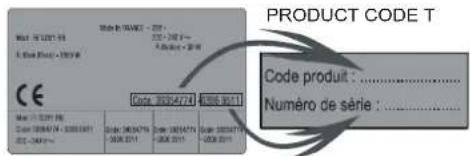
Identification Plate (located under the hob's bottom casing)
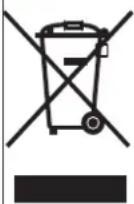
This appliance is marked according to European Directive 2012/19/EU on Waste Electrical and Electronic Equipment (WEEE).
WEEE contains both polluting substances (which can cause negative consequences for the environment) and basic components which can be reused. It is important to have WEEE subjected to specific treatments, in order to remove and dispose properly all pollutants and recover and recycle all materials.
Individuals can play an important role in ensuring that the WEEE does not become an environmental issue; it is essential to follow some basic rules:
• WEEE shall not be threatened as household waste.
- WEEE shall be handled over to the relevant collection points managed by the municipality or by registered companies. In many Countries, for large WEEE, home collection could be present.
• In many Countries, when you buy a new appliance, the old one may be returned to the retailer who has to collect it free of charge on a one-to-one basis, as long as the appliance is of equivalent typology and has the same functions as the supplied one.
2. INSTALLATION
Installing a domestic appliance it is a complicated operation which, if not carried out correctly, can seriously have impact on safety of goods, properties or people. For this reason, it should be carried out by a professionally qualified person in accordance with technical regulations.
In the event that this advice it is ignored and installation is carried out by an unqualified person, the Manufacturer declines all responsibility for any technical failure of the appliance whether or not it results in damage of goods or properties or in injury of people or animals.
After having removed the packaging please be sure that the appliance it is not damaged, otherwise contact the Retailer or Manufacturer After Sales Service.
Make sure that the furniture in which the appliance will be fitted and all other furniture in the nearby are made with materials which can withstand high temperatures (min 100 °C).
In addition, all decorative laminates should be fixed with high-resistance glue.
Appliance can be installed in a Built-in furniture in "Standard" (see Figure (Step1 Fig.12) mode.
Worktop thickness should be between 25 and 45mm.
Note: Inner perimeter dimensions are same with standard installation
Leave a distance of at least 55 mm between the hob and the back wall and of at least 150 mm between the hob and the vertical furniture or walls in the lateral side. If a furniture is installed above the hob, the minimum distance required is 700 mm.
When installing a hood above the hob, please consult the installation requirements specified for the hood but, in any case, the distance between the hob and the hood must not be lower than 700 mm. (see Figure 3)
If the bottom part of the hob is adjacent to an area normally accessible for handling or cleaning operations, a separator it must be put 20 mm below the bottom part of the hob. (see Figure 4)
When installing an oven under the hob, separator must not be put and the minimum distance between the bottom part of the hob and the oven must not be lower than 10 mm. Do not install not cooled oven under this hob and install the oven following its own installation requirements. (see Figure 5)
A watertight seal gasket is supplied with the hob. Fit the seal gasket around the bottom hob as described and make sure that it is properly fitted to avoid any leakage into the supporting furniture. (see Figure 6)
Normal Fixing:
- Get the fixing clips from accessory bag and screw them into the position shown on bottom box. (Do not tighten the screws to block clips, they should move freely) (see Figure 7)
- Insert the hob in center position of cut out.
- Turn the clips and tighten them fully. (see Figure 8)
Quick Fixing: (Depending on model)
Get four springs form accesory bag and screw them onto bottom box as shown in figure. (see Figure 9)
Center and insert the hob.
Press the sides of hob until it is supported around its entire perimeter. (see Figure 10)
FLUSH INSTALLATION
After checking that the position of the hob is correct fill the gap between the worktop and the hob with silicone adhesive. Flatten the silicone layer with a scraper or with wet finger damped with water and soap before it forms.
Do not use the hob until the silicone layer it is completely dry. supported around its entire perimeter. (see Figure 11)
3. ELECTRICAL CONNECTION
-
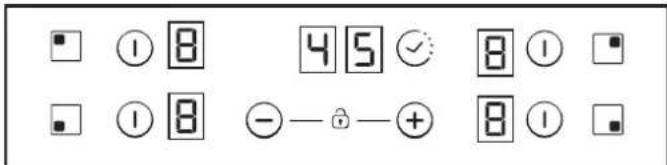
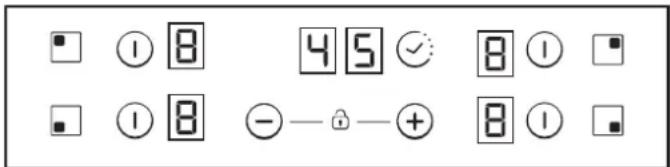
TIMER
-
Additional cooking zone led
-
Cooking zone programming indicator
-
Selection of the zone
-
Bridge
"Installation must conform to the standards & directives." Manufacturer declines all responsibility for any damage that might be caused by unsuitable or unreasonable use.
WARNING: Manufacturer cannot be held responsible for any incident or its consequences that may arise during the use of an appliance not linked to the earth, or linked to an earth whose continuity is defective. Before any electrical operation, please check the supply tension shown on the electricity meter, the adjustment of the circuit-breaker, the continuity of the connection to earth to the installation and that the fuse is suitable. The electrical connection to the installation should be made according to the rated power of the Appliance; this should be made via an Omni pole cut-out switch.
If the appliance has a socket outlet, it must be installed so that the socket outlet is accessible.
The yellow/green wire of the power supply cable must be connected to the earth of both power supply and appliance terminals. For any questions regarding power supply cord refer to After Sales Service or a qualified technician.
If the hob is fitted with power supply cord, this shall be connected only to a power supply of 220-240 V between phase and neutral.
It is however possible to connect the hob to:
Three Phase 220-240 V3
Three Phase 380-415 V2N
Toproceedtothenewconnection, pleasefollowbelow instructions: Before making the connection, make sure that the installation is protected by a suitable fuse, and that it is fitted with wires of a large enough section to supply the appliance normally.
Turn over the hob, glass side against the working top, taking care to protect the glass.
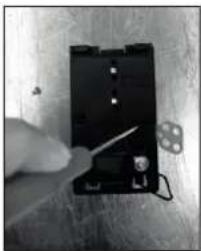
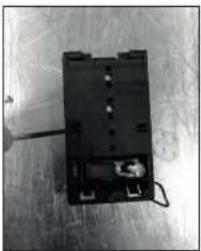
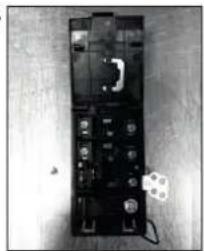
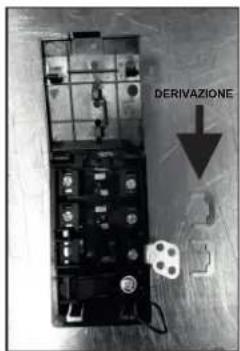
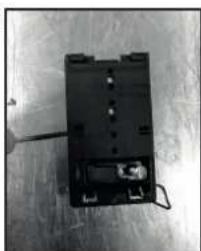
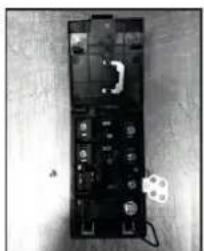
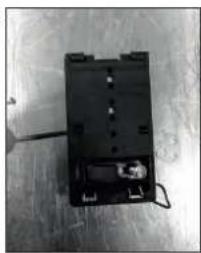
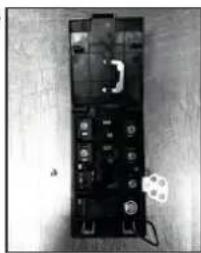
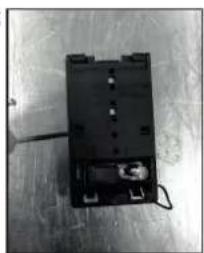
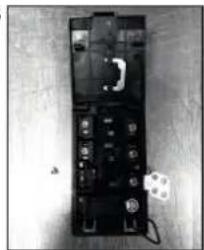
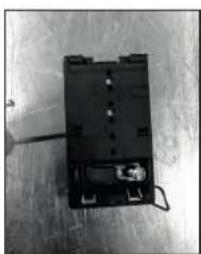
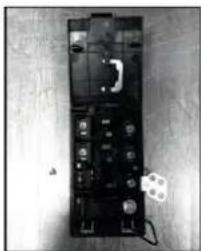
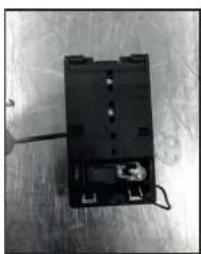
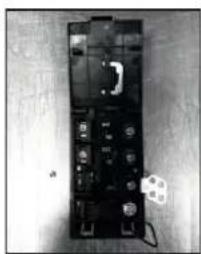
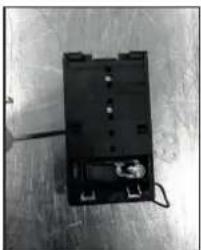
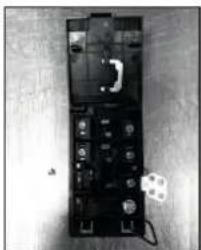
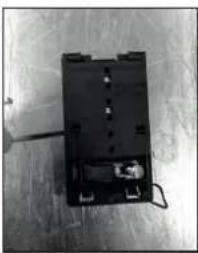
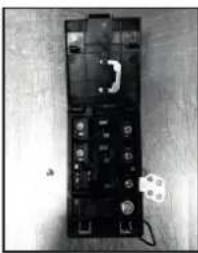
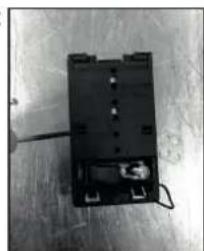
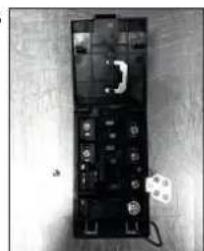
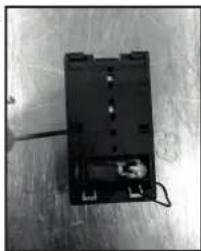
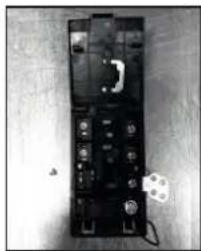
Open the cover in the following sequence:
1
natural_image
Close-up of a hand holding a small electronic component with a screwdriver inserted, placed on a surface (no visible text or symbols)2
natural_image
Top-down view of a black electronic device with visible internal components and wiring (no text or symbols)3
natural_image
Black-and-white photo of an electronic device casing with visible components and a small label (no readable text or symbols)- unscrew the cable clamp "1";
- find the two tabs located on the sides;
- put the blade of a flat screw-driver in front of each tab "2" e
"3", push in and press; - remove the cover.
To release the power supply cord:
- Remove the screws retaining the terminal block which contains the shunt bars and the conductors of the supply cord;
- Pull out the supply cord.
Note: make sure the terminal board screws are tight.
Operations to be carried out to make a new connection:
- Choose the power supply cable in accordance with the
recommendations in the table;
- Pass the power supply cable into the clamp;
- Strip the end of each conductor of the supply cord on a 10 mm length, by taking in account the requested length of the cord for the connection to the terminal block;
- According to the installation and with the help of shunt bars which you should have recovered in the first operation, fix the conductor as shown on the chart;
- Fix the cover;
- Screw the cable clamp.
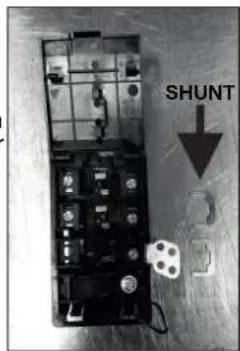
ATTENTION:
If it should be necessary to replace the power supply cord, connect the wire in accordance with following colors/codes:
| BLUE | Neutral | (N) |
| BROWN | Live | (L) |
| YELLOW-GREEN | Earth | (⊕) |
Connection to the terminals on the terminal block
| LAY OUT"1-6" | LAY OUT"7" | |
| MONOPHASE or TWO PHASES 220-240 V~ | ||
| Cable HO5V2V2F | 3x2,5 mm ^2 | 3x4 mm ^2 |
| THREE PHASES 220-240 V3~ | ||
| Cable HO5V2V2F | 4x1,5 mm ^2 | 4x1,5 mm ^2 |
| THREE PHASES 380-415 V2N~ | ||
| Cable HO5V2V2F | 4x1,5 mm ^2 | 4x1,5 mm ^2 |
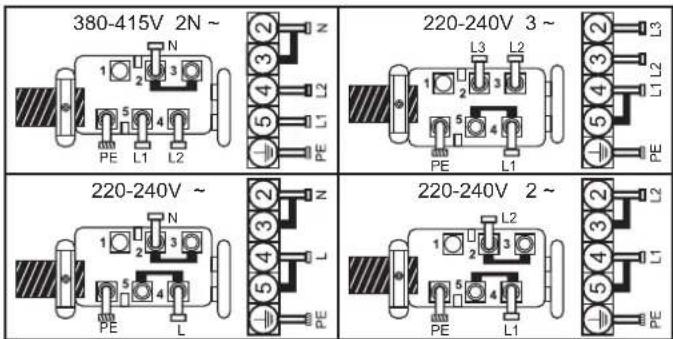
N = Neutral PE = EarthL1 / L2 / L3 = Phase
4. HOB COOKWARE ADVICE
Using good quality cookware is critical for setting the best performance from your hob.

natural_image
Three identical illustrations of cooking pots with crossed-out X marks, no text or symbols present.• Always use good quality cookware with perfectly flat and thick bases: using this type of cookware will prevent hot spots that cause food to stick. Thick metal pots and pans will provide an even distribution of heat.
- Ensure that the base of the pot or pan is dry: when filling pans with liquid or using one that has been stored in the refrigerator, ensure that the base of the pan is completely dry before placing it on the hob. This will help to avoid staining the hob.
- Use pans whose diameter is wide enough to completely cover the surface unit: the size of the pan should be no smaller than the heating area. If it is slightly wider the energy will be used at its maximum efficiency.
THE CHOICE OF COOKWARE - The following information will help you to choose cookware which will give good performance.
Stainless Steel : highly recommended. Especially good with a sandwich clad base. The sandwich base combines the benefits of stainless steel (appearance, durability and stability) with the advantages of aluminium or copper (heat conduction, even heat distribution).
Aluminium: heavy weight recommended. Good conductivity. Aluminium residues sometimes appear as scratches on the hob, but can be removed if cleaned immediately. Because of its low melting point, thin aluminium should not be used.
Cast Iron : usable, but not recommended. Poor performance. May scratch the surface.
Copper Bottom / stoneware: heavy weight recommended. Good performance, but copper may leave residues which can appear as scratches. The residues can be removed, as long as the hob is cleaned immediately. However, do not let these pots boil dry. Overheated metal can bond to glass hobs. An overheated copper pot will leave a residue that will permanently stain the hob.
Porcelain/enamel : Good performance only with a thiny smooth, flat base.
Glass-ceramic : not recommended. Poor performance. May scratch the surface.
5. USE
How to choose power management level
Through the "Power management" function, the user can set the maximum power that can be reached by the hob. Power management function is only available during first 30 seconds after switch on the hob. There is even the possibility to repeat this setting switching off and on the power plug. By setting the desired maximum power, the hob automatically adjusts the distribution in the various cooking zones so that this limit is never exceeded; with the added advantage of being able to simultaneously manage all the zones without overload problems. The customer can set the maximum power of hob between 2.5kW and the maximum related power of the hob (this can change according to the model) (for example if the maximum power of the hob is 7.2kW . The maximum power level for setting is between 2.5kW and 7.2kW ) At the time of purchase, the hob is set to maximum power. After connecting the appliance to the electrical power, within 30 seconds you can set the power level based on the points shown below:
1.- Switch on hob.
2.- Let touch control finish its initialization process.
3.- Before pass 30 seconds touch during 5 seconds(一) key.
4.- After this moment, this message will appear on display.
key.
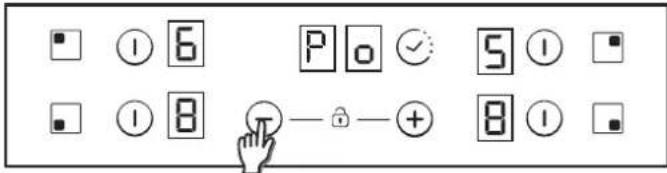
5.- Using 'Plus' and 'Minus' keys Power management value can be adjusted. In this example case between 6500 and 2500w. When required value is selected, touch at the same time 'Plus' & 'Minus' keys during 5 seconds.
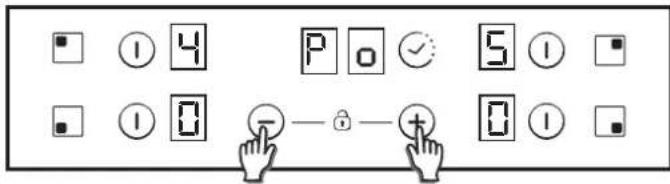
6.- When this process is finished, a long beep is heard and a reset is produced. Start-up process will be generated again.
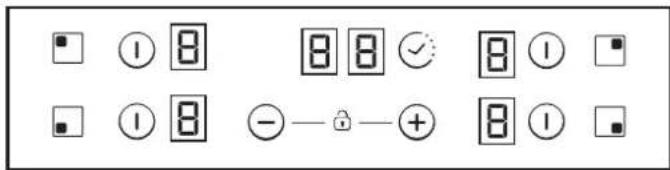
7.- After start-up process, in timer display ECO power management will be showed.
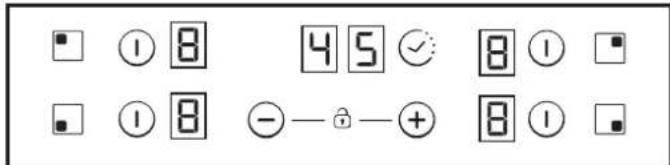
After that, touch control won't allow any combination which can exceed this Eco limit.
Switch ON/OFF a heater zone
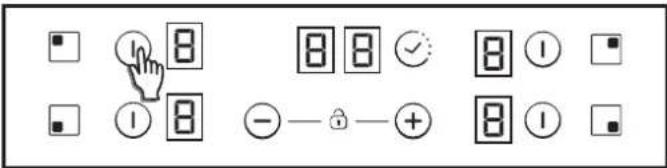
To switch ON a heater Touch any heater's zone during 400 msec. Long beep will be heard and "0" value will appear in target zone digit, indicating power level.
1) If any cooking stage is in position 0, this display will switch OFF automatically after 10 seconds and the zone OFF sequence will sound.
2) If there is residual heat indication in the display which is ON but in 0 power, "0" will appear changing over.
3) If lock function is active you cannot switch ON a zone.
To switch OFF a heater Touch any heater's zone during 1,2 sec. 3 Short beeps will be heard and nothing or "H" value will appear in target zone digit if residual heat exists. Zone will be OFF.
1) If any cooking stage is in position 0, this display will switch OFF automatically after 10 seconds and the zone OFF sequence will sound.
2) If there is residual heat indication in the display which is OFF, "H" will be displayed.
3) Even lock function is active you can switch OFF a zone.
4) If only one heater is active and this one is switched off, 4 Short beep will be heard indicating all cook top is Off.
Selecting a zone
When zone is already ON a lower lighting intensity for the not selected zones that are ON is produced.
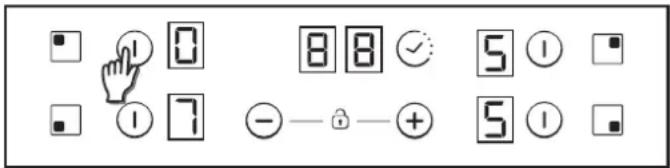
If only one zone is ON, this zone is already selected by default, without needing to short press (150 msec) over selection key.
Increase / Decrease power level
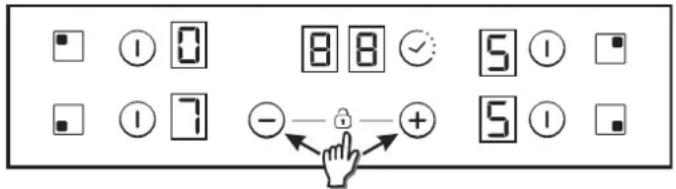
With a short press on '+' or '-' keys, Increase or decrease power in the selected zones digit: 0-1-2-3...9-P
- For Long Presses in + or - keys, power level increases /decreases continuously. With a fast increase, power stops at level 9, and for a higher power another short press is needed on the + key. No beep sound is heard with fast increase / decrease.
- Once arrived to P power level, pressing + key again does not change power level to 0. Once arrived to 0 power level, pressing - key again does not change power level to P.
- With a zone ON at 0 power level, if the zone is hot, 0 will blink alternatively. After 10 seconds, 0 will disappear an 'H' letter will appear fixed on display.
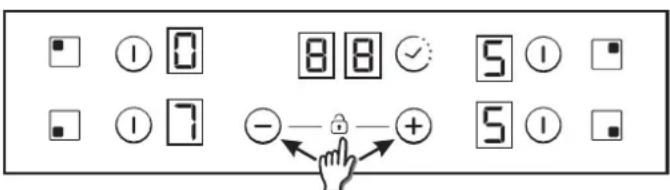
- When a heater is selected and '+' & '-'keys are touched at the same time, power level will go to '0' but heater will maintain selected during 10 seconds. If heater was temporized, timer will go to Off. This action can only be developed in several cases depending touch control configuration. The following examples are for information only. Personal experience should then let you adapt these settings to your taste and habit
Child Lock option
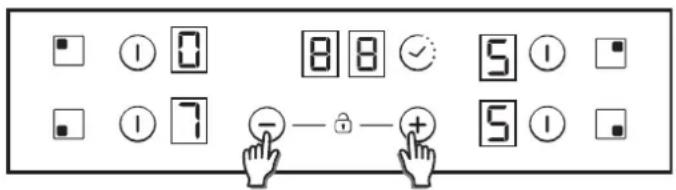
This action will be done when '+' & '-'keys were touched at the same time.
Then, any time when a key will be touched, displays will show "L" during 2sec. heating remains at the same state.
To deactivate Child Lock, follow the same process explained before. Then Short beep will be heard and displays will show "n" letter. Hob will remain unlocked.
Note: An automatic child lock will produce in 15 minutes after total Switch OFF of the hob.
Double / Triple zones
To switch ON double extension ring, associated main zone must be already ON and Indicating power level must be higher than 0. 8.1- Double zone ON
1st Short Press on extension key Switches ON extension ring. LED over extension key turns ON if Extension ring is ON. 2nd Short Press on extension key Switches OFF extension ring Short beep each press on extension key.
8.2- Triplezone ON
1st Short Press on extension key Switches ON 1st extension ring. 1 LED over extension key turns ON if 1st extension ring is ON (left LED in case of triple zone, middle and only LED in case of double zone) 2nd Short Press on extension key Switches ON 2nd extension ring.
2 LEDs over extension key turn ON if 1st and 2nd extension rings are ON 3rd Short Press on extensi on key. Switches OFF 1st and 2nd extensi on rings Short beep each press on extensi on key.
Bridge function
The bridge can be enabled only when both heaters are off. One heater of the bridge has been selected, to activate bridge function touch bridge key Ⓐ
Abeepsounds and the zone LED is switched on if the zone is enabled. Both bridge heaters will be selected at the same time.
Once the heaters selected, if the power level is not the desired power level, by the + - keys.
Both bridge heater displays will show same power level. The function will finish:
- If the bridge key is touched in setting mode - If user selects power level "0"
Overflow security
Something (an object or a liquid) is pressing any key during more than 5s. 2 Short Beep + 1 Long beep every 30s while the key is pressed. Cook-top will turn Off. This symbol will maintain blinking while the matter persist.
Timer
Timer function can be activated with its own key.
Select the zone to be timed. Power level of the zone greater than 0. Static is displayed in the zone being timed. "0 0" in the digits reserved for the timer.
1) With "+" or "-" keys, timer time can be chosen. No Beeps at time change.
2) Pressing continuously timer key, the timer is cancelled (goes to 00).
3) If timer "+" or "-" keys is maintained pressed there is quick setting.
4) When setting timer time, it is possible to go from "00" to "99" with "-" key, and from "99" to "00" with "+" key.
5) Maximum time 99 minutes.
6) When the time is elapsed and the hob is beeping, press any key and the alarm and digit sequence will end.
7) It is possible to adjust the timer time while the timer is previously running.
8) Power of timed zone can be modified without consequences on the timer programming.
9) Last minute will be displayed by seconds (For Variants only visible if we enter the timer programming while the last minute of the countdown)
10) Pressing the Timer key without any selected zone and when no zone is being timed, does nothing.
11) Pressing the Timer key without any selected zone and when many zones are being timed, the time shown in time digits changes in a rotatory way, and shows the time whose power display has the decimal point ON.
12) Alternatively Power (5s) and (0,5s) is displayed in the zone being ti med.
Remaining time is displayed in the digits reserved for the timer. If multiple zones are timed, the smallest remaining time is displayed, and the decimal point is displayed in the corresponding zone.
Residual Heat Indicator (In radiant heaters-> calculated)
The same indicators can be used for "residual heat" indication as well. Atime table must be defined on this purpose: Rest Heat time=f (power level, working time).
While a temperature on the cook top glass surface is above 65^ Cb(theory value), this condition will be shown in the associated display, by means of an “H”.
To generate a temperature above 65 C a heating element has to be in operation for certain time, this time depends on the power level. Once this time has expired, the residual heat warning will be shown when the heating element is switched off.
Automatic Safety Off
If the power level is not changed during a preset time, the corresponding heater turns offautomatically.
The maximum time a heater can stay on, depends on the selected cooking level.
| Power level | Max. time on (hours) |
| 1 | 10 |
| 2 | 5 |
| 3 | 5 |
| 4 | 4 |
| 5 | 3 |
| 6 | 2 |
| 7 | 2 |
| 8 | 2 |
| 9 | 2 |
| P | 2 |
NOTE: while an overheating situation should occur during the operation of the highest power levels, the Hob control will automatically adjust the power level in order to protect the hob from overheating.
6. CLEANING AND MAINTENANCE
. Before carrying out any maintenance work on the hob, allow it to cool down.
. Only products, (creams and scrapers) specifically designed for aglass ceramic surfaces should be used. They are obtainable from hardware stores.
. Avoid spillages, as anything which falls on to the hob surface will quickly burn and will make cleaning more difficult.
. It is advisable to keep away from the hob all substances which are liable to melt, such as plastic items, sugar, or sugar-based products.
.MAINTENANCE:
- Place a few drops of the specialised cleaning product on the hob surface.
- Rub any stubborn stains with a soft cloth or with slightly damp kitchen paper.
- Wipe with a soft cloth or dry kitchen paper until the surface is clean.
If there are still some stubborn stains:
- Place a few more drops of specialised cleaning fluid on the surface.
- Scrape with a scraper, holding it at an angle of 30^ to the hob, until the stains disappear.
- Wipe with a soft cloth or dry kitchen paper until the surface is clean.
- Repeat the operation if necessary.
AFEW HINTS:
Frequent cleaning leaves a protective layer which is essential to prevent scratches and wear. Make sure that the surface is clean before using the hob again. To remove marks left by water, use a few drops of white vinegar or lemon juice. Then wipe with absorbent paper and a few drops of specialised cleaning fluid.
The glass ceramic surface will withstand scraping from flat-bottomed cooking vessels, however, it is always better to lift them when moving them from one zone to another.
NB:
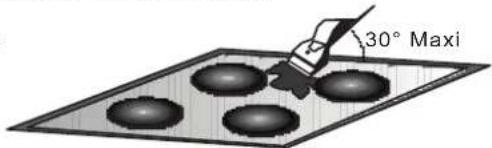
Do not use a sponge which is too wet.
Never use a knife or a screwdriver.
A scraper with a razor blade will not damage the surface, as long as it is kept at an angle of 30^ .
Never leave a scraper with a razor blade within the reach of children.
Never use abrasive products or scouring powders.
. The metal surround: to safely clean the metal surround wash with soap and water, rinse, then dry with a soft cloth.
Any change in the colour of the glass-ceramic surface does not affect its operation or the stability of the surface. Such discolorations are mostly a result of burnt food residues or use of cookware made of materials such as aluminium or copper; these stains are difficult to remove.
7. PROBLEM SOLVING
The cooking zones do not simmer or only fry gently
Only use flat-bottomed pans. If light is visible between the pan and the hob, the zone is not transmitting heat correctly.
The pan bottom should fully cover the diameter of the selected zone.
The cooking is too slow
Unsuitable pans are being used. Only use flatbottomed utensils, that are heavy and have a diameter at least the same as the cooking zone.
Small scratches or abrasions on the hob's glass surface
Incorrect cleaning or rough-bottomed pans are used; particles like grains of sand or salt get between the hob and the bottom of the pan. Refer to the "CLEANING" section; make sure that pan bottoms are clean before use and only use smooth bottomed pans. Scratches can be lessened only the cleaning is done correctly.
Metal marks
Do not slide aluminium pans on the hob. Refer to the cleaning recommendations.
You use the correct materials, but the stains persist.
Use a razor blade and follow the "CLEANING" section.
Dark stains
Use a razor blade and follow the "CLEANING" section.
Light surfaces on the hob
Marks from an aluminium or copper pan, but also mineral, water or food deposits; they can be removed using the cream cleaner.
Caramelisation or melted plastic on the hob.
Refer to the "CLEANING" section.
The hob does not operate or certain zones don't work
The shunts are not positioned correctly on the terminal board. Have a check made that the connection is done he control panel is locked. Unlock the hob.
The hob does not cut off.
The control panel is locked. Unlock the hob.
Frequency of on/off operations for cooking zones
The on-off cycles vary according to the required heat level:
- low level: short operating time,
- high level: long operating time.
The cooktop is not working.
Check the condition of the fuses / circuit breakers at your location. Check to see if you are experiencing a power failure.
The cooktop has turned itself off.
The main switch (ON/OFF key) was accidentally touched or there is any object above any key. Turn the unit on again without any object about the keyboard. Enter your settings again.
Display F and numbers
If F and numbers appears in the display, your unit has detected a fault.
The following table list actions you can take to correct the problem.
8. AFTERCARE
Before calling out a Service Engineer please check the
following:
— that the plug is correctly inserted and fused;
If the fault cannot be identified switch off the appliance — do not tamper with it — call the Aftercare Service Centre. The appliance is supplied with a guarantee certificate that ensures that it will be repaired free of charge at the Service Centre.
Heater di splay Fault Acti on
| F0 | Touch control softwareerror. | If error has occurred disconnected and connect again the cooktop to the power supply. If error persist, call after-sales service. If error appears suddenly in a normal operation, call after-sales service. |
| Fc | Touch control zone is too hot and has turned off all the heaters. | Wait until temperature goes down. Cook-top will automatically recovered when temperature reaches a normal value. |
| Ft | Touch control temperature sensor can be damaged. | Wait until temperature goes down. If message persist when temperature reaches an environment value, call after-sales service. |
| FE | Touch control temperature sensor can be damaged. | Wait until temperature goes down. If message persist when temperature reaches an environment value, call after-sales service. |
| Fb | Excessive sensitivity on any key. | See if cook-top is mounted correctly. Be sure that keys touch correctly the glass surface. |
| FU / FJ | Security keyboard error | This error is a keyboard auto-check. It disappears when autocheck return to secure value. If error persist, call after-sale service. |
| FA | Security software error | This error is a software auto-check. It disappears when auto-check return to secure value. If error persist, call after-sale service. |
| FC / Fd | Security software error | This error is a software auto-check. It disappears when auto-check return to secure value. If error persist, call after-sale service. |
| Fr | Relays security error | Any relay driver can have any problemn. Remove cook-top from the power supply, wait a minute and switch on again. If error persist, call after-sale service. |

"Valid only for Cyprus"
natural_image
Close-up of a hand holding a small electronic device with a screwdriver, placed on a wooden surface (no visible text or symbols)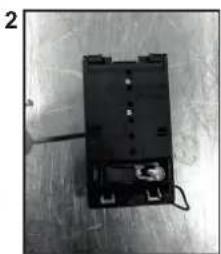
natural_image
Black electronic device with wires and a small component on top, placed on a surface (no visible text or symbols)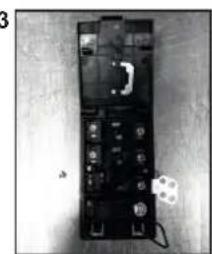
natural_image
Black electronic device with visible components and a small label on the right (no readable text or symbols)| BLU | Neutro | (N) |
| MARRONE | Fase | (L) |
| GIALLO VERDE | Terra | (⊕) |
natural_image
Three identical illustrations of cooking utensils with crossed-out X marks, no text or symbols present.N = Neutre PE = TerreL1 / L2 / L3 = Phase
4. CONSEILS CONCERNANT LES USTENSILES DE CUISINE POUR LA TABLE DE CUISSON
natural_image
Three identical illustrations of cooking pots with crossed-out X marks, no text or symbols presentnatural_image
Close-up of a hand holding a small tool next to a black electronic component with wires and a small inset (no visible text or symbols)2
natural_image
Black electronic device with attached wires and connectors on a textured surface (no visible text or symbols)3
natural_image
Black-and-white photo of a rectangular electronic device with multiple ports and a small circular component on the right (no visible text or symbols)natural_image
Three identical illustrations of cooking pots with crossed-out X marks, no text or symbols present1. ZAŠTITA OKOLIŠA
natural_image
Close-up of a hand holding a small electronic component with wires, next to a small battery pack (no visible text or symbols)2
natural_image
Black electronic device with wires and connectors on a textured surface (no visible text or symbols)3
natural_image
Black electronic device with multiple ports and a small white label on the right side (no readable text or symbols)- odvrnite stezaljku kabela „1“,
- pronađite dva ispusta na bočnim stranama;
- stavite vrh ravnog odvijača ispred svakog ispusta „2“ i „3“, ugurajte i pritisnite,
- uklonite poklopac.
Za otpuštanje kabela za napajanje:
- Uklonite vijke koji pričvršćuju terminalni blok, koji sadrži paralelne poluge i vodiče kabela za napajanje.
- Izvucite kabel za napajanje.
natural_image
Three identical illustrations of a cooking pot with crossed-out handles, no text or symbols present- Uvijek koristite kvalitetno posuđe za kuhanje koje ima potpuno ravno i debelo dno: upotreba ove vrste posuđa za kuhanje sprječava mrlje od topline zbog kojih se hrana lijepi. Zahvaljujući debelim metalnim posudama i tavama, toplina se raspoređuje ravnomjerno.
- kad punite tavePobrinite se da je dno posude ili tave suho: tekućinom ili koristite tavu koja je bila u hladnjaku, provjerite je li dno tave potpuno suho prije nego je stavite na ugradnu ploču. Tako se sprječava stvaranje mrlja na ugradnoj ploči.
7 - Nakon što se obavi početni postupak, upravljanje snagom ECO prikazuje se na zaslonu brojača vremena.
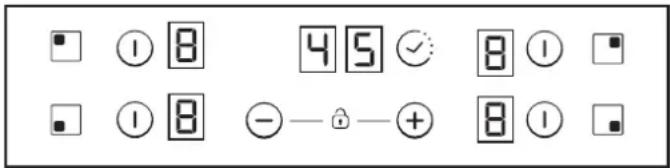
Ako je UKLJUČENO samo jedno polje, to je polje u pravilu već odabrano, i nema potrebe za kratkim pritiskom (150 milisekundi) gumba za odabir.
Povećanje / smanjenje razine napajanja
Kratkim pritiskom na gumbe „+“ i „-“ povećajte ili smanjite napajanje na odabranim poljima s brojkama: 0-1-2-3...9-P
- Dugim pritiskom na gumbe „+“ i „-“ napajanje se povećava/smanjuje u kontinuitetu. Brzim povećavanjem napajanje se zaustavlja na devetoj razini, a za veće napajanje potreban je još jedan kratak pritisak na gumb „+“. Ne čuje se nikakav zvučni signal kada se napajanje brzo povećava/smanjuje.
- Kada se dosegne razina napajanja P, pritiskanje gumba „+“ ne mijenja razinu napajanja na 0. Kada se dosegne razina napajanja 0, pritiskanje gumba „-“ ne mijenja razinu napajanja na P.
- Kada je polje UKLJUČENO na razini napajanja 0, ako je polje vrelo, treptat će znak 0. Nakon 10 sekundi 0 će nestati, a slovo „H“ pojavit će se na zaslonu.
- Kada je grijač odabran i gumbi „+“ i „-“ pritisnu se istovremeno, razina napajanja bit će „0“, ali će grijač ostati odabran još 10 sekundi. Ako je za grijač postavljen tajmer, on će se isključiti. Ova radnja može se obaviti samo u nekoliko slučajeva ovisno o konfiguraciji upravljanja na dodir. Sljedeći su primjeri samo informativne prirode. Kasnije se možete osloniti na osobno iskustvo prilikom prilagodbe ove postavke svom ukusu i navikama.
natural_image
Hand holding a screwdriver next to a black electronic device with a small component (no visible text or symbols)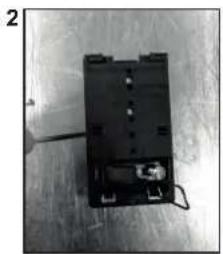
natural_image
Black electronic component with wires and connectors on a surface (no visible text or symbols)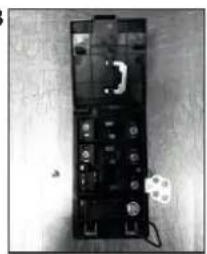
natural_image
Black-and-white photo of an electronic device with visible components and a small white mark on the right side (no readable text or symbols)natural_image
Three identical illustrations of cooking pots with crossed-out arrows indicating prohibition (no text or symbols)natural_image
Close-up of a hand holding a small electronic component with wires, placed on a wooden surface (no visible text or symbols)2
natural_image
Black electronic device with a small component and wires, placed on a surface (no visible text or symbols)3
natural_image
Black electronic device with multiple ports and a small white object on the side (no visible text or symbols)natural_image
Three identical illustrations of cooking utensils crossed out, no text or symbols presentnatural_image
Hand holding a screwdriver next to a battery pack with a small meter (no visible text or symbols)2
natural_image
Black electronic device with visible internal components and wiring, placed on a wooden surface (no text or symbols)3
natural_image
Black-and-white photo of an electronic device casing with visible components and a small label (no readable text or symbols)natural_image
Three identical illustrations of cooking pots with crossed-out X marks, no text or symbols presentnatural_image
Close-up of a hand holding a small electronic device with wires and a small component nearby (no visible text or symbols)2
natural_image
Black electronic device with wires and connectors on a wooden surface (no visible text or symbols)3
natural_image
Black-and-white photo of a device with multiple ports and a label on the right (no readable text or symbols)natural_image
Three identical illustrations of cooking pots with crossed-out X marks, no text or symbols present.7 - Po postopku zagona se bo na zaslonu programske ure pokazala izbrana moč EKO.
BEZBEDNOSNA UPUTSTVA
Preporučujemo vam da sačuvate uputstvo za ugradnju i upotrebu za upotrebu u budućnosti, a pre ugradnje ugradne ploče zapišite njen serijski broj u slučaju da vam zatreba pomoć postprodajnog servisa.
UPOŽORENJE: Uređaj i njegovi delovi kojima se može pristupiti zagrevaju se prilikom upotrebe.
natural_image
Close-up of a hand using a screwdriver to adjust or install electronic components on a metal surface (no visible text or symbols)2
natural_image
Black electronic device with visible ports and wiring on a textured surface (no text or symbols)3
natural_image
Black electronic device with multiple ports and connectors on a wooden surface (no visible text or symbols)- odvijte spojnicu kabla „1“:
- pronađite dva jezička sa strane;
- postavite vrh ravnog šrafcigera ispred jezičaka „2“ i „3“, gurnite ka unutra i pritisnite;
- uklonite kućište.
Za oslobadanje kabla za napajanje:
natural_image
Three identical illustrations of cooking utensils crossed out, no text or symbols present- Uvek koristite kvalitetno posuđe sa ravnim i debelim dnom:
korišćenje ovakvog posuđa sprečiće pojavu vrelih delova koji prouzrokuju lepljenje hrane. Debeli metalni lonci i tiganji omogućavaju ravnomerno prenošenje toplote.
7 - Nakon procesa pokretanja, na displeju tajmera pojaviće se ECO upravljanje potrošnjom energije.
Za UKLJUČIVANJE grejača pritisnite bilo koju površinu grejača i držite 400 ms. Čuće se dug zvuk i vrednost „0“ će se pojaviti na ciljnoj površini, ukazujući na nivo napona.
Ukoliko je samo jedna površina UKLJUČENA, ta površina je po pravilu već odabrana, i nema potrebe za kratkim pritiskom (150 ms) na dugme za odabir.
Povećanje / smanjenje nivoa napajanja
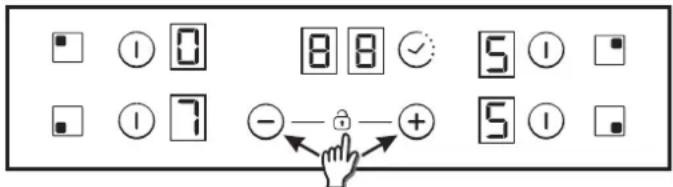
Ova radnja se izvršava kada se dugmad „+“ i „-“ pritisnu istovremeno.
natural_image
Close-up of a hand using a screwdriver to adjust or install electronic components on a workbench (no visible text or symbols)2
natural_image
Black electronic device with visible internal components and wiring, placed on a textured surface (no text or symbols)3
natural_image
Black electronic device with visible internal components and a small labeled component (no readable text or symbols)natural_image
Hand holding a screwdriver next to a black electronic device with a small inset showing a component (no visible text or symbols)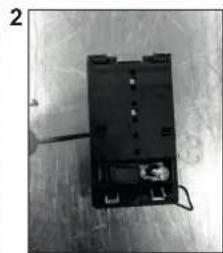
natural_image
Black electronic device with wires and connectors on a wooden surface (no visible text or symbols)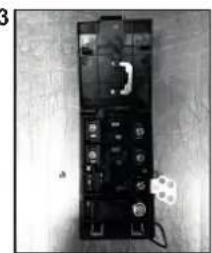
natural_image
Black-and-white photo of a device with visible components and a small white object on the floor (no text or symbols)natural_image
Three identical illustrations of cooking utensils with crossed-out X marks, no text or symbols presentnatural_image
Hand holding a tool interacting with a black electronic device on a wooden surface (no visible text or symbols)2
natural_image
Black rectangular electronic device with wires and connectors on a wooden surface (no visible text or symbols)1
natural_image
Black-and-white photo of a handheld electronic device with a small white component and a small circular icon on the side (no visible text or symbols)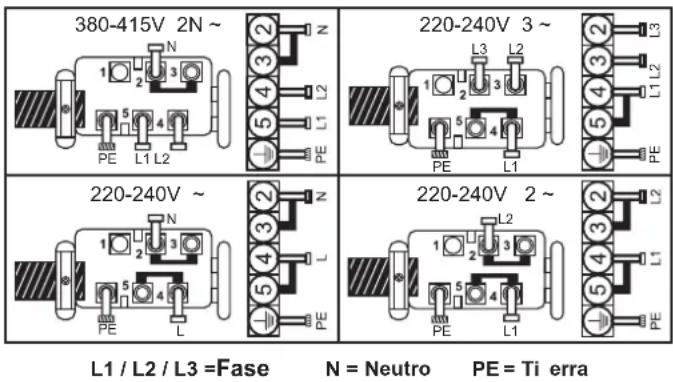
L1 / L2 / L3 = Fase
N = Neutro
PE = Tierra
natural_image
Three identical illustrations of a cooking pot with crossed-out handles, no text or symbols presentnatural_image
Close-up of a hand holding a small electronic component with wires, placed on a wooden surface (no visible text or symbols)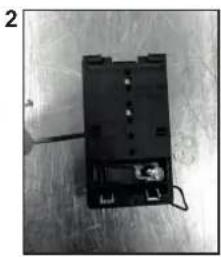
natural_image
Black electronic device with visible ports and wiring, placed on a surface (no text or symbols)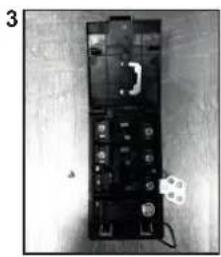
natural_image
Black electronic device with multiple ports and a small label on the right (no visible text or symbols)natural_image
Three identical illustrations of cooking pots with crossed-out X marks, no text or symbols presentnatural_image
Close-up of a hand holding a small electronic device with a screwdriver, placed on a wooden surface (no visible text or symbols)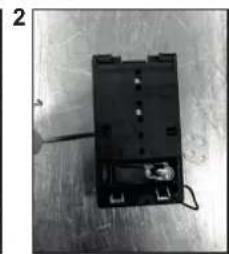
natural_image
Black electronic component with wires and connectors on a wooden surface (no visible text or symbols)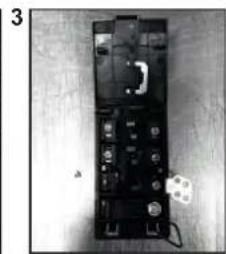
natural_image
Black electronic device with multiple ports and a small component, placed on a wooden surface (no visible text or symbols)natural_image
Three identical illustrations of cooking utensils with crossed-out triangular marks, no text or symbols present.natural_image
Close-up of a hand holding a screwdriver next to a black electronic component (no visible text or symbols)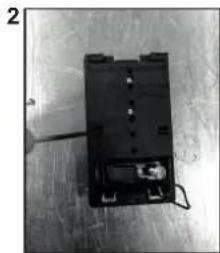
natural_image
Black electronic device with wires and connectors on a metallic surface (no visible text or symbols)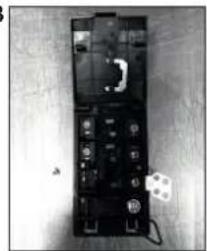
natural_image
Black electronic device with multiple ports and a small white component on a wooden surface (no visible text or symbols)natural_image
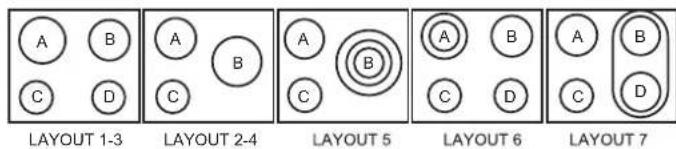
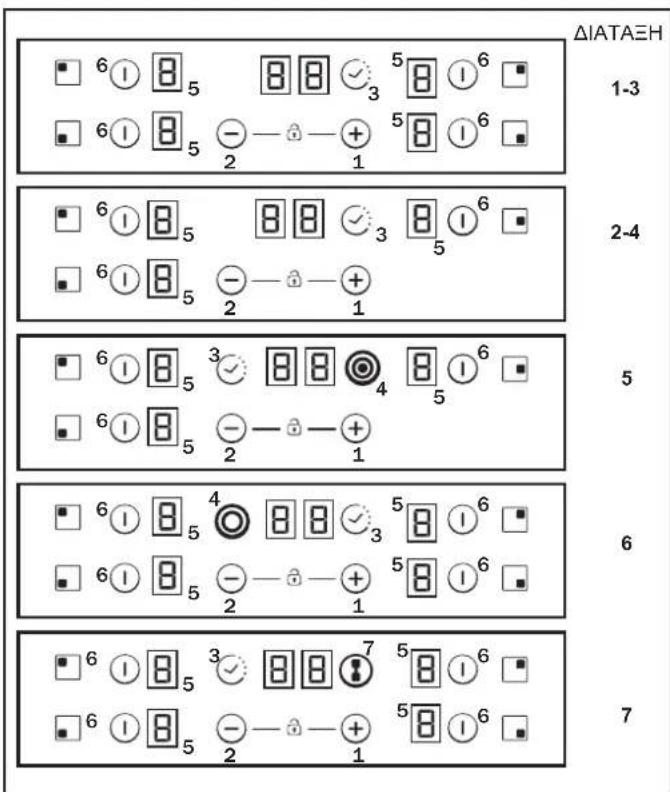
Three identical illustrations of cooking pots with crossed-out X marks, no text or symbols presentΔIATAΞH 1-3 ΔIATAΞH 2-4 ΔIATAΞH 5 ΔIATAΞH 6 ΔIATAΞH 7
| A | B | C | D | |
| IATA H 1-3 | 2300W | 1800W | 1200W | 1200W |
| IATA H 2-4 | 1800W | 2500W | 1200W | - |
| IATA H 5 | 1800W | 750+900+1050W | 1200W | - |
| IATA H 6 | 1000+1200W | 1800W | 1200W | 1200W |
| IATA H 7 | 1800W | 1800W | 1200W | 1800W |
natural_image
Close-up of a hand holding a small electronic device with wires and a small component, no visible text or symbols.2
natural_image
Black electronic device with visible circuitry and wiring, placed on a surface (no text or symbols)3
natural_image
Black-and-white photo of a handheld electronic device with buttons and a small white object on the side (no visible text or symbols)natural_image
Three identical illustrations of cooking utensils with crossed-out marks, no text or symbols presentnatural_image
Close-up of a hand holding a small electronic device with a screwdriver, placed on a wooden surface (no visible text or symbols)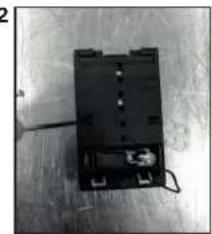
natural_image
Black electronic component with wires and connectors on a metal surface (no visible text or symbols)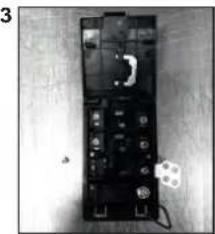
natural_image
Black electronic device with indicator lights and a small inset component, placed on a wooden surface (no visible text or symbols)natural_image
Three identical illustrations of cooking utensils with crossed-out X marks, no text or symbols presentnatural_image
Close-up of a hand holding a screwdriver next to a black electronic component with a small inset (no visible text or symbols)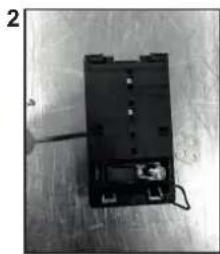
natural_image
Black electronic device with attached wires and connectors on a metal surface (no visible text or symbols)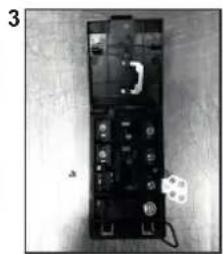
natural_image
Black electronic device with multiple ports and a small circular component on the right side (no visible text or symbols)L1 / L2 / L3 = Fáza
N = Neutral
PE = Uzemnenie
4. ODPORÚČANÝ RIAD
natural_image
Three identical illustrations of a cooking pot with crossed-out handles, no text or symbols present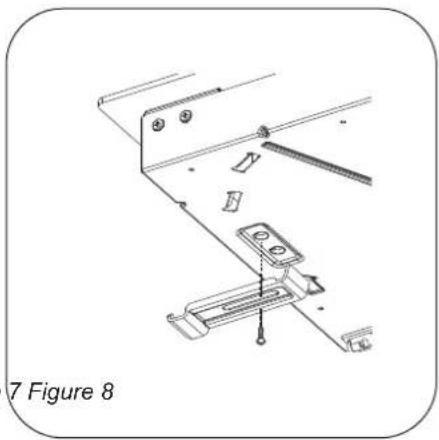
natural_image
Technical line drawing of a mechanical assembly with no visible text or symbols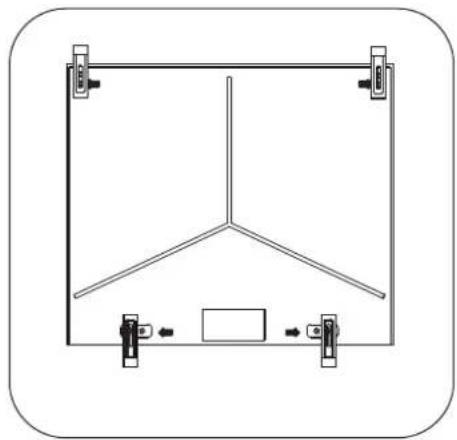
natural_image
Simple line drawing of a Y-shaped structure with two vertical supports and a central rectangle, no text or symbols present.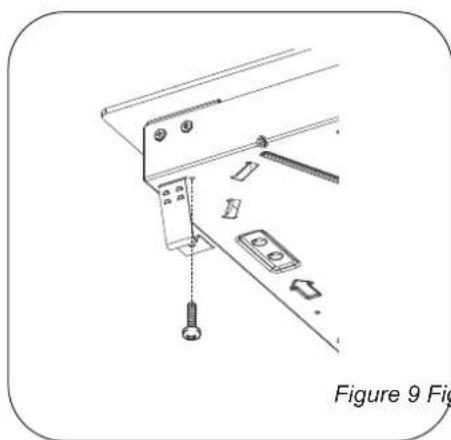
natural_image
Technical line drawing of a mechanical assembly with labeled parts, no readable text or symbols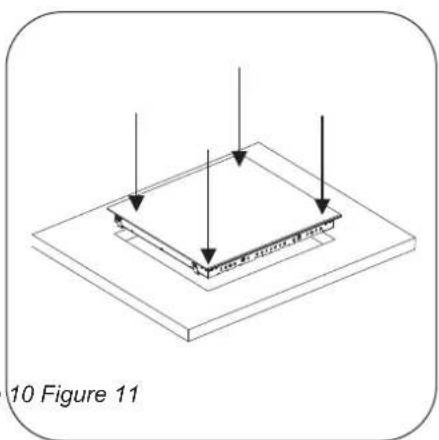
natural_image
Isometric diagram of a layered structure with arrows indicating direction, labeled '10 Figure 11' (no text or symbols on the diagram itself)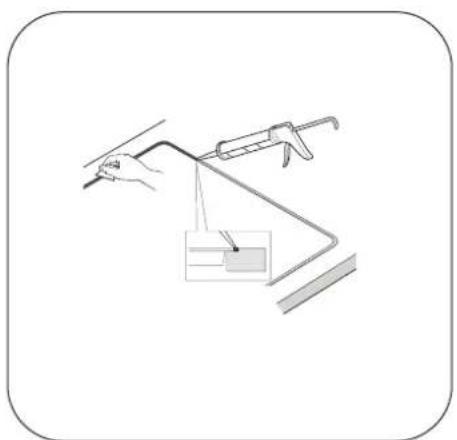
natural_image
Simple line drawing of a hand holding a tool with a bracket and a small inset box, no text or symbols present.- CANDY
- INDICE
- IT
- INSTALLATION
- Normal Fixing:
- Quick Fixing: (Depending on model)
- FLUSH INSTALLATION
- ELECTRICAL CONNECTION
- Open the cover in the following sequence:
- ATTENTION:
- Connection to the terminals on the terminal block
- HOB COOKWARE ADVICE
- USE
- How to choose power management level
- Switch ON/OFF a heater zone
- Selecting a zone
- Double / Triple zones
- 8.2- Triplezone ON
- Bridge function
- Overflow security
- Timer
- Residual Heat Indicator (In radiant heaters-> calculated)
- Automatic Safety Off
- CLEANING AND MAINTENANCE
- .MAINTENANCE:
- If there are still some stubborn stains:
- AFEW HINTS:
- Do not use a sponge which is too wet.
- PROBLEM SOLVING
- The cooking zones do not simmer or only fry gently
- The cooking is too slow
- Small scratches or abrasions on the hob's glass surface
- Metal marks
- Dark stains
- Light surfaces on the hob
- Caramelisation or melted plastic on the hob.
- The hob does not operate or certain zones don't work
- The hob does not cut off.
- Frequency of on/off operations for cooking zones
- The cooktop is not working.
- The cooktop has turned itself off.
- Display F and numbers
- AFTERCARE
- Before calling out a Service Engineer please check the
- following:
- CONSEILS CONCERNANT LES USTENSILES DE CUISINE POUR LA TABLE DE CUISSON
- ZAŠTITA OKOLIŠA
- Za otpuštanje kabela za napajanje:
- Povećanje / smanjenje razine napajanja
- BEZBEDNOSNA UPUTSTVA
- ODPORÚČANÝ RIAD
Brand : CANDY
Model : CH64FC
Category : Cooker