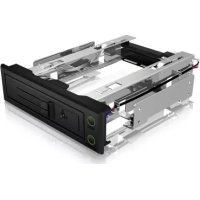
IB166SSKB - Computer accessory Icy Box - Free user manual and instructions
Find the device manual for free IB166SSKB Icy Box in PDF.


| Product Type | 3.5-inch Hard Drive Mobile Rack |
| Brand | Icy Box |
| Model | IB166SSKB |
| Material | Aluminum and metal |
| Disk Compatibility | 3.5-inch SATA or SAS hard drives |
| Interface | SATA I/II/III up to 6.0 Gbit/s |
| Required Bay | 5.25-inch bay |
| Installation | Drawerless, screw mounting, SATA and power connection |
| Features | Hot Swap, disk access LED, key lock |
| Power | SATA 15-pin connector + Molex 4-pin supplied |
| Approximate Dimensions | 146 x 42 x 200 mm |
| Approximate Weight | 500 g |
| Package Contents | Rack, SATA cable, screws, key, manual |
| Maintenance and Cleaning | Unplug before cleaning, use a dry, non-abrasive cloth |
| Safety | Disconnect the computer before installation; avoid moisture |
| Spare Parts and Repairability | SATA cable and key replaceable; enclosure not user-repairable |
| General Information | Computer accessory, standard manufacturer's warranty |
Frequently Asked Questions - IB166SSKB Icy Box
User questions about IB166SSKB Icy Box
0 question about this device. Answer the ones you know or ask your own.
Ask a new question about this device
Download the instructions for your Computer accessory in PDF format for free! Find your manual IB166SSKB - Icy Box and take your electronic device back in hand. On this page are published all the documents necessary for the use of your device. IB166SSKB by Icy Box.
USER MANUAL IB166SSKB Icy Box
3.5" SATA/SAS HDD trayless mobile rack
Handbuch IB-166SSK-B
Rack Removível trayless 3,5" SATA/SAS HDD
Manuale IB-166SSK-B
3.5" SATA/SAS HDD rack mobile senza vassoio
natural_image
3D rendering of a mechanical chassis frame with visible mounting holes and control buttons (no text or symbols)
Manual IB-166SSK-B
3.5" SATA/SAS HDD trayless mobile rack 4-5

Handbuch IB-166SSK-B
3.5" SATA/SAS HDD rack mobile senza vassoio....7

Rack Removível trayless 3,5" SATA/SAS HDD 8

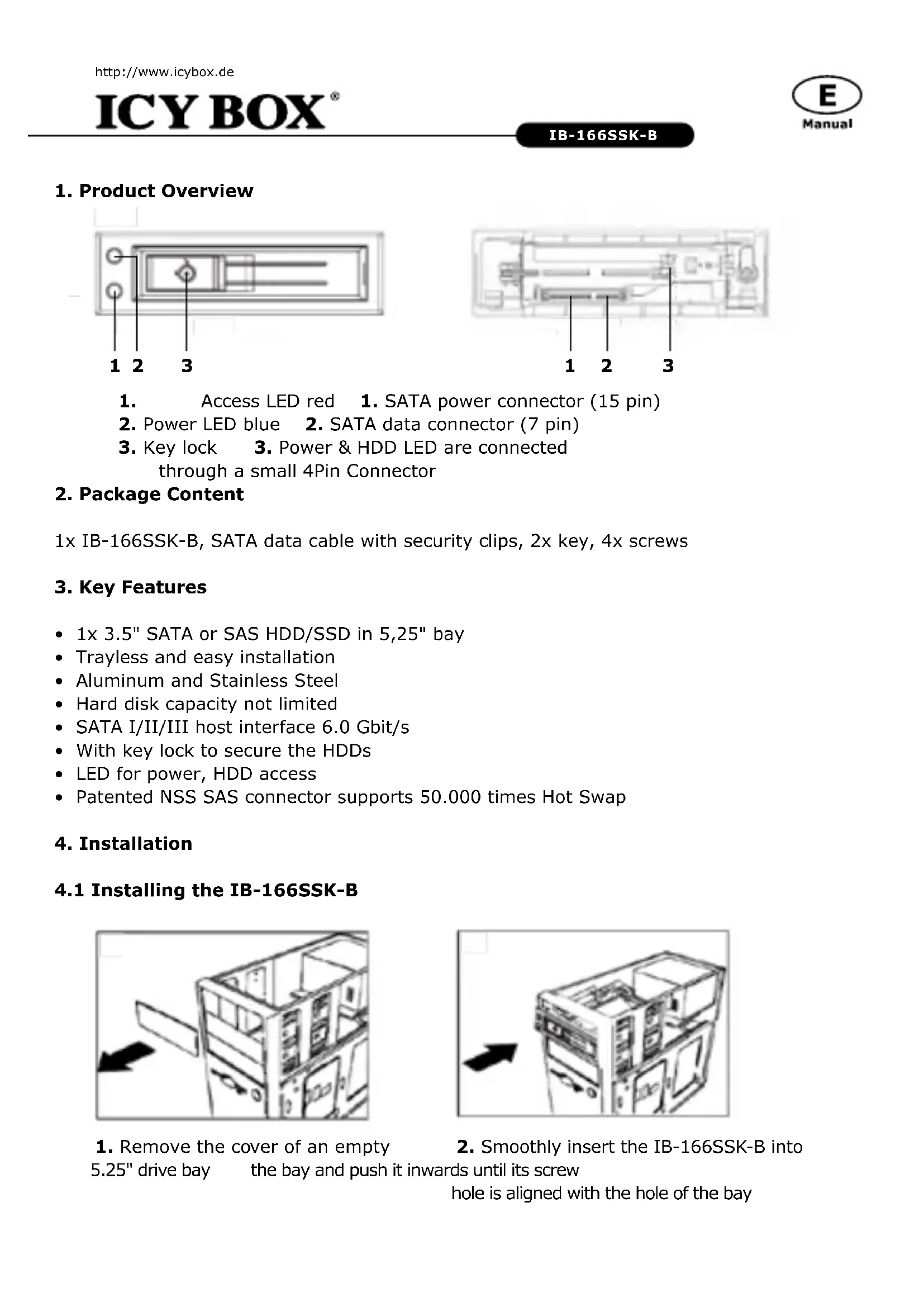
- Access LED red 1. SATA power connector (15 pin)
- Power LED blue 2. SATA data connector (7 pin)
- Key lock 3. Power & HDD LED are connected through a small 4Pin Connector
2. Package Content
1x IB-166SSK-B, SATA data cable with security clips, 2x key, 4x screws
3. Key Features
• 1x 3.5" SATA or SAS HDD/SSD in 5,25" bay
- Trayless and easy installation
• Aluminum and Stainless Steel
• Hard disk capacity not limited
• SATA I/II/III host interface 6.0 Gbit/s
- With key lock to secure the HDDs
• LED for power, HDD access
• Patented NSS SAS connector supports 50.000 times Hot Swap
4. Installation
4.1 Installing the IB-166SSK-B
natural_image
Line drawing of a computer tower with an open door and a black arrow pointing to the front panel (no text or symbols)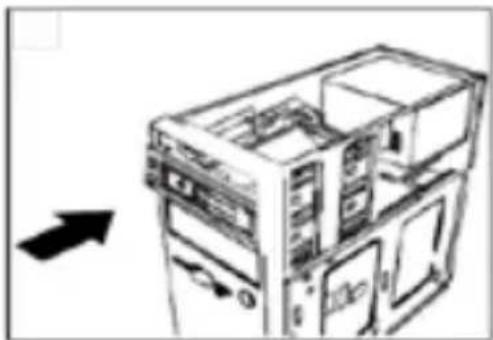
natural_image
Diagram of a computer tower with internal compartments and an arrow indicating direction (no text or symbols)-
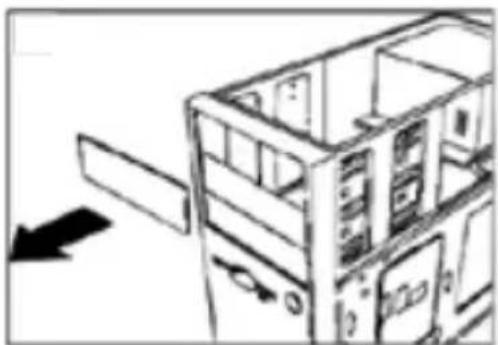
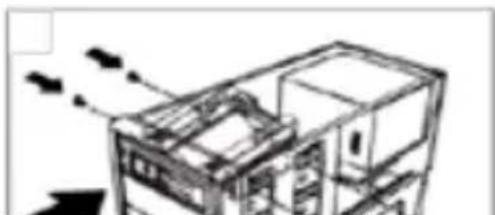
Remove the cover of an empty
-
Smoothly insert the IB-166SSK-B into
5.25" drive bay
the bay and push it inwards until its screw
hole is aligned with the hole of the bay
natural_image
Architectural line drawing of a multi-story building with internal structure and directional arrows indicating flow (no text or symbols)- Use two screws on each side to securely hold the device. The installation-direction must be right: Lock at the left side!
4.2 Connecting the IB-166SSK-B
natural_image
Technical line drawing of a mechanical assembly with a cable inserted (no text or symbols)-
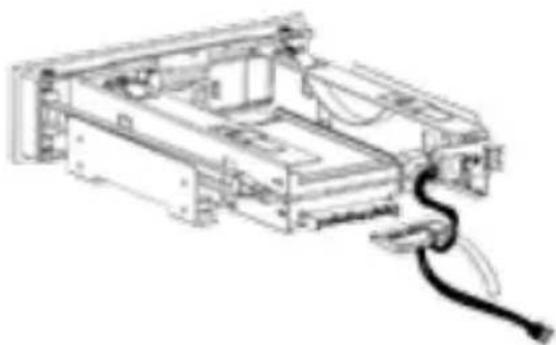
Connect one end of the SATA 15Pin power cable to the rear side of the IB-166SSK-B, another end (Molex 4Pin Power) to the power supply of your PC.
-
Connect the SATA 7Pin data cable to the connector on the rear side of the IB-166SSK-B, another end to the SATA 7Pin data port on the main board (or SATA RAID card) of your PC.
4.3 HDD Installation
natural_image
Hand holding a device with a scroll wheel, showing internal components and a black arrow indicating motion (no text or symbols)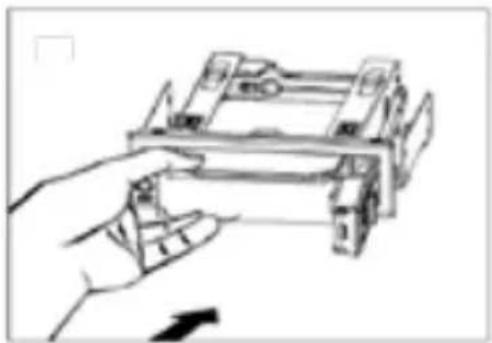
natural_image
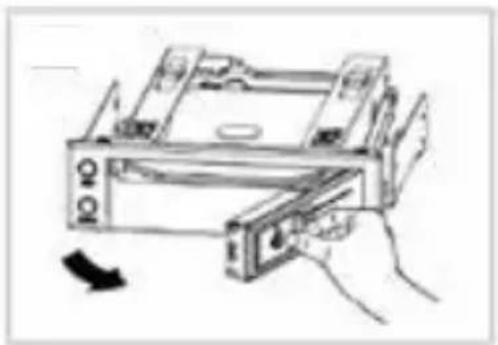
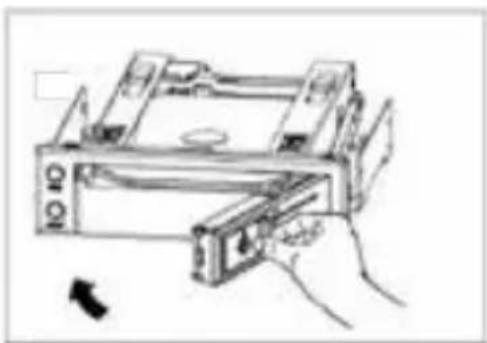
Hand holding a mechanical device with no visible text or symbols- Open the door 2. Place the HDD (label side up) inside the IB-166SSK-B
natural_image
Hand holding a device with a scroll wheel, no visible text or symbols- Close the door to push the HDD into the IB-166SSK-B until the door is locked

IB-166SSK-B
3.5" SATA/SAS HDD Mobile rack
3,5" SATA/SAS HDD Mobile rack
Caratteristiche
1x 3.5" SATA/SAS HDD mobile rack
1x 3.5" SATA/SAS na HDD mobile rack
Szczegóły
3.5" SATA/SAS HDD Mobile rack
Характнріотікă
1x 3.5" SATA/SAS HDD mobile rack
Klíčové vlastnosti
© Copyright 2015 by RaidSonic Technology GmbH. All Rights Reserved
The information contained in this manual is believed to be accurate and reliable. RaidSonic Technology GmbH assumes no responsibility for any errors contained in this manual. RaidSonic Technology GmbH reserves the right to make changes in the specifications and/or design of the above mentioned product without prior notice. The diagrams contained in this manual may also not fully represent the product that you are using and are there for illustration purposes only. RaidSonic Technology GmbH assumes no responsibility for any differences between the product mentioned in this manual and the product you may have.
- Handbuch IB-166SSK-B
- Manuale IB-166SSK-B
- Manual IB-166SSK-B
- Package Content
- Key Features
- Installation
- Installing the IB-166SSK-B
- Connecting the IB-166SSK-B
- HDD Installation
- IB-166SSK-B
- Caratteristiche
- Szczegóły
- Характнріотікă
- Klíčové vlastnosti
- © Copyright 2015 by RaidSonic Technology GmbH. All Rights Reserved
Brand : Icy Box
Model : IB166SSKB
Category : Computer accessory