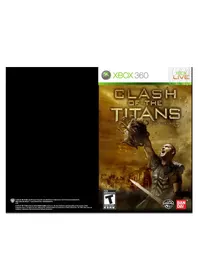
Clash of the Titans (Xbox 360) - Game MICROSOFT - Free user manual and instructions
Find the device manual for free Clash of the Titans (Xbox 360) MICROSOFT in PDF.


| Product type | Video game for console |
| Brand | Microsoft |
| Model | Clash of the Titans |
| Platform | Xbox 360 |
| Genre | Action-adventure |
| ESRB Rating | Teen (T) - Content suggested for ages 13 and up |
| Number of players | 1 player |
| Online features | Xbox LIVE (broadband connection required) |
| Publisher | NAMCO BANDAI Games America Inc. |
| Media | DVD-ROM |
| Region | NTSC (North America) |
| Manual languages | French, English |
| Box content | Game disc, instruction manual |
| Limited warranty | 90 days from the date of purchase |
| Technical support | support@namcobandaigames.com / Phone (408) 235-2222 |
| Manufacturer's website | www.namcobandaigames.com |
| Controls | Xbox 360 controller (analog stick, triggers, A/B/X/Y buttons) |
| Health precautions | Consult the manual for warnings about photosensitive epilepsy |
Frequently Asked Questions - Clash of the Titans (Xbox 360) MICROSOFT
User questions about Clash of the Titans (Xbox 360) MICROSOFT
0 question about this device. Answer the ones you know or ask your own.
Ask a new question about this device
Download the instructions for your Game in PDF format for free! Find your manual Clash of the Titans (Xbox 360) - MICROSOFT and take your electronic device back in hand. On this page are published all the documents necessary for the use of your device. Clash of the Titans (Xbox 360) by MICROSOFT.
USER MANUAL Clash of the Titans (Xbox 360) MICROSOFT
WARNING Before playing this game, read the Xbox 360® console and accessory manuals for important safety and health information. Keep all manuals for future reference. For replacement console and accessory manuals, go to www.xbox.com/support.
Important Health Warning About Playing Video Games
Photosensitive seizures
A very small percentage of people may experience a seizure when exposed to certain visual images, including flashing lights or patterns that may appear in video games. Even people who have no history of seizures or epilepsy may have an undiagnosed condition that can cause these "photosensitive epileptic seizures" while watching video games.
These seizures may have a variety of symptoms, including lightheadedness, altered vision, eye or face twitching, jerking or shaking of arms or legs, disorientation, confusion, or momentary loss of awareness. Seizures may also cause loss of consciousness or convulsions that can lead to injury from falling down or striking nearby objects.
Immediately stop playing and consult a doctor if you experience any of these symptoms. Parents should watch for or ask their children about the above symptoms—children and teenagers are more likely than adults to experience these seizures. The risk of photosensitive epileptic seizures may be reduced by taking the following precautions: Sit farther from the screen; use a smaller screen; play in a well-lit room; do not play when you are drowsy or fatigued.
If you or any of your relatives have a history of seizures or epilepsy, consult a doctor before playing.
ESRB Game Ratings
The Entertainment Software Rating Board (ESRB) ratings are designed to provide consumers, especially parents, with concise, impartial guidance about the age-appropriateness and content of computer and video games. This information can help consumers make informed purchase decisions about which games they deem suitable for their children and families.
ESRB ratings have two equal parts:
- Rating Symbols suggest age appropriateness for the game. These symbols appear on the front of virtually every game box available for retail sale or rental in the United States and Canada.
Content Descriptors indicate elements in a game that may have triggered a particular rating and/or may be of interest or concern. The descriptors appear on the back of the box next to the rating symbol.

For more information, visit www.ESRB.org.
CONNECTING TO Xbox LIVE
Xbox LIVE
Xbox LIVE brings more of the entertainment you love right to your living room. Raise the curtain on your own instant movie night with thousands of HD movies, TV shows, and videos downloaded in a snap from Xbox LIVE and Netflix. Find the perfect game for any player with a free trial of hundreds of titles from the largest library available. With downloadable Game Add-Ons like maps, songs, weapons and levels, you'll get more out of every game by putting more into it. And don't forget to connect and play with friends wherever they happen to be. With Xbox LIVE, your fun never ends.
During gameplay, press and hold down the PS button on the wireless controller for at least 2 seconds. Then select "Quit Game" from the screen that is displayed.
CONNECTING
Before you can use Xbox LIVE, connect your Xbox 360 console to a high-speed Internet connection and sign up to become an Xbox LIVE member. For more information about connecting, and to determine whether Xbox LIVE is available in your region, go to www.xbox.com/live/countries. Utility" in the Game menu.
FAMILY SETTINGS
These easy and flexible tools enable parents and caregivers to decide which games young game players can access based on the content rating. Parents can restrict access to mature-rated content. Approve who and how your family interacts with others online with the Xbox LIVE service. And set time limits on how long they can play. For more information, go to: www.xbox.com/familysettings.
STORY
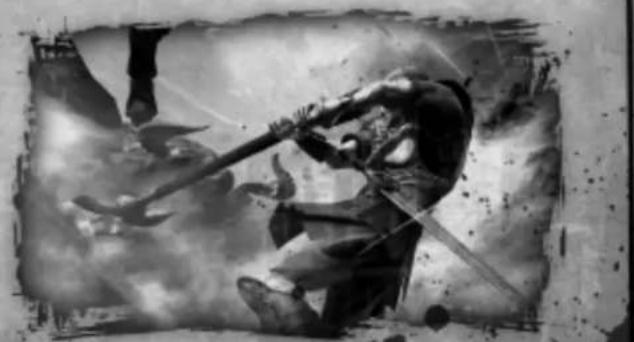
The Island of Paxos, home to a meek and impoverished people. One fateful day, soldiers from Argos appear on its shores. They intend to destroy the Colossus that stands on the Mount of Idols.
They wish to revolt against the gods.
However, the gods do not tolerate such insolation.
The soldiers from Argos are struck down by a merciless hammer of the gods.
Their rage even falls on the people of Paxos, despite their refusal to harbor the soldiers.
Their peaceful island now enveloped in flames, a young islander by the name of Perseus desperately tries to save his family.
3
BASIC CONTROLS
ACTION AND MENU CONTROLS
Left Stick Move Character Move Cursor
Right Stick... Move Camera Press to Reset Camera
Directional Pad... Move Cursor Switch Sub Weapon
A Button Confirm (Menu) Jump
B Button. Cancel
X Button Speak with NPC
Left Trigger....Reset Camera
START Button Player Menu
BACK Button . Pase Menu
BASIC BATTLE CONTROLS
Left Stick Move Character Press to call Support Characters NOTE: You must have a Support Character to call.
Right Stick...In General = Move Camera NOTE: Some situations will disable this control.
Press to Reset Camera
When Locked On =
Move left/right: Switch targets
Move up/down Move camera up and down
Directional Pad .Switch Sub Weaons
A Button.... Jump
B Button Sub Weapon Attack
X Button. Weak Attack (Main Weapon)
Y Button. Strong Attack (Main Weapon)
Left Bumper.. Sub Weapon Seize
Right Bumper.. Press Soul Seize when available Hold Down = Chain Seize
Left Trigger...Lock On
Right Trigger. Emergency Evasion Perform maneuver in the direction held on the left stick
START Button Open Player Menu
BACK Button.. Open Pause Menu
Ever get stuck and just need that extra edge to beat the level? Having problems getting your game to work properly? Now you can get one-on-one help from NAMCO BANDAI Games America Inc. using your web browser! Simply go to livehelp.namco.com for more details. Live Counselors available from 9am-5pm Monday-Friday Pacific Time.
NAMCO BANDAI Games America Inc. ATTN: Customer Service 4555 Great America Parkway, Suite 201 Santa Clara, CA 95054
Before returning any defective materials to us, please contact us for a Return Merchandise Authorization (RMA) number. You can reach us at the address above, via e-mail at support@namcobandaigames.com or contact us at (408) 235-2222. Please note that any materials sent to us without an RMA number will be refused and returned. We highly recommend that you use a traceable and / or insured method of shipping the materials to us.
NAMCO BANDAI Games America Inc. Online: www.namcobandaigames.com Visit our Website to get information about our new titles.
LIMITED WARRANTY: NAMCO BANDAI Games America Inc. warrants to the original purchaser that this NAMCO BANDAI Games America Inc. game pack shall be free from defects in material and workmanship for a period of ninety (90) days from the date of purchase. If a defect covered by this limited warranty occurs during this 90-day limited warranty period, NAMCO BANDAI Games America Inc. will repair or replace the defective game pack or component part, at its option, free of charge. This limited warranty does not apply if the defects have been caused by negligence, accident, unreasonable use, modification, tampering, or any other cause not related to defective material or workmanship.
LIMITATIONS ON WARRANTY: Any applicable implied warranties of merchantability and fitness for a particular purpose, are hereby limited to ninety (90) days from the date of purchase and are subject to the conditions set forth herein. In no event shall NAMCO BANDAI Games America Inc. be liable for consequential or incidental damages resulting from the possession or use of this product. The provisions of the limited warranty are valid in the United States only. Some states do not allow limitations on how long an implied warranty lasts, or exclusion of consequential or incidental damages, so the above limitation or exclusion may not apply to you. This limited warranty provides you with specific legal rights. You may have other rights which vary from state to state.
Microsoft, Xbox, Xbox 360, Xbox LIVE and Xbox logos are trademarks of the Microsoft group of companies.
To register product online go to
WWW.NAMCOREG.COM
Microsoft, Xbox, Xbox 360, Xbox LIVE and Xbox logos are trademarks of the Microsoft group of companies.
To register product online go to
WWW.NAMCOREG.COM

Brand : MICROSOFT
Model : Clash of the Titans (Xbox 360)
Category : Game