 ManualGo.com
HD7873/50 - Coffee maker PHILIPS - Free user manual and instructions
Find the device manual for free HD7873/50 PHILIPS in PDF.



Download the instructions for your Coffee maker in PDF format for free! Find your manual HD7873/50 - PHILIPS and take your electronic device back in hand. On this page are published all the documents necessary for the use of your device. HD7873/50 by PHILIPS.
USER MANUAL HD7873/50 PHILIPS
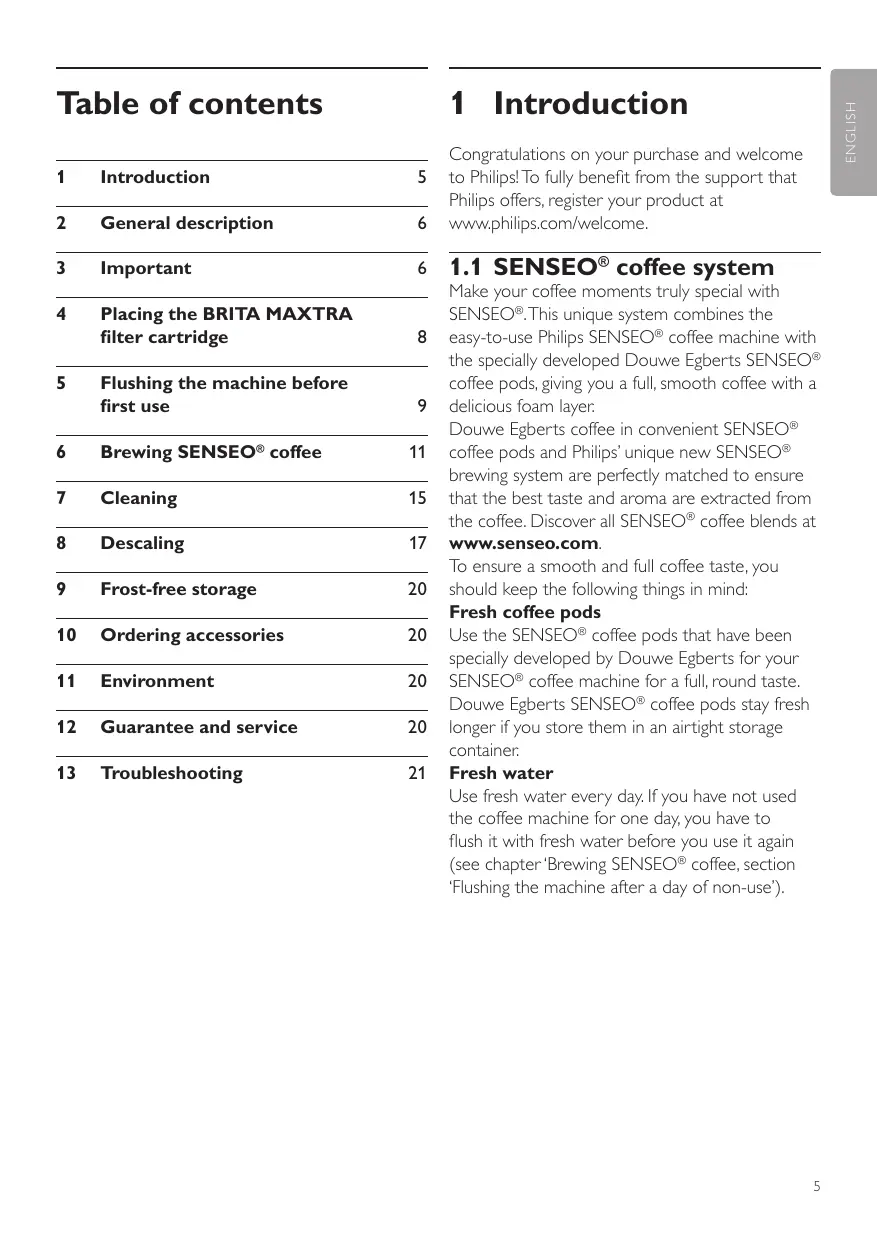
Congratulations on your purchase and welcome to Philips! To fully benefit from the support that Philips offers, register your product at www.philips.com/welcome.
1.1 SENSEO® coffee system
Placing the BRITA MAXTRA filter cartridge
Flushing the machine before first use
Brewing SENSEO® coffee
Ordering accessories
Guarantee and service
E ngl ish Table of contents Make your coffee moments truly special with SENSEO®. This unique system combines the easy-to-use Philips SENSEO® coffee machine with the specially developed Douwe Egberts SENSEO® coffee pods, giving you a full, smooth coffee with a delicious foam layer. Douwe Egberts coffee in convenient SENSEO® coffee pods and Philips’ unique new SENSEO® brewing system are perfectly matched to ensure that the best taste and aroma are extracted from the coffee. Discover all SENSEO® coffee blends at www.senseo.com. To ensure a smooth and full coffee taste, you should keep the following things in mind: Fresh coffee pods Use the SENSEO® coffee pods that have been specially developed by Douwe Egberts for your SENSEO® coffee machine for a full, round taste. Douwe Egberts SENSEO® coffee pods stay fresh longer if you store them in an airtight storage container. Fresh water Use fresh water every day. If you have not used the coffee machine for one day, you have to flush it with fresh water before you use it again (see chapter ‘Brewing SENSEO® coffee, section ‘Flushing the machine after a day of non-use’).
filter cartridge To enjoy coffee from your SENSEO® machine to the fullest, a BRITA MAXTRA filter cartridge is included. It ensures optimum water for complete enjoyment of your drinks. BRITA MAXTRA Technology with its natural MicroporeFilter and powerful ProtectFilter provides optimum BRITA-filtered water for: Intensive aroma and flavour The BRITA MAXTRA filter cartridge supports development of the natural taste and aroma of your coffee by reducing substances affecting smell and taste, such as chlorine. As a result, your coffee develops a natural aroma and flavour. Improved appearance With the BRITA MAXTRA filter cartridge, your coffee will develop a smooth creamy appearance, thanks to the reduced carbonate hardness (scale content) of the tap water. Reliable machine protection Using BRITA-filtered water in your Philips SENSEO® machine helps to reduce scale build-up in your machine, provides longer machine life and ensures consistently reliable brewing for as long as you own your machine . For more information, please visit the BRITA website: www.brita.net. 2 General description (Fig. 1) 1 Coffee collector 2 Lid lever 3 Lid with brewing chamber 4 Sealing ring 5 Water distribution disc 6 2-cup pod holder qq 7 1-cup pod holder q 8 Coffee spout cover 9 Coffee spout 10 Spout release buttons 11 Removable drip tray
Cup tray Touch panel On/off button Personal coffee memory symbol Regular coffee symbol Selection button Strong coffee symbol CALC light 1-cup button q 2-cup button qq Water reservoir Filter holder BRITA MAXTRA filter cartridge Filter cartridge replacement dial Filter cartridge replacement indicator Water reservoir lid 3 Important Read this user manual carefully before you use the machine and save it for future reference. Danger
- • Never immerse the machine in water or any other liquid. Warning
- • Check if the voltage indicated on the bottom of the machine corresponds to the local mains voltage before you connect the machine.
- • This machine is not intended for use by persons (including children) with reduced physical, sensory or mental capabilities, or lack of experience and knowledge, unless they have been given supervision or instruction concerning use of the machine by a person responsible for their safety.
- • Children should be supervised to ensure that they do not play with the machine.
- • Do not use the machine if the plug, the mains cord or the machine itself is damaged.
- • If the mains cord is damaged, you must have it replaced by Philips, a service centre authorised by Philips or similarly qualified persons in order to avoid a hazard.
- • Filter cold tap water only.
- • Clean the water reservoir and filter holder regularly.
- • For certain groups of people (e.g. those with impaired immunity and for babies), it is generally recommended to boil tap water. This also applies to BRITA-filtered water.
- • For hygiene reasons, the BRITA MAXTRA filter cartridge contents are subject to special treatment with silver. A very small amount of silver may be transferred to the water. This transference would be within the World Health Organisation (WHO) guidelines.
- • During the filtering process, there may be a slight increase in potassium content. However, one litre of BRITA-filtered water contains less potassium than e.g. an apple. If you have kidney disease and/or follow a potassiumrestricted diet, we recommend that you consult your doctor before using a BRITA water filter. Or call BRITACare Customer Service for further information.
- • If you are not going to use your SENSEO® coffee machine for a prolonged period (e.g. a holiday), BRITA recommends that you take out the cartridge, discard any water left inside the water reservoir and loosely insert the BRITA MAXTRA filter cartridge in the filter holder again. Before you use the coffee machine again, take out the filter cartridge, clean the SENSEO® water reservoir and filter holder thoroughly and repeat the steps described in chapter ‘Placing the BRITA MAXTRA filter cartridge’.
- • BRITA-filtered water is intended for human consumption. It is a perishable food and as such please consume within one to two days.
- • Like each natural product, the consistency of the BRITA MAXTRA MicroporeFilter is subject to natural variances. This can lead to a slight abrasion of small black carbon particles into your filtered water. These particles have no negative health effects. If ingested, they will not harm the human body. If you observe carbon particles, BRITA recommends that you flush the cartridge several times or until the black particles disappear.
- • After unpacking the machine, never put your SENSEO® machine on its side. Always keep it in upright position, also during transport.
- • Always return the machine to a service centre authorised by Philips for examination or repair. Do not attempt to repair the machine yourself, otherwise your guarantee becomes invalid.
- • Do not use the machine in combination with a transformer, as this could cause hazardous situations.
- • Always put the machine on a flat and stable surface.
- • Do not use the machine at altitudes higher than 2200 metres above sea level.
- • Never pour milk, coffee, hot water or carbonated water into the water reservoir.
- • Never flush the machine or let it brew coffee when the spout is not in place.
- • This machine is intended for normal household use only. It is not intended for use in environments such as staff kitchens of shops, offices, farms or other work environments. Nor is it intended to be used by clients in hotels, motels, bed and breakfasts and other residential environments. Important information about the BRITA MAXTRA filter cartridge
- • If your SENSEO® machine requires descaling, always remove the BRITA MAXTRA filter cartridge from the filter holder in the water reservoir. After descaling, clean the water reservoir and filter holder and reinsert the BRITA MAXTRA filter cartridge.
- • Always store spare filter cartridges sealed in the original packaging in a shady, cool and dry place.
- • BRITA water filters are designed for use only with municipally treated tap water (this water is constantly controlled and according to legal regulations safe to drink) or with water from private supplies that has been tested as safe to drink. If an instruction is received from the authorities that mains water must be boiled, the BRITA-filtered water must also be boiled. When the instruction to boil water is no longer in force, clean the SENSEO® water reservoir and filter holder and insert a new BRITA MAXTRA filter cartridge.
- • BRITA cannot accept responsibility or liability if you do not respect our recommendations for the use and exchange of the BRITA MAXTRA filter cartridge.
3.1 Compliance with standards
This machine complies with all standards regarding electromagnetic fields (EMF). If handled properly and according to the instructions in this user manual, the machine is safe to use based on scientific evidence available today. The energy consumption of this machine in off mode is less than 1 watt. This means that this machine complies with European Directive 2009/125/EC, which sets the ecological design requirements for energy-using products.
4 Placing the BRITA MAXTRA filter cartridge Preparation of your BRITA MAXTRA filter cartridge is simple. Please follow the steps below to enjoy BRITA-filtered water in your coffee. 1 To prepare your BRITA MAXTRA filter cartridge, please remove the protective wrapper. Immerse the filter cartridge in cold water and shake it gently to remove any air bubbles.The filter cartridge is now ready for use.
- • The filter cartridge and the inside of the wrapper may appear moist. This is simply condensation.
- • There is no need to pre-soak the BRITA MAXTRA filter cartridge, as is required for some other water filter cartridges. The new SENSEO® water reservoir consists of 3 parts: the water reservoir, the filter holder and the lid. Remove the filter holder from the water reservoir. Clean the water reservoir, the filter holder and the lid in hot water, if desired with some washing-up liquid. D Note: You can also clean the water reservoir and the filter holder in the dishwasher. Insert the filter cartridge firmly into the filter holder until you hear a click. To flush the filter cartridge, hold the filter holder over a sink and fill it with cold tap water. Let the water flow through the filter cartridge and discard the water. Then repeat this process once more. 5 Flushing the machine before first use E ngl ish
It is important that you flush your SENSEO® coffee machine before first use. After the flushing cycle (which only takes approx. 2 minutes), the machine is ready for brewing SENSEO® coffee.
Place the filter cartridge holder in the water reservoir. The BRITA MAXTRA filter cartridge should be replaced every 2 months. To remind you when to replace the filter cartridge, turn the lid upside down (1). Set the dial in the bottom of the lid to the month in which you replaced the filter cartridge (2). In the top of the lid, the filter cartridge replacement indicator shows the month in which you need to replace the filter cartridge again. C Caution: Never interrupt the flushing cycle halfway. If you do, the boiler does not fill itself properly. 1 Attach the spout to the machine. Grab the two ridges of the inner part of the spout and squeeze them lightly (1). Place the spout on the machine and release the two ridges (2).
C Caution: Never flush the machine or let it brew coffee when the spout is not in place. Tilt the top of the water reservoir backwards (1) and lift the water reservoir off the machine (2).
Fill the water reservoir to the top with cold tap water.
Place a bowl with a capacity of at least 2 litres under the coffee spout. Place the lid on the water reservoir before you put the water reservoir back onto the machine.
Make sure a pod holder, without pod or pods, is in place.
Put the plug in an earthed wall socket. Press the on/off button 3. The button lights up to indicate that you have to flush the machine. Tilt the water reservoir and place the bottom back onto the machine (1). Then press the top of the water reservoir towards the machine (2).
Remove the drip tray. To start flushing, press the 1-cup button q and the 2-cup button qq briefly at the same time. The on/off button starts flashing to indicate that the flushing cycle has started.
- • During the flushing cycle, the boiler fills itself with water from the water reservoir and cold water comes out of the coffee spout. During the flushing cycle, the machine produces more noise than during a regular brewing cycle.
- • When all the water in the water reservoir has been used up, the flushing cycle is finished and the machine switches off.
Fill the water reservoir with fresh tap water, put the lid on it and place it back onto the machine. E ngl ish
Your SENSEO® machine is now ready for use so that you can brew your first cup of delicious coffee. 6 Brewing SENSEO® coffee While the SENSEO® coffee machine is heating up, you can select the coffee strength you prefer and the number of cups you want to brew. The machine then brews the cup or cups immediately after it has heated up. 1 Make sure that the water reservoir is filled with fresh cold tap water beyond the MIN level (1) and that the lid is on the water reservoir (2).
E Tip: Use fresh water every day. Put the plug in an earthed wall socket. Press the on/off button 3. The on/off button flashes slowly while the water heats up.
D Note: If the on/off button flashes rapidly, the water reservoir does not contain enough water for brewing one cup of coffee. Pull the lid lever upwards to open the lid. The lid opens automatically. D Note: Make sure the coffee in the pod or pods is evenly distributed.
If you want to make one cup of SENSEO® coffee, place the 1-cup pod holder q in the machine (1). If you want to make two cups, put the 2-cup pod holder qq in the machine (2). Make sure the pod holder is clean. Place 1 coffee pod in the 1-cup pod holder q (1) or place 2 coffee pods in the 2-cup pod holder qq (2). Place the pod or pods properly in the centre of the pod holder, with the convex side pointing downwards. Press the pod or pods lightly into the pod holder. C Caution: Never put normal ground coffee or use torn pods in the SENSEO® machine, as this causes it to become blocked. Close the lid (1) and lock the lever (2). B Warning: Make sure the lid is closed properly and the lid lever is locked before you start brewing coffee.
Place one cup or two cups under the spout openings. You can adjust the height of the coffee spout by sliding it upwards or downwards. You can also remove the drip tray to be able to place higher cups. D Note The cups you use should have a capacity of at least 150ml when you brew regular coffee or 100ml when you brew strong coffee. Do not use cups that are too large, as they cause the coffee to get cold more quickly. Press the selection button to select the desired coffee strength. Select the cup symbol with three bars for a regular cup of coffee (125ml) (1). Select the cup symbol with one bar for a strong cup of coffee (60ml) (2). When you have selected the desired coffee strength, press the 1-cup button q for one cup (1) or press the 2-cup button qq for two cups (2).
When the water has heated up and the on/ off button lights up continuously, the machine starts brewing coffee. E Tip: You can interrupt the brewing cycle at any time. To do this, press the same cup button (1cup button or 2-cup button) that you pressed to start brewing coffee. However, if you do this, the machine does not complete the interrupted brewing cycle if you switch it on again or press the same cup button again.
D Note: Do not remove the water reservoir during a brewing cycle. When the coffee is ready, remove the used coffee pod or pods. Simply lift the pod holder out of the machine and empty it. C Caution: There may still be some hot water/coffee on the coffee pod or pods. After use, press the on/off button 3 to switch off the machine. D Note: If you do not use the machine, it switches off automatically after 15 minutes to save energy.
6.1 Personal coffee memory
You can program the machine to brew the amount of coffee you prefer (up to 145ml). Simply experiment and find out what you like best. We advise you to brew at least 60ml for optimal taste and temperature. While programming, you can only use the 1-cup button. When you have completed the programming process, you will be able to brew one or two cups with the programmed amount of coffee. D Note: It is not possible to program your personal coffee memory while the machine is heating up. Wait until the on/off button lights up continuously. 1 Place 1 coffee pod in the 1-cup pod holder and place 1 cup under the spout openings. 2 To enter the programming mode, first select the personal coffee memory symbol (star symbol) with the selection button (1). Keep the selection button pressed for 2 seconds until the star symbol starts flashing (2) and you hear a beep. Then release the selection button. From now on, your SENSEO® machine brews one or two cups with this amount of coffee when you select the personal coffee memory symbol with the selection button. D Note: If you want to change the set amount of coffee, simply perform steps 1-4 again.
6.2 Flushing the machine after
a day of non-use If you have not used the coffee machine for one day, flush it to make sure that the boiler is filled with fresh water. To flush the machine, brew two cups of hot water in the following way: 1 Fill the water reservoir with cold tap water beyond the MIN level (1). Put the lid on it (2) and put it the water reservoir back onto the machine.
Press the 1-cup button to make the coffee flow into the cup (1). When the cup contains the amount of coffee you prefer, press the 1-cup button again (2). Your preferred amount of coffee has been set. Put the 1-cup pod holder q or the 2-cup pod holder qq in the machine without pods.
Close the lid and lock the lever. Put two cups or a large mug under the coffee spout to collect the water.
Press the on/off button 3. The on/off button flashes slowly while the water heats up.
Make sure that the coffee strength you have selected is regular coffee (cup symbol with three bars). Press the 2-cup button qq to brew two cups of hot water.
7 Cleaning Regular cleaning of your SENSEO® is important to ensure that the SENSEO® coffee always tastes optimally and to optimise the lifetime of the coffee machine. B Warning: Never immerse the SENSEO® coffee machine in water. 1 Always unplug the machine before you clean it. 2 Clean the outside of the machine with a moist cloth. 3 Remove the coffee collector.
To remove the coffee spout, press the release buttons (1) and pull the coffee spout off the machine (2). When the water has heated up, the on/off button lights up continuously and the coffee machine starts operating. Throw away the water in the cups. Now the machine is ready for use again.
To disassemble the coffee spout, grab the two ridges of the inner part of the spout and squeeze them lightly (1). Move the inner part downwards to remove it from the outer part of the spout (2). Remove the filter holder from the water reservoir and remove the BRITA MAXTRA filter cartridge from the filter holder. When you have finished cleaning all parts, you can easily reinsert the filter cartridge into the filter holder. Clean the water reservoir, the filter holder, the coffee spout, the coffee collector, the drip tray, the cup tray and the pod holders in hot water or in the dishwasher. C Caution: Be careful not to damage the valve in the bottom of the water reservoir if you use a washing-up brush to clean the water reservoir.
D Note: Check if the sieve in the centre of the pod holder is clogged. If this is the case, unclog the sieve by rinsing the pod holder under the tap. If necessary, use a washing-up brush to clean the sieve Clean the lid of the water reservoir in warm water, if necessary with some washing-up liquid. D Note: The lid of the water reservoir is not dishwasher-proof. Clean the water distribution disc and the rubber sealing ring with a moist cloth. C Caution: Do not remove the rubber sealing ring and be careful not to damage the tab on the water distribution disc. Clean the water inlet on the machine with a moist cloth. Scale builds up inside the machine during use. It is essential to descale the SENSEO® coffee machine when the CALC light goes on. Use SENSEO® Descaler (HD7012, HD7011, HD7006) only. When to descale
- • Descale the SENSEO® coffee machine as described below when the CALC light goes on (after you have brewed approx. 400 cups of SENSEO® coffee). Why to descale Your reasons to descale:
- • It prolongs the life of your SENSEO® coffee machine
- • It ensures maximum cup volume
- • It ensures maximum coffee temperature
- • The machine produces less sound during brewing
- • It prevents malfunctioning If the descaling procedure is not performed correctly, scale residue remains behind in the machine. This causes scale to build up more quickly and may cause permanent and irreparable damage to the machine. Use the correct descaling agent Use SENSEO® Descaler (HD7012, HD7011, HD7006) only. It has been developed to ensure better machine performance and operation. Each descaling mixture can be used only once. For more information about this descaler, visit our website www.philips.com. B Warning: Never use a descaling agent based on mineral acids such as sulphuric acid, hydrochloric acid, sulphamic acid and acetic acid (e.g. vinegar). These descaling agents may damage your SENSEO® coffee machine.
8.1 Descaling procedure
The descaling procedure consists of a descaling cycle and two flushing cycles. Do not interrupt the descaling cycle and do not switch off the machine before you have performed the two flushing cycles. 1 Remove the BRITA MAXTRA filter cartridge from the filter holder in the water reservoir.
D Note: If you accidentally start descaling with the BRITA MAXTRA filter cartridge still inside the water reservoir, throw away this filter cartridge when the descaling process is finished and replace the it with a new one. Mix 50 grams of citric acid with 1 litre of water in a measuring jug. Stir until the powder has dissolved. Fill the water reservoir with the descaling mixture. Tilt the water reservoir and place the bottom back onto the machine (1). Then press the top of the water reservoir towards the machine (2).
Press the on/off button 3. The on/off button flashes slowly while the water heats up. The machine is ready for descaling when the on/ off button lights up continuously.
Remove the drip tray.
Put a bowl with a capacity of at least 2 litres under the spout to collect the descaling mixture. Place the 1-cup pod holder q with a used coffee pod in it in the coffee machine. Close the lid and make sure it is properly locked.
D Note: Always put a used coffee pod in the pod holder when you descale the machine. This pod serves as a ‘filter’ to prevent the sieve or hole in the pod holder from getting clogged with scale residue. When the on/off button lights up continuously, press the 1-cup button q and the 2-cup button qq at the same time for 3 seconds until you hear a beep. Release the buttons as soon as their lights as well as the selected strength go out. This means that the descaling procedure has been activated correctly. B Warning: Make sure the lid is closed properly and the lid lever is locked before you start descaling the machine. D Note: If you press the 1-cup and 2-cup button longer than 3 seconds, the machine does not start the descaling cycle. If this happens, press the 1-cup button and the 2-cup button at the same time for 3 seconds again.
8.2 Flushing after descaling
- • The CALC light and the on/off button start flashing to indicate that the descaling cycle is in progress.
- • During the descaling cycle, the water comes out of the machine in intervals.
- • When all the water in the water reservoir has been used up, the descaling cycle is finished. The on/off button starts to flash rapidly.
Rinse the water reservoir under the tap and then fill it to the top with fresh tap water. Put a bowl with a capacity of at least 2 litres under the spout to collect the water.
Press the 1-cup button q and the 2-cup button qq at the same time for 3 seconds until you hear a beep to start the flushing cycle.
Remove the used pod and clean the pod holder after the flushing cycle to prevent the sieve in the centre from getting clogged. Repeat steps 1 to 6 to ensure a clean machine. After the descaling cycle and the flushing cycles, the CALC light goes out and the machine switches off automatically. You can now reinsert the BRITA MAXTRA filter cartridge into the water reservoir. D Notes:
- • Do not place the BRITA MAXTRA filter cartridge in the water reservoir.
- • Do not refill the water reservoir with used hot water or the used descaling mixture. Tilt the water reservoir and place the bottom back onto the machine (1). Then press the top of the water reservoir towards the machine (2).
Place the 1-cup pod holder q with a used coffee pod in it in the coffee machine. Close the lid and make sure it is properly locked.
9 Frost-free storage After you have flushed the machine for the first time (see chapter ‘Flushing the machine before first use’), it may only be used and stored in a frost-free place to prevent damage. 10 Ordering accessories To purchase accessories for this machine, please visit our online shop at www.shop.philips.com/service. If the online shop is not available in your country, go to your Philips dealer or a Philips service centre. If you have any difficulties obtaining accessories for your machine, please contact the Philips Consumer Care Centre in your country. You find its contact details in the worldwide guarantee leaflet.
10.1 BRITA MAXTRA filter
cartridges For information on where to buy BRITA MAXTRA filter cartridges for your machine, please visit www.brita.net. 11 Environment
- • Do not throw away the machine with the normal household waste at the end of its life, but hand it in at an official collection point for recycling. By doing this, you help to preserve the environment.
12 Guarantee and service If you need service or information or if you have a problem, please visit the Philips website at www.philips.com/support or contact the Philips Consumer Care Centre in your country. You find its phone number in the worldwide guarantee leaflet. If there is no Consumer Care Centre in your country, go to your local Philips dealer. The purchase of the Philips SENSEO® coffee machine does not exhaust any of the rights of Sara Lee/Douwe Egberts or Philips under any of their patents nor does it confer upon the purchaser a licence under these patents. Always return the machine to a service centre authorised by Philips for examination or repair. Do not attempt to repair the machine yourself, otherwise your guarantee becomes invalid. To contact BRITA, please visit www.brita.net. E ngl ish 13 Troubleshooting
13.1 SENSEO® coffee machine
This section summarises the most common problems you could encounter with the machine. If you are unable to solve the problem with the information below, visit www.philips.com/support for a list of frequently asked questions or contact the Consumer Care Centre in your country. Problem Solution My cup overflowed when I used the machine for the first time. You probably tried to brew a cup of coffee without flushing the machine first. Before you start brewing coffee, you have to flush the machine. When you switch on the machine again, the on/off button either lights up continuously or flashes slowly or rapidly. If the on/off button lights up continuously, you have to carry out the flushing procedure (see chapter ‘Flushing the machine before first use’). If the on/off button flashes slowly or rapidly, you do NOT have to carry out the flushing procedure. If the on/off button flashes slowly, the water is heating up. If it flashes rapidly, there is not enough water in the water reservoir or the water reservoir is not placed on the machine properly. If you still cannot brew coffee after you have flushed the machine, we advise you to contact the Consumer Care Centre in your country. If water continued to flow from the spout until the water reservoir was empty, the machine was performing the flushing cycle. Before you start brewing coffee, you have to flush the machine. When you switch on the machine again, the on/off button either lights up continuously or flashes slowly or rapidly. If the on/off button lights up continuously, you have to carry out the flushing procedure (see chapter ‘Flushing the machine before first use’). If the on/off button flashes slowly or rapidly, you do NOT have to carry out the flushing procedure. If the on/off button flashes slowly, the water is heating up. If it flashes rapidly, there is not enough water in the water reservoir or the water reservoir is not placed on the machine properly. If you still cannot brew coffee after you have flushed the machine, we advise you to contact the Consumer Care Centre in your country. You have used the SENSEO® coffee machine at an altitude higher than 2200 metres above sea level. This has caused the water in the machine to start boiling before it has reached the required temperature, which prevents the machine from functioning properly. Switch off the machine and no longer use it at altitudes higher than 2200 metres above sea level. You have pressed the 1-cup button and the 2-cup button at the same time. This started the descaling cycle. If you did not intend to start the descaling cycle, simply press the on/off button to switch off the machine. If you did intend to start the descaling cycle, do not interrupt this cycle but let the appliance operate until the water reservoir is empty. Water continued to flow from the spout when I used the machine for the first time. The on/off button flashes slowly. The CALC light flashes.
Problem Solution The CALC light does not go out after descaling. The CALC light does not go out if the descaling procedure has not been performed correctly. To perform the descaling procedure correctly: The on/off button continues to flash rapidly. Water leaks from the coffee machine.
1. Make sure that you do not interrupt the descaling cycle or switch off or
unplug the machine during the descaling cycle. During the descaling cycle, hot water comes out of the coffee spout at intervals and the machine stops descaling 3 to 4 times to let the descaling mixture act and to heat up again.
2. Make sure that you start the descaling cycle by pressing the 1-cup
button and the 2-cup button at the same time. See chapter ‘Descaling’ for a complete description of the descaling procedure.
3. Make sure that you use three full water reservoirs to complete the
descaling procedure: one reservoir filled with descaling mixture and two reservoirs filled with fresh water. Make sure that there is enough water in the water reservoir and that the water reservoir is placed properly. Make sure that the ambient temperature is not lower than 5°C. If it is, the machine does not function properly. If you use a BRITA MAXTRA filter cartridge, please keep in mind that it takes a few seconds for the water to flow through the filter. If you use a BRITA MAXTRA filter cartridge and the on/off button still flashes rapidly after a few seconds, check if the water is flowing through the filter. You can remove the filter holder from the water reservoir and then check if water flows out of the bottom of the filter holder. If no water comes out of the filter holder, remove the filter cartridge and reinsert it properly (you hear a click). If you notice coffee or water leaking from your SENSEO® machine, try to establish where the leakage occurs. This is important, as the location of the leakage determines the solution.
1. If the leakage occurs near the lid or the spout, make sure that:
1a. The sieve in the centre of the pod holder is not clogged. If it is, unclog the sieve by holding the pod holder under a running tap. 1b. The coffee pod has been put properly in the centre of the pod holder. 1c. The sealing ring has not got stuck under the edge of the water distribution disc (see figure 1 at the beginning of this user manual). 1d. The spout and the coffee collector have been placed correctly.
2. If the leakage occurs near the bottom of the water reservoir or under the
machine, make sure that: 2a. There is not too much water in the water reservoir. 2b. You do not place the water reservoir onto the machine too roughly. If you place the water reservoir too roughly, water may splash out of the water reservoir. I cannot open the lid. The coffee machine produces less coffee than before. I cannot close the lid properly. The SENSEO® coffee is not strong enough. The coffee is not hot enough. Solution 2c. The water reservoir is not damaged or broken. Normally, water should not start to drip from the water outlet in the bottom of the water reservoir within 30 seconds after filling. In all other cases, contact the Philips Consumer Care Centre in your country. A vacuum may have temporarily formed under the lid. Switch off the machine. Pull up the lever and wait 24 hours before you open the lid.You may need to use quite some force. Make sure that you do not move the SENSEO® machine. Moving the machine, placing it outdoors or in a cool or cold environment does not accelerate the unlocking of the lid. For this not to happen again, always make sure that the pod holders are clean and that the sieve in the centre of the pod holders is not clogged. If this problem continues to occur, contact the Philips Consumer Care Centre in your country. Perhaps the sieve in the centre of the pod holder is clogged. If this is the case, unclog the sieve by rinsing the pod holder under a running tap. Use a washing-up brush to clean the sieve, if necessary. Descale the machine (see chapter ‘Descaling’). Check if a used coffee pod is sticking to the water distribution disc. If this is the case, remove the used pod. Check if you used the correct pod holder. Use 2 pods in combination with the deeper 2-cup pod holder qq. Make sure that you have selected the coffee strength that you prefer. You can choose between regular and strong coffee. You can also use the personal coffee memory to obtain smaller cups of stronger coffee or larger cups of milder coffee (see chapter ‘Brewing SENSEO® coffee’, section ‘Personal coffee memory’). Make sure that you have used the correct number of pods and have pressed the right button. Use 2 pods in combination with the 2-cup pod holder qq and the 2-cup button qq. Make sure that you have placed the coffee pod or pods properly in the centre of the pod holder, to prevent water from escaping along the edge of the pod or pods. When you use two coffee pods on top of each other, make sure that the convex sides of both pods point downwards and press the pods lightly into the pod holder. Make sure that you have not used the same coffee pod twice by accident. Make sure that the coffee in the pod is evenly distributed. If you prefer a more robust flavour, SENSEO® coffee pods with a stronger blend are available. If you have used the machine for quite some time and the temperature of the coffee decreases, we advise you to descale the machine. See chapter ‘Descaling’. Descale your SENSEO® coffee machine regularly.
E ngl ish Problem Problem The touch panel does not work. I accidentally activate the touch panel when I clean it. The personal coffee memory button does not produce the amount of coffee I prefer. Hot water flows back into the water reservoir after every brewing session.
Solution Do not use cups that are too large, as they cause the coffee to get cold more quickly. Make sure that the cups have a capacity of at least 150ml. Use thin-walled cups. Thin-walled cups absorb less heat from the coffee than thick-walled cups. Make sure the size of the cup matches the amount of coffee. Do not brew a small amount of coffee in a large cup. If you drink coffee with fresh milk, preheat the milk in the cup in a microwave. You can preheat the coffee machine by first brewing a cup of coffee without placing a coffee pod in the pod holder. In this way you also heat up your coffee cup. If there is water on the touch panel, the buttons do not work. Make sure that the touch panel is dry and also make sure your hands are dry when you use the touch panel. Make sure that you press the selection button and not the symbols to the left of the selection button. This happens because the touch panel is very sensitive and the buttons only require a light touch to be activated. There is no problem when this happens, the machine will not start brewing coffee. Unplug the machine before you clean it. Please read section ‘Personal coffee memory’ in chapter ‘Brewing SENSEO® coffee’ and try to set the amount of coffee you prefer again. This is a normal part of the brewing process. To be able to provide you with a good cup of coffee, the SENSEO® machine builds up pressure. After every cup you brew, the pressure needs to be released. This is done by releasing some water and letting it flow back into the water tank.This water is clean and it will be used for the next cup.
13.2 BRITA MAXTRA filter cartridge
Problem Solution The coffee tastes differently after I have descaled the machine. You may have forgotten to remove the BRITA MAXTRA filter cartridge before you descaled the machine. If you did not remove the filter cartridge before descaling, you have to replace it and flush the machine (see chapter ‘Descaling’, section ‘Flushing after descaling’). The BRITA MAXTRA filter cartridge contains activated carbon. This activated carbon can be released into your filtered water as black particles. These particles have no negative health effects. If ingested, they will not harm the human body. If you observe carbon particles, BRITA recommends that you flush the cartridge several times or until the black particles disappear. For information on where to buy BRITA MAXTRA filter cartridges for your SENSEO® machine, please visit www.brita.net. Black water comes out of the new BRITA MAXTRA filter cartridge. I do not know where to buy BRITA MAXTRA filter cartridges. E ngl ish This section summarises the most common problems you could encounter with the BRITA MAXTRA filter cartridge. If you are unable to solve the problem with the information below, visit www.brita.net.