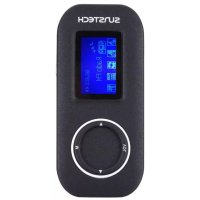
Fauno - Mp3 player Sunstech - Free user manual and instructions
Find the device manual for free Fauno Sunstech in PDF.



| Product type | MP3 player |
| Brand | Sunstech |
| Model | Fauno |
| Approx. dimensions | 80 x 30 x 10 mm |
| Approx. weight | 30 g |
| Power supply | Rechargeable lithium-ion battery via USB port |
| Screen | Backlit LCD |
| Internal storage | Not specified (microSD expansion up to 32 GB) |
| Supported audio formats | MP3 (other formats not specified) |
| Main functions | MP3 playback, FM radio, voice recording, repeat, equalizer |
| Connectivity | USB 2.0, 3.5 mm headphone jack, microSD slot |
| FM radio | Auto search, 7 presets |
| Recording | Built-in voice recording mode |
| Equalizer | 7 modes: Natural, Rock, Pop, Classical, Soft, Jazz, DBB |
| Repeat | 7 modes: Normal, Once, Folder, Repeat folder, All, Random, Intro |
| Interface languages | Multi-language (not exhaustive) |
| Lyrics display | Yes (long press M) |
| Sleep timer and standby | Yes, adjustable |
| Contrast | Adjustable |
| Care and cleaning | Soft cloth slightly damp, no abrasives |
| Safety | Do not expose to water, extreme temperatures, magnetic fields |
| Spare parts and repairability | Repairs by qualified technician only |
| Warranty | 2 years (excluding misuse) |
Frequently Asked Questions - Fauno Sunstech
User questions about Fauno Sunstech
0 question about this device. Answer the ones you know or ask your own.
Ask a new question about this device
Download the instructions for your Mp3 player in PDF format for free! Find your manual Fauno - Sunstech and take your electronic device back in hand. On this page are published all the documents necessary for the use of your device. Fauno by Sunstech.
USER MANUAL Fauno Sunstech
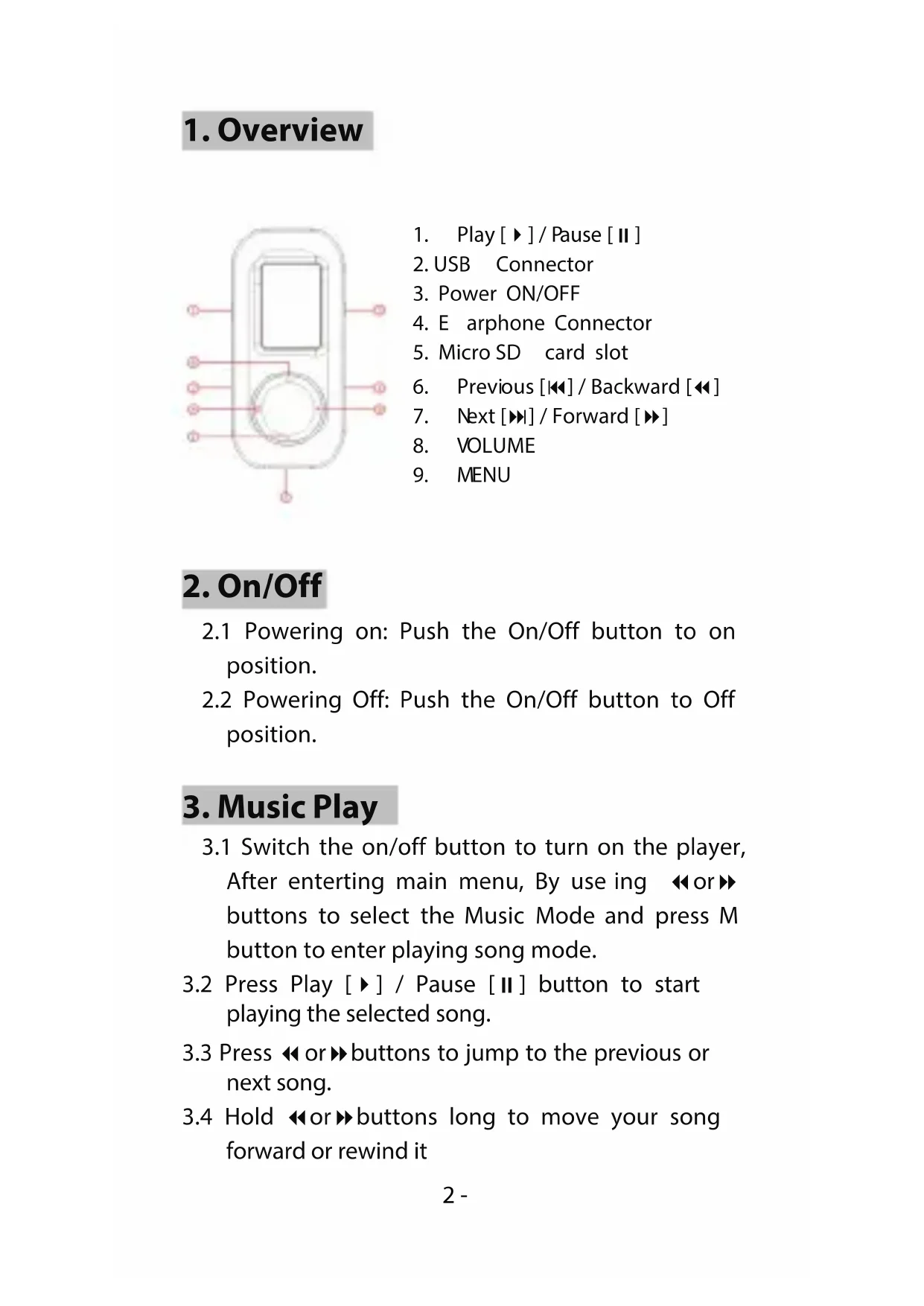
- Play [▶] / Pause [II]
- USB Connector
- Power ON/OFF
- E arphone Connector
- Micro SD card slot
- Previous [◀◀] / Backward [◀◀]
- Next [▶▶] / Forward [▶▶]
- VOLUME
- MENU
2. On/Off
2.1 Powering on: Push the On/Off button to on position.
2.2 Powering Off: Push the On/Off button to Off position.
3. Music Play
3.1 Switch the on/off button to turn on the player, After entering main menu, By using ◀ or ▶ buttons to select the Music Mode and press M button to enter playing song mode.
3.2 Press Play [▶] / Pause [Ⅱ] button to start playing the selected song.
3.3 Press ◀ or ▶ buttons to jump to the previous or next song.
3.4 Hold ◀ or ▶ buttons long to move your song forward or rewind it
3.5 Press M button long to show the LYRIC and press M again to return it.
3.6 In music playing or stop mode, First press VOL button, Then press ◀ or ▶ button to decrease or increase the Volume.
3.7 Hold M button long to back to the main menu.
4. Record Mode
4.1 After entering main menu, By using ◀ or ▶ buttons to select the Record Mode and press M button to enter Recording mode.
4.2 Press Play [▶] / Pause [Ⅱ] button to start recording.
4.3 Press Play [▶] / Pause [Ⅱ] button to pause or continue recording.
4.4 Hold M button long to save the recorded voice when finish recording.
4.5 Hold M button long to back to the main menu.
5. Voice Mode
5.1 After entering main menu, By using ◀ or ▶ buttons to select the Record Mode and press M button to enter Voice mode.
5.2 Press Play [▶] / Pause [Ⅱ] button to start playing the selected voice file.
5.3 Press ◀ or ▶ buttons to jump to the previous or next voice.
5.4 Hold ◀ or ▶ buttons long to move your record voice forward or rewind it
5.5 In voice playing or stop mode, First press VOL button, Then press ◀ or ▶ button to decrease or increase the Volume.
5.6 Hold M button long to back to the main menu.
6. Radio Mode
6.1 After entering main menu, By using ◀ or ▶ buttons to select the Radio Mode and press M button to enter radio mode.
6.2 You can press ◀ or ▶ buttons to change the frequency by 0.1MHZ.
6.3 Hold press ◀ or ▶ buttons long to start the FM radio auto search function, It will stop when an FM channel is detected.
6.4 Press M button to enter FM setting menu, Auto search can be selected, After auto search finish, Press Play button to choose preset frequencies.
6.5 You can adjust the Volume, First press VOL button, Then press ◀ or ▶ button to decrease or increase the Volume.
6.6 Hold M button long to back to the main menu.
7. Setting Mode
7.1 After entering main menu, By using ◀ or ▶ buttons to select the Setting Mode and press M button to enter Setting mode.
7.2 Backlight
7.2.1 After entering setting mode, Select backlight and press M button to enter the
backlight setting screen, press◀ or ▶ buttons to adjust the backlight Values, press M button to confirm after finish setting backlight.
7.3 Language
7.3.1 After entering setting mode, Select Language and press M button to enter the language options list, press◀ or ▶ buttons to select your preferred language and press M button to confirm.
7.4 Power off
7.4.1 After entering setting mode, Select power off function and press M button to confirm.
7.4.2 You can set off time and the sleep time. In the stop mode, The player will be off or in sleep mode automatically based on the duration you set, You may set "0" to disable these function.
7.5 Contrast
7.5.1 After entering setting mode, Select contrast and press M button to enter the contrast setting screen, Press◀ or ▶ buttons to adjust the contrast Values and press M button to confirm after finish setting contrast.
7.6 Memory Information
7.6.1 After entering setting mode, Press◀ or ▶ buttons to select memory info ,and press M button to wee the current memory info of the player.
8. Other
8.1 Repeat mode set
8.1.1 In playing mode, Press M button to enter the sub-menu, Select repeat mode and press M button to enter the repeat mode selection screen, 7repeat mode are available: Normal/ repeat one/ folder/ repeat folder/ repeat all/ random/ intro.
8.2 EQ mode set
8.2.1 In playing mode, Press M button to enter the sub-menu, Select EQ mode and press M button to enter the EQ mode selection screen, 7EQ mode are available : Natural/ ROCK/ POP/ Classic / Soft/ JAZZ/ DBB
8.3 Delete files
8.3.1 In stop mode, Press M button to enter the deletion function, Press ▶ button to select delete file or delete all and press M button to confirm you selection, Then press ◀ or ▶ buttons to select the file you want to delete, and press M button to confirm, Select "YES" or "NO" by press ◀ or ▶ buttons, Then press M button to confirm.
8.3.2 Exit this function by holding M button long.
Made in China
Warranty conditions
- The warranty of this product is for 2 years since the purchase date.
- The warranty will exclude breakdowns caused by bad use of the product, wrong installation or installation in not desirable places for a proper maintenance of the product, rips, updates of the products that are not the supplied by the brand, pieces wore away for its use or for not domestic or inappropriate use. Also are excluded breakdowns caused for manipulations of the products by people or companies alien to our company.
- For any request regarding the warranty terms, the purchase receipt must be attached.
Correct disposal of this Product
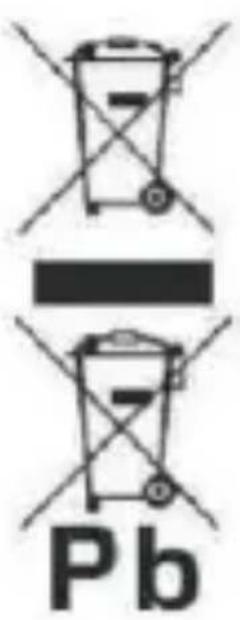
(Waste Electrical & Electronic Equipment(WEEE)Your product is designed and manufactured with high quality materials and components which can be recycled and reused. This symbol means that electrical and electronic equipment, at their end of-life should be disposed of separately from your household waste. Please dispose of this equipment at your local community waste collection/ recycling centre. In the European Union there are separate collection systems for useelectrical and electronic products. Please help us to conserve the environment we live in!
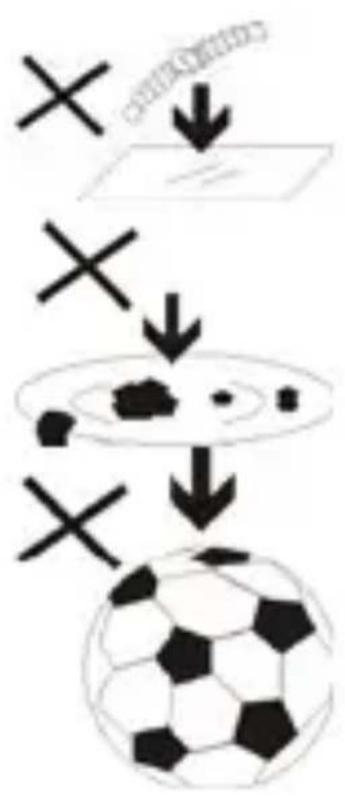
flowchart
graph TD
    A["Single object"] --> B["Ball of ball"]
    C["X"] --> D["Ball of ball"]
    E["X"] --> F["Ball of ball"]
-
DO NOT place objects on top of the device, as objects may scratch the device.
-
DO NOT expose the device to dirty or dusty environments.
-
DO NOT place the device on an uneven or unstable surface.
-
DO NOT insert any foreign objects into the device.
-
DO NOT expose the device to strong magnetic or electrical field.
-
DO NOT expose the device to direct sunlight as it can damage the device. Keep it away from heat sources.
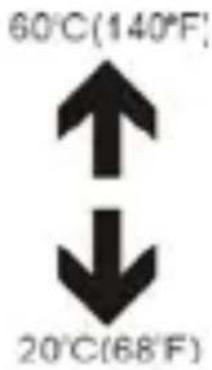
- DO NOT store your device in temperatures higher than 40^ C( 104^ F). The internal operating temperature for this device is from 20^ C( 68^ F) to 60^ C( 140^ F).
natural_image
Simple line drawing of a hand holding a mobile phone inside a circle (no text or symbols)- DO NOT use the device in the rain.

natural_image
Simple weather icon showing a cloud with raindrops and a black X (no text or symbols)- Please check with your Local Authority or retailer for proper disposal of electronic products.
natural_image
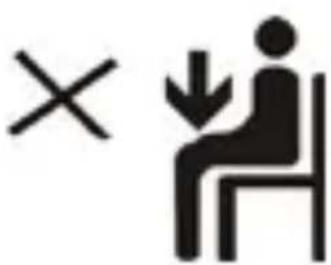
Symbol of a person sitting on a chair with an 'X' mark and a downward arrow, representing workplace or social interaction (no text present)- The device and adaptor may product some heat during normal operation of charging. To prevent discomfort or injury from heat exposure, DO NOT leave the device
on your lap.
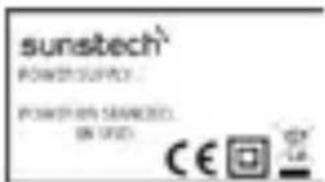
- POWER INPUT RATING: Refer to the rating label on the device and be sure that the power adaptor complies with the rating. Only use
accessories specified by the manufacturer.
natural_image
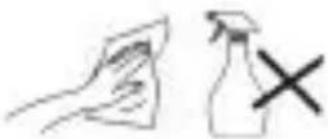
Simple line drawing of a hand holding a paper and an arrow pointing upward, next to a spray bottle with a cross mark (no text or symbols)- Clean the device with a soft
cloth. If needed, dampen the cloth slightly before cleaning. Never use abrasives or cleaning solutions.
-
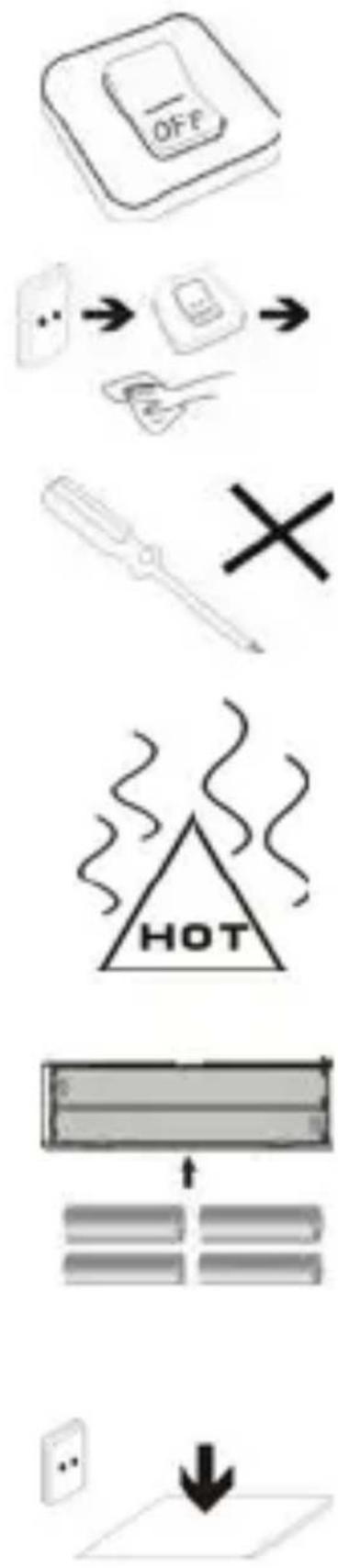
Always power off the device to install or remove external devices that do not support hot-plug.
-
Disconnect the device from an electrical outlet and power off before cleaning the device.
-
DO NOT disassemble the device. Only a certified service technician should perform repair.
-
The device has apertures to disperse heat. DO NOT block the device ventilation, the device may become hot and malfunction as a result.
-
Risk of explosion if battery replaced by an incorrect type. Dispose of used batteries according to the instruction.
-
PLUGGABLE EQUIPMENT: the socket-outlet shall be installed near the equipment and shall be easily accessible.
European Union: Disposal Information
natural_image
Simple line drawing of a trash bin with two crossed lines indicating no waste or prohibition (no text or symbols)The symbol above means that according to local laws and regulations your product and/or its battery shall be disposed of separately from household waste. When this product reaches its end of life, take it to a collection point designated by local authorities. The separate collection and recycling of your product and/or its battery at the time of disposal will help conserve natural resources and ensure that it is recycled in a manner that protects human health and the environment.
DECLARATION OF CONFORMITY
Council Directive(s) to which conformity is declared:
Directive (2004/108/EC) - EMC
Directive (2002/95/EC) - RoHS
Application of the Standards:
EN 50332-1:2000
EN 50332-2:2003
EN 55022:2006+A1:2007
EN 55024:1998+A2:2003
EN61000-3-2:2006
EN 61000-3-3:1995+A1:2001+A2:2005
Manufacturer's name: AFEX SUNS, S.A.
Manufacturer's address: c/Metall 6-8, 08110, Montcada i Reixac
Type of equipment: MP3 Player
Trade: SUNSTECH
Model no.: FAUNO
(Serial number range: NV 161000001 - NV 161001030)
We, the undersigned, hereby declare under our sole responsibility that the specified equipment is in conformity with the above Directive(s) and Standard(s)

Place: Barcelona
(Signature)
Víctor Planas Bas
(Full name)
Date: 30 - August - 2016
General Manager
(Position)
sunstech ^1/2
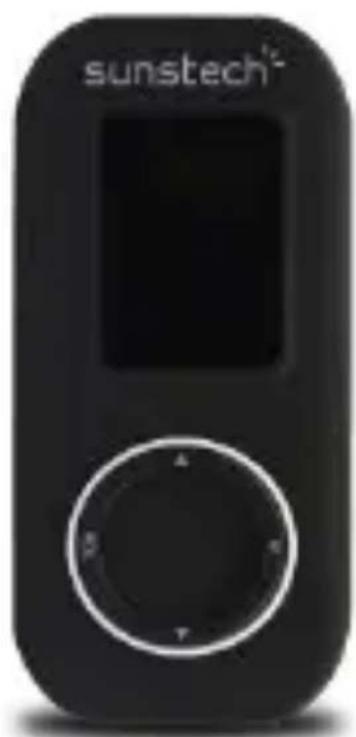
FAUNO
- Reproducir [▶] / Pausar [II]
- Conector USB
3.Encender y Apagar - Conector para Auriculares
- Ranura de la Tarjeta Micro SD
- Anterior [ ◀◀ ] / Hacia atrás [ ◀◀ ]
- Siguiente [▶] / Adelante [▶]
- VOLUMEN
- MENÚ
2. Encender / Apagar
natural_image
Simple line drawing of a ruler, eraser, pencil, and a cross mark (no text or symbols)natural_image
Simple graphic with a black X and a sunburst shape (no text or symbols)natural_image
Illustration of a hand holding a mobile phone inside a circle (no text or symbols)natural_image
Simple weather icon showing a cloud with raindrops and a black 'X' symbol (no text or numbers)natural_image
Symbolic illustration of a person sitting on a chair with an 'X' and downward arrow, no text or numbers present.natural_image
Simple line drawing of a hand cleaning a spray bottle with a 'X' mark (no text or symbols)natural_image
Simple line drawing of a trash bin with crossed lines indicating no text or symbols (no text or labels)natural_image
Pure diagram of a mobile phone casing with internal components and wiring (no text or symbols)natural_image
Simple diagram with a cross and downward arrow, no text or symbols presentnatural_image
Simple illustration of a soccer ball with a cross and downward arrow, no text or symbols present.natural_image
Simple line drawing of a ruler, pencil, eraser, and a cross mark (no text or symbols)natural_image
Simple graphic with a black X and a sunburst shape (no text or symbols)natural_image
Simple weather icon showing a cloud with raindrops and a black 'X' symbol (no text or labels)natural_image
Illustration of a hand holding a mobile phone with a screen, enclosed in a circle (no text or symbols)natural_image
Symbol of a person sitting on a chair with an 'X' mark and a downward arrow, no text or numbers present.natural_image
Simple line drawing of a hand holding a paper and a spray bottle with an X mark (no text or symbols)natural_image
Simple line drawing of a screwdriver and a black X symbol (no text or labels)flowchart
graph TD
    A["Process Step"] --> B["Output 1"]
    A --> C["Output 2"]
natural_image
Simple diagram showing a downward arrow pointing to a flat surface, with a wall icon on the left (no text or symbols)natural_image
Simple line drawing of a trash bin with two crossed lines indicating no waste or discharge (no text or symbols)DÉCLARATION DE CONFORMITÉ
Directive (2004/108/EC) - EMC
Directive (2002/95/EC) - RoHS
natural_image
Illustration of a hand holding a mobile phone inside a circle (no text or symbols)natural_image
Simple weather icon showing a cloud with raindrops and a black X symbol (no text or labels)natural_image
Symbol of a person sitting on a chair with an 'X' mark and a downward arrow, representing help or rejection (no text present)natural_image
Simple line drawing of a hand holding a paper and a spray bottle with an 'X' mark (no text or symbols)natural_image
Simple line drawing of a screwdriver and a cross symbol (no text or labels)natural_image
Simple diagram showing a downward arrow pointing to a blank plane, with a small icon in the top-left corner (no text or symbols)natural_image
Simple line drawing of a trash bin with crossed lines indicating no waste or plastic discharge (no text or symbols)
- On/Off
- Music Play
- Record Mode
- Voice Mode
- Radio Mode
- Setting Mode
- Language
- Power off
- Contrast
- Memory Information
- Other
- Repeat mode set
- EQ mode set
- Delete files
- Exit this function by holding M button long.
- Warranty conditions
- Correct disposal of this Product
- DECLARATION OF CONFORMITY
- Directive (2004/108/EC) - EMC
- Directive (2002/95/EC) - RoHS
- sunstech 1/2
- FAUNO
- Encender / Apagar
- DÉCLARATION DE CONFORMITÉ
Brand : Sunstech
Model : Fauno
Category : Mp3 player