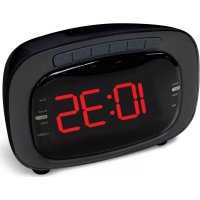
CR422 - Radio DENVER - Free user manual and instructions
Find the device manual for free CR422 DENVER in PDF.



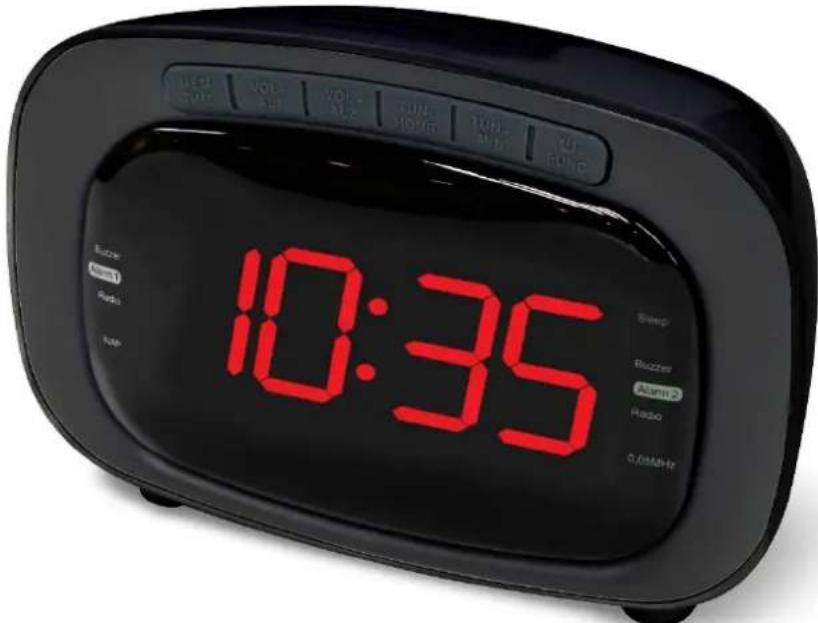
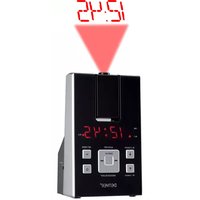
| Product type | FM alarm clock radio with dual alarm |
| Power supply | Mains 230 V AC + backup batteries 2 x AAA |
| Main functions | FM radio, buzzer/radio alarm, Sleep timer, Nap timer, display dimmer |
| Station memory | 20 FM stations |
| Auxiliary input | Yes (3.5 mm Line-in jack) |
| Display | Clock, frequency, alarm and mode indicators |
| Antenna | FM wire antenna |
| Dimensions (approx.) | 20 x 10 x 10 cm |
| Weight (approx.) | 500 g |
| Cleaning and maintenance | Clean with a soft, dry cloth |
| Safety | For indoor use only, do not expose to moisture |
| Spare parts and repairability | Not available |
| General information | Brand Denver, model CR422, imported by DENVER ELECTRONICS A/S, Denmark |
Frequently Asked Questions - CR422 DENVER
User questions about CR422 DENVER
0 question about this device. Answer the ones you know or ask your own.
Ask a new question about this device
Download the instructions for your Radio in PDF format for free! Find your manual CR422 - DENVER and take your electronic device back in hand. On this page are published all the documents necessary for the use of your device. CR422 by DENVER.
USER MANUAL CR422 DENVER
Please read this user manual carefully before start using the product.
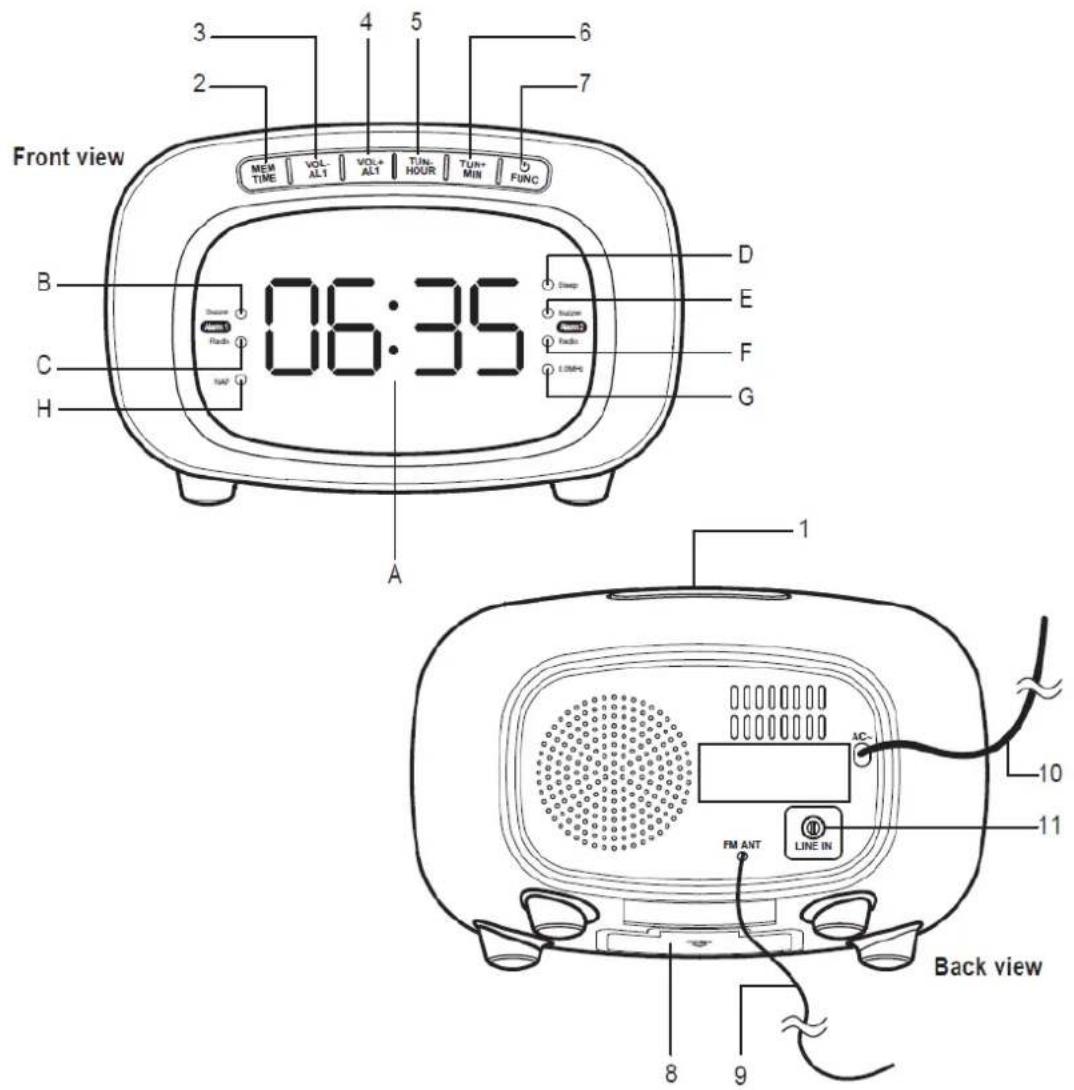
CONTROLS AND INDICATORS
-
"SNOOZE / DIMMER / SLEEP" button
-
"MEM / TIME" button
-
"VOL-/AL1" button
-
"VOL+ / AL2" button
-
"TUN-/HOUR" button
-
"TUN + / MIN" button
/FUNC"button
-
Battery compartment below
-
Antenna
-
Power cable
-
"Line-in" jack
A. Time and radio frequency display
B. Alarm 1 buzzer indicator
C. Alarm 1 radio indicator
D. SLEEP indicator
E. Alarm 2 buzzer indicator
F. Alarm 2 radio indicator
G. 0.05 mHz indicator
H. NAP indicator
PREPARATION OR USE
This clock radio includes a battery backup system that will maintain the time and alarm settings during a temporary power interruption. Insert two 'AAA' size batteries correctly by matching the polarity (+/-) markings in the battery compartment (10). If you experience a power failure while batteries are installed, the display will turn 'off' but the clock will continue to run and maintain your alarm settings. Please replace all batteries at the same time with only new batteries.
The clock radio has slip proof silicon feet. Place the clock radio only on protected furniture.
Plug AC plug (12) into 230vac electrical outlet.
Unwind the FM antenna (9) on the back of the clock radio. Extend and reposition the antenna for best radio reception.
Note: The time and alarm times can only be set when the radio is turned off.
- Press and hold down "MEM / TIME" button (2) for approximately 3 seconds until the display flashes.
- Press "TUN - / HOUR" button (5) repeatedly to change the hour setting.
- Press "TUN + / MIN" button (6) repeatedly to change the minute setting.
- Press "MEM / TIME" button (2) to confirm at the time and the display will stop flashing.
SETTING THE ALARM TIME
This clock radio has dual alarms that can be set and used independently. The procedure to set both alarms are the same. Both alarms can either sound the buzzer or wake up to radio.
- Press "VOL-/AL1" button (3) for setting alarm time 1 and indicator (B) will flash.
- Press "VOL - / AL1" button (3) again for setting alarm buzzer 1 and indicator (C) will flash.
- When the digits are flashing, press "TUN - / HOUR" button (5) repeatedly to change the hour setting. Press "TUN + / MIN" button (6) repeatedly to change the minute setting.
-
Press "VOL-/AL1" button (3) to confirm.
-
To cancel alarm, press "VOL-/AL1" button (3) until the alarm indicators are off.
When the alarm sounds, press "O / FUNC" button (7) to turn off alarm or press "SNOOZE / DIMMER / SLEEP" button (1) to enter snooze mode. Alarm indicators will blink during snooze mode. Alarm will sound again after 10 minutes.
- Follow the same instructions for alarm 2 with "VOL + / AL2" button (4).
Note: You must make the time and alarm time adjustments while the display is flashing. The display will stop flashing after approximately 10 seconds if adjustments are not made.
RADIO OPERATIONS
General Operations
- Press "O / FUNC" button (7) to turn radio on and change between Auxiliary Mode, FM radio and "AUX" will appear for Auxiliary Mode. The radio station frequency will appear for the FM radio.
- Press and hold down “O / FUNC” button (7) for approximately 3 seconds to turn radio off.
- Press "VOL + / AL1" button (3) or "VOL - / AL2" button (4) to adjust volume level. The display changes to show the volume level indication (00 to 16). 00 is the quietest and 16 is the loudest.
Auxiliary Mode
- Plug in auxiliary music player at 'Line-in' jack (11). Unplug and remove music player when finished.
FM Radio
- For manual tuning, press "TUN-/ HOUR" button (5) or "TUN + / MIN" button (6).
- For automatic tuning, press and hold down "TUN-/ HOUR" button (5) or "TUN + / MIN" button (6) for approximately 3 seconds. Repeat to scan for the next available station.
- When the time is showing, press "TUN-/HOUR" button (5) or "TUN+/MIN" button (6) to show the radio station frequency.
- Extend or reposition the antenna and/or the radio for best reception.
Pre-set Station Memory
- The radio can store up to 20 stations.
- To store a station in memory, tune to the desired radio station. Press and hold down "MEM / TIME" button (2) for approximately 2 seconds and a number starting with "P" on the display will flash. This "P" number represent the 20 memory stations.
- Press "TUN-/ HOUR" button (5) or "TUN + / MIN" button (6) repeatedly to the desired memory station. Then press "MEM / TIME" button (2) once to confirm
- To recall the station, press "MEM / TIME" button (2) until desired station is reached.
Sleep mode
- When the radio is on, press "SNOOZE / DIMMER / SLEEP" button (1) to enter sleep mode. "Sleep" indicator "D" will be on and "90" will be displayed. Radio will turn off in 90 minutes. Press "SNOOZE / DIMMER / SLEEP" button (1) again to change sleep time (90 minutes to 10 minutes).
NAP
- When the radio is off, press "SNOOZE / DIMMER / SLEEP" button (1) to enter NAP mode. The "Nap" indicator "H" will be on.
- Press "SNOOZE / DIMMER / SLEEP" button (1) to set the desired nap time (90, 60, 30 mins and OFF.) (units in minutes). OFF is to cancel NAP time.
- The radio turn on to the previously set radio station after the pre-set nap time.
- You may press the "SNOOZE / DIMMER / SLEEP" button (1) to view the remaining time before the radio turns on. (units in minutes) Or change the NAP time by pressing the "SNOOZE / DIMMER / SLEEP" button (1).
DIMMER
Press and hold down "SNOOZE / DIMMER / SLEEP" button (1) for approximately 2 seconds to change the brightness of the display between high or low.
ALL RIGHTS RESERVED, COPYRIGHT DENVER ELECTRONICS A/S
DENVER
www.denver-electronics.com

Electric and electronic equipment contains materials, components and substances that can be hazardous to your health and the environment, if the waste material (discarded electric and electronic equipment) is not handled correctly.
Electric and electronic equipment is marked with the crossed out trash can symbol, seen below. This symbol signifies that electric and electronic equipment should not be disposed of with other household waste, but should be disposed of separately.
All cities have established collection points, where electric and electronic equipment can either be submitted free of charge at recycling stations and other collection sites, or be collected from the households. Additional information is available at the technical department of your city.
Imported by:
DENVER ELECTRONICS A/S
Omega 5A, Soeften
DK-8382 Hinnerup
Denmark
www.facebook.com/denveretelectronics
DENVER
MODE D'EMPLOI CR-422
WWW.DENVER-ELECTRONICS.COM
LISEZ CE MODE D'EMPLOI AVANT D'UTILISER L'APPAREIL. CONSERVEZ-LE POUR LE CONSULTER ULTÉRIÉTUREMENT.
COMMANDES ET INDICATEURS
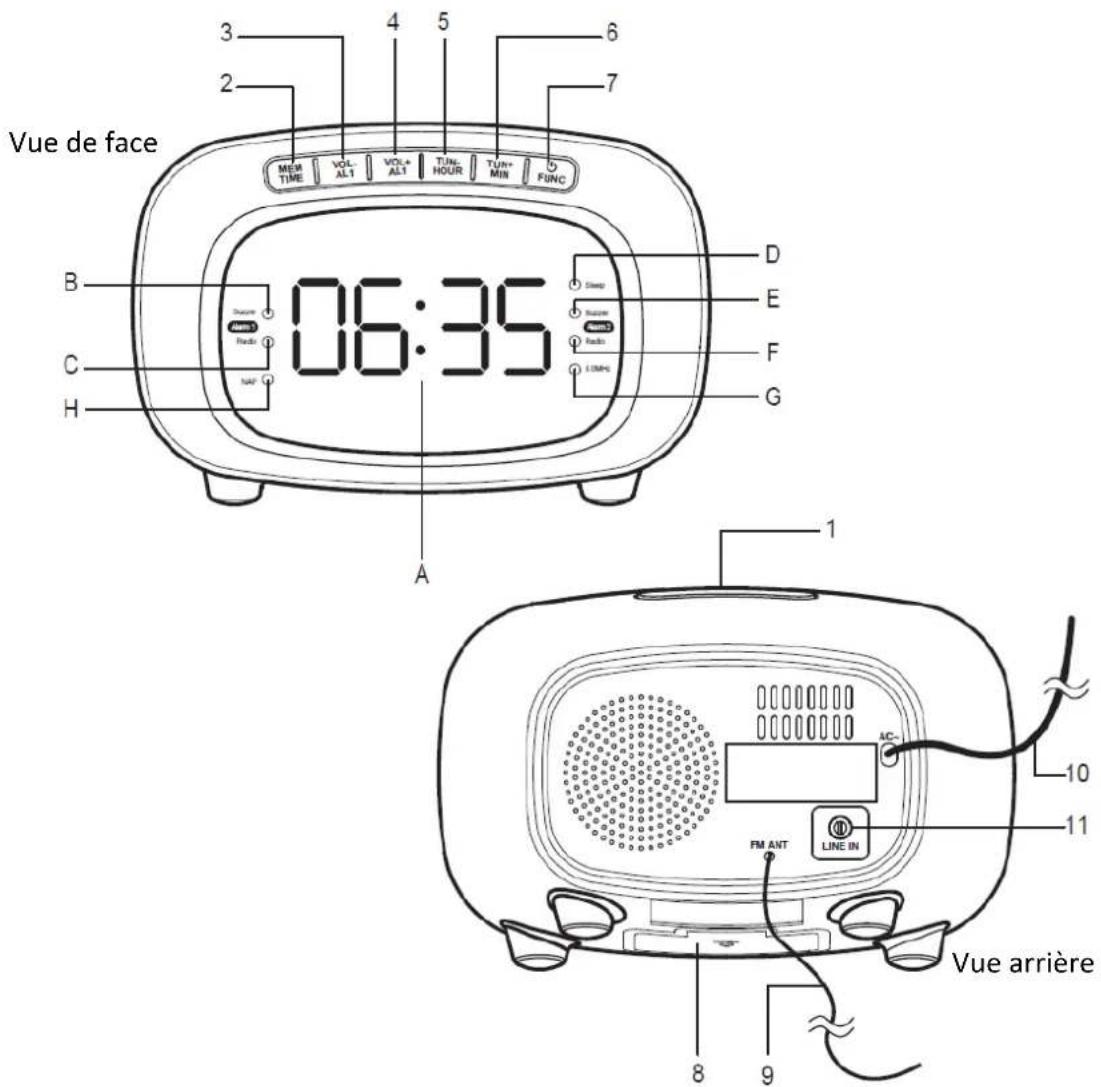
- Touche "SNOOZE/DIMMER/SLEEP"
- Touche "MEM/TIME"
- Touche "VOL-/AL1"
- Touche "VOL+/AL2"
- Touche "TUN-/HOUR"
- Touche "TUN +/MIN"
- Touche " FUNC"
- Compartiment à piles
- Antenne
- Cable electrolyte
- Prise "Line-in"


Brand : DENVER
Model : CR422
Category : Radio