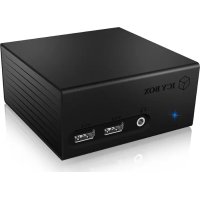
IBDK2401AC - Other computer accessories Icy Box - Free user manual and instructions
Find the device manual for free IBDK2401AC Icy Box in PDF.


| Product type | USB 3.0 Multi-Port Docking Station with Display |
| Brand | Icy Box |
| Model | IBDK2401AC |
| Video connections | HDMI, DVI |
| USB connections | USB 3.0 (host port), additional USB ports (not specified) |
| Network connection | Ethernet RJ45 |
| Audio connections | Microphone and headphone jacks |
| USB version | USB 3.0 (backward compatible with USB 2.0) |
| Compatible operating systems | Windows 7 or later, Mac OS X 10.8 or later |
| Power supply | Via USB port (bus-powered) |
| Installation | Requires driver installation before connection (CD provided or download) |
| Package contents | Docking station, USB 3.0 cable, driver CD, quick start guide |
| Care | Clean with a soft, dry cloth. Do not use solvents. |
| Dimensions (approx.) | Not communicated by the manufacturer |
| Weight (approx.) | Not communicated by the manufacturer |
Frequently Asked Questions - IBDK2401AC Icy Box
User questions about IBDK2401AC Icy Box
0 question about this device. Answer the ones you know or ask your own.
Ask a new question about this device
Download the instructions for your Other computer accessories in PDF format for free! Find your manual IBDK2401AC - Icy Box and take your electronic device back in hand. On this page are published all the documents necessary for the use of your device. IBDK2401AC by Icy Box.
USER MANUAL IBDK2401AC Icy Box
USB 3.0 Display and Multi Port Docking Station
Handbuch IB-DK2401AC
IB-DK2401AC, USB 3.0 cable, power supply, CD (driver for Windows and Mac), quick installation guide
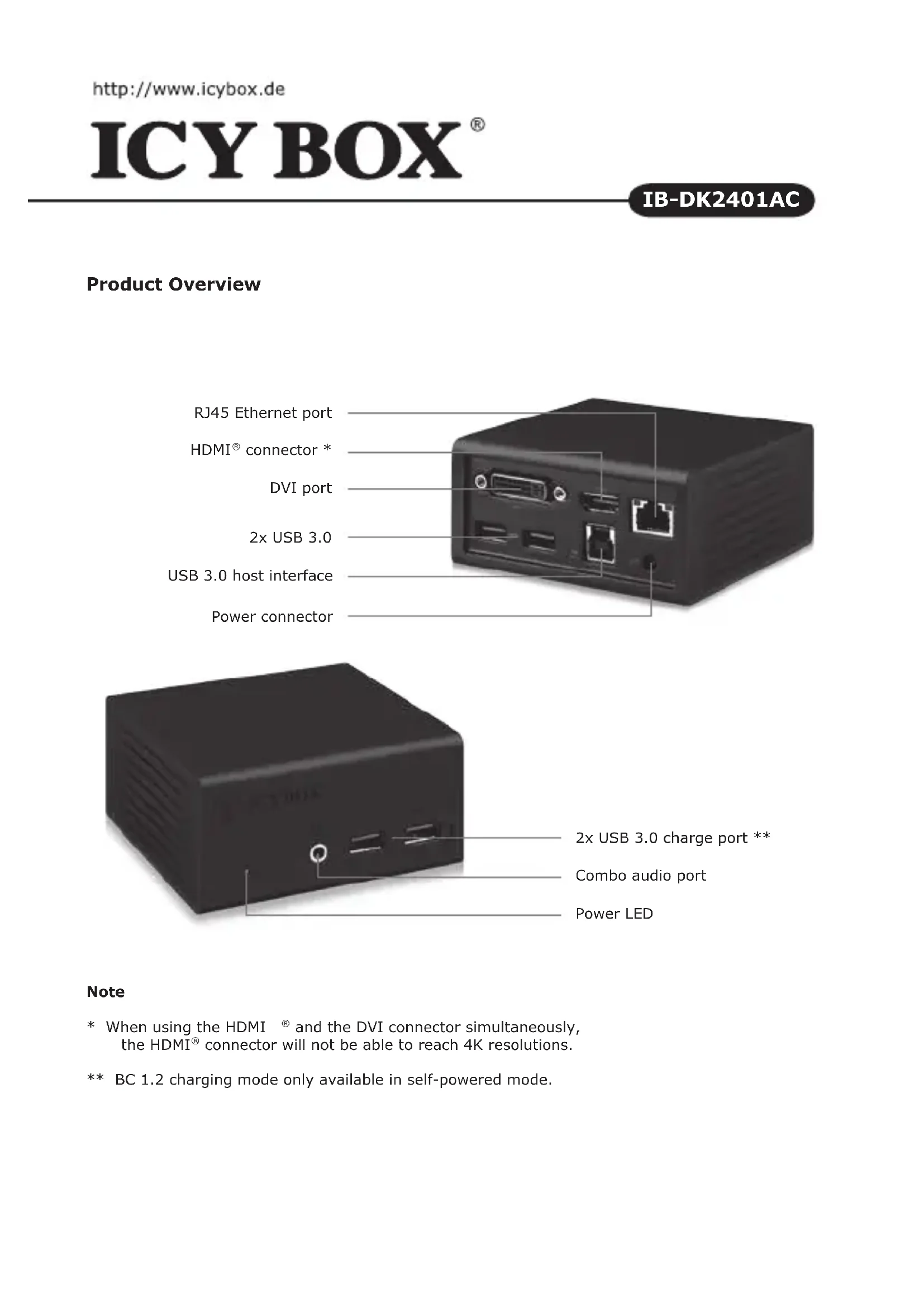
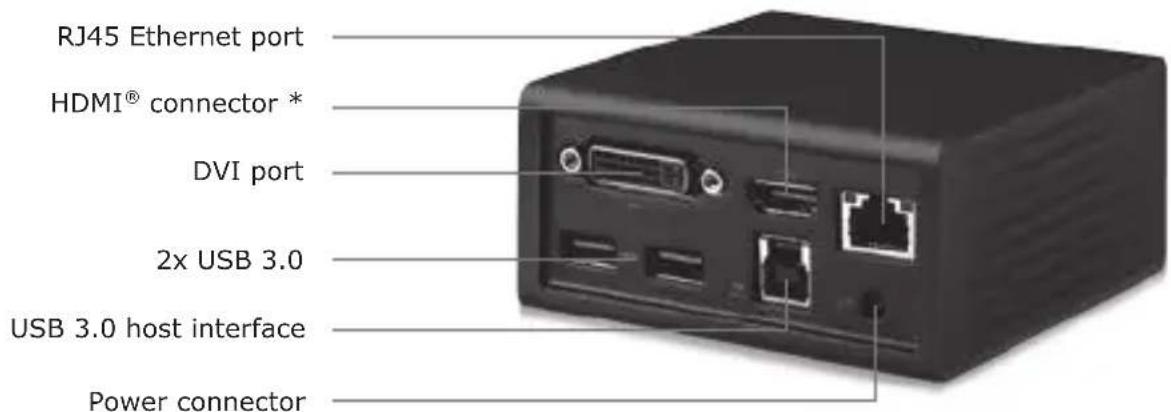
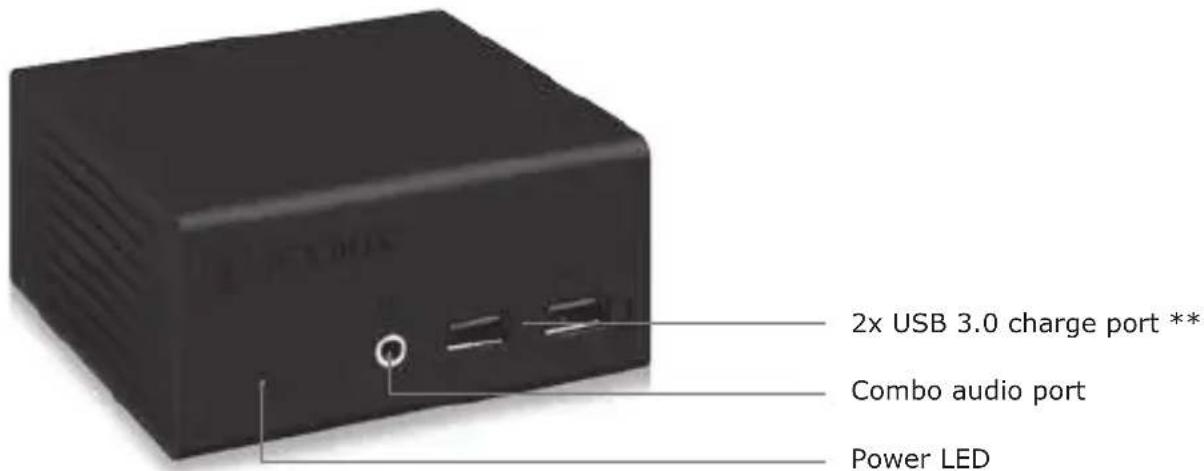
Product Overview
Note
- When using the HDMI® and the DVI connector simultaneously, the HDMI® connector will not be able to reach 4K resolutions.
** BC 1.2 charging mode only available in self-powered mode.
Description
The USB 3.0 Display and Multi Port Docking Station is designed for extra connectivity demands. With the docking station you can extend the connection of a Computer to more display and USB peripherals, Ethernet network, speaker and microphone through one USB cable.
1. Install the Driver
- Caution: Do not connect the adapter to your computer before installing the driver from the delivered CD or from the download area of http://www.raidsonic.de.
Windows >7
A. Insert the CD into the CD ROM drive.
B. The installer program will run automatically.
C. Click on "Run Setup.exe".
D. Follow the instructions and finish the driver installation.
E. Connect the adapter to a USB port on the PC.
F. Restart the PC.
G. The IB-DK2401AC is ready to be used.
MAC OS X >10.8:
A. Insert the CD into the CD ROM drive.
B. Run the file Mac_driver\driver.dmg by double click.
C. Follow the instructions and finish the driver installation.
D. Connect the adapter to a USB port on the mac.
E. Restart the mac.
F. The IB-DK2401AC is ready to be used.
2. Connection to Monitor/Projection
Connect the USB 3.0 cable to your notebook / PC and connect your monitor / projector to the HDMI® or DVI port.
Please setup your display settings accordingly to your operating system and requirements. For detailed information of your operating system, see the corresponding operation manual and description of your operating system.
NOTE: When using the HDMI® and the DVI connector simultaneously, the HDMI® connector will not be able to reach 4K resolutions
USB 3.0 BC 1.2 charging mode only available in self-powered mode.
Beschreibung
The terms HDMI and HDMI High-Definition Multimedia Interface, and the HDMI Logo are trademarks or registered trademarks of HDMI Licensing LLC in the United States and other countries
Copyright 2014 by RaidSonic Technology GmbH. All Rights Reserved
The information contained in this manual is believed to be accurate and reliable. RaidSonic Technology GmbH assumes no responsibility for any errors contained in this manual. RaidSonic Technology GmbH reserves the right to make changes in the specifications and/or design of the above mentioned product without prior notice. The diagrams contained in this manual may also not fully represent the product that you are using and are there for illustration purposes only. RaidSonic Technology GmbH assumes no responsibility for any differences between the product mentioned in this manual and the product you may have.
Brand : Icy Box
Model : IBDK2401AC
Category : Other computer accessories