ManualGo.com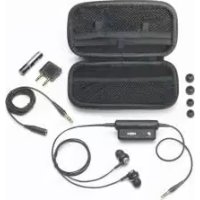
ATHANC3BK - Ecouteur Audio-Technica - Free user manual and instructions
Find the device manual for free ATHANC3BK Audio-Technica in PDF.



Download the instructions for your Ecouteur in PDF format for free! Find your manual ATHANC3BK - Audio-Technica and take your electronic device back in hand. On this page are published all the documents necessary for the use of your device. ATHANC3BK by Audio-Technica.
USER MANUAL ATHANC3BK Audio-Technica
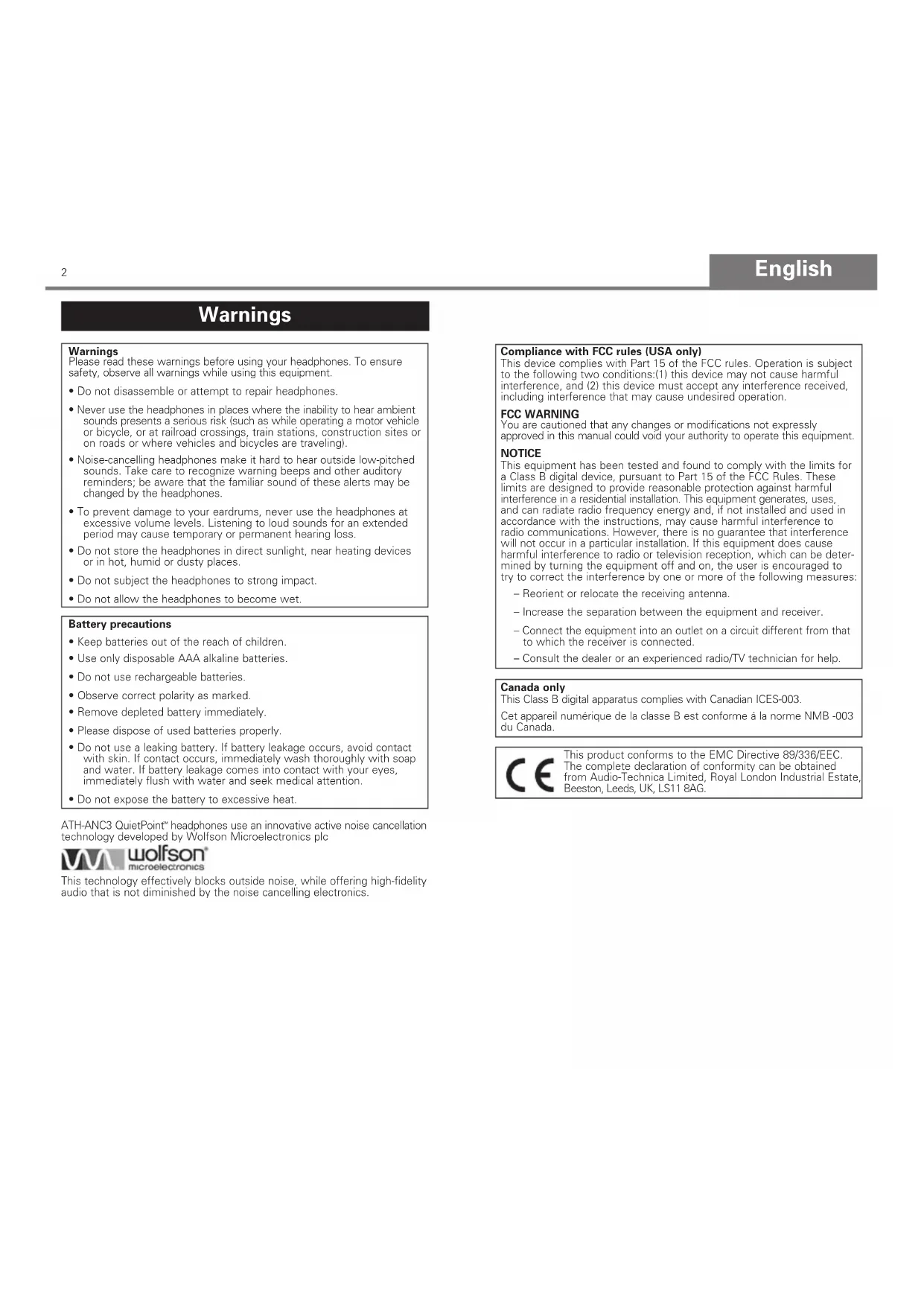
Noise-Cancelling Headphones User’s GuideEnglish Warnings Warnings Please read these warnings before using your headphones. To ensure safety, observe all warnings while using this equipment.
- Do not disassemble or attempt to repair headphones.
- Never use the headphones in places where the inability to hear ambient sounds presents a serious risk (such as while operating a motor vehicle or bicycle, or at railroad crossings, train stations, construction sites or on roads or where vehicles and bicycles are traveling).
- Noise-cancelling headphones make it hard to hear outside low-pitched sounds. Take care to recognize warning beeps and other auditory reminders; be aware that the familiar sound of these alerts may be changed by the headphones.
- To prevent damage to your eardrums, never use the headphones at excessive volume levels. Listening to loud sounds for an extended period may cause temporary or permanent hearing loss.
- Do not store the headphones in direct sunlight, near heating devices or in hot, humid or dusty places.
- Do not subject the headphones to strong impact.
- Do not allow the headphones to become wet. Battery precautions
- Keep batteries out of the reach of children.
- Use only disposable AAA alkaline batteries.
- Do not use rechargeable batteries.
- Observe correct polarity as marked.
- Remove depleted battery immediately.
- Please dispose of used batteries properly.
- Do not use a leaking battery. If battery leakage occurs, avoid contact with skin. If contact occurs, immediately wash thoroughly with soap and water. If battery leakage comes into contact with your eyes, immediately flush with water and seek medical attention.
- Do not expose the battery to excessive heat. This product conforms to the EMC Directive 89/336/EEC. The complete declaration of conformity can be obtained from Audio-Technica Limited, Royal London Industrial Estate, Beeston, Leeds, UK, LS11 8AG. Compliance with FCC rules (USA only) This device complies with Part 15 of the FCC rules. Operation is subject to the following two conditions:(1) this device may not cause harmful interference, and (2) this device must accept any interference received, including interference that may cause undesired operation. FCC WARNING You are cautioned that any changes or modifications not expressly approved in this manual could void your authority to operate this equipment. NOTICE This equipment has been tested and found to comply with the limits for a Class B digital device, pursuant to Part 15 of the FCC Rules. These limits are designed to provide reasonable protection against harmful interference in a residential installation. This equipment generates, uses, and can radiate radio frequency energy and, if not installed and used in accordance with the instructions, may cause harmful interference to radio communications. However, there is no guarantee that interference will not occur in a particular installation. If this equipment does cause harmful interference to radio or television reception, which can be deter- mined by turning the equipment off and on, the user is encouraged to try to correct the interference by one or more of the following measures: – Reorient or relocate the receiving antenna. – Increase the separation between the equipment and receiver. – Connect the equipment into an outlet on a circuit different from that to which the receiver is connected. – Consult the dealer or an experienced radio/TV technician for help. Canada only This Class B digital apparatus complies with Canadian ICES-003. Cet appareil numérique de la classe B est conforme á la norme NMB -003 du Canada. ATH-ANC3 QuietPoint
headphones use an innovative active noise cancellation technology developed by Wolfson Microelectronics plc This technology effectively blocks outside noise, while offering high-fidelity audio that is not diminished by the noise cancelling electronics. 2English Thank you for purchasing Audio-Technica ATH-ANC3 QuietPoint
Noise-Cancelling Headphones. Read these instructions before using the headphones, and keep the manual for future reference. About ATH-ANC3 QuietPoint
Noise-Cancelling Headphones Audio-Technica's ATH-ANC3 QuietPoint
headphones use an innovative active noise-cancelling technology to provide a comfortable listening environment in areas with high ambient noise. The headphones feature a miniature microphone in each earpiece that picks up ambient noise (such as traffic, air-handling systems, etc.). Electronics in the control box create a noise-cancelling wave that is 180° out of phase with the ambient noise. This wave acts like a noise eraser: it cancels out the annoying sounds that surround you without diminishing the audio you want to hear. The result…a peaceful enclave to enjoy the music or movies of your choice. From studio…to stage…to you Audio-Technica equipment is used by major artists for studio recording and capturing live performances on stage...allowing audiences to experience their work as clearly and fully as it was intended. These headphones are designed to offer you the advances in electro-acoustic technology that make Audio-Technica the choice of leading artists worldwide. Wherever you happen to find yourself–in the comfort of your living room, in a noisy office, or settling in for a long flight–there is no better way to experience audio or immerse yourself in a peaceful environment.
- Active Noise Cancellation–Advanced electronics cancel 85% of background noise, creating a restful listening environment
- Spectacular sound–Innovative ANC circuitry delivers an exceptionally pure audio signal in noise-cancelling mode
- Ultra-compact design–In-ear design is ideal for travel
- Customized comfort–Soft interchangeable ear pieces (small, medium & large) provide a truly custom fit
- Hear outside–Monitor switch deactivates noise cancellation/audio so you can listen outside when you need to
- Passive mode–Audio functions (in passive mode) even without battery
- Inline control–Sleek control box offers on/off and monitor switches and clothing clip
- Airline adapter–Two-pin airline adapter connects to in-flight entertainment
- Compact protective case–Hard carrying case protects headphones & accessories
- Adjustable cable–Y cable includes an adjustable sleeve and extension for secure, comfortable fit
- AAA battery–A single battery powers noise-cancelling electronics
- Mini-plug–Gold-plated mini-plug provides exceptional corrosion resistance, superb conductivity, low noise
- Versatile performance–Ideal for use with all audio sources, including MP3 and other portable players Introduction ATH-ANC3 QuietPoint
Noise-Cancelling Headphones
1. Control box–in-line control box offers on/off and monitor switches
along with noise-cancelling electronics.
2. Power LED–lights red when power is ON. Note: The red power LED is
extinguished when the monitor button is pressed.
3. Power switch–activates noise-cancelling function when power is ON.
Headphones also operate as stereo headphones in OFF position without active noise-cancelling function.
4. Monitor button–deactivates noise cancellation and audio so you can
listen outside when you need to. Note: The monitor button does not function when power is OFF.
5. Replaceable rubber tips–small, medium and large earpieces provide a
6. Headphones–a miniature microphone in each earpiece picks up ambient
noise (such as traffic, air-handling systems, etc.)
7. Adjustable cable–.8 meter Y cable includes an adjustable sleeve.
- Gold-plated airline adapter
- Protective carrying case
4English The ATH-ANC3 requires one AAA battery for operation (included). Use only disposable AAA alkaline batteries. Do not use rechargeable batteries.
1. Move power switch to the “OFF” position.
2. Turn control box over to access battery compartment.
3. Open battery cover by sliding the cover in the direction of the arrow on
4. Insert AAA battery, observing correct polarity as marked.
5. Close battery compartment cover.
The Medium sized rubber tips are attached to the headphones at shipment. If these do not fit your ears, replace them with the Small or the Large rubber tips. It is important to have the correct and comfortable fit; an incorrect fit will degrade both the noise-cancelling and audio function of your headphones. Installing your battery Selecting your replaceable rubber tips and checking fit of the headphones
1. Connect the headphone cable to the extension cable if needed, making
certain the plug is firmly seated.
2. Connect the headphone cable (or extension cable) to the headphone
jack of your audio device.
") stereo mini plug to connect to MP3, CD player, DVD player, computer, and other audio devices equipped with a 3.5 mm output jack.
- Use included airline adapter to connect to typical airline audio systems. Note: The headphones cannot be used with devices equipped with
" headphone jacks without purchase of an adapter. Please purchase an optional mono/stereo adapter for use with a mono device. (Without use of an adapter, the right channel is muted when headphones are connected to a mono device.)
3. Wear the left headphone (marked L) in your left ear; and the right
headphone (marked R) in your right ear. Note: the L and R designations are at the base of the cable strain relief near where the cable exits the headphone. Insert the rubber tip on the headphone into your ear so it fits snugly and comfortably. If fit is not correct, please see Selecting your replaceable rubber tips, page 6. Do not push beyond the ear canal opening.
4. To activate noise-cancelling function, move the power switch on your
control box to the “ON” position; power indicator should light (red). Note: The red power LED is extinguished when the monitor button is pressed. (If you do not wish to use the active noise-cancelling function, move power switch to the “OFF” postion.)
5. Turn on your audio device. (Volume should be set at a low level at first;
adjust as necessary on audio device.) If the noise-cancelling function and/or low frequency response seems to be missing, check to make certain the headphones fit correctly and that there is a good seal between the ear canal and the rubber tip on your headphone; see Selecting your replaceable rubber tips, page 6. For noise-cancelling only
1. To activate noise-cancelling function, move the power switch on your
control box to the “ON” position; power indicator should light (red). In this case, there is no need to connect the headphone cable to an audio device; simply turn the headphones on and wear them. After using
- After you have finished using your headphones, be certain to move the power switch to the “OFF” position.
- Remove battery when you will not be using the headphones for an extended period.
- Store the headphones and accessories in the included protective carrying case.
- To clean the headphones, wipe the earpiece and control pack with a clean, soft cloth. Do not use solvents.
- For periodic cleaning of rubber tips, remove from headphones and wash rubber tips with warm water. Make certain rubber tips are completely dry before reinstalling on headphones. Check for any obstructions in the rubber tip.
- Rubber tips will wear over time. Replacement rubber tips are available from Audio-Technica dealers. Using your headphones 6English Problem SolutionNo sound Check connections of headphones at the extension cable and/or your audio equipment.Check to make certain your audio equipmentis turned on.Make certain your audio equipment volume is at an audible level.Ambient noise is not reduced Check fit of earpieces. Check selection of rubber tip–you may need a different sized tip. (An incorrect fit will degrade both the noise-cancelling and audio function of your headphones.)Turn power switch off, and on again. (Ambient noise may be out of synchronizationwith noise-cancelling frequency.)Change battery in control box. (Battery may be drained.)Sound has become distorted Turn down volume of audio/video equipment. (Volume may be too loud.)Change battery in control box. (Battery may be drained.)Check the headphone canal and rubber tip for wax buildup. Remove wax. (Headphone may be dirty.) Troubleshooting Guide Type Active Noise CancellingDriver 12.5mm, Neodymium magnetFrequency Response 15 – 22,000 HzQuietPoint Active Noise Reduction Up to 20 dBSensitivity 104 dBImpedance 90 ohmsBattery AAA (alkaline)Battery Life Up to 50 hours, typical (alkaline)Cable 0.8 m + 0.2 m with 3.5 mm stereo mini-plugWeight 40 g (with battery)Included Accessories Extension cable 0.5 m with 3.5 mm stereo mini-plug; airline adapter; AAA battery; carrying case with attached accessory pouch; ear pieces (rubber tips) (S/M/L size)* Specifications measured with headphones in active mode. Specifications are subject to change without notice. ATH-ANC3 Specifications*
U.S. One-Year Limited Warranty Audio-Technica brand products purchased in the U.S.A. are warranted for one year from date of purchase by Audio-Technica U.S., Inc. (A.T.U.S.) to be free of defects in materials and workmanship. In event of such defect, product will be repaired promptly without charge or, at our option, replaced with a new product of equal or superior value if delivered to A.T.U.S. or an Authorized Service Center, prepaid, together with the sales slip or other proof of purchase date. Prior approval from A.T.U.S. is required for return. This warranty excludes defects due to normal wear, abuse, shipping damage, or failure to use pr oduct in accordance with instructions. This warranty is void in the event of unauthorized repair or modification, or removal or defacing of the product labeling. For return approval and shipping information, contact the Service Department, Audio-T echnica U.S., Inc., 1221 Commerce Drive, Stow, Ohio 44224. Except to the extent precluded by applicable state law, A.T.U.S. will have no liability for any consequential, incidental, or special damages; any warranty of merchantability or fitness for particular purpose expires when this warranty expires. This warranty gives you specific legal rights, and you may have other rights which vary from state to state. Outside the U.S.A., please contact your local dealer for warranty details. Register your product online at www.audio-technica.com.Français Avertissements Avertissements Veuillez lire les avertissements ci-dessous avant d’utiliser le casque. Pour votre sécurité et celle des autres, observez tous les avertissements ci-dessous lorsque vous utilisez cet appareil.