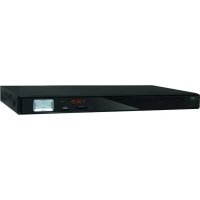
DP 1140HDMI - DVD player SEG - Free user manual and instructions
Find the device manual for free DP 1140HDMI SEG in PDF.



| Product type | DVD player |
| Brand | SEG |
| Model | DP 1140HDMI |
| Dimensions (W x D x H) | 430 x 220 x 38 mm |
| Net weight | 2.3 kg |
| Power supply | AC 100-240 V, 50/60 Hz, 15 W |
| Compatible disc formats | DVD, VCD, SVCD, CD, DVD±R/RW, CD-R/RW, MPEG4, WMA, MP3, Kodak Picture CD |
| Video outputs | HDMI, composite, S-Video, component YPbPr, SCART |
| Audio outputs | 2.0 stereo (RCA), digital coaxial |
| Audio formats | MPEG 1/2/3, PCM, AC-3 (pass-through) |
| HDMI resolution | 720p, 1080i, 1080p |
| Playback functions | Repeat (chapter/title/all), A-B, zoom, slow motion, fast forward/rewind, search by time/title/chapter, programming |
| DVD functions | Angles, subtitles, audio languages, title/disk menu |
| Additional connectors | USB (front), SD/MMC/MS card slot (front) |
| Remote control | Yes, with AAA batteries (not included) |
| Power consumption | 15 W (max) |
| Cleaning | Soft, slightly damp cloth; do not use chemicals |
| Maintenance | No special maintenance if used as intended |
| Repairability | Do not open; take to an authorized service center |
| Warranty | 2 years (subject to conditions, see manual) |
| Disposal | Do not dispose of with household waste; take to a recycling center or waste disposal point |
Frequently Asked Questions - DP 1140HDMI SEG
User questions about DP 1140HDMI SEG
0 question about this device. Answer the ones you know or ask your own.
Ask a new question about this device
Download the instructions for your DVD player in PDF format for free! Find your manual DP 1140HDMI - SEG and take your electronic device back in hand. On this page are published all the documents necessary for the use of your device. DP 1140HDMI by SEG.
USER MANUAL DP 1140HDMI SEG
Safety Instructions and Important Information About Intended Use
Please read the following instructions and safety notes thoroughly before starting to use your product!
- Intended Use: this device has been designed for playing back DVD/CD discs. If the product is not used according to the instructions, the user's and other persons' safety is not guaranteed and the warranty will be void. •User manual: please read this User Manual thoroughly and keep it for any future reference in a safe place. For your own safety and in order to familiarize yourself with the different functions of the product, please follow the instructions in this manual carefully. When passing this product to other persons, please also hand over this User Manual.
Please also read the user manuals of all devices that you are going to connect to this device. - Connecting to the Power Supply: do not use the device if the device, the power adaptor (Option) or its cables present visible damage. Connect the device only to the voltage indicated on the corresponding label on the product or power adaptor, resp. Never connect the device to a different voltage. Connect the device to grounded power outlets that comply with the corresponding safety standards only. Do not bend or squeeze the cables.
WARNING: Inside the device there is dangerous voltage. Never open the housing of the device: there is risk of personal injury by electric shock.
In order to completely disconnect the device from the mains, the power plug must be pulled out from the wall outlet. Make sure that you can remove the power plug at any time. Always pull the power cord from the plug and never from the cable itself. Electric storms may damage any electric equipment; therefore disconnect the power plug from the wall outlet during a thunderstorm. It is also recommended to disconnect the device from the mains and to remove any batteries when you are intending not to use the device for a longer time. - Objects inside the device: make sure that no foreign objects or liquids enter the device via the ventilation holes or other openings. There is risk of electric shock, damage to the device and short-circuit. In case of any emergency, immediately pull the power plug and contact a qualified service technician.
- DVD-Mechanism: Caution: do not put anything except a appropriate disc into the compartment. Foreign objects can damage the mechanism. Never place more than one disc into the disc compartment at any time. Keep the compartment closed when not in use to prevent dirt and dust from entering the mechanism.
- Laser product: DVD-products employ a laser system (Class 1 Laser). To ensure proper use of this product please read this owner's manual carefully and retain for future reference. There is laser radiation inside the device. Laser radiation can damage your eyes permanently. To prevent direct exposure to the laser beam, do not try to open the enclosure. Never attempt to repair the device. Hazardous laser radiation when open and interlock failed or defeated. DANGER: do not expose yourself to the laser beam! Installation: place the device onto a flat and even surface. Never cover the ventilation holes of the device and make sure that the air can easily flow around the device (keep at least 10cm /4 inch space on the back and sides).
The device has anti-skid rubber feet. Over the long-term, these feet can dissolve due to chemical substances. It is recommended that you place the device on an anti-skid surface. WARNING: do not use this device outdoors! - Condensation: when bringing this device from a cold to a warm environment (e.g. after transportation) moisture can condensate inside the device. In order to protect the device from damage and failure wait at least 2 hours prior to using the device.
- Health injury: extremely high audio volumes can damage your hearing permanently. Therefore carefully adjust the volume, specially if you enjoy sound via headphones or earphones (option). Connect the headphones or earphones to the device (if available - option) prior to powering it on, as connecting it when already powered on can produce high sound levels causing damage to your hearing. Children: Do not allow children to play with electrical devices. Children may not be able to comprehend the presence of potential risks.
- Batteries: Keep batteries away from children. Always replace all the batteries at the same time (never mix old and new batteries). Do not short-circuit any batteries. Keep batteries away from any heat sources (direct sun radiation, fire etc.). There is risk of explosion when misusing the batteries.
- Do not place any objects on the device and never apply any pressure onto the housing or the display. Do not place any recipients containing liquids (beverages, vases, etc.) onto or next to the device. Do not place any fire sources (such as candles) onto the device. This could damage the product.
- Environmental effects: Keep the device away from any heat sources (heating equipment, ovens, cooking places, candlelight, etc.), direct sun radiation, dirt, dust, vibrations, strong magnetic fields, moisture and rain.
- Cleaning: Clean the device with a soft, slightly moistened cloth. Do not use any chemicals, alcohol or solvents for cleaning. The finish of the device can be damaged by using these substances. Always make sure that no moisture enters the device.
- Servicing: when using the device according to the operating instructions, no special service or maintenance is required. In case of any loss of performance or other malfunction, contact a qualified service technician. Repairs: never open the device! Any repairs must be performed by authorized technicians or service personnel. Any unauthorised opening or modification will void the warranty and also the safety of the product may be altered. WARNING: Inside the device there is dangerous voltage. Never open the housing of the device: there is risk of personal injury by electric shock.
IMPORTANT SAFEGUARDS
For your protection, please read these safety instructions completely before operating the appliance, and keep this manual for future reference.
Carefully observe all warnings, precautions and instructions on the appliance and in the operating instructions, and adhere to them.
INSTALLATION
Water and Moisture - Do not use powering operated appliances near water - for example, near a bathtub, washbowl, kitchen sink, or laundry tub, in a wet basement, or near a swimming pool, etc.
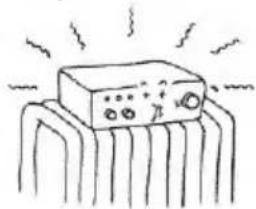
Heat - Do not place the appliance near or over a radiator or heat register, or where it is exposed to direct sunlight.
Ventilation - The slots and openings in the cabinet are provided for necessary ventilation. To ensure reliable operation of the appliance, and to protect it from overheating, these slots and openings must never be blocked or covered.
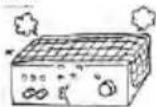
- Never cover the slots and openings with a cloth or other materials.
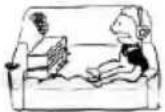
- Never block the slots and openings by placing the appliance on a bed, sofa, rug or other similar surface.
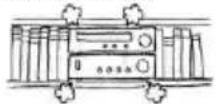
- Never place the appliance in a confined space, such as a bookcase, or built-in cabinet, unless proper ventilation is provided.
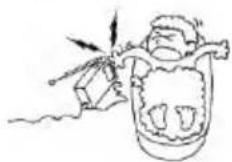
Accessories - Do not place the appliance on an unstable cart, stand, tripod, bracket, or table. The appliance may fall, causing serious injury to a child or an adult, and serious damage to the appliance.Use only a cart,stand, tripod, bracket, or table recommended.
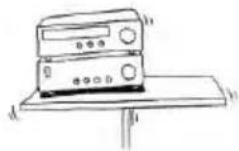
- An appliance and cart combination should be moved with care. Quick stops, excessive force, and uneven surfaces may cause the appliance and cart combination to overturn.
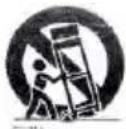
WALL or Ceiling Mounting - If your appliance can be mounted to a wall or ceiling, mount it only as recommended.
USE
Power Source - This appliance should be operated only from the type of power source indicated on the marking label. If you are not sure of the type of electrical power supplied to your home, consult your dealer or local power company. For those appliances designed to operate from battery power, or other sources, refer to the operating instructions.
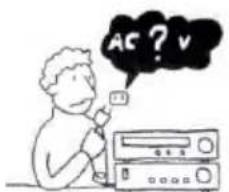
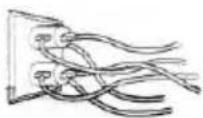
Overloading - Do not overload wall outlets, extension cords or convenience receptacles beyond their capacity, since this can result in fire or electric shock.
When not in use - Unplug the power cord of the appliance from the outlet when left unused for a long period of time.
To disconnect the cord, pull it out by grasping the plug. Never pull the plug out by the cord.
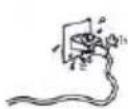
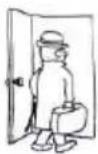
Power-Cord Protection - Route the power cord so that it is not likely to be walked on or pinched by items placed upon or against them, paying particular attention to the plugs, receptacles, and the point where the cord exits from the appliance.
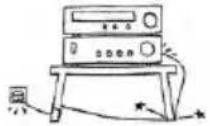
Lightning - For added protection for this appliance during a lightning storm, or when it is left unattended and unused for long periods of time, unplig it from the wall outlet and disconnect the antenna or cable system. This will prevent damage to the appliance due to lightning and powerline surges.
Cleaning - Unplug the appliance from the wall outlet before cleaning or polishing it. Do not use liquid cleaners or aerosol cleaners. Use a cloth lightly dampened with water for cleaning the exterior of the appliance. Clean the appliance only as recommended.
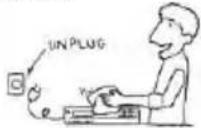
Object and Liquid Entry - Never push objects of any kind into the appliance through openings as they may touch dangerous voltage points or short out parts that could result in a fire or electric shock. Never spill liquid of any kind on the appliance.
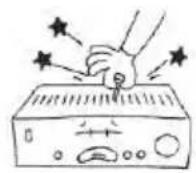
SERVICE
Damage Requiring Service- Unplug the appliance from the wall outlet and refer servicing to qualified service personnel under the following conditions:
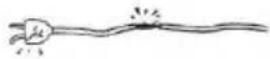
- When the power cord or plug is damaged or frayed.
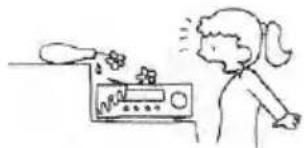
- If liquid has been spilled or objects have fallen into the appliance.
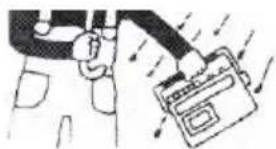
- If the appliance has been exposed to rain or water.
- The appliance does not appear to operate normally or exhibits a marked change in performance. - This indicates a need for service.
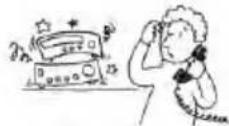
- If the appliance does not operate normally when following the operating instructions, adjust only those controls that are specified in the operating instructions. Improper adjustment of other controls may result in damage and will often require extensive work by a qualified technician to restore the appliance to normal operation.
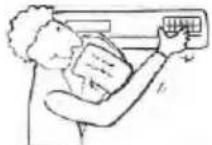
- If the appliance has been subject to excessive shock by being dropped, or the cabinet has been damaged.
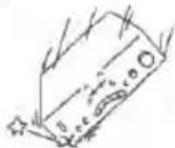
Servicing - Do not attempt to service the appliance yourself as opening or removing covers may expose you to dangerous voltage or other hazards. Refer all servicing to qualified service personnel.
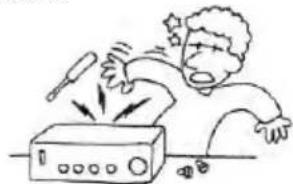
Replacement parts- When replacement parts are required, be sure the service technician has used replacement parts specified that have the same characteristics as the original parts. Unauthorized substitutions may result in fire, electric shock, or other hazards.
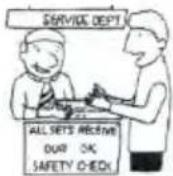
Safety Check - Upon completion of any service or repairs to the appliance, ask the service technician to perform routine safety checks)as specified ) to determine that the appliance is in safe operating condition.
- Do not install this equipment in a confined or building-in space such as a book case or similar unit, and remain a well ventilation conditions. The ventilation should not be impeded by covering the ventilation openings with items such as newspaper, table-cloths, curtains etc. Minimum 10 cm distance around the apparatus for sufficient ventilation.
- WARNING : To reduce the risk of fire or electric shock, do not expose this apparatus to rain or moisture. The apparatus shall not be exposed to dripping or splashing and that objects filled with liquids, such as vases, shall not be placed on apparatus.
- WARNING: The batteries shall not be exposed to excessive heat such as sunshine, fire or the like.
- WARNING: The mains plug is used as disconnect device, the disconnect device shall remain readily operable.
Warning

CLASS 1 LASER PRODUCT KIASSE 1LASER PRODUKT CLASSE 1APPAREIL LASER CLASE 1PRODUCTO LASE
This appliance is classified as a CLASS 1 LASER product. The CLASS 1 LASER PRODUCT MARKING is located on the rear exterior.
Caution

The use of optical instruments with this product will increase eye hazard. As the laser beam used in this DVD player is harmful to eyes, do not attempt to disassemble the cabinet.
Environment
Old batteries do not belong in with the domestic waste!
Consumers are obliged by law to return any old batteries and rechargeable batteries to the corresponding local and/or public collection centres or to return them to the retail shops. This ensures that batteries will be disposed of respecting the environment.
Make sure to return any batteries and rechargeable batteries discharged.
Disposal of old electric and electronic devices:
The icon of a dashed-out waste bin means that a separate disposal of electric/electronic equipment is necessary.
According to the Legislation of the European Union, any electric and electronic devices may not be disposed of with domestic trash but must be returned to a special collection center enabled for the recycling of these devices. The local waste companies should have set up specific collecting centres for this purpose, allowing private consumers to return any old devices for free. Please contact your local authorities or the local waste company for the available disposal possibilities.
Please support us actively by protecting the environment and recycle this product accordingly by returning it to a specific collection centre. This will protect the environment, other people and yourself. Thank you very much!
Disposal of Packaging and Packaging Materials:
Packaging and any packaging materials do not belong in with the domestic waste! Your system consists of materials which can be recycled and reused if disassembled by a specialized company. Please observe the local regulations regarding the disposal of packaging materials.
FRONT PANEL AND REAR PANEL ILLUSTRATION
FRONT PANEL
The front of the DVD player

① POWER
USB FAUCET
⑦ NEXT
② CDDOOR
5 PREV
OPEN/CLOSE
③ MMC/SD/MS FAUCET
⑥ PLAY/PAUSE
The back of the DVD player
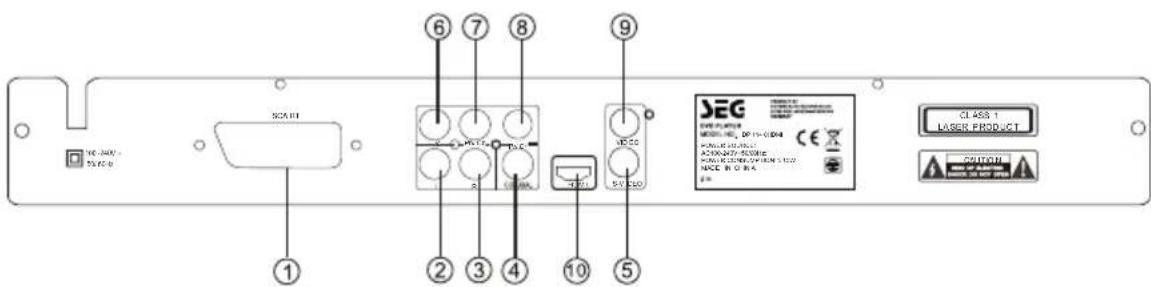
① Scart output jack
Digital signal COAXIAL output jack
⑦ Pb/Cb output jack
HDMI output jack
② LEFT output jack
S-Video output jack
⑥ Pr/Cr output jack
③ RIGHT output jack
⑥ Y output jack
VIDEO output jack
REMOTE CONTROL
- When use, direct the remote control to the infra-red sensor (within 45 degrees)
- Do not put remote control near to the place with high temperature or moisture
- Do not put water or any other object on remote control
- Do not use new and old batteries or different type batteries together
- Please replace batteries when find remote control is out of work or weak sensitivity.
2xAAA batteries are not included.
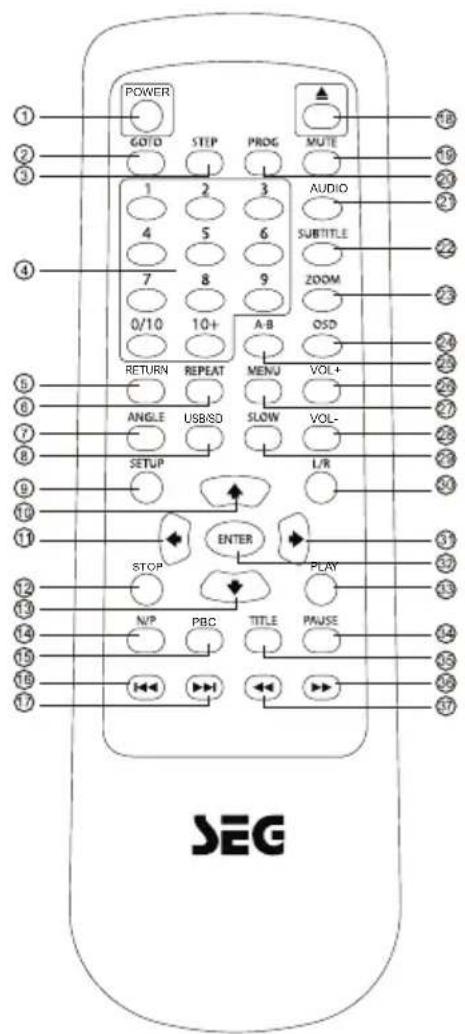
| ① | POWER | ② | PROG |
| ② | GO TO | ② | AUDIO |
| ③ | STEP | ② | SUBTITLE |
| ④ | 0-9 NUMBER | ② | ZOOM |
| ⑤ | RETURN | ② | OSD |
| ⑥ | REPEAT | ② | A-B |
| ⑦ | ANGLE | ② | VOL+ |
| ⑧ | USB/SD | ② | MENU |
| ⑨ | SETUP | ② | VOL- |
| ⑩ | UP | ② | SLOW |
| ⑪ | LEFT | ③ | L/R |
| ⑫ | STOP | ③ | RIGHT |
| ⑬ | DOWN | ③ | ENTER |
| ⑭ | N/P | ③ | PLAY |
| ⑮ | PBC | ③ | PAUSE |
| ⑯ | PREV | ③ | TITLE |
| ⑰ | NEXT | ③ | FWD |
| ⑱ | OPEN/CLOSE | ③ | REV |
| ⑲ | MUTE |
OSD SETUP
This player allows you to customise the performance to your personal preferences.

Displaying the setup menu screen
The setup preferences.
The selected category will provide you the setting details using the following screen.
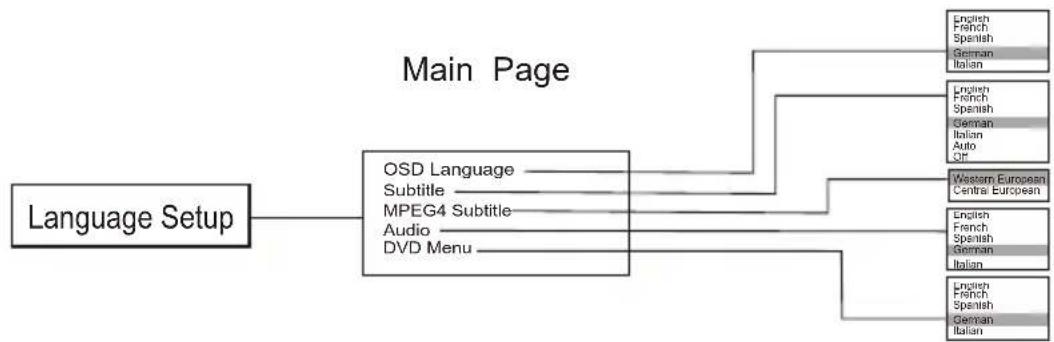
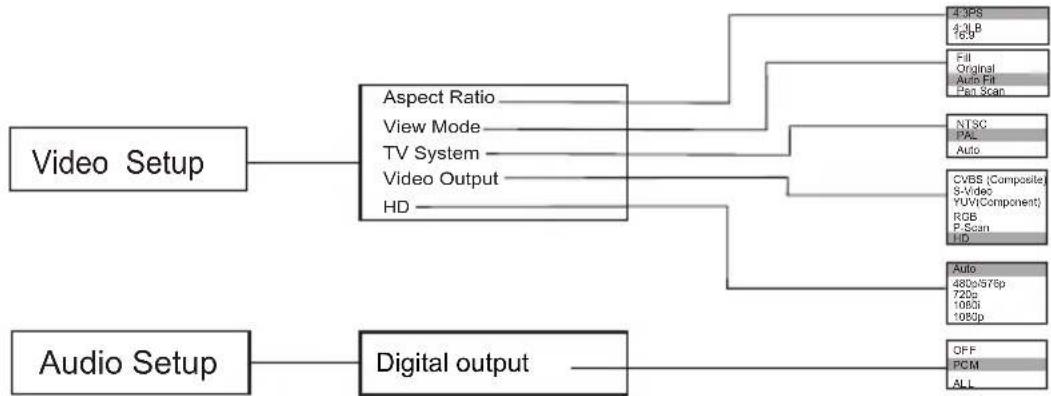


Set on "PARENTAL CONTROL" under "Rating", Press "enter" and input code 8888 (The original factory code is 8888). After input and confirm the code, press "PARENTAL CONTROL" and choose the desired rating. Move below to "SET PASSWORD", press enter and input the code "8888", then input the new code, Under "SET PASSWORD", input again the code, and confirm. The function of "PARENTAL CONTROL" is Effective.
During playback, press PROs the player and
close the power.
TITLE

To open the disc tray, press OPEN/CLOSE To close the disc tray, press @GEN/CLOSE
MENU

During DVD playback, press TITLE to display the DVD title menu or play the first title. Note: this function is subject to the disc.
During DVD playback, press MENU to display the disc menu of the current title. Note: This function is subject to the disc
OSD

During VCD/DVD playback, press OSD to display the current time counter position as follows. VCD 2.0 DVDVIDEO

Elapsed time
Left time for the current track
DVDVIDEO

Elapsed time
Left time for the current track
PBC

During VCD/SVCD playback, Press PBC to select themode of PBC On or PBC Off. PBC is: playback control used to navigate VCD/SVCD.
These keys are used to input the time, as well as title, chapter and track numbers.
-
When a CD, DVD, MP3 or VCD is playing (with PBC off), press the 0-10 keys to select a track Directly.
-
When a numeric item is displayed on the screen, press the 0-10 keys to select the desired entry.
During MPEG4,DVD,VCD or SVCD playback,press SLOW for slow motion playback.
Once you press SLOW, the disc will play at 1/2, 1/4, 1/6 and 1/8 normal speed.
PREV

Press PLAY to resume normal playback.
During MPEG4,DVD, CD,MP3 or VCD playback, press PREV to play the previous chapter, title or track.
NEXT

During MPEG4,DVD,CD,MP3 or VCD playback, press NEXT to play the next chapter, title or track.
REPEAT

Each press of the REPEAT button will change the repeat mode.
During VCD,CD ,MP3 playback,there are three modes: repeat Single, repeat All and Off. During MPEG4/DVD,playback,there are three modes: repeat chapter, repeat title and Off. Note:During VCD playback,the PBC mode must be set to Off.
A-B

During playback, press A-B to select point A.
Press it again to select point B. The player will repeat the section from A to B automatically.
- Press A-B a third time to cancel A-B repeat and clear points A and B.
Note: During MPEG4/CD/VCD/SVCD playback, points A and B must be within the same track.
During MPEG4/DVD playback, points A and B can be selected from different chapters.
REV

During MPEG4/DVD, CD, MP3 or VCD playback, press REV to in reverse. the disc at 2, 4, 8 and 16 times speed.
Press PLAY to resume normal playback.
FWD

During MPEG4/DVD, CD ,MP3 or VCD playback, press FWD to forward. The disc at 2, 4, 8 and 16 times speed.
Press PLAY to resume normal playback.
N/P

Press N/P when in STOP mode to select the mode from PAL / AUTO /NTSC.
Press MUTE to turn off the audio.
Press MUTE again to resume normal sound.
L/R
During VCD/SVCD playback, press L/R repeatedly to select the channel of audio-output: Left / Right / Mix / Stereo.
PLAY/PAUSE
Press PAUSE during playback to pause playback.
Press again to step forward one frame.
Press PLAY to resume normal palsyback.
NOTE: the step function is not available during CD playback.
STOP
Press STOP once during playback to stop and hold playback.
Press PLAY to resume playback from the point you have pressed STOP.
Press STOP twice to stop playback completely.
RETURN
When the PBC is on, press return, and you can select once again from the menu displaying.
This function is only valuable to VCD.
ZOOM
During VCD/SVCD/DVD/MPEG4 playback, press ZOOM to magnify the image
as follows:
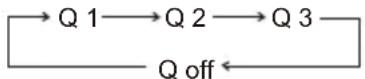
This function can zoom, can't lessen
STEP
When playing MPEG4/DVD,VCD,SVCD disc,press STEP once, the picture changes to next frame,Press PLAY to resume normal play.
SETUP
Press the SETUP button on you remote control to access the setup menu. The setup menu is a Multi-level Menu.
Use the or buttons to select the menu option that you need.
Use the and to go back to previous level menu or to enter the next level menu.
Press ENTER button to confirm selection.
Press SETUP button to exit setup.
Press VOL + to increase the volume.
Press VOL - to reduce the volume.
ANGLE
During DVD playback,
Press ANGLE to view scenes from different camera angles.
Press ANGLE repeatedly to change from one camera angle to another.
Note: This function is disc specific.
SUBTITLE
During DVD playback,
Press SUBTITLE repeatedly to select from up to 32 subtitle languages.
Note: This function is disc specific (language will vary).
AUDIO
Press AUDIO repeatedly to select from up to 8 audio languages/formats during DVD playback.
Press repeatedly to select from up to 4 audio languages/formats during SVCD playback.
Note: This function is disc specific AUDIO
GOTO
During MPEG4/DVD,VCD playback,press GOTO,and the menu will display as follow:
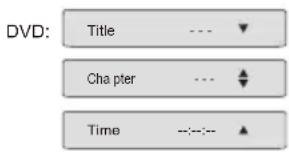
Use to select TITLE, CHAPTER, TIME.
Use the number keys to input the desired time or track, then press ENTER to Confirm.
During DVD playback, press SEARCH, and the menu will display as follow:
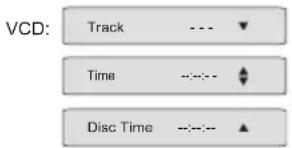
Use to select TRACK, TIME or DISC TIME.
Use the number keys to input the desired time, title or chapter, then press ENTER to confirm.
Note: 1) TIME searches for an exact time in the track.
2) TRACK searches for a desired title or chapter
3) For some DVD discs, the search function is unavailable.
When playing mp3, CD, press "right", "up" or "down" and "enter" to choose edit mode, and then Press "left" and "enter" to choose the music you want.
After that, press "right" and "enter" to choose "add to program" and then "up" and "enter" to choose "program view", next press "up" to choose "edit mode" and then press "Left" and "enter" to choose the music, press "play" to play the music.
Cancel program:
After program, press "stop" twice, and press "right" to choose "edit mode", and then press "left" to choose the music you'd like to cancel and enter to confirm your operation.
Press "right" and "enter" to choose "clear program", then press "Right" to "browse view" and return to play in order.
USB/CARD
Choose this button to setup the DISC,USB and CARD output mode:
DISC: Choose this settings if your DISC output mode is connected to a DISC.
USB: Choose this settings if your USB output mode is connected to a USB.
CARD: Choose this settings if your CARD output mode is connected to a CARD.
The default setting is DISC.Only press STOP buton can you switch to USB or
CARD mode when this unit on playback disc.
Notice:USB-Extension cable should have a max. length of 25cm.
Notice: The USB-host / SD/MMC-cardreader function of this product does not guarantee the compatibility with all of USB devices and/or SD/MMC memory cards.
Supported format: MP3, JPEG, AVI
Max. supported capacity: 16GB (USB device) / 16GB (SD/MMC card).
HDMI Function:
- Connect HDMI cable to HDMI output of the rear panel of DVD player and TV.
- Set TV mode to 'HDMI' mode
- Press 'setup' button on remote control, in system setup/video out, please choose the HD (HDMI) mode (HD resolution: 720P, 1080i, etc.) you want.
Note :
If you are playing Mp3 songs or viewing Jpeg pictures, the maximum supported files on each folder is 500. In the case of having more than 500 pictures or songs, then you need to create a new folder and make sure each of them. Do not exceed more than 500 files. For example: if you have 1020 files then you need to create
3 different folders where in 2 of them you will need to record 500, Files in each and the third folder with the remaining 20 files. This way the unit will be able to recognize the folders and thus play all the content.
TROUBLE SHOOTING
REMOTE CONTROL IS INSENSITIVE OR DOES NOT WORK
Check the batteries of remote control and make sure that they are powerful and in good conductivity.
Direct the remote control to the IR sensor of the player.
Check whether there are some obstacles between the remote control and IR sensor.
ABNORMAL FUNCTION OPERATION
Turn off the power, and then turn on again.
The disc can not be taken out of the tray when the player is reading, so you have
to turn off the power and turn on again, and press OPEN/CLOSE key immediately to open the tray :
| Type of Disc | DVD/VCD/HDCD/CD/DVD±R/RW, MPEG4/WMA,MP3, Kodak Picture CD | Frequency Response | CD: 4Hz 20KHz (EIAT) |
| DVD: 4Hz 22KHz (48K) 4Hz 44KHz (96K) | |||
| Audio Format | MPEG 1, LAYER 1, LAYER 2, LAYER 3 | S/N radio | >92 dB |
| THD | <0.04% | ||
| Signal Output | Color System: PAL/NTSC/MULTI Audio System: AC-3 Digital output Audio DAC 16bit/48KHz Video Output: 1 Vpp (at 75 ohm) Audio Output: 2 Vpp | Output Terminals | Video (composite) output X 1 S-Video output X 1 2.0ch output X 1 Digital coaxial output X1 YPbPr output X 1 Scart output X1 HDMI output X1 |
| Power input | AC100-240V~ 50/60Hz 15W | ||
| Dimensions | Body size: W430XD220XH38mm Net weight: 2.3KG |
Notes:
- There are many non-standardized MPEG4/DVD/MP3/WMA/CD-recording procedures and copyprotection procedures now in use, and many different kinds of DVD±R,DVD±RW, CD-R and CD-RW blank disks. Therefore, in some cases read errors or read delays may be encountered. This is not a defect of the device.
- This player not responsible for play ability of MP3 in any case, Due to recording condition such as PC performance, writing software, media ability or etc.
- For CD-RW of CD-R, it may not be played according to the type of this disc.
- Due to the progressive development of the media, not all future media playable / readable.
The processors used have limitations - the exact information on your device,
You can get under info@m3-electronic.de
Product Marking for Electrical and Electronic Appliances in accordance with the European
Electrical and Electronic Appliance Law (WEEE)
Prohibited Substances as of 1 July 2006 (date of Import)
As of 01 July 2006, an appliance may only be marketed if it complies with the following limits:
Max. 0.1 percent in weight per homogeneous material of:
- Lead - Mercury - Hexavalent chromium - Polybrominated biphenyl (PBB) - Polybrominated diphenyl ether (PBDE)
Max. 0.01 percent in weight per homogeneous material of:
Cadmium
18 OPEN/CLOSE 37 REV
19 MUTE
IMPOSTAZIONE OSD
service@schmid-electronics.de
service@schmid-electronics.de
Manufactured under license from Dolby Laboratories. 'Dolby' and the double-D symbol are the trademarks of Dolby Laboratories. Copyrights 1992-1997 Dolby Laboratories. All rights reserved.
This item incorporates copy protection technology that is protected by U.S. patents and other intellectual property rights of Rovi Corporation. Reverse engineering and disassembly are prohibited.



- Safety Instructions and Important Information About Intended Use
- IMPORTANT SAFEGUARDS
- INSTALLATION
- USE
- SERVICE
- Environment
- Disposal of Packaging and Packaging Materials:
- FRONT PANEL AND REAR PANEL ILLUSTRATION
- REMOTE CONTROL
- OSD SETUP
- TITLE
- MENU
- OSD
- DVDVIDEO
- PBC
- PREV
- NEXT
- REPEAT
- A-B
- REV
- FWD
- N/P
- L/R
- PLAY/PAUSE
- STOP
- RETURN
- ZOOM
- STEP
- SETUP
- ANGLE
- SUBTITLE
- AUDIO
- GOTO
- Cancel program:
- USB/CARD
- HDMI Function:
- Note :
- TROUBLE SHOOTING
- REMOTE CONTROL IS INSENSITIVE OR DOES NOT WORK
- ABNORMAL FUNCTION OPERATION
- Notes:
- Prohibited Substances as of 1 July 2006 (date of Import)
- IMPOSTAZIONE OSD
Brand : SEG
Model : DP 1140HDMI
Category : DVD player