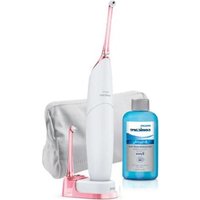
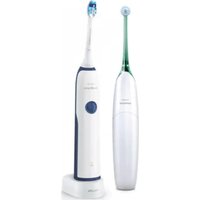
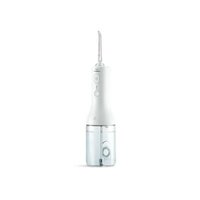
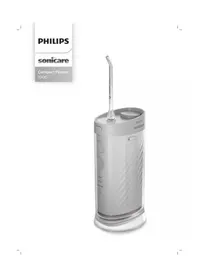
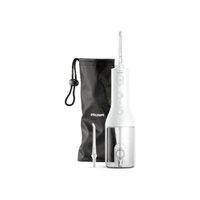
PHILIPS Sonicare AirFloss HX8141 - Interdental brush

Sonicare AirFloss HX8141 - Interdental brush PHILIPS - Free user manual and instructions

Find the device manual for free Sonicare AirFloss HX8141 PHILIPS in PDF.
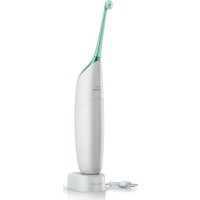
📄 48 pages English EN Download 💬 AI Question
Notice PHILIPS Sonicare AirFloss HX8141 - page 5
View the manual : Français FR English EN Español ES
Pick your language and provide your email: we'll send you a specifically translated version.

User questions about Sonicare AirFloss HX8141 PHILIPS

0 question about this device. Answer the ones you know or ask your own.

Ask a new question about this device

The email remains private: it is only used to notify you if someone responds to your question.

No questions yet. Be the first to ask one.

Download the instructions for your Interdental brush in PDF format for free! Find your manual Sonicare AirFloss HX8141 - PHILIPS and take your electronic device back in hand. On this page are published all the documents necessary for the use of your device. Sonicare AirFloss HX8141 by PHILIPS.

USER MANUAL Sonicare AirFloss HX8141 PHILIPS

Register your product and get support at

www.philips.com/welcome
PHILIPS Sonicare AirFloss HX8141 - 1

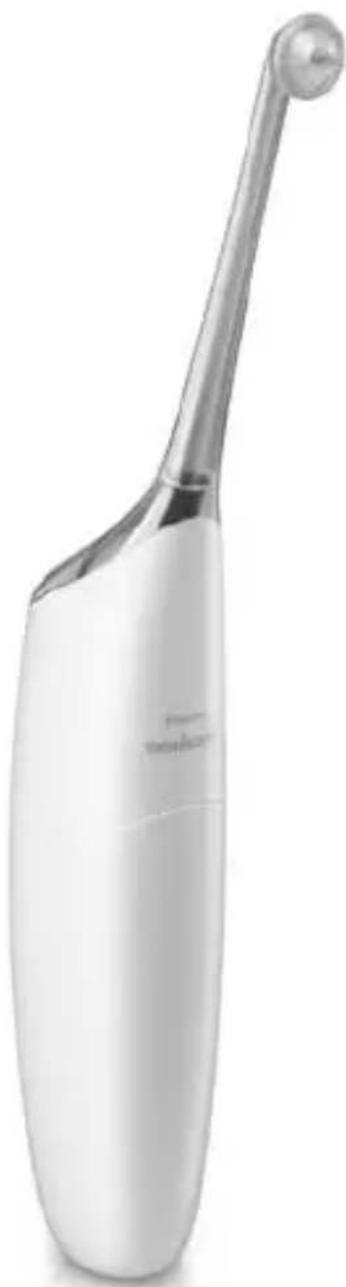
natural_image White electric toothbrush with metallic handle and bulb, no visible text or symbols on body

Philips Sonicare Airfloss 100 SERIES

ENGLISH 4

ESPAÑOL 18

FRANÇAIS (CANADA) 32

1 Important Safeguards 3
2 What's in the box 6
3 Before first use 7
4 Preparing for use 8
5 Using 9
6 Auto off.... 10
7 Cleaning 11
8 Storing your AirFloss 12
9 Disposing or recycling at end of product life 13
10 Support 14

1

IMPORTANT SAFEGUARDS

READ ALL INSTRUCTIONS BEFORE USE DANGERS

To reduce the risk of electrocution:

  • Do not place or store product where it can fall or be pulled into a bathtub, washbasin or sink.
  • Do not place charger in or drop into water or other liquid, unplug the charger immediately if this should occur.
    • After cleaning, make sure the charger is completely dry before you connect it to the mains.

WARNINGS

To reduce the risk of burns, electrocution, fire, or physical injury:

  • DO NOT use alcohol or other cleaning fluids in the reservoir as it may be an ingestion hazard.
  • DO NOT use attachments other than those recommended by the manufacturer.
  • DO NOT plug the charger into an outlet with a voltage other than specified on the bottom of the charger. This product is designed to operate within a range of 100 to 240 volts. Voltage converters DO NOT Warranty voltage compatibility.
  • DO NOT use hot water so as to avoid physical injury.
    • DO NOT use the charger outdoors.
  • DO NOT drop or insert any foreign objects into the reservoir.

  • Never force the plug into an outlet; if the plug does not easily fit into the outlet, discontinue use.

  • Keep the cord away from heated surfaces.
  • Discontinue use if the nozzle, body, or charger body / cord appear damaged in any way. Refer to “Warranty and Service” for service or repair.
  • This product contains no user-serviceable parts. Refer to “Warranty and Service” if AirFloss no longer works properly or needs repair.
  • Use this product only for its intended use as described in this document or as recommended by your dental professional.
  • This product is not intended for use by persons (including children) with reduced physical, sensory, or mental capabilities, or lack of experience and knowledge, unless they have been given supervision or instruction concerning use of the appliance by a person responsible for their safety.
  • Children should be supervised to ensure that they do not play with the appliance.
    • AirFloss is a personal care device and is not intended for use on multiple patients in a dental office or institution.
  • Do not direct the spray under the tongue or into the ear, nose, eye, or other sensitive areas. See “Using AirFloss” for correct usage.
  • Avoid applying excessive nozzle tip pressure.

MEDICAL WARNINGS

  • Consult your dental professional before you use this product if you have had oral or gum surgery in the previous two (2) months.
  • Contact your dental professional if excessive bleeding occurs after using this product or bleeding continues to occur after one (1) week of use.
  • Discontinue use of this product and contact a physician/dentist if discomfort or pain is experienced.
  • This product complies with the safety standards for electromagnetic devices. If you have a pacemaker or other implanted device, contact your physician or the device manufacturer prior to use.
  • Consult your physician if you have other medical concerns.

Electromagnetic fields (EMF)

This Philips product has been tested and is compliant with safety standards for electromagnetic devices. If handled properly and according to the instructions in this user manual, the product is safe to use.

SAVE THESE INSTRUCTIONS

2
PHILIPS Sonicare AirFloss HX8141 - SAVE THESE INSTRUCTIONS - 1

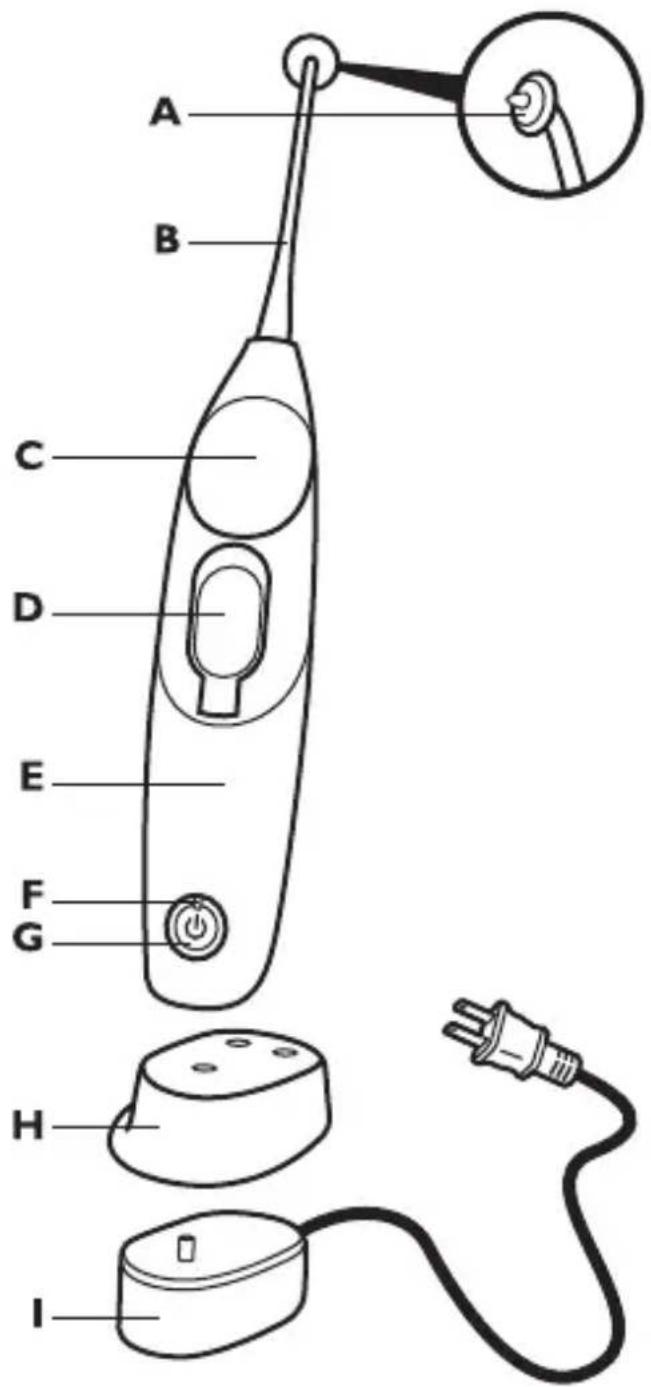
text_image A B C D E F G H I

A Guidance tip

B Nozzle

C Activation button

D Water reservoir and cover

E Handle

F Charge indicator

G Power on/off button

H Removable charger cover (select models)

I Charger

3

BEFORE FIRST USE

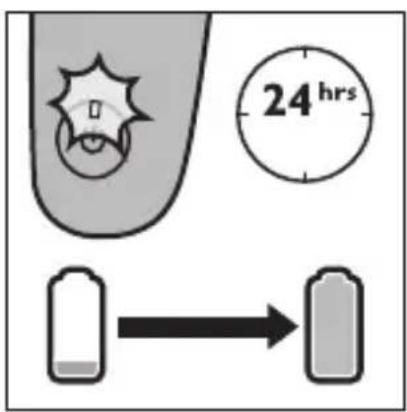
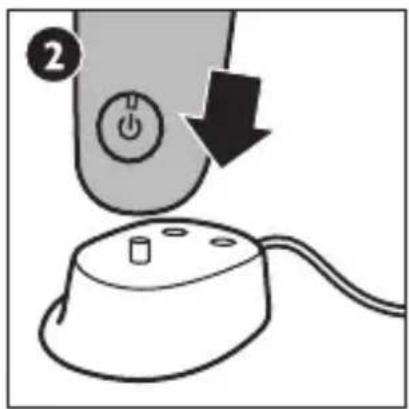
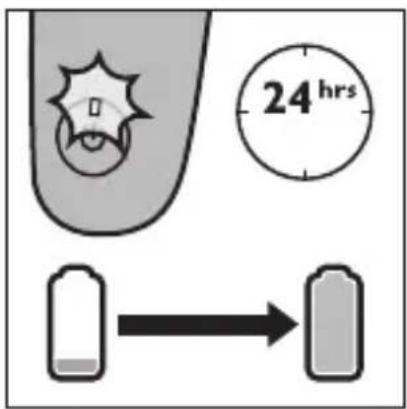
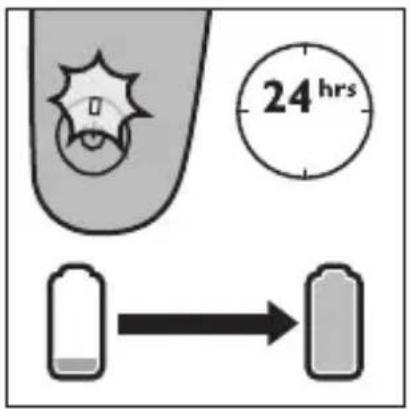
Charge AirFloss - Charge for 24 hours before first use. Charge indicator flashes green until fully charged. Rapid yellow flashing indicates charge is extremely low (fewer than 3 uses left). AirFloss is designed to last 2 weeks (or 14 uses) on a single charge.
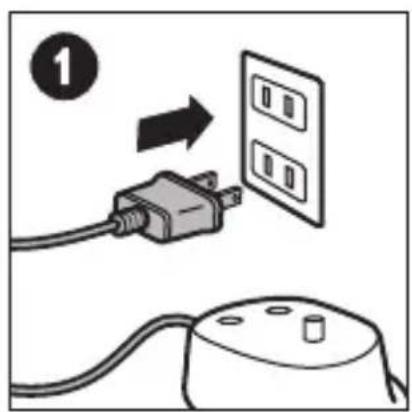
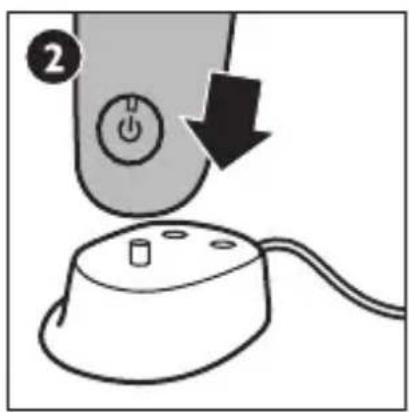
PHILIPS Sonicare AirFloss HX8141 - BEFORE FIRST USE - 1

text_image Diagram showing a plug connected to an electrical outlet with a switch, labeled with number 1 and directional arrow.

PHILIPS Sonicare AirFloss HX8141 - BEFORE FIRST USE - 2

text_image Diagram showing a computer mouse with a power button and a cable, labeled with number 2 and an arrow indicating rotation.

PHILIPS Sonicare AirFloss HX8141 - BEFORE FIRST USE - 3

text_image 24 hrs

PHILIPS Sonicare AirFloss HX8141 - BEFORE FIRST USE - 4

flowchart
graph LR
    A["Gray Bar"] -->|2 weeks| B["White Box"]

4

PREPARING FOR USE

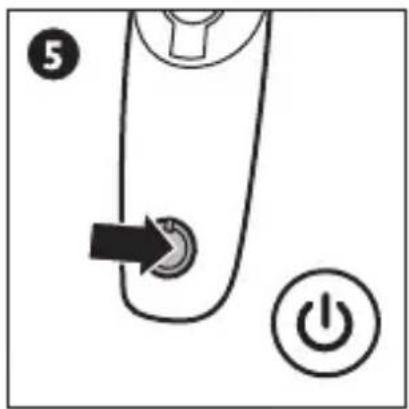
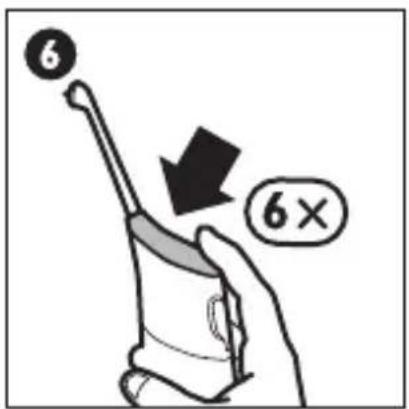
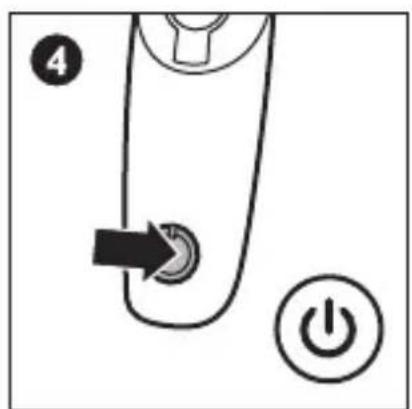
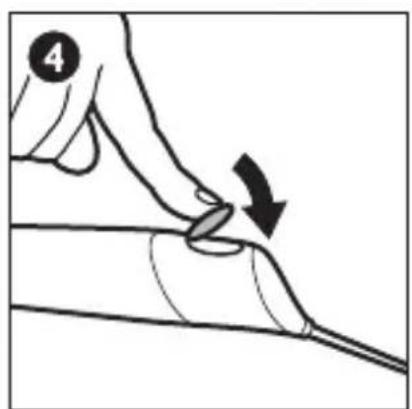
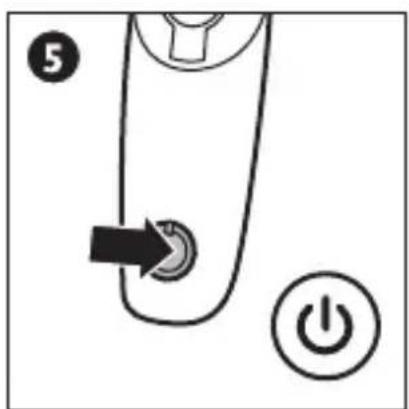
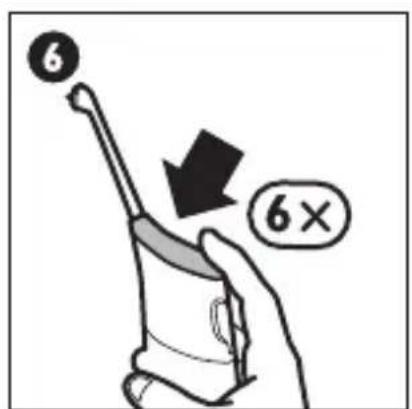
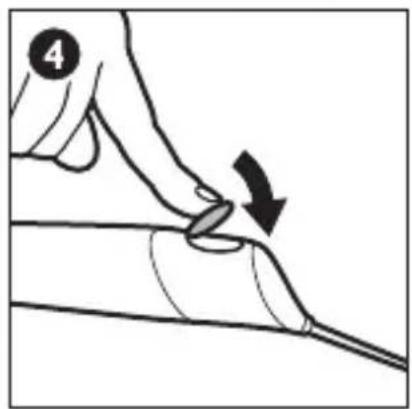
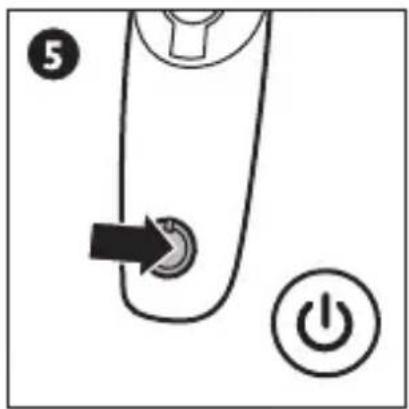
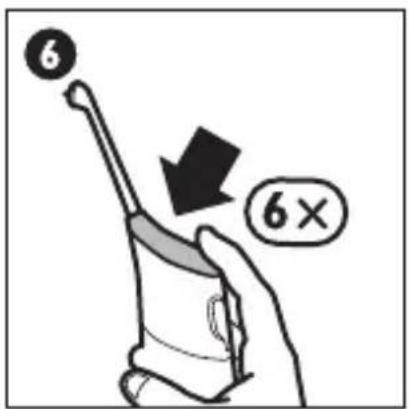
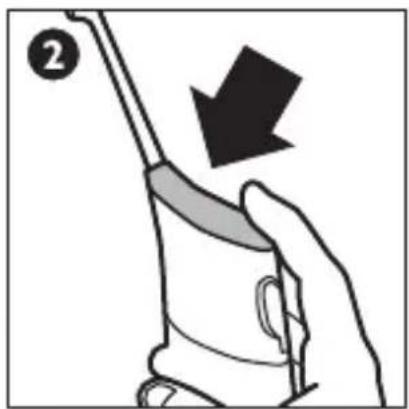
Preparing AirFloss - To use, attach nozzle, fill reservoir with water or mouthwash. After filling the reservoir, press the power on/off button to turn on, then press the activation button approximately 6 times or until spray is produced. The reservoir holds enough liquid for approximately 2 uses. Replace the nozzle every 6 months for optimal results.
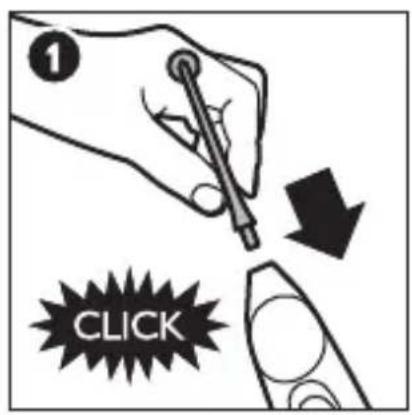
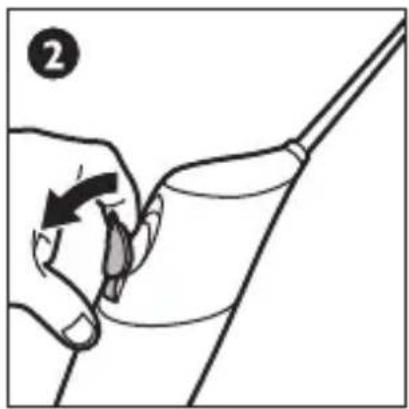
PHILIPS Sonicare AirFloss HX8141 - PREPARING FOR USE - 1

text_image 1 CLICK

PHILIPS Sonicare AirFloss HX8141 - PREPARING FOR USE - 2

natural_image Illustration of a hand holding a cup with a tool, no text or symbols present

PHILIPS Sonicare AirFloss HX8141 - PREPARING FOR USE - 3

natural_image Illustration of a hand holding a tool near a faucet, with no visible text or symbols

PHILIPS Sonicare AirFloss HX8141 - PREPARING FOR USE - 4

natural_image Illustration of a hand pressing down on a curved surface with an arrow indicating motion (no text or symbols)

PHILIPS Sonicare AirFloss HX8141 - PREPARING FOR USE - 5

text_image ⑤ ⑥

PHILIPS Sonicare AirFloss HX8141 - PREPARING FOR USE - 6

text_image 6 6×

5

USING

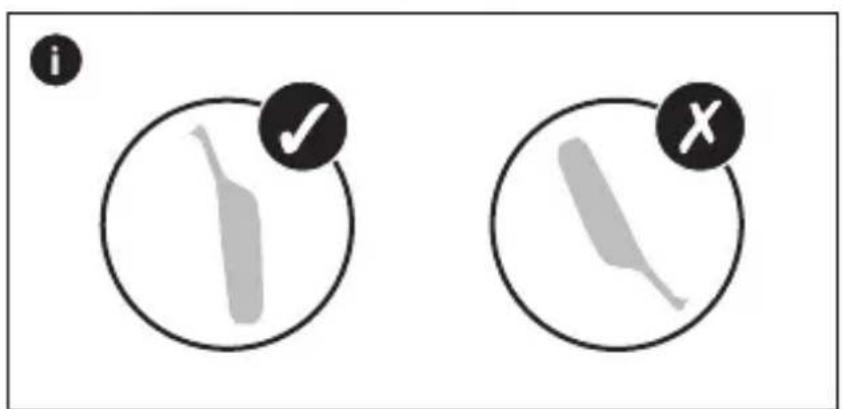
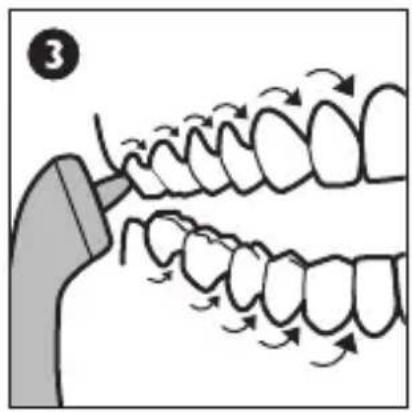
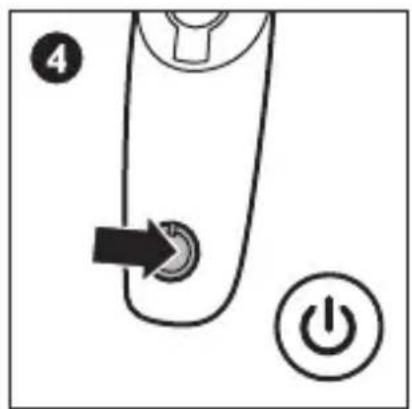
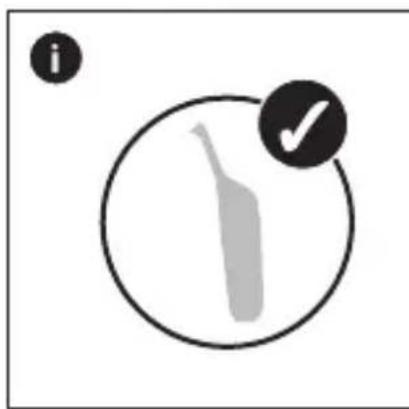
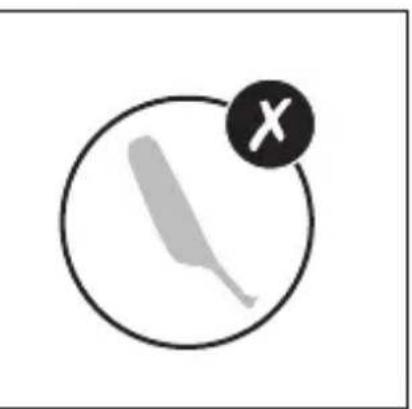
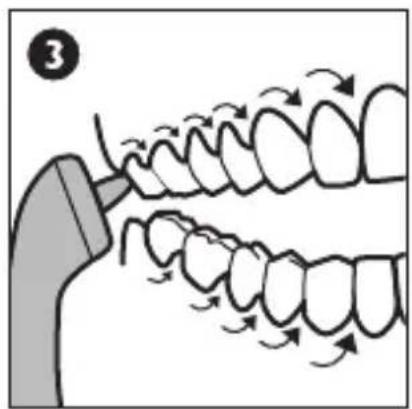
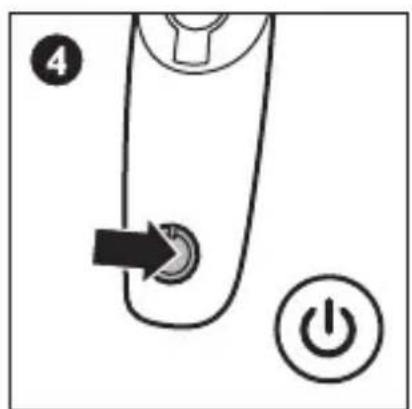
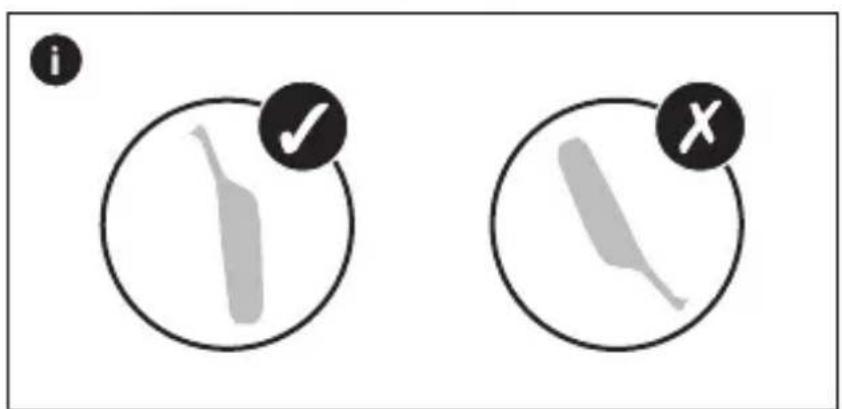
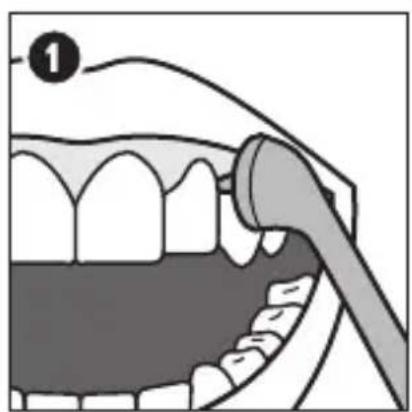
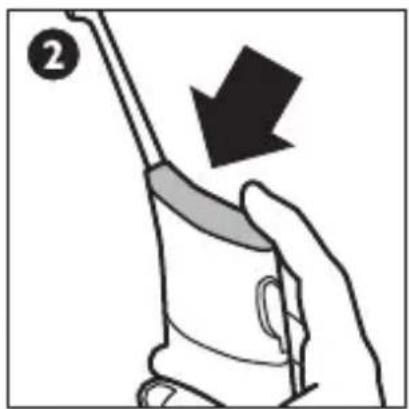
Use AirFloss - AirFloss is designed to be used on the outside of the teeth. Place the tip between teeth and apply gentle pressure. Press activation button to deliver a burst of air and water. Glide the guidance tip along the gum line until you feel it settle between the next two teeth. Press the activation button again and repeat for all spaces including behind your back teeth. Press power on/off button to turn power off after use.
PHILIPS Sonicare AirFloss HX8141 - USING - 1

natural_image Illustration of a dental procedure showing tooth alignment and tooth removal (no text or symbols)

PHILIPS Sonicare AirFloss HX8141 - USING - 2

natural_image Illustration of a hand holding a tool with a downward arrow, no text or symbols present

PHILIPS Sonicare AirFloss HX8141 - USING - 3

natural_image Illustration of dental arching process showing tooth arrangement and tooth movement (no text or symbols)

PHILIPS Sonicare AirFloss HX8141 - USING - 4

text_image 4 ④ ①

PHILIPS Sonicare AirFloss HX8141 - USING - 5

text_image i ✓ X

6

AUTO OFF

PHILIPS Sonicare AirFloss HX8141 - USING - 6

text_image 4 min.

7

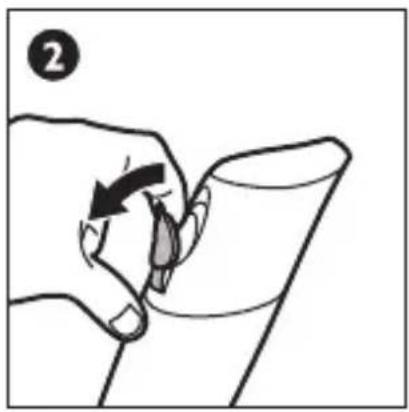
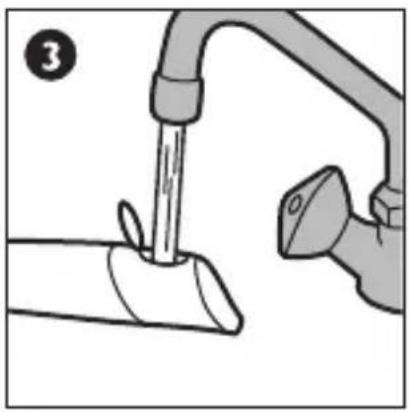
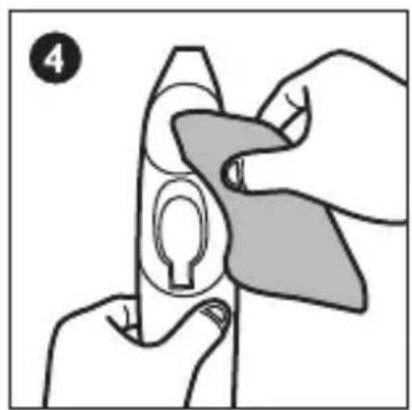
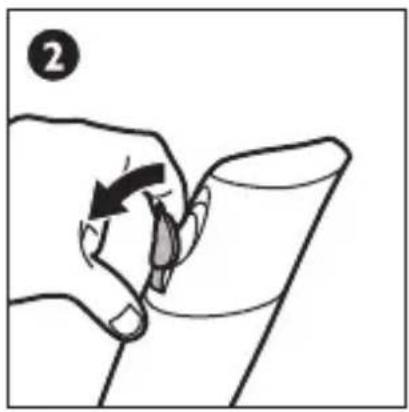
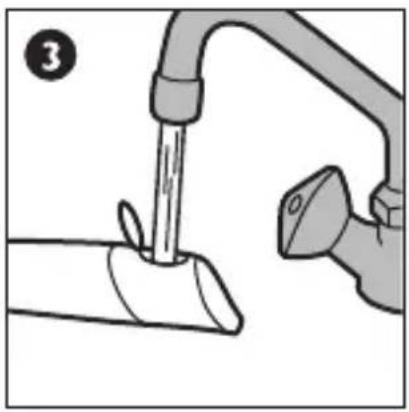
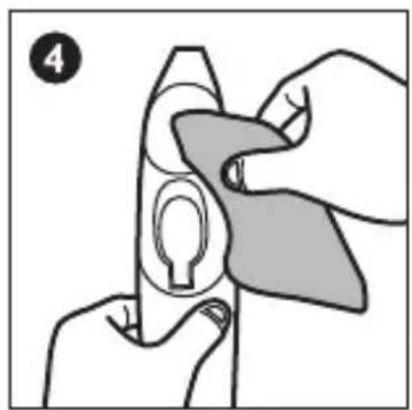
CLEANING

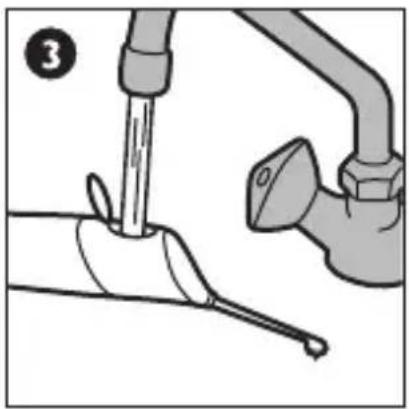
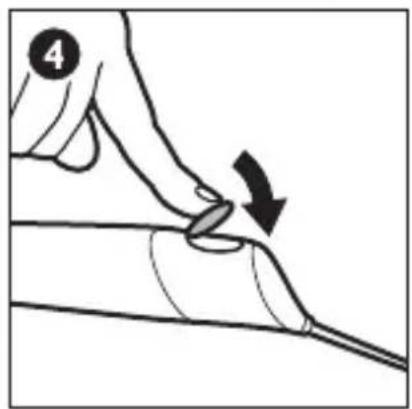
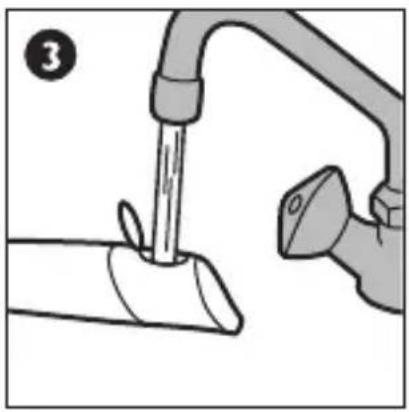
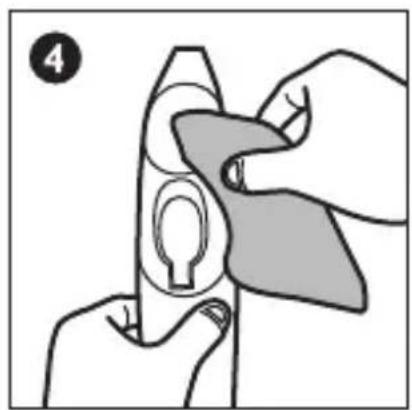
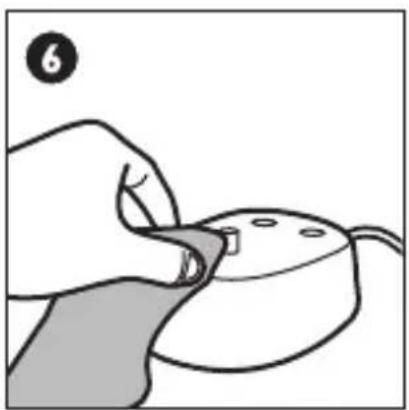
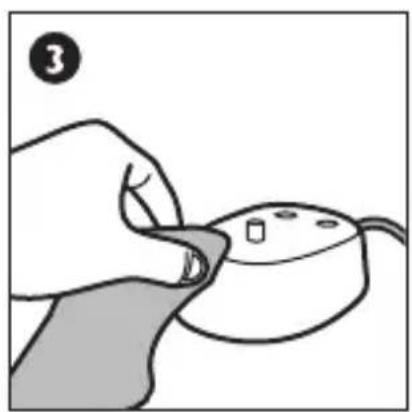
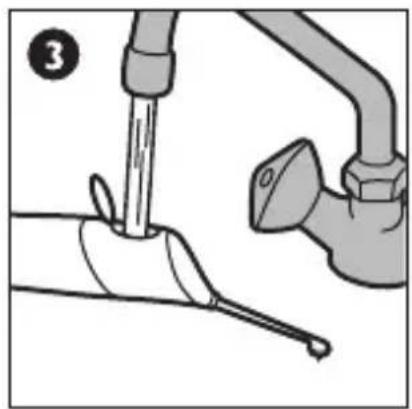
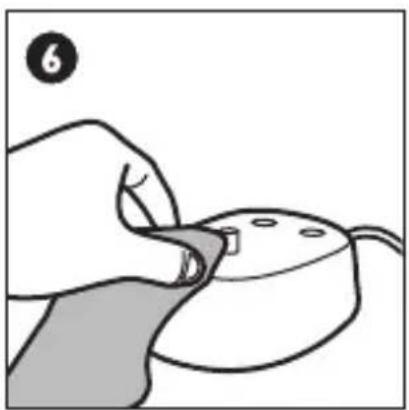
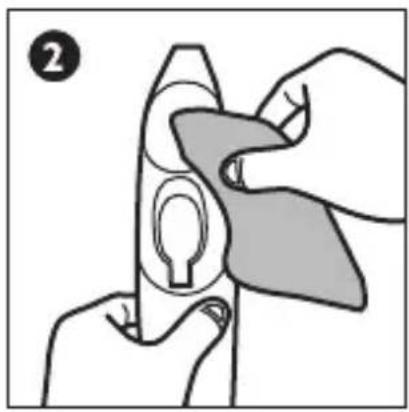
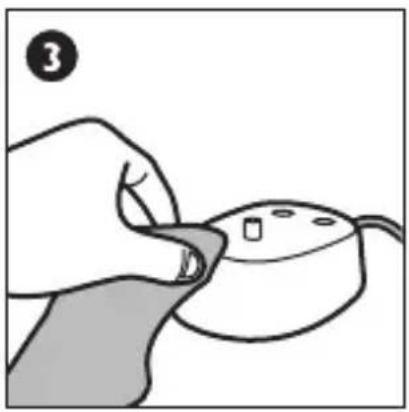
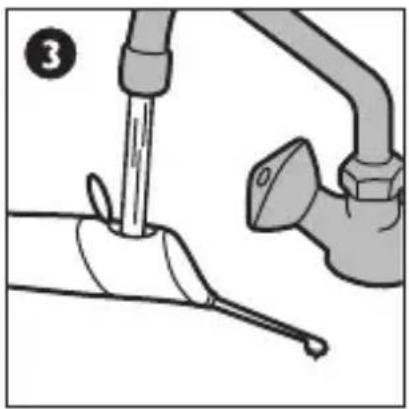
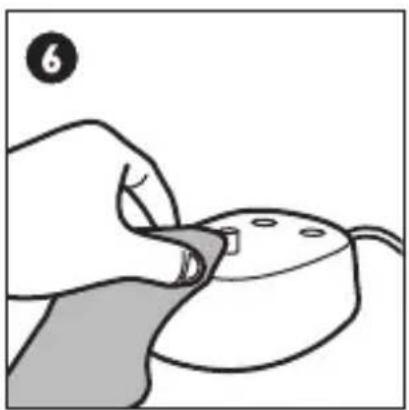
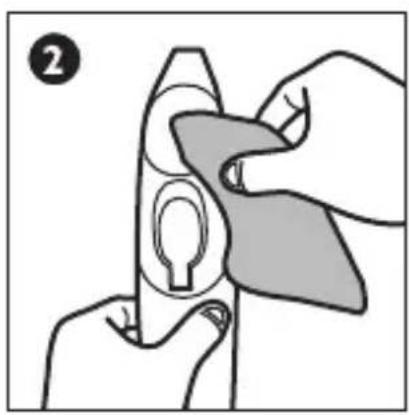
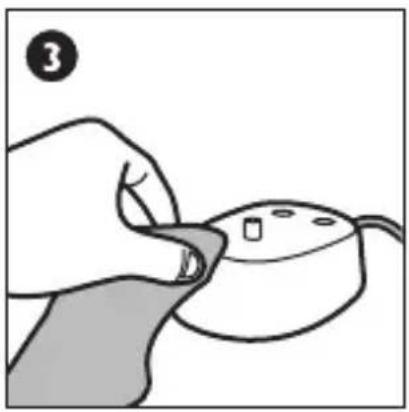
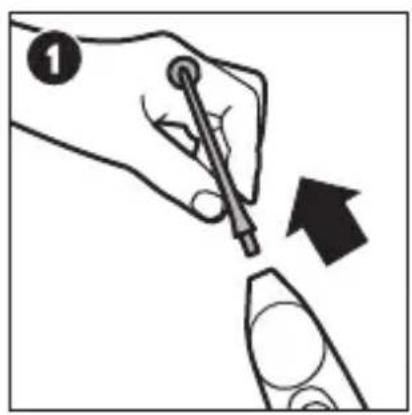
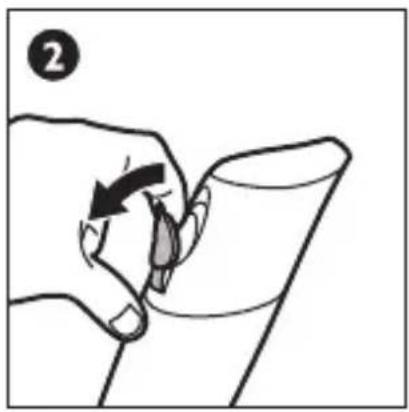
Cleaning - Remove the nozzle and rinse with water. Use a cotton-tipped swab to wipe down the reservoir, if desired. Avoid getting foreign objects inside. The use of cleaning agents inside the device is not recommended. Do not clean in the dishwasher or any other sanitizing devices.
PHILIPS Sonicare AirFloss HX8141 - CLEANING - 1

natural_image Hand holding a pen and eraser with an arrow indicating direction (no text or symbols)

PHILIPS Sonicare AirFloss HX8141 - CLEANING - 2

natural_image Hand holding a pen tip interacting with a cylindrical object (no text or symbols visible)

PHILIPS Sonicare AirFloss HX8141 - CLEANING - 3

natural_image Illustration of a faucet with a handle and outlet pipe, no text or symbols present

PHILIPS Sonicare AirFloss HX8141 - CLEANING - 4

natural_image Illustration of hands holding a device with a keyhole and a circular component, no text or symbols present

PHILIPS Sonicare AirFloss HX8141 - CLEANING - 5

text_image 5

PHILIPS Sonicare AirFloss HX8141 - CLEANING - 6

natural_image Illustration of a hand using a tool to press or adjust a small object, no text or symbols present

8

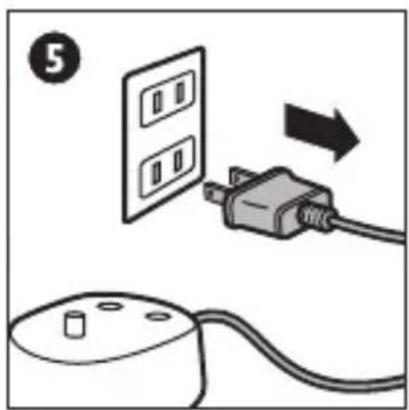
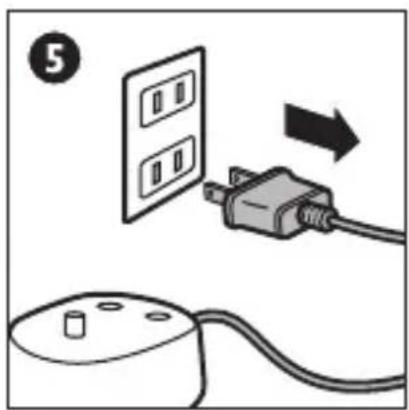
STORING YOUR AIRFLOSS

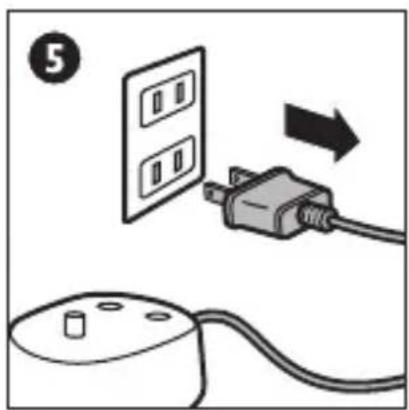
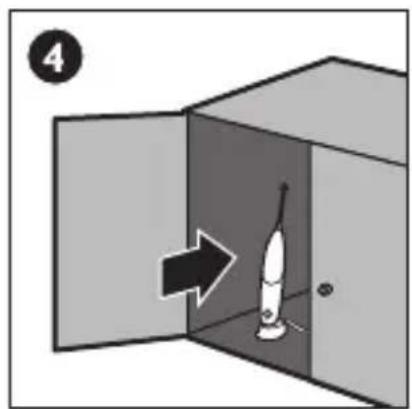
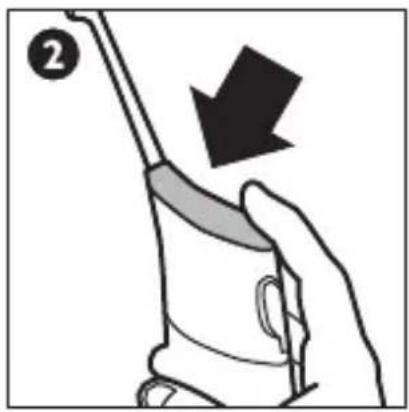
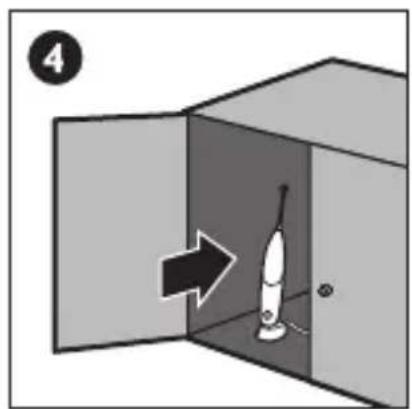
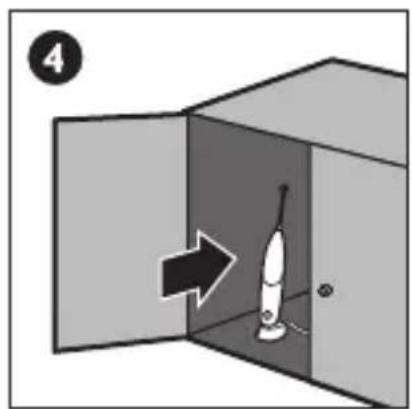
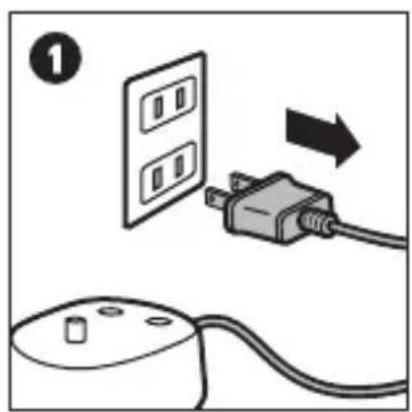
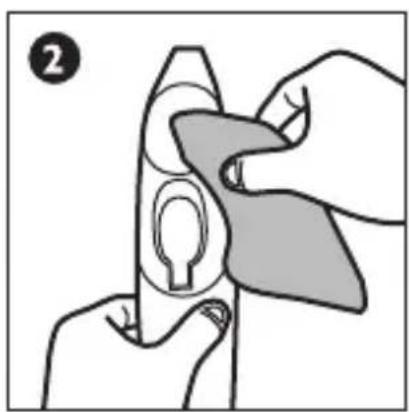
Storing - If AirFloss will not be used for an extended period of time, empty water from reservoir, press activation button until no spray is produced, unplug the charger, clean the product, and store it in a cool, dry place away from direct sunlight.
PHILIPS Sonicare AirFloss HX8141 - STORING YOUR AIRFLOSS - 1

text_image Diagram showing installation of a wall-mounted power outlet connected to a computer via an AC plug, with a numbered step indicator.

PHILIPS Sonicare AirFloss HX8141 - STORING YOUR AIRFLOSS - 2

natural_image Illustration of hands holding a device with a shaded grip, no text or symbols present

PHILIPS Sonicare AirFloss HX8141 - STORING YOUR AIRFLOSS - 3

natural_image Illustration of a hand holding a computer mouse with a small mouse on the pad (no text or symbols)

PHILIPS Sonicare AirFloss HX8141 - STORING YOUR AIRFLOSS - 4

text_image 4

PHILIPS Sonicare AirFloss HX8141 - STORING YOUR AIRFLOSS - 5

DISPOSING OR RECYCLING AT END OF PRODUCT LIFE

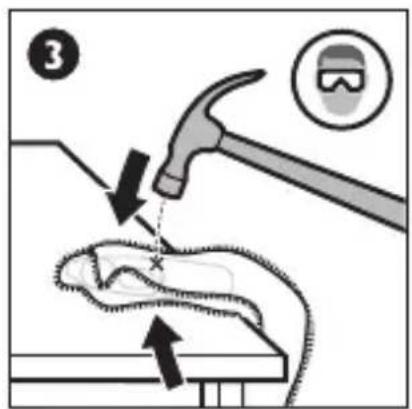
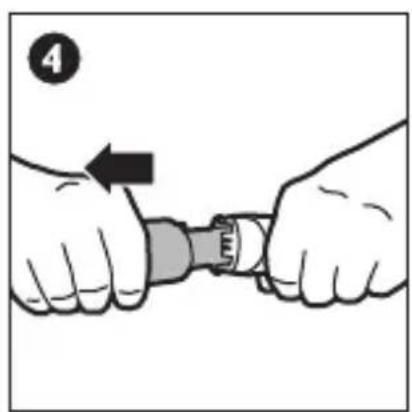
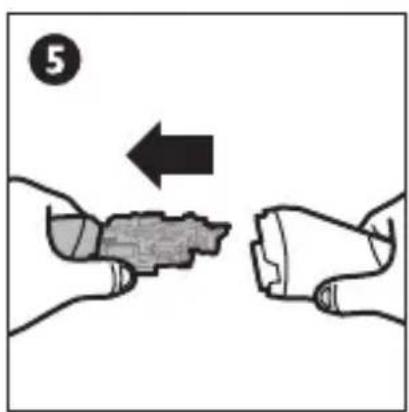
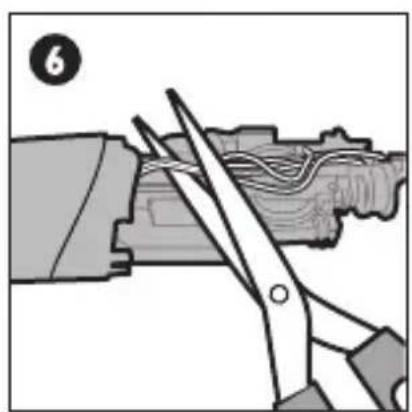
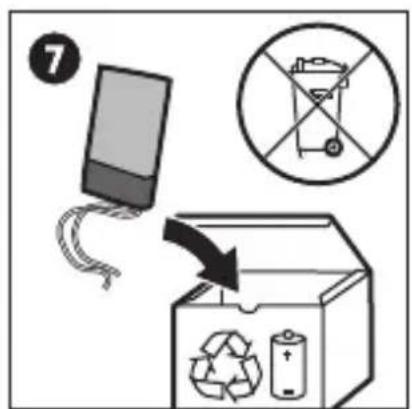
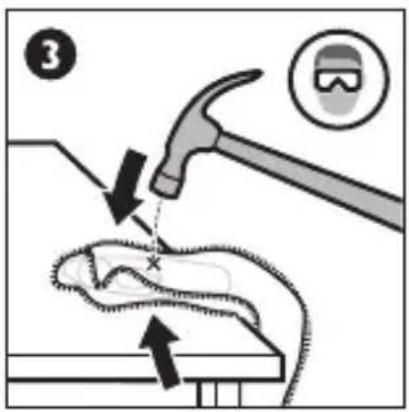
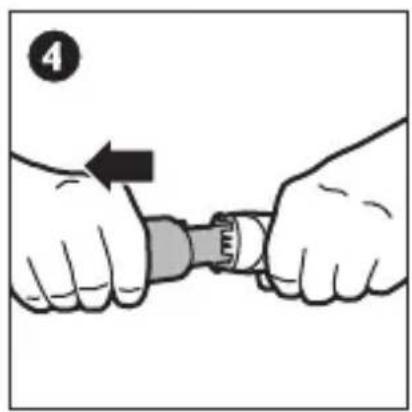
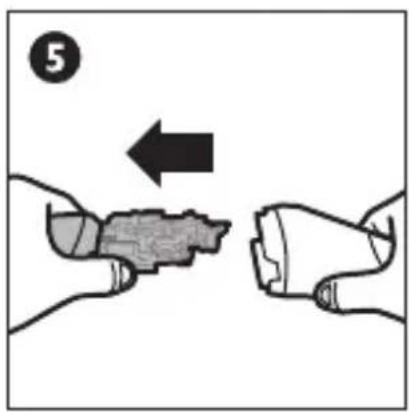
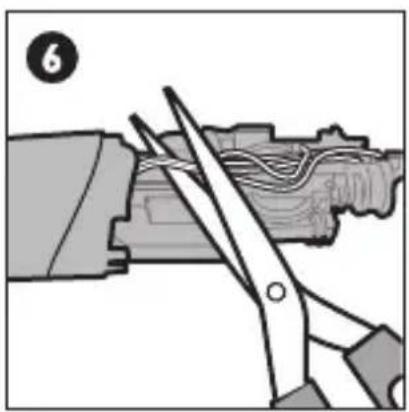
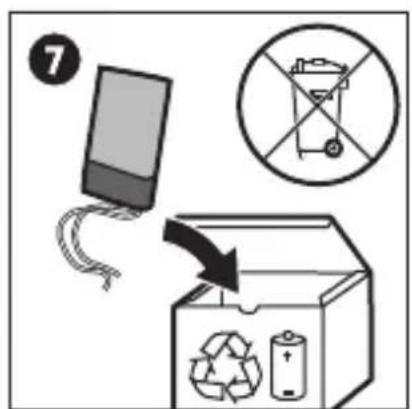
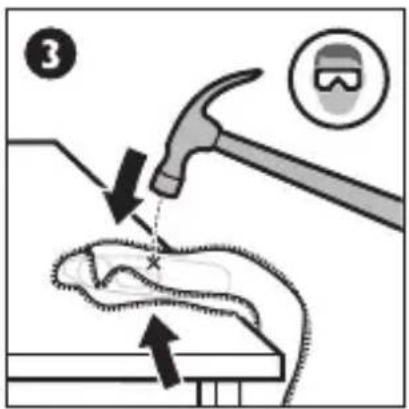
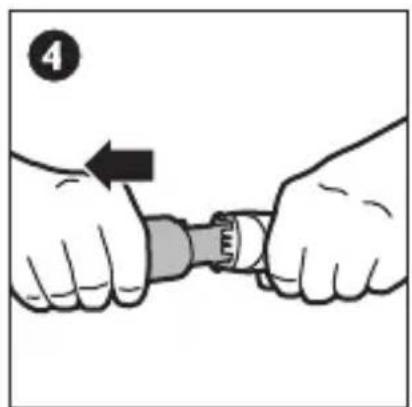
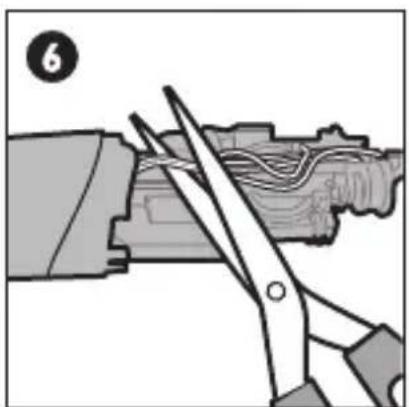
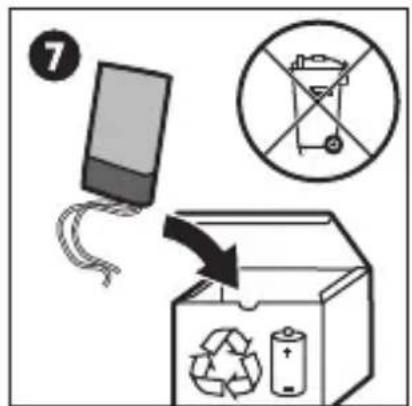
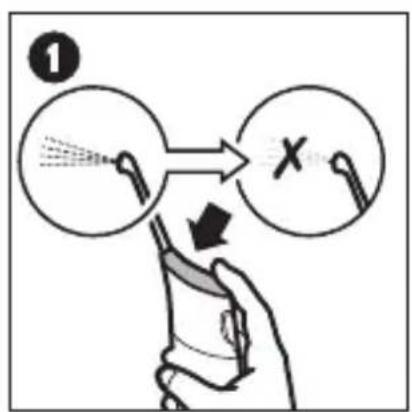
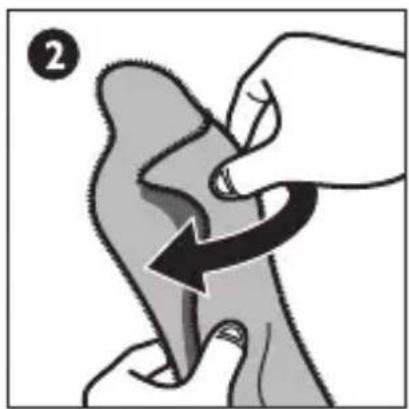
Please note this process is not reversible - The rechargeable battery inside the AirFloss cannot be replaced but can be removed for recycling. Please contact your local waste management for recycling requirements. Only remove the battery at the end of the product's life. Doing so earlier will destroy the product. Deplete the battery charge by repeatedly pressing the activation button until AirFloss can no longer produce any bursts of air. Observe basic safety precautions.
PHILIPS Sonicare AirFloss HX8141 - DISPOSING OR RECYCLING AT END OF PRODUCT LIFE - 1

text_image ① X

PHILIPS Sonicare AirFloss HX8141 - DISPOSING OR RECYCLING AT END OF PRODUCT LIFE - 2

natural_image Illustration of a hand performing a finger manipulation on a curved object, with no visible text or symbols

PHILIPS Sonicare AirFloss HX8141 - DISPOSING OR RECYCLING AT END OF PRODUCT LIFE - 3

text_image Diagram illustrating a welding process with labeled components and directional arrows indicating movement or force

PHILIPS Sonicare AirFloss HX8141 - DISPOSING OR RECYCLING AT END OF PRODUCT LIFE - 4

natural_image Illustration of hands fastening a mechanical component with a wrench, no text or symbols present

PHILIPS Sonicare AirFloss HX8141 - DISPOSING OR RECYCLING AT END OF PRODUCT LIFE - 5

natural_image Illustration of two hands holding a small object with an arrow indicating direction (no text or symbols)

PHILIPS Sonicare AirFloss HX8141 - DISPOSING OR RECYCLING AT END OF PRODUCT LIFE - 6

natural_image Illustration of scissors cutting a piece of wood with visible lines and a numbered label (6) in the corner (no text or symbols on the diagram itself)

PHILIPS Sonicare AirFloss HX8141 - DISPOSING OR RECYCLING AT END OF PRODUCT LIFE - 7

text_image ⑦ No No Disposal Bin → Recycle Bin Battery

10

SUPPORT

PHILIPS Sonicare AirFloss HX8141 - SUPPORT - 1

text_image PDF www.philips.com/support

LOCATING THE MODEL NUMBER

Look on the bottom of the unit for the model number (HX8181, HX8141 or HX8111).

SUPPORT

For product information and purchase, or for product support, please contact your local Philips Customer Care Center. The Customer Care Center in your area may be found in the Warranty and Service booklet you received with your product and at www.philips.com/Sonicare.

WARRANTY AND SERVICE

Philips warrants its products for 2 years after the date of purchase.

Defects due to faulty materials and workmanship will be repaired or replaced at Philips' expense provided that convincing proof of purchase in the qualifying period is provided.

WARRANTY EXCLUSIONS

What is not covered under the two-year warranty:

  • Nozzle
  • Damage caused by misuse, abuse, neglect, alterations or unauthorized repair
  • Normal wear and tear, including chips, scratches, abrasions, discoloration or fading

IMPLIED WARRANTIES

ANY IMPLIED WARRANTIES, INCLUDING IMPLIED WARRANTIES OF MERCHANTABILITY AND FITNESS FOR A PARTICULAR PURPOSE, SHALL BE LIMITED TO THE DURATION OF THE EXPRESS WARRANTIES SET FORTH ABOVE. IN SOME STATES LIMITATIONS ON DURATION OF IMPLIED WARRANTIES DO NOT APPLY.

LIMITATION OF REMEDIES

IN NO EVENT SHALL PHILIPS OR ANY OF ITS AFFILIATED OR SUBSIDIARY COMPANIES BE LIABLE FOR ANY SPECIAL, INCIDENTAL OR CONSEQUENTIAL DAMAGES BASED UPON BREACH OF WARRANTY, BREACH OF CONTRACT, NEGLIGENCE, TORT, OR ANY OTHER LEGAL THEORY. SUCH DAMAGES INCLUDE, WITHOUT LIMITATION, LOSS OF SAVINGS OR REVENUE; LOSS OF PROFIT; LOSS OF USE; THE CLAIMS OF THIRD PARTIES INCLUDING, WITHOUT LIMITATION, DENTISTS AND DENTAL HYGIENISTS; AND COST OF ANY SUBSTITUTE EQUIPMENT OR SERVICES. SOME STATES DO NOT ALLOW THE EXCLUSION OR LIMITATION OF INCIDENTAL OR CONSEQUENTIAL DAMAGES.
text_image A B C D E F G H I
text_image Diagram showing a remote control device with a power button and a cable, labeled with number 2

PHILIPS Sonicare AirFloss HX8141 - LIMITATION OF REMEDIES - 1

text_image 24 hrs

PHILIPS Sonicare AirFloss HX8141 - LIMITATION OF REMEDIES - 2

flowchart
graph LR
    A["Start"] -->|2 weeks| B["End"]

4

natural_image Illustration of a hand holding a cup with a tool, no text or symbols present

PHILIPS Sonicare AirFloss HX8141 - 4 - 1

natural_image Illustration of a hand holding a tool near a faucet, with no visible text or symbols

PHILIPS Sonicare AirFloss HX8141 - 4 - 2

natural_image Illustration of a hand pressing down on a curved object with an arrow indicating motion (no text or symbols)

PHILIPS Sonicare AirFloss HX8141 - 4 - 3

text_image 5 ⑤

PHILIPS Sonicare AirFloss HX8141 - 4 - 4

text_image 6 6×

5

UTILIZACIÓN

natural_image Illustration of a dental procedure showing tooth alignment and tool placement (no text or symbols)

PHILIPS Sonicare AirFloss HX8141 - UTILIZACIÓN - 1

natural_image Illustration of a hand holding a tool with a downward arrow, no text or symbols present

PHILIPS Sonicare AirFloss HX8141 - UTILIZACIÓN - 2

natural_image Illustration of dental arching technique showing tooth arrangement and tooth movement (no text or symbols)

PHILIPS Sonicare AirFloss HX8141 - UTILIZACIÓN - 3

text_image 4 ④ ①

PHILIPS Sonicare AirFloss HX8141 - UTILIZACIÓN - 4

natural_image Icon showing a toothbrush inside a circle with a checkmark and lowercase 'i' symbol (no text or labels)

PHILIPS Sonicare AirFloss HX8141 - UTILIZACIÓN - 5

natural_image Simple diagram with a pencil inside a circle and a cross symbol (no text or labels)

6

natural_image Hand holding a pen and eraser with an arrow indicating direction (no text or symbols)

PHILIPS Sonicare AirFloss HX8141 - UTILIZACIÓN - 6

natural_image Hand holding a pen tip interacting with a cylindrical object (no text or symbols visible)

PHILIPS Sonicare AirFloss HX8141 - UTILIZACIÓN - 7

natural_image Illustration of a faucet with a handle and outlet pipe, no text or symbols present

PHILIPS Sonicare AirFloss HX8141 - UTILIZACIÓN - 8

natural_image Illustration of hands holding a device with a circular component, no text or symbols present

PHILIPS Sonicare AirFloss HX8141 - UTILIZACIÓN - 9

text_image 5

PHILIPS Sonicare AirFloss HX8141 - UTILIZACIÓN - 10

natural_image Illustration of a hand using a tool to press or adjust a small object, no text or symbols present

8

ALMACENAMIENTO DEL AIRFLOSS

text_image Diagram showing installation of a wall-mounted power plug connected to a computer terminal, with an arrow indicating the process.

PHILIPS Sonicare AirFloss HX8141 - ALMACENAMIENTO DEL AIRFLOSS - 1

natural_image Illustration of hands holding a device with a keyhole, no text or symbols present

PHILIPS Sonicare AirFloss HX8141 - ALMACENAMIENTO DEL AIRFLOSS - 2

natural_image Illustration of a hand holding a computer mouse with a small mouse on the handle (no text or symbols)

PHILIPS Sonicare AirFloss HX8141 - ALMACENAMIENTO DEL AIRFLOSS - 3

text_image 4

9

natural_image Illustration of a hand performing a finger manipulation on a curved object, with no visible text or symbols

PHILIPS Sonicare AirFloss HX8141 - 9 - 1

text_image Diagram illustrating a hand tool impacting a small animal, with numbered callouts and safety icons.

PHILIPS Sonicare AirFloss HX8141 - 9 - 2

natural_image Illustration of hands fastening a mechanical component with a wrench, no text or symbols present

PHILIPS Sonicare AirFloss HX8141 - 9 - 3

natural_image Illustration of two hands exchanging a small object with an arrow indicating direction (no text or symbols)

PHILIPS Sonicare AirFloss HX8141 - 9 - 4

natural_image Illustration of a sewing machine tool cutting fabric into a mechanical component (no text or symbols visible)

PHILIPS Sonicare AirFloss HX8141 - 9 - 5

text_image ⑦ No No Recycle Recycle

10

SOPORTE

PHILIPS Sonicare AirFloss HX8141 - SOPORTE - 1

text_image PDF www.philips.com/support

GARANTÍAS IMPLÍCITAS

text_image A B C D E F G H I
text_image Diagram showing a plug connected to an electrical outlet with a switch, labeled with number 1 and directional arrow.

PHILIPS Sonicare AirFloss HX8141 - GARANTÍAS IMPLÍCITAS - 1

text_image Diagram showing a computer mouse with a power button and a downward arrow, labeled with number 2

PHILIPS Sonicare AirFloss HX8141 - GARANTÍAS IMPLÍCITAS - 2

text_image 24 hrs

PHILIPS Sonicare AirFloss HX8141 - GARANTÍAS IMPLÍCITAS - 3

flowchart
graph LR
    A["Rectangle with shaded top block"] -->|2 weeks| B["Rectangle with hollow bottom block"]

4

AVANT L'UTILISATION

natural_image Illustration of a hand holding a cup with a tool, no text or symbols present

PHILIPS Sonicare AirFloss HX8141 - AVANT L'UTILISATION - 1

natural_image Illustration of a hand holding a tool near a faucet, with no visible text or symbols

PHILIPS Sonicare AirFloss HX8141 - AVANT L'UTILISATION - 2

natural_image Illustration of a hand pressing down on a curved surface with an arrow indicating motion (no text or symbols)

PHILIPS Sonicare AirFloss HX8141 - AVANT L'UTILISATION - 3

text_image ⑤ ⑥

PHILIPS Sonicare AirFloss HX8141 - AVANT L'UTILISATION - 4

text_image 6 6×

5

UTILISATION

natural_image Illustration of a dental procedure showing tooth alignment and tooth removal (no text or symbols)

PHILIPS Sonicare AirFloss HX8141 - UTILISATION - 1

natural_image Illustration of a hand holding a tool with an arrow indicating downward motion (no text or symbols)

PHILIPS Sonicare AirFloss HX8141 - UTILISATION - 2

natural_image Illustration of dental arching process showing tooth arrangement and tooth movement (no text or symbols)

PHILIPS Sonicare AirFloss HX8141 - UTILISATION - 3

text_image 4 ④ ①

PHILIPS Sonicare AirFloss HX8141 - UTILISATION - 4

text_image Diagram showing two circular icons with check and cross symbols, likely indicating approval or rejection status.

6

ARRÊT AUTOMATIQUE

PHILIPS Sonicare AirFloss HX8141 - ARRÊT AUTOMATIQUE - 1

text_image 4 min.

7

NETTOYAGE

natural_image Hand holding a pen and eraser with an arrow indicating direction (no text or symbols)

PHILIPS Sonicare AirFloss HX8141 - NETTOYAGE - 1

natural_image Hand holding a pen tip interacting with a cylindrical object (no text or symbols visible)

PHILIPS Sonicare AirFloss HX8141 - NETTOYAGE - 2

natural_image Illustration of a faucet with a handle and outlet pipe, no text or symbols present

PHILIPS Sonicare AirFloss HX8141 - NETTOYAGE - 3

natural_image Illustration of hands holding a device with a keyhole and a circular component, no text or symbols present

PHILIPS Sonicare AirFloss HX8141 - NETTOYAGE - 4

text_image 5

PHILIPS Sonicare AirFloss HX8141 - NETTOYAGE - 5

natural_image Illustration of a hand using a tool to press or adjust a small object (no text or symbols visible)

8

RANGEMENT

text_image Diagram showing installation of two switches with an outlet, labeled with number 1 and directional arrow

PHILIPS Sonicare AirFloss HX8141 - RANGEMENT - 1

natural_image Illustration of hands holding a device with a keyhole and circular opening (no text or symbols)

PHILIPS Sonicare AirFloss HX8141 - RANGEMENT - 2

natural_image Illustration of a hand holding a computer mouse with a small mouse on the screen (no text or symbols)

PHILIPS Sonicare AirFloss HX8141 - RANGEMENT - 3

text_image 4

9

RECYCLAGE EN FIN DE VIE

natural_image Illustration of a hand performing a finger manipulation on a curved object, with no visible text or symbols

PHILIPS Sonicare AirFloss HX8141 - RECYCLAGE EN FIN DE VIE - 1

text_image Diagram illustrating a welding process with labeled components and directional arrows indicating movement or force

PHILIPS Sonicare AirFloss HX8141 - RECYCLAGE EN FIN DE VIE - 2

natural_image Illustration of hands fastening a mechanical component with a wrench, no text or symbols present

PHILIPS Sonicare AirFloss HX8141 - RECYCLAGE EN FIN DE VIE - 3

text_image 5

PHILIPS Sonicare AirFloss HX8141 - RECYCLAGE EN FIN DE VIE - 4

natural_image Illustration of scissors cutting a mechanical component with wires (no text or symbols)

PHILIPS Sonicare AirFloss HX8141 - RECYCLAGE EN FIN DE VIE - 5

text_image ⑦ No No Disposal Recycle Recycle

10

ASSISTANCE

PHILIPS Sonicare AirFloss HX8141 - ASSISTANCE - 1

text_image PDF www.philips.com/support

www.philips.com/Sonicare

©2011 Koninklijke Philips Electronics NV (KPENV). All rights reserved.

PHILIPS and the Philips shield are registered trademarks of KPENV.

Sonicare, the sonicare logo and Airfloss are the trademarks of Philips Oral Healthcare Inc. and/or KPENV.

Patents pending.

Reg. U.S. Pat. & Tm. Off.

PHILIPS Sonicare AirFloss HX8141 - ASSISTANCE - 2

100% recycled paper 100% papier recyclé

Sustainable paper

4235 020 46141

Manual assistant
Powered by Anthropic
Waiting for your message
Product information

Brand : PHILIPS

Model : Sonicare AirFloss HX8141

Category : Interdental brush