SB200BT - Soundbar Fantec - Free user manual and instructions
Find the device manual for free SB200BT Fantec in PDF.



| Product type | Soundbar |
| Brand | Fantec |
| Model | SB200BT |
| Dimensions (W x H x D) | 340 x 110 x 110 mm |
| Output power | 24 W RMS (2 x 12 W) |
| Bluetooth version | V2.1 + EDR |
| Bluetooth range | Up to 10 m |
| Power supply | AC adapter input 100-240 V AC 50/60 Hz, output 12 V 2 A |
| Audio sources | AUX IN (3.5 mm jack) and Bluetooth |
| Volume control | Rotary knob with treble and bass adjustment |
| Playback controls | Previous, Play/Pause, Next (Bluetooth mode) |
| Headphone jack | Yes, 3.5 mm jack |
| Standby function | Yes, by holding the knob pressed |
| Power switch | Yes, at the back |
| LED indicator | Fast flashing blue (not paired), slow blue (paired), red (AUX), flashing red (standby) |
| Operating temperature | +5 °C to +35 °C |
| Maintenance and cleaning | Unplug before cleaning, use a dry cloth, avoid water and liquids |
| Safety | Do not open, do not modify, use original adapter, protect from moisture |
| Spare parts and repairability | Consult an authorized repair center, do not repair yourself |
Frequently Asked Questions - SB200BT Fantec
User questions about SB200BT Fantec
0 question about this device. Answer the ones you know or ask your own.
Ask a new question about this device
Download the instructions for your Soundbar in PDF format for free! Find your manual SB200BT - Fantec and take your electronic device back in hand. On this page are published all the documents necessary for the use of your device. SB200BT by Fantec.
USER MANUAL SB200BT Fantec
natural_image
Black and white electronic device with sound waves and a 'fantec' logo, no visible text or symbols on the device body.Fantec Bluetooth Soundbar
Model: Fantec SB-200BT
Handbuch Deutsch
Technische Daten:
natural_image
Black and white electronic device with sound waves and a 'fantec' logo, no visible text or symbols on the device body.Fantec Bluetooth Soundbar
Model: Fantec SB-200BT
Manual English
Technical Specifications:
Dimensions (W x H x D): 340 x 110 x 110 mm
Output power: 24W (2 x 12W) RMS
Bluetooth version: V2.1 + EDR
Bluetooth range: up to 10m
Power adaptor: Input 100-240VAC 50/60Hz, output 12V 2A
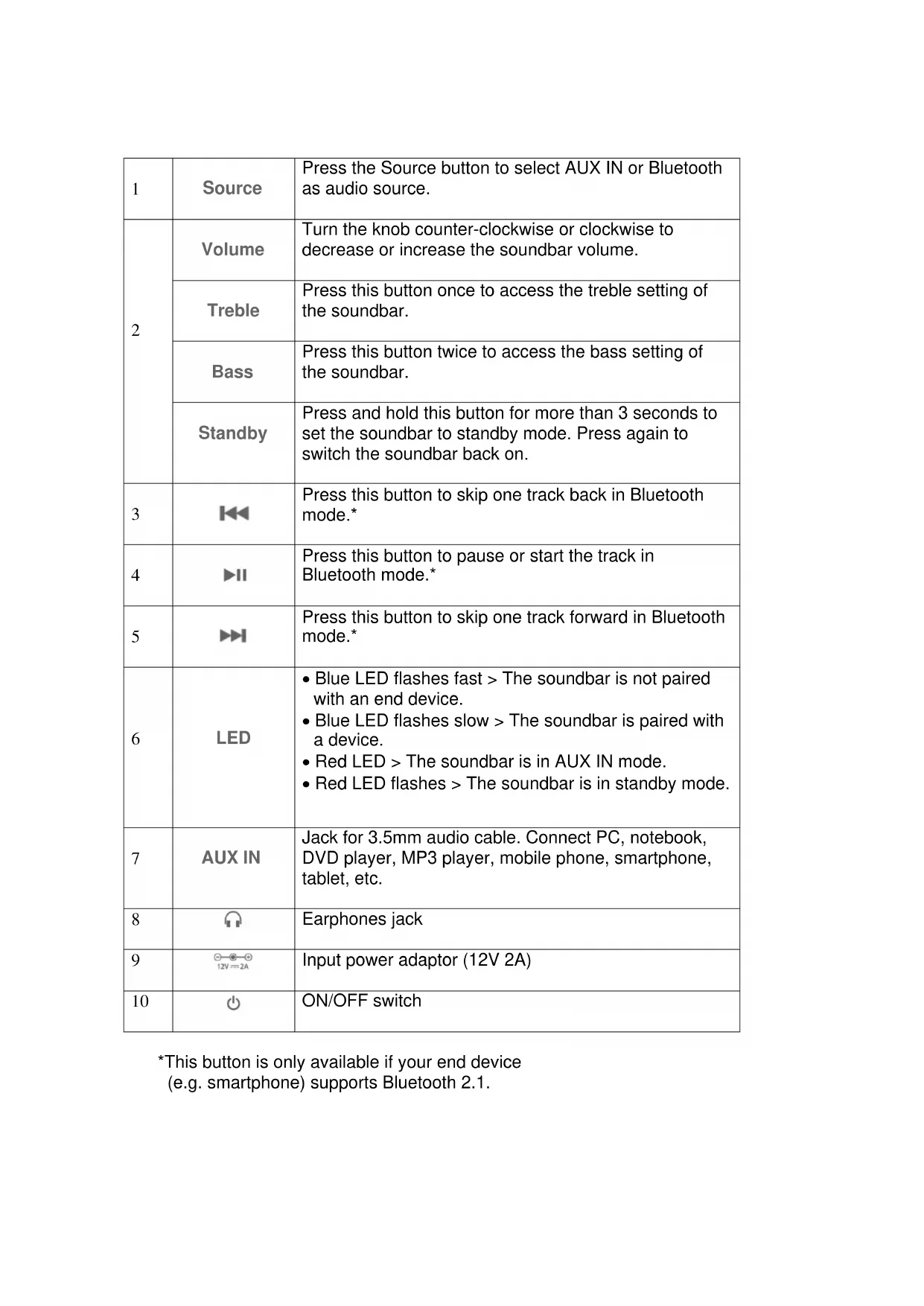
| 1 | Source | Press the Source button to select AUX IN or Bluetooth as audio source. |
| 2 | Volume | Turn the knob counter-clockwise or clockwise to decrease or increase the soundbar volume. |
| Treble | Press this button once to access the treble setting of the soundbar. | |
| Bass | Press this button twice to access the bass setting of the soundbar. | |
| Standby | Press and hold this button for more than 3 seconds to set the soundbar to standby mode. Press again to switch the soundbar back on. | |
| 3 | Press this button to skip one track back in Bluetooth mode.* | |
| 4 | Press this button to pause or start the track in Bluetooth mode.* | |
| 5 | Press this button to skip one track forward in Bluetooth mode.* | |
| 6 | LED | Blue LED flashes fast > The soundbar is not paired with an end device.Blue LED flashes slow > The soundbar is paired with a device.Red LED > The soundbar is in AUX IN mode.Red LED flashes > The soundbar is in standby mode. |
| 7 | AUX IN | Jack for 3.5mm audio cable. Connect PC, notebook, DVD player, MP3 player, mobile phone, smartphone, tablet, etc. |
| 8 | Earphones jack | |
| 9 | Input power adaptor (12V 2A) | |
| 10 | ON/OFF switch |
*This button is only available if your end device
(e.g. smartphone) supports Bluetooth 2.1.
Operation:
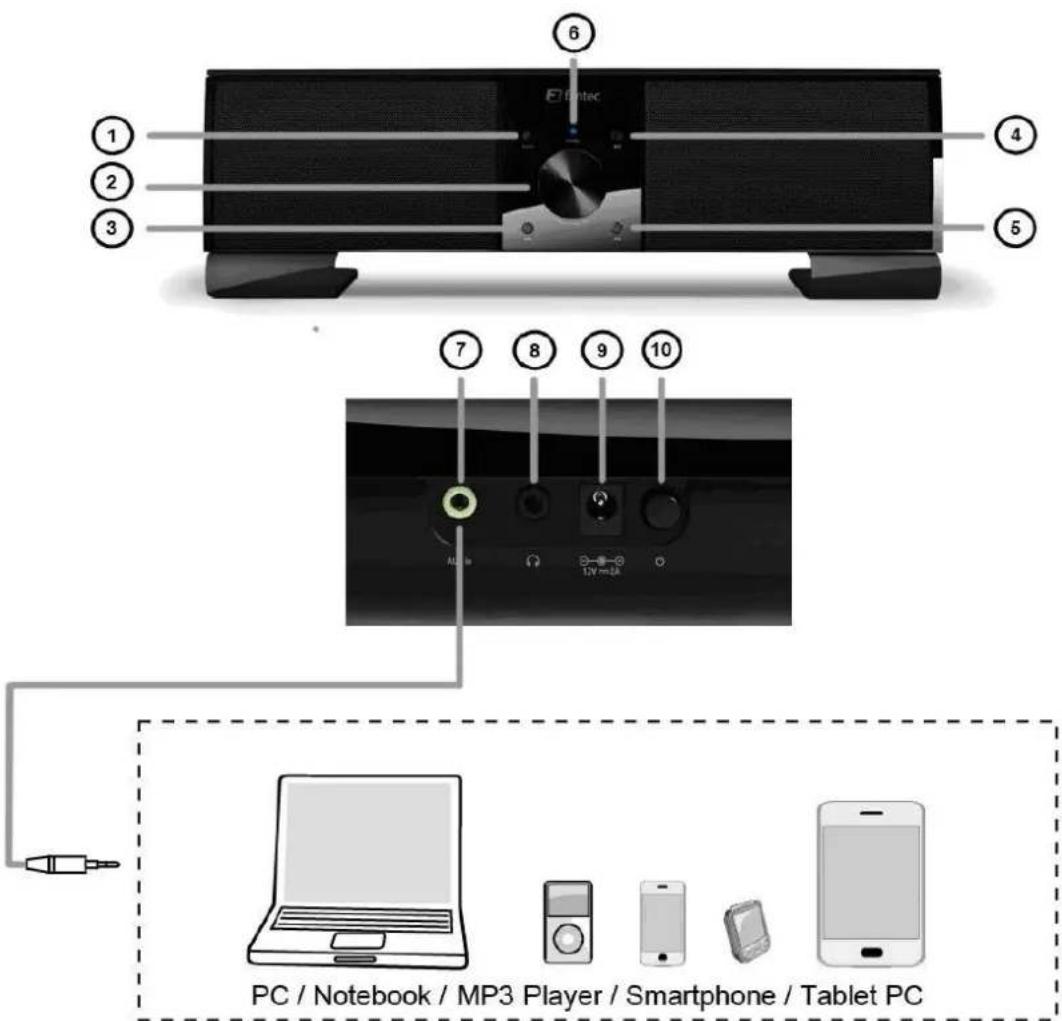
Connect the power adaptor to a wall outlet and the DC plug to DC IN (9) on the device. Press the On/Off button (10) on the rear panel to switch the soundbar on.
AUX IN Mode:
Press the Source button (1) to select the input source. The red LED lights up if the soundbar is in AUX IN mode. Connect one end of the AUX IN cable to the AUX IN jack (7) on the device and the other end for instance to your MP3 player.
Bluetooth Mode:
Press the Source button (1) to select the input source. The blue LED flashes fast if the soundbar is in pairing mode to connect to a Bluetooth device. You can connect the soundbar to your PC, notebook, smartphone or tablet. Important: The end device must feature at least Bluetooth standard 2.0. For pairing, open the Bluetooth settings on your end device and search for available devices. You will find the soundbar under “FANTEC audio”. Connect with the soundbar after finding (for instance with your smartphone) “Fantec audio”. For some end devices you must enter a password; enter “0000” (find more details about Bluetooth pairing in your device’s manual).
The LED on the soundbar flashes slow after the device is paired with the soundbar.
Press Play/Pause or Skip +/- (3, 4, 5) on the soundbar if your end device features Bluetooth v.2.1. In this way you can control your music directly on the soundbar.
Important: Only one device at a time can be paired via Bluetooth with your soundbar. First disconnect the old end device before pairing a new end device with the soundbar.
Volume Control:
Turn the volume control knob to increase or decrease the volume level. Press the volume control knob once and turn it to adjust treble, press twice and turn to adjust bass.
Earphones Jack:
You can connect earphones to the soundbar. Connect the 3.5mm audio cable to the jack (9) on the rear of the soundbar.
Standby / Off:
There are 2 ways to switch the device off: press and hold the volume control knob more than 3 seconds to shift into standby mode, or switch off the soundbar completely with the On/Off switch (10) on the rear panel.
Warnings:
Use Instructions
Do not modify the hardware or software of the device; this will void your warranty. Use the soundbar in ambient temperatures between +5°C and +35°C.
Power Supply
The soundbar works with 12VDC power supply. Connect the supplied AC power adaptor to a power outlet to power the soundbar. To avoid the risk of electric shock disconnect the power adaptor from mains power supply before cleaning. Do not connect the power adaptor in damp or dusty conditions. Always use the original power adaptor for the soundbar.
Interference
Nearly all electric devices can cause interference if they are not specially shielded. Under certain circumstances your soundbar can be affected.
Repairs
Turn to an authorized service center if you experience problems with the soundbar. Do not try to repair the soundbar yourself; this can damage the soundbar and cause personal injuries.
Disposal
At the end of its useful life dispose of the soundbar in environmentally correct manner. Some countries have regulations for the disposal of waste electric and electronic appliances. Please respect these regulations
Miscellaneous
Protect the soundbar from water and other liquids. If accidentally water is splashed on the soundbar, please wipe it off immediately with a dry cloth. Electronic devices are delicate. Avoid vibrations and impacts, especially during operation. Do not press buttons too hard and avoid the vicinity of strong magnetic fields.
Protect the soundbar from water and other liquids. Do not try to repair the soundbar and do not modify its design. You will forfeit your warranty claims and the soundbar can be damaged. The device may show malfunctions during electrostatic discharge and in strong magnetic fields. In this case disconnect from mains power supply and reconnect after a few minutes. The device should be reset and again fully functional.
Homepage: http://www.fantec.de
Forum: http://www.fantec-forum.de
eMail: Service@fantec.de
fantec
natural_image
Black and white electronic device with sound waves and a 'fantec' logo, no visible text or symbols on the device body.Fantec Bluetooth Soundbar
natural_image
Black and white photo of a classic analog audio amplifier with a digital display and stand (no visible text or symbols)natural_image
Black and white electronic device with sound waves and a 'fantec' logo, no visible text or symbols on the device body.Soundbar Bluetooth Fantec
Modello: Fantec SB-200BT
Manuale Italiano
natural_image
Black electronic device with sound waves and a digital display, no visible text or symbols on the device body.natural_image
Black electronic device with sound speakers and a digital display, no visible text or symbols on the device body.natural_image
Black electronic device with sound speakers and a digital display, no visible text or symbols on the device body.Barra de som Bluetooth Fantec
Modelo: Fantec SB-200BT
Manual em português
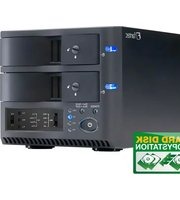


- Fantec Bluetooth Soundbar
- Technische Daten:
- Model: Fantec SB-200BT
- Manual English
- Technical Specifications:
- Operation:
- AUX IN Mode:
- Bluetooth Mode:
- Volume Control:
- Earphones Jack:
- Standby / Off:
- Warnings:
- Use Instructions
- Power Supply
- Interference
- Repairs
- Disposal
- Miscellaneous
- fantec
- Soundbar Bluetooth Fantec
- Modello: Fantec SB-200BT
- Manuale Italiano
Brand : Fantec
Model : SB200BT
Category : Soundbar