M250 - Portable power station Duracell - Free user manual and instructions
Find the device manual for free M250 Duracell in PDF.

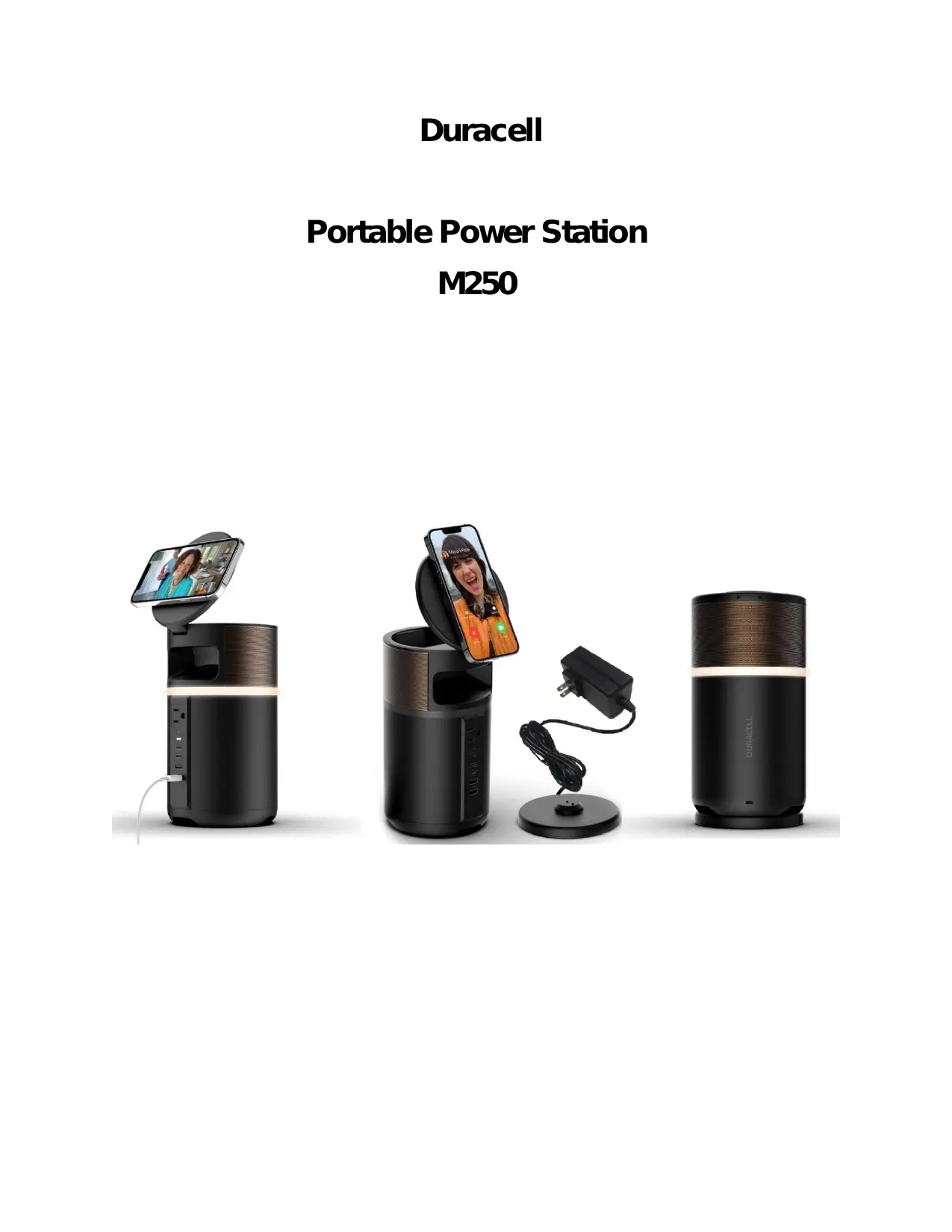

| Product Type | Portable Power Station |
| Brand | Duracell |
| Model | M250 |
| Battery Type | Lithium-ion |
| Power Supply | Built-in lithium-ion battery, recharge via mains charger |
| Main Functions | Backup power, AC outlets, USB ports, solar panel compatibility |
| Maintenance and Cleaning | Clean with a dry, soft cloth. Store in a dry, ventilated place. |
| Safety | Do not expose to rain or moisture. Do not open the case. Use only recommended accessories. |
| Spare Parts and Repairability | No user-serviceable parts. Contact Duracell customer service. |
| General Information | Manual available in multiple languages. Customer support: 800-551-2355 (USA). |
| Certifications | Compliant with Innovation, Science and Economic Development Canada's CNR. |
| Usage | Do not use near children without supervision. Avoid temperatures above 60°C. |
| Number of AC Outlets | 1 standard AC outlet (estimated) |
| USB Ports | 2 USB-A ports (estimated) |
| Current Type | Alternating current (AC) and direct current (DC) via USB |
| Storage | Store in a dry, ventilated, frost-free place |
Frequently Asked Questions - M250 Duracell
User questions about M250 Duracell
0 question about this device. Answer the ones you know or ask your own.
Ask a new question about this device
Download the instructions for your Portable power station in PDF format for free! Find your manual M250 - Duracell and take your electronic device back in hand. On this page are published all the documents necessary for the use of your device. M250 by Duracell.
USER MANUAL M250 Duracell
Portable Power Station M250
User Manual
Important Safety Instructions
- Read all the instructions before using the Duracell Portable Power Station M250 (hereinafter referred as Unit).
- To reduce the risk of injury, close supervision is necessary when the Unit is used near children.
- Do not expose the Unit to rain or snow.
- Use only recommended Duracell accessories and chargers.
- Do not expose the Unit to fire or excessive temperature. Any such exposure to fire or temperature above 140^ ( 60^ ) may cause explosion. Do not use near flammable gases or fumes.
- Do not use the Unit with damaged wires or plugs. It may cause an electric shock.
- Do not use the Unit if it is damaged or modified. Damage or modification of the Unit, including the lithium-ion battery pack within the Unit, may exhibit unpredictable behavior resulting in fire, explosion or risk of injury.
- Please make sure to use the Unit in a ventilated environment. Do not restrict the ventilation of the Unit in any way during usage.
- During storage keep the Unit in a dry and ventilated place to avoid moisture and electric shock.
- Do not disassemble, repair, or modify the Unit or the battery pack. It may cause fire, explosion, injury, and unpredictable risks.
- This Unit has no serviceable parts. Please visit www.duracell.com or call Duracell Consumer Relations at 800-551-2355 if you experience any problems with the Unit.
Serious injuries include blindness, burns, electric shock, fractures, poisoning, etc., which can lead to complications. Hospitalization, permanent treatment, or death can occur if instructions are not followed.
WARNING AND HAZARD TYPES
ELECTRIC SHOCK HAZARD
Keep away from children. The unit generates the same potentially lethal AC power as a standard household wall outlet. To reduce the risk of fire or electric shock, do not open the enclosure or expose the Unit to rain or moisture. Do not insert foreign objects into the AC connection or the ventilation holes. All AC plugs must be properly inserted and avoid using damaged cables.
EXPLOSION HAZARD
Do not burn or incinerate this Unit or battery pack. It may explode, causing personal injury or damage. Do not use near flammable gases or fumes or apparatus that produces large amounts of heat.
This device complies with Par 15 of the FCC Rules and Class B Digital Device limits which provide protection against interference in a residential installation. Operation is subject to the following two conditions:
- This device may not cause harmful interference
- This device must accept any interference received, including interference that may cause undesired operation.
This device generates, uses and can radiate radio frequency energy and, if not installed and used in accordance with the instructions, may cause interference to radio/TV communications in which the manufacturer is not responsible. Should interference occur, correct by connecting device to another outlet on a different circuit.
Changes or modifications to this unit not expressly approved by the party responsible for compliance could void the user's authority to operate the equipment.
NOTE: This equipment has been tested and found to comply with the limits for a Class B digital device, pursuant to Part 15 of the FCC Rules. These limits are designed to provide reasonable protection against harmful interference in a residential installation. This equipment generates uses and can radiate radio frequency energy and, if not installed and used in accordance with the instructions, may cause harmful interference to radio communications.
However, there is no guarantee that interference will not occur in a particular installation. If this equipment does cause harmful interference to radio or television reception, which can be determined by turning the equipment off and on, the user is encouraged to try to correct the interference by one or more of the following measures:
o Reorient or relocate the receiving antenna.
o Increase the separation between the equipment and receiver.
o Connect the equipment into an outlet on a circuit different from that to which the receiver is connected.
o Consult the dealer or an experienced radio/TV technician for help.
This device contains licence-exempt transmitter(s)/receiver(s) that comply with Innovation, Science and Economic Development Canada's licence-exempt RSS(s). Operation is subject to the following two conditions:
(1) This device may not cause interference.
(2) This device must accept any interference, including interference that may cause undesired operation of the device.
Product Specifications. Error! Bookmark not defined.
Packaging Content. Error! Bookmark not defined.
Charging your Powerstation Error!Bookmark not defined.
Using your Power Station 2
Storage and Maintenance 2
Disposal and Recycling 2
Troubleshooting Error!Bookmark not defined.
FAQs. Error!Bookmark not defined.
Warranty Information. Error!Bookmark not defined.
Specifications
| Model | MBA250W-219Wh-120V |
| Battery | |
| Chemistry | Li-Ion NMC |
| Maximum Capacity | 219Wh (15Ah@14.6V) |
| Lifecycles | 500 Cycles to 80% capacity |
| Storage Requirement | Recharge every 3-6 months |
| Protection Systems | Short Circuit Protection, Over / Under Temperature Protection, Overload Protection, Input Reverse polarity Protection, Input Over Voltage Protection, Input Under Voltage Protection, Battery Under and overvoltage Protection. |
| Ports | |
| 2x USB-A Port (Output) | 5V @ 3A 9V @ 2A 12 @ 1.5A |
| USB C-1 port (Input and Output) | PD 100W |
| USB C-2 port(Output only) | PD 60W |
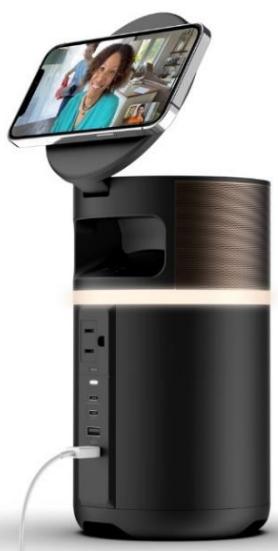
| 120 AC Inverter (Output, Pure Sine Wave) | 120V, 60Hz (1000W continuous, 2000W Peak) |
| Docking Station/Charging Dock | 1 EA. Rated at 60W 24VDC 2.5A |
| General | |
| Dimensions | Ø127x236.3mm |
| Weight | PPS: 1800g Adaptor & DOCK: 290g |
| Discharging Temperature | 14 -104°F (-10-40°C) |
| Charging Temperature | 39.2-104°F (4-40°C) |
| Storage Temperature | 42-85°F (6-29°C) |
| Certifications | FCC/DOE/UL/RoHS/Prop-65/TSCA |
| Warranty | 24 Months |
Included in the Package
- Duracell Portable Power Station M250
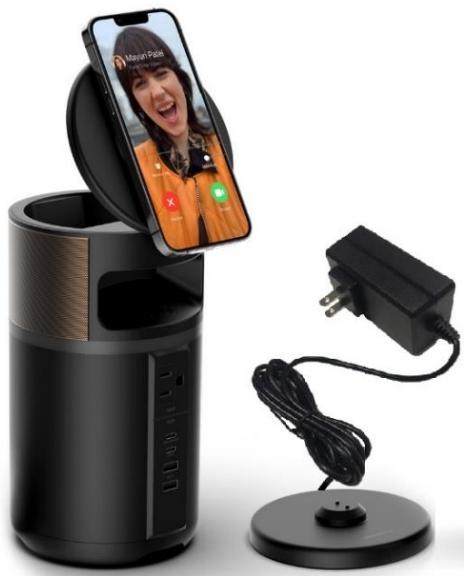
- Wall Charger + Docking Station
Using your Portable Power Station
(Use Icons)
- Short Press power on button to turn the unit on. The SOC LED will light up and the battery level indicator will display.
- Connect your device to the desired port/outlet.
- AC outlets can only charge/power devices rated less than 250 Watts. Once this limit is exceeded, the Unit will shut off automatically.
- The AC port output will turn off automatically after 5mins if no load is detected to save battery life.
- The DC port or car charger port will turn off automatically in 4 hours if no load is detected to save battery life.
- If the unit won't be used for a long period of time, it should be recharged every 3-6 months and keep the power above 80% . Please keep it in a cool and dry place.
Storage and Maintenance
- Please keep the unit in a cool and well-ventilated environment, away from any source of water, heat or flammable gases.
- For long-term storage, please recharge the unit every 3-6 month to make sure it's always above 80% .
If you are still experiencing problems with you Duracell Power Station, please visit www.duracell.com or call Duracell Consumer Relations at 800-551-2355.
Disposal and Recycling
Recycle the unit responsibly and according to local, state and national regulations applicable to lithium-ion rechargeable batteries.
Warranty Information
Duracell offers a 24-month limited warranty from the date of purchase. Keep a copy of your purchase receipt as proof of purchase. Our product's warranty is limited only to the unit itself, when used normally in accordance with the operating instructions and the system environment. Therefore, Customer acknowledges and agrees that:
- Duracell is not liable for damage or loss resulting from the use of this product or for any claim from a third party.
- Duracell is not liable for problems with any electronic devices or home appliances or any other hardware, arising from the use of this product, the suitability of the product for specific hardware, software, or peripherals, operating conflicts with other installed software, data loss or other accidental or unavoidable damages.
- Duracell is not liable for financial damages, lost profits, claims from third parties, etc., arising from the use of this product.
For more information regarding our Product line, customer Service and warranty information please contact Duracell Consumer Relations at 800-551-2355 or visit our Website: www.duracell.com