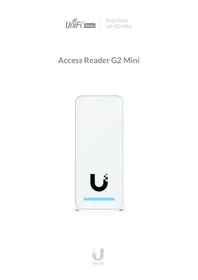
UA-G2-Mini - Access reader Ubiquiti - Free user manual and instructions
Find the device manual for free UA-G2-Mini Ubiquiti in PDF.


| Product Type | Access Reader |
| Brand | Ubiquiti |
| Model | UA-G2-Mini |
| Dimensions (L x W x H) | Approximately 70 x 70 x 25 mm |
| Weight | Approximately 120 g |
| Power Supply | PoE (Power over Ethernet) 802.3af |
| Network Interface | Ethernet 10/100/1000 Mbps |
| Main Features | RFID/NFC card reading for access control |
| Operating Frequency | 13.56 MHz (NFC) |
| Reading Distance | Up to 5 cm depending on the card |
| Warranty | 2 years |
| Care and Cleaning | Clean with a slightly damp soft cloth; do not use solvents |
| Safety | Complies with ISDE Canada CNR standards; safety distance ≥ 20 cm |
| Spare Parts and Repairability | Available from the manufacturer; repair not recommended without training |
| Operating Temperature | -10 °C to 50 °C |
| Protection Rating | IP54 (weather resistance) |
| Installation | Simple wall mounting with included screws |
| Package Contents | Reader, mounting bracket, mounting kit, quick start guide |
Frequently Asked Questions - UA-G2-Mini Ubiquiti
User questions about UA-G2-Mini Ubiquiti
0 question about this device. Answer the ones you know or ask your own.
Ask a new question about this device
Download the instructions for your Access reader in PDF format for free! Find your manual UA-G2-Mini - Ubiquiti and take your electronic device back in hand. On this page are published all the documents necessary for the use of your device. UA-G2-Mini by Ubiquiti.
USER MANUAL UA-G2-Mini Ubiquiti
Access Reader G2 Mini

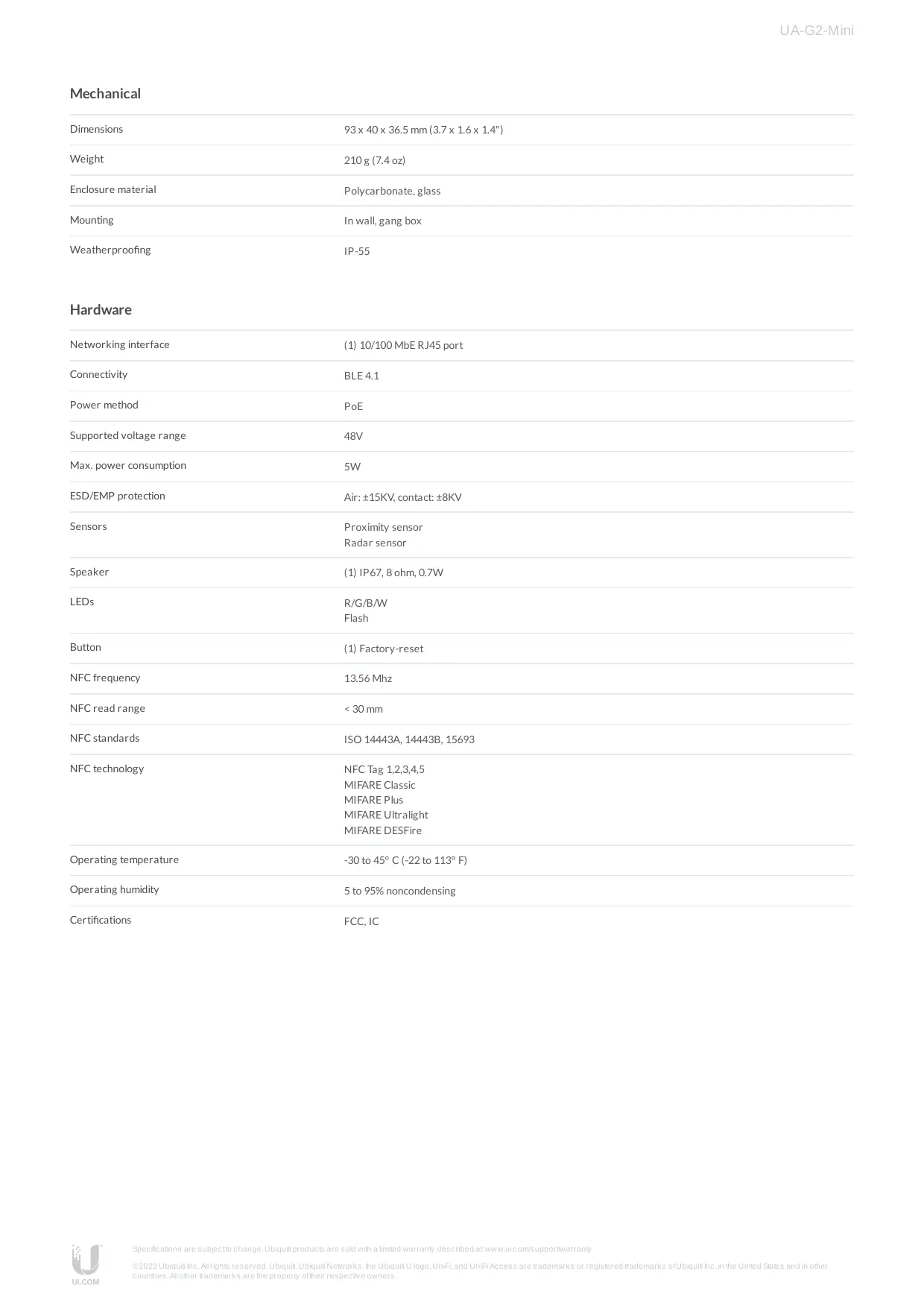
Mechanical
| Dimensions | 93 x 40 x 36.5 mm (3.7 x 1.6 x 1.4") |
| Weight | 210 g (7.4 oz) |
| Enclosure material | Polycarbonate, glass |
| Mounting | In wall, gang box |
| Weatherproofing | IP-55 |
Hardware
| Networking interface | (1) 10/100 MbE RJ45 port |
| Connectivity | BLE 4.1 |
| Power method | PoE |
| Supported voltage range | 48V |
| Max. power consumption | 5W |
| ESD/EMP protection | Air: ±15KV, contact: ±8KV |
| Sensors | Proximity sensor Radar sensor |
| Speaker | (1) IP67, 8 ohm, 0.7W |
| LEDs | R/G/B/W Flash |
| Button | (1) Factory-reset |
| NFC frequency | 13.56 Mhz |
| NFC read range | < 30 mm |
| NFC standards | ISO 14443A, 14443B, 15693 |
| NFC technology | NFC Tag 1,2,3,4,5 MIFARE Classic MIFARE Plus MIFARE Ultralight MIFARE DESFire |
| Operating temperature | -30 to 45°C (-22 to 113°F) |
| Operating humidity | 5 to 95% noncondensing |
| Certifications | FCC, IC |
FCC
Changes or modifications not expressly approved by the party responsible for compliance could void the user's authority to operate the equipment.
This device complies with Part 15 of the FCC Rules. Operation is subject to the following two conditions.
- This device may not cause harmful interference, and
- This device must accept any interference received, including interference that may cause undesired operation.
This equipment has been tested and found to comply with the limits for a Class A digital device, pursuant to Part 15 of the FCC Rules. These limits are designed to provide reasonable protection against harmful interference
when the equipment is operated in a commercial environment. This equipment generates, uses, and can radiate radio frequency energy and, if not installed and used in accordance with the instruction manual, may cause harmful interference to radio communications. Operations of this equipment in a residential area is likely to cause harmful interference in which case the user will be required to correct the interference at his own expense. Off and on, the user is encouraged to try to correct the interference by one or more of the following measures:
- Reorient or relocate the receiving antenna.
- Increase the separation between the equipment and receiver.
- Connect the equipment into an outlet on a circuit different from that to which the receiver is connected.
- Consult the dealer or an experienced radio/TV technician for help."
ISED Canada
CANICES-3(A)/NMB-3(A)
This device complies with ISED Canada licence-exempt RSS standard(s). Operation is subject to the following two conditions:
- This device may not cause interference, and
- This device must accept any interference, including interference that may cause undesired operation of the device.
The device for operation in the band 5150- 5250 MHz is only for indoor use to reduce the potential for harmful interference to co-channel mobile satellite systems.
CANICES-3(A)/NMB-3(A)
The antennas used for this transmitter must be installed to provide a separation distance of at least 20(FCC/IC) cm from all persons and must not be located or operating in con junction with any other antenna or transmitter.
Brand : Ubiquiti
Model : UA-G2-Mini
Category : Access reader