A960 - Payment terminal PAX - Free user manual and instructions
Find the device manual for free A960 PAX in PDF.


User questions about A960 PAX
0 question about this device. Answer the ones you know or ask your own.
Ask a new question about this device
Download the instructions for your Payment terminal in PDF format for free! Find your manual A960 - PAX and take your electronic device back in hand. On this page are published all the documents necessary for the use of your device. A960 by PAX.
USER MANUAL A960 PAX
PAX Technology Limited
1. Checklist
Congratulations on receiving your PAX Technology payment terminal. We do hope you enjoy it! The box you have just opened should contain the following items:
1 x PAX A960 Smart Mobile Payment Terminal
1 x Thermal Paper Roll
1 x AC Power Adapter
1xCable
1 x Quick Setup Guide
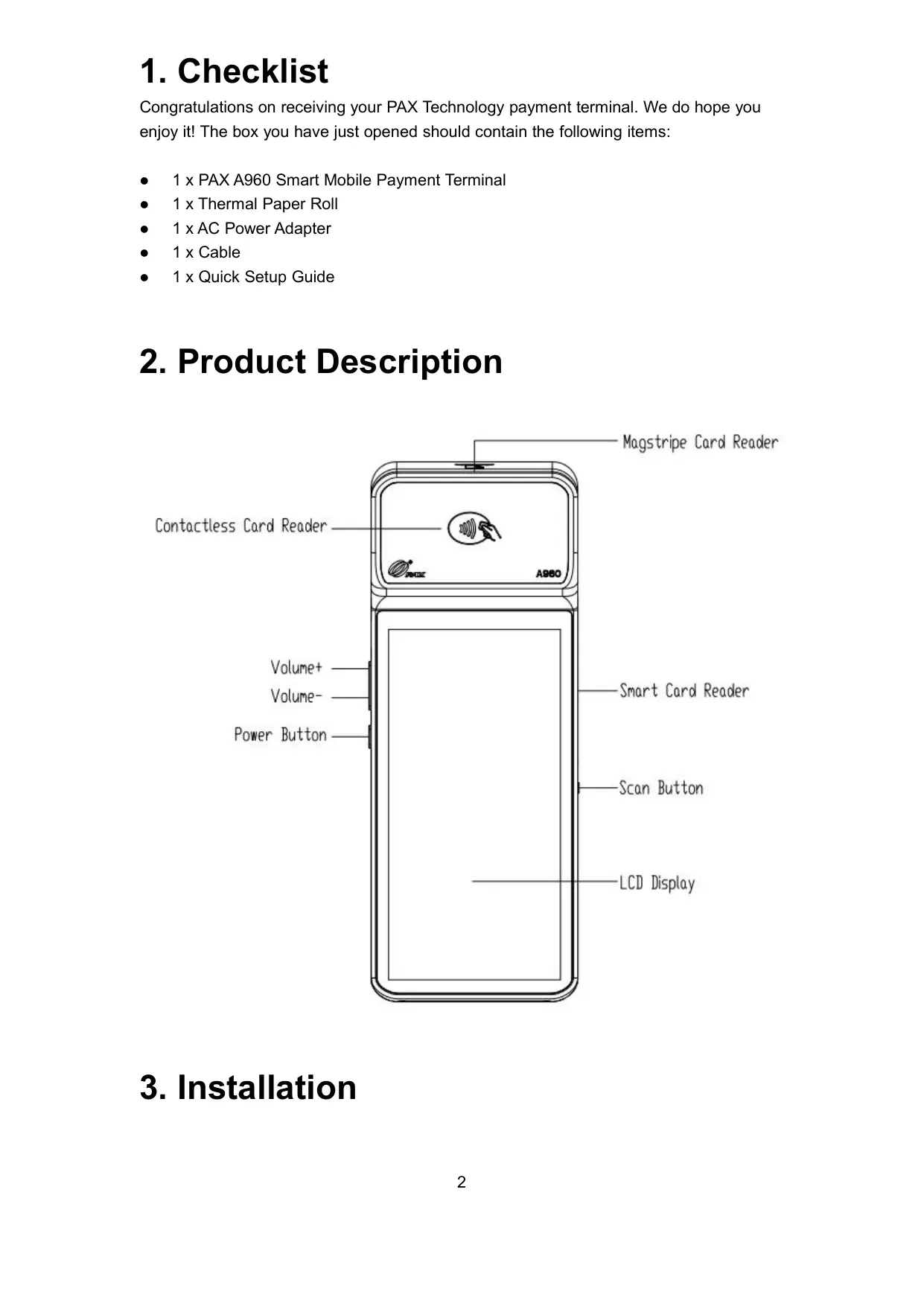
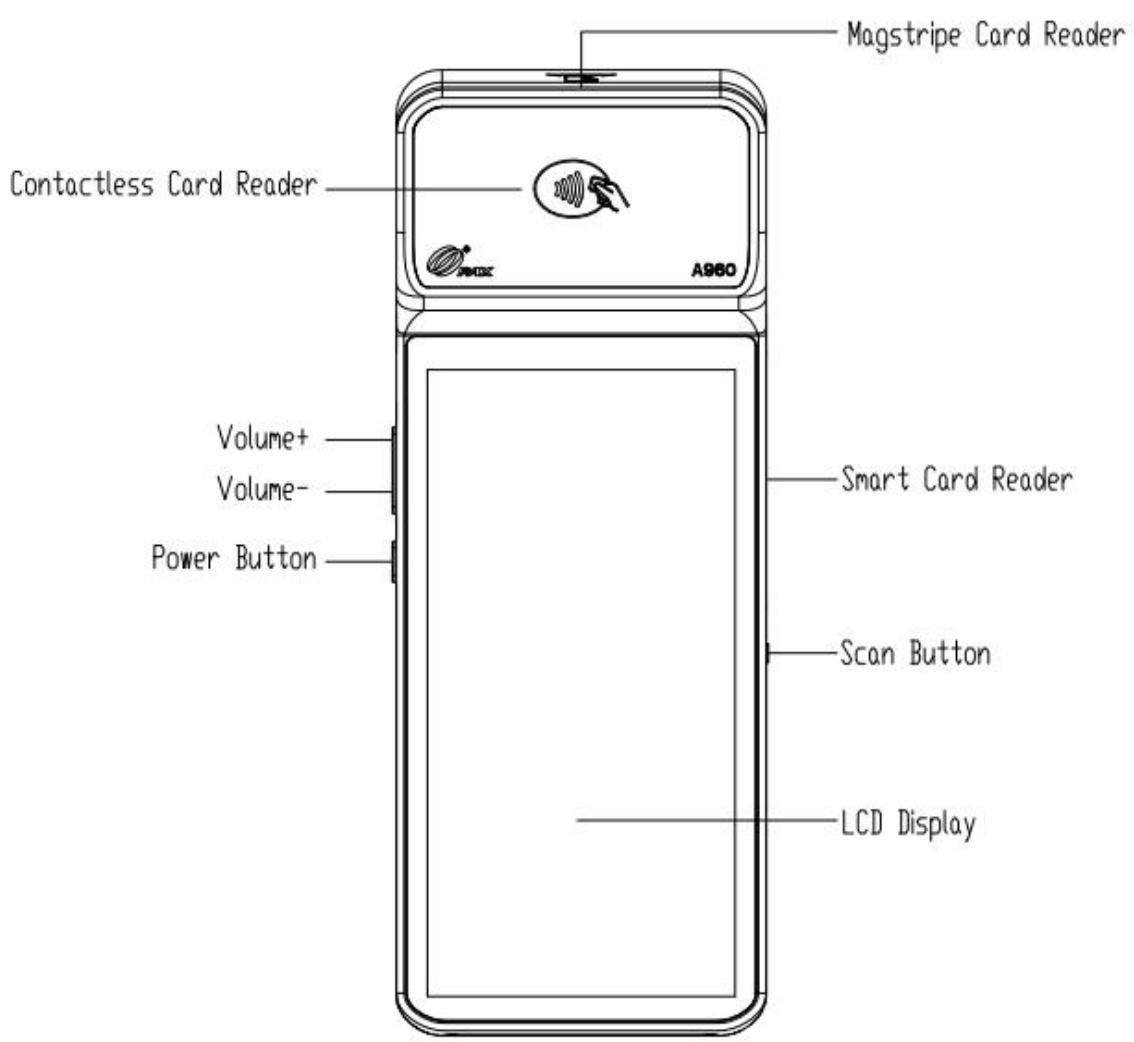
2. Product Description
3. Installation
- USB Port: connect to a USB-enabled device.
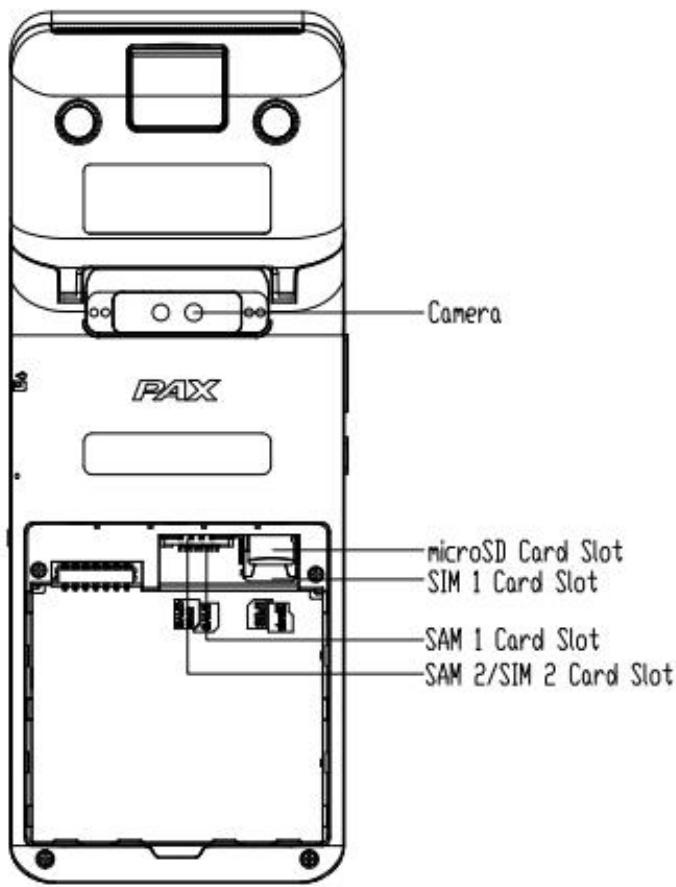
SAM/SIM/microSD Cards:
a) Open the battery cover underneath the terminal;
b) Remove the battery;
c) Insert SAM/SIM/microSD cards into the corresponding card slots.
4. Instructions
- Power On/Off: Power On: press and hold the Power button for 5 seconds until the LCD lights on, showing that the terminal is being turned on.
Power Off: press and hold the Power button for 3 seconds until the shutdown menu appears, tap Power Off > Click Power Off, and “Shutting Down” will appear.
- Contactless Transactions: Tap a contactless enabled card or smartphone in proximity to the top end of the terminal where the contactless sensor is located, indicated by the contactless icon.
- Chip Card Transactions: With the card's chip facing upwards, insert the chip card fully into the chip card slot.
- Magnetic Stripe Transactions: With the card's magnetic stripe facing downwards, swipe the card through the magnetic reader at a constant speed, in either direction.
- Paper Receipts: Tear off the receipt at a 45-degree angle to the paper cutter.
- Battery Charging: With a charging cable connected, the device's charging status shows on the display.
5. General Usage Tips
- Avoid placing this product in direct sunlight for extended periods, nor in environments with excessively high temperature, moisture or dust.
- Only qualified personnel should repair this product.
- Before using cards in the chip & magstripe readers, please ensure they are free from any foreign objects.
6. Important Safety Warning
- Do not place the terminal/battery under direct sunlight, high temperature, smoke, dust, and damp environment.
- Not allowed to place battery in fire, disassemble, drop, squeeze, or modify battery to avoid having foreign object insert and penetrate the battery, to avoid merge the battery into the liquid. External shock and pressure may cause battery liquid leak, overheat fire or explosion. Please keep battery away from children and animals to avoid injury or explosion.
- Must stop using the battery immediately and replace with a new one if the battery expanded, bent, damaged, or overheated.
- Recommend using the equipped power adaptor or use a 3^rd . party power adaptor that its specifications match the device equipped power adaptor and meets the country/local region regulations and international and regional safety standards. Non-compatible power supply, charger or battery may cause fire, explosion and other dangerous.
- Battery charging time cannot be more than 24 hours. Please charge the battery when the battery level is too low. If the battery is not being used for a long time to avoid battery over charge and discharge damage, please charge the battery once every six months.
- Recommend replacing the battery after two-year continuous use.
- Please dispose the device, battery, and its accessories according to the local regulations. They cannot be disposed as household waste. Improper dispose the battery may cause battery explosion.
7. Environmental Parameters
- Working Environment:
Temperature: 0^ 45^ (14°F~113°F) (non-charging)
Storage Environment:
Temperature: -20^ 70^ (-4^ 158^) (non-charging)
- Humidity:5%~95% (non-condensing)
8. Icons
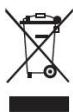
Trademark notice:
microSD logo is a trademark of SD-3C LLC.
9. FCC Regulations
This device has been tested and found to comply with the limits for a Class B digital device, pursuant to Part 15 of the FCC Rules. These limits are designed to provide reasonable protection against harmful interference in a residential installation. This equipment generates, uses and can radiated radio frequency energy and, if not installed and used in accordance with the instructions, may cause harmful interference to radio communications. However, there is no guarantee that interference will not occur in a particular installation. If this equipment does cause harmful interference to radio or television reception, which can be determined by turning the equipment off and on, the user is encouraged to try to correct the interference by one or more of the following measures:
-Reorient or relocate the receiving antenna.
-Increase the separation between the equipment and receiver.
-Connect the equipment into an outlet on a circuit different from that to which the receiver is connected.
- Consult the dealer or an experienced radio/TV technician for help.
Caution: Changes or modifications not expressly approved by the party responsible for compliance could void the user's authority to operate the equipment.
FCC RF Exposure Information (SAR)
This device is designed and manufactured not to exceed the emission limits for exposure to radio frequency (RF) energy set by the Federal Communications Commission of the United States.
During SAR testing, this device is set to transmit at its highest certified power level in all tested frequency bands, and placed in positions that simulate RF exposure in usage near the body. Although the SAR is determined at the highest certified power level, the actual SAR level of the while operating can be well below the maximum value. This is because the device is designed to operate at multiple power levels so as to use only the power required to reach the network. In general, the closer you are to a wireless base station antenna, the lower the power output.
The exposure standard for wireless employs a unit of measurement known as the Specific Absorption Rate, or SAR. The SAR limit set by the FCC is 1.6W/kg .
For this device, the highest reported SAR value for usage near the body is 0.78 W/kg under the test separation distance: 10mm.
While there may be differences between the SAR levels of various devices and at various
positions, they all meet the government requirement.
The FCC has granted an Equipment Authorization for this model device with all reported SAR levels evaluated as in compliance with the FCC RF exposure guidelines. SAR information on this model device is on file with the FCC and can be found under the Display Grant section of www.fcc.gov/oet/ea/fccid after searching on FCC ID: V5PA960
For body worn operation, this device has been tested and meets the FCC RF exposure guidelines for use with an accessory that contains no metal and be positioned a minimum of 10mm from the body. Use of other accessories may not ensure compliance with FCC RF exposure guidelines. If you do not use a body-worn accessory, position the handset a minimum of 10mm from your body when the device is switched on.
ISED Radiation Exposure Statement
This device complies with Industry Canada license-exempt RSS standard(s). Operation is subject to the following two conditions:
1) this device may not cause interference, and
2) this device must accept any interference, including interference that may cause undesired operation of the device.
This EUT is in compliance with SAR for general population/uncontrolled exposure limits in ISED RSS-102 and had been tested in accordance with the measurement methods and procedures specified in IEEE 1528 and IEC 62209. This device and its antenna(s) must not be co-located or operating in conjunction with any other antenna or transmitter.
This device has been tested for compliance with IC SAR values at a typical operating near the body. To ensure that RF exposure levels below the levels tested, use accessories with this equipment to maintain a minimum separation distance of 10mm between the body of the user and the device. These accessories should not contain metallic components. It is possible that the accessories used close to the body that do not meet these requirements are not consistent with the SAR limits and it is advisable to avoid using them.
The device is going on be operated in 5150~5250 frequency range. It is restricted indoor environment only in Canada.
PAX reserves the right to change product specifications & material components at any time
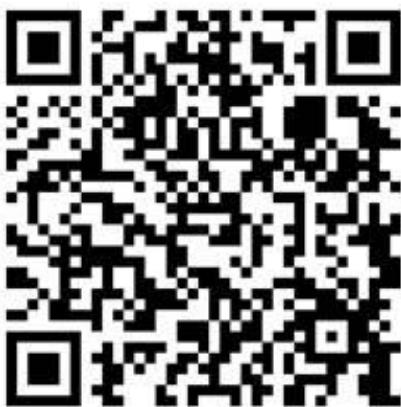
Scan here for latest version
PAX continually invests to maintain its high quality products up to date with the latest certifications, therefore a comprehensive list can be requested via the website's contact form or on downloadable product brochures.
Built by: PAX Computer Technology (Shenzhen) Co. Ltd.
Address: 4/F, No.3 Building, Software Park, Second Central Science-Tech Road, High-Tech Industrial Park, Shenzhen, Guangdong, China.
Tel: +86 755 86169630
Website: www.pax.com.cn
FCC Supplier's Declaration of Conformity
Smart Mobile Payment Terminal / A960
This device complies with part 15 of the FCC Rules. Operation is subject to the following two conditions: (1) This device may not cause harmful interference, and (2) this device must accept any interference received, including interference that may cause undesired operation.
Responsible Party: PAX Technology, Inc.
8880 Freedom Crossing Trail, Building 400, 3rd Floor Suite 300, Jacksonville, Florida, 32256
Help-desk
1877-859-0099