Vantiva xDSL Modems & Gateways - Modem and router

xDSL Modems & Gateways - Modem and router Vantiva - Free user manual and instructions

Find the device manual for free xDSL Modems & Gateways Vantiva in PDF.

English EN Download 💬 AI Question 10 questions ⚙️ Specs
📄

Document temporarily unavailable

The manual is currently being transferred to our new server. It will be accessible again in a few hours. Thank you for your patience.

View the manual : Français FR English EN
Pick your language and provide your email: we'll send you a specifically translated version.
Product Type Modem and router xDSL / fiber / LTE / hybrid / Ethernet / Wi-Fi amplifier
Brand Vantiva
Dimensions (approx.) Approximately 20 x 15 x 5 cm (depending on model)
Weight (approx.) Approximately 300 to 500 g (depending on model)
Power supply Mains power adapter (Class II, power limitation according to product label)
Power consumption Variable depending on model; low consumption in standby
Available interfaces DSL, line, RTCP, FXO, phone/FXS, Ethernet, USB, Wi-Fi (depending on model)
Wi-Fi frequencies (depending on model) 2.4 GHz (channels 1-11) and/or 5 GHz (indoor only); 6 GHz band possible
Operating temperature 0°C to 40°C (max. 40°C)
Operating humidity 20% to 80% RH (non-condensing)
Installation On a flat and stable surface, indoors only; space of 7-10 cm around for ventilation
Wall mounting Possible if planned; height < 2 m from finished floor
Cleaning Unplug before cleaning; use a damp cloth, no liquids or aerosols
Maintenance No user-serviceable parts; refer to qualified professional
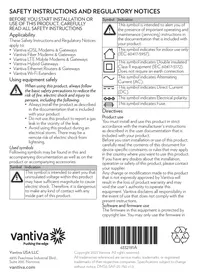
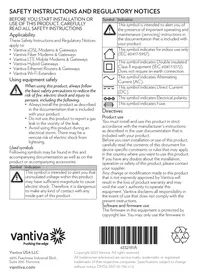
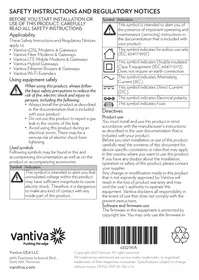
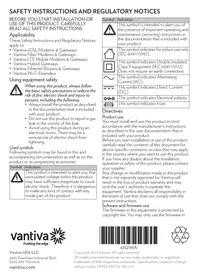
Safety Double insulation (Class II); do not use near water or during a thunderstorm; observe RF exposure distances (30 cm)
Batteries (if applicable) Disposable or rechargeable batteries; do not expose to excessive heat; recycle according to regulations
Certifications FCC Part 15B (Class B), ICES-003, IEC/UL safety standards
Open source software Open source components; list available at www.vantiva.com/opensource
Warranty Limited warranty; any unauthorized modification voids it
Destination country Indoor use only; comply with local regulations

Frequently Asked Questions - xDSL Modems & Gateways Vantiva

Where can I download the full manual for my Vantiva modem?
You can download the manual for free in PDF format on notice-facile.com by selecting your model. A translated version can be sent by email upon request.
How to properly install my Vantiva modem?
Place the modem on a flat and stable surface indoors, away from water and heat sources. Leave a space of 7 to 10 cm around for ventilation. First connect the power cable, then the network cables (DSL, Ethernet, etc.) in the order indicated in the manual.
What to do if my modem does not turn on?
Check that the power adapter is properly connected and that the outlet works. If the problem persists, unplug everything and reconnect after 30 seconds. If nothing changes, contact your ISP or Vantiva customer service.
Can I use my Vantiva modem outdoors?
No, this product is designed for indoor use only. Do not expose it to rain, humidity, or direct sunlight.
How to clean my modem?
Always unplug the device before cleaning. Use a damp cloth (not wet) to wipe the surface. Never use liquid or aerosol cleaners.
The Wi-Fi LED blinks or does not light up, what to do?
Refer to the manual for the meaning of the LEDs. If the Wi-Fi LED is off, check that the Wi-Fi function is enabled in the configuration interface. Blinking may indicate normal activity. If there is a problem, restart the modem.
What are the recommended safety distances for RF exposure?
To comply with RF exposure limits, maintain a distance of at least 30 cm between the antenna (or the device) and your body. Do not lean on the device if it is wall-mounted.
Can I repair my modem myself?
No, the modem contains no user-serviceable parts. Any opening or modification voids the warranty. Have any repairs done by a qualified dealer.
How to replace the batteries in my modem (if applicable)?
Only use batteries of the same type or equivalent. Insert them respecting polarity. Do not recharge disposable batteries. Dispose of used batteries at a special collection point according to regulations.
Where to find regulatory information and compliance for my device?
Regulatory information (FCC, IC, etc.) is available on the website www.vantiva.com/regulatory-information. The product label on the back of the device also contains safety markings.

User questions about xDSL Modems & Gateways Vantiva

0 question about this device. Answer the ones you know or ask your own.

Ask a new question about this device

The email remains private: it is only used to notify you if someone responds to your question.

No questions yet. Be the first to ask one.

Download the instructions for your Modem and router in PDF format for free! Find your manual xDSL Modems & Gateways - Vantiva and take your electronic device back in hand. On this page are published all the documents necessary for the use of your device. xDSL Modems & Gateways by Vantiva.
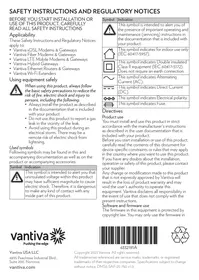
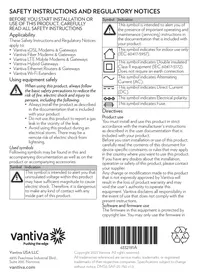
USER MANUAL xDSL Modems & Gateways Vantiva

Manual assistant
Powered by Anthropic
Waiting for your message
Product information

Brand : Vantiva

Model : xDSL Modems & Gateways

Category : Modem and router