CE912A - Slow Cooker MOULINEX - Free user manual and instructions
Find the device manual for free CE912A MOULINEX in PDF.



User questions about CE912A MOULINEX
0 question about this device. Answer the ones you know or ask your own.
Ask a new question about this device
Download the instructions for your Slow Cooker in PDF format for free! Find your manual CE912A - MOULINEX and take your electronic device back in hand. On this page are published all the documents necessary for the use of your device. CE912A by MOULINEX.
USER MANUAL CE912A MOULINEX
Moulinex®cookeo touch

Moulinex
Application

Moulinex
YouTube

Moulinex

Moulinex
FR 2
EN 32
NL 62
IT 92
PT 122
ES 152
DE 182
Follow these 6 key steps before cooking your first recipe
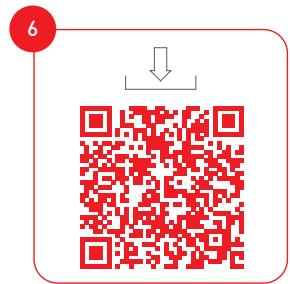
Please connect and update your Cookeo Touch Wifi before the first use

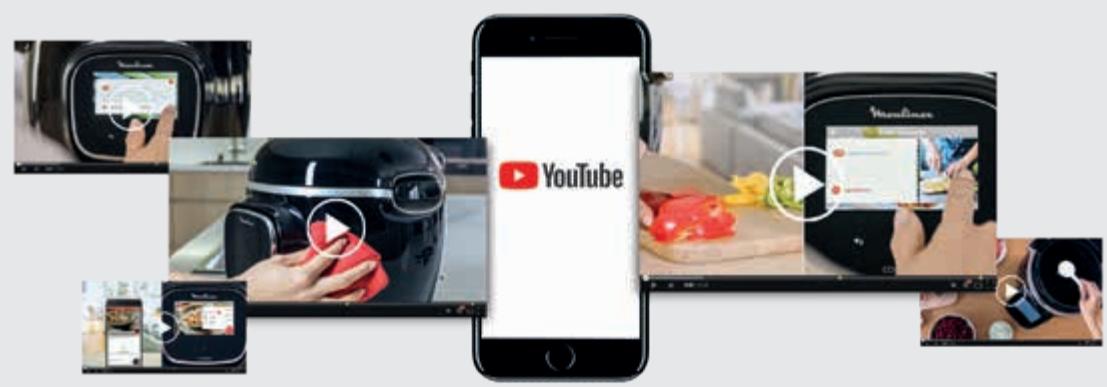
Discover many tutorials on the Moulinex YouTube channel To accompany you throughout the experience

And join the Cookeo movement

Moulinex
Application

Moulinex

Moulinex
Manual contents
Discover your Cookeo Touch 36
Cleaning your Cookeo Touch 40
Installing the steam basket 44
Easy cooking 46
Mastering the cooking process 47
Using the different options 48
Cookeo Touch functions. 51
Personalise your Cookeo Touch. 52
Safety features. 53
Troubleshooting 55
Cookeo Touch error codes 59
NB: A safety information booklet is included with this appliance. Before using your appliance for the first time, please read this booklet carefully and keep it in a safe place for future reference.
Cookeo Touch in the kitchen.
Cookeo Touch helps you with every meal.
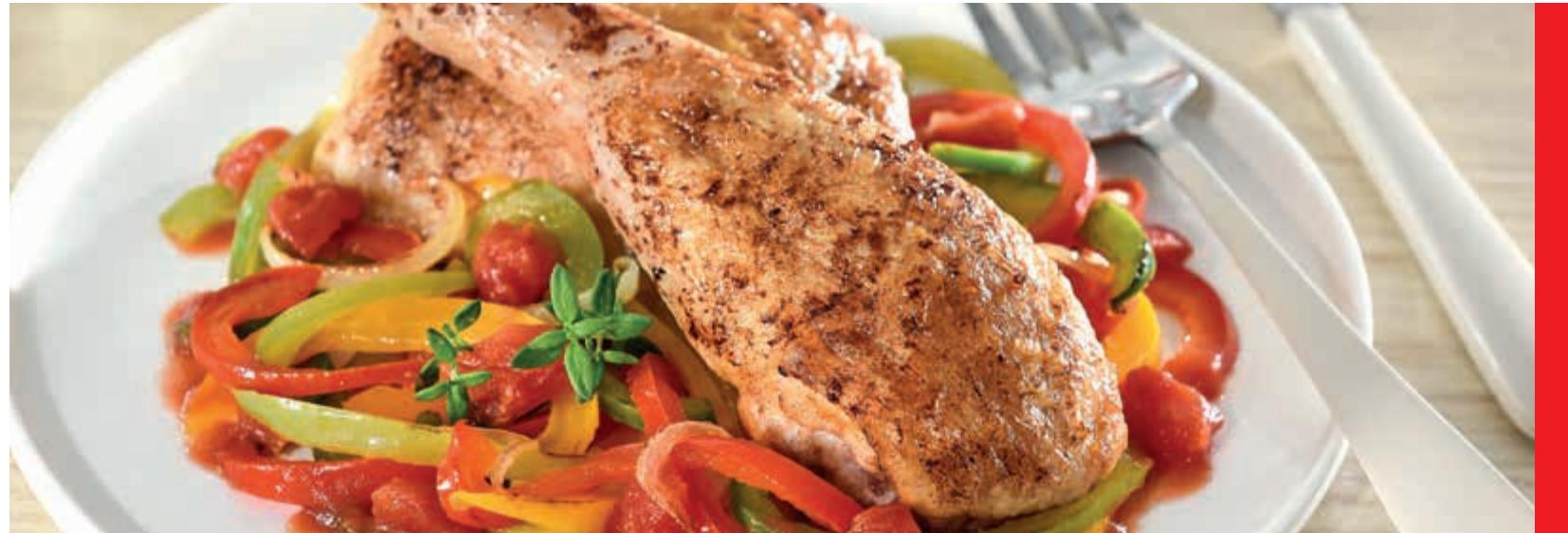
My Cookeo Touch lets me cook quickly and well.
It provides me with lots of recipe ideas in no time at all.
The Cookeo Touch has a large touchscreen display to show me all the steps to follow.
The Cookeo Touch does the cooking for me.
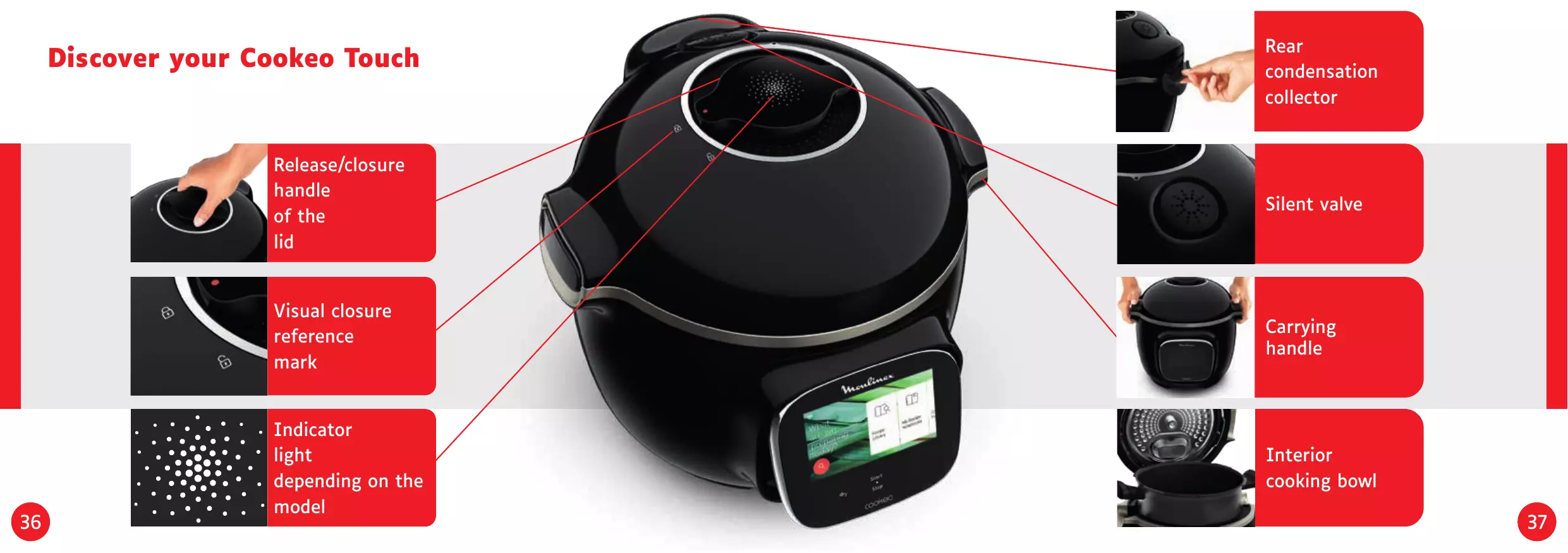
Discover your Cookeo Touch
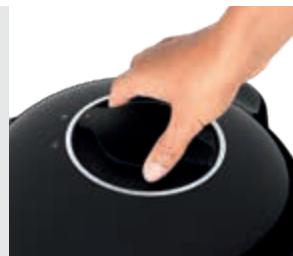
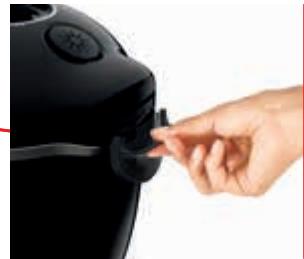
Release/closure handle of the lid
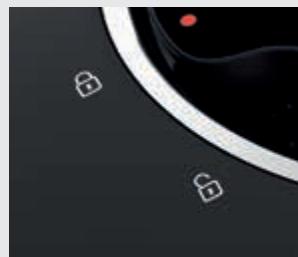
Visual closure reference mark

Indicator light depending on themodel
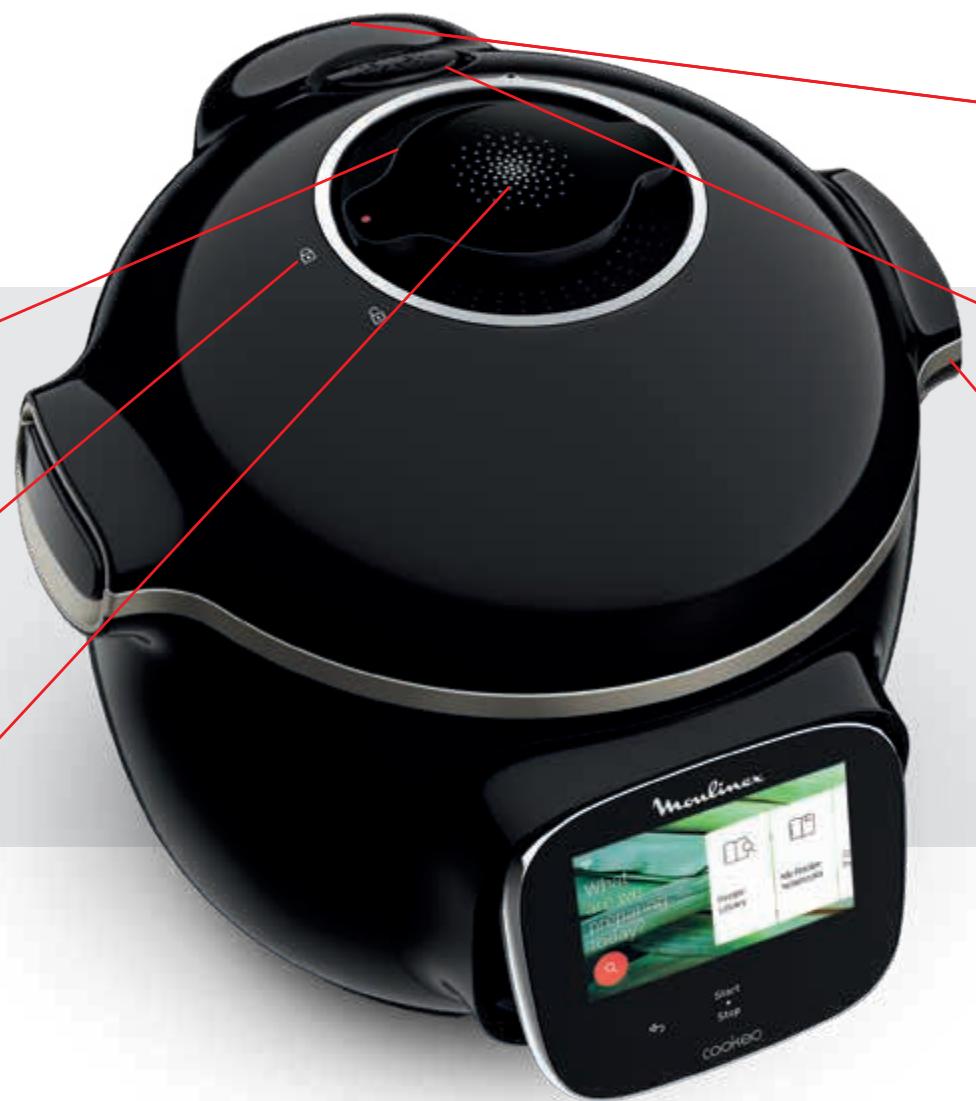
Rear condensation collector
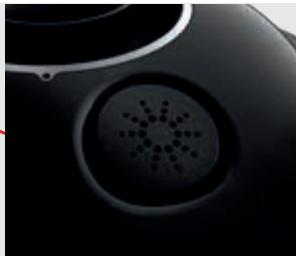
Silent valve
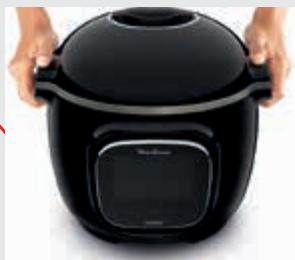
Carrying handle
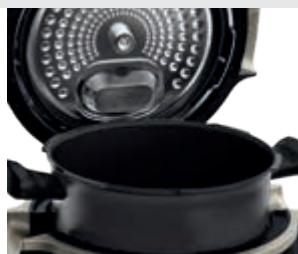
Interior cooking bowl
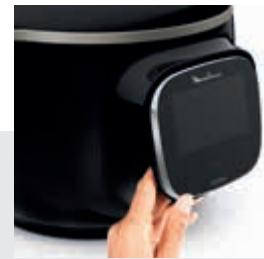
Tilting touch screen
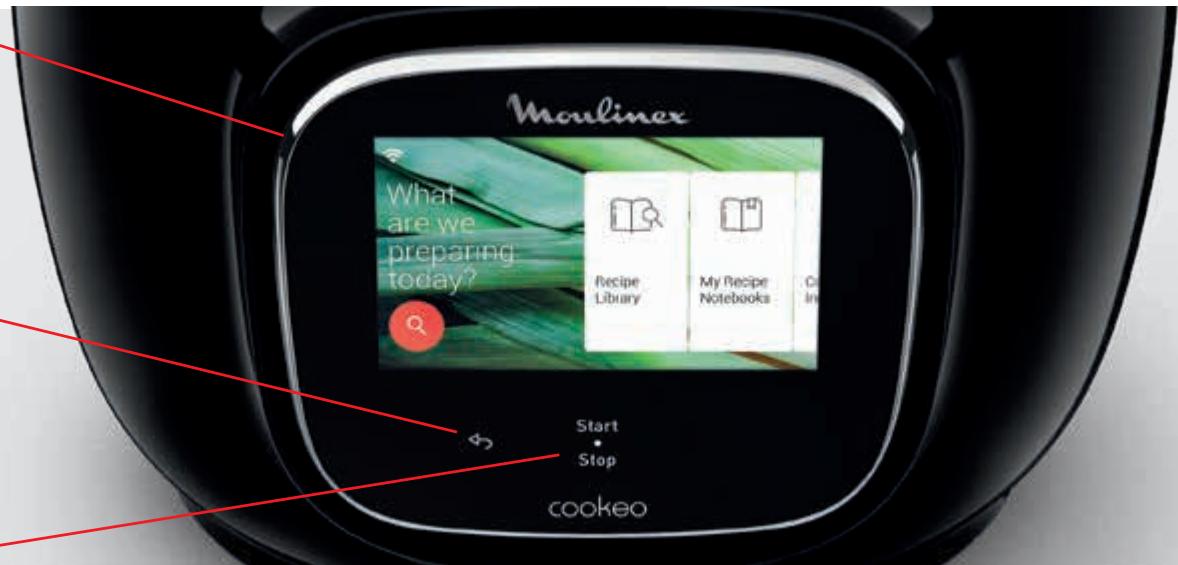

Before you start cooking:
remove all stickers,
- read the instructions.

Back button
Start Stop
Start/Stop to exit standby mode
The back and on/off buttons are only visible when needed.
Cleaning your Cookeo Touch
There are 5 steps to follow before you use your Cookeo Touch for the first time and after each use.
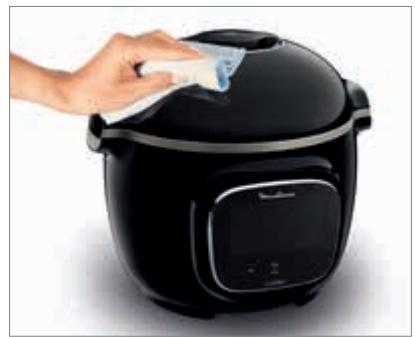
Step 1 - the Cookeo Touch
Clean the Cookeo Touch with a damp cloth.
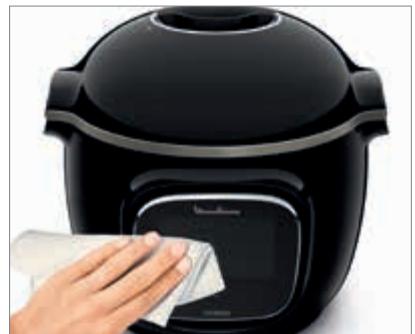
Step 2 - the touch screen
Clean the touch screen with a soft, damp cloth. Do not use a metal sponge as it may scratch the screen.
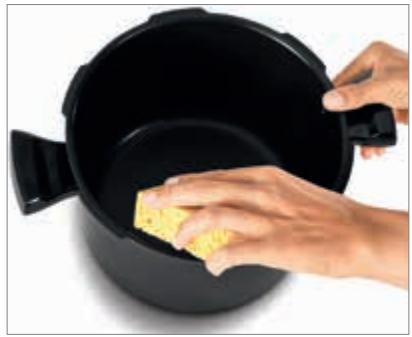
Step 3 – the cooking bowl
To clean the bowl, you can:
- put the bowl in the dishwasher, or
- wash it in hot soapy water.
If the cooking bowl turns an off-white colour on the outside, a metal sponge can be used.
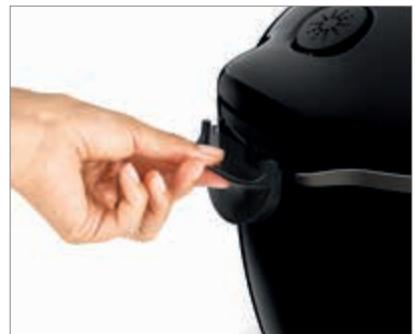
Step 4 – the water tray
After each use:
- clean the condensation collector
with clean water or in the dishwasher,
- dry the condensation collector,
- remember to return the condensation collector to the Cookeo Touch.
Cleaning your Cookeo Touch
Step 5 – the lid
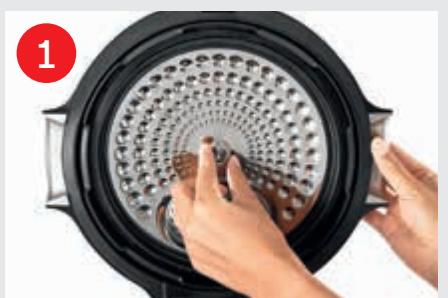
Unscrew the central nut.
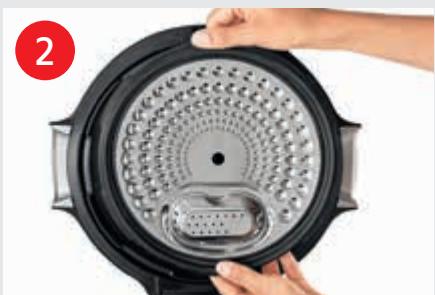
Remove the inner part of the lid by pulling it towards you.
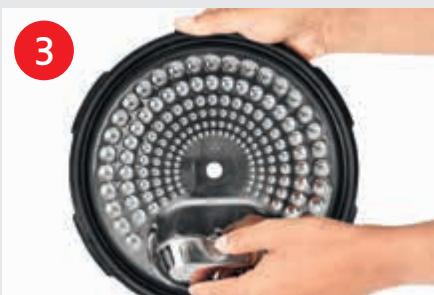
Remove the cover underneath the lid.
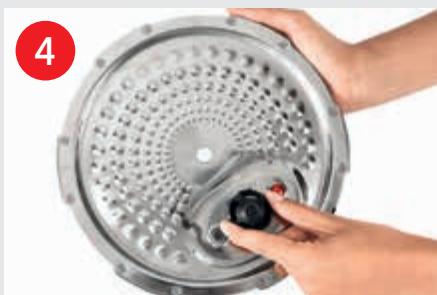
Remove the valve cover and take out the ball.
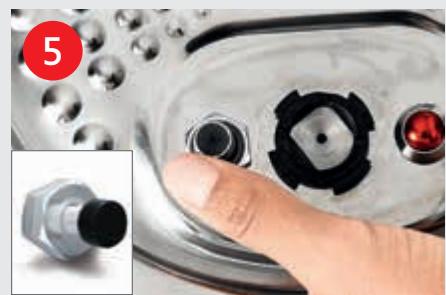
Check the mobility of: - the locking ro - the safety val
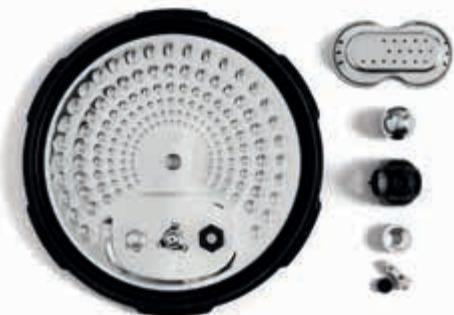
Clean all parts of the Cookeo Touch lid with clean water or in the dishwasher.
Installing the steam basket
- Wash the steam basket using hot soapy water.
- Rinse and thoroughly dry the steam basket.
Let's go!
How to install the steam basket?
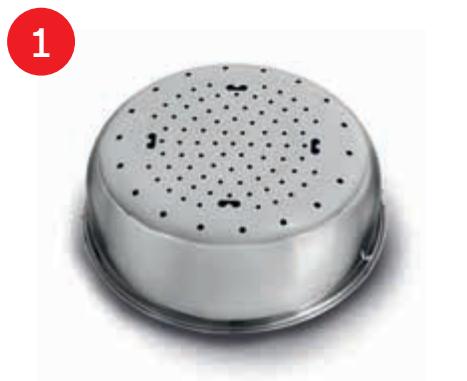
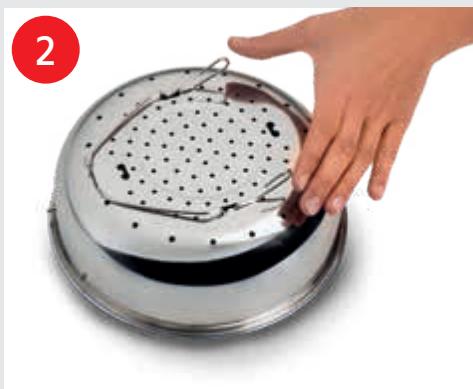

Replacing the steam basket.
Squeeze the leg between your thumb and index finger to position it in the notches.
Put the steam basket back into place. Place the steam basket in the Cookeo Touch cooking bowl using the handles.
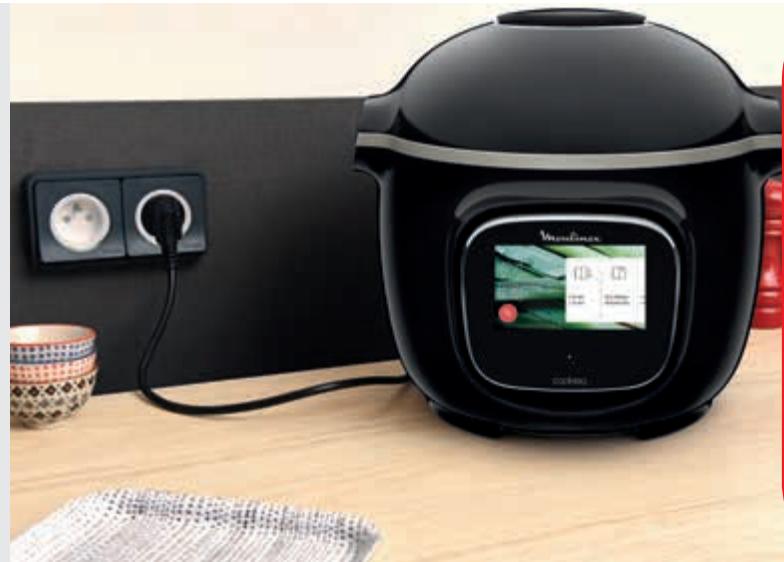

To ensure safety while cooking, place your Cookeo Touch on a flat, dry surface.
Plug in your Cookeo Touch.
When using your Cookeo Touch for the first time, the pot can release a slight odour.
This is normal.
Easy cooking
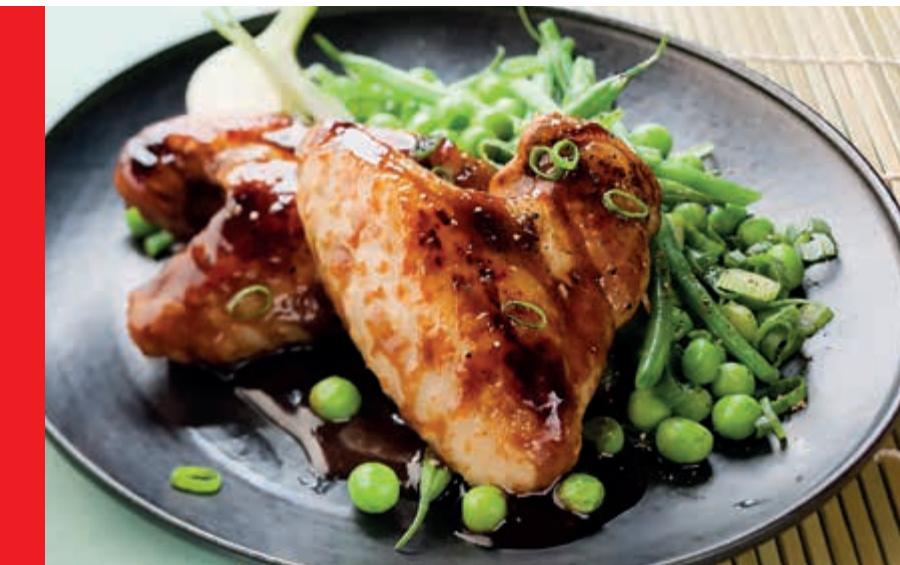
On the recipe menu, visible on the touch screen, Via WIFI connection access over 400 recipes. No more boring mealtimes!
- starters,
• mains,
and desserts.
The recipes are delicious and quick to make.
Mastering the cooking process
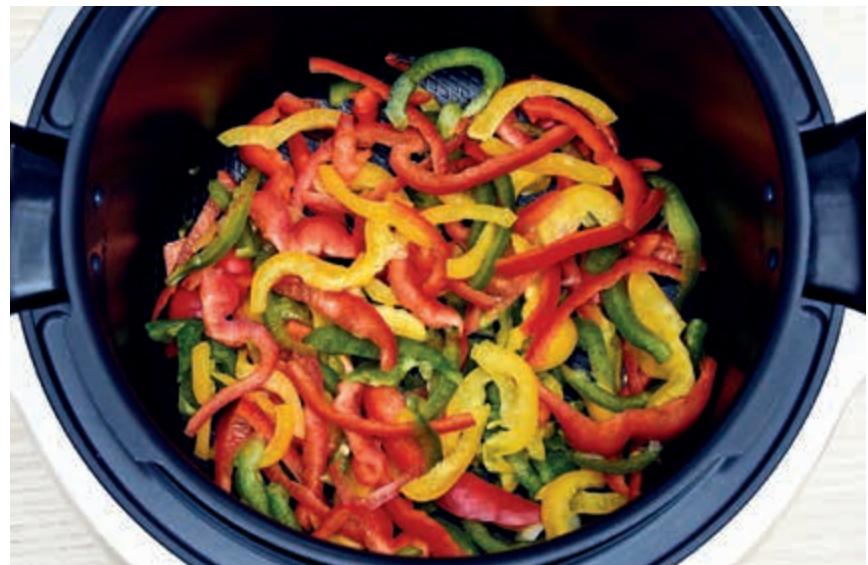
Using the ingredients menu, you can cook food without worrying about the cooking mode or the cooking time.
The Cookeo Touch provides all the information you need according to the weight and type of ingredients.
Using the different options
Using the manual mode, you can select the cooking mode and cooking time for your meal.
The various cooking modes:
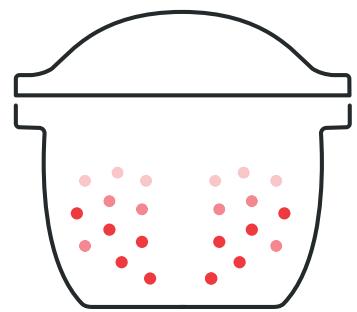
Pressure cooker
Lid position: closed and locked.
Cooking intensity
Low: to cook soft ingredients quickly.
High: to cook all ingredients quickly.
Express: to cook ingredients very quickly.
Timer delay mode: Possible
The timer delay mode
allows you to start cooking at a later time.
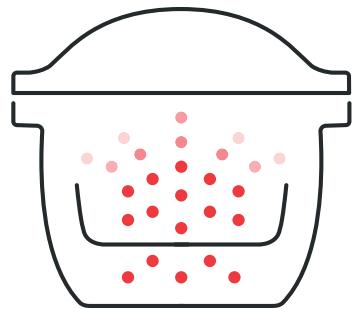
Steam
Use the steam basket.
Lid position: closed and locked.
Cooking intensity
Gentle: to cook soft ingredients.
Boost: to cook all ingredients quickly.
Timer delay mode: Possible
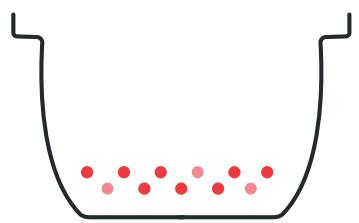
Browning
The bowl heats from below, like a stove.µ
Lid position: open and raised.
Cooking intensity
Gentle: to brown delicate ingredients.
Medium: to brown and crisp all ingredients quickly.
High: to brown and crisp all ingredients very quickly.
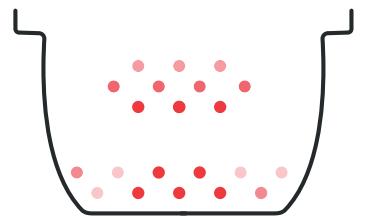
Stewing
The bowl heats from below to act like a stew pot.
Lid position: open and raised.
Cooking intensity
Gentle: slow and gentle cooking.
Medium: slow cooking.
High: medium cooking.
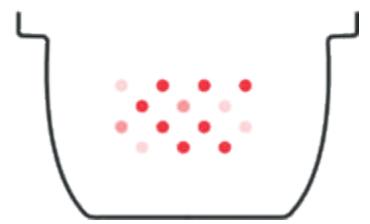
Keeping warm
The Cookeo Touch keeps your dishes warm until it is time to serve them.
Lid position: May be open or closed.
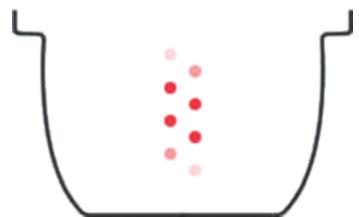
Reheating
The Cookeo Touch reheats dishes to the perfect temperature.
Lid position: May be open or closed.
Cookeo Touch functions
Depending on your Cookeo Touch model, these are various useful features.
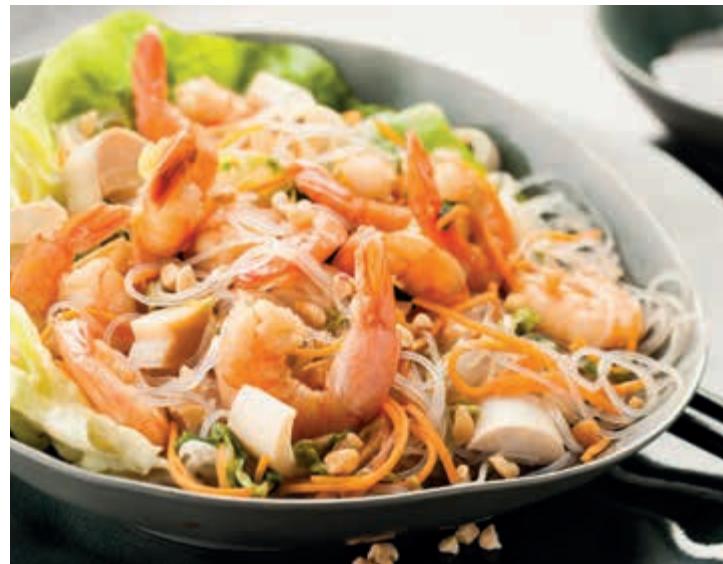

The "Recipe Book" function:
You can create
several recipe books.
Examples:
Paul's recipes
My favourite desserts

The "What's in my fridge" function:
Input the ingredients
that you have in your fridge
and the Cookeo Touch will find
a suitable recipe.
Personalise your Cookeo Touch
Using the "Settings" menu, you can:
- adjust the brightness,
- turn the sound on or off,
- select country and language,
- understand your Cookeo Touch's connectivity.

This is a QR Code. By scanning the QR code with the camera of your mobile phone or a special app, you can access the Cookeo Touch playlist on YouTube.
Open

and scan
Safety features
The Cookeo Touch has several safety features.
Safe opening:
The locking rod is a safety system that automatically locks the Cookeo Touch as soon as it is pressed.
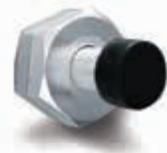
The Cookeo Touch is locked when the icon appears on the touch screen.
Do not open the Cookeo Touch when it is locked.
Wait for the internal pressure to drop before opening the lid.
The internal pressure has dropped when there is no more steam coming out of the valve.
Safety in case of too much pressure:
If the pressure is too high, the Cookeo Touch can release pressure automatically through the safety valve.
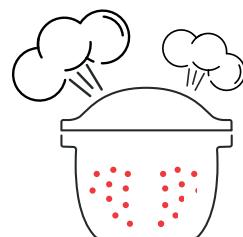
If any of the safety systems are activated:
- unplug the Cookeo Touch,
- allow the Cookeo Touch to cool completely,
open the Cookeo Touch, -
check and clean:
-
the safety valve,
- the ball,
- the covering.
If your Cookeo Touch is still leaking or not working, take it to an Approved Service Centre.
An Approved Service Centre is a repair centre that has been approved by Moulinex.
Regulating the Cookeo Touch:
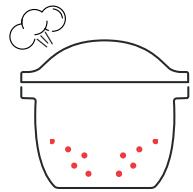
When pressure cooking, the Cookeo Touch can emit small amounts of steam. This serves to automatically regulate the pressure.
The Cookeo Touch lid:
The metal lid
should only be used
with the Cookeo Touch.
The metal lid should not
be used with other equipment.
The Cookeo Touch lid
is easy to recognise
thanks to the red
safety valve.
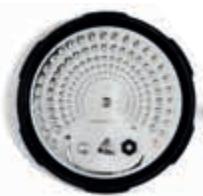
safety valve.
Troubleshooting
You may encounter various problems when using the Cookeo Touch.
The lid does not close:
-
There may be something stuck between the bowl and the hot plate. Remove the bowl to check that all parts are clean:
-
the heating plate,
- the central element,
- under the bowl.
Also check
that the central element
can move around.
- The lid release handle is not in the correct position. Ensure that the release handle is fully open.
- The metal lid is not installed correctly.
Ensure that all elements
of the metal lid
are in the correct position.
- The bowl damaged
after being hit or dropped.
The bowl should be replaced
at an Approved Service Centre.
The Cookeo Touch pressure fails to raise and steam is not being released properly:
- The gasket seal is dirty or damaged. Ensure that the gasket seal is clean and in good condition.
The gasket seal should be changed every three years at an Approved Service Centre.
-
The inner lid is missing or not tight enough.
Ensure that the central nut under the metal lid is tight enough. -
The locking rod is dirty or the seal is missing. Clean the locking rod according to the instructions.
The locking rod must be able to move up and down properly.
Ensure that the seal is correctly positioned on the locking rod.
-
The decompression ball is dirty or incorrectly positioned. Ensure that the ball is correctly positioned and that the ball cover is in the locked position. Clean and dry the ball and the support.
-
The edge of the bowl is damaged or dirty. Clean the bowl. Ensure that the bowl is in good condition.
-
If the locking rod is built upside down: place the magnetic side of the stem on the same side as the ball
The Cookeo Touch does not decompress:
- The ball cover is out of place: Leave the Cookeo Touch to cool down completely, remove the metal lid, and place the ball cover in the correct position.
Water is leaking behind the Cookeo Touch:
- The collector is not in place or is overflowing. Ensure that the collector is correctly positioned behind the Cookeo Touch.
- The bowl is too full.
Ensure that the contents do not exceed the maximum volume. -
If you are using certain ingredients such as:
-
cream,
- wine,
- or milk,
Respect the quantities shown in the recipe.
These ingredients can cause the Cookeo Touch to overflow.
The lid won't open when steam is released:
- The locking rod is still in the upwards position. Check that all of the steam has been released and wait until the Cookeo Touch has cooled down fully.
The light on the lid handle no longer lights up:
The LED is not working. Take the device to an Approved Service Centre.
The screen does not light up:
- The Cookeo Touch is not plugged in. Ensure that the Cookeo Touch is plugged in correctly.
- The Cookeo Touch is on standby. Press the dot on the screen.
The inner metal lid cannot be removed:
- The ball lid is positioned incorrectly: Unscrew the nut on the lid, remove the inner part of the lid by pulling it towards you, access the ball cover, correctly reposition the lid.
Cookeo Touch error codes
There are several error codes:
- error 1 error communicating with the keypad.
- error 2 error communicating with the Wi-Fi.
- error 3 error communicating with the power board.
- If the temperature sensor fails, the numbers 04, 05, 06, 07, 08, 09 are displayed on the Cookeo Touch.
-
error 10 heating error.
-
error 11 pressure problem. Unplug the Cookeo Touch. Ensure that all elements of your Cookeo Touch are in good condition. If needed, clean the elements of your Cookeo Touch following the cleaning instructions.
Ensure that the valve cover is correctly in place.
- error 13 excess pressure.
-
error 14 low pressure due to lack of water:
-
add water to the bowl,
-
resume cooking.
-
error 15 decompression fault:
- unplug the Cookeo Touch,
- leave to cool,
- remove the metal lid,
-
correctly position the ball cover.
-
error 16 the Cookeo Touch doesn’t build up pressure:
-
add water to the bowl,
-
resume cooking.
-
error 17 the Cookeo Touch pressure fails to raise.
See page 56
"The Cookeo Touch pressure fails to raise and steam is not being released properly".
- error 18 failure to detect the locking rod.
- error 101, 106 display or recipe loading error:
Unplug and restart the appliance.
If the problem persists, take
your appliance to an
Approved Service Centre.
For all problems,
unplug the Cookeo Touch.
If the problem persists,
contact an Approved Service Centre.
If you experience
connection problems, visit
www.moulinex.com or
the Moulinex app.

Your Cookeo Touch model :
SERIE EPC13
Technical information about your Cookeo Touch:
Low pressure: 40 kPa ( 109^ C )
High pressure: 70 kPa ( 115^ C )
Very high pressure: 100 kPa ( 119^ C )
PS = 140kPa
Cookeo Touch capacity: 6L
Usable capacity: 4L
Built-in heater:
enclosed heating resistor.
A beep signals that
operating pressure has been reached.
WiFi:
Maximum transmitted power:
20dBm, 100mW
Frequency: 2,4GHz
Power consumption in standby mode: 0.28W
Power consumption in networked
standby mode : 0.28W
What do Cook4me Touch Wifi pictograms mean ?
- Product connected to the Wifi
- Product connected to the WiFi but not connected to Moulinex
database

Product not connected to
the Wifi

- De kookpan is te vol.
$$ P S = 1 4 0 k P a $$
Ligue a Cookeo Touch.
$$ P S = 1 4 0 k P a $$