
CEOL N5 - Television DENON - Free user manual and instructions
Find the device manual for free CEOL N5 DENON in PDF.


| Product Type | Compact audio system with CD player, FM/AM tuner, Internet radio and network streaming |
| Dimensions (W × H × D) | Approx. 280 × 105 × 310 mm |
| Weight | 4.3 kg |
| Power supply | AC 120 V, 60 Hz, 65 W (standby 0.3 W) |
| Amplifier | High-power digital, 2 × 50 W (8 Ω) |
| Disc player | CD, CD-R/RW (MP3/WMA) |
| Tuner | FM (87.5-107.9 MHz) / AM (520-1710 kHz), 99 presets |
| Network connectivity | Ethernet 100BASE-TX, Wi-Fi 802.11b/g, WPS |
| Network functions | Internet radio (vTuner), streaming from DLNA server, Napster, Pandora, Rhapsody |
| Audio inputs | AUX1/2 (RCA), AUX3 (optical), Port In (mini-jack), USB (front), iPod dock |
| Outputs | Speakers (4-16 Ω), headphones (mini-jack) |
| Display | 3-line OELD, adjustable brightness |
| Supplied accessories | Remote control, batteries, power cord, AM loop antenna, indoor FM antenna, Wi-Fi antenna, manual |
| Special functions | Sleep timer, daily/once timer, party mode, speaker optimization filter, firmware update |
| Maintenance | Clean discs from center to edge with a soft cloth; avoid chemical products |
| Safety | Protection circuit in case of short circuit or overheating; unplug before cleaning |
| Repairability | Spare parts available via DENON after-sales service; microprocessor reset possible |
| Warranty | Manufacturer's warranty included (North American model) |
Frequently Asked Questions - CEOL N5 DENON
User questions about CEOL N5 DENON
0 question about this device. Answer the ones you know or ask your own.
Ask a new question about this device
Download the instructions for your Television in PDF format for free! Find your manual CEOL N5 - DENON and take your electronic device back in hand. On this page are published all the documents necessary for the use of your device. CEOL N5 by DENON.
USER MANUAL CEOL N5 DENON
"Add to my library?" apparait.
"Made for iPod" and "Made for iPhone" mean that an electronic accessory has been designed to connect specifically to iPod, or iPhone, respectively, and has been certified by the developer to meet Apple performance standards.
Apple is not responsible for the operation of this device or its compliance with safety and regulatory standards.
Please note that the use of this accessory with iPod or iPhone may affect wireless performance.
iPhone, iPod, iPod classic, iPod nano, iPod shuffle, and iPod touch are trademarks of Apple Inc., registered in the U.S. and other countries.
- Windows Media Player Network Sharing Service
- Windows Media DRM10
[Formats compatibles]
| Radio Internet | Serveur média *1 | |
| WMA (Windows Media Audio) | ✓ | ✓ |
| MP3 (MPEG-1 Audio Layer-3) | ✓ | ✓ |
| WAV | ✓ | |
| MPEG-4 AAC | ✓*2 | |
| FLAC (Free Lossless Audio Codec) | ✓ |
AES (Advanced Encryption Standard)
Redistribution and use in source and binary forms, with or without modification, are permitted provided that the following conditions are met:
- Redistributions of source code must retain the above copyright notice, this list of conditions and the following disclaimer.
- Redistributions in binary form must reproduce the above copyright notice, this list of conditions and the following disclaimer in the documentation and/or other materials provided with the distribution.
- Neither the name of the Xiph.org Foundation nor the names of its contributors may be used to endorse or promote products derived from this software without specific prior written permission.
THIS SOFTWARE IS PROVIDED BY THE Copyright Holders AND Contributors "AS IS" AND ANY EXPRESS OR IMPLIED WARRANTY, INCLUDING, BUT NOT LIMITED TO, THE IMPLIED WARRANTY OF MERCHANTABILITY AND FITNESS FOR A PARTICULAR PURPOSE ARE DISCLAIMED. IN NO EVENT SHALL THE FOUNDATION OR COLNTRIBUTORS BE LIABLE FOR ANY DIRECT, INDIRECT, INCIDENTAL, SPECIAL, EXEMPLARY, OR CONSEQUENTIAL DAMAGES (INCLUDING, BUT NOT LIMITED TO, PROCUREMENT OF SUBSTITUTE GOODS OR SERVICES; LOSS OF USE, DATA, OR PROFITS; OR BUSINESS INTERRUPTION) HOWEVER CAUSED AND ON ANY THEORY OF LIABILITY, WHETHER IN CONTRACT, STRICT LIABILITY, OR TORT (INCLUDING NEGLIGENCE OR OTHERWISE) ARISING IN ANY WAY OUT OF THE USE OF THIS SOFTWARE, EVEN IF ADVISED OF THE POSSIBILITY OF SUCH DAMAGE.
WPA (Wi-Fi Protected Access)
WPA2 (Wi-Fi Protected Access 2)
WPA-PSK/WPA2-PSK (Pre-Shared Key)
WPS (Wi-Fi Protected Setup)
80 W + 80 W (4 Ω/ohms)
Puisance dynamique:
Distorsion harmonique (1 kHz, 5 W, 8 Ω)
Entree AUX
Clock 29
Network 30, 31, 32
Other 36
Timer 28
Set the network function On/Off during standby.
The amount of power consumption during standby mode decreases.
Reduces the amount of time until the network connection is complete.
NOTE
The amount of power consumption during standby mode increases.
The lowest power consumption mode
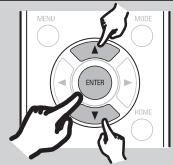

[Network Standby]
On
Network start time is faster but pow..
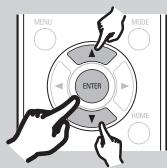
After completing the network connection, set the clock settings.
- This unit obtains time information from the network.
Set whether or not to apply summertime adjustment.
+1H (Central Europ...
OH(Greenwich Mean Time)
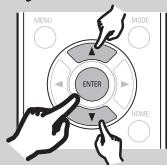

[Summer Time]
1/2
Off (0H)
On (+1H)
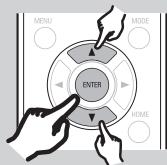

[Auto Adjust]
3/4
Adjust Now
Exit
10:24
DENON
www.denon.com
D&M Holdings Inc.
Printed in China
5411 10612 009D
DENON
RCD-N7をネトウーに接続しぃしょう
Connecting the RCD-N7 to the network
設置編/Installation Section/Section installation/Seccion de instalacion

不卜T一の接をしま。
Connect to the network.
- When connecting cables (wired connection), connect this unit to a broadband router or switching hub using an Ethernet cable.
- When using a wireless connection (Wi-Fi), connect the Wi-Fi antenna to the rear panel of this unit.
Press the ON/STANDBY button to switch on the power.
- "Network First Setup" starts.
Set the network and the clock settings.
Network First Setup" is only displayed automatically the first time the unit power is switched on after purchase.
To perform "Network First Setup" again, select it from the menu.
Select the connection method.
Wired Connection : "Wired"
When using an access point that does not support WPS encryption
Select "Search Access Point".
Selectionnez "Search Access Point".
Display the access point list. Select the access point that you want to connect to.
Enter the security key.
When using an access point that supports WPS encryption
Select "Connection".
Selectionnez "Connection"
- AES (Advanced Encryption Standard)
- WPA (Wi-Fi Protected Access)
- WPA2 (Wi-Fi Protected Access 2)
- WPA-PSK/WPA2-PSK (Pre-Shared Key)
- WPS (Wi-Fi Protected Setup)
- NOTE
- DENON
- RCD-N7をネトウーに接続しぃしょう
- Connecting the RCD-N7 to the network
- 設置編/Installation Section/Section installation/Seccion de instalacion
- Press the ON/STANDBY button to switch on the power.
Brand : DENON
Model : CEOL N5
Category : Television