
WDBMTAOO20BBK-EE - External hard drive WESTERN DIGITAL - Free user manual and instructions
Find the device manual for free WDBMTAOO20BBK-EE WESTERN DIGITAL in PDF.

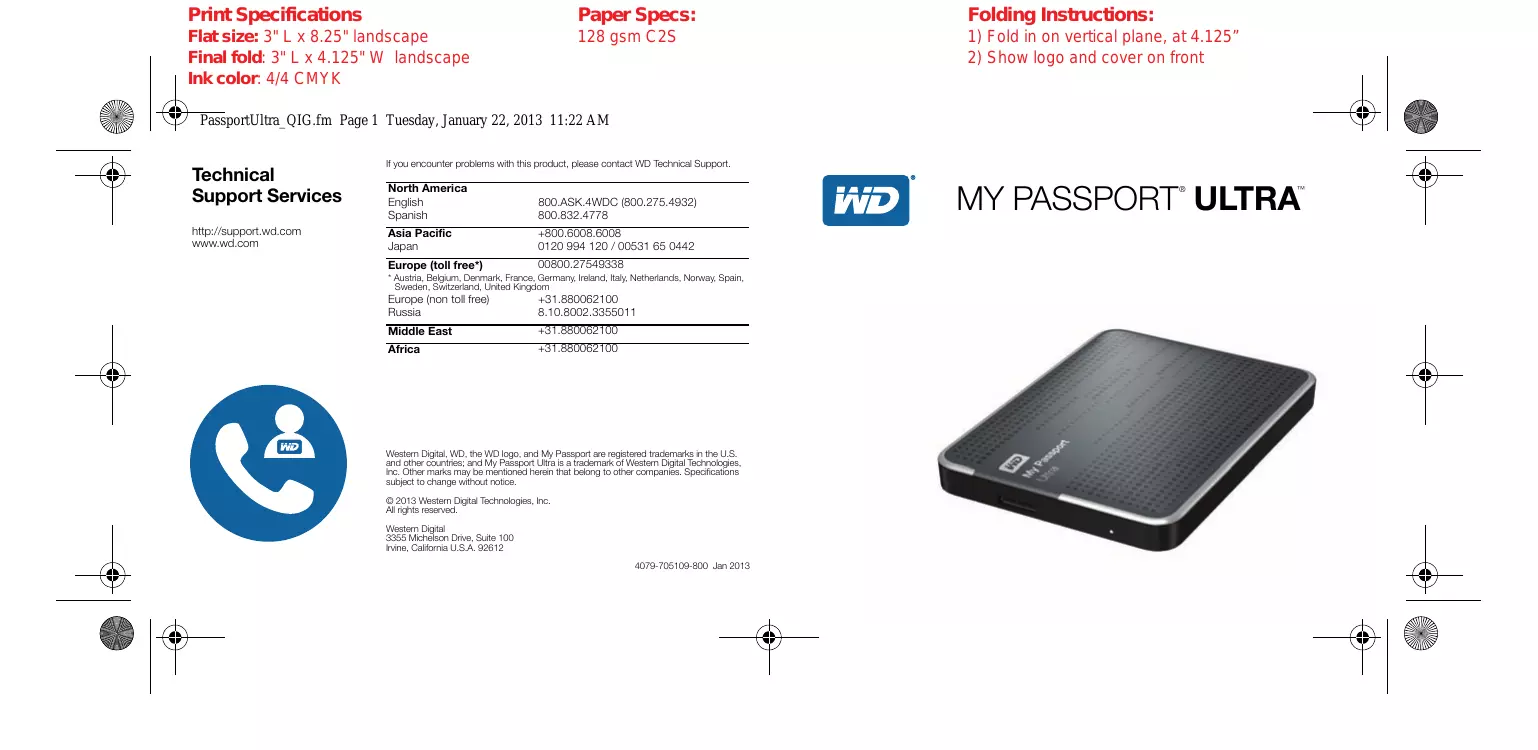

| Product type | Portable external hard drive |
| Brand | Western Digital |
| Model | My Passport Ultra WDBMTAOO20BBK-EE |
| Capacity | 2 TB |
| Interface | USB 3.0 (backward compatible with USB 2.0) |
| Thickness | 12.8 mm |
| Power supply | Via USB port (no external power required) |
| Supported file formats | NTFS (default), can be reformatted for Mac |
| Compatible operating systems | Windows XP, Vista, 7, 8; Mac OS X (Leopard to Mountain Lion) |
| Included software | WD SmartWare Pro, WD Security, WD Drive Utilities |
| Backup features | Continuous or scheduled automatic backup, local and cloud (Dropbox) |
| Security | Password protection with hardware encryption |
| Activity indicator | LED: solid (idle), fast flashing (activity), slow flashing (sleep) |
| Warranty | 3 years limited |
| Box contents | Hard drive, USB 3.0 cable, quick installation guide |
| Maintenance | Clean with a soft, dry cloth. Avoid shocks and moisture. |
| Spare parts and repairability | Not available; the hard drive is not user-repairable. |
| General information | Designed to be durable and shock-resistant. Technical support via support.wdc.com. |
Frequently Asked Questions - WDBMTAOO20BBK-EE WESTERN DIGITAL
User questions about WDBMTAOO20BBK-EE WESTERN DIGITAL
0 question about this device. Answer the ones you know or ask your own.
Ask a new question about this device
Download the instructions for your External hard drive in PDF format for free! Find your manual WDBMTAOO20BBK-EE - WESTERN DIGITAL and take your electronic device back in hand. On this page are published all the documents necessary for the use of your device. WDBMTAOO20BBK-EE by WESTERN DIGITAL.
USER MANUAL WDBMTAOO20BBK-EE WESTERN DIGITAL
Technical Support Services
http://support.wd.com
www.wd.com
If you encounter problems with this product, please contact WD Technical Support.
| North America | |
| English | 800.ASK.4WDC (800.275.4932) |
| Spanish | 800.832.4778 |
| Asia Pacific | +800.6008.6008 |
| Japan | 0120 994 120 / 00531 65 0442 |
| Europe (toll free*) | 00800.27549338 |
| * Austria, Belgium, Denmark, France, Germany, Ireland, Italy, Netherlands, Norway, Spain, Sweden, Switzerland, United Kingdom | |
| Europe (non toll free) | +31.880062100 |
| Russia | 8.10.8002.3355011 |
| Middle East | +31.880062100 |
| Africa | +31.880062100 |
Western Digital, WD, the WD logo, and My Passport are registered trademarks in the U.S. and other countries; and My Passport Ultra is a trademark of Western Digital Technologies, Inc. Other marks may be mentioned herein that belong to other companies. Specifications subject to change without notice.
© 2013 Western Digital Technologies, Inc.
All rights reserved.
Western Digital
3355 Michelson Drive, Suite 100
Irvine, California U.S.A. 92612
My Passport® Ultra™
Disque dur portable
Service et assistance WD
Contacter l'assistance technique WD
Service et assistance WD. ii
Contacter l'assistance technique WD
WD Drive Utilities
WD Security
WD SmartWare
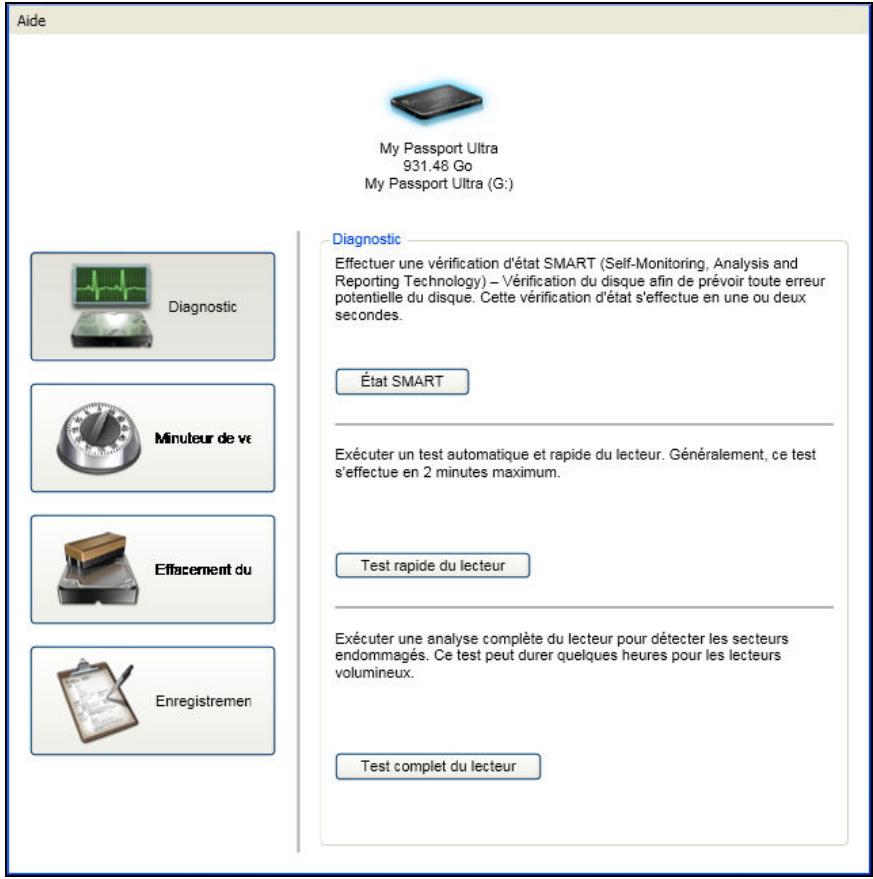
Figure 4. Ecran WD Drive Utilities
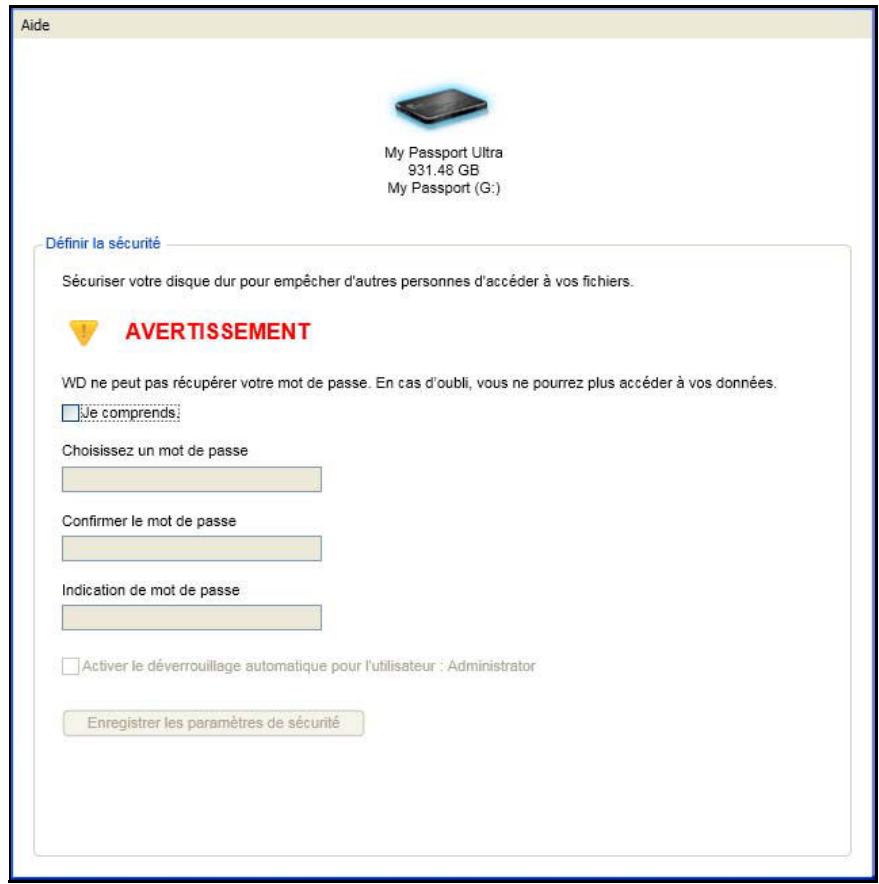
Figure 5. Ecran WD Security
WD SmartWare
WD Security
WD Drive Utilities
WD SmartWare
WD Security
WD Drive Utilities
This device complies with Canadian ICES-003 Class B.
Approved for US and Canada. CAN/CSA-C22.2 No. 60950-1, UL 60950-1: Safety of Information Technology Equipment.
Marking by the CE symbol indicates compliance of this system to the applicable Council Directives of the European Union, including the EMC Directive (2004/108/EC) and the Low Voltage Directive (2006/95/EC). Une « déclaration de conformité » conforme aux directives applicables a été effectuee et est consultable chez Western Digital Europe.
Bouton Activer/Désactiver la
sauvegarde 24, 26
Bouton Demarrer/Annuler
la récapération 28
Brand : WESTERN DIGITAL
Model : WDBMTAOO20BBK-EE
Category : External hard drive