
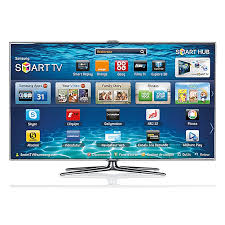
UE46ES7000 - Television SAMSUNG - Free user manual and instructions

Find the device manual for free UE46ES7000 SAMSUNG in PDF.

SAMSUNG UE46ES7000 - Television
📄 946 pages English EN Download 💬 AI Question 13 questions ⚙️ Specs
Notice SAMSUNG UE46ES7000 - page 944
View the manual : Français FR English EN
Pick your language and provide your email: we'll send you a specifically translated version.
Product Type LED 3D Smart TV
Brand SAMSUNG
Model UE46ES7000
Screen Size 46 inches (diagonal)
Screen Resolution 1920 x 1080 (Full HD)
HDMI Connectivity 3 HDMI ports (1 with ARC, 1 with MHL)
USB Connectivity Yes, for multimedia playback and recording
Network Connectivity Ethernet (LAN) and built-in Wi-Fi (802.11a/b/g/n)
Smart TV Functions Smart Hub, Samsung Apps, Web Browser, Skype, AllShare Play
3D Function Yes, compatible with 3D glasses (not included)
Supported Audio Formats MP3, AAC, FLAC, WMA, OGG, Dolby Digital Plus
Supported Video Formats AVI, MKV, MP4, WMV, DivX, H.264, MPEG-2, etc.
USB Recording Yes, via USB port (external hard drive recommended)
Security Kensington lock, parental control (channel lock)
Included Accessories Smart Touch Control remote control, power cable
Power Supply AC 220-240V, 50/60Hz

Frequently Asked Questions - UE46ES7000 SAMSUNG

How to connect an HDMI device?
Connect the HDMI cable to the HDMI IN port of the TV (e.g., HDMI IN 1(DVI), 2(ARC), or 3(MHL)). Use a certified HDMI cable. For a device without HDMI output, use an HDMI/DVI adapter with an audio cable.
How to configure the Wi-Fi network?
Go to Menu > Network > Network Settings, select Start, choose your Wi-Fi network from the list, enter the security key (passphrase) if necessary, then confirm. You can also use WPS(PBC) if your router supports it.
How to use the 3D function?
To watch in 3D, set Auto 3D Display to On in the Image menu. Wear compatible 3D glasses. Make sure the source content is 3D. The 3D Audio function can be activated in the Sound menu.
How to schedule a recording?
Connect a USB hard drive (minimum 5400 rpm, not a USB flash drive). Go to Program Manager, select Schedule Recording, set Antenna, Channel, Repeat, Date, Start/End Time, then confirm.
How to update the software?
The TV can update automatically via the Internet. Go to Menu > Support > Software Update. You can also download the update to a USB device and install it via Update via USB.
How to use AllShare Play?
AllShare Play allows you to play multimedia content from network devices. Go to Menu > AllShare Play. You can access your videos, photos, and music stored on a PC or DLNA server connected to the same network.
How to lock a channel?
First activate Channel Lock in the Channel menu. Then, in the channel list, select a channel, open the Tools menu and choose Lock/Unlock. Enter your PIN code (default 0000). Locked channels are marked with a padlock.
How to adjust picture settings?
Go to Menu > Picture. You can adjust Backlight, Contrast, Brightness, Sharpness, Color, Tint. Preset modes (Dynamic, Standard, Natural, Movie, Leisure) are available via Picture Mode.
How to use the universal remote control?
Press the SOURCE button on the Smart Touch Control, select Universal Remote Setup. Follow the instructions to configure your set-top box or Blu-ray player by entering the brand and model. The LED indicator shows the controlled device (TV, STB, BD).
What to do if the network connection fails?
Check that the router is on and the Ethernet cable (if wired) is properly connected. For Wi-Fi, make sure the security key is correct. Go to Menu > Network > Network Settings to test the connection. If it fails, try restarting the router or manually configuring the IP Address.

User questions about UE46ES7000 SAMSUNG

3 questions about this device. Answer the ones you know or ask your own.

Ask a new question about this device

Your email remains private: it is only used to notify you if someone answers your question.

Is it possible to connect an Orange WiFi repeater to this TV via a network connection?
Frequently Asked Questions - 4 d
Response Notice-Facile

Yes, it is possible

If your Orange repeater has an Ethernet port (RJ45), you can connect it directly to the Samsung UE46ES7000 TV using a network cable.

How to proceed

  • Check the back of your Orange repeater: look for an RJ45 socket (looks like a phone socket but wider), often labeled LAN OUT or Ethernet
  • Take a network cable (Ethernet/RJ45 cable)
  • Plug one end into the Ethernet port of the repeater, the other into the LAN port of the TV (located at the back of the Samsung UE46ES7000)
  • Turn everything on - the TV will automatically detect the network connection

Benefits of this solution

The TV accesses the internet via the network cable instead of WiFi, which generally provides a more stable and faster connection for streaming, updates, and connected services (Smart Hub, Samsung Apps).

What model of Orange repeater do you have?

If you are not sure whether your repeater has this Ethernet port, check its model (e.g., TM06, TM08, RE420...). Not all Orange repeaters necessarily have this socket - the newer ones generally do.


Respond (be the first)
How to connect the Samsung UE46ES7000 to a WiFi connection?
Frequently Asked Questions - 4 d
Response Notice-Facile

Connect your TV via WiFi

The Samsung UE46ES7000 has built-in WiFi connectivity (802.11a/b/g/n standard) with antennas incorporated into the TV's casing. Here’s how to proceed:

Accessing network settings:

  • Press Menu on your remote control
  • Go to Network
  • Select Network settings

Available connection modes:

  • Automatic - automatic detection and connection to available networks
  • Manual - enter the network name (SSID) and password
  • WPS (PBC) - press the WPS button on your router (simplified setup)
  • Plug & Access - easy connection via security key

Supported security: Your TV supports WEP, WPAPSK, and WPA2PSK protocols, as well as WEP, TKIP, and AES encryption.

Tip: If the connection fails, check that your WiFi router is powered on and that your network credentials are correct. You can also connect your TV via Ethernet cable (RJ45) for a more stable wired connection.

Respond (be the first)
The television does not detect any WiFi network, how can I resolve the issue?
Frequently Asked Questions - 4 d
Response Notice-Facile

If your Samsung UE46ES7000 does not display any available WiFi networks, several checks are necessary:

1. Check that your router is functioning

  • Make sure your box/router is turned on and emitting a WiFi signal
  • If possible, restart your router (turn it off for 30 seconds, then turn it back on)

Important: This TV has built-in WiFi antennas in the chassis, typically located at the back of the television (top or bottom of the panel). They are not removable or visible from the outside, unlike the external antennas of older models.

2. Completely reset the TV

  • Turn off the television completely using the remote control
  • Unplug the power cord for 30 seconds
  • Plug it back in and turn it on
  • Wait for the TV to start up completely
  • Go to Menu > Network > Network settings and initiate a new network search

3. Test the wired connection

If no WiFi network appears after the reset, try an Ethernet connection to confirm that the network module is functioning. This TV supports Ethernet cable directly, which will help diagnose if the issue is with the WiFi or the overall network hardware.

4. Check WiFi security settings

  • Ensure that your router is not in disabled WiFi mode or 'airplane mode'
  • Check that you are using a compatible frequency: this TV supports 802.11a/b/g/n (2.4 GHz and 5 GHz)

If nothing works: The TV is from 2012-2013, and at over 10 years old, the built-in WiFi module may have worn out or failed. In this case, prefer a wired Ethernet connection if your router is not too far away, or consider specialized repair.

Respond (be the first)

Download the instructions for your Television in PDF format for free! Find your manual UE46ES7000 - SAMSUNG and take your electronic device back in hand. On this page are published all the documents necessary for the use of your device. UE46ES7000 by SAMSUNG.

USER MANUAL UE46ES7000 SAMSUNG

DIGITAL AUDIO OUT (OPTICAL)

International Solutions.

(Universal Satellite Automatic Location System).

System).

Samsung Apps

SAMSUNG UE46ES7000 - Samsung Apps - 1

→ Samsung Apps

voice recognition.

– Action: clench your fists.

Web storage (SugarSync).

→ AllShare Play → My List

DIGITAL AUDIO OUT (OPTICAL)

for Italy

Manufactured under licence from DTS Licensing Limited. DTS, the Symbol, and DTS and the Symbol together are registered trademarks of DTS, Inc. © 2011 DTS, Inc. All Rights Reserved.

HDMI

The terms HDMI and HDMI High-Definition Multimedia Interface, and the HDMI Logo are trademarks or registered trademarks of HDMI Licensing LLC in the United States and other countries.

MHL™

SAMSUNG UE46ES7000 - DIGITAL AUDIO OUT (OPTICAL) - 1

DivX Certified® to play DivX® video up to HD 1080p, including premium content.

DivX®, DivX Certified® and associated logos are trademarks of DivX, Inc. and are used under licence.

ABOUT DIVX VIDEO: DivX® is a digital video format created by DivX, Inc. This is an official DivX Certified® device that plays DivX video. Visit www.divx.com for more information and software tools to convert your files into DivX video.

ABOUT DIVX VIDEO-ON-DEMAND: This DivX Certified® device must be registered in order to play purchased DivX Video-on-Demand (VOD) movies. To obtain your registration code, locate the DivX VOD section in your device setup menu. Go to vod.divx.com for more information on how to complete your registration.

rovi guide

Manual assistant
Powered by Anthropic
Waiting for your message
Product information

Brand : SAMSUNG

Model : UE46ES7000

Category : Television