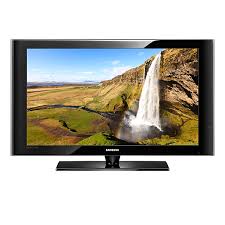
LN52A530P1F - TV SAMSUNG - Free user manual and instructions
Find the device manual for free LN52A530P1F SAMSUNG in PDF.


Pick your language and provide your email: we'll send you a specifically translated version.
| Product Type | LCD Television |
| Brand | Samsung |
| Model | LN52A530P1F |
| Screen Size | 52 inches (132 cm) |
| Resolution | 1920 x 1080 pixels (Full HD) |
| Aspect Ratio | 16:9 |
| Audio Power | 2 x 10 W |
| Connections | 3 HDMI inputs, 1 component input, 1 composite input, 1 PC input (VGA), optical digital audio output |
| Power Supply | 100-240 V, 50/60 Hz |
| Power Consumption | Approximately 200 W |
| Weight (with stand) | Approximately 28 kg |
| Dimensions (with stand) | Approximately 127 x 84 x 31 cm |
| Main Functions | Remote control, OSD menu, image/sound settings, timer, child lock |
| Maintenance and Cleaning | Clean with a soft, dry cloth; avoid chemical products |
| Safety | Do not expose to moisture, do not block ventilation slots |
| Spare Parts | Remote control, wall mount (optional) |
| Repairability | Contact a qualified technician |
Frequently Asked Questions - LN52A530P1F SAMSUNG
How to connect an HDMI device to my Samsung LN52A530P1F TV?
Plug the HDMI cable into one of the HDMI inputs on the back of the TV. Use the remote control to select the corresponding source by pressing the Source or Input button.
What to do if the image does not appear after turning on the TV?
Check that the power cord is properly plugged in and that the outlet works. Make sure the selected source is correct. Try unplugging the TV for 1 minute and then plugging it back in.
How to adjust brightness and contrast?
Press the Menu button on the remote, go to Image or Picture, then adjust brightness, contrast, sharpness, and color settings according to your preferences.
Can I mount this TV on the wall?
Yes, the Samsung LN52A530P1F is compatible with a VESA wall mount. Use a mount suitable for the weight and size of the screen. Refer to the manual for exact mounting dimensions.
How to activate child lock?
Go to the Configuration or Setup menu, then Security or Child Lock. Activate the option and set a 4-digit PIN to lock certain channels or inputs.
What does the blinking red light on the TV mean?
A blinking red light generally indicates that the TV is in standby mode or has received a command from the remote. If it blinks rapidly, it may signal a software update issue.
How to update the TV software?
Connect a USB drive with the update file downloaded from the Samsung website. Insert it into the USB port on the TV, go to Menu > Support > Software Update and follow the instructions.
The sound is low, how to improve it?
Check that the volume is set high enough and that the sound mode is not set to Night. Access the Sound menu and select a mode like Standard or Music. You can also connect external speakers via the audio output.
How to connect headphones?
The TV has a headphone jack (3.5mm) on the back or side. Plug in your headphones and the sound from the speakers will be automatically muted.
Where to find the TV serial number?
The serial number is on a label attached to the back or side of the TV. It can also be displayed in the menu Support > Information.
User questions about LN52A530P1F SAMSUNG
0 question about this device. Answer the ones you know or ask your own.
Ask a new question about this device
No questions yet. Be the first to ask one.
Download the instructions for your TV in PDF format for free! Find your manual LN52A530P1F - SAMSUNG and take your electronic device back in hand. On this page are published all the documents necessary for the use of your device. LN52A530P1F by SAMSUNG.
USER MANUAL LN52A530P1F SAMSUNG
Manual assistant
Powered by Anthropic
Waiting for your message
Product information
Brand : SAMSUNG
Model : LN52A530P1F
Category : TV