
YP-R1JCP - Mp3 player SAMSUNG - Free user manual and instructions
Find the device manual for free YP-R1JCP SAMSUNG in PDF.


| Product type | MP3 player |
| Brand | SAMSUNG |
| Model | YP-R1JCP |
| Touch screen | Yes, capacitive touch screen |
| Main functions | Audio and video playback, FM radio, voice recorder, image and text display, games, Flash player, Bluetooth, Beat DJ, DNSe |
| Bluetooth connectivity | Yes, unspecified version |
| FM radio | Yes, with RDS function and station saving |
| Supported audio formats | MP3, WMA, OGG, FLAC, AAC (according to manual) |
| Supported video formats | WMV, MPEG4, H.264 (estimated) |
| Battery | Built-in rechargeable lithium-ion |
| Charging time | Approximately 3 hours via USB |
| Weight | Approximately 55 g (estimated) |
| Dimensions | Approximately 95 x 50 x 10 mm (estimated) |
| Safety | Do not disassemble, avoid moisture, do not use while driving, moderate volume to protect hearing |
| Care and cleaning | Avoid water and chemicals; clean with a soft dry cloth |
| Spare parts and repairability | Battery not user-replaceable; no replacement accessories provided |
| General information | Manual available in multiple languages; support via Samsung.com/register |
Frequently Asked Questions - YP-R1JCP SAMSUNG
User questions about YP-R1JCP SAMSUNG
0 question about this device. Answer the ones you know or ask your own.
Ask a new question about this device
Download the instructions for your Mp3 player in PDF format for free! Find your manual YP-R1JCP - SAMSUNG and take your electronic device back in hand. On this page are published all the documents necessary for the use of your device. YP-R1JCP by SAMSUNG.
USER MANUAL YP-R1JCP SAMSUNG
MP3 Player User Manual
imagine the possibilities
Thank you for purchasing this Samsung product. To receive more complete assistance, please register your product at
www.samsung.com/register
SAMSUNG

Using this manual
- The contents in this manual may vary depending on the operating system installed on your MP3 player. Some of these contents are subject to change without prior notice.
- To view the special features of your MP3 player, refer to the section "Special Features of the MP3 Player".
- To view troubleshooting instructions, refer to the section "Troubleshooting".

Icons used in this manual
| lçône | Description |
| Remarque | Remarques, astuces d'utilisation ou informations supplémentaires |
| Attention | Avertissements et précautions de sécurité |
| < > | Noms de menu ou texte à l'écran, comme par exemple <Yes> (Oui) |
Safety instructions
This manual explains how to use your new MP3 player correctly. Read it carefully before use to avoid damaging your player or injuring yourself. Pay particular attention to the following warnings.
PROTECT YOURSELF

CAUTION

CAUTION
- Do not attempt to disassemble, repair, or modify this device yourself.
- Avoid getting the device wet or dropping it in water. If this happens anyway, do not turn on the player as you risk electric shock.
- Do not use this product during thunderstorms or lightning. You risk malfunction or electric shock.

WARNING
- Do not use the earphones while riding a bicycle, driving a car, or riding a motorcycle.
Otherwise, you risk causing a serious accident.
Using earphones while walking or running, especially on pedestrian crossings, can be very dangerous.
- For your safety, be careful not to let the earphone cable get tangled around your arms or other nearby objects.

WARNING
- Do not store the device in a humid, dusty, or sooty place; you risk causing a fire or electric shock.

WARNING
- Do not use the product if the screen is cracked or broken. You risk injuring your hands or face when handling broken glass or acrylic components. In such a case, take the product to a Samsung service center to have the screen replaced. Damage caused by careless handling of the product voids the warranty.
PROTECT YOURSELF

WARNING

- Prolonged use of earphones or headphones can significantly reduce your hearing acuity. If you are exposed to sound levels above 85 dB for an extended period, your hearing will be permanently damaged. The louder the sound, the more your hearing acuity decreases (the sound level of normal conversation is between 50 and 60 dB, while that from a road is about 80 dB). It is strongly recommended to use a moderate volume (moderate volume is usually 2/3 lower than maximum volume).
- If you experience ringing in your ears, lower the volume or stop using the earphones or headset.
- The battery should not be exposed to heat sources such as sunlight or flames.
PROTECT YOUR MP3 PLAYER
WARNING
- Do not leave the device in a place where the temperature exceeds 35°C (e.g., sauna or parked car).
- Avoid any rough impact (e.g., dropping).
- Do not place heavy objects on the device.
- Prevent external particles or dust from entering the device.
- Never place the device near objects emitting electromagnetic waves.
CAUTION
- Always back up your most important data. Samsung cannot be held responsible for data loss. Use only the accessories provided or approved by Samsung.
CAUTION
- Avoid splashing water on the device. Never clean the device with chemicals (e.g., benzene or thinner); you risk causing a fire, electric shock, or damaging its surface.

- Follow these instructions carefully to avoid injury or damage to the player.

- We recommend printing this manual in color and setting the print option "Fit to Page" for a more pleasant reading experience.

Enjoy true three-dimensional sound with DNSe™, Samsung's original sound reproduction system.

Be a cool DJ and mix tracks at your own pace with Beat DJ.

Customize the main menu screen at your fingertips.

Add your favorite widgets to the main menu screen.

No more complex buttons! Control your player with a simple touch.
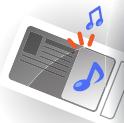
Listen to music via the mini player while viewing photos and documents.
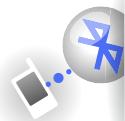
Easily create Bluetooth connections with a single gesture.
YP-R1

6 Using basic functions
7 Contents 8 Your MP3 player 9 Charging the battery 11 Turning your player on and locking the touch screen 12 Using the touch screen 14 Using the main menu screens 15 Changing the menu style 15 Selecting a wallpaper 16 Organizing your favorite menus 18 Using widgets 18 Adding a widget to a main menu screen 19 List of widgets 21 Using the quick drawer and the drawer menu 22 Using the mini player 23 Entering text 23 Entering text using the virtual keyboard 24 Entering text using the smart finger 25 Connecting the player to a TV


26 Managing multimedia files
27 Downloading multimedia files 27 Supported file formats and computer requirements 28 Downloading files via EmoDio 29 Downloading files using your player as a removable disk 31 Searching for files 32 Deleting files
33 Playing video and music files
34 Video 34 Playing video files 37 Using video options 38 Music 38 Listening to music 42 Searching for a music file 42 Creating a playlist 44 Using music options 45 Beat DJ

48 Using additional applications
49 Images 49 Displaying images 50 Using image menus 51 Text 51 Displaying xyte files 53 Using text options 54 FM Radio 54 Listening to FM radio 56 Saving radio stations 57 Using FM radio options 58 Flash Player 59 Games 60 Bluetooth 60 Detecting and registering other Bluetooth devices 61 Connecting Bluetooth devices 62 Using call functions (hands-free) 64 Transferring files 65 Using Bluetooth options 65 Information about using Bluetooth 67 Data broadcasting 68 Voice recorder 69 Address book
70 Personalizing settings
71 Settings
72 Sound settings 72 Display settings 73 Language settings 73 Time settings 73 System settings

76 Appendix
77 Maintaining the player 78 Troubleshooting 80 Specifications 82 Proper disposal of the product (Waste Electrical and Electronic Equipment) 82 Proper disposal of the batteries in this product 83 License

Using basic functions
Learn to perform basic operations on your player.
Contents. 7 Your MP3 player. 8 Charging the battery 9 Turning your player on and locking the touch screen 11 Using the touch screen 12 Using the main menu screens 14 Using widgets 18 Using the quick drawer and the drawer menu. 21 Using the mini player 22 Entering text 23 Connecting the player to a TV 25
Contents
Make sure the product package contains the following items:
MP3 player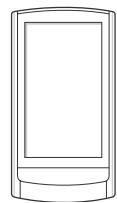
Earphones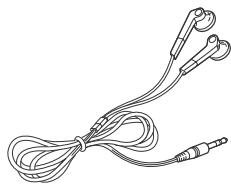
USB cable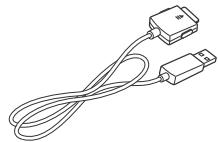

Note
- The items supplied with the player may differ slightly from the illustrations in this manual.
- You can purchase additional accessories from your Samsung dealer.
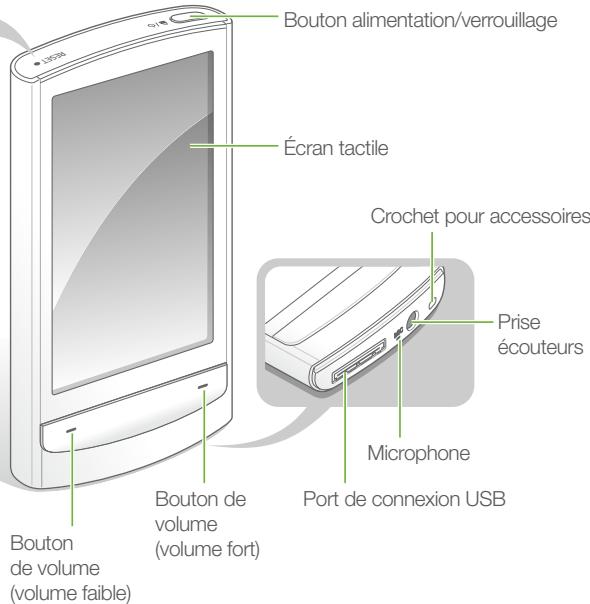
Your MP3 player
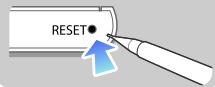
Reset hole
If your player is frozen or does not respond to your commands, insert a pointed object, such as a pen tip, into the reset hole. The system will be reset.
Charging the battery
Charge the battery before using the player for the first time or after a long period of inactivity.

Caution
The built-in rechargeable battery cannot be replaced by the user. For details on replacement, please contact your service provider.
1 Plug the wider end of the USB cable (with a triangle facing up) into the USB connection port at the bottom of the player. 2 Connect the narrower end of the USB cable to the USB port on your computer.
Charging time: Approximately 3 hours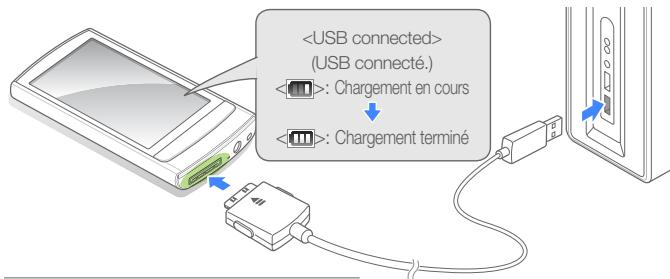
3 When the battery is fully charged, disconnect the USB cable from both the player and the computer.
About batteries
- Be sure to charge and store the battery at a temperature of 5°C to 35°C (41°F to 95°F).
- Do not charge the battery for more than 12 hours, and do not let the battery completely discharge for an extended period. This could shorten its lifespan.
- The actual battery life varies depending on how you use your player, and may therefore be shorter than the specified duration.

Note
- The charging time may vary depending on the capacity of your computer.
- If you want to charge the battery on your laptop, first make sure that the laptop's battery is fully charged or that the laptop is plugged into a power source.
- The player can only be charged via connection to a computer using a USB cable. Do not use a separate USB AC adapter, as it may not charge the battery or may prevent the player from functioning properly.
Turn your player on and lock the touchscreen
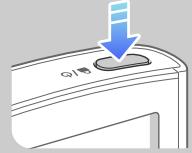
Turn the player on/off
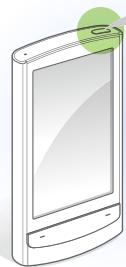
Press and hold to turn the player on or off.

Note
If you do not use your player for 5 minutes, it will automatically turn off.
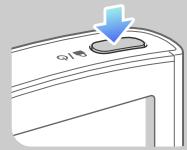
Lock or unlock the touchscreen
Lock the touchscreen to prevent any accidental operation while you are listening to music or watching videos.
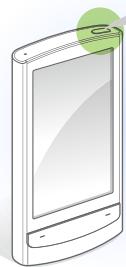
Press @/o to lock or unlock the touchscreen.

Note
When the touchscreen is locked, the icon appears at the top of the screen. - You can also set your player to lock the touchscreen and buttons. Refer to page 74.
Using the touch screen
Learn how to use the touch screen to scroll or select items.
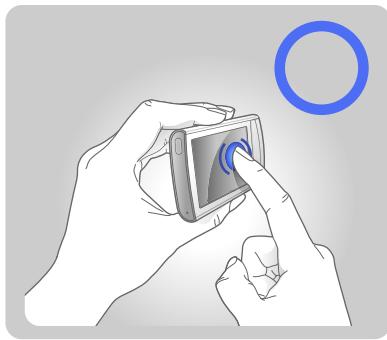
The touch screen of your player makes it easy to select items and perform functions. Lightly tap the touch screen with your fingertips.

Caution
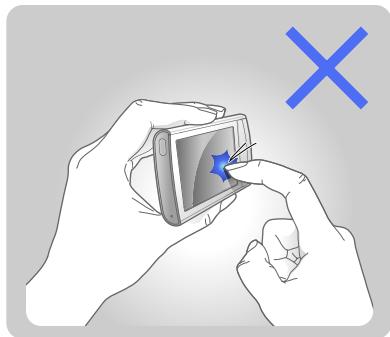
To avoid damaging the touch screen, do not press too hard on it with your fingers and avoid touching it with sharp objects.

Note
- Lightly tap only one area of the screen at a time. Your player will not recognize input if you tap multiple areas simultaneously.
- Avoid getting the touch screen wet. Moisture and liquids can reduce the touch screen's recognition capabilities.
- For best results, avoid applying protective films to the touch screen or covering it with accessories. The touch screen may not correctly recognize your inputs when you try to lightly tap the screen while wearing gloves, with dirty fingers, using your fingernails, or using sharp instruments such as ballpoint pen tips.
Swipe to scroll
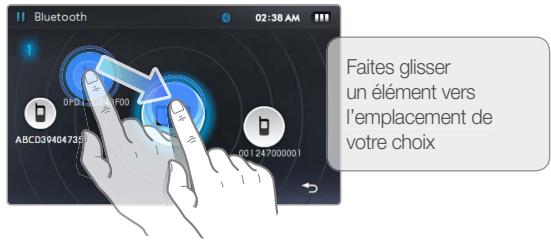
To move or scroll items on the screen, press and hold your finger on the screen and drag it.
To go to the next screen or scroll through pages, quickly swipe your finger in the desired direction.
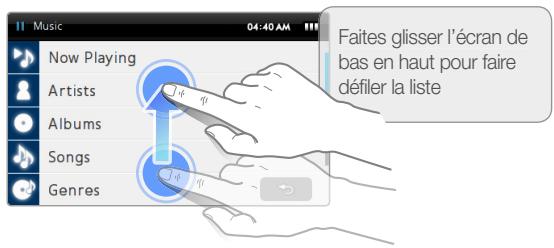
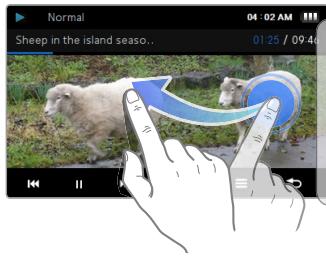
Quickly swipe the screen from right to left during playback to play the next file.
Tap
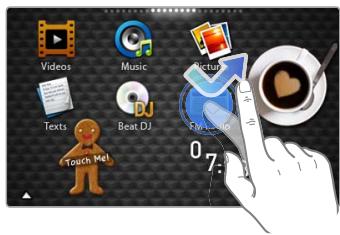
To select a menu or option, lightly tap the screen once with your finger. You can also open the quick drawer or the drawer menu by lightly tapping the screen.
Using the main menu screens
Learn how to navigate between the main menu screens, change the menu style or wallpaper, and organize your favorite menus.
The main menu screens are made up of menu icons and widget icons.
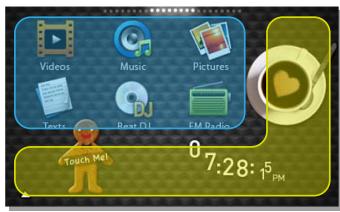
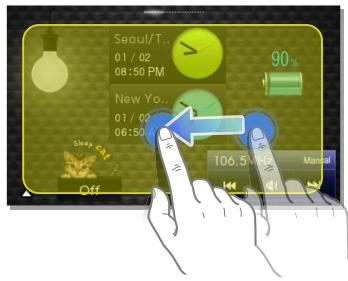

Menu icons

Widgets
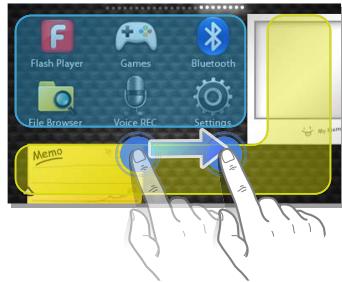

Note
To return to a main menu screen while a function is running, press and hold at the bottom of the screen.
Changing the menu style
1 In the main menu, lightly press at the bottom of the screen. 2 Lightly press


- MP3 PLAYER USER MANUAL
- USING THIS MANUAL
- ICONS USED IN THIS MANUAL
- SAFETY INSTRUCTIONS
- PROTECT YOURSELF
- PROTECT YOUR MP3 PLAYER
- USING BASIC FUNCTIONS
- MANAGING MULTIMEDIA FILES
- PLAYING VIDEO AND MUSIC FILES
- USING ADDITIONAL APPLICATIONS
- PERSONALIZING SETTINGS
- APPENDIX
- CONTENTS
- NOTE
- YOUR MP3 PLAYER
- RESET HOLE
- CHARGING THE BATTERY
- CAUTION
- ABOUT BATTERIES
- TURN YOUR PLAYER ON AND LOCK THE TOUCHSCREEN
- TURN THE PLAYER ON/OFF
- LOCK OR UNLOCK THE TOUCHSCREEN
- USING THE TOUCH SCREEN
- SWIPE TO SCROLL
- TAP
- USING THE MAIN MENU SCREENS
- CHANGING THE MENU STYLE
Brand : SAMSUNG
Model : YP-R1JCP
Category : Mp3 player