
YP-N30 - Mp3 player SAMSUNG - Free user manual and instructions
Find the device manual for free YP-N30 SAMSUNG in PDF.


| Product type | MP3 player |
| Brand | Samsung |
| Model | YP-N30 |
| Memory capacity | 64 MB (YP-N30 S) / 128 MB (YP-N30 H) |
| Supported audio formats | MP3, WMA |
| Battery life | Up to 15 hours (AAA alkaline battery, MP3 128 Kbps, volume 20) |
| Power supply | 1 AAA/LR03 battery (1.5 V) |
| Dimensions (W x H x D) | 44 x 65 x 14.5 mm |
| Weight | 34 g (without battery) |
| Display | LCD with blue backlight |
| Connectivity | USB 1.1 |
| Equalizer | 8 modes (Normal, Classic, Jazz, Rock, Normal-DBB, Classic-DBB, Jazz-DBB, Rock-DBB) |
| Voice recording function | Yes (format not specified) |
| Repeat function | Repeat one track, all, shuffle, intro (10 s) |
| Volume control | From 0 to 30 |
| Lock (Hold) | Yes |
| Operating temperature | -5°C to +35°C (23°F to 95°F) |
| Signal-to-noise ratio | 85 dB (with 20 kHz low-pass filter) |
| Earphone output power | 5 mW/channel (into 16 Ω) |
| Frequency response | 20 Hz - 20 kHz |
| Included accessories | Earphones, USB cable, installation CD, manual, belt clip, wrist strap, AAA battery |
Frequently Asked Questions - YP-N30 SAMSUNG
User questions about YP-N30 SAMSUNG
0 question about this device. Answer the ones you know or ask your own.
Ask a new question about this device
Download the instructions for your Mp3 player in PDF format for free! Find your manual YP-N30 - SAMSUNG and take your electronic device back in hand. On this page are published all the documents necessary for the use of your device. YP-N30 by SAMSUNG.
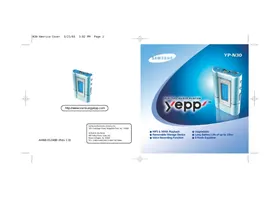
USER MANUAL YP-N30 SAMSUNG
AH68-01248B (Rev 1.0)
Samsung Electronics America Inc.
105 Challenger Road, Ridgefield Park, N.J. 07660
SERVICE DIVISION
400 Valley Road, Suite 201
Mount Arlington, NJ 07856
● MP3 & WMA Playback ● Removable Storage Device ● Voice Recording Function
Upgradable ● Long Battery Life of up to 15hrs ● 8 Mode Equalizer
Contents
Preparations
Safety Instructions 4
Features 6
Components 9
Location of Controls (yepp) 10
Connection to Computer
Connecting yepp to PC 12
Manual Installation of USB Driver 16
Using the removable storage....22
● Downloading/Uploading files ....22
● Disconnecting the USB cable ....23
● Formatting ....24
Installing CD Ripper 25
Basic Usage
Listening to Music with yepp 26
Setting up Volume/Hold Functions ....27
Changing Modes 28
Recording Voice....29
Searching for Music Files ....30
Additional Usage
Loop Repeating ....32
Setting up MENU 33
Repeating Tracks 34
Setting up EQ 35
Managing Files 36
- Deleting ....36
● Formatting ....37
Customizing Options (Display) 38
● Display ....39
● Back-Light 40
- Scroll Speed....40
● Contrast ....41
● Auto OFF 41
Appendix
Description of Buttons (yepp player) 42
MENU Table 44
Customer Support
Troubleshooting 46
Security 48
Specifications....49
Safety Information ....50
Warranty 52
Safety Instructions
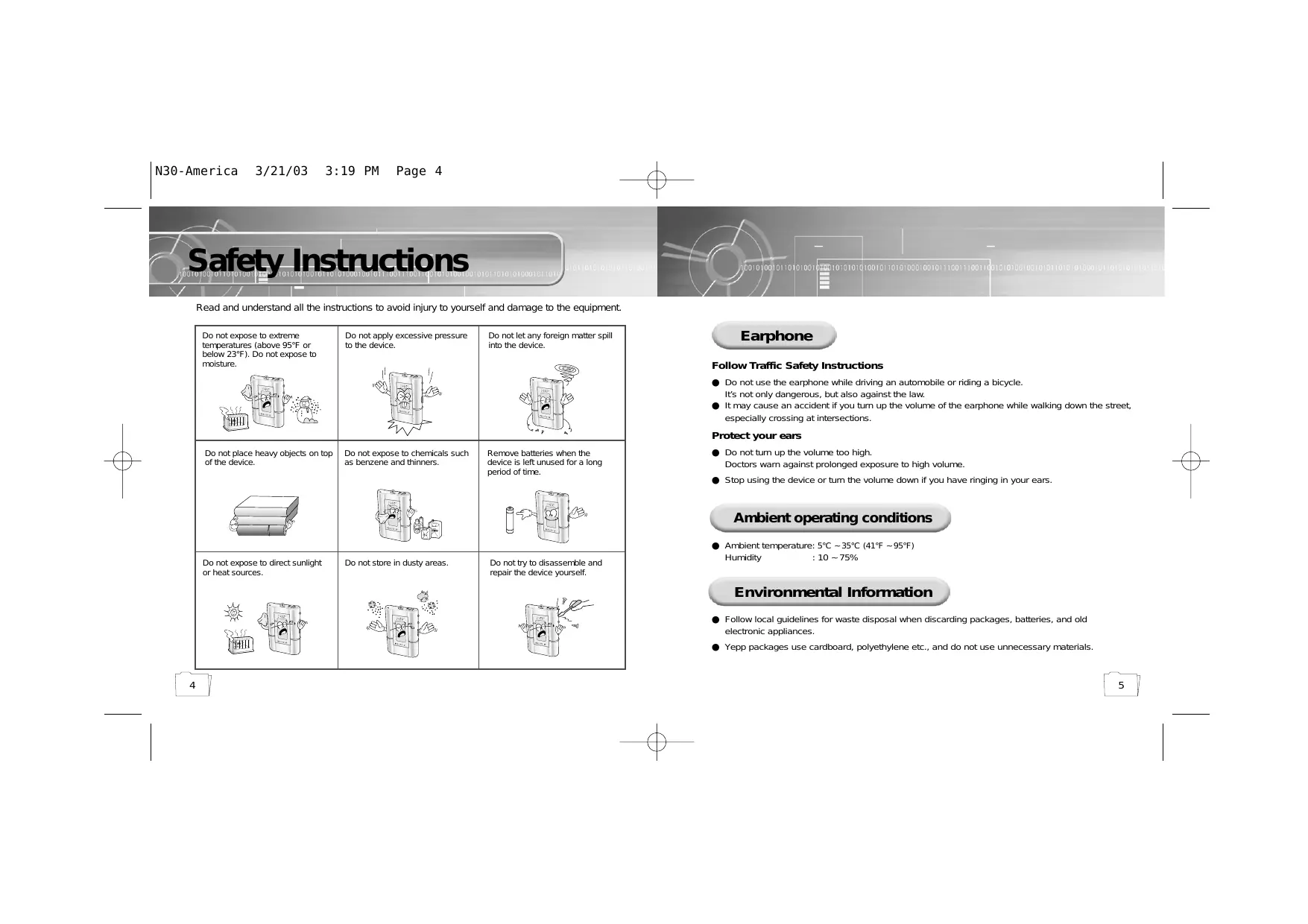
Read and understand all the instructions to avoid injury to yourself and damage to the equipment.
Do not expose to extreme temperatures (above 95°F or below 23°F). Do not expose to moisture.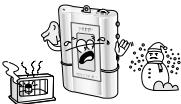 | Do not apply excessive pressure to the device.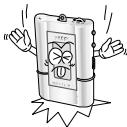 | Do not let any foreign matter spill into the device.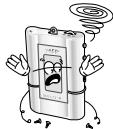 |
Do not place heavy objects on top of the device.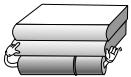 | Do not expose to chemicals such as benzene and thinners. | Remove batteries when the device is left unused for a long period of time.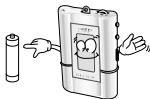 |
Do not expose to direct sunlight or heat sources.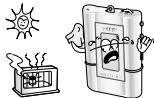 | Do not store in dusty areas.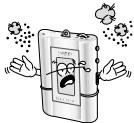 | Do not try to disassemble and repair the device yourself.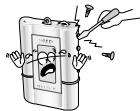 |
Earphone
Follow Traffic Safety Instructions
- Do not use the earphone while driving an automobile or riding a bicycle. It's not only dangerous, but also against the law.
- It may cause an accident if you turn up the volume of the earphone while walking down the street, especially crossing at intersections.
Protect your ears
● Do not turn up the volume too high. Doctors warn against prolonged exposure to high volume. - Stop using the device or turn the volume down if you have ringing in your ears.
Ambient operating conditions
● Ambient temperature: 5°C ~ 35°C (41°F ~ 95°F) Humidity: 10 ~ 75%
Environmental Information
- Follow local guidelines for waste disposal when discarding packages, batteries, and old electronic appliances.
- Yepp packages use cardboard, polyethylene, etc., and do not use unnecessary materials.
DIGITAL SOUND yepp
DIGITAL SOUND yepp
Miniature Design
Convenient small and light design
Playing Time
This unit uses one AAA/LR03 alkaline battery. Operation can last up to 15 hours. Actual playing time may vary according to the type and capacity of the battery.
Upgradable
You can upgrade the built-in programs if available.
ex) Add functions, CODEC, etc.
Please refer to yepp home page (http://www.samsungyepp.com) when you need to upgrade your yepp.
MP3 & WMA Playback
MP3 is an MPEG1 Layer3 audio format. WMA is a Microsoft Windows Media audio format.
Removable Storage Device
You can easily copy and paste files to the yepp player using Windows Explorer.
Backlight
Fashionable Blue-Color Backlight
DIGITAL SOUND yepp
Voice Recording Function
Suitable for recording lectures, meetings.
Sound
You can adjust the equalizer manually.
D.I.Y.
● Adjustable Scroll speed ● Adjustable Contrast
Components
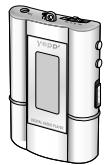
yepp' Player
Earphone
AH59-01014A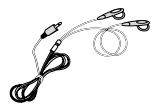
USB Cable
AH39-00474A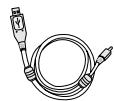
Installation CD AH80-00046C
User manual
AH68-01248B
Belt Clip
AH97-00844A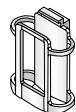
One Battery
(1.5V AAA/LR03 type)
4301-000115
Neck Strap
AH61-00845A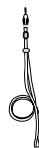
| Model | YP-N30 S | YP-N30 H |
| Built-in memory | 64MB | 128MB |
● The capacity of the useable built-in memory is less than indicated as the internal firmware uses a part of the memory as well. - To attach or remove the yepp from the Belt clip, use a coin to open the screw to loosen the hook on the back of clip. ● Design of accessories is subject to change for improvement without notice.
Location of Controls (yepp)
Front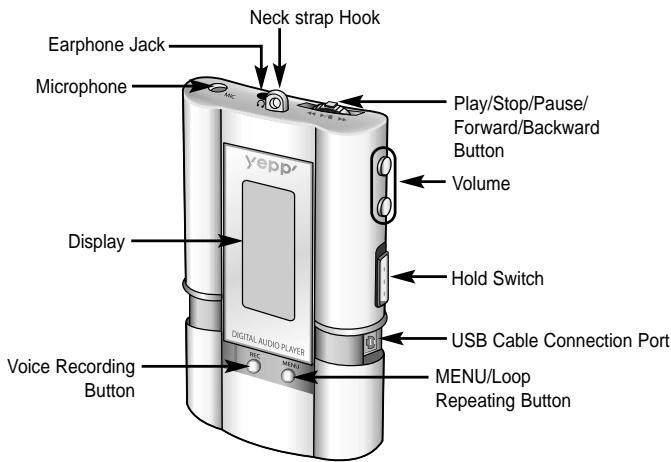
Note : ● Please be sure to peel off the protective tape from the LCD panel.
Display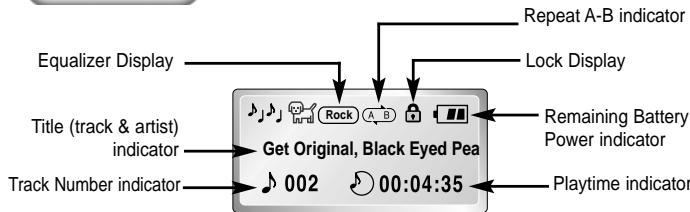
Inserting a Battery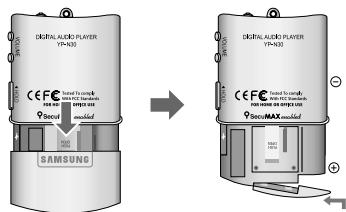
1 After sliding the cover in the direction of the arrow, open the cover by pressing "PUSH OPEN". 2 Insert a battery to the right poles +, - and push-close the cover in the direction the arrow as indicated.
Note :
- Do not place heavy objects on the cover.
Connecting yepp to PC
Before connecting yepp to PC, make sure to install the USB driver. If "Add New Hardware Wizard" appears, press the [Cancel] button and install the USB driver.
System Requirements.
● Pentium 133MHz or greater ● Windows 98/ME/2000/XP ● 20MB of available hard disk space ● CD-ROM drive (double speed or greater) - USB port (1.1) supported ● VGA graphic
Note:
Install the operating system in Administrator Account mode for Windows 2000 or XP. Otherwise, installation will not be completed.
Installing software
1. Insert the Installation CD into the CD-ROM drive. The picture shown below appears. Select [USB Driver Install].
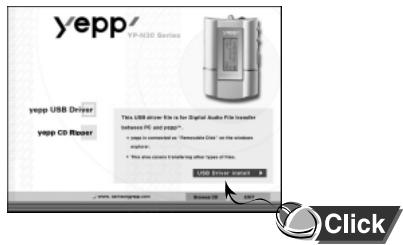
2. Click [Next] in the series of windows that appear.
When installation is completed, connect yepp to PC and use it as shown on the next page.
![2 Click [Next] in the series of windows that appear. Start/End: Next Window Help. Enter AppWizard. Please choose to bring AppWizard keys. Enter Web (Windows) or any other Web (Windows). Enter Web (Windows) or any other Web (Windows). Enter Web (Windows) or any other Web (Windows). Enter Web (Windows…](/content/2020/05/23268/images/6e609371f05cdbf8631bad0799ab76ea1194b9b4caf9a5dc2a8e9eba36fd7810.jpg)
Connecting yepp to PC with USB cable
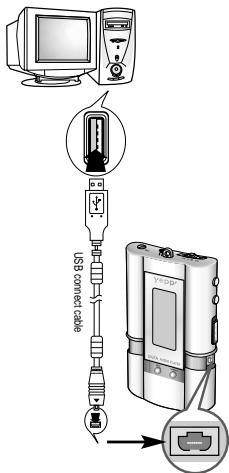
3. Plug one end of the USB cable into the USB port on the back of the PC. 4. Insert the battery into the yepp and turn on the power. 5. Slide down the bottom cover of the player. Plug the other end of the USB cable into the USB port on the right side at the bottom.
- PC may temporarily malfunction if you unplug the USB cable from PC while yepp Explorer is initiating or executing a command.
6. USB driver is installed. A message saying that it is searching for a new device may appear. You may not see the display screen during installation. Go to the device manager to check that installation has been successfully completed.
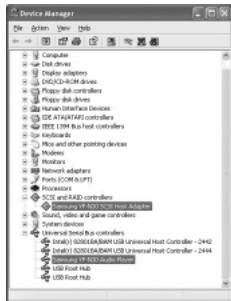
7 When USB driver is installed, "SAMSUNG YP-N30" will appear in [System Properties] → [Device Manager] as shown in the picture to the right.
Note:
How to check USB driver
Windows 98, ME:
Control Panel → System → Device Manager →
Universal Serial Bus controllers/SCSI and RAID controllers
Windows 2000:
Control Panel → System → Hardware →
Device Manager
Windows XP:
Control Panel → System → Hardware →
Device Manager
8 When USB driver is not installed automatically, refer to next page.
Manual Installation of USB Driver
Go to "Downloading/Uploading files" on page 22 if the USB driver is in place.
Follow these steps if the USB driver is not in place:
1. Check the device manager. Windows 98/ME: Control Panel → System → Device Manager Windows 2000: Control Panel → System → Hardware → Device Manager Windows XP: Control Panel → System → Hardware → Device Manager
2. Check if there is a device listed with an exclamation point or a question mark (displayed as unknown device or USB device).
3. Double click on the device listed with an exclamation point or a question mark.
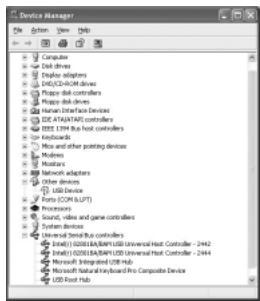
4. After selecting the driver, click on [Driver Update].
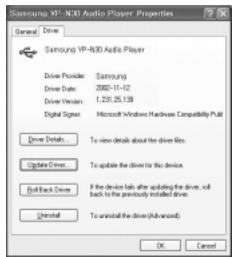
For Windows XP, refer to page 18. For Windows 2000, refer to page 20. For Windows 98/ME, refer to page 21.
In Windows XP
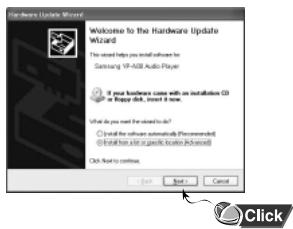
1. Connect yepp to PC. The picture shown below appears. Select [Install from a list or specific location (Advanced)] and click [Next].
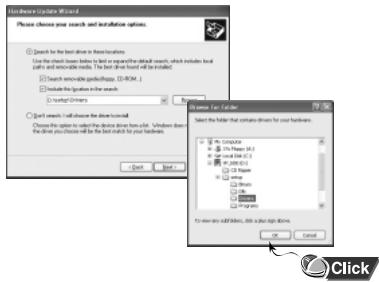
2. Insert the installation CD. Select the driver for your system and click the [Find] button. Select the "Drivers" folder located in the "YP_N30 Installation setup" folder in "Browse Folder", click [OK] and go to [Next].
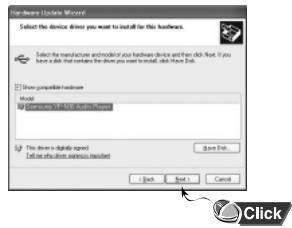
3. Select YP-N30 and click [Next].
4. When Installation is completed, click [Finish].
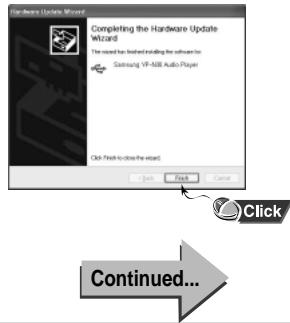
In Windows 2000
![Click [Next] button in the series of windows that appear. Insert installation CD and select drive. Install new hardware Wizard. Configure Drive Files. Which to install Windows to search for this USB Device. Select for drive to the following: Windows USB Device. The installed drive is available to th…](/content/2020/05/23268/images/2d0642e385d115781ef15c678604f7436bc18fea6bd0a1214d704f7f0f283e7d.jpg)
In Windows 98
![Click [Next] button in the series of windows that appear. Insert installation CD and select drive. Add New Hardware Wizard: The insert install USB Device. A device (DS) or C:\Hardware Device\. Add New Hardware Wizard: What do you want? Show to be free for Paramounted... Display a list of all Windows…](/content/2020/05/23268/images/04c14aef5dfcde6ec77d500e93aaaa22e7dcaf1b28e5310b483ea3a53af9fbb2.jpg)
● To complete the installation process, reboot the system.
Using the removable storage
Downloading/Uploading files
1 Turn on the yepp and connect yepp to PC. 2 Open Windows Explorer on PC. 3 Select the file to save and drag-and-drop it into the removable disk icon. The saved files will be played in the order they were downloaded. Once they are downloaded you cannot change the sequence of play.
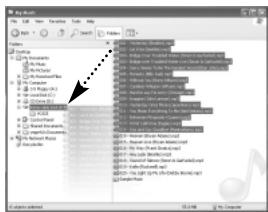
Note:
- Do not create new folders within the directory of the removable disk as the files saved in the newly created folders will not play. ● Music files such as MP3, WMA and SM3 cannot be uploaded to PC due to copyright protection.
Notice:
- The "WRITING" message will appear during file download or upload. Disconnecting the USB cable while "WRITING" is displayed may cause malfunction of the unit.
Disconnecting the USB cable
After completing the file transmission you must disconnect the cable in the following way:
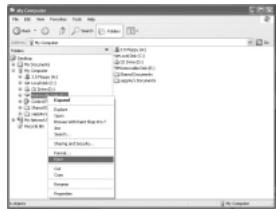
1 Select the removable disk icon and click the right mouse button to select [Eject].
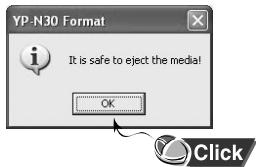
2 Select [OK] and disconnect the USB cable when a picture appears as shown below.
Installing CD Ripper
Formatting
1 Select the removable disk icon and click the right mouse button to select [Format].
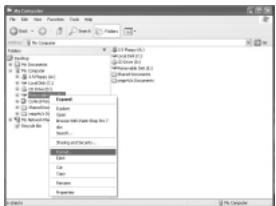
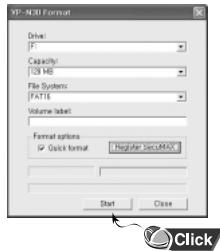
2 Press the [Start] button.
● All saved files will be formatted. - You can change the name of the removable disk by selecting [Volume label].
Notice:
● By formatting, all previously preset menus will be initialized. ● Care must be taken as formatted files cannot be recovered.
Note:
● You can format by executing "YP-N30 Format" located under [Start] → [All Programs].
Insert the Installation CD into the CD-ROM drive.
Click the [Next] button in the series of windows that appear.
![or windows that appear. Yeepp. Setup - 3.0 Windows. Setup C3 Player. Click. Use it referring to [?].](/content/2020/05/23268/images/61cf59620bb0a8e473946b481f99767c9cf07406e21ff584a0ae71a727b18166.jpg)
Use it referring to [?] after executing CD Ripper.
Note: When you install the CD-Ripper, Windows displays "for Windows 98/NT", but you can use it with Windows 2000 and XP as well.
Listening to Music with yepp
Setting up Volume/Hold Functions
First, insert the battery and connect the earphone to the player.
Playing Music
(Power On)
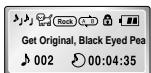
When you press the ▶/■ button, the yepp logo appears and a music/voice file is played.


Stopping Music
(Power Off)
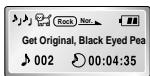
When you press the ▶/■ button while playing, the music stops. If no buttons are pressed within 5 seconds (changes depending on settings), the yepp automatically powers off.

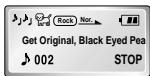

● WMA files can only be played at bit rates between 48Kbps and 192Kbps.
[supplied by Windows Media Player (Ver 8.0)] WMA files less than 48Kbps may not be played.
● Power off time can be set in the MENU mode.
Adjusting the Volume
Press the ⏻/⊖ button on the side of the yepp player to adjust the volume while playing.

; Volume ranges from 00 to 30.
● Press briefly to adjust step by step. ● Press and hold to adjust continuously.
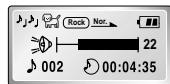
HOLD Function
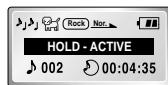
Under Hold mode, buttons will not work.
Slide the HOLD switch on the player in the direction of the arrow.
* Then no buttons on the yepp player will work. When a button is pressed, "HOLD-ACTIVE" message will appear on the display.
Changing Modes
Changing to Voice Mode
- Stop playing music and press the button to change to voice mode.
- Press the ▶/■ button to play.

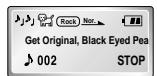

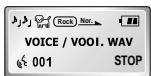
Changing to Music Mode
- Stop playing voice and press the button one more time to change to music mode.
- Press the ▶/■ button to play.
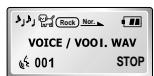

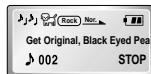
Note: ● The "PLEASE-WAITING" message will appear during switchover of modes. This may take a while. - Setup values for voice mode will not be saved when the mode is switched to music mode or when the power is switched off.
Recording Voice
To Record Voice
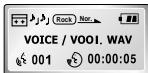
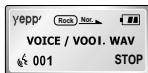
1 Press and hold the ☐ button to begin recording voice. 2 Press the 📄 button to stop recording. A new voice file is created.
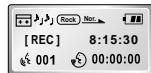


Notice:
● Recording is done in the order of V001, V002, etc. - When memory is full, recording stops automatically. (The available time is displayed on the right from the center when recording begins.) - When you press and hold the ⏻ button in Music mode, music mode is switched to voice mode after voice recording is stopped. ● The ability to play a recorded voice file will be disabled if the file name is changed. - When recording voice, make sure to record it for longer than 5 seconds.
Searching for Music Files
Note:
● VBR (Variable Bit Rate) file: MP3 file whose compression rate changes when played. ● With VBR files, pressing the ◀◀◀ button within 5 seconds from the start of the track may not result in the previous track playing. ● With VBR files, the actual running time may differ from that of the player display. ● This player may not play back MPEG1 LAYER1 or 2 files.
Searching for Specific Parts in PLAY Mode
Press and hold the ◀◀/▶▶ button while playing to find the part you want to listen to.
Release the ◀◀/▶▶ button to resume playing.
![graph LR A["Get Original, Black Eyed Pea"] --> B["002 00:04:35"] C["Get Original, Black Eyed Pea"] --> D["002 00:05:35"] E["Get Original, Black Eyed Pea"] --> F["002 00:02:30"]](/content/2020/05/23268/images/b3532cdfad872baa97a81f1df3e11f541647bae8e1d11cb83b6413431d97c3b3.jpg)
Searching for Music Files in PLAY Mode.
Press the ▶▶ button briefly to play the next track. Press the ◀◀ button briefly within 5 seconds from the start of the track to play the previous track. Press the ◀◀ button briefly after 5 seconds from the start of the track to play from the beginning of the current track.
![graph LR A["Get Original, Black Eyed Pea\n002 00:04:35"] --> B["Girl Inside, Blues Traveler\n003 00:00:01"] B --> C["End of the World, Cold\n001 00:00:01"]](/content/2020/05/23268/images/62077a9ffdaf1cb593f1f582ad899d41ba5ec52c0937f9bd42ef3f0b7f3e16d1.jpg)
Searching for Music Files in STOP Mode.
Press the ◀◀/▶▶ button in STOP mode to skip to the previous or next track.
Press the ▶/■ button to play.
![graph LR A["Get Original, Black Eyed Pea\n002 STOP"] --> B["End of the World, Cold\n001 00:00:01"] B --> C["Girl Inside, Blues Traveler\n003 00:00:01"]](/content/2020/05/23268/images/854a868edf599cb66381f4c3b76adb402b2d36cae8322a4c66eb29683d6cfc4f.jpg)
Note:
- In voice mode you can move to the first or last track by pushing the ◀◀/▶▶ button to the left or right.
Loop Repeating
Setting up MENU
Loop Function
Starting Point
While playing music files, press the MENU button briefly at the beginning of the loop you want to set.

blinks in the display.
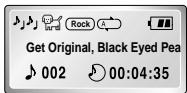
Note: Press the ⬤ button briefly to cancel the loop.
Ending Point
Press the ● button briefly again at the end of the loop.
appears in the display. The loop is played repeatedly.
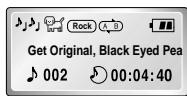
Press and hold the ⬤ button on the yepp player to switch to MENU mode. Use the ▶/■ button to select and the ◀◀/▶▶ button to move. Press the ⬤ button one more time to cancel the MENU mode.
![graph TD A["1. Play mode"] --> B["2. Equalizer"] B --> C["3. File"] C --> D["4. Setting"] D --> E["5. Exit menu *"] E --> F["6. Setting"]](/content/2020/05/23268/images/19a7e6ba0954172c1ac02d2c247a5c7fc75f4579363e893f6e2c03148d48c90a.jpg)
● Play mode: To select track repeating mode. ● Equalizer: To use equalizer function. ● File: To delete or format music files. - Setting: To change the basic setup options of the display. - Exit menu: To exit MENU.
Note:
● In MENU, Go Up can be used to exit the current setting. - In MENU mode, no input for 10 seconds will cancel the MENU mode.
Repeating Tracks
Track Repeating Function
1 In MENU, select 1. PLAY MODE. (refer to "Setting up MENU") 2 In PLAY MODE, use the ◀◀/▶▶ button to move to the mode you want and press the ▶/■ button to select.
![graph LR A["PLAY MODE"] --> B["PLAY MODE"] B --> C["PLAY MODE"] A --> D["Normal *"] A --> E["Repeat_1 *"] B --> F["Repeat_All *"] B --> G["Shuffle *"] C --> H["Intro-Song *"] C --> I["Go Up *"]](/content/2020/05/23268/images/c947b3b30aec55c9eda3baf895b0c34de6291fa52fa51ddf763369c51d26065f.jpg)
● Normal: To play all the tracks in order one time. Nor. - Repeat_1: To repeat one track. ONE - Repeat_All: To repeat all tracks. AID ● Shuffle: To play tracks at random.
(The shuffle function is disabled in voice mode.)
- Intro-Song: To play the first 10 seconds of each track. Intro ● Go up: To move to the upper menu.
Setting up EQ
EQ Function
1 In MENU, select 2. Equalizer. (refer to "Setting up MENU") 2 In EQ, use the ◀◀/▶▶ button to move to the setting you want (out of the 4 settings) and press the ▶/■ button to select.
- Select the DBB Mode if you want to fine-tune the sound.
Normal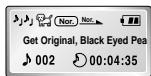
Classic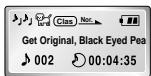
Jazz
Rock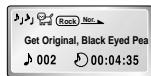
Normal-DBB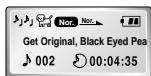
Classic-DBB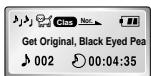
Jazz-DBB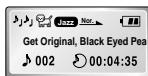
Rock-DBB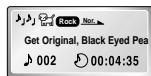
Note:
- DBB is for Dynamic Bass Booster, which enhances bass response.
Managing Files
Deleting
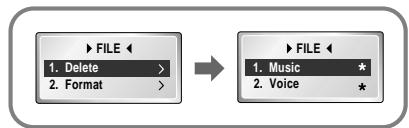
1 In MENU, select 3. FILE. (refer to "Setting up MENU") 2 In FILE, select Delete and the mode (Music or Voice) the target file is in. 3 Move to the file to delete and press the ▶/■ button to select. The file is deleted. 4 Select Go Up to exit the mode.
![graph LR A["▶ MUSIC ← 002 : Get Original, Black Eyed"] --> B["▶ MUSIC ← 002 : Get Original, Black Eyed"] A --> C[" Sel [ "] Del] B --> D[" Sel [ Del. . . . "] Del]](/content/2020/05/23268/images/4bf8a0b58fc42fe1abfaade5e09bb2a2e6ef74b6bb06cefc6b77d64322dff7da.jpg)
![MUSIC 005 : Go Up Sel [ ] Del](/content/2020/05/23268/images/a823b09bd417288601c4b535cd14f3dc68f1754c68cdd9f8b568d5f0e3dcc3ad.jpg)
Formatting
1 In MENU, select 3. FILE. (refer to "Setting up MENU") 2 In File, select Format → Confirm. Select Cancel to exit the mode.
![graph LR A["FILE"] --> B["FORMAT"] B --> C["FORMATING.."] A -->|1. Delete > 2. Format >| B B -->|1. Confirm * 2. Cancel *| C](/content/2020/05/23268/images/7f40d78be58645beb0d1460fbdb80a317d4c31756241b53937b0b60a818f38c2.jpg)
Note :
● All files will be deleted when formatting the built-in memory. - Formatting while connected to the PC is recommended as formatting in the menu may take a long time.
Customizing Options (Display)
Setting Function
1 In MENU, select 4. Setting. (refer to "Setting up MENU") 2 In SET, use the ◀◀/▶▶ button to move to the function you want to change and select the function by using the ▶/■ button.
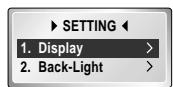

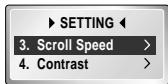

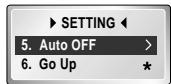
Display → 1. Information
● Play Time: displays current play time ● Remain Time: displays remaining play time ● Total Time: displays total play time


● Compression: displays compression rate 128 Kbps ● Free Memory: displays remaining memory 32 MB FREE
Display → 2. Logo
● Default: The puppy logo is selected. ● yepp: The "yepp" logo is selected. ● None: No logo is displayed.
Default Setting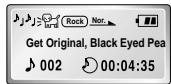
yepp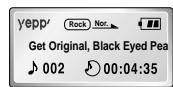
None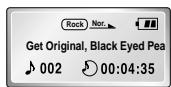
Continued...
Back-Light
- Button-3Sec:
The backlight stays on for 3 seconds when the button is pushed.
- Button-5Sec:
The backlight stays on for 5 seconds when the button is pushed.
● Never:
The backlight does not illuminate.
* By selecting [Never] you can save battery power.
* The backlight does not illuminate when the residual battery level is insufficient.
Scroll Speed
- Press the ◀◀/▶▶ button to set the Scroll Speed. ● The setting range of the scroll speed, which adjusts the speed of the track title flow, is 0 to 10.
![graph TD A["▶ BACKLIGHT ◀"] --> B["▶ Button_3Sec *"] B --> C["2. Button_5Sec *"] C --> D["↓"] E["▶ BACKLIGHT ◀"] --> F["3. Never *"] F --> G["4. Go Up *"]](/content/2020/05/23268/images/77fc9985752d0d683bf925992c126c2136c1fa144141c37cd162f600bd80fb33.jpg)
![graph TD A["Step 1: Level 00"] --> B["Step 2: Level 10"]](/content/2020/05/23268/images/b7661287fcb65cfe51b3a233f275e6e9f88567232bfd74e5c856e94d5f72b4e8.jpg)
Contrast
- Press the ◀◀/▶▶ button to set the contrast. ● The setting range of the contrast, which adjusts the brightness of the screen, is 0 to 20.
![graph TD A["LEVEL 00"] --> B["LEVEL 20"]](/content/2020/05/23268/images/fa89392de0cb024ec11f97229df1f559fa629606f5c64ea2171ab7775d70d484.jpg)
Auto OFF
● 5-Seconds:
Power is automatically turned off when no button is pressed for 5 seconds.
● 10-Seconds:
Power is automatically turned off when no button is pressed for 10 seconds.
● 15-Seconds:
Power is automatically turned off when no button is pressed for 15 seconds.
● 30-Seconds:
Power is automatically turned off when no button is pressed for 30 seconds.
- 60-Seconds:
Power is automatically turned off when no button is pressed for 60 seconds.
![graph TD A["▶ AUTO OFF ◀<br>▶ 5-Seconds * 2.10-Seconds *"] --> B["▶ AUTO OFF ◀<br>▶ 3.15-Seconds * 4.30-Seconds *"] B --> C["▶ AUTO OFF ◀<br>▶ 5.60-Seconds * 6. Go Up *"]](/content/2020/05/23268/images/f5953f17f8cf54bf549be8ff9f7715bba0b027cce59b3a447f9773e307f8982e.jpg)
Description of Buttons (yepp player)
| BUTTON | STATUS | PRESSING LENGTH | RESPONSE |
| ▶/ ■ | Power Off | Power On, and play | |
| Play | Stop(When no button is pressed for 5 seconds, yepp powers off automatically) | ||
| MENU Mode | Selection | ||
| Intro Play | Cancelling Intro, and play generally | ||
| ▶▶ | Play | Less than 1 second | Play the next track |
| Play | Longer than 1 Second | Fast forward search in PLAY mode | |
| Stop | Skip to the next track | ||
| MENU Mode | Move upward |
 | Play | Short | Within 5 seconds from the start: Play the previous track After 5 seconds from the start: Play the beginning of the current track. |
| Play | Longer than 1 Second | Fast reverse search in PLAY mode | |
| Stop | Skip to the next track | ||
| MENU Mode | Move downward | ||
| GATBDI | Play or Stop Mode | Volume increase | |
| GATBDI | Play or Stop Mode | Volume decrease | |
| GATBDI | Play | Short | Set the starting point for loop function |
| During Loop Setting | Short | Loop mode | |
| Loop Mode | Short | Cancel loop mode | |
| Stop | Short | Changing modes (music ↔ voice) | |
| Play or Stop Mode | Longer than 2 Seconds | Enter MENU | |
| MENU Mode | Exiting MENU | ||
| DRAKD | Play or Stop Mode | Longer than 1 Second | Voice recording |
| Voice Recording | Stop voice recording |
![graph TD A["MENU"] --> B["PLAY MODE"] A --> C["EQ"] A --> D["FILE"] A --> E["SETTING"] A --> F["Exit menu"] B --> B1["Normal"] B --> B2["Repeat_1"] B --> B3["Repeat_All"] B --> B4["Shuffle"] B --> B5["Intro-Song"] B --> B6["Go Up"] C --> C1["Normal"] C --> C2["Classic"] C --> C3["Jazz"] C --> C4["Ro…](/content/2020/05/23268/images/a313778a08d2a9e26a6fb98218ff7bece5ec535773026bf87567592ada202f06.jpg)
Troubleshooting
yepp does not work and the LCD displays nothing.
- Check the battery capacity
- Check to see if the battery is inserted to the right poles (+, -)
In PLAY mode, music is not played after pressing the ▶/■ button
- Check to see if MP3 or WMA files are saved in the built-in memory.
- The player skips when incompatible files (ex. MPEG1 LAYER1 files) are detected. Start the player again after deleting the files on the PC.
- Check to see if the HOLD switch is locked.
Files cannot be downloaded.
- Check to see if the driver is installed correctly in the computer.
- Check the connection between yepp and computer.
- Check and/or replace the battery, turn on the yepp's power.
Backlight does not work.
- Check the backlight setup.
- When the battery power is low, the backlight will go out.
The buttons do not work.
- Check setting of Hold switch.
yepp keeps being turned off.
- In Stop mode, the power is automatically turned off after ten seconds (changes depending on settings).
- Check to see if there are files saved in it.
Something's wrong with play time displayed during Play mode.
- Check if it plays a VBR (Variable Bit Rate) file. The time display of a VBR file is inconsistent. ● The time may be incorrect for high compressed (bps) files.
LCD window is dark
- Check Contrast
Strange letters are displayed
● Only ID3 1.0 is supported. ● The file name is only partially displayed if it is too long (more than 8 English letters).
Security
You can get legal MP3 files from a growing number of Internet sites.
What is SecuMax?
With the increasing amount of digital multimedia content, the content providers became concerned with the ease in which the content
could be copied and distributed in violation of their copyrights.
This matter required a system called SecuMAX for protecting copyrighted music and for using legal content conveniently.
◆ SecuMAX protects copyrighted music against infringement. ◆ SecuMAX can be adapted to various types of digital contents. ◆ For further details on SecuMAX, please visit www.secumax.com
Specifications
| Model | YP-N30 |
| Built-in Memory capacity | 128MB(YP-N30 H)/64MB(YP-N30 S) |
| Voltage | 1.5V×1 (AAA/LR03 size alkaline battery) |
| Playing time | last up to 15hours (Alkaline battery, MP3 128Kbps, Vol level 20) |
| Dimensions/Weight | 44 × 65 × 14.5 mm/34g (without battery) |
| Case | Plastic/Aluminum |
| Noise Ratio | 85dB with 20kHz LPF (1KHz 0dB) |
| Earphones Jack Output Power | 5mW/CH (16 Ω) |
| Output Frequency Range | 20Hz~20kHz |
| Operating Temperature Range | -5 ~ +35°C (23 ~ 95F) |
Safety Information
FCC Part 15: This equipment has been tested and found to comply with the limits for a Class B digital device, pursuant to Part 15 of the FCC Rules. These limits are designed to provide reasonable protection against harmful interference in a residential installation.
This equipment generates, uses, and can radiate radio frequency energy and, if not installed and used in accordance with the instructions, may cause harmful interference to radio communications. However, this notice is not a guarantee that interference will not occur in a particular installation. If this equipment does cause harmful interference to radio or television reception, which can be determined by turning the equipment off and on, the user is encouraged to try one or more of the following measures:
● Reorient or relocate the receiving antenna. - Increase the distance between the equipment and receiver. - Connect the equipment to an outlet on a circuit different from that to which the receiver is connected. - Consult the dealer or an experienced radio/TV technician.
Modifications
Any changes or modifications not expressly approved by the grantee of this device could void the user's authority to operate the device.
Compliance
This product conforms to the following Council Directive:
● Directive 89/336/EEC, 92/31/EEC (EMC)
Declaration of Conformity
Name: Samsung Electronics Co., Ltd
Address: 416, Maetan-3Dong, Paldal-Gu, Suwon
City, Kyungki-Do, Korea 442-742
declares under its sole responsibility that the product
Trade Name: Samsung Electronics Co., Ltd
Model Number: YP-N30
has been tested according to the FCC/CISPR22/95
requirements for Class B devices and found
compliant with the following standards
EMI/EMC: ANSI C63.4 1992, FCC Part 15 Subpart B
This device complies with part 15 of the FCC Rules.
Operation is subject to the following two conditions:
- This device may not cause harmful interference, and
- This device must accept any interference received, including interference that may cause undesirable operation.
Party Responsible for Product Compliance
Samsung Electronics America
QA Lab.
3351 Michelson Dr. Suite #290
Irvine, CA 92612
Samsung warrants this product as free of defects in material, design and workmanship for the period of twelve (12) months from the original date of purchase.
If during the period of warranty this product proves defective under normal use and service, you should return the product to the retailer from whom it was originally purchased. The liability of Samsung and its appointed maintenance company is limited to the cost of repair and/or replacement of the unit under warranty. Return of the product for defective reasons should be to the original purchaser, however Samsung Authorized Dealers and Authorized Service Centers will comply with the warranty on the terms issued to purchasers in the country concerned, for further information relating to the Authorized Service Centers contact. 1-800-SAMSUNG (1-800-726-7864) www.samsungyepp.com
WARRANTY CONDITIONS:
- The warranty is only valid when the warranty card is properly completed, and upon presentation of the proof of purchase consisting of original invoice or sales slip confirmation, indicating the date of purchase, dealers name, model, serial No. and product number. Samsung reserves the right to refuse warranty service if this information has been removed or changed after the original purchase of the product from the dealer.
- Samsung's obligations are to the repair of the defective part, and at its discretion, replacement of the product (service exchange unit).
- Warranty repairs must be carried out by an Authorized Samsung Dealer/Service Center. No reimbursement will be made for repairs carried out by non Samsung Centers, and warranty coverage will not be valid for any repairs or damage caused by such repairs.
- Repair or replacement under the terms of this warranty does not give right to extension to or a new starting of the period of warranty. Repair or direct replacement under the terms of this warranty may be fulfilled with functionally equivalent service exchange units.
- The warranty is not applicable in cases other than defects in material, design and workmanship. The warranty does not cover the following:
◆ Periodic checks, maintenance, repair and replacement of parts due to normal wear and tear.
◆ Abuse or misuse, including but not solely limited to the failure to use this product for its normal purpose or in accordance with Samsung's instructions for usage and maintenance.
◆ The product has been used in conjunction with accessories not approved by Samsung for use with this product.
◆ Failure of the product arising from incorrect installation or use not consistent with technical or safety standards in current force, or failure to comply with product manual instructions.
◆ Accidents, Acts of God or any cause beyond the control of Samsung caused by lightning, water, fire, public disturbances and improper ventilation.
◆ Unauthorized modifications carried out for the product to comply with local or national technical standards in countries for which the Samsung product was not originally designed. ◆ Repairs performed by non-authorized service centers such as opening of the product by a non-authorized person. ◆ The model, serial No. and product number on the product has been altered, deleted, removed or made illegible. 6. This warranty does not affect the consumers statutory rights nor the consumers rights against the dealer from their purchase/sales agreement.
THERE ARE NO EXPRESS WARRANTIES OTHER THAN THOSE LISTED AND DESCRIBED ABOVE, AND NO WARRANTIES WHETHER EXPRESS OR IMPLIED, INCLUDING, BUT NOT LIMITED TO, ANY IMPLIED WARRANTIES OF MERCHANTABILITY OR FITNESS FOR A PARTICULAR PURPOSE, SHALL APPLY AFTER THE EXPRESS WARRANTY PERIODS STATED ABOVE, AND NO OTHER EXPRESS WARRANTY OR GUARANTY GIVEN BY ANY PERSON, FIRM OR CORPORATION WITH RESPECT TO THIS PRODUCT SHALL BE BINDING ON SAMSUNG, SAMSUNG SHALL NOT BE LIABLE FOR LOSS OF REVENUE OR PROFITS, FAILURE TO REALIZE SAVINGS OR OTHER BENEFITS, OR ANY OTHER SPECIAL, INCIDENTAL OR CONSEQUENTIAL DAMAGES CAUSED BY THE USE, MISUSE OR INABILITY TO USE THIS PRODUCT, REGARDLESS OF THE LEGAL THEORY ON WHICH THE CLAIM IS BASED, AND EVEN IF SAMSUNG HAS BEEN ADVISED OF THE POSSIBILITY OF SUCH DAMAGES. NOR SHALL RECOVERY OF ANY KIND AGAINST SAMSUNG BE GREATER IN AMOUNT THAN THE PURCHASE PRICE OF THE PRODUCT SOLD BY SAMSUNG AND CAUSING THE ALLEGED DAMAGE. WITHOUT LIMITING THE FOREGOING, PURCHASER
ASSUMES ALL RISK AND LIABILITY FOR LOSS, DAMAGE OR INJURY TO PURCHASER AND PURCHASER'S PROPERTY AND TO OTHERS AND THEIR PROPERTY ARISING OUT OF THE USE, MISUSE OR INABILITY TO USE THIS PRODUCT SOLD BY SAMSUNG NOT CAUSED DIRECTLY BY THE NEGLIGENCE OF SAMSUNG. THIS LIMITED WARRANTY SHALL NOT EXTEND TO ANYONE OTHER THAN THE ORIGINAL PURCHASER OF THIS PRODUCT, IS NONTRANSFERABLE AND STATES YOUR EXCLUSIVE REMEDY.
Some states do not allow limitations on how long an implied warranty lasts, or the exclusion or limitation of incidental or consequential damages, so the above limitations or exclusions may not apply to you. This warranty gives you specific legal rights, and you may also have other rights which vary from state to state. This product is for personal use only, and is only for use in compliance with the limitations of copyright and other laws.
To obtain warranty service, please contact SAMSUNG at: Samsung Electronics America, Inc. 400 Valley Road, Suite 201 Mount Arlington, NJ 07856 Tel: (973) 601-6000, Fax: (973) 601-6001 1-800-SAMSUNG (1-800-726-7864) www.samsungyepp.com 081299


- CONTENTS
- PREPARATIONS
- CONNECTION TO COMPUTER
- BASIC USAGE
- ADDITIONAL USAGE
- APPENDIX
- CUSTOMER SUPPORT
- SAFETY INSTRUCTIONS
- EARPHONE
- FOLLOW TRAFFIC SAFETY INSTRUCTIONS
- PROTECT YOUR EARS
- AMBIENT OPERATING CONDITIONS
- ENVIRONMENTAL INFORMATION
- DIGITAL SOUND YEPP
- MINIATURE DESIGN
- PLAYING TIME
- UPGRADABLE
- MP3 & WMA PLAYBACK
- REMOVABLE STORAGE DEVICE
- BACKLIGHT
- VOICE RECORDING FUNCTION
- SOUND
- D.I.Y
- COMPONENTS
- LOCATION OF CONTROLS (YEPP)
- NOTE
- CONNECTING YEPP TO PC
- SYSTEM REQUIREMENTS
- INSTALLING SOFTWARE
- CONNECTING YEPP TO PC WITH USB CABLE
- HOW TO CHECK USB DRIVER
- MANUAL INSTALLATION OF USB DRIVER
- IN WINDOWS XP
- IN WINDOWS
- USING THE REMOVABLE STORAGE
- DOWNLOADING/UPLOADING FILES
- NOTICE
- DISCONNECTING THE USB CABLE
- INSTALLING CD RIPPER
- FORMATTING
- INSERT THE INSTALLATION CD INTO THE CD-ROM DRIVE
- LISTENING TO MUSIC WITH YEPP
- SETTING UP VOLUME/HOLD FUNCTIONS
- PLAYING MUSIC
- STOPPING MUSIC
- ADJUSTING THE VOLUME
- HOLD FUNCTION
- CHANGING MODES
- CHANGING TO VOICE MODE
- CHANGING TO MUSIC MODE
- RECORDING VOICE
- TO RECORD VOICE
- SEARCHING FOR MUSIC FILES
- SEARCHING FOR SPECIFIC PARTS IN PLAY MODE
- SEARCHING FOR MUSIC FILES IN PLAY MODE
- SEARCHING FOR MUSIC FILES IN STOP MODE
- LOOP REPEATING
- SETTING UP MENU
- LOOP FUNCTION
- STARTING POINT
- ENDING POINT
- REPEATING TRACKS
- TRACK REPEATING FUNCTION
- SETTING UP EQ
- EQ FUNCTION
- MANAGING FILES
- DELETING
- CUSTOMIZING OPTIONS (DISPLAY)
- SETTING FUNCTION
- DISPLAY → 1. INFORMATION
- DISPLAY → 2. LOGO
- BACK-LIGHT
- SCROLL SPEED
- CONTRAST
- AUTO OFF
- DESCRIPTION OF BUTTONS (YEPP PLAYER)
- TROUBLESHOOTING
- YEPP DOES NOT WORK AND THE LCD DISPLAYS NOTHING
- IN PLAY MODE, MUSIC IS NOT PLAYED AFTER PRESSING THE ▶/■ BUTTON
- FILES CANNOT BE DOWNLOADED
- BACKLIGHT DOES NOT WORK
- THE BUTTONS DO NOT WORK
- YEPP KEEPS BEING TURNED OFF
- SOMETHING'S WRONG WITH PLAY TIME DISPLAYED DURING PLAY MODE
- LCD WINDOW IS DARK
- STRANGE LETTERS ARE DISPLAYED
- SECURITY
- WHAT IS SECUMAX
- SPECIFICATIONS
- SAFETY INFORMATION
- MODIFICATIONS
- COMPLIANCE
- DECLARATION OF CONFORMITY
- WARRANTY CONDITIONS
Brand : SAMSUNG
Model : YP-N30
Category : Mp3 player