 ManualGo.com
 TP503R09 - TP503R09--B - SIEMENS - Free user manual and instructions
Find the device manual for free TP503R09 - TP503R09--B SIEMENS in PDF.


Download the instructions for your in PDF format for free! Find your manual TP503R09 - TP503R09--B - SIEMENS and take your electronic device back in hand. On this page are published all the documents necessary for the use of your device. TP503R09 - TP503R09--B by SIEMENS.
USER MANUAL TP503R09 - TP503R09--B SIEMENS
Table of contents Safety 8 General information 8 Intended use 8 User group restrictions 8 Safe use 9 Environmental protection and energy saving 12 Disposing of packaging 12 Tips for saving energy 12 Installation and connection 12 Scope of supply 12 Installing and connecting the appliance 12 Familiarising yourself with your appliance 13 Appliance 13 Controls 13 Display 13 Drinks overview 14 Accessories 15 Before using for the first time 15 Perform the initial start-up 15 Fill the water tank 15 Fill coffee bean container 16 Setting the language 16 Setting the water hardness 16 General information 17 Basic operation 17 Switching the appliance on and off 17 Dispensing drinks 17 Dispensing a coffee drink made from fresh beans 18 Dispensing a coffee drink made from ground coffee 18 Dispensing drinks with milk 19 1
Dispensing coffee drink with milk 19 Dispensing special drinks 19 Dispensing milk froth 19 Dispensing hot water 20 Drink settings 20 Water filter 22 Childproof lock 22 Activating the childproof lock 22 Deactivating the childproof lock 22 Cup heater1 22 Basic settings 23 Overview of the basic settings 23 Changing the basic settings 24 Cleaning and maintenance 24 Dishwasher-safe components 24 Cleaning agent 24 Cleaning the appliance 25 Cleaning the drip tray and coffee dregs container 25 Cleaning the ground coffee compartment 26 Cleaning the milk system 26 Cleaning brewing unit 27 Service programmes 27 Rectifying faults 31 Malfunctions 31 Notifications on the display panel 32 Problem with results 34 Transportation, storage and disposal 36 Activate frost protection 36 Disposing of your old appliance 36 After-sales service 36 E number and FD number 37 Warranty conditions 37
Depending on the appliance specifications
Safety Please read the safety information to ensure that you use the appliance safely. General information Here you can find general information about this information product. ¡ Read this manual carefully. Only then can you operate the appliance safely and efficiently. ¡ This manual is intended for the user of the appliance. ¡ Observe the safety instructions and warnings. ¡ Keep the manual and the product information in a safe place for future reference or for the next owner. ¡ Check the appliance for damage after unpacking it. Do not connect the appliance if it has been damaged in transit. Intended use Please read the information on intended use to ensure that you use the appliance safely and correctly. Only use this appliance: ¡ as specified in this instruction manual. ¡ for preparing hot drinks. ¡ Up to an altitude of max. 2000 m above sea level. User group restrictions Avoid risks to children and vulnerable persons. This appliance may be used by children aged 8 or over and by people who have reduced physical, sensory or mental abilities or inadequate experience and/or knowledge, provided they are supervised or have been instructed on how to use the appliance safely and have understood the resulting dangers. Do not let children play with the appliance. Children must not perform cleaning or user maintenance unless they are at least 8 years old and are being supervised. 8
Familiarising yourself with your appliance 2. Place the appliance on a level, wa-
ter-resistant surface that is capable of bearing its weight. 3. Using the mains plug, connect the appliance to an earthed socket that has been correctly installed.
Familiarising yourself with your appliance Familiarise yourself with the parts of your appliance.
Rating plate Drip tray
Depending on the appliance specifications
Controls Here you can find an overview of the symbols on your appliance. Press the symbols to make a selection, start the dispensing process or make/adjust a setting. Symbol
Appliance Here you can find an overview of the parts of your appliance. Note: Individual details and colours may differ, depending on the appliance model. → Fig. 2
1 2 3 4 5 6 7 8 9 10 11 1
Water tank Cover for water tank Cup heater1 Aroma lid
Explanation Switch appliance on/off Open menu/leave menu Note: The menu buttons are only visible when the menu is open. Navigate upwards in the menu Navigate downwards in the menu Confirm/save in the menu Go back in the menu Dispense two cups Select coffee strength Adjusting the amount Start/stop
Ground coffee compartment
The display shows the selected drinks, settings and setting options, as well as messages about the appliance’s operating status. The display shows additional information and action steps. The information is hidden after a short period, or by pressing a button. The action steps are hidden when they have been completed.
Display Control panel Cover Outlet system Brewing chamber door
Depending on the appliance specifications
en Before using for the first time
Fill coffee bean container ATTENTION! Unsuitable beans can block up the grinder. ▶ Only use pure, roasted bean mixes that are suitable for use in fully automatic coffee or espresso machines. ▶ Do not use glazed coffee beans. ▶ Do not use caramelised coffee beans. ▶ Do not use coffee beans that have been treated with additives containing sugar. ▶ Do not add ground coffee. 1. Open the lid. 2. Fill with the coffee beans.
The appliance will adjust to the coffee beans with the next dispensing process. 3. Close the lid.
ing. You can use the enclosed test strip to determine the water hardness, or ask your local water company. 1. Briefly dip the test strip in fresh tap
2. Allow the water to drip off the test
strip. a The test strip will indicate the water hardness after 1 minute. 3. If a water softening system is installed in your house, select "Softening system". 4. Press or until the display shows the desired water hardness. The table shows the allocation of the levels to the different degrees of water hardness: Level
Tip: To keep the coffee beans at their best, store them in a sealed container in a cool place. You can keep the coffee beans in the bean container for a number of days without them losing their aroma.
Setting the language 1. Press to switch the appliance on. a The display will show the language that is preset. 2. Press or until the display shows the desired language. 3. Press .
Tip: You can change the language at any time. → "Overview of the basic settings", Page 23
Setting the water hardness It is important to set the water hardness correctly, so that the appliance indicates in good time that it needs descal16
German de- Total hardgrees in °dH ness in (mmol/l) 1 1-7 0.18 - 1.25 2 8-14 1.42 - 2.49 3 15-21 2.67 - 3.74 41 22-30 3.92 - 5.34 1 Factory setting (may vary according to model) Press . Check whether the bean container has been filled. Press . The appliance now rinses itself. When the symbols for drink selection and the buttons light up on the operating panel, the appliance is ready for use.
Tip: You can change the water hardness at any time. → "Overview of the basic settings", Page 23
Tips ¡ You can directly select the drink you want using the quick-selection buttons. The display shows you the drink and the current settings. ¡ Your appliance has other drinks besides the ones that you can obtain via the quick-selection buttons. → "Dispensing special drinks", Page 19 ¡ You can adapt your drink to your personal taste. → "Drink settings", Page 20 Notes ¡ If you do not change any settings for approx. 5 seconds, the appliance will exit settings mode. The settings will be automatically saved. ¡ With a number of settings your coffee is prepared in several steps. Wait until the process is fully completed.
Dispensing a coffee drink made from fresh beans 1. Place your pre-warmed cup under 2.
the outlet system. Press the drinks symbol for a coffee drink without milk. The display will show the drink and your current settings. → "Drink settings", Page 20 Change the settings where necessary: ‒ Use to adjust the amount. → "Adjusting the amount", Page 21 ‒ Use to adjust the coffee strength. → "Adjusting the coffee strength", Page 20 Press . The coffee beans are freshly ground for each brewing process. The coffee is brewed and then dispensed into the cup.
Tip ¡ You can press to stop the dispensing process early. ¡ Find out how to make coffee drinks with milk. → "Dispensing drinks with milk", Page 19
Dispensing a coffee drink made from ground coffee ATTENTION! The ground coffee compartment can become blocked. ▶ Do not used coffee beans. ▶ Do not use instant coffee. ▶ Use a soft brush to gently direct the ground coffee residue into the shaft. Note When using ground coffee, the following selections are not available: ¡ Two cups at once ¡ Coffee strength ¡ AromaDouble Shot 1. Place your pre-warmed cup under
2. Press the symbol for your desired
3. Press 4. 5. 6. 7.
repeatedly until the display shows "Gr. coffee". Open the ground coffee compartment. Add a maximum of 2 level teaspoons of ground coffee, max. 12 g. Close the ground coffee compartment. Press . The coffee is brewed and then dispensed into the cup.
Tip ¡ You can press to stop the dispensing process prematurely. ¡ If you would like another drink with ground coffee, repeat the process.
Water filter You can use a water filter to minimize limescale deposits and reduce impurities in the water.
Insert water filter ATTENTION! Possible damage to the appliance due to limescale build-up. ▶ Change the water filter in good time. ▶ Change the water filter after 2 months at the latest. Note: If "Replace water filter" is shown on the display, replace the water filter. If you are not inserting a new filter, select "No filter" and follow the instructions on the display.
a The appliance is now ready to use. Tip: You should also change your water filter for reasons of hygiene. With a water filter, you need to descale your appliance less frequently. If your appliance has not been used for a long period, for example if you were on holiday, you should rinse the water filter before use by dispensing a cup of hot water. The water filter can be purchased from retailers or Customer Service. → "Accessories", Page 15 Learn how to insert the water filter. → "Insert water filter", Page 22
1. Immerse the water filter in a glass of
You can lock the appliance, to protect children against scalding and burns.
water until the air escapes. → Fig. 3 Press . Press or "Water filter" and . Use or to select "New filter" or "Replace water filter" and press . Note: If you are not inserting a new filter, select "No filter" in the menu settings. Push the water filter firmly into the water tank and press . → Fig. 4 Fill the water tank up to the "max" mark and press . Connect the milk tube to the milk system and the suction pipe. Insert the end of the suction pipe in the drip plate. Place a container with a capacity of 1 l under the outlet system and press . The filter will be rinsed and the following message displayed: "Rinsing complete.".
for at least 3 seconds. a The following message will be displayed: "Child lock active. To deactivate press "ml" for 3 sec".
Deactivating the childproof lock ▶ Press and hold
for at least 3 seconds. a The following message will be displayed: "Child lock deactivated.".
Cup heater1 You can use the cup heater to pre-heat your cups.
Depending on the appliance specifications
en Cleaning and maintenance
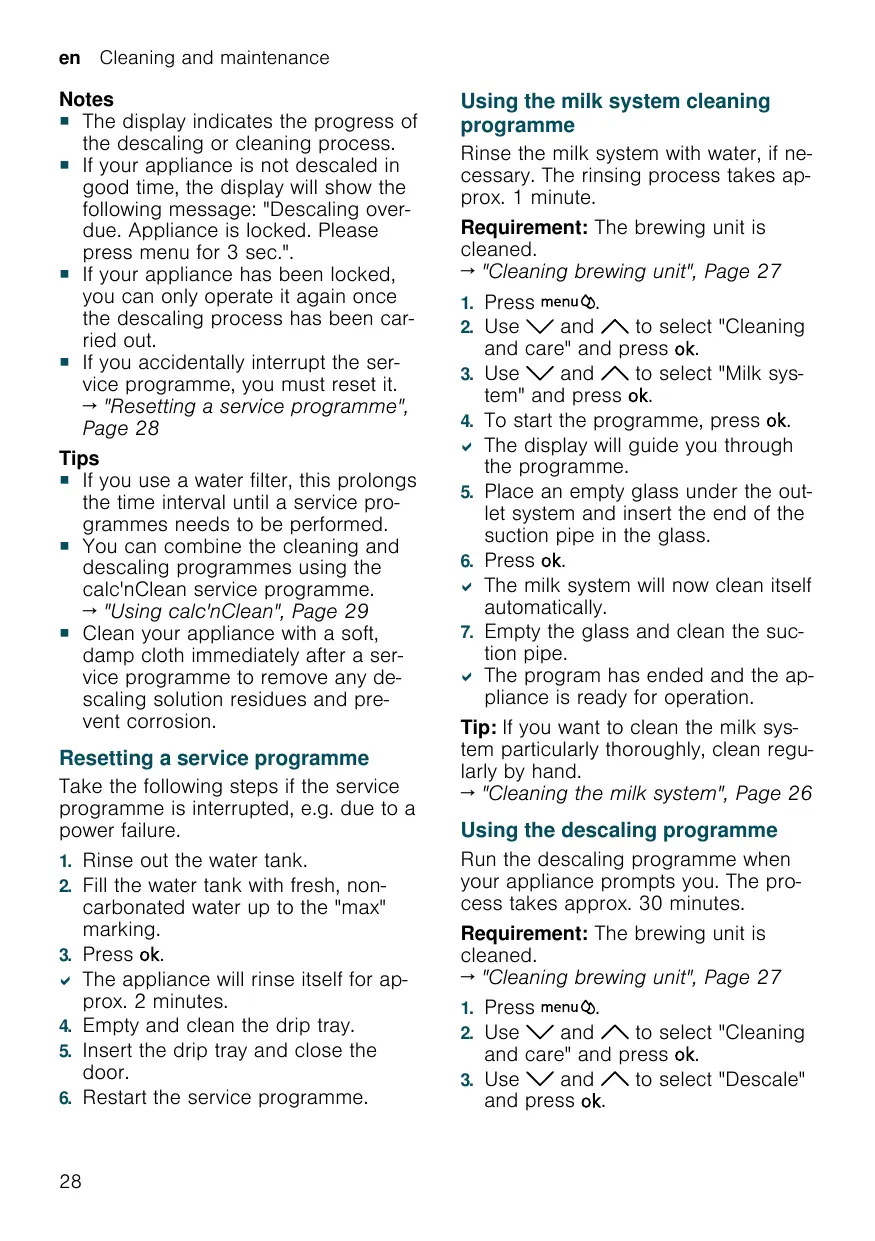
Notes ¡ The display indicates the progress of the descaling or cleaning process. ¡ If your appliance is not descaled in good time, the display will show the following message: "Descaling overdue. Appliance is locked. Please press menu for 3 sec.". ¡ If your appliance has been locked, you can only operate it again once the descaling process has been carried out. ¡ If you accidentally interrupt the service programme, you must reset it. → "Resetting a service programme", Page 28 Tips ¡ If you use a water filter, this prolongs the time interval until a service programmes needs to be performed. ¡ You can combine the cleaning and descaling programmes using the calc'nClean service programme. → "Using calc'nClean", Page 29 ¡ Clean your appliance with a soft, damp cloth immediately after a service programme to remove any descaling solution residues and prevent corrosion.
Resetting a service programme Take the following steps if the service programme is interrupted, e.g. due to a power failure.
Using the milk system cleaning programme Rinse the milk system with water, if necessary. The rinsing process takes approx. 1 minute. Requirement: The brewing unit is cleaned. → "Cleaning brewing unit", Page 27 1. Press 2. Use 3. 4.
. and to select "Cleaning and care" and press . Use and to select "Milk system" and press . To start the programme, press . The display will guide you through the programme. Place an empty glass under the outlet system and insert the end of the suction pipe in the glass. Press . The milk system will now clean itself automatically. Empty the glass and clean the suction pipe. The program has ended and the appliance is ready for operation.
Tip: If you want to clean the milk system particularly thoroughly, clean regularly by hand. → "Cleaning the milk system", Page 26
Using the descaling programme
1. Rinse out the water tank. 2. Fill the water tank with fresh, non-
Run the descaling programme when your appliance prompts you. The process takes approx. 30 minutes.
Requirement: The brewing unit is cleaned. → "Cleaning brewing unit", Page 27
carbonated water up to the "max" marking. Press . The appliance will rinse itself for approx. 2 minutes. Empty and clean the drip tray. Insert the drip tray and close the door. Restart the service programme.
. and to select "Cleaning and care" and press . 3. Use and to select "Descale" and press .
Cleaning and maintenance en 4. To start the programme, press . a The display will guide you through the programme. 5. Empty and insert the drip tray. 6. If there is a water filter, remove it. 7. Press . 8. Empty the water tank and fill with lukewarm water up to the "0.5 l calc" mark. 9. Dissolve one Siemens descaling tablet in the water tank and press . 10. Place a container with a capacity of 1 l under the outlet system. 11. Place the end of the suction pipe in the container and press . a The descaling programme will run for approx. 20 minutes. 12. If "Refill descaler." is shown on the display, add more descaling solution and press . 13. Rinse the water tank. 14. Press . 15. If there is a water filter, insert the water filter. → "Insert water filter", Page 22 16. Press . 17. Fill the tank with fresh water up to the "max" mark. 18. Press . a The descaling programme takes approx. 1 minute and rinses the appliance. 19. Empty and insert the drip tray. 20. Thoroughly clean the suction pipe of the milk system. a The program has ended and the appliance is ready for operation.
Using the cleaning programme
. and to select "Cleaning and care" and press . 3. Use and to select "Clean" and press . 4. To start the programme, press . a The display will guide you through the programme. 5. Empty and insert the drip tray. 6. Open the ground coffee compartment. 7. Place one Siemens cleaning tablet into the ground coffee compartment. 8. Close the ground coffee compartment and press . 9. Place a container with a capacity of 1 l under the outlet system and press . a The cleaning programme takes approx. 7 minutes. 10. Empty and insert the drip tray. a The program has ended and the appliance is ready for operation.
Using calc'nClean You can combine the cleaning and descaling programmes using the calc'nClean service programme. Run the calc'nClean programme when your appliance prompts you. The process takes approx. 43 minutes. Requirement: The brewing unit is cleaned. → "Cleaning brewing unit", Page 27 1. Press 2. Use 3.
Run the cleaning programme when your appliance prompts you. The process takes approx. 9 minutes.
Requirement: The brewing unit is cleaned. → "Cleaning brewing unit", Page 27
. and to select "Cleaning and care" and press . Use and to select "calc'nClean" and press . To start the programme, press . The display will guide you through the programme. Empty and insert the drip tray. If there is a water filter, remove it. Press . 29
en Cleaning and maintenance 8. Empty the water tank and fill with
lukewarm water up to the "0.5 l calc" mark. 9. Dissolve one Siemens descaling tablet in the water tank and press . 10. Place a container with a capacity of 1 l under the outlet system. 11. Place the end of the suction pipe in the container and press . a The descaling programme will run for approx. 20 minutes. 12. If "Refill descaler." is shown on the display, add more descaling solution and press . 13. Rinse the water tank. 14. Press . 15. If there is a water filter, insert the water filter. → "Insert water filter", Page 22 16. Press . 17. Fill the tank with fresh water up to the "max" mark. 18. Press . a The programme takes approx. 1 minute and rinses the appliance. 19. Empty and insert the drip tray. 20. Open the ground coffee compartment. 21. Place one Siemens cleaning tablet into the ground coffee compartment. 22. Close the ground coffee compartment and press . 23. Place a container with a capacity of 1 l under the outlet system and press . a The cleaning programme takes approx. 7 minutes. 24. Empty and insert the drip tray. 25. Thoroughly clean the suction pipe of the milk system. a The program has ended and the appliance is ready for operation.
en Rectifying faults
Errors Appliance is not dispensing hot water.
Cause Milk system is soiled.
Troubleshooting ▶ Clean the milk system in the dishwasher. → "Cleaning the milk system", Page 26
Appliance is not dispensing drinks.
Air is in the water filter.
1. Immerse the water filter in water with
the opening facing upwards until no more air bubbles escape. 2. Reinsert the filter. → "Insert water filter", Page 22 ▶ Firmly press the water filter straight
down into the tank connection.
There is dripping water on the Drip tray was removed too inner floor of the appliance. soon.
▶ Wait a few seconds after the last
Brewing unit cannot be removed.
Brewing unit is not in the removal position (e.g. frost protection activated). Appliance is in demo mode.
▶ Switch the appliance back on.
Appliance is too hot.
▶ Wait 1 hour so the appliance can cool
Appliance cannot be operated. Change displays. Grinder won't start.
drink was dispensed before removing the drip tray.
▶ To deactivate demo mode, press and
for at least 5 seconds.
Notifications on the display panel Errors Cause Display shows "Close" despite Door is not properly closed. the fact that the door is Appliance is too hot. closed.
Troubleshooting ▶ Press the door firmly shut.
Display shows "Please empty Appliance is switched off and drip tray and reinsert." despite does not detect emptying. the fact that the drip tray is empty. Drip tray is soiled.
1. Switch the appliance on, and remove
Display shows "Please refill water tank" despite the fact that the water tank is full.
2. Re-insert the drip tray. ▶ Clean the drip tray thoroughly.
▶ Insert the water tank correctly. Water tank is wrongly inserted. Carbonated water is in the wa- ▶ Fill the water tank with fresh tap water tank. ter.
Float is stuck in the water tank.
▶ Wait 1 hour so the appliance can cool
1. Remove the water tank. 2. Clean the water tank thoroughly.
Errors Display shows "Please refill water tank" despite the fact that the water tank is full.
Display shows "Fill the bean container with coffee beans." despite the fact that the ban container is full. The grinder is not grinding any coffee beans despite full bean container. Display shows "Please clean brewing unit, replace and close door.".
Cause New water filter was not rinsed as per instructions.
Troubleshooting 1. Rinse the water filter according to the instructions. → "Insert water filter", Page 22 2. Place the water filter into operation.
Air is in the water filter.
1. Immerse the water filter in water with
Water filter is old.
▶ Insert a new water filter.
Limescale deposits in the water tank are blocking the system.
1. Clean the water tank thoroughly. 2. Start the descaling programme.
the opening facing upwards until no more air bubbles escape. 2. Reinsert the filter. → "Insert water filter", Page 22
→ "Using the descaling programme", Page 28
Beans are too oily and are not ▶ Gently tap the bean container. falling into the grinder. ▶ Change the coffee variety. Do not use oily beans. ▶ Clean the empty bean container with
Brewing unit is soiled.
▶ Clean the brewing unit.
Mechanism of brewing unit is stiff.
▶ Clean the brewing unit.
Too much ground coffee in the brewing unit.
▶ Use no more than 2 level measuring
→ "Cleaning brewing unit", Page 27 → "Cleaning brewing unit", Page 27 spoons of ground coffee. → "Cleaning brewing unit", Page 27
Display shows "Voltage (V) in- Voltage in the house system is ▶ Only operate the appliance at 220 correct.". incorrect. 240 V. Display shows "Please restart Brewing unit is heavily soiled appliance.". or cannot be removed.
▶ Restart the appliance. ▶ Clean the brewing unit.
→ "Cleaning brewing unit", Page 27
Appliance has a fault.
1. Pull out the mains plug and wait
en Rectifying faults
Errors Cause Display very frequently shows Water is too hard. "calc'nClean".
Incorrect or too little descaling agent used.
Troubleshooting 1. Insert a new water filter. → "Insert water filter", Page 22 2. Set the corresponding water hardness. → "Setting the water hardness", Page 16 ▶ When descaling, only use suitable
Problem with results Errors Coffee or milk froth quality varies widely.
Cause Troubleshooting Build-up of limescale in the ap- ▶ Descale the appliance. pliance. → "Using the descaling programme", Page 28
Milk froth quality varies widely.
Milk froth quality depends on ▶ Optimise the result through the selecthe type of milk or plant-based tion of the milk or vegetable-based alternative used. drink type.
Coffee is not dispensed or has Grinding level is set too fine. slowed to a trickle. Set quantity is not reached.
Coffee has no crema.
▶ Set a coarser grinding level.
→ "Adjusting the grinding level", Page 21
Heavy build-up of limescale in ▶ Descale the appliance. the appliance. → "Using the descaling programme", Page 28 Air is in the water filter.
1. Immerse the water filter in water with
Type of coffee is not optimal.
▶ Use a coffee variety with a higher pro-
the opening facing upwards until no more air bubbles escape. 2. Reinsert the filter. → "Insert water filter", Page 22 portion of Robusta beans.
▶ Use beans with a darker roast.
Coffee is too acidic.
Beans are no longer fresh.
Grinding level is not appropriate for coffee beans.
▶ Adjust the grinder to a finer setting.
Grinding level is set too coarse.
▶ Adjust the grinder to a finer setting.
→ "Adjusting the grinding level", Page 21 → "Adjusting the grinding level", Page 21
Errors Coffee is too acidic.
Cause Type of coffee is not optimal.
Troubleshooting ▶ Use a coffee variety with a higher proportion of Robusta beans. ▶ Use beans with a darker roast.
Coffee is too bitter.
Coffee tastes burnt.
Coffee grounds are not compact and are too wet.
Grinding level is set too fine.
▶ Set a coarser grinding level.
Type of coffee is not optimal.
▶ Change the coffee variety.
Grinding level is set too fine.
▶ Set a coarser grinding level.
Type of coffee is not optimal.
▶ Change the coffee variety.
Coffee temperature setting is too high.
▶ Set the coffee temperature lower.
The grinding level is not set optimally.
▶ Adjust the grinder to a coarser or
Too little ground coffee.
▶ Use 2 level measuring spoons of
▶ Use a different type of bean.
→ "Adjusting the grinding level", Page 21
→ "Adjusting the grinding level", Page 21
→ "Overview of the basic settings", Page 23 finer setting. → "Adjusting the grinding level", Page 21 ground coffee.
en Transportation, storage and disposal
Transportation, storage and disposal Here you will find out how to prepare your appliance for transportation and storage. You will also find out how to dispose of old appliances.
Activate frost protection
3. Dispose of the appliance in an envir-
onmentally friendly manner.
This appliance has been identified in accordance with the European Directive 2012/19/EU on Waste Electrical and Electronic Equipment (WEEE). This Directive provides an EUwide framework for returning and recycling old appliances.
Protect your appliance from frost during transportation and storage Requirements ¡ The appliance is now ready to use. ¡ The water tank has been filled. ATTENTION! Possible damage to the appliance during transportation or storage due to liquid residues in the appliance. ▶ Empty the pipe system before transportation or storage. 1. Place a large container under the
2. Press and select "Milk froth". 3. Press . 4. Remove water tank.
a The appliance will automatically empty its pipe system and switch itself off. 5. Empty the water tank and the drip tray. 6. Clean the appliance thoroughly.
Disposing of your old appliance Valuable raw materials can be reclaimed by recycling old appliances. 1. Unplug the appliance from the
2. Cut through the power cord.
After-sales service If you have any queries, are unable to rectify faults on the appliance yourself or if your appliance needs to be repaired, contact after-sales service. You can solve many problems yourself by consulting the information on troubleshooting in these instructions or on our website. If this is not the case, contact our after-sales service. We will always find an appropriate solution. With any warranty claims, we will make sure that your appliance is repaired by after-sales customer service technicians using original spare parts, including after the manufacturer's warranty has expired. Note: Under the manufacturer's warranty conditions, use of the after-sales service is free. When contacting after-sales service, you will need the product number (E no.) and the production number (FD no.) of your appliance. The contact details of the after-sales service can be found in the after-sales service directory at the end of the instructions or on our website.
Technical specifications en
E number and FD number
The E number and the FD number can be found on the appliance's rating plate. Making a note of your appliance's details and the after-sales telephone number will enable you to find them again quickly.
Warranty conditions You can make warranty claims for your appliance under the following conditions. The guarantee conditions for this appliance are as defined by our representative in the country in which it is sold. Details regarding these conditions can be obtained from the dealer from whom the appliance was purchased. The bill of sale or receipt must be produced when making any claim under the terms of this guarantee.
Technical specifications Facts and figures for your appliance can be found here. Voltage Frequency Connection rating Maximum static pump pressure Maximum capacity of water tank (without filter) Maximum capacity of bean container Length of the power cable Appliance height Appliance width Appliance depth Weight, empty
220–240 V ∼ 50 Hz 1500 W 15 bar 1.7 l 270 g 100 cm 37.3 cm 24.9 cm 42.8 cm 8-9 kg 37
Apparaat is te heet.
Apparaat is te heet.
BSH group is a Trademark Licensee of Siemens AG. Manufacturer's Service for Siemens Home Appliances.