USER MANUAL CHIME RING
natural_image
White industrial air conditioner unit with ventilation grille and control panel (no visible text or symbols)
Chime
Setup Guide
Table of Contents 2
What's in the Box 3
Power Requirements 4
Quick Setup 5
Lighting Guide 6
With Ring, you're Always home.
What's in the Box
3
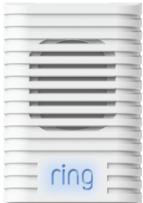
- Ring Chime
- Wall plugs (U.S, UK, EU)
- Quick Install Guide
Power Requirements
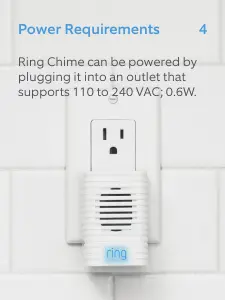
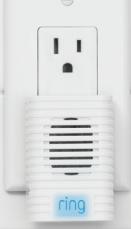
Ring Chime can be powered by plugging it into an outlet that supports 110 to 240 VAC; 0.6W.
natural_image
Close-up of a white electrical socket with a circular button labeled 'ring' (no other text or symbols visible)
Quick Setup
- Plug Chime into an outlet. The Ring logo on the front of the device will begin pulsing blue.
- Open the Ring app and select Add Device
- Choose Ring Chime and follow the in-app instructions to connect Chime to your Wi-Fi network.
- Once connected to your Wi-Fi network, select one or more Ring devices to link Chime to.
Lighting Guide
The Ring logo located on the front of Chime lights up to indicate the device's status.
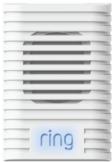
Rapid Blinking
Scanning for
available networks
Slow Pulse
Wi-Fi setup mode
Solid State
Connected to your Wi-Fi network.
Customer Support
7
For additional help, visit:
ring.com/help
For immediate assistance, we're available 7 days a week at:
help@ring.com
US 1 800 656 1918
UK 01727 263045
AU 1 300 205 983
NZ +64 9 887 9871
Mexico (D.F) 52 55 8526 5445
Worldwide +1 310 929 7085
Customer Support
7
For a list of all our customer support numbers, visit:
ring.com/callus
Hereby, Bot Home Automation, declares that this consumer electronic is in compliance with the essential requirements and other relevant provisions of Directive 1999/5/EC. The declaration of conformity may be consulted at www.ring.com/DoC.pdf.
This device complies with Part 15 of the FCC Rules and with Industry Canada licence-exempt RSS standard(s). Operation is subject to the following two conditions: (1) this device may not cause harmful interference, and (2) this device must accept any interference received, including interference that may cause undesired operation. Modifications to this equipment not authorized by Bot Home Automation may void its approval for operation.
Use this device in dry rooms only. Do not cover the device while operating. Do not open the housing. Protect this device from sunlight. Do not use this device outdoors. Disconnecting the plug will power the device off. Do not use the device if the plug or housing is defective, there is a risk of electric shock.
For best results, use type Li-lon batteries. Install only new batteries of the same type in your product. Failure to insert batteries in the correct polarity, as indicated in the battery compartment, may shorten the life of the batteries or cause batteries to leak. Do not mix old and new batteries. Do not mix Alkaline, Standard (Carbon-Zinc) or Rechargeable (Nickel Cadmium) or (Nickel Metal Hydride) batteries. Do not dispose of batteries in fire. Batteries should be recycled or disposed of as per state and local guidelines.
Warning: Changes or modifications to this unit not expressly approved by the party responsible for compliance could void the user's authority to operate the equipment.
NOTE: This equipment has been tested and found to comply with the limits for a Class B digital device, pursuant to Part 15 of the FCC Rules. These limits are designed to provide reasonable protection against harmful interference in a residential installation. This equipment generates, uses and can radiate radio frequency energy and, if not installed and used in accordance with the instructions, may cause harmful interference to radio communications.
However, there is no guarantee that interference will not occur in a particular installation. If this equipment does cause harmful interference to radio or television reception, which can be determined by turning the equipment off and on, the user is encouraged to try to correct the interference by one or more of the following measures:
Reorient or relocate the receiving antenna.
Increase the separation between the equipment and receiver.
Connect the equipment into an outlet on a circuit different from that to which the receiver is connected.
Consult the dealer or an experienced radio/TV technician for help.
© 2016 Bot Home Automation, Inc.
RING, ALWAYS HOME, and CHIME are trademarks of Bot Home Automation, Inc.