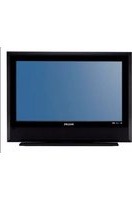
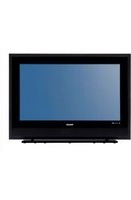
USER MANUAL 32PHS5505 PHILIPS
Avertissement
- 24PHx43x4 - VESA MIS-F 75x75, M4 (minimum 10 mm, maximum 12 mm)
Préparation
- 43PFx5503 - VESA MIS-F 200x100, M6 (minimum 9 mm, maximum 11 mm)
Préparation
- 24PFx55x5 - VESA MIS-F 75x75, M4 (minimum
8 mm, maximum 10 mm)
- 32PHx55x5 - VESA MIS-F 100, M6 (minimum
12 mm, maximum 16 mm)
- 43PFx55x5 - VESA MIS-F 200x100, M6 (minimum
8 mm, maximum 10 mm)
Préparation
Attention
Écrans 22/24"

Pour 24PFS5535

Disque dur USB
MDU - Multi Dwelling Unit
32PHS4503, 43PFS5503
Dolby, Dolby Audio, and the double-D symbol are trademarks of Dolby Laboratories. Manufactured under license from Dolby Laboratories. Confidential unpublished works. Copyright © 1992-2015 Dolby Laboratories. All rights reserved.

16.3
DTS 2.0 + Digital Out TM
For DTS patents, see http://patents.dts.com.
Manufactured under license from DTS Licensing Limited. DTS, the Symbol, DTS and the Symbol together, DTS 2.0+Digital Out, and the DTS 2.0+Digital Out logo are registered trademarks or trademarks of DTS, Inc. in the United States and/or other countries. © DTS, Inc. ALL RIGHTS RESERVED.


2.0+Digital Out
16.4
open.source@tpv-tech.com
17.2
Licence open source
U-Boot, a boot loader for Embedded boards based on PowerPC, ARM, MIPS and several other processors, which can be installed in a boot ROM and used to initialize and test the hardware or to download and run application code.
BusyBox is a multi-call binary that combines many common Unixutilities into a single executable. Most people will create a link to busybox for each function they wish to use and BusyBox will act like whatever it was invoked as.
Source: http://www.busybox.net/
dlmalloc (2.8.4)
A Memory Allocator
Source:
http://g.oswego.edu/dl/html/malloc.html
ftp://gee.cs.oswego.edu/pub/misc/
iniparser (3.0)
stand-alone ini parser library in ANSI C
Source: http://ndevilla.free.fr/iniparser/
jpeg (6b.)
Libjpeg is a widely used C library for reading and writing JPEG image files.
Source: http://www.ijg.org
png (1.2.32)
libpng is the official PNG reference library. It supports almost all PNG features.
Source:
http://www.libpng.org/pub/png/src/libpng-
LICENSE.txt
http://www.libpng.org/pub/png/
freetype (2.5.3)
FreeType is a freely available software library to render fonts.
Source: http://www.freetype.org/license.html
libc (2.16)
The GNU C Library is used as the C library in the GNU systems and most systems with the Linux kernel.
Source: http://www.gnu.org/software/libc/
cares (1.7.3)
c-ares is a C library for asynchronous DNS requests (including name resolves).
Source: https://c-ares.haxx.se/
curl (7.21.3)
curl is used in command lines or scripts to transfer data. It is also used in cars, television sets, routers, printers, audio equipment, mobile phones, tablets, setup boxes, media players and is the internet transfer backbone for thousands of software applications affecting billions of humans daily.
Source: https://curl.haxx.se/
iconv (1.13.1)
Other programs internally store strings in Unicode, to facilitate internal processing, and need to convert between internal string representation (Unicode) and external string representation (a traditional encoding) when they are doing I/O. GNU libiconv is a conversion library for both kinds of applications.
Source: http://www.gnu.org/software/libiconv/
Xml2 (2.7.7)
Libxml2 is the XML C parser and toolkit developed for the Gnome project (but usable outside of the Gnome platform), it is free software available under the MIT License.
Source: http://xmlsoft.org/
neon (0.30.1)
neon is an HTTP and WebDAV client library, with a C interface.
Source: http://www.webdav.org/neon/
openssl-0.9.8 (1.0.0)
OpenSSL is a robust, commercial-grade, and full-featured toolkit for the Transport Layer Security (TLS) and Secure Sockets Layer (SSL) protocols.
Source: http://www.openssl.org/source/license.html
sqlite (3.7.11)
SQLite is a self-contained, high-reliability, embedded, full-featured, public-domain, SQL database engine.
Source: https://www.sqlite.org/
zlib (1.2.8)
interface of the 'zlib' general purpose compression library.
Source: http://www.zlib.net/zlib_license.html
cairo (1.10.2)
Cairo is a 2D graphics library with support for multiple output devices.
Source: https://cairographics.org/download/
libnl (3.2.24)
The libnl suite is a collection of libraries providing APIs to netlink protocol based Linux kernel interfaces.
Source: https://github.com/tgraf/libnl
alsa (1.0.23)
The Advanced Linux Sound Architecture (ALSA) provides audio and MIDI functionality to the Linux operating system.
Source: https://www.alsa-project.org/main/index.php/Main_Page
fontconfig (2.7.1)
Fontconfig is a library for configuring and customizing font access.
Source:
https://www.freedesktop.org/wiki/Software/fontconfig/
icu (4.2.1)
ICU is a mature, widely used set of C/C++ and Java libraries providing Unicode and Globalization support for software applications.
Source: http://site.icu-project.org/home
pixman (0.19.6)
Pixman is a low-level software library for pixel manipulation, providing features such as image compositing and trapezoid rasterization.
Source: http://www.pixman.org/
pango (1.28.1)
Pango is a library for laying out and rendering of text, with an emphasis on internationalization.
Source: https://www.pango.org/
glib (2.24.2)
GLib provides the core application building blocks for libraries and applications written in C.
Source: https://directory.fsf.org/wiki/Glib
DFB (1.4.2)
DirectFB is a thin library that provides hardware graphics acceleration, input device handling and abstraction, integrated windowing system with support for translucent windows and multiple display layers, not only on top of the Linux Framebuffer Device. It is a complete hardware abstraction layer with software fallbacks for every graphics operation that is not supported by the underlying hardware. DirectFB adds graphical power to embedded systems and sets a new standard for graphics under Linux.
Source: http://directfb.org/
A
Accès universel 48
All registered and unregistered trademarks are property of their respective owners.
Specifications are subject to change without notice.
Philips and the Philips' shield emblem are trademarks of Koninklijke Philips N.V.
and are used under license from Koninklijke Philips N.V.
2020© TP Vision Europe B.V. All rights reserved.
philips.com