 ManualGo.com
WF-J1254 - Washing machine SAMSUNG - Free user manual and instructions
Find the device manual for free WF-J1254 SAMSUNG in PDF.


Download the instructions for your Washing machine in PDF format for free! Find your manual WF-J1254 - SAMSUNG and take your electronic device back in hand. On this page are published all the documents necessary for the use of your device. WF-J1254 by SAMSUNG.
USER MANUAL WF-J1254 SAMSUNG
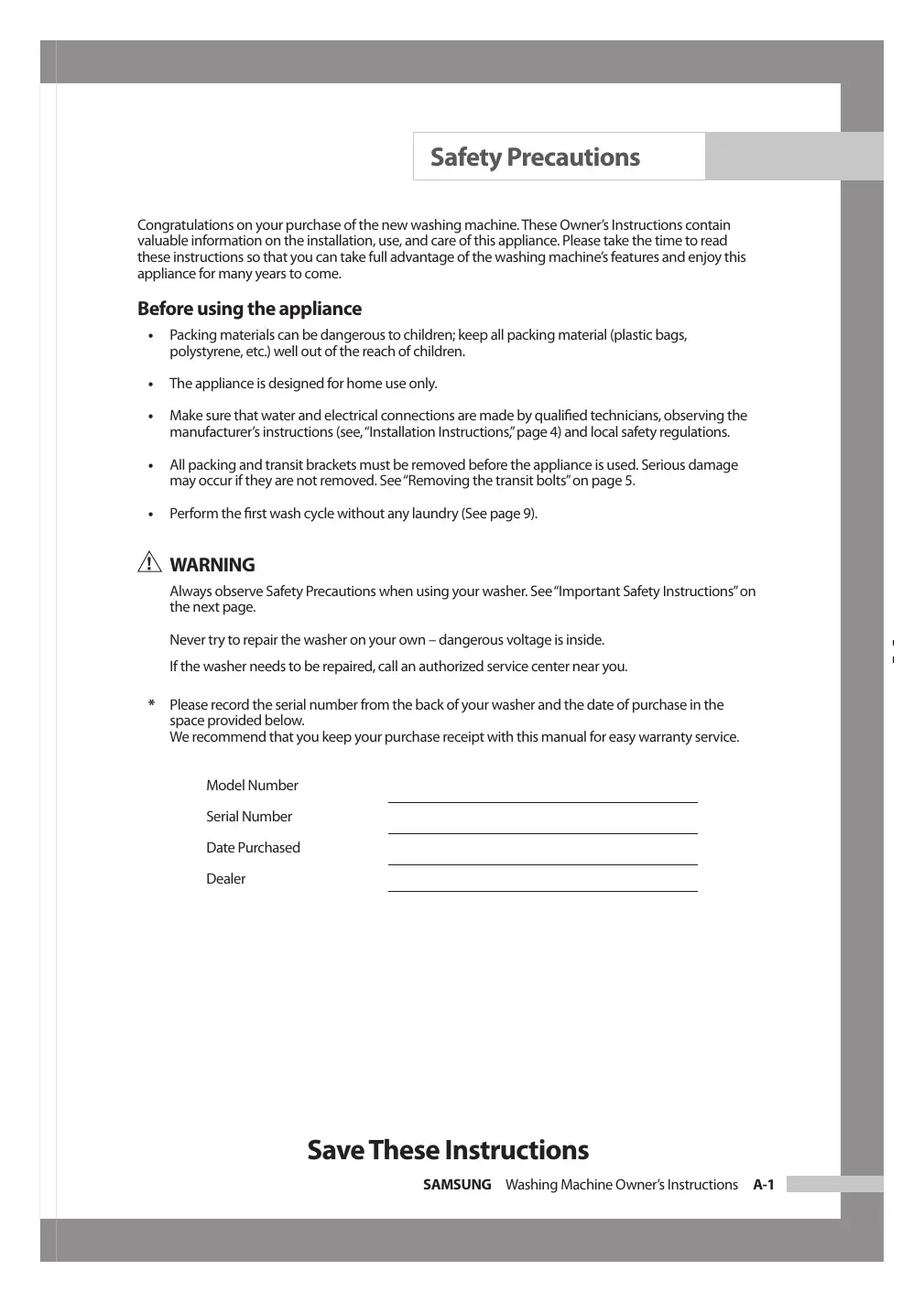
Safety Precautions Congratulations on your purchase of the new washing machine. These Owner’s Instructions contain valuable information on the installation, use, and care of this appliance. Please take the time to read these instructions so that you can take full advantage of the washing machine’s features and enjoy this appliance for many years to come. Before using the appliance
Packing materials can be dangerous to children; keep all packing material (plastic bags, polystyrene, etc.) well out of the reach of children.
The appliance is designed for home use only.
Make sure that water and electrical connections are made by qualified technicians, observing the manufacturer’s instructions (see, “Installation Instructions,” page 4) and local safety regulations.
All packing and transit brackets must be removed before the appliance is used. Serious damage may occur if they are not removed. See “Removing the transit bolts” on page 5.
Perform the first wash cycle without any laundry (See page 9). WARNING Always observe Safety Precautions when using your washer. See “Important Safety Instructions” on the next page. Never try to repair the washer on your own – dangerous voltage is inside. If the washer needs to be repaired, call an authorized service center near you.
- Please record the serial number from the back of your washer and the date of purchase in the space provided below. We recommend that you keep your purchase receipt with this manual for easy warranty service. Model Number Serial Number Date Purchased Dealer Save These Instructions SAMSUNG Washing Machine Owner’s Instructions A-1 Safety Precautions Important Safety Instructions
To reduce the risk of fire, explosion, electric shock, property damage or injury to persons when using your appliance, follow basic precautions, including the following
1. Read all safety instructions before using the
2. As with any equipment using electricity and
having moving parts, there are potential hazards. To use this appliance safely, the operator should become familiar with the instructions for operation of the appliance and always exercise care when using it.
3. Do not install or store this appliance where it will
be exposed to bad weather..
4. Install and level the washing machine on a floor
that can support the weight.
5. This appliance must be properly grounded. Never
plug the appliance cord into a receptacle which is not grounded adequately and in accordance with local and national codes. See installation instructions for grounding this appliance.
6. To avoid the possibility of fire or explosion:
a. Do not wash or dry items that have been previously cleaned in, washed in, soaked in or spotted with gasoline, dry-cleaning solvents or other flammable or explosive substances as they give off vapors that could ignite or explode. Hand wash and line dry any items containing these substances. Any material on which you have used a cleaning solvent, or which is saturated with flammable liquids or solids, should not be placed in the clothes washer until all traces of these liquids or solids and their fumes have been removed. These items include acetone, denatured alcohol, gasoline, kerosene, some liquid household cleaners, some spot removers, turpentine, waxes and wax removers. b. Do not add gasoline, dry-cleaning solvents, or other flammable or explosive substances to the wash water. These substances give off vapors that could ignite or explode. c. Under certain conditions, hydrogen gas may be produced in a hot water system that has not been used for 2 weeks or more. HYDROGEN GAS IS EXPLOSIVE. If the hot water system has not been used for such a period, before using a washing machine or combination washer-dryer, turn on all hot water faucets and let the water flow from each for several minutes. This will release any accumulated hydrogen gas. As the gas is flammable, do not smoke or use an open flame during this time.
7. Do not reach into the appliance if the tub is
8. Do not allow children to play on or in the
appliance. Close supervision of children is necessary when the appliance is used near children.
9. Do not tamper with controls.
10. Do not repair or replace any part of the appliance
or attempt any servicing unless specifically recommended in published user- repair instructions that you understand and have the skills to carry out.
11. Unplug power supply cord before attempting to
service your washing machine.
12. Store laundry aids and other material in a cool,
dry place where children cannot reach them.
13. Do not wash or dry items that are soiled with
vegetable or cooking oil. These items may contain some oil after laundering. Due to the remaining oil, the fabric may smoke or catch fire by itself.
14. Do not use chlorine bleach and ammonia or acids
(such as vinegar or rust remover) in the same wash. Hazardous fumes can form.
15. Do not wash fiberglass materials.
Small particles can stick to fabrics washed in subsequent loads and cause skin irritation.
16. Before the appliance is removed from service
or discarded, remove the door to the washing compartment.
17. Do not sit on top of the clothes washer.
18. Do not use heat to dry articles containing foam
rubber or similarly textured rubber-like materials.
19. Do not use fabric softeners or products to
eliminate static unless recommended by the manufacturer of the fabric softener. Save These Instructions A-2 SAMSUNG Washing Machine Owner’s Instructions Safety Precautions Grounding instructions This appliance must be grounded. In the event of an electrical short circuit, grounding reduces the risk of electric shock by providing an escape wire for the electrical current. This appliance is equipped with a cord having a grounding wire with a grounding plug. The plug must be plugged into an outlet that is properly installed and grounded.
Improper use of the grounding plug can result in a risk of electric shock. Consult a qualified electrician or service technician if you do not understand the grounding instructions or if you are not sure if the appliance is properly grounded. Use of extension cords A short power-supply cord is provided to reduce the risks resulting from becoming entangled in or tripping over a longer cord. Longer cord sets or extension cords are available and may be used if care is exercised in their use. If a long cord or extension cord is used,
1. The marked electrical rating of the cord set
or extension cord should be at least as great as the electrical rating of the appliance.
2. The extension cord must be a groundingtype 3-wire cord and it must be plugged
into a 3-slot outlet.
3. The longer cord should be arranged so that
it will not be pulled on by children or tripped over unintentionally.
Do not cut or remove the third (ground) prong from the power cord under any circumstances. Preferred method of grounding Plug the three-prong power cord into a properly grounded outlet of standard 120 VAC, 60 Hz. Your washer should be the only appliance on this circuit. Save These Instructions SAMSUNG Washing Machine Owner’s Instructions A-3 Installing the Washing Machine Unpacking the washing machine Unpack your washing machine and inspect it for transit damage. Also make sure that you have received all of the items shown below. If the washing machine was damaged during transport or you do not have all of the items, contact your Samsung dealer immediately. Overview of the washing machine Worktop Detergent drawer Drain hose Control panel Door Plug Base cover Adjustable feet Debris filter Emergency drain tube Filter-cover Cold Water supply hose Wrench Drain Hose Bolt hole covers Hose guide B-1 SAMSUNG Washing Machine Owner’s Instructions Installing the Washing Machine Selecting a location Cotton Remaining Time 12:00
rpm Min Pre-wash Wash Rinse Synthetic Delicate Wool Speedy START PAUSE Power Before you install the washing machine, select a location with the following characteristics:
- A hard, level surface (if the surface is uneven, see “Adjusting the leveling feet,” below)
- Away from direct sunlight.
- Adequate ventilation
- Room temperature that will not fall below 0 ˚C
- Away from sources of heat such as coal or gas Make sure that the washing machine does not stand on its power cord. Ventilation openings must not be obstructed by carpeting when the washing machine is installed on a carpeted floor. Delay Start Check Spin Eco Fuzzy control Temp Spin Delay Start Door open Function Adjusting the leveling feet If the floor is uneven, adjust the feet (do not insert pieces of wood or any other objects under the feet):
1. Loosen the leg bolt by turning it with your hand until it is at the desired height.
2. Tighten the locking nut by turning it with the supplied wrench.
Place the washer on a sturdy, flat surface. If the washer is placed on an uneven or weak surface, noise or vibration occurs. (Only a l degree angle is allowed.) Removing the transit bolts Before using the washing machine, you must remove the five transit bolts from the back of the unit. To remove the bolts:
1. Loosen all bolts with the supplied wrench before removing them.
2. Take each bolt head and plastic together, pull it through the wide part of the hole.
Repeat for each bolt.
3. Fill the holes with the supplied plastic covers.
4. Keep the transit bolts for future use.
Connecting the water supply hose The water supply hose must be connected to the washing machine at one end and to the water faucet at the other. Do not stretch the water supply hose. If the hose is too short and you do not wish to move the water faucet, replace the hose with a longer, high pressure hose. To connect the water supply hose:
1. Take the L-shaped arm fitting for the cold
water supply hose and connect to the cold water supply intake on the back of the machine. Tighten by hand. SAMSUNG Washing Machine Owner’s Instructions B-2 Installing the Washing Machine
2. Connect the other end of the cold water supply hose to your sink’s cold water faucet and tighten
it by hand. If necessary, you can reposition the water supply hose at the washing machine end by loosening the fitting, rotating the hose, and retightening the fitting. Option:
1. Take the red L-shaped arm fitting for the hot water supply hose and connect to
the red hot water supply intake on the back of the machine. Tighten by hand.
2. Connect the other end of the hot water supply hose to your sink’s hot water
faucet and tighten it by hand.
3. Use a Y-piece if you only want to use cold water.
Notice: The appliance is to be connected to the water mains using new hose-sets and that old hose-sets should not be used. Positioning the drain hose The end of the drain hose may be positioned in three ways: Over the edge of a sink The drain hose must be placed at a height of between 60 and 90 cm. To keep the drain hose spout bent, use the supplied plastic hose guide. Secure the guide to the wall with a hook or to the faucet with a piece of string to prevent the drain hose from moving. ln a sink drain pipe branch The drain pipe branch must be above the sink siphon so that the end of the hose is at least 60 cm above the ground. ln a drain pipe Samsung recommends that you use a 65 cm high vertical pipe; it must be no shorter than 60 cm and no longer than 90 cm. B-3 SAMSUNG Washing Machine Owner’s Instructions Washing a Load of Laundry Overview of the control panel
Select Wash/Rinse Temperature Displays the remaining wash cycle time, all of washing information and error messages. Press the button repeatedly to cycle through the available melody options. (Melody1 ➝ Melody2 ➝ OFF ➝ Melody1 ➝ ... ) Press the Temperature pad to select the wash and rinse temperatures. The light next to the temperature will illuminate. Press the pad repeatedly to scroll through the temperature settings. Hot/Warm - Heavily soiled color-fast items. Hot/Cold - Whites and heavily soiled color-fast items. Warm/Warm - Color-fast items. When warm rinse is selected, only the final rinse will be warm. The other rinses will be cold to conserve energy. Warm/Cold – Moderately soiled, color-fast items; most wrinkle free items. Cold/Cold – Brightly colored, lightly soiled items.
- REMEMBER : In wash water temperatures below 60° F, detergents do not dissolve well or clean well.
Select Spin Speed Press the Soil Level pad to select the appropriate soil level for the load. The light next to the Soil Level pad will illuminate. Press the pad repeatedly to scroll through the soil level settings. Very Heavy - Use for cleaning extremely heavily soiled loads. Heavy – Use for cleaning heavily soiled loads. Normal – Use for cleaning moderately soiled loads. This setting will be appropriate for most loads. Light – Use for cleaning lightly soiled loads. Very Light - Use for cleaning very lightly soiled loads. Press the Spin pad to select the appropriate spin speed for the load. The light next to the spin speed will illuminate. Press the pad repeatedly to scroll through the spin speed settings. Extra High - Use for underwear and sturdy cottons. High – Use for underwear, t-shirts and sturdy cottons. Medium – Use for jeans, wrinkle free or “wash-and-wear” items and synthetics. SAMSUNG Washing Machine Owner’s Instructions C-1 Washing a Load of Laundry Low – Use for delicate items needing a slow spin speed because of fabric and construction and for hang-dry items. No Spin – Drains the washer without spinning. Use for extremely delicate items that cannot tolerate any spin.
Delay Start selection button
Child Lock selection button
Fuzzy Control dial Press the button repeatedly to cycle through the available delayed start options (from 4 hour to 24 hours in one hour increments). Displayed hours means the time of finished washing-cycle. Easy Iron programme eased ironing the laundry. (Normal, Colours, Quick, Towels, Heavy Duty, Mixed load) This is a button for preventing children from manipulating the washing machine. On/Off - To set the program on: Press the Start/Pause button to turn on the washing machine. Press and hold down the [Rinse] + [Spin] button for 2-3 seconds. It can only be activated when the machine is turned on. Once you set the Child Lock function while in washing, no button is activated until you set it off. Only POWER button can activate. The Child Lock lamp lights on and off. To set the program off: Press and hold down the [Rinse] + [Spin] button again for 2-3 seconds, then the lamp lights off and is set off. Notice: Check out the Baby Program button first when no button is activated while the washing machine is working. Turn the dial to select one of the 14 available wash programs. Normal, Colours, Perm Press, Delicates, Wool, Hand wash, Quick, Rinse+Spin, Spin, Drain, Calm Wash, Mixed Load, Heavy Duty, Towels
10. Start/Pause selection button
Press to pause and restart programs. Press the Start/Pause button before adding the laundry. This can only be selected within 5 minutes of the start.
11. ( ) (On/Off) selection button
Press once to turn the washing machine on, press again to turn the washing machine off. If the washing machine power is left on for longer than 10 minutes without any buttons being touched, the power automatically turns off. C-2 SAMSUNG Washing Machine Owner’s Instructions Washing a Load of Laundry Putting detergent in the washing machine Before washing clothes for the first time, you must run a complete cycle without clothes. To do this:
1. Press the ( ) (On/Off) button.
2. Pour a little detergent into compartment ( ) in the detergent drawer.
3. Turn on the water supply to the washing machine.
4. Press the Start/Pause button.
- This will remove any water from the manufacturer’s test run remaining in the machine. SAMSUNG Washing Machine Owner’s Instructions C-3 Washing a Load of Laundry Washing clothes using Fuzzy Logic Your new washing machine makes washing clothes easy, using Samsung’s “Fuzzy Logic” automatic control system. When you select a wash program, the machine will set the correct temperature, washing time, and washing speed. To wash clothes using the Fuzzy Logic programs:
1. Turn on your sink’s water faucet.
2. Press the ( ) (On/Off) button.
4. Load the articles one at a time loosely into the drum, without overfilling.
6. Add the detergent, softener, and wash detergent (if necessary) into the appropriate compartment.
7. Turn the Fuzzy Control dial to select
the appropriate program for the type of clothes Normal, Colours, Perm Press, Delicates, Wool, Hand wash, Quick, Rinse+Spin, Spin, Drain, Calm Wash, Mixed Load, Heavy Duty, Towels. You will see the indicators light up on the control panel.
8. At this time, you can control the wash temperature, rinsing times, spin speed, delay time by
pressing the appropriate option button.
9. Press the Start/Pause button on the Fuzzy Control dial and the wash cycle will begin.
The process indicator will light up and the remaining time for the cycle will appear in the display. When the cycle is finished: After the total cycle has finished, the power will turn off automatically.
Notice: The door will not open untill 3 minutes after the machine stops or the power turns off.
C-4 SAMSUNG Washing Machine Owner’s Instructions Washing a Load of Laundry Washing clothes manually You can wash clothes manually without using the Fuzzy Logic feature. To do so:
1. Turn on the water at the water source sink.
2. Press the ( ) (On/Off) button on the washing machine.
4. Load the articles one at a time loosely into the drum, without overfilling.
6. Put the detergent and, if necessary, softener or chlorine bleach, in the appropriate compartments.
7. Press the Wash/Rinse Temperature button to select the water temperature.
(Hot/Warm ➝ Hot/Cold ➝ Warm/Warm ➝ Warm/Cold ➝ Cold/Cold )
8. Press the soil level button to select the spin speed for the load.
(Very Heavy ➝ Heavy ➝ Normal ➝ Light ➝ Very Light)
9. Press the Spin button to select the spin speed, [Extra high ➝ High ➝ Medium ➝ Low ➝ No Spin].
Notice: The rinse hold program allows you to take clothes that are dripping wet out of the washing machine. no : No Spin, rh : Rinse Hold.
10. Press the button repeatedly to cycle through the available delayed start options (from 4 hour to 24
hours in one hour increments). Displayed hours means the time of finished washing-cycle.
11. Press the Start/Pause button and the machine will begin the cycle.
When the cycle is finished:
Notice: The door will not open until 3 minutes after the machine stops or the power turns off.
Using delay start You can set the washing machine to finish your wash automatically at a later time, choosing from 4 to 24 hour delay (in 1 hour increments). Displayed hours means the time of finished washing-cycle. To do this:
1. Manually or automatically set your washing machine for the type of clothes you are washing.
2. Press the Delay Start button repeatedly until the delay time is set.
3. Press the Start/Pause button. The Delay Start indicator will light, and the clock will begin counting
down until it reaches your finish time.
4. To cancel Delay Start, press the ( ) (On/Off) button, then turn the washing machine on again.
SAMSUNG Washing Machine Owner’s Instructions C-5 Washing a Load of Laundry Washing tips and hints Sorting your laundry : Sort your laundry according to the following characteristics:
- Type of fabric care label symbol : Sort laundry into cottons, mixed fibers, synthetics, silks, wools and rayon.
- Colour : Divide whites and colours. Wash new, coloured items separately.
- Size : Placing items of different sizes in the same load will improve the washing action.
- Sensitivity : Wash delicate items separately, using the Delicate wash program for pure new wool, curtains and silk articles. Check the labels on the items you are washing or refer to the fabric care chart in the appendix. Emptying pockets : Coins, safety pins and similar items can damage linen, the washing machine drum, and the water tank. Securing fasteners : Close zippers and fasten buttons or hooks; loose belts or ribbons should be tied together. Determining load capacity : Do not overload the washing machine or your laundry may not wash properly. Use the chart below to determine the load capacity for the type of laundry you are washing. Fabric Type Coloured/Normal Load Capacity WF-J1254/J1054/J854 -average/lightly soiled
Detergent tips : The type of detergent you should use is based on the type of fabric (cotton, perm press, delicate items, knit/wool), colour, wash temperature, degree and type of soiling. Always use “low suds” laundry soap, which is designed for automatic washing machines. Follow the detergent manufacturer’s recommendations based upon the weight of the laundry, the degree of soiling, and the hardness of the water in your area. If you do not know how hard your water is, ask your water authority. Notice: Keep detergents and additives in a safe, dry place out of the reach of children. C-6 SAMSUNG Washing Machine Owner’s Instructions Maintaining the Washing Machine Draining the washing machine in an emergency
1. Unplug the washing machine from the power supply.
2. Open the filter-cover by using a coin or a key.
3. Unscrew the emergency drain cap by turning left.
Grip the cap on the end of the emergency drain tube and slowly pull it out about 15 cm.
4. Allow all the water to flow into a bowl.
5. Reinsert the drain tube and screw the cap back on.
6. Replace the filter-cover.
Repairing a frozen washing machine If the temperature drops below freezing and your washing machine is frozen:
1. Unplug the washing machine.
2. Pour warm water on the source faucet to loosen the water supply hose.
3. Remove the water supply hose and soak it in warm water.
4. Pour warm water into the washing machine drum and let it sit for 10 minutes.
5. Reconnect the water supply hose to the water faucet and check if the water supply and drain
operations are normal. SAMSUNG Washing Machine Owner’s Instructions D-1 Maintaining the Washing Machine Cleaning the exterior 1. Wipe the washing machine surfaces, including the control panel, with a soft cloth and nonabrasive household detergents.
2. Use a soft cloth to dry the surfaces.
3. Do not pour water on the washing machine.
Cleaning the detergent drawer and recess
1. Press the release lever on the inside of the detergent
drawer and pull it out.
2. Remove the cap from compartment ( ) and ( ).
3. Wash all of the parts under running water.
4. Clean the drawer recess with an old toothbrush.
5. Reinsert the cap (Pushing it firmly into place) and
replace the liquid detergent divider into the drawer.
6. Push the drawer back into place.
7. Run a rinse program without any laundry in the
drum. Cleaning the debris filter Clean the debris filter 5 or 6 times a year, or when you see the following error message on the display:
1. Open the filter-cover, See “Draining the washing machine in an emergency” on page D-1.
2. Unscrew emergency drain cap by turning left and drain off all the water.
See “Draining the washing machine in an emergency” on page D-1.
3. Unscrew the filter cap and take it out.
4. Wash any dirt or other material from the filter. Make sure the drain pump propeller behind the filter
is not blocked. Replace the filter cap.
5. Replace the filter-cover.
D-2 SAMSUNG Washing Machine Owner’s Instructions Maintaining the Washing Machine Cleaning the water hose mesh filter You should clean the water hose mesh filter at least one time per year, or when you see the following error message on the display: To do this:
1. Turn off the water source to the washing machine.
2. Unscrew the hose from the back of the washing machine.
3. With a pair of pliers, gently pull out the mesh filter from the end of the hose and rinse it under
water until clean. Also clean the inside and outside of the threaded connector.
4. Push the filter back into place.
5. Screw the hose back onto the washing machine.
6. Turn on the faucet and make sure the connections are watertight.
SAMSUNG Washing Machine Owner’s Instructions D-3 Troubleshooting Problems and solutions The washing machine will not start
Make sure the door is firmly closed. Make sure the washing machine is plugged in. Make sure the water source faucet is turned on. Make sure to press the Start/Pause button. No water or insufficient water supply
Make sure the water source faucet is turned on. Make sure the water source hose is not frozen. Make sure the water intake hose is not bent. Make sure the filter on the water intake hose is not clogged. Detergent remains in the detergent drawer after the wash program is complete
Make sure the washing machine is running with sufficient water pressure. Put the detergents in the inner parts of the detergent drawer(away from the outside edges). Washing machine vibrates or is too noisy
Make sure the washing machine is set on a level surface. If the surface is not level, adjust the washing machine feet to level the appliance (see page B-2). Make sure that the shipping bolts are removed (see page B-2). Make sure the washing machine is not touching any other object. Make sure the laundry load is balanced. The washing machine does not drain and/or spin
Make sure the drain hose is not squashed or bent. Make sure the debris filter is not clogged (see page D-2). The Door does not open
The door will not open until 3 minutes after the machine stops or the power turns off. Understanding error messages Error displayed
Make sure the source water faucet is turned on. Check the water pressure.
Clean the debris filter. Make sure the drainage hose is installed correctly.
Laundry load is unbalanced; loosen any tangled laundry. If only one item of clothing needs washing, such as a bathrobe or jeans, the final spin result might be unsatisfactory and an “UE” error message will be shown in the display window. cE / 3E
Call after-sales service. Before contacting After-Sales service:
1. Try to remedy the problem (See “Troubleshooting” on this page).
2. Restart the programme to see if the fault is repeated.
3. If the malfunction persists, call after-sales service and describe the problem.
E-1 SAMSUNG Washing Machine Owner’s Instructions Programme Chart ( user option) Max load (kg)
DETERGENT AND ADDITIVES
Programme Normal Colours Perm Press Delicates Wool Handwash Quick WF-J1254 WF-J1054 WF-J854 Type of WASH Averagely or lightly soiled cottons, bed linen, table linen, underwear, towels, shirts, etc. Averagely or lightly soiled cottons, bed linen, table linen, underwear, towels, shirts, etc. Averagely or lightly soiled blouses, shirts, etc., Made of polyester (diolen, trevira), polyamide (perlon, nylon) or other similar blends. Delicate curtains, dresses, skirts, shirts and blouses. Only machine washable woolens with pure new wool label. Very light wash course like hand wash. Lightly soiled cottons or linen blouses, shirts, dark coloured terry cloth, coloured linen articles, jeans, etc.
1. Programme with prewash lasts approx. 15 minutes longer.
2. The programme duration data has been measured under the conditions specified in Standard IEC
3. Consumption in individual homes may differ from the values given in the table due to variations in
the pressure and temperature of the water supply, the load and the type of laundry. SAMSUNG Washing Machine Owner’s Instructions F-1 Programme Chart ( user option) Max load (kg)
DETERGENT AND ADDITIVES
Programme Towels Heavy Soil Mixed Load Calm Wash WF-J1254 WF-J1054 WF-J854 Type of WASH Averagely or lightly soiled baby cottons, bed linen, table linen, underwear, towels, shirts, etc. Stained or heavy soiled cottons, bed linen, table linen, underwear, towels, shirts, jeans, etc. A mix of lightly soiled cottons and synthetic fabrics. Extremely low noise level during the entire cycle and finish rinse hold. Cottons, bed linen, table linen, underwear, towels, shirts. F-2 SAMSUNG Washing Machine Owner’s Instructions Appendix Wash/Rinse Temperature Wash/Rinse Temperature Load Type Hot/Warm Extra Heavily soiled items. Hot/Cold White and heavily soiled, color-fast items. Warm/Warm Some delicate and color-fast items. Warm/Cold Moderately soiled, colored items; most EASY CARE/Permanent Press Items. Cold/Cold Brightly colored, lightly soiled items; washable woolens. Fabric care chart Resistant material Can be ironed at 100 ˚C max Delicate fabric Do not iron Item may be washed at 95 ˚C Can be dry cleaned using any solvent Item may be washed at 60 ˚C Item may be washed at 40 ˚C Dry clean with perchloride, lighter fuel,pure alcohol or R113 only Dry clean with aviation fuel, pure alcohol or R113 only Item may be washed at 30 ˚C Do not dry clean Item may be hand washed Dry flat Dry clean only Can be hung to dry Can be bleached in cold water Dry on clothes hanger Do not bleach Tumble dry, normal heat Can be ironed at 200 ˚C max Tumble dry, reduced heat Can be ironed at 150 ˚C max Do not tumble dry SAMSUNG Washing Machine Owner’s Instructions G-1 Appendix Electrical warnings To reduce the risk of fire, electrical shock, and other injuries, keep these safety precautions in mind:
- Operate the appliance only from the type of power source indicated on the marking label. If you are not sure of the type of power supplied to your home, consult your appliance dealer or local power company.
- Use only a grounded or polarized outlet. For your safety, this appliance is equipped with a polarized alternating current line plug having one blade wider than the other. This plug will fit into the power outlet only one way. If you are unable to insert the plug fully into the outlet, try reversing the plug. If the plug still doesn’t fit, contact your electrician to replace your outlet.
- Protect the power cord. Power supply cords should be routed so that they are unlikely to be walked on or pinched by items placed on or against them. Pay particular attention to cords at plugs, convenience receptacles, and the point where they exit from the unit.
- Do not overload the wall outlet or extension cords. Overloading can result in fire or electric shock. (AC120V 15AMP.) Protecting the environment
This appliance is manufactured from recyclable materials. If you decide to dispose of this appliance, please observe local waste disposal regulations. Cut off the power cord so that the appliance cannot be connected to a power source. Remove the door so that animals and small children cannot get trapped inside the appliance. Do not exceed the detergent quantities recommended in the detergent manufacturers’ instructions. Use stain removal products and bleaches before the wash cycle only when strictly necessary. Save water and electricity by only washing full loads (the exact amount depends upon the program used). Specification TYPE DIMENSION WATER PRESSUERE WATER VOLUME NET WEIGHT WASH and SPIN CAPACITY POWER CONSUMPTION
G-2 SAMSUNG Washing Machine Owner’s Instructions Appendix Warranty information Limited Warranty for Original Purchaser This Samsung product is warranted by Samsung Electronics Canada, Inc. (hereafter referred to as SECA) against manufacturing defects in material or workmanship for the following periods: Labor: Parts: 1 year (in-home) 1 year SECA further warrants that if this product fails to operate properly within the specified warranty period and the failure is due to improper workmanship or defective material, SECA will repair or replace the product at its option. All warranty repairs or part replacements must be performed by a SECA Authorized Service Center. (To find the nearest SECA Service Center, call 1-800-SAMSUNG or visit our web site at www.samsungcanada. com.) Obligation to the Original Owner The original dated sales receipt must be retained by the customer and is the only acceptable proof of purchase. It must be presented to a SECA Authorized Service Center at the time service is requested before warranty services are rendered. On all carry-in models, transportation to and from the Authorized Service Center is the responsibility of the customer. Exclusions of the Warranty This warranty does not cover damage due to accident, fire, flood, and/or other Acts of God, misuse, incorrect line voltage, improper installation, improper or unauthorized repairs, commercial use, or damage that occurs during shipping. Customer adjustments which are explained in this owner’s manual are not covered under the terms of this warranty. This warranty will automatically be voided for any unit found with a missing or altered serial number. This warranty is valid only on products purchased and used in the Canada. SAMSUNG ELECTRONICS
Bouton Signal (Signal)
Mixed Load (Charge mixte)