 ManualGo.com
RXZ50N - Air-conditioner DAIKIN - Free user manual and instructions
Find the device manual for free RXZ50N DAIKIN in PDF.


Download the instructions for your Air-conditioner in PDF format for free! Find your manual RXZ50N - DAIKIN and take your electronic device back in hand. On this page are published all the documents necessary for the use of your device. RXZ50N by DAIKIN.
USER MANUAL RXZ50N DAIKIN
The present publication is drawn up by way of information only and does not constitute an offer binding upon Daikin Europe N.V.. Daikin Europe N.V. has compiled the content of this publication to the best of its knowledge. No express or implied warranty is given for the completeness, accuracy, reliability or fitness for particular purpose of its content and the products and services presented therein. Specifications are subject to change without prior notice. Daikin Europe N.V. explicitly rejects any liability for any direct or indirect damage, in the broadest sense, arising from or related to the use and/or interpretation of this publication. All content is copyrighted by Daikin Europe N.V.. Page 2 Downloaded from www.Manualslib.com manuals search engine 4/04/17 | Version 1.1 RA R32 Split & multi split M-Series
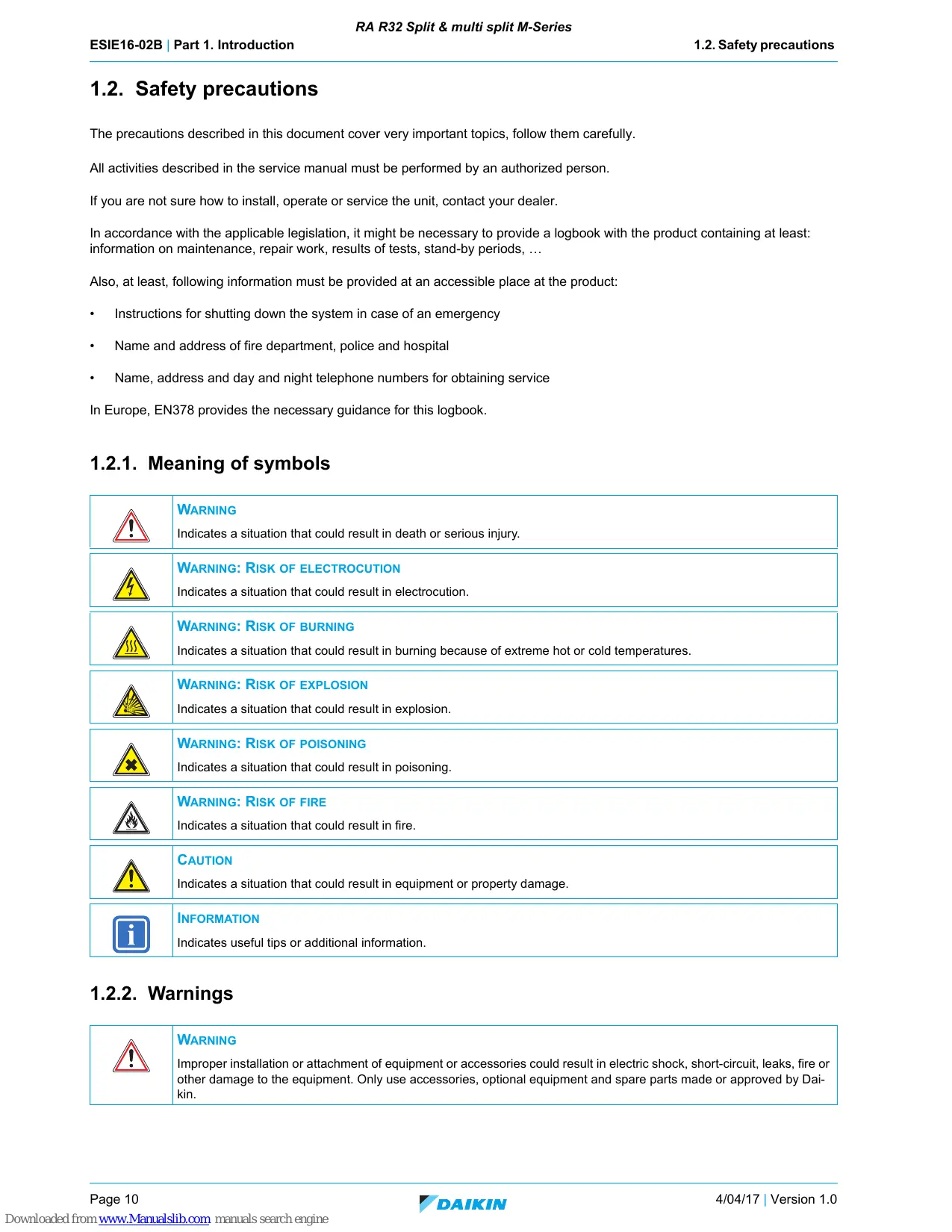
Manual also applicable for MXM-N 04/04/2017 4/04/17 | Version 1.0 Downloaded from www.Manualslib.com manuals search engine Page 9 RA R32 Split & multi split M-Series ESIE16-02B | Part 1. Introduction 1.2. Safety precautions 1.2. Safety precautions The precautions described in this document cover very important topics, follow them carefully. All activities described in the service manual must be performed by an authorized person. If you are not sure how to install, operate or service the unit, contact your dealer. In accordance with the applicable legislation, it might be necessary to provide a logbook with the product containing at least: information on maintenance, repair work, results of tests, stand-by periods, … Also, at least, following information must be provided at an accessible place at the product:
Instructions for shutting down the system in case of an emergency
Name and address of fire department, police and hospital
Name, address and day and night telephone numbers for obtaining service In Europe, EN378 provides the necessary guidance for this logbook.
1.2.1. Meaning of symbols
WARNING Indicates a situation that could result in death or serious injury.
WARNING: RISK OF ELECTROCUTION
Indicates a situation that could result in electrocution.
WARNING: RISK OF BURNING
Indicates a situation that could result in burning because of extreme hot or cold temperatures.
WARNING: RISK OF EXPLOSION
Indicates a situation that could result in explosion.
WARNING: RISK OF POISONING
Indicates a situation that could result in poisoning.
WARNING: RISK OF FIRE
Indicates a situation that could result in fire. CAUTION Indicates a situation that could result in equipment or property damage. INFORMATION Indicates useful tips or additional information.
WARNING Improper installation or attachment of equipment or accessories could result in electric shock, short-circuit, leaks, fire or other damage to the equipment. Only use accessories, optional equipment and spare parts made or approved by Daikin. Page 10 Downloaded from www.Manualslib.com manuals search engine 4/04/17 | Version 1.0 RA R32 Split & multi split M-Series ESIE16-02B | Part 1. Introduction 1.2. Safety precautions WARNING Make sure installation, testing and applied materials comply with applicable legislation (on top of the instructions described in the Daikin documentation). WARNING Make sure the work site environment is clean and safe to work in. Beware of spilled fluids, like water, oil or other substances. Protect bystanders from injury and property from possible damage cause by service works. WARNING Wear adequate personal protective equipment (protective gloves, safety glasses,…) when installing, maintaining or servicing the system. WARNING Tear apart and throw away plastic packaging bags so that nobody, especially children, can play with them. Possible risk: suffocation. WARNING Do NOT touch the air inlet or aluminium fins of the unit. WARNING
Do NOT place any objects or equipment on top of the unit. Do NOT sit, climb or stand on the unit. WARNING During tests, NEVER pressurize the product with a pressure higher than the maximum allowable pressure (as indicated on the nameplate of the unit). WARNING
Never mix different refrigerants or allow air to enter the refrigerant system. Never charge recovered refrigerant from another unit. Use recovered refrigerant only on the same unit where it was recovered from, or have it recycled at a certified facility.
WARNING: RISK OF FIRE
When reconnecting a connector to the PCB, do not apply force or damage the connector or the connector pins on the PCB.
Do NOT touch the refrigerant piping, water piping or internal parts during and immediately after operation. It could be too hot or too cold. Give it time to return to normal temperature. If you must touch it, wear protective gloves. Do NOT touch any accidental leaking refrigerant. WARNING Always recover the refrigerants. Do NOT release them directly into the environment. Use a recovery pump to evacuate the installation. Take sufficient precautions in case of refrigerant leakage. If refrigerant gas leaks, ventilate the area immediately. Possible risks:
Excessive refrigerant concentrations in a closed room can lead to oxygen deficiency. Toxic gas may be produced if refrigerant gas comes into contact with fire. Where applicable, pump down the system and close the service valve, before leaving the site if leak was not repaired, to avoid further leaking of the refrigerant.
Turn OFF all power supply before removing the switch box cover, connecting electrical wiring or touching electrical parts. Where applicable, stop the equipment's operation first and allow (refrigerant) pressure to equalize, before turning OFF the power. Disconnect the power supply for more than 1 minute, and measure the voltage at the terminals of main circuit capacitors or electrical components before servicing. The voltage must be less than 50 V DC before you can touch electrical components. For the location of the terminals, refer to "Wiring diagram" on page 98. Do NOT touch electrical components with wet hands. Do NOT leave the unit unattended when the service cover is removed. Protect electric components from getting wet while the service cover is opened. 4/04/17 | Version 1.0 Downloaded from www.Manualslib.com manuals search engine Page 11 RA R32 Split & multi split M-Series ESIE16-02B | Part 1. Introduction 1.2. Safety precautions WARNING
Only use copper wires. All field wiring must be performed in accordance with the wiring diagram and installation manual supplied with the product. If the power cable and lead wires have scratches or deteriorated, be sure to replace them. Damaged cable and wires may cause an electrical shock, excessive heat generation or fire. Secure all terminal connections and provide proper routing for cables, both inside and outside the switchbox. NEVER squeeze bundled cables and make sure they do not come in contact with the piping and sharp edges. Make sure no external pressure is applied to the terminal connections. Make sure to check the earth wiring. Do NOT earth the unit to a utility pipe, surge absorber, or telephone earth. Improper earth wiring may cause electrical shock. Make sure to use a dedicated power circuit. NEVER use a power supply shared by another appliance. Make sure to check the required fuses and/or circuit breakers before starting works. WARNING
After finishing the electrical work, confirm that each electrical component and terminal inside the electrical components box is connected securely. Make sure all covers are closed before starting the unit again.
CAUTION Provide adequate measures to prevent that the unit can be used as a shelter by small animals. Small animals that make contact with electrical parts can cause malfunctions, smoke or fire. CAUTION
Make sure water quality complies with EU directive 98/83 EC. Check the system for leaks after each repair/modification of the water side. Check drainage system(s) after repairs. Be careful when tilting units as water may leak.
INFORMATION Make sure refrigerant piping installation complies with applicable legislation. In Europe, EN378 is the applicable standard. INFORMATION Make sure the field piping and connections are not subjected to stress. Page 12 Downloaded from www.Manualslib.com manuals search engine 4/04/17 | Version 1.0 RA R32 Split & multi split M-Series ESIE16-02B | Part 1. Introduction 1.3. General operation 1.3. General operation
These split units are used for comfort cooling and are equipped with an inverter.
The rotation speed rps (= rotation per second) of the inverter driven compressor, modulated by the inverter, can be varied according the required capacity in the room.
The compressor capacity step is changed in order to reach target compression ratio. The target compression ratio is calculated from deviation between actual and target condensation and evaporation temperature.
Tc (condensing temperature) is used in heating mode.
Te (evaporation temperature) is used if any indoor unit operates in cooling mode.
The evaporating temperature in the heat exchanger is controlled by the electronic expansion valve.
When indoor unit is selecting heating mode, discharge gas is supplied by the outdoor unit to the indoor unit.
When indoor unit is selecting cooling mode, liquid refrigerant is supplied by the outdoor unit to the indoor unit.
4. Outdoor heat exchanger
2. Indoor heat exchanger
This Daikin product Service Manual is intended for professional use only. The actions described hereafter, are only to be performed by qualified and certified persons, taking into account the safety precautions mentioned in this manual and the local regulations as well. By following the diagram below, the reader can find the relevant information related to his/her task. The digital (pdf) version of this book allows direct page access through all active links. When Adobe Acrobat Reader is used, the <Alt> + <Back Arrow> keys or the arrow in the top right-hand corner of this page can be used to return to the previously viewed page.
Is this this your 1st encounter this particular unit? with th
YES General operation
What Wha hat do d you need to do?
Refer to: Installation Manual
This Daikin product Service Manual is intended for professional use only. The actions described hereafter, are only to be performed by qualified and certified persons, taking into account the safety precautions mentioned in this manual and the local regulations as well. As can be observed from the Table of Contents, this manual is split up into several chapters:
1.4.2.1. The introduction chapter
The chapter "Introduction" on page 9 includes the safety precautions, this topic and the general operation description of the product(s) this manual refers to.
1.4.2.2. The troubleshooting chapter
The chapter "Troubleshooting" on page 17 not only deals with the methods to recognize and resolve occurring error codes; it also describes the methods how to solve a problem that does not immediately trigger an error code. Such problems are referred to as 'symptom based'. Both the error code based and symptom based troubleshooting tables, indicate possible causes, the necessary checks and in case required, how to repair. The possible causes have been sorted to probability of occurrence and speed of execution.
1.4.2.3. The repair chapter
The chapter "Repair" on page 61 handles the removal and replacement of the major components in the product and discusses cleaning methods as well if applicable, such as for filters. Where applicable, refrigerant handling precautions are mentioned for certain actions; please consider these carefully for your own safety.
1.4.2.4. The maintenance chapter
The chapter "Maintenance" on page 89 of this manual describes the maintenance intervals and procedures to be performed on the product. Remember that a well maintained product, is a more reliable and efficient product.
Finally, the service manual provides in chapter "Appendix" on page 91 valuable reference data such as piping/wiring diagrams, field settings overview and a checklist to be filled in when you need to escalate an issue to your dealer.
1.4.3. Contact information
This manual has been made with much care and effort. Use it in your daily jobs, as it has been made for you. Despite our efforts, there is always a chance some cleric or other mistake has been made during the creation of this manual. We kindly ask you to send the found mistakes, or remarks for improvement, to the no-reply email address servicemanual@daikineurope.com. 4/04/17 | Version 1.0 Downloaded from www.Manualslib.com manuals search engine Page 15 RA R32 Split & multi split M-Series ESIE16-02B | Part 1. Introduction Page 16 Downloaded from www.Manualslib.com manuals search engine 1.4. How to use 4/04/17 | Version 1.0 RA R32 Split & multi split M-Series ESIE16-02B | Part 2. Troubleshooting 2.1. Error codes check
If operation stops due to malfunction, the remote controller’s operation LED blinks, and malfunction code is displayed. (Even if stop operation is carried out, malfunction contents are displayed when inspection mode is entered.) The malfunction code enables you to tell what kind of malfunction caused operation to stop.
2.1.1.2. How to reset error codes
When the problem is solved, you can reset the error by pushing the ON/OFF-button.
- MAY NOT BE APPLICABLE DEPENDING ON THE MODEL LED
DIAGNOSIS normal -> check indoor unit high pressure protector activated or freeze-up in operating unit, or stand-by unit overload relay activated or high discharge pipe temperature faulty compressor start input overcurrent thermistor or ct abnormality high temperature switchbox high temperature at inverter circuit heatsink output overcurrent refrigerant shortage low voltage to main circuit or over voltage to main circuit reversing solenoid valve switching failure. * or high pressure switching failure faulty outdoor unit pcb fan motor fault wiring error check unfinished
power supply fault Note 1: Turn the power off and on again Figure 2-1: Service display location
1. Service monitor LEDs
2.1.2.2. How to reset error codes
When the problem is solved, perform a power reset Page 18 Downloaded from www.Manualslib.com manuals search engine 4/04/17 | Version 1.1 RA R32 Split & multi split M-Series ESIE16-02B | Part 2. Troubleshooting 2.1. Error codes check
Trigger Effect Reset The system cannot set the internal settings Unit will stop operating. Power reset via outdoor unit. Possible cause Check Corrective action Wrong models interconnected Check if unit combination is official. Install compatible models. Faulty wiring. Check the connection of all terminals by disconnecting and reconnecting all terminals. Replace wire harness/terminal when connection is not OK. Faulty or disturbance of the power supply (imbalance > 10%). Power drop. Short circuit. Check if the power supply is conform with regulations. No fluctuations in frequency. Adjust power supply when required. Power reset via outdoor unit. Faulty indoor PCB. Check if error still occurs after turning off power and turning it back on again. Adjust power to the indoor PCB. Refer to ‘Combination database’. Check if the indoor PCB receives power. Replace indoor PCB when HAP LED is not blinking in regular intervals. Check if the HAP LED is blinking in regular intervals. Install correct spare part or update indoor PCB. Check if the correct spare part is installed. Adjust wiring to indoor PCB when required. Check the wiring to indoor PCB.
2.2.1.2. “A1-01” – PCB abnormality
Trigger Effect Reset The system cannot set the internal settings Unit will stop operating. Power reset via outdoor unit. Possible cause Check Corrective action Wrong models interconnected Check if unit combination is official. Install compatible models. Refer to ‘Combination database’. Faulty wiring. Check the connection of all terminals by disconnecting and reconnecting all terminals. Replace wire harness/terminal when connection is not OK. Faulty or disturbance of the power supply (imbalance > 10%). Power drop. Short circuit. Check if the power supply is conform with regulations. No fluctuations in frequency. Adjust power supply when required. Power reset via outdoor unit. Faulty indoor PCB. Check if error still occurs after turning off power and turning it back on again. Adjust power to the indoor PCB. Check if the indoor PCB receives power. Replace indoor PCB when HAP LED is not blinking in regular intervals. Check if the HAP LED is blinking in regular intervals. Install correct spare part or update indoor PCB. Check if the correct spare part is installed. Adjust wiring to indoor PCB when required. Check the wiring to indoor PCB. 4/04/17 | Version 1.1 Downloaded from www.Manualslib.com manuals search engine Page 21 RA R32 Split & multi split M-Series ESIE16-02B | Part 2. Troubleshooting 2.2. Error based troubleshooting
2.2.1.3. “A5-00” – Freeze-up protection / Heating peak cut control
Unit will stop operating. Automatic reset when temperature is within range. Possible cause Check Corrective action Air short-circuit. Check if the airflow around the unit is OK and there are no obstructions. Remove obstruction. Clogged air filter. Check if the air filter is clogged. Clean the air filter. Dust accumulation on indoor heat exchanger. Check if indoor heat exchanger is dirty/dusty. Clean the indoor heat exchanger. Faulty indoor heat exchanger thermistor. Check indoor heat exchanger thermistor. Replace indoor heat exchanger thermistor when required. Faulty indoor PCB. Check if error still occurs after turning off power and turning it back on again. Adjust power to the indoor PCB.
during cooling operation, indoor heat exchanger temperature is below 0°C (freeze-up protection control). during heating operation, indoor heat exchanger is above 65°C (heating peak-cut control). Check if the indoor PCB receives power. Replace indoor PCB when HAP LED is not blinking in regular intervals. Check if the HAP LED is blinking in regular intervals. Install correct spare part or update indoor PCB. Check if the correct spare part is installed. Adjust wiring to indoor PCB when required. Check the wiring to indoor PCB.
2.2.1.4. “A6-00” – Fan motor abnormality
Trigger Effect Reset The rotation speed of the fan motor is not detected while the output voltage to the fan is at its maximum. Unit will stop operating. Power reset via outdoor unit. Possible cause Check Corrective action Faulty indoor PCB. Check if error still occurs after turning off power and turning it back on again. Adjust power to the indoor PCB. Faulty indoor fan motor. Indoor fan motor locked. Check if the indoor PCB receives power. Replace indoor PCB when HAP LED is not blinking in regular intervals. Check if the HAP LED is blinking in regular intervals. Install correct spare part or update indoor PCB. Check if the correct spare part is installed. Check the wiring to indoor PCB. Adjust wiring to indoor PCB when required. Check the fan motor. Replace fan motor when required. Check fan motor connections and wiring. Adjust wiring when required. Switch of the power. Replace fan motor when the fan does not turn smoothly. Turn fan manually. More info: Check procedures Replacing procedures "Fan motor" on page 44 Page 22 Downloaded from www.Manualslib.com manuals search engine 4/04/17 | Version 1.1 RA R32 Split & multi split M-Series ESIE16-02B | Part 2. Troubleshooting 2.2. Error based troubleshooting
2.2.1.5. “C4-00” – Liquid pipe thermistor for heat exchanger abnormality
Trigger Effect Reset Thermistor input is > 4.96 V or < 0.04 V during compressor operation. Unit will stop operating. Power reset via outdoor unit. Possible cause Check Corrective action Faulty liquid pipe thermistor. Check liquid pipe thermistor. Replace liquid pipe thermistor when required. Faulty indoor unit main PCB. Check if error still occurs after turning off power and turning it back on again. Adjust the power to the indoor main PCB. Check if the indoor PCB receives power. Replace indoor main PCB when HAP LED is not blinking in regular intervals. Check if the HAP LED is blinking in regular intervals. Check if the correct spare part is installed. Check the wiring to indoor PCB. More info: Check procedures Replacing procedures "Refrigerant thermistors" on page 56
2.2.1.6. “C7-00” – Front panel open/close fault
Trigger Effect Reset Shutter limit switch not activated or faulty. Unit will stop operating when error occurs 2 times. Power reset via outdoor unit. Possible cause Check Corrective action Foreign substance in the blow port. Check blow port for foreign material. Remove foreign material when required. Faulty shutter limit switch. Check the limit switch continuity. Replace the limit switch when continuity is not good. Faulty wire harness. Check the wire harness wiring. Reconnect wire harness when required. Check the wire harness connection. Perform a power reset, if shutter valve does not close after power reset, replace wire harness. Faulty shutter motor. Check if motor operates after opening the shutter and power reset. Replace indoor unit main PCB when required. Faulty shutter sealing. Check if shutter goes back open automatically after closing. Replace sealing material when required. Shutter is deformed. Check if the error is still active after closing the shutter. Replace shutter panel when required.
2.2.1.7. “C9-00” – Suction air thermistor abnormality
Trigger Effect Reset Resistance value is out of range. Unit will stop operating. Automatic reset when resistance is within range. T measured < -43.6°C or > 90°C. 4/04/17 | Version 1.1 Downloaded from www.Manualslib.com manuals search engine Page 23 RA R32 Split & multi split M-Series ESIE16-02B | Part 2. Troubleshooting 2.2. Error based troubleshooting Possible cause Check Corrective action Faulty suction air thermistor. Check suction air thermistor. Replace suction air thermistor when required. Faulty indoor PCB. Check if error still occurs after turning off power and turning it back on again. Adjust power to the indoor PCB. Check if the indoor PCB receives power. Replace indoor PCB when HAP LED is not blinking in regular intervals. Check if the HAP LED is blinking in regular intervals. Install correct spare part or update indoor PCB. Check if the correct spare part is installed. Adjust wiring to indoor PCB when required. Check the wiring to indoor PCB. More info: Check procedures Replacing procedures "Refrigerant thermistors" on page 56
2.2.1.8. “UH-00” – Anti-icing function in other room(s)
Trigger Effect Reset A wrong connection is detected by checking the combination of the indoor and outdoor unit on the CPU Operation halt due to freeze up prevention in other room/unspecified internal or externa voltages/mismatch indoor and outdoor units Auto reset after freeze up prevention is finished. Unit cannot restart before mismatch is removed. Possible cause Check Corrective action Freeze up prevention in other room. Indoor fan is not operating while the error is displayed. See error A5. Mismatch of outdoor-indoor units. Verify connection on combination database. Replace indoor units when required. Unspecified voltages. Check supply voltage. Adjust when required. Page 24 Downloaded from www.Manualslib.com manuals search engine 4/04/17 | Version 1.1 RA R32 Split & multi split M-Series ESIE16-02B | Part 2. Troubleshooting 2.2. Error based troubleshooting
2.2.2.1. “E1-00” – Outdoor unit PCB abnormality
Trigger Effect Outdoor main PCB detects that EEPROM is abnormal. Unit will stop operating. Possible cause Check Corrective action Faulty outdoor unit main PCB. Check if the HAP LED is blinking in regular intervals. Restore the power to the outdoor main PCB. Check if the correct spare part is installed. Replace outdoor main PCB when HAP LED is not blinking in regular intervals. Manual reset via user interface. Power reset via outdoor unit. Check if the outdoor main PCB receives power. Faulty capacity adapter on outdoor main PCB installed. Check if the correct capacity adapter is used. External factor (e.g. electrical noise) (cause when error is reset after power reset, and error happens again after a while). Check for source which could cause electrical interference. Faulty outdoor fan motor. Check the fan motor. Faulty or disturbance of the power supply (imbalance > 10%). Power drop. Short circuit. Reset Replace capacity adapter when required. Replace fan motor when required. Check fan motor connections and wiring. Adjust wiring when required. Check if the power supply is conform with regulations. No fluctuations in frequency. Adjust power supply when required. Power reset via outdoor unit.
2.2.2.2. “E3-00” – Discharge pressure abnormality
Trigger Effect Reset Discharge pressure above 4.15 MPa. Unit will stop operating. Automatic reset when high pressure drops below 3.2 MPa. Possible cause Check Corrective action Stop valve is closed. Check stop valve. Open stop valve when required. Blocked heat exchangers. Are the heat exchangers clean? Clean heat exchangers. Insufficient airflow. Are the fans operating? Repair fan. Non condensables in refrigerant. Check for non condensables in refrigerant. In case of suspicion of non condensables, recover, vacuum and recharge with virgin refrigerant. Disconnected HPS wire harness terminal on the PCB. Verify connection wire harness terminal on PCB. Reconnect the terminal. Disconnected HPS wire harness terminal on the HPS. Verify connection wire harness terminal on HPS. Reconnect the terminal(s). Defective outdoor PCB. Verify resistance of the wire harness terminal on the outdoor PCB. If nearly 0 Ohm, replace outdoor PCB. Broken high pressure sensor wire harness. Verify resistance of the wire harness. If resistance = infinity, replace wire harness. Defective high pressure switch. Check the resistance of the high pressure switch. If resistance = infinity, replace high pressure switch. 4/04/17 | Version 1.1 Downloaded from www.Manualslib.com manuals search engine Page 25 RA R32 Split & multi split M-Series ESIE16-02B | Part 2. Troubleshooting 2.2. Error based troubleshooting
2.2.2.3. “E5-00” – Compressor motor lock or overheated
Trigger Effect Reset Compressor overload is detected. Unit will stop operating. Automatic reset if the unit runs for 60 seconds without error. Possible cause Check Corrective action Faulty discharge pipe thermistor. Check discharge pipe thermistor. Replace discharge pipe thermistor when required. Faulty outdoor fan motor. Faulty overload protection. Check the fan motor. Replace fan motor when required. Check fan motor connections and wiring. Adjust wiring when required. Check the overload protection. Replace the overload protection when required. Check the overload protection connections and wiring. Adjust wiring when required. Faulty expansion valve. Check the expansion valve. Replace the expansion valve body or motor when required. Faulty 4-way valve. Check the 4-way valve. Replace the 4-way valve coil or body when required. Faulty outdoor unit main PCB. Check if the HAP LED is blinking in regular intervals. Restore the power to the outdoor main PCB. Check if the correct spare part is installed. Replace outdoor main PCB when HAP LED is not blinking in regular intervals. Check if the outdoor main PCB receives power. Faulty power module = faulty outdoor inverter PCB. Check outdoor inverter PCB. Check if the HAP LED is blinking in regular intervals. Restore the power to the outdoor inverter PCB. Check if the correct spare part is installed. Replace the outdoor inverter PCB when required. Refrigerant shortage. Check for refrigerant shortage. Refer to the nameplate for the correct charge. Charge the correct refrigerant amount when required. Humidity in refrigerant (ice formation in expansion valve). Check for humidity in the refrigerant. In case of suspicion of humidity, recover, vacuum and recharge with virgin refrigerant. Non condensables in refrigerant. Check for non condensables in refrigerant. In case of suspicion of non condensables, recover, vacuum and recharge with virgin refrigerant. Stop valve is closed. Check stop valve. Open stop valve when required.
2.2.2.4. “E6-00” – Compressor motor lock
Trigger Effect Reset The motor rotor does not rotate when the compressor is energized. Unit will not stop operating. Automatic reset after a continuous run for about 10 min. Unit will stop operating. Manual reset via user interface. Possible cause Check Corrective action Faulty discharge thermistor. Check the discharge thermistor. Replace discharge thermistor when required. Refrigerant shortage. Check for refrigerant shortage. Refer to the nameplate for the correct charge. Charge the correct refrigerant amount when required. Humidity in refrigerant (ice formation in expansion valve). Check for humidity in the refrigerant. In case of suspicion of humidity, recover, vacuum and recharge with virgin refrigerant. Page 26 Downloaded from www.Manualslib.com manuals search engine 4/04/17 | Version 1.1 RA R32 Split & multi split M-Series ESIE16-02B | Part 2. Troubleshooting 2.2. Error based troubleshooting Possible cause Check Corrective action Non condensables in refrigerant. Check for non condensables in refrigerant. In case of suspicion of non condensables, recover, vacuum and recharge with virgin refrigerant. Stop valve is closed. Check stop valve. Open stop valve when required. Refrigerant circuit is clogged (HP - LP > 0,26 MPa). Check for possible blockage (blockages can be checked by measuring the refrigerant/pipe temperature. Sudden drop in temperature could indicate a blockage (remark: this is not valid for the expansion valve)). Replace the blocked part. Faulty compressor. Check compressor. Replace compressor when required. Check connections and wiring of the compressor. Investigate reason of breakdown. Check expansion valve (liquid back issue). Fix possible leak. Replace expansion valve when required. Check the refrigerant charge. Refer to the nameplate for correct charge. Compressor turned off too fast. Faulty outdoor unit main PCB. Wait for guard timer. Check if the HAP LED is blinking in regular intervals. Restore the power to the outdoor main PCB. Check if the correct spare part is installed. Replace outdoor main PCB when HAP LED is not blinking in regular intervals. Check if the outdoor main PCB receives power. Faulty outdoor inverter PCB. Check outdoor inverter PCB. Check if the HAP LED is blinking in regular intervals. Check if the correct spare part is installed. Restore the power to the outdoor inverter PCB. Replace the outdoor inverter PCB when required. Faulty 4-way valve. Check the 4-way valve. Replace the 4-way valve coil or body when required. Faulty expansion valve. Check the expansion valve. Replace the expansion valve body or motor when required.
2.2.2.5. “E7-00” – Fan motor abnormality
Trigger Effect Reset Fan does not start in about 15~30 seconds = fan motor lock. Unit will not stop operating. Automatic reset after a continuous run. Unit will stop operating. Manual reset via user interface. Possible cause Check Corrective action Faulty outdoor fan motor. Check the fan motor. Replace fan motor when required. Check fan motor connections and wiring. Adjust wiring when required. Check outdoor inverter PCB. Restore the power to the outdoor inverter PCB. It can occur that E7-00 error is triggered even when the fan motor is running caused by a faulty hall signal. Faulty outdoor inverter PCB. Check if the HAP LED is blinking in regular intervals. Blown fuse. 4/04/17 | Version 1.1 Downloaded from www.Manualslib.com manuals search engine Check if the correct spare part is installed. Replace the outdoor inverter PCB when required. Check the fuse on the outdoor unit PCB's. Replace fuse when required. Page 27 RA R32 Split & multi split M-Series ESIE16-02B | Part 2. Troubleshooting 2.2. Error based troubleshooting
2.2.2.6. “E8-00” – Compressor overcurrent detection
Trigger Effect Reset When the compressor is running the current exceeds 9.25 A ~ 20 A (depending on the unit) for 2.5 seconds. Unit will stop operating. Manual reset via user interface. Possible cause Check Corrective action Outdoor temperature is out of operation range. Check the outdoor temperature. Wait until the temperature is within operation range. Faulty compressor. Check compressor. Replace compressor when required. Check connections and wiring of the compressor. Investigate reason of breakdown. Check expansion valve (liquid back issue). Fix possible leak. Replace expansion valve when required. Check the refrigerant charge. Refer to the nameplate for correct charge. Faulty power module. Check outdoor inverter PCB. = Faulty inverter PCB. Check if the HAP LED is blinking in regular intervals. Faulty or disturbance of the power supply (imbalance > 10%). Power drop. Short circuit. Restore the power to the outdoor inverter PCB. Check if the correct spare part is installed. Replace the outdoor inverter PCB when required. Check if the power supply is conform with regulations. No fluctuations in frequency. Adjust power supply when required. Power reset via outdoor unit.
2.2.2.7. “EA-00” – 4-way valve abnormality
Trigger Effect Reset The room thermistor / indoor heat exchanger are not functioning within operation range. Unit will not stop operating. Automatic reset when unit runs without error for 60 minutes. Unit will stop operating. Manual reset via user interface. Possible cause Check Corrective action Faulty 4-way valve coil. Check 4-way valve coil. Replace 4-way valve coil when required. Faulty 4-way valve body, blocked. Check 4-way valve body. Replace 4-way valve body when required. Faulty outdoor unit main PCB. Check if the HAP LED is blinking in regular intervals. Restore the power to the outdoor main PCB. Check if the correct spare part is installed. Replace outdoor main PCB when HAP LED is not blinking in regular intervals. Check if the outdoor main PCB receives power. Faulty room thermistor. Check room thermistor. Replace room thermistor when required. Faulty indoor heat exchanger thermistor. Check indoor heat exchanger thermistor. Replace indoor heat exchanger thermistor when required. Refrigerant shortage. Check for refrigerant shortage. Refer to the nameplate for the correct charge. Charge the correct refrigerant amount when required. Humidity in refrigerant (ice formation in expansion valve). Check for humidity in the refrigerant. In case of suspicion of humidity, recover, vacuum and recharge with virgin refrigerant. Non condensables in refrigerant. Check for non condensables in refrigerant. In case of suspicion of non condensables, recover, vacuum and recharge with virgin refrigerant. Stop valve is closed. Check stop valve. Open stop valve when required. Faulty stop valve. Check the stop valve. Replace the stop valve when required. Page 28 Downloaded from www.Manualslib.com manuals search engine 4/04/17 | Version 1.1 RA R32 Split & multi split M-Series ESIE16-02B | Part 2. Troubleshooting 2.2. Error based troubleshooting
2.2.2.8. “F3-00” – Discharge pipe temperature abnormality
Trigger Effect Reset Discharge temperature is too high: Unit will not stop operating. Automatic reset when temperature drops below C°C. Unit will stop operating. Manual reset via remote controller. Possible cause Check Corrective action Refrigerant shortage. Check for refrigerant shortage. Refer to the nameplate for the correct charge. Charge the correct refrigerant amount when required. Humidity in refrigerant (ice formation in expansion valve). Check for humidity in the refrigerant. In case of suspicion of humidity, recover, vacuum and recharge with virgin refrigerant. Non condensables in refrigerant. Check for non condensables in refrigerant. In case of suspicion of non condensables, recover, vacuum and recharge with virgin refrigerant. Stop valve is closed. Check if stop valve is open. Open stop valve when required. Faulty 4-way valve. Check the 4-way valve. Replace the 4-way valve coil or body when required. Faulty expansion valve. Check the expansion valve. Replace the expansion valve body or motor when required. Faulty outdoor unit main PCB. Check if the HAP LED is blinking in regular intervals. Restore the power to the outdoor main PCB. Check if the correct spare part is installed. Replace outdoor main PCB when HAP LED is not blinking in regular intervals.
If the discharge temperature detected is above A°C, 10 times within 200 min. If within 200 min the discharge temperature detected is 10 times above B°C for 15 min. Check if the outdoor main PCB receives power. Faulty discharge thermistor. Check discharge thermistor. Replace discharge thermistor when required. Faulty heat exchanger thermistor. Check heat exchanger thermistor. Replace heat exchanger thermistor when required. Faulty outdoor temperature thermistor. Check outdoor temperature thermistor. Replace outdoor temperature thermistor when required.
2.2.2.9. “F6-00” – High pressure abnormality or refrigerant overcharge
Trigger Effect Reset Outdoor heat exchanger thermistor measures temperature > 60°C~65°C (depending on model). Unit will not stop operating. Automatic reset when temperature drops below 50°C. Possible cause Check Corrective action Installation space is too small. Check if the installation space is in line with regulations. Adjust installation space. Dirty outdoor heat exchanger. Faulty outdoor fan motor. Clean the outdoor heat exchanger. Check the fan motor. Replace fan motor when required. Check fan motor connections and wiring. Adjust wiring when required. Faulty stop valve. Check the stop valve. Replace the stop valve when required. Faulty heat exchanger thermistor. Check heat exchanger thermistor. Replace heat exchanger thermistor when required. Faulty expansion valve. Check the expansion valve. Replace the expansion valve body or motor when required. 4/04/17 | Version 1.1 Downloaded from www.Manualslib.com manuals search engine Page 29 RA R32 Split & multi split M-Series ESIE16-02B | Part 2. Troubleshooting 2.2. Error based troubleshooting Possible cause Check Corrective action Faulty outdoor unit main PCB. Check if the HAP LED is blinking in regular intervals. Restore the power to the outdoor main PCB. Check if the correct spare part is installed. Replace outdoor main PCB when HAP LED is not blinking in regular intervals. Check if the outdoor main PCB receives power.
2.2.2.10. “H0-00” – Compressor sensor system abnormality
Trigger Effect Reset DC voltage before compressor start-up is out of range (0.5~4.5 V). Unit will stop operating. Manual reset via user interface. DC voltage before compressor start-up is below 50 V. Unit will stop operating. Manual reset via user interface. Possible cause Check Corrective action Faulty outdoor unit main PCB. Check if the HAP LED is blinking in regular intervals. Restore the power to the outdoor main PCB. Check if the correct spare part is installed. Replace outdoor main PCB when HAP LED is not blinking in regular intervals. Check if the outdoor main PCB receives power. Faulty outdoor inverter PCB. Check outdoor inverter PCB. Check if the HAP LED is blinking in regular intervals. Restore the power to the outdoor inverter PCB. Check if the correct spare part is installed. Replace the outdoor inverter PCB when required. Faulty connection or wiring of the PCB's. Check the connections and the wiring of the PCB’s. Adjust connection or wiring when required. Faulty or disturbance of the power supply (imbalance > 10%). Power drop. Short circuit. Check if the power supply is conform with regulations. No fluctuations in frequency. Adjust power supply when required. Power reset via outdoor unit.
2.2.2.11. “H6-00” – Position detection sensor abnormality
Trigger Effect Reset Compressor fails to start within 15 seconds after the compressor run command signal is sent. Unit will not stop operating. Automatic reset after a continuous run of 10 minutes. Unit will stop operating if the warning occurs 8 times. Manual reset via remote controller. Possible cause Check Corrective action Faulty compressor. Check compressor. Replace compressor when required. Check connections and wiring of the compressor. Investigate reason of breakdown. Check expansion valve (liquid back issue). Fix possible leak. Replace expansion valve when required. Check the refrigerant charge. Refer to the nameplate for correct charge. Faulty outdoor unit main PCB. Check if the HAP LED is blinking in regular intervals. Restore the power to the outdoor main PCB. Check if the correct spare part is installed. Replace outdoor main PCB when HAP LED is not blinking in regular intervals. Check if the outdoor main PCB receives power. Page 30 Downloaded from www.Manualslib.com manuals search engine 4/04/17 | Version 1.1 RA R32 Split & multi split M-Series ESIE16-02B | Part 2. Troubleshooting 2.2. Error based troubleshooting Possible cause Check Corrective action Faulty outdoor inverter PCB. Check outdoor inverter PCB. Restore the power to the outdoor inverter PCB. Check if the HAP LED is blinking in regular intervals. Check if the correct spare part is installed. Replace the outdoor inverter PCB when required. Stop valve is closed. Check stop valve. Open stop valve when required. Faulty or disturbance of the power supply (imbalance > 10%). Power drop. Short circuit. Check if the power supply is conform with regulations. No fluctuations in frequency. Adjust power supply when required. Power reset via outdoor unit.
2.2.2.12. “H8-00” – Compressor input (CT) system abnormality
Trigger Effect Reset DC voltage or DC current sensor abnormality based on the compressor running frequency and the input current. Unit will not stop operating. Automatic reset when compressor runs normally for 60 minutes. Unit will stop operating if the warning occurs several times. Manual reset via user interface. Possible cause Check Corrective action Faulty outdoor unit main PCB. Check if the HAP LED is blinking in regular intervals. Restore the power to the outdoor main PCB. Check if the correct spare part is installed. Replace outdoor main PCB when HAP LED is not blinking in regular intervals. Check if the outdoor main PCB receives power. Faulty power module. Check outdoor inverter PCB. Input current or compressor current too low. Check if the HAP LED is blinking in regular intervals. Restore the power to the outdoor inverter PCB. Faulty outdoor inverter PCB. Check if the correct spare part is installed. Replace the outdoor inverter PCB when required. Faulty compressor. Check compressor. Replace compressor when required. Check connections and wiring of the compressor. Investigate reason of breakdown. Check expansion valve (liquid back issue). Fix possible leak. Replace expansion valve when required. Check the refrigerant charge. Refer to the nameplate for correct charge. Faulty reactor. Check reactor. Replace reactor when required.
2.2.2.13. “H9-00” – Outdoor air temperature thermistor abnormality
Trigger Effect Reset Thermistor input voltage is > 4.96 V or < 0.04 V when power is on. Unit will stop operating. Manual reset via user interface. Possible cause Check Corrective action Faulty outdoor air temperature thermistor. Check outdoor temperature thermistor. Replace outdoor temperature thermistor when required. Faulty outdoor unit main PCB. Check if the HAP LED is blinking in regular intervals. Restore the power to the outdoor main PCB. Check if the correct spare part is installed. Replace outdoor main PCB when HAP LED is not blinking in regular intervals. Check if the outdoor main PCB receives power. 4/04/17 | Version 1.1 Downloaded from www.Manualslib.com manuals search engine Page 31 RA R32 Split & multi split M-Series ESIE16-02B | Part 2. Troubleshooting 2.2. Error based troubleshooting
2.2.2.14. “J3-00” – Discharge pipe thermistor abnormality
Trigger Effect Reset Thermistor input voltage is > 4.96 V or < 0.04 V when power is on. Unit will stop operating. Manual reset via user interface. Possible cause Check Corrective action Faulty discharge pipe thermistor. Check discharge pipe thermistor. Replace discharge pipe thermistor when required. Faulty outdoor unit main PCB. Check if the HAP LED is blinking in regular intervals. Restore the power to the outdoor main PCB. Check if the correct spare part is installed. Replace outdoor main PCB when HAP LED is not blinking in regular intervals. Discharge pipe temperature is lower than the heat exchanger temperature. Check if the outdoor main PCB receives power.
2.2.2.15. “J5-00” – Suction pipe thermistor abnormality
Trigger Effect Reset Suction pipe thermistor detects an abnormal value (open or short circuit). Unit will stop operating. Automatic reset. Possible cause Check Corrective action Faulty outdoor unit main PCB. Check if the HAP LED is blinking in regular intervals. Adjust the power to the outdoor main PCB. Check if the correct spare part is installed. Replace outdoor main PCB when HAP LED is not blinking in regular intervals. Check if the outdoor main PCB receives power. Faulty suction pipe thermistor. Faulty capacity adapter on outdoor PCB. Check suction pipe thermistor. Replace suction pipe thermistor when required. Check if the correct adapter is installed. Adjust capacity adapter when required. Check if the correct spare part is installed.
2.2.2.16. “J6-00” – Outdoor heat exchanger thermistor abnormality
Trigger Effect Reset Thermistor input voltage is > 4.96 V or < 0.04 V when power is on. Unit will stop operating. Manual reset via user interface. Possible cause Check Corrective action Faulty heat exchanger thermistor. Check heat exchanger thermistor. Replace heat exchanger thermistor when required. Faulty outdoor unit main PCB. Check if the HAP LED is blinking in regular intervals. Restore the power to the outdoor main PCB. Check if the correct spare part is installed. Replace outdoor main PCB when HAP LED is not blinking in regular intervals. Check if the outdoor main PCB receives power. Page 32 Downloaded from www.Manualslib.com manuals search engine 4/04/17 | Version 1.1 RA R32 Split & multi split M-Series ESIE16-02B | Part 2. Troubleshooting 2.2. Error based troubleshooting More info: Check procedures Replacing procedures "Refrigerant thermistors" on page 56 "Replacing thermistors" on page 87 "Main PCB" on page 53 "Replacing main PCB" on page 84
2.2.2.17. “J8-00” – Liquid pipe thermistor abnormality
Trigger Effect Reset Liquid pipe thermistor detects an abnormal value (open or short circuit). Unit will stop operating. Automatic reset. Possible cause Check Corrective action Faulty outdoor unit main PCB. Check if the HAP LED is blinking in regular intervals. Adjust the power to the outdoor main PCB. Check if the correct spare part is installed. Replace outdoor main PCB when HAP LED is not blinking in regular intervals. Check if the outdoor main PCB receives power. Faulty liquid pipe thermistor. Check liquid pipe thermistor. Replace liquid pipe thermistor when required. Faulty capacity adapter on outdoor PCB. Check if the correct adapter is installed. Adjust capacity adapter when required. Check if the correct spare part is installed. More info: Check procedures Replacing procedures "Main PCB" on page 53 "Replacing main PCB" on page 84 "Refrigerant thermistors" on page 56 "Replacing thermistors" on page 87
2.2.2.18. “J9-00” – Gas pipe thermistor abnormality
Trigger Effect Reset Thermistor input voltage is > 4.96 V or < 0.04 V when power is on. Unit will stop operating. Manual reset via user interface. Possible cause Check Corrective action Faulty discharge pipe thermistor. Check discharge pipe thermistor. Replace discharge pipe thermistor when required. Faulty outdoor unit main PCB. Check if the HAP LED is blinking in regular intervals. Restore the power to the outdoor main PCB. Check if the correct spare part is installed. Replace outdoor main PCB when HAP LED is not blinking in regular intervals. Discharge pipe temperature is lower than the heat exchanger temperature. Check if the outdoor main PCB receives power. More info: Check procedures Replacing procedures "Refrigerant thermistors" on page 56 "Replacing thermistors" on page 87 "Main PCB" on page 53 "Replacing main PCB" on page 84 4/04/17 | Version 1.1 Downloaded from www.Manualslib.com manuals search engine Page 33 RA R32 Split & multi split M-Series ESIE16-02B | Part 2. Troubleshooting 2.2. Error based troubleshooting
2.2.2.19. “L1-00” – Outdoor main PCB abnormality
Trigger Effect Reset Outdoor main PCB detects current/voltage errors. Unit will stop operating. Possible cause Check Blown fuse. Check fuse on outdoor main PCB. Replace fuse if blown. Faulty outdoor unit main PCB. Check if the HAP LED is blinking in regular intervals. Adjust the power to the outdoor main PCB. Check if the correct spare part is installed. Replace outdoor main PCB when HAP LED is not blinking in regular intervals. Corrective action Check if the outdoor main PCB receives power. Faulty outdoor inverter PCB. Manual reset via user interface. Power reset via outdoor unit. Check outdoor inverter PCB. Check if the alive led is blinking in regular intervals. Adjust the power to the outdoor inverter PCB. Replace outdoor inverter PCB. Check if the correct spare part is installed. Faulty compressor. Check compressor. Replace compressor when required. Check connections and wiring of the compressor. Investigate reason of breakdown. Check expansion valve (liquid back issue). Fix possible leak. Replace expansion valve when required. Check the refrigerant charge. Refer to the nameplate for correct charge. Faulty or disturbance of the power supply (imbalance > 10%). Power drop. Short circuit. Faulty outdoor fan motor. Faulty capacity adapter on outdoor PCB. Check if the power supply is conform with regulations. No fluctuations in frequency. Adjust power supply when required. Power reset via outdoor unit. Check the fan motor. Replace fan motor when required. Check fan motor connections and wiring. Adjust wiring when required. Check if the correct adapter is installed. Adjust capacity adapter when required. Check if the correct spare part is installed. External factory (e.g. electrical noise). (cause when error is reset after power reset, and error happens again after a while). Check for source which could cause electrical interference. Avoid electrical interference. More info: Check procedures Replacing procedures "Main PCB" on page 53 "Replacing main PCB" on page 84 "Compressor" on page 47 "Replacing compressor" on page 76 "Electronic expansion valve" on page 49 "Replacing expansion valve body" on page 81 "Fan motor" on page 51 "Replacing DC fan motor assembly" on page 79
2.2.2.20. “L3-00” – Switch box temperature abnormality
Trigger Effect Reset Switch box temperature is too high when the compressor is off. Unit will not stop operating. Automatic reset when temperature drops. Unit will stop operating. Manual reset via remote controller. Page 34 Downloaded from www.Manualslib.com manuals search engine 4/04/17 | Version 1.1 RA R32 Split & multi split M-Series ESIE16-02B | Part 2. Troubleshooting 2.2. Error based troubleshooting Possible cause Check Corrective action Faulty outdoor inverter PCB. Check outdoor inverter PCB. Faulty radiation fin thermistor. Check if the HAP LED is blinking in regular intervals. Restore the power to the outdoor inverter PCB. Check if the correct spare part is installed. Replace the outdoor inverter PCB when required. Check the fan motor. Replace fan motor when required. Check fan motor connections and wiring. Adjust wiring when required. Faulty or disturbance of the power supply (imbalance > 10%). Power drop. Short circuit. Check if the power supply is conform with regulations. No fluctuations in frequency. Adjust power supply when required. Power reset via outdoor unit. Outdoor heat exchanger is dirty. Check outdoor heat exchanger. Clean outdoor heat exchanger when required. Faulty outdoor fan motor. More info: INFORMATION The Inverter PCB and Main PCB are 1 PCB in this unit. Check procedures Replacing procedures "Main PCB" on page 53 "Replacing main PCB" on page 84 "Fan motor" on page 51 "Replacing DC fan motor assembly" on page 79 "“L3-00” – Switch box temperature abnormality" on page 111
2.2.2.21. “L4-00” – Inverter radiating fin temperature abnormality
Trigger Effect Reset Radiation fin temperature rise is detected. Unit will stop operating. Automatic reset. Power reset via outdoor unit. Possible cause Check Corrective action Faulty outdoor fan motor. Check the fan motor. Replace fan motor when required. Check fan motor connections and wiring. Adjust wiring when required. Faulty or disturbance of the power supply (imbalance > 10%). Power drop. Short circuit. Check if the power supply is conform with regulations. No fluctuations in frequency. Adjust power supply when required. Power reset via outdoor unit. Faulty radiating fin thermistor. Check radiating fin thermistor. Replace radiating fin thermistor when required. Faulty outdoor unit PCB in which radiating fin thermistor is connected. Check if the HAP LED is blinking in regular intervals. Restore the power to the outdoor main PCB. Check if the correct spare part is installed. Replace outdoor main PCB when HAP LED is not blinking in regular intervals. Check if the outdoor main PCB receives power. Silicon grease is not applied properly on the radiation fin. Check the silicon grease on the outdoor unit PCB. Adjust silicon grease when required. More info: Check procedures Replacing procedures "Fan motor" on page 51 "Replacing DC fan motor assembly" on page 79 "Refrigerant thermistors" on page 56 "Replacing thermistors" on page 87 "Main PCB" on page 53 "Replacing main PCB" on page 84 "“L4-00” – Inverter radiating fin temperature abnormality" on page 111 4/04/17 | Version 1.1 Downloaded from www.Manualslib.com manuals search engine Page 35 RA R32 Split & multi split M-Series ESIE16-02B | Part 2. Troubleshooting 2.2. Error based troubleshooting
2.2.2.22. “L5-00” – Inverter instantaneous overcurrent (AC output)
Trigger Effect Reset An output overcurrent is detected by checking the current that flows in the inverter DC section. Unit will stop operating. Manual reset via user interface. Possible cause Check Corrective action Installation of the unit is not in line with specifications. Check the installation specifications. Refer to the installation manual. Adjust the installation when required. Refrigerant shortage. Check for refrigerant shortage. Refer to the nameplate for the correct charge. Charge the correct refrigerant amount when required. Humidity in refrigerant (ice formation in expansion valve). Check for humidity in the refrigerant. In case of suspicion of humidity, recover, vacuum and recharge with virgin refrigerant. Non condensables in refrigerant. Check for non condensables in refrigerant. In case of suspicion of non condensables, recover, vacuum and recharge with virgin refrigerant. Stop valve is closed. Check stop valve. Open stop valve when required. Faulty power module = faulty outdoor inverter PCB. Check outdoor inverter PCB. Restore the power to the outdoor inverter PCB. Faulty compressor. Check if the HAP LED is blinking in regular intervals. Check if the correct spare part is installed. Replace the outdoor inverter PCB when required. Check compressor. Replace compressor when required. Check connections and wiring of the compressor. Investigate reason of breakdown. Check expansion valve (liquid back issue). Fix possible leak. Replace expansion valve when required. Check the refrigerant charge. Refer to the nameplate for correct charge. Faulty or disturbance of the power supply (imbalance > 10%). Power drop. Short circuit. Check if the power supply is conform with regulations. No fluctuations in frequency. Adjust power supply when required. Power reset via outdoor unit. More info: INFORMATION The Inverter PCB and Main PCB are 1 PCB in this unit. Check procedures Replacing procedures "Main PCB" on page 53 "Replacing main PCB" on page 84 "Compressor" on page 47 "Replacing compressor" on page 76 "Electronic expansion valve" on page 49 "Replacing expansion valve body" on page 81
2.2.2.23. “P4-00” – Radiating fin temperature sensor abnormality
Trigger Effect Reset Radiating fin thermistor input voltage is < 0.04 V or > 4.96 V when power is on. Unit will stop operating. Manual reset via user interface. Possible cause Check Corrective action Faulty radiating fin thermistor. Check radiating fin thermistor. Replace radiating fin thermistor when required. Page 36 Downloaded from www.Manualslib.com manuals search engine 4/04/17 | Version 1.1 RA R32 Split & multi split M-Series ESIE16-02B | Part 2. Troubleshooting 2.2. Error based troubleshooting Possible cause Check Corrective action Faulty outdoor unit PCB in which radiating fin thermistor is connected. Check if the HAP LED is blinking in regular intervals. Restore the power to the outdoor main PCB. Check if the correct spare part is installed. Replace outdoor main PCB when HAP LED is not blinking in regular intervals. Check if the outdoor main PCB receives power. More info: Check procedures Replacing procedures "Refrigerant thermistors" on page 56 "Replacing thermistors" on page 87 "Main PCB" on page 53 "Replacing main PCB" on page 84 4/04/17 | Version 1.1 Downloaded from www.Manualslib.com manuals search engine Page 37 RA R32 Split & multi split M-Series ESIE16-02B | Part 2. Troubleshooting 2.2. Error based troubleshooting
Trigger Effect Reset Refrigerant shortage detected. Unit will stop operating. Automatic reset. Power reset via outdoor unit. Possible cause Check Corrective action Faulty air thermistor. Check air thermistor. Replace air thermistor when required. Faulty discharge thermistor. Check discharge thermistor. Replace discharge thermistor when required. Faulty outdoor heat exchanger thermistor. Check outdoor heat exchanger thermistor. Replace outdoor heat exchanger thermistor when required. Stop valve is closed. Check stop valve. Open stop valve when required. Refrigerant shortage. Check for refrigerant shortage. Refer to the nameplate for the correct charge. Charge the correct refrigerant amount when required. Humidity in refrigerant (ice formation in expansion valve). Check for humidity in the refrigerant. In case of suspicion of humidity, recover, vacuum and recharge with virgin refrigerant. Non condensables in refrigerant. Check for non condensables in refrigerant. In case of suspicion of non condensables, recover, vacuum and recharge with virgin refrigerant. Faulty compressor. Check compressor. Replace compressor when required. Check connections and wiring of the compressor. Investigate reason of breakdown. Check expansion valve (liquid back issue). Fix possible leak. Replace expansion valve when required. Check the refrigerant charge. Refer to the nameplate for the correct charge. Faulty expansion valve. Check the expansion valve. Replace the expansion valve body or motor when required. More info: Check procedures Replacing procedures "Refrigerant thermistors" on page 56 "Compressor" on page 47 "Replacing compressor" on page 76 "Electronic expansion valve" on page 49 "Replacing expansion valve body" on page 81 "Replacing expansion valve motor" on page 82 "Error codes" on page 111
2.2.3.2. “U2-00” – Power supply abnormality or instantaneous power failure
Trigger Effect Reset There is no zero-cross detected in approximately 10 seconds (indoor unit PCB). Unit will stop operating. Power reset via outdoor unit. Abnormal voltage drop (< 150-180 V) is detected by the DC voltage detection circuit. Unit will stop operating. Automatic restart after compressor stand-by of 3 minutes. Abnormal voltage rise is detected by the over-voltage detection circuit. Unit will stop operating. Automatic restart after compressor stand-by of 3 minutes. Page 38 Downloaded from www.Manualslib.com manuals search engine 4/04/17 | Version 1.1 RA R32 Split & multi split M-Series ESIE16-02B | Part 2. Troubleshooting 2.2. Error based troubleshooting Possible cause Check Corrective action Faulty or disturbance of the power supply (imbalance > 10%). Power drop. Short circuit. Check if the power supply is conform with regulations. No fluctuations in frequency. Adjust power supply when required. Power reset via outdoor unit. Defective DC voltage detection circuit. Check PCB with DC voltage detection circuit. Replace PCB when required. Defective over-voltage detection circuit. Check PCB with over-voltage detection circuit. Replace PCB when required. Defective PAM control part. Check PAM control part. Replace PAM control part when required. Faulty compressor. Check compressor. Replace compressor when required. Check connections and wiring of the compressor. Investigate reason of breakdown. Check expansion valve (liquid back issue). Fix possible leak. Replace expansion valve when required. Check the refrigerant charge. Refer to the nameplate for correct charge. Faulty outdoor fan motor. Check the fan motor. Replace fan motor when required. Check fan motor connections and wiring. Adjust wiring when required. Momentary drop of voltage.
Wait until compressor restarts. Momentary power failure.
Wait until compressor restarts. Faulty outdoor unit main PCB. Check if the HAP LED is blinking in regular intervals. Restore the power to the outdoor main PCB. Check if the correct spare part is installed. Replace outdoor main PCB when HAP LED is not blinking in regular intervals. Check if the outdoor main PCB receives power. Faulty indoor unit main PCB. Check if the HAP LED is blinking in regular intervals. Restore the power to the indoor main PCB. Check if the correct spare part is installed. Replace indoor main PCB when HAP LED is not blinking in regular intervals. Check if the indoor main PCB receives power. More info: Check procedures Replacing procedures "Compressor" on page 47 "Replacing compressor" on page 76 "Electronic expansion valve" on page 49 "Replacing expansion valve body" on page 81 "Fan motor" on page 51 "Replacing DC fan motor assembly" on page 79 "Main PCB" on page 53 "Replacing main PCB" on page 84
2.2.3.3. “U4-00” – Transmission abnormality between indoor unit and outdoor unit
Trigger Effect Reset Data sent from outdoor unit cannot be received normally, content of the send data is abnormal. Unit will stop operating. Power reset via outdoor unit. Possible cause Check Corrective action Faulty or disturbance of the power supply (imbalance > 10%). Power drop. Short circuit. Check if the power supply is conform with regulations. No fluctuations in frequency. Adjust power supply when required. Power reset via outdoor unit. 4/04/17 | Version 1.1 Downloaded from www.Manualslib.com manuals search engine Page 39 RA R32 Split & multi split M-Series ESIE16-02B | Part 2. Troubleshooting 2.2. Error based troubleshooting Possible cause Check Corrective action Wiring abnormality between indoor unit and outdoor unit. Check wiring between indoor unit and outdoor unit. Adjust wiring between indoor unit and outdoor unit when required. Replace wiring between indoor unit and outdoor unit when required. Faulty outdoor unit main PCB. Check if the HAP LED is blinking in regular intervals. Restore the power to the outdoor main PCB. Check if the correct spare part is installed. Replace outdoor main PCB when HAP LED is not blinking in regular intervals. Check if the outdoor main PCB receives power. Faulty outdoor fan motor. Faulty indoor unit main PCB. Check the fan motor. Replace fan motor when required. Check fan motor connections and wiring. Adjust wiring when required. Check if the HAP LED is blinking in regular intervals. Restore the power to the indoor main PCB. Check if the correct spare part is installed. Replace indoor main PCB when HAP LED is not blinking in regular intervals. Check if the indoor main PCB receives power. More info: Check procedures Replacing procedures "Main PCB" on page 53 "Replacing main PCB" on page 84 "Fan motor" on page 51 "Replacing DC fan motor assembly" on page 79
2.2.3.4. “U7-00” – Transmission outdoor unit-outdoor unit abnormality
Trigger Effect Reset Communication abnormality between outdoor unit PCB's. Unit will stop operating. Manual reset via user interface. Possible cause Check Corrective action Faulty wiring between outdoor unit PCBs. Check wiring between outdoor unit PCBs. Adjust wiring between outdoor unit PCBs when required. Faulty outdoor unit main PCB. Check if the HAP LED is blinking in regular intervals. Adjust the power to the outdoor main PCB. Check if the correct spare part is installed. Replace outdoor main PCB when HAP LED is not blinking in regular intervals. Check if the outdoor main PCB receives power. Faulty outdoor inverter PCB. Check outdoor inverter PCB. Check if the alive led is blinking in regular intervals. Adjust the power to the outdoor inverter PCB. Replace outdoor inverter PCB. Check if the correct spare part is installed. More info: Check procedures Replacing procedures "Replacing main PCB" on page 84
2.2.3.5. “UA-00” – Improper combination of indoor unit and outdoor unit
Trigger Effect Reset Signal transmission between indoor unit and outdoor unit abnormality. Unit will stop operating. Power reset via outdoor unit. Page 40 Downloaded from www.Manualslib.com manuals search engine 4/04/17 | Version 1.1 RA R32 Split & multi split M-Series ESIE16-02B | Part 2. Troubleshooting 2.2. Error based troubleshooting Possible cause Check Corrective action Improper combination of indoor unit and outdoor unit. Check combination. Adjust installation when required. Wiring abnormality between indoor unit and outdoor unit. Check wiring between indoor unit and outdoor unit. Adjust wiring between indoor unit and outdoor unit when required. Replace wiring between indoor unit and outdoor unit when required. Faulty outdoor unit main PCB. Check if the HAP LED is blinking in regular intervals. Restore the power to the outdoor main PCB. Check if the correct spare part is installed. Replace outdoor main PCB when HAP LED is not blinking in regular intervals. Check if the outdoor main PCB receives power. Faulty indoor unit main PCB. Check if the HAP LED is blinking in regular intervals. Restore the power to the indoor main PCB. Check if the correct spare part is installed. Replace indoor main PCB when HAP LED is not blinking in regular intervals. Check if the indoor main PCB receives power. More info: Check procedures Replacing procedures "Main PCB" on page 53 "Replacing main PCB" on page 84
2.2.3.6. “UF-00” – Wiring and piping mismatch
Trigger Effect Reset When the interunit wiring between indoor and outdoor unit is incorrect. Unit will stop operating. Automatic reset. Possible cause Check Corrective action Faulty wiring between indoor and outdoor unit. Check wiring between indoor and outdoor unit. Correct wiring. Refrigerant shortage (incorrect charge/leakage). Check for refrigerant shortage. If required, repair the leak and charge the correct amount of refrigerant. Refrigerant circuit is clogged. Check for possible blockage (Blockages can be checked by measuring the refrigerant/pipe temperature. Sudden drop in temperature could indicate a blockage. (Remark: This is not valid for the expansion valve.)). Piping abnormality. Perform a leak test. More info: Check procedures Replacing procedures "Wiring diagram" on page 98
Not applicable. 4/04/17 | Version 1.1 Downloaded from www.Manualslib.com manuals search engine Page 41 RA R32 Split & multi split M-Series ESIE16-02B | Part 2. Troubleshooting 2.3. Symptom based troubleshooting 2.3. Symptom based troubleshooting
Technical specification Description The motor has a single connector for DC power and the rotation counter feed back from the integrated pulse generator (4 pulses/revolution). The fan motor runs on a fixed speed to supply the required air flow rate. Location Piping diagram Wiring diagram Switch box Component overview of unit See "Indoor unit" on page 104. See "Indoor unit" on page 98. Not applicable. Not applicable. Check procedure Mechanical check PRELIMINARY ACTIONS
Switch off the Daikin unit via the user interface.
Switch off the Daikin unit with the field supplied circuit breaker.
Remove casing when required. PROCEDURE
Check the state of the rotor, replace the rotor if damaged, deformed, cracked or broken.
Check the motor shaft bearing friction, only perform electrical check if motor runs with low shaft bearing friction. Replace fan motor if friction is abnormal. Electrical check PRELIMINARY ACTIONS
Switch off the Daikin unit via the user interface.
Switch off the Daikin unit with the field supplied circuit breaker.
Remove casing when required. PROCEDURE
When reconnecting a connector to the PCB, do not apply force, as this may damage the connector or connector pins of the PCB.
Check if fan motor connector is plugged into PCB.
The 4-way valve directs the super heated refrigerant discharged from the compressor to the indoor heat exchanger in case of heating operation or to the outdoor heat exchanger in case of defrosting and cooling operation. Location Piping diagram Wiring diagram Switch box Component overview of unit See "Outdoor unit" on page 104. See "Outdoor unit" on page 99. See "Outdoor unit" on page 111. See "Outdoor unit" on page 110. Check procedure Mechanical check PRELIMINARY ACTIONS
Switch off the Daikin unit via the user interface.
Switch off the Daikin unit with the field supplied circuit breaker.
Remove plate work when required. PROCEDURE
Loosen the screw and remove the coil from the 4-way valve (refer to "Replacing 4-way valve coil" on page 75).
WARNING: RISK OF FIRE
When reconnecting a connector to the PCB, do not apply force, as this may damage the connector or connector pins of the PCB.
Unplug 4-way valve connector from applicable PCB, see table "Component checklist" on page 111.
Switch on the Daikin unit via the user interface, start cooling/defrost operation. If the temperature after the heat exchanger drops, proceed with next step. If the temperature after the heat exchanger rises, the 4-way valve is stuck in heating position, replace the 4-way valve body (refer to "Replacing 4-way valve body" on page 73). If the temperature after the heat exchanger does not rise, check the refrigerant pressure by connecting a manifold to one of the service ports.
If no pressure is measured, perform a pressure test and fix any leaks.
If pressure is measured, the 4-way valve is stuck in the middle, confirm by determining the position of the 4-way valve as described below and replace the 4-way valve (refer to "Replacing 4-way valve body" on page 73). CAUTION - RISK OF LIQUID ENTERING THE COMPRESSOR To prevent damage to the compressor the step below must only be done once.
While listening to the 4-way valve, place a round permanent magnet on the core of the solenoid valve. If you do not hear the 4-way valve switching, it must be replaced (refer to "Replacing 4-way valve body" on page 73). Electrical check PRELIMINARY ACTIONS
Switch off Daikin unit with the field supplied circuit breaker.
Remove plate work when required. PROCEDURE
Switch on the Daikin unit, start heating operation.
WARNING: RISK OF FIRE
When reconnecting a connector to the PCB, do not apply force, as this may damage the connector or connector pins of the PCB.
Measure the voltage on 4-way valve connector: pin 1-3, see table "Component checklist" on page 111. If the measured voltage does not range 220-240 VAC during switching / 15 VAC after switching, unplug 4-way valve connector from PCB and measure the voltage directly on the PCB: pin 1-3 of 4-way valve connection.
If the voltage, measured directly on the PCB does not range 220-240 VAC during switching / 15 VAC after switching, replace main PCB.
If the voltage, measured directly on the PCB does range 220-240 VAC during switching / 15 VAC after switching, replace the 4-way valve coil (refer to "Replacing 4-way valve coil" on page 75).
WARNING: RISK OF FIRE
When reconnecting a connector to the PCB, do not apply force, as this may damage the connector or connector pins of the PCB.
Unplug 4-way valve connector from PCB and measure the resistance of the 4-way valve coil. If the measured resistance does not range 1000 - 2000 Ω, replace the 4-way valve coil (refer to "Replacing 4-way valve coil" on page 75).
Switch on the Daikin unit, start cooling/defrost operation. If the temperature after the plate type heat exchanger rises, the control of the 4-way valve is wrong. Replace main PCB. Determine the position of the 4-way valve
Switch off Daikin unit via the user interface.
Switch off Daikin unit with the field supplied circuit breaker.
Slide a magnet over the front and the rear of the 4-way valve body and sense the attraction of the magnet to determine the valve position.
If the magnet is attracted in positions A,A’ or B,B’, the 4-way valve is OK; if the magnet is attracted in positions C,C’ the 4-way valve must be replaced (refer to "Replacing 4-way valve body" on page 73).
Technical specification Description Type: inverter driven, swing double swing. The compressor compresses the refrigerant in the refrigerant circuit. Location Piping diagram Wiring diagram Switch box Component overview of unit See "Outdoor unit" on page 104. See "Outdoor unit" on page 99. See "Outdoor unit" on page 111. See "Outdoor unit" on page 110. Check procedure Preliminary check
Check if the Daikin unit is connected to earth.
Check if the stop valve is open. Mechanical check PRELIMINARY ACTIONS
Switch off the Daikin unit via the user interface.
Switch off the Daikin unit with the field supplied circuit breaker.
Remove plate work when required (refer to "Basic removal" on page 68). PROCEDURE
Open the compressor insulation.
Check if the condition of the compressor dampers and piping is correct. Electrical check PRELIMINARY ACTIONS
Switch off the Daikin unit via the user interface.
Switch off the Daikin unit with the field supplied circuit breaker.
Remove plate work when required. PROCEDURE
Open the compressor insulation.
Switch on the Daikin unit and measure the U, V, W inverter voltages. All voltages must be identical, if not, replace the inverter PCB.
Switch off the Daikin unit via the user interface.
Switch off the Daikin unit with the field supplied circuit breaker. INFORMATION Note the position of the cables on the compressor wire terminals to allow identical wiring during reinstallation.
Disconnect the Faston connectors U, V and W from the compressor, take picture.
Megger the compressor using 500 or 1000 VDC, the insulation must be higher than 3 MΩ.
Replace the compressor if the windings and/or insulation measurements fail (refer to "Replacing compressor" on page 76).
Run the compressor and measure the current in each phase; the current for each phase should be identical (refer to "Product specific information" on page 111). In that case it can be decided to preventively replace the compressor (refer to "Replacing compressor" on page 76). Page 48 Downloaded from www.Manualslib.com manuals search engine 4/04/17 | Version 1.1 RA R32 Split & multi split M-Series ESIE16-02B | Part 2. Troubleshooting 2.4. Component checklist
2.4.2.3. Electronic expansion valve
Technical specification Description The electronic expansion valve has a hermetically sealed body with a slide-on stepping motor drive coil (480 pulses from fully closed to fully open position). The electronic expansion valve is used:
To control the flow of refrigerant. Depending on location, the trigger point is sub-cool or superheat. To stop the flow of refrigerant completely when closing (= 0 pulses). Location Piping diagram Wiring diagram Switch box Component overview of unit See "Outdoor unit" on page 104. See "Outdoor unit" on page 99. See "Outdoor unit" on page 111. See "Outdoor unit" on page 110. Check procedure Mechanical check PRELIMINARY ACTIONS
Switch off the Daikin unit via the user interface.
Switch off the Daikin unit with the field supplied circuit breaker.
Switch on the Daikin unit and listen to the expansion valve assembly, if the expansion valve body does not create a latching sound, continue with the electrical check.
Switch off the Daikin unit via the user interface.
Switch off the Daikin unit with the field supplied circuit breaker.
Remove plate work when required (refer to "Basic removal" on page 68). PROCEDURE
Remove the expansion valve coil from the expansion valve body.
Slide the magnet (tool part N° 9950038) over the expansion valve body and gently rotate the magnet to manually operate the expansion valve body clockwise (closing) and counterclockwise (opening).
If it is not possible to open the expansion valve body with the magnet, the expansion valve body is blocked and the expansion valve body must be replaced (refer to "Replacing expansion valve body" on page 81). Electrical check PRELIMINARY ACTIONS
Switch off the Daikin unit via the user interface.
Switch off the Daikin unit with the field supplied circuit breaker.
Remove plate work when required (refer to "Basic removal" on page 68). PROCEDURE
Check if the electrical connector of the expansion valve coil was correctly connected to the PCB, if not, connect the electrical connector.
Disconnect the electrical connector of the expansion valve coil and check the continuity between below pins using a multi meter. It should be ± the same value.
Connector pin 1-6: connected 4/04/17 | Version 1.1 Downloaded from www.Manualslib.com manuals search engine Page 49 RA R32 Split & multi split M-Series ESIE16-02B | Part 2. Troubleshooting
Connector pin 2-6: connected
Connector pin 3-6: connected
If one or more of the windings have no continuity, replace the expansion valve coil. Page 50 Downloaded from www.Manualslib.com manuals search engine 4/04/17 | Version 1.1 RA R32 Split & multi split M-Series ESIE16-02B | Part 2. Troubleshooting 2.4. Component checklist
Technical specification Description The motor has a single connector for DC power and the rotation counter feed back from the integrated pulse generator (4 pulses/revolution). The fan motor runs on a fixed speed to supply the required air flow rate. Location Piping diagram Wiring diagram Switch box Component overview of unit See "Outdoor unit" on page 104. See "Outdoor unit" on page 99. See "Outdoor unit" on page 111. See "Outdoor unit" on page 110. Check procedure Mechanical check PRELIMINARY ACTIONS
Switch off the Daikin unit via the user interface.
Switch off the Daikin unit with the field supplied circuit breaker.
Remove plate work when required (refer to "Basic removal" on page 68). PROCEDURE
Check the motor shaft bearing friction, only perform electrical check if motor runs with low shaft bearing friction. Replace fan motor if friction is abnormal (refer to "Replacing DC fan motor assembly" on page 79). Electrical check PRELIMINARY ACTIONS
Switch off the Daikin unit via the user interface.
Switch off the Daikin unit with the field supplied circuit breaker.
Remove plate work when required (refer to "Basic removal" on page 68). PROCEDURE
When reconnecting a connector to the PCB, do not apply force, as this may damage the connector or connector pins of the PCB.
Check if fan motor connector is plugged into PCB.
Technical specification Description The pressure sensor is an analog pressure sensor. The pressure sensor measures the pressure in the high pressure section of the refrigerant circuit. Location Piping diagram Wiring diagram Switch box Component overview of unit See "Outdoor unit" on page 104. See "Outdoor unit" on page 99. See "Outdoor unit" on page 111. See "Outdoor unit" on page 110. Check procedure Electrical check PRELIMINARY ACTIONS
Switch off the Daikin unit via the user interface.
Switch off the Daikin unit with the field supplied circuit breaker.
Remove plate work when required. PROCEDURE
Connect a pressure gauge to the high pressure service port and read the pressure.
From the graph below, determine the expected sensor output signal. VH : Output Voltage (High Side) VDC PH = 1.38VH-0.69
Power the Daikin unit. INFORMATION To know where to plug in the pressure sensor connector, see "Component checklist" on page 111.
Measure the voltage across high pressure sensor connector: pin 1-3 on the PCB; compare the measured voltage with the expected voltage. Page 52 Downloaded from www.Manualslib.com manuals search engine 4/04/17 | Version 1.1 RA R32 Split & multi split M-Series ESIE16-02B | Part 2. Troubleshooting 2.4. Component checklist Outdoor unit PCB S60 GND
Measure DC voltage here
Red Black White High pressure sensor +5V In case no voltage is measured across high pressure sensor connector: pin 1-3; do following checks: INFORMATION If 1 or more checks fail, replace the high pressure sensor. Check 1
Check main PCB (refer to "Replacing main PCB" on page 84). Check 2
Check if the high pressure sensor connector is plugged into PCB. Check 3
Measure the voltage across high pressure sensor connector: pin 4-3; the measured voltage must be 5 VDC, if not replace PCB.
Technical specification Description The pressure sensor is an analog pressure sensor. The pressure sensor measures the pressure in the high pressure section of the refrigerant circuit. Location Piping diagram Wiring diagram Switch box Component overview of unit See "Outdoor unit" on page 104. See "Outdoor unit" on page 99. See "Outdoor unit" on page 111. See "Outdoor unit" on page 110. Check procedure Electrical check PRELIMINARY ACTIONS
Switch off the Daikin unit via the user interface.
Switch off the Daikin unit with the field supplied circuit breaker.
Remove plate work when required. PROCEDURE
Connect a pressure gauge to the high pressure service port and read the pressure.
From the graph below, determine the expected sensor output signal. VH : Output Voltage (High Side) VDC PH = 1.38VH-0.69
Power the Daikin unit. INFORMATION To know where to plug in the pressure sensor connector, see "Component checklist" on page 111.
Measure the voltage across high pressure sensor connector: pin 1-3 on the PCB; compare the measured voltage with the expected voltage. Page 54 Downloaded from www.Manualslib.com manuals search engine 4/04/17 | Version 1.1 RA R32 Split & multi split M-Series ESIE16-02B | Part 2. Troubleshooting 2.4. Component checklist Outdoor unit PCB S60 GND
Measure DC voltage here
Red Black White High pressure sensor +5V In case no voltage is measured across high pressure sensor connector: pin 1-3; do following checks: INFORMATION If 1 or more checks fail, replace the high pressure sensor. Check 1
Check main PCB (refer to "Replacing main PCB" on page 84). Check 2
Check if the high pressure sensor connector is plugged into PCB. Check 3
Measure the voltage across high pressure sensor connector: pin 4-3; the measured voltage must be 5 VDC, if not replace PCB. 4/04/17 | Version 1.1 Downloaded from www.Manualslib.com manuals search engine Page 55 RA R32 Split & multi split M-Series ESIE16-02B | Part 2. Troubleshooting 2.4. Component checklist
2.4.2.8. Refrigerant thermistors
Technical specification Description A single type of thermistor is used; the resistance vs. temperature characteristics is shown in below table "Thermistor resistance / temperature characteristics (type 1)". The thermistors are used to measure the temperature at multiple locations inside the Daikin unit. The measured temperatures are processed by the main board. Location Piping diagram Wiring diagram Switch box Component overview of unit See "Outdoor unit" on page 104. See "Outdoor unit" on page 99. See "Outdoor unit" on page 111. See "Outdoor unit" on page 110. Check procedure Mechanical check PRELIMINARY ACTIONS
Switch off the Daikin unit via the user interface.
Switch off the Daikin unit with the field supplied circuit breaker.
Locate the thermistor and check if thermal contact with the piping or ambient is ensured. Electrical check INFORMATION If a thermistor check fails, replace the thermistor. PRELIMINARY ACTIONS
Switch off the Daikin unit via the user interface.
Switch off the Daikin unit with the field supplied circuit breaker.
Remove plate work when required. PROCEDURE
From the table in the appendix ("Component checklist" on page 111), select the thermistor that must be checked.
Measure the temperature of the thermistor using a contact thermometer.
WARNING: RISK OF FIRE
When reconnecting a connector to the PCB, do not apply force, as this may damage the connector or connector pins of the PCB.
Unplug the connector from the appropriate PCB and measure the resistance between the pins listed in the table in the appendix ("Component checklist" on page 111).
Compare the measured resistance with the range determined by the lower and higher temperature. If the measured resistance does not match the listed value, the thermistor must be replaced. INFORMATION All thermistors have a tolerance of 5%. E.g. R3T air thermistor - main PCB - connector S90: pin 1-2 type 1:
Measured temperature with contact thermometer: 23.1°C.
Unplug the sensor and measure the resistance between S90: 1-2: 21.86 kΩ. Page 56 Downloaded from www.Manualslib.com manuals search engine 4/04/17 | Version 1.1 RA R32 Split & multi split M-Series ESIE16-02B | Part 2. Troubleshooting
2.4. Component checklist The resistance values are defined by below table "Thermistor resistance / temperature characteristics (type 1)":
Resistance at 24°C: 20.90 kΩ. The measured value 21.86 kΩ is inside the range, thermistor R3T passes the check. INFORMATION The user interface allows to monitor most thermistors. If the measured resistance of the thermistor matches the temperature measured with the contact thermometer but the temperature for the corresponding thermistor is not correct on the user interface display, replace applicable PCB. Table 2-1: Thermistor resistance / temperature characteristics (type 1) T °C
Table 2-2: Thermistor resistance / temperature characteristics (type 2) T °C
Make sure the applied pressure is never higher than the unit design pressure as indicated on the nameplate (PS).
Work according the F-gas regulation and/or local regulations.
Make sure the correct amount according the F-gas regulation label on the unit (factory + additional where required) of refrigerant is charged after repair.
Make sure to use the appropriate equipment and tools according to the refrigerant and unit type.
Charge non-azeotropic refrigerant (e.g. R-410A) always in a liquid state.
R32 can be charged in gas phase.
Make sure to use a digital scale (no charging cylinder).
Execute correct vacuum drying procedure after repair work:
Connect the unit according the available service ports, refer to "Recovery procedure" on page 61.
Use related field setting where necessary to open expansion valve/solenoid valve.
Switch off the Daikin unit via the user interface.
Manually open the expansion valve (located on the outdoor unit).
Connect the vacuum pump, manifold, recovery unit and refrigerant bottle to the service port as shown below. For the location of the service ports, refer to "Outdoor unit" on page 104. 4/04/17 | Version 1.1 Downloaded from www.Manualslib.com manuals search engine Page 61 RA R32 Split & multi split M-Series ESIE16-02B | Part 3. Repair 3.1. Refrigerant repair procedures In case of 1 service port at the stop valves Figure 3-1: 1 service port at the stop valves
2. Connect flexible hose to service port 3 stop valve
INFORMATION See instruction of the recovery pump supplier how to recover the refrigerant. In case of 2 service ports at the stop valves Connect both stop valve service ports to the manifold. In case of 3 service ports at the stop valves Connect 1 hose to the suction stop valve service port and 1 hose to the service port between the expansion valve and outdoor H/E. Page 62 Downloaded from www.Manualslib.com manuals search engine 4/04/17 | Version 1.1 RA R32 Split & multi split M-Series ESIE16-02B | Part 3. Repair 3.1. Refrigerant repair procedures Figure 3-2: 3 service ports at the stop valves
INFORMATION See instruction of the recovery pump supplier how to recover the refrigerant.
3.1.3. Refrigerant pump down
This unit is equipped with an automatic pump down operation which will collect all refrigerant from the field piping and indoor unit in the outdoor unit. To protect the environment, make sure to perform the following pump down operation when relocating the unit.
When the refrigeration circuit has a leak, do not execute pump down with the compressor. Use recovery system into separate cylinder. Warning, explosive hazard exists when executing pump down. Pump down with compressor can lead to self-combustion due to air entering during pump down. INFORMATION Some outdoor units are equipped with a low pressure switch to protect the compressor by switching it off. Never short-circuit the low pressure switch during pump down operation!
3.1.3.1. Small outdoor unit
Remove the valve lid from liquid stop valve and gas stop valve.
Carry out pump down operation. 4/04/17 | Version 1.1 Downloaded from www.Manualslib.com manuals search engine Page 63 RA R32 Split & multi split M-Series ESIE16-02B | Part 3. Repair 3.1. Refrigerant repair procedures CAUTION Refer to Installer Reference Guide for 'Pump down operation' procedure.
After 5-10 min (after only 1-2 min in case of very low Ta < -10°C), close the liquid stop valve with a hexagonal wrench.
Check on manifold if vacuum is reached, close gas stop valve and forced cooling operation.
3.1.3.2. Large outdoor unit
Stop all demands for the Daikin unit.
Switch OFF / ON the power supply of the outdoor unit.
Carry out pump down operation. CAUTION Refer to Installer Reference Guide for 'Pump down operation' procedure.
The compressor and outdoor fan will start automatically.
Request heating via remote controller to prevent HE freeze-up.
a. Check on manifold if vacuum is reached, close gas stop valve and forced cooling operation. b. Once operation stops (after 3 to 5 minutes), close the liquid and the gas stop valve.
Pump down is now finished. U4 may be displayed on the remote controller, this is not a malfunction.
(After “pump down” is finished or stopped, keep the circulation pump running for at least 5 minutes.)
Switch OFF the power supply of the outdoor unit. NOTE
Make sure to re-open both stop valves before restart operation of the unit. After a finished or stopped pump down, the unit will perform a test run at first operation (same as during commissioning).
3.1.4. Piping repair procedures
Make sure to cover open pipe ends during repair work so no dust or moisture can enter.
Make sure to re-apply insulation removed during repair.
Remove any burrs on the cut surface and use correct tool such as reamer or scraper (note that excessive deburring can thin the pipe walls and cause cracking of the pipe).
Make sure the flare has the correct size (use a flare gauge).
Make sure no particles remain in the piping.
Apply just a drop of refrigerant oil on the inner surface of the flare.
Make sure the flare connection is tightened with the correct torque (torque values refer to installation manual). Brazing:
3.3.2.1.2 Removing refrigerant connection cover
Switch off the Daikin unit via the user interface.
Switch off the Daikin unit with the field supplied circuit breaker. PROCEDURE Removal
Loosen and remove 1 screw (1) that fix the refrigerant connection cover. Figure 3-3: Removing refrigerant connection cover
Switch off the Daikin unit via the user interface.
Switch off the Daikin unit with the field supplied circuit breaker. PROCEDURE Removal
Loosen and remove the 2 screws (1) that fix the top plate. Page 68 Downloaded from www.Manualslib.com manuals search engine 4/04/17 | Version 1.1 RA R32 Split & multi split M-Series ESIE16-02B | Part 3. Repair 3.3. Unit specific repair procedures Figure 3-4: Removing the top plate
Switch off the Daikin unit via the user interface.
Switch off the Daikin unit with the field supplied circuit breaker. PROCEDURE Removal
Loosen and remove the 8 screws (1) that fix the front plate. 4/04/17 | Version 1.1 Downloaded from www.Manualslib.com manuals search engine Page 69 RA R32 Split & multi split M-Series ESIE16-02B | Part 3. Repair 3.3. Unit specific repair procedures Figure 3-5: Removing the front plate
Switch off the Daikin unit via the user interface.
Switch off the Daikin unit with the field supplied circuit breaker. PROCEDURE Removal
Remove the compressor sound insulation (untwist the cord and remove the insulation). Figure 3-6: Removing the compressor sound insulation Page 70 Downloaded from www.Manualslib.com manuals search engine 4/04/17 | Version 1.1 RA R32 Split & multi split M-Series ESIE16-02B | Part 3. Repair 3.3. Unit specific repair procedures
Switch off the Daikin unit via the user interface.
Switch off the Daikin unit with the field supplied circuit breaker.
Remove plate work when required, refer to "Basic removal" on page 68. PROCEDURE Removal
When reconnecting a connector to the PCB, do not apply force, as this may damage the connector or connector pins of the PCB.
Unplug all connectors from the main PCB (2), see "Component checklist" on page 121.
Remove all electrical power wiring (3) from the wire terminals (4).
Remove the screws (5) that fix the wire clamp (6), remove the wire clamp (6).
Remove the screws (7) that fix the right side plate assembly (8).
Lift the switch box (10) from the Daikin unit. 4/04/17 | Version 1.1 Downloaded from www.Manualslib.com manuals search engine Page 71 RA R32 Split & multi split M-Series ESIE16-02B | Part 3. Repair 3.3. Unit specific repair procedures Figure 3-7: Removing the switch box
Switch off the Daikin unit via the user interface.
Switch off the Daikin unit with the field supplied circuit breaker.
Recover the refrigerant, refer to "Recovery procedure" on page 61.
Remove plate work when required (refer to "Basic removal" on page 167). PROCEDURE Removal
Remove any parts that block the way to the 4-way valve. INFORMATION Follow local regulations and Daikin refrigerant repair procedures during the repair of your unit, refer to "Refrigerant repair procedures" on page 79. CAUTION The maximum applied Nitrogen pressure must not exceed 0.02 MPa.
Recuperate the insulation (4). Figure 3-8: Removing the 4-way valve
Installation WARNING Overheating the 4-way valve will damage or destroy it.
Wrap a wet rag around the 4-way valve (5). 4/04/17 | Version 1.1 Downloaded from www.Manualslib.com manuals search engine Page 73 RA R32 Split & multi split M-Series ESIE16-02B | Part 3. Repair 3.3. Unit specific repair procedures INFORMATION Install the putty on the 4-way valve. Install the compressor sound insulation in the same location.
3.3.2.4. Replacing 4-way valve coil
Switch off the Daikin unit via the user interface.
Switch off the Daikin unit with the field supplied circuit breaker.
Remove plate work when required.
Remove any part that block the way to the 4-way valve coil. PROCEDURE Removal
Loosen and remove the screw (1) that fixes the 4-way valve coil (3).
Cut the tie wraps that fix the 4-way valve coil wiring.
WARNING: RISK OF FIRE
When reconnecting a connector to the PCB, do not apply force, as this may damage the connector or connector pins of the PCB.
Unplug 4-way valve connector from PCB. Figure 3-9: Removing the 4-way valve coil
Switch off the Daikin unit via the user interface.
Switch off the Daikin unit with the field supplied circuit breaker.
Recover the refrigerant, refer to "Recovery procedure" on page 53.
Remove plate work when required.
Remove any part that blocks the way to the compressor. PROCEDURE INFORMATION Follow local regulations and Daikin refrigerant repair procedures during the repair of your unit, refer to "Refrigerant repair procedures" on page 53. CAUTION The maximum applied Nitrogen pressure must not exceed 0.02 MPa. Removal
Remove the terminal cover (3) and unplug the compressor wiring (4) and take picture.
Using a pipe cutter, cut the compressor pipes (5) below the soldered joint.
Loosen and remove the 3 nuts (6) that fix the compressor (7).
Remove the dampers (9) with bushings (10) from the compressor (7).
4/04/17 | Version 1.1 Downloaded from www.Manualslib.com manuals search engine Page 77 RA R32 Split & multi split M-Series ESIE16-02B | Part 3. Repair 3.3. Unit specific repair procedures Installation CAUTION The oil in the compressor is hygroscopic. Remove the caps from the compressor piping as late as possible. INFORMATION Before installing a new compressor, determine the cause of the compressor failure and take all required corrective actions. INFORMATION If the dampers are worn, replace the dampers. The bushings inside the dampers are recuperated for use with the new dampers. INFORMATION Install the putty on the compressor. Install the compressor sound insulation in the same location.
First install the 3 (new) dampers (without the bushings) on the new compressor.
Install the 3 bushings in the dampers.
When installing the new compressor, remove the caps from the compression pipe and the suction pipe as late as possible.
When soldering the compressor pipes, cover the compressor pipes with a wet cloth to prevent overheating the compressor (and the oil in the compression pipe).
Switch off the Daikin unit via the user interface.
Switch off the Daikin unit with the field supplied circuit breaker.
Remove the propeller fan blade assembly, refer to "Replacing propeller fan blade assembly" on page 149. PROCEDURE Removal
Remove the insulation (1) from the switch box.
When reconnecting a connector to the PCB, do not apply force, as this may damage the connector or connector pins of the PCB.
Slightly bend the harness retainers (5) to release the fan motor assembly harness (2).
Switch off the Daikin unit via the user interface.
Switch off the Daikin unit with the field supplied circuit breaker.
Remove the expansion valve motor, refer to "Replacing expansion valve motor" on page 82.
Remove plate work when required.
Remove any part that block the way to the expansion valve body. PROCEDURE INFORMATION Follow local regulations and Daikin refrigerant repair procedures during the repair of your unit, refer to "Refrigerant repair procedures" on page 61. CAUTION The maximum applied Nitrogen pressure must not exceed 0.02 MPa. Removal
Using a pipe cutter, cut the expansion valve body pipes (2).
Remove the expansion valve body (3). Figure 3-12: Removing the expansion valve
Installation WARNING Overheating the expansion valve body will damage or destroy it.
Wrap a wet rag around the expansion valve body (3). INFORMATION Install the putty on the expansion valve body piping.
Switch off the Daikin unit via the user interface.
Switch off the Daikin unit with the field supplied circuit breaker.
Remove plate work when required.
Remove any part that block the way to the expansion valve motor. PROCEDURE Removal
WARNING: RISK OF FIRE
When reconnecting a connector to the PCB, do not apply force, as this may damage the connector or connector pins of the PCB.
Remove the expansion valve motor (1) from the expansion valve body (2).
Unplug expansion valve motor connector from PCB.
Cut all tie wraps that fix the expansion valve motor (1) wiring. Figure 3-13: Removing the expansion valve motor
Installation INFORMATION Replace all tie wraps that were cut during removal.
Proceed in reverse order. INFORMATION The expansion valve motor (3) is equipped with a pipe retention clip (1). The pipe retention clip (1) must be placed over the pipe (2) to lock the expansion valve motor (3).
When installing the expansion valve motor (3), lock it on the expansion valve. Page 82 Downloaded from www.Manualslib.com manuals search engine 4/04/17 | Version 1.1 RA R32 Split & multi split M-Series ESIE16-02B | Part 3. Repair 3.3. Unit specific repair procedures Figure 3-14: Locking the expansion valve motor
Switch off the Daikin unit via the user interface.
Switch off the Daikin unit with the field supplied circuit breaker.
Remove the switch box, refer to "Replacing switch box" on page 71. PROCEDURE Removal
Press the 2 latches (5) to unlock and remove the main PCB (4). Figure 3-15: Removing the main PCB
6. Heat sink compound
Apply Heat sink compound (6) before joining the main PCB and the heat sink.
Switch off the Daikin unit via the user interface.
Switch off the Daikin unit with the field supplied circuit breaker.
Remove the propeller fan blade assembly, refer to "Replacing propeller fan blade assembly" on page 149. PROCEDURE Removal
Remove the insulation (1) from the switch box.
When reconnecting a connector to the PCB, do not apply force, as this may damage the connector or connector pins of the PCB.
Slightly bend the harness retainers (5) to release the fan motor assembly harness (2).
Switch off the Daikin unit via the user interface.
Switch off the Daikin unit with the field supplied circuit breaker.
Remove plate work when required, see "Basic removal" on page 68. PROCEDURE Removal
Locate thermistor that needs to be replaced, see "Component checklist" on page 121.
Cut the tie wraps (1) that fix the insulation (3) and the thermistor wire (2).
Cut the insulation (3) and remove it.
Pull the clip (5) that fixes the thermistor (6).
Remove the thermistor (6) from the thermistor holder (4). Figure 3-17: Replacing a thermistor
Activate power transistor test operation from the indoor unit with the remote controller. ARC466 Series
Select FAN operation with the [MODE] button on the remote controller.
Press the 3 buttons (TEMP▲, TEMP▼, MODE) simultaneously.
- Trial operation is activated
- Power transistor test operation starts. ARC452, ARC433 Series
Select FAN operation with the [MODE] button on the remote controller.
Press the 3 buttons (TEMP▲, TEMP▼, MODE) simultaneously.
- 00 is displayed, the left digit is blinking
- 00 is displayed, the right digit is blinking.
- Power transistor test operation starts.
3.3.2.12.2 For 3 to 5 MXM outdoor units
Activate the power transistor test operation from the outdoor unit.
Press the forced cooling operation ON/OFF (push button SW1 on Service PCB) for 5 seconds, refer to "Outdoor unit" on page 97 Page 88 Downloaded from www.Manualslib.com manuals search engine 4/04/17 | Version 1.1 RA R32 Split & multi split M-Series ESIE16-02B | Part 4. Maintenance 4.1. Indoor unit
Optimal operation conditions Differential between suction temperature and discharge temperature Cooling Heating 8~18°C 14~30°C
Correlation of air-conditioner's operation status, pressure and running current COOLING Low pressure High pressure Running current Dirty air filter Lower Lower Lower Short circuit of air inlet/outlet Lower Lower Lower Air mixed in refrigerant Higher Higher Higher Water mixed in refrigerant Lower* Lower Lower Dirt mixed in refrigerant Lower** Lower Lower Refrigerant shortage (gas) Lower Lower Lower Unsatisfactory compression Higher*** Lower Lower
- Water in the refrigerant freezes inside the electronic expansion valve and is basically the same phenomenon as pump down. ** Dirt in the refrigerant clogs filters inside the piping and is basically the same phenomenon as pump down. *** Pressure differential between high and low pressure becomes low. 4/04/17 | Version 1.1 Downloaded from www.Manualslib.com manuals search engine Page 89 RA R32 Split & multi split M-Series ESIE16-02B | Part 4. Maintenance 4.2. Outdoor unit 4.2. Outdoor unit
4.2.1. General maintenance outdoor unit
Straighten hair fins.
Clear coil from dust, leaves, etc. with a fin-comb, or compressed air/N2. Avoid bending or damaging of the Alu fins during the cleaning process. CAUTION Make sure not to bend the hair fins.
Correlation of air-conditioner's operation status, pressure and running current. COOLING Low pressure High pressure Running current Dirty air filter Higher Higher Higher Short circuit of air inlet/outlet Higher Higher Higher Air mixed in refrigerant Higher Higher Higher Water mixed in refrigerant Lower* Lower Lower Dirt mixed in refrigerant Lower** Lower Lower Refrigerant shortage (gas) Lower*** Lower Lower
- Water in the refrigerant freezes inside the electronic expansion valve and is basically the same phenomenon as pump down. ** Dirt in the refrigerant clogs filters inside the piping and is basically the same phenomenon as pump down. *** Pressure differential between high and low pressure becomes low. Page 90 Downloaded from www.Manualslib.com manuals search engine 4/04/17 | Version 1.1 RA R32 Split & multi split M-Series ESIE16-02B | Part 5. Appendix
5.1.1.1. Indoor fan control during thermostat off in cooling
Model: FTXM-M, ATXM-M (BMS) / Remote controller: ARC466A33 Software logic change for thermostat OFF is for cooling operation (to increase SEER) (for main stream models FTXM/CTXM). Figure 5-1: How to change fan OFF to ON when in cooling thermo off Temp Mode Temp
Select “SU” Mode Select “4” Mode
FAN OFF during cooling thermo off
FAN ON during cooling thermo off Temp Mode AFTER 60 s Select DISPLAY NORMAL Model FTX25/35KM does not have remote controller which has such service mode. Change fan on/off by remote controller (ARC480A11) in service mode.
Normal operation on remote controller.
Press "temperature (upper/lower) button" with "off button" in same timing (→ go to "SC" service mode).
Press "temperature button" (→ "SC → A → 7 → SU" rotation = segment 1), select SU and press "fan button" as decision (→ number is displayed at the lower left).
Press "temperature button" (→ 1~10), select 4 and press "fan button" as decision (→ number is displayed at the lower right).
Press "temperature button" (→ 0~1), select 0 and press "fan button" as decision (0: fan ON, 1: fan OFF).
5.1.1.2. Brightness setting of multi-coloured lamp of the indoor unit
Press TEMP and MODE buttons simultaneously.
SC is displayed on the screen.
Select L (light) with TEMP buttons up or down.
Press MODE button to enter brightness setting mode.
Press TEMP up or down to adjust brightness to L (low), H (high) or OFF.
Press MODE button again for 5 seconds to exit.
5.1.1.3. ON/OFF button on the indoor unit
Shortly press ON/OFF button indoor: auto, 25°C, auto fanspeed. To de-activate: shortly press ON/OFF again.
Press ON/OFF button indoor 5-9 seconds: forced operation mode = forced cooling. To de-activate: press again for 10 seconds. 4/04/17 | Version 1.1 Downloaded from www.Manualslib.com manuals search engine Page 93 RA R32 Split & multi split M-Series ESIE16-02B | Part 5. Appendix 5.1. Field setting
5.1.2.1. Facility setting for outdoor split units
This function is designed for facilities such as equipment or computer rooms. It is never to be used in a residence or office where people occupy the space. Cutting jumper 6 (J6) on the circuit board will expand the operation range down to -15°C. However it will stop if the outdoor temperature drops below -20°C and start back up once the temperature rises again. Figure 5-2: Jumper settings
- Cut J6 with nippers or a similar tool Other jumper settings J5: No function for this unit. J8: Cold region setting (changing the operating range from - 10°C to -15°C). J9: No function for this unit. J11: Protection for error memory overwrite (only to be used during development). J12: No function for this unit.
5.1.2.2. Multi split outdoor
5.1.2.2.1 Wiring error check
This product is capable of automatic correction of wiring error. Press the “wiring error check switch” on the outdoor unit service PC board. However, the wiring error check switch will not function for 3 minutes after the safety breaker is turned on; or depending on the outside air conditions (see note 2). About 15 - 20 minutes after the switch is pressed, the errors in the connection wiring will be corrected. If self-correction is not possible, check the indoor unit wiring and piping in the usual manner. LED Status
Message All flashing (simultaneously) Autonomic correction impossible Flashing (on after another) Autonomic correction completed w (one or more LEDs 1 to 4 are ON) Abnormal stop (note 4) Figure 5-3: Service PC board wiring error check switch location
For two rooms, LED3, 4 and 5 are not present, and for three rooms, LED4 and 5 are not present, and for four rooms LED 5 is not present.
If the outside air temperature is 5°C or less, the wiring error check function will not operate.
After wiring error check operation is completed, LED indication will continue until ordinary operation starts. This is normal.
Follow the product diagnosis procedures (details of product error diagnosis are listed on the back of the fight side plate). Page 94 Downloaded from www.Manualslib.com manuals search engine 4/04/17 | Version 1.1 RA R32 Split & multi split M-Series ESIE16-02B | Part 5. Appendix 5.1. Field setting
5.1.2.2.2 Dip switch settings
Figure 5-4: Dip switch location
1. Service monitor LEDs
6. Cool/heat selector
2. Connector for D checker
SW1 Forced operation
In combination with the cool/heat selector switch the unit can be started in cooling or heating. Is also used to activate the inverter checker mode. SW3 Cross wiring check (figure 5-4 on page 95). J_DP jumper Not used. Cool/heat selector
SW4 Priority room setting. Used in combination with the SW1. Must be set in cooling for pump down operation. The indoor unit for which priority room setting is applied takes priority in the following cases. 1-1 Operation mode priority The operation mode of the indoor unit which is set for priority room setting takes priority. If the set indoor unit is operating, all other indoor units do not operate and enter standby mode, according to the operation mode of the set indoor unit. 1-2 Priority during high-power operation If the indoor unit which is set for priority room settings is operating at high power, the capabilities of other indoor units will be somewhat reduced. Power supply gives priority to the indoor unit which is set for priority room setting. 1-3 Quiet operation priority Setting the indoor unit to quiet operation will make the indoor unit run quietly. Setting procedure Slide the switch to the ON side for the switch that corresponds to the piping connected to the indoor unit to be set (in the figure below, it is room A). BE SURE TO SET ONLY ONE ROOM. SW5 SW5-1 Heat mode lock
This setting will force the unit to only operate in heating. SW5-2 to SW5-4
SW6 Not used. SW6-1 Night quiet mode About Night Quiet Mode The Night Quiet Mode function reduces operating noise of the outdoor unit at night time. This function is useful if the customer is worried about the effects of the operating noises on the neighbours. SW6-2
Use the S15 connector to set the unit to cool only. Short-circuit pins 3 and 5 of the connector S15 to set to only cool (C). The following specifications apply to the connector housing and pins.
5.1.2.2.4 Multi Split outdoor jumper settings
Figure 5-7: Wiring diagram - outdoor unit 2MXM50M
Figure 5-8: Wiring diagram - outdoor unit 3MXM68M Overload protector Thermistor Surge arrestor High pressure switch Switch Varistor Terminal strip with earth terminal Electronic expansion valve coil Reversing solenoid valve coil Solenoid valve Ferrite core BLU YLW RED BLU YLW RED BLU BRN ORG WHT RED WVU
R1T R2T R3T X13A BLK BLK BLK
Compressor motor M1C Fan motor M1F MRM10,MRM20 Magnetic relay MR4,MR30,MR308 Magnetic relay PCB1,PCB2 Printed circuit board Switching power supply AL2 C54 FU1 3.15A
GRN BLK BRN RED ORG YLW GRN BLU PPL GRY WHT SKY BLU GRN
PCB2 LED A 1 2 3 4 5 ( Room
Overload protector Thermistor Surge arrestor High pressure switch Switch Varistor Terminal strip with earth terminal Electronic expansion valve coil Reversing solenoid valve coil Solenoid valve Ferrite core BLK
Z3C BLK BLK FU1 3.15A OUTDOOR YLW RED RED YLW BLK BRN RED GRN BLK BRN RED ORG YLW GRN BLU PPL GRY WHT SKY BLU C54
Capacitor Diode bridge Fuse Intelligent power module Reactor Light-emitting diode Compressor motor Fan motor Magnetic relay Magnetic relay Printed circuit board Switching power supply S80 AL1 Condenser
Z4C 1 S202 5 BLK Room D X5M
S201 X11A Y2S ( Room
BLK WHT Room B Z2C ( Room
Figure 5-10: Wiring diagram - outdoor unit 2MXM50M Overload protector Thermistor Surge arrestor High pressure switch Switch Varistor Terminal strip with earth terminal Electronic expansion valve coil Reversing solenoid valve coil Solenoid valve Ferrite core BLU YLW RED BLU BRN ORG WHT WVU
<Liquid > pipe GRY GRY BLK BLK
X13A R1T R2T R3T BLK BLK BLK
BLK WHT To indoor unit
Room A BLK WHT To indoor unit Wiring diagram BRN BLU BLK WHT
V150 BLU YLW RED SA1
BLK BLK BLK BLK BLK BLK GRN/YLW MR30 FU1 3.15A
For the power requirements, refer to the nameplate. WHT ORG BRN BLU Indoor
PCB1 W V Outdoor Z1C N=4
Q1L R1T R2T R3T Outdoor Discharge Condenser Y1E X11A,HL1,HN1,E1,E2,S
MRCW,MR30,MRM10,MRM20
S20,S40,S70,S80,S90 V1,V2,V3
M1F BLK WHT BRN RED GRN YLW ORG BLU Connection Magnetic relay Connector Varistor Noise filter Protective earth RED
WHT ORG BRN BLU S40 BLK BLK
BLK BLK BLK BLK BLK BLK S20
Black White Brown Red Green Yellow Orange Blue For the power requirements, refer to the nameplate. 3D090522A
MRCW GRY BLK GRN GRN Capacitor Diode bridge Intelligent power module Live Compressor motor Fan motor Neutral Pulse-amplitude modulation Printed circuit board Switching power supply Overload protector Surge arrestor Terminal strip Electronic expansion valve coil Reversing solenoid valve coil Noise filter Z2C S2 N=2
SA1 FU1 3.15A BLK BLK GRN/YLW
BLK BLK BLK BLK BLK BLK
For the power requirements, refer to the nameplate. BLU YLW RED Field wiring Indoor
Q1L R1T R2T R3T Outdoor Discharge Condenser Y1E X11A,HL1,HN1,E1,E2,S
MRCW,MR30,MRM10,MRM20
S20,S40,S70,S80,S90 V1,V2,V3
M1F BLK WHT BRN RED GRN YLW ORG BLU Connection Magnetic relay Connector Varistor Noise filter Protective earth RED
WHT YLW ORG BLU Z1C N=4 MRCW BLK BLK BLK BLK BLK BLK S20
Black White Brown Red Green Yellow Orange Blue For the power requirements, refer to the nameplate. 3D090522A
R1T Y1E Outdoor R2T R3T Discharge Condenser BLK BLK GRY GRY BLK BLK BLK BLK BLK BLK RED WHT YLW ORG BLU RED
Y1S BLK BLK High pressure switch Surge arrestor Terminal strip Electronic expansion valve coil Reversing solenoid valve coil Noise filter W V U X11A RED GRN GRN
WHT ORG BRN BLU Indoor To indoor unit For the power requirements, refer to the nameplate.
R1T Y1E Outdoor R2T R3T Discharge Condenser BLK BLK GRY GRY BLK BLK BLK BLK BLK BLK RED RED WHT YLW ORG BLU X11A BLK BLK High pressure switch Surge arrestor Terminal strip Electronic expansion valve coil Reversing solenoid valve coil Noise filter W V U BLU YLW RED MRCW 1 S80 3 RED GRN GRN
WHT ORG BRN BLU Indoor To indoor unit For the power requirements, refer to the nameplate.
Figure 5-17: Piping diagram - outdoor unit 2MXM40M Outdoor air temperature thermistor Heat exchanger Branch pipe Motor-operated valve 7.0CuT EVA 7.0CuT Branch pipe Muffler with filter Filter 6.4CuT 6.4CuT 6.4CuT Muffler EVB Muffler with filter Room A (6.4CuT) Liquid stop valve Field piping Liquid Thermistor (liquid) 6.4CuT Muffler 4.8CuT Room B (6.4CuT) Liquid stop valve Filter 4.8CuT
Figure 5-18: Piping diagram - outdoor unit 3MXM68M Electronic expansion valve Heat exchanger Outdoor air temperature thermistor MVA 7.9CuT 7.9CuT Heat exchanger thermistor 7.9CuT 12.7CuT Thermistor (liquid) Refnet header 7.9CuT MVB 7.9CuT 7.9CuT Filter Room 6.4CuT
MVC 7.9CuT Fan motor Solenoid valve 6.4CuT Field piping Liquid
Figure 5-19: Piping diagram - outdoor unit 4MXM68M Electronic expansion valve Heat exchanger Outdoor air temperature thermistor MVA 7.9CuT 7.9CuT 12.7CuT Thermistor (liquid) Refnet header 7.9CuT Heat exchanger thermistor 7.9CuT MVB 7.9CuT 7.9CuT Filter 6.4CuT Room A (6.4CuT) 6.4CuT 7.9CuT (6.4CuT) 9.5CuT Refnet header Distributor Capillary tube
Figure 5-20: Piping diagram - outdoor unit 2MXM50M Electronic expansion valve Outdoor air temperature thermistor 7.9CuT Thermistor (liquid) Heat exchanger 7.9CuT 9.5CuT 7.9CuT MVA 7.9CuT 7.9CuT Heat exchanger 7.9CuT 7.9CuT 7.9CuT 9.5CuT Room A (6.4CuT) MVD 7.9CuT 6.4CuT Solenoid valve Room B (6.4CuT) 6.4CuT Room C (6.4CuT) Fan motor 6.4CuT Room D (6.4CuT) 9.5CuT 9.5CuT MVE 7.9CuT 6.4CuT Room E (6.4CuT) Muffler with filter 9.5CuT 12.7CuT Propeller fan 12.7CuT Field piping Liquid 6.4CuT 9.5CuT
Heat exchanger thermistor
Figure 5-21: Piping diagram - outdoor unit RXJ20-35M Heat exchanger 7.0CuT Outdoor air temperature thermistor 9.5CuT 7.0CuT Heat exchanger thermistor Motor-operated valve 4.8CuT 4.8CuT Muffler with filter 6.4CuT Muffler with filter Ø.4.0xID.2.0CuT
Figure 5-22: Piping diagram - outdoor unit RXJ50M Heat exchanger 7.9CuT Outdoor air temperature thermistor 7.9CuT 7.9CuT 7.9CuT 7.9CuT 12.7CuT 7.9CuT 7.9CuT 4.0CuT
1-4 Capillary tube 7.9CuT Heat exchanger thermistor 4.0CuT
12.7CuT 6.4CuT 6.4CuT Muffler with filter Propeller fan Electronic expansion valve 6.4CuT Filter Receiver gas 9.5CuT 4-way valve ON: heating Field piping 6.4CuT (6.4CuT) Muffler 12.7CuT 7.9CuT Liquid stop valve Muffler Muffler 7.9CuT Discharge pipe thermistor 9.5CuT 9.5CuT Compressor Gas stop valve with service port Muffler Accumulator Field piping 9.5CuT 12.7CuT (12.7CuT) Refrigerant flow Cooling Heating
Figure 5-23: Piping diagram - outdoor unit RXJ20-35M Heat exchanger 7.0CuT Outdoor air temperature thermistor 9.5CuT 7.0CuT Heat exchanger thermistor Motor-operated valve 4.8CuT 4.8CuT Muffler with filter 6.4CuT Muffler with filter Ø.4.0xID.2.0CuT
Figure 5-24: Piping diagram - outdoor unit RXM42-50M Heat exchanger 7.9CuT Outdoor air temperature thermistor 7.9CuT 7.9CuT 7.9CuT 7.9CuT 12.7CuT 7.9CuT 7.9CuT 4.0CuT
1-4 Capillary tube 7.9CuT Heat exchanger thermistor 4.0CuT
6.4CuT 7.9CuT 6.4CuT Muffler with filter Propeller fan 12.7CuT
12.7CuT 6.4CuT Electronic expansion valve 6.4CuT Filter Receiver gas 9.5CuT 4-way valve ON: heating Field piping 6.4CuT (6.4CuT) Muffler 12.7CuT 7.9CuT Liquid stop valve Muffler Muffler 7.9CuT Discharge pipe thermistor 9.5CuT 9.5CuT Compressor Accumulator Field piping 9.5CuT 12.7CuT Gas stop valve with service port Muffler (12.7CuT) Refrigerant flow Cooling Heating
Figure 5-25: Piping diagram - outdoor unit RXM60 Refrigerant flow Heat exchanger Cooling Outdoor air temperature thermistor
Heat exchanger thermistor
Muffler with filter Propeller fan Electronic expansion valve
4-way valve ON: heating Field piping
High pressure switch
Liquid stop valve Muffler
Figure 5-26: Piping diagram - outdoor unit RXM71M Heat exchanger Heat exchanger thermistor
Heating Capillary tube 1
Muffler with filter Electronic expansion valve
High pressure switch
4-way valve ON: heating Muffler
Accumulator Accumulator Gas stop valve with service port
1. Thermistor lead wire connector
8. Multimeter (DC voltage range)
2. Thermistor lead wire connector (gas pipe)
9. Electronic expansion valve coil lead wire connection
3. Thermistor lead wire connector (liquid pipe)
10. Electronic expansion valve coil lead wire
connection (room - B)
4. Fan motor lead wire connector
11. Electronic expansion valve coil lead wire
connection (room - C)
5. Four way valve lead wire connector
12. Electronic expansion valve coil lead wire
connection (room - E) *
6. Compressor lead wire connector
13. Electronic expansion valve coil lead wire
connection (room - D) *
7. OL lead wire connector * high pressure switch
14. Solenoid valve lead wire connector *
Unit will automatically reset the error after a continuous run for 60 minutes without any other error code.
5.6.1.2. “EA-00” – Malfunction of 4-way valve
Set conditions Room thermistor/indoor heat exchanger is not functioning within operation range. Reset conditions Continuous run for about 60 minutes without any other error.
> 40 Hz and dropping 30~45 Hz and rising 25~40 Hz and dropping < 30 Hz and rising < 25 Hz and dropping
5.6.1.4. “L3-00” – Switch box temperature abnormality
Set conditions When the compressor is off, the radiation fin temperature is above 98 °C. Automatic reset conditions Unit will automatically reset the error when the radiation fin temperature drops below 75 °C for 60 minutes without any other error. To cool the electrical components, the outdoor fan starts when the radiation fin temperature rises above 83 °C and stops when it drops below 75 °C.
5.6.1.5. “L4-00” – Inverter radiating fin temperature abnormality
Set conditions When the compressor is ON, the radiation fin temperature is above 98 °C. If the error repeats, the system is shut down. Automatic reset conditions Unit will automatically reset the error when the radiation fin temperature drops below 78 °C for 60 minutes without any other error.
Not available. 4/04/17 | Version 1.1 Downloaded from www.Manualslib.com manuals search engine Page 111 RA R32 Split & multi split M-Series ESIE16-02B | Part 5. Appendix 5.8. Field information report 5.8. Field information report See next page. Page 112 Downloaded from www.Manualslib.com manuals search engine 4/04/17 | Version 1.1 In case a problem occurred on the unit which could not be resolved by using the content of this service manual or in case you have a problem which could be resolved but of which the manufacturer should be notified, we advise you to contact your distributor. To facilitate the investigation, additional information is required. Please fill out the following form before contacting your distributor.
FIELD INFORMATION REPORT
Key person info Name: Company name: Your contact details Phone number: E-mail address: Site address: Your reference: Date of visit: Claim info Title: Problem description: Error code: Problem frequency: Investigation steps done: Insert picture of the trouble. Current situation (solved, not solved, …): Countermeasures taken: Comments and proposals: Part available for return (if applicable): Downloaded from www.Manualslib.com manuals search engine Trouble date: Application info Application (house, apartment, office, …): New project or refurbishment: Heat emitters (radiators / under floor heating / fan coils / …): Hydraulic layout (simple schematic): Unit / Installation info Model name: Serial number: Installation / commissioning date: Software version hydro PCB A1P: Software version hydro PCB A5P: Software version user interface: Software version outdoor PCB: Minimum water volume: Maximum water volume: Brine composition and mixture: Brine freeze up temperature: Space heating control (leaving water temperature, room thermostat, ext. room thermostat): Space heating setpoint: Domestic hot water control (reheat only, schedule only, reheat + schedule): Domestic hot water setpoint: Provide pictures of the field settings overview (viewable on the user interface). Downloaded from www.Manualslib.com manuals search engine