
GO ONE - Electric wheelchair CHICCO - Free user manual and instructions
Find the device manual for free GO ONE CHICCO in PDF.

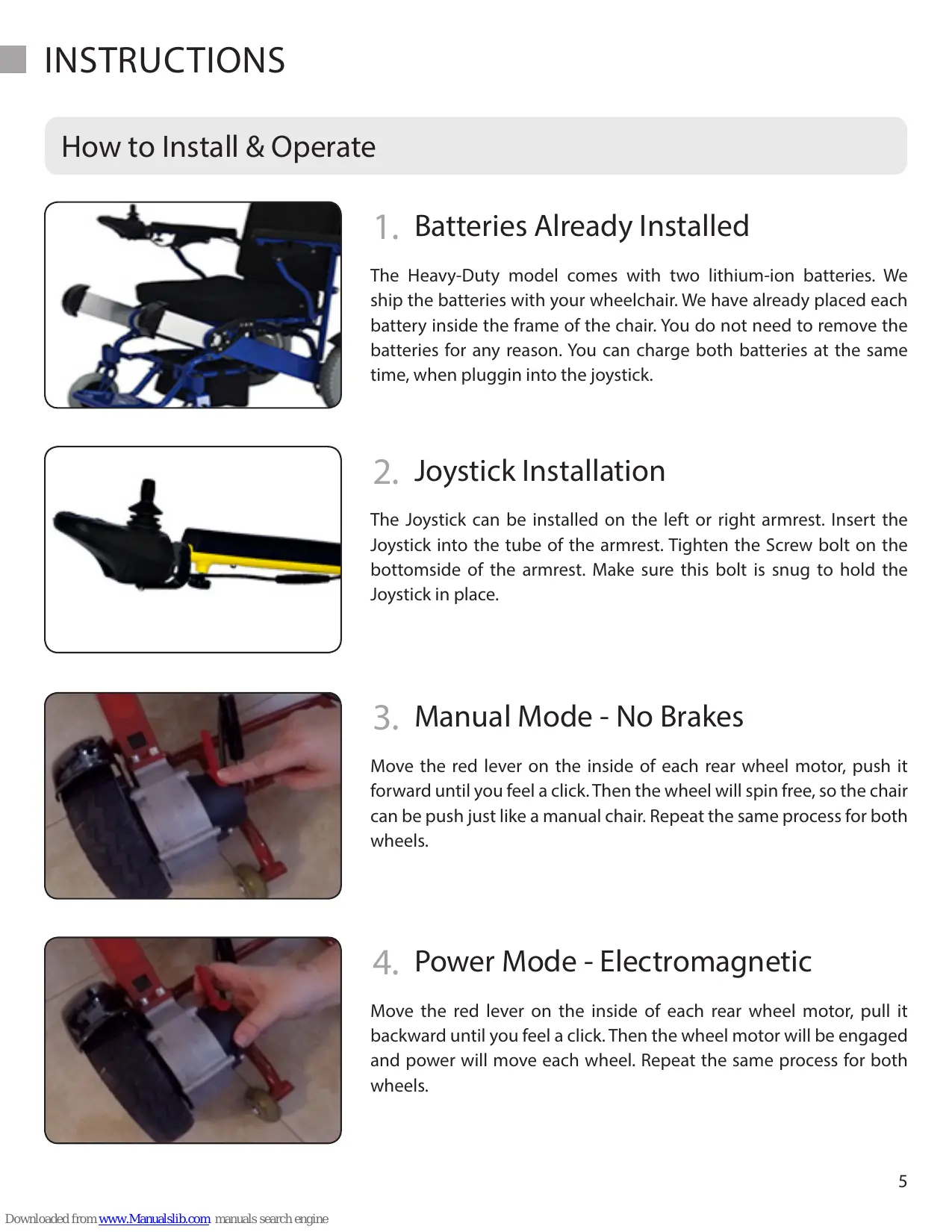

| Product Type | Folding Electric Wheelchair |
| Brand | CHICCO |
| Model | GO ONE |
| Net Weight | 24.9 kg |
| Maximum Load Capacity | 181 kg |
| Motorization | 2 brushless motors of 180 W each |
| Battery | Lithium-Ion 24V/10Ah (x2) |
| Maximum Speed | 6.4 km/h |
| Turning Radius | 80 cm |
| Maximum Climbing Gradient | 12° |
| Charging Time | 5 hours |
| Maximum Range | 25.7 km |
| Dimensions unfolded (L x W) | 96.5 x 61 cm |
| Width folded | 33 cm |
| Seat Height | 45.7 cm |
| Seat Width | 48.3 cm |
| Backrest Height | 40.6 cm |
| Brake Type | Electromagnetic |
| Manual Mode | Yes (red release lever) |
| Foldable | Yes |
| Power Supply | Mains (charger included) |
| Main Functions | Joystick control, manual and electric modes, easy folding |
| Maintenance | Check connections, clean with a soft cloth, avoid water |
| Safety | Automatic stop when joystick released, electromagnetic brakes |
| Spare Parts | Joystick, batteries, motors, cables |
Frequently Asked Questions - GO ONE CHICCO
User questions about GO ONE CHICCO
0 question about this device. Answer the ones you know or ask your own.
Ask a new question about this device
Download the instructions for your Electric wheelchair in PDF format for free! Find your manual GO ONE - CHICCO and take your electronic device back in hand. On this page are published all the documents necessary for the use of your device. GO ONE by CHICCO.
USER MANUAL GO ONE CHICCO
User/Caregiver Manual
INTRODUCTION
Thank you for buying the FOLD-N-GO Wheelchair, which is designed and manufactured by OneKubedDESIGNS, which is Trademarked.
Why limit where you go and what you do? You can see the world, Disneyland, Six Flags or just your local shopping mall. Your new FOLD-N-GO Wheelchair gives you total FREEDOM! This chair is lightweight and portable, and it fits in the trunk of ANY sized automobile. This power wheelchair is the same weight and width of a regular fold up manual wheelchairs. Finally there is a solution to be more mobile and your FOLD-N-GO will quickly become your favorite mobility device that you will ever own.
Before operating this electric wheelchair for the first time, please read this manual carefully. This instruction manual will help you to understand the performance, operation, features, and routine maintenance. Please refer to this manual and or our website for how to videos on operating your new chair.
User Safety
Please don't use or operate this electric wheelchair until you have read and understand these instructions. If you can't understand these instructions, please contact us for technical guidance and help. Otherwise it may cause harm or danger to yourself by not operating the chair correctly.
Allways turn off the Joystick when entering and exiting the chair. Practice driving operations with the help of family, friends or a caregiver, until you are independent and skilled in performing these operations while you are exploring the world we live in.
Caregiver Safety
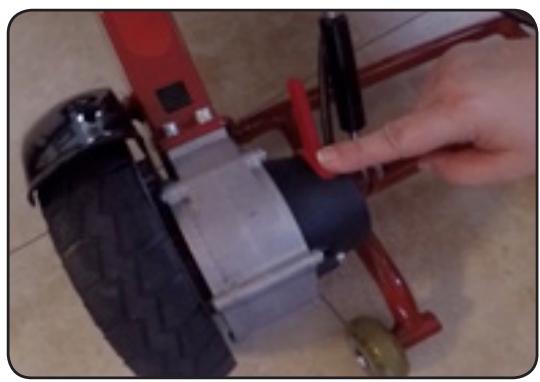
Each FOLD-N-GO Wheelchair can be operated in manual or power mode. If you wish to manually push your client make sure to move the red levers on each rear wheel motor to disengage the electromagnetic brakes. Also make sure that the top headrest frame is locked into place, and not in the downward storage position. Before each movement tell your client what you are doing to avoid any risk of accidental injury because they are not prepared to be moved. Cooperate with your client and their physical limitations.

WARNING
DO NOT OPERATE THE WHEELCHAIR IN HEAVY RAIN, OR DRIVE THE WHEELCHAIR THROUGH A PUDDLE. DO NOT USE THE BATTERY IN A DIFFERENT CAPACITY OTHER THAN WITH YOUR FOLD-N-GO WHEELCHAIR KEEP TOOLS AND OTHER METAL OBJECTS AWAY FROM THE POSITIVE AND NEGATIVE ENDS OF THE BATTERY.
MODEL COMPONENTS
Please take a moment to make sure you have all of the following parts with your FOLD-N-GO Wheelchair. If you are missing ANY components please contact us immediately at support@foldandgowheelchairs.com. Accessories are sold separately.

HEAVY DUTY WHEELCHAIR
FOLD-N-GO Wheelchair in your desired color

SEAT CUSHIONS
Two cushions, one for your seat and one for the backrest
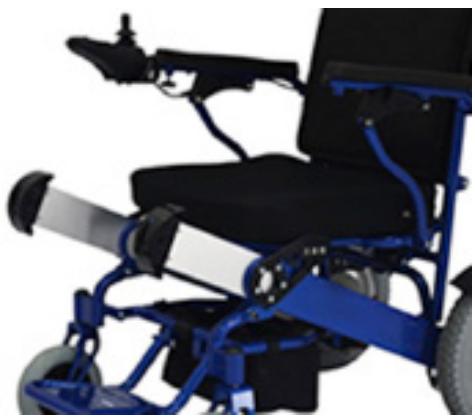
TWO BATTERIES
Both batteries already come inside the frame of the wheelchair.

CHARGER
Power charger with connection to joystick, and power cord to plug into the wall outlet

JOYSTICK CONTROLLER
One joystick to control movement of the chair. Can be placed on the either the right or left armrest
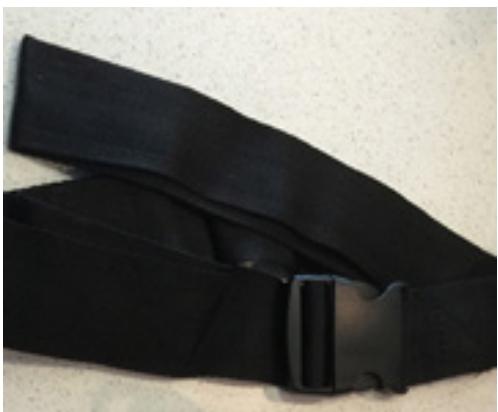
SELT BELT
Portable strap for safety while riding in your chair, and to wrap up the armrests when folded


How to Install & Operate

1. Batteries Already Installed
The Heavy-Duty model comes with two lithium-ion batteries. We ship the batteries with your wheelchair. We have already placed each battery inside the frame of the chair. You do not need to remove the batteries for any reason. You can charge both batteries at the same time, when plugging into the joystick.
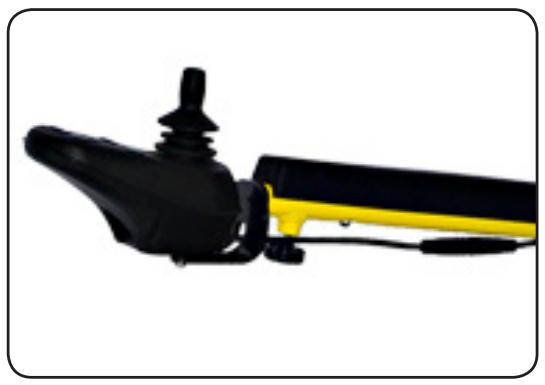
2. Joystick Installation
The Joystick can be installed on the left or right armrest. Insert the Joystick into the tube of the armrest. Tighten the Screw bolt on the bottomside of the armrest. Make sure this bolt is snug to hold the Joystick in place.
3. Manual Mode - No Brakes
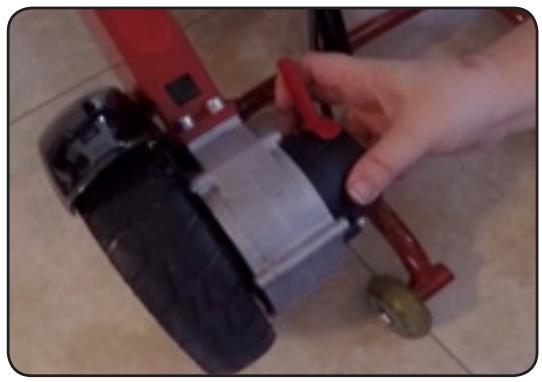
Move the red lever on the inside of each rear wheel motor, push it forward until you feel a click. Then the wheel will spin free, so the chair can be push just like a manual chair. Repeat the same process for both wheels.
4. Power Mode - Electromagnetic
Move the red lever on the inside of each rear wheel motor, pull it backward until you feel a click. Then the wheel motor will be engaged and power will move each wheel. Repeat the same process for both wheels.

- Turn off the Joystick then remove it and put it in the storage bag under the seat for safe keeping.
- Locate the black safety latch on the back of the wheelchair.
- Flip the black latch up to unlock the frame
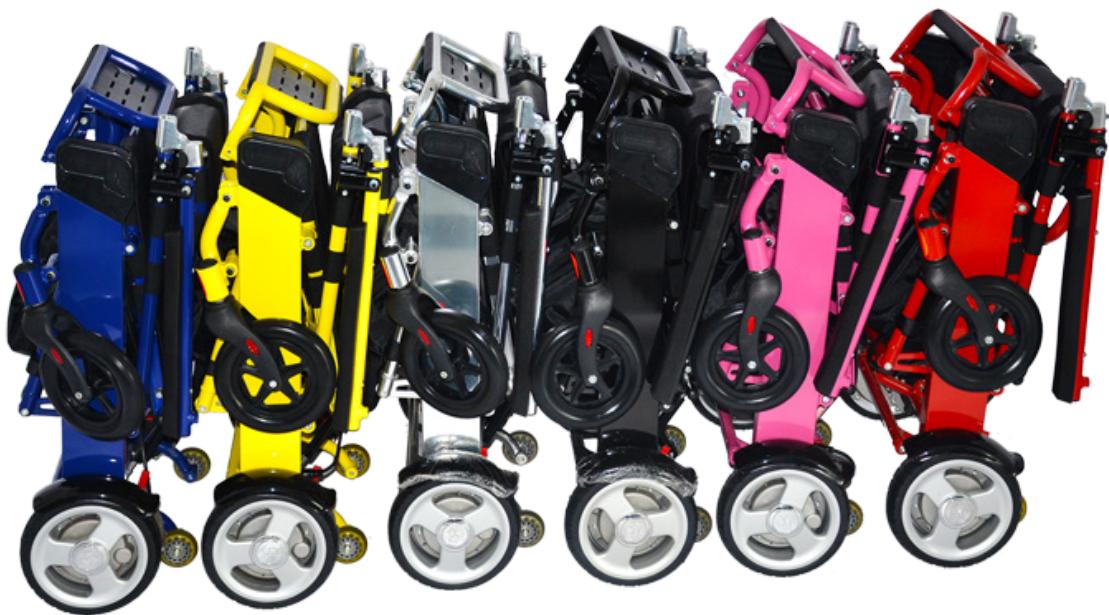
- With one hand on the top frame and one hand on the footrest, bring both ends of the wheelchair together.
- You can also fold with one hand by pushing to top part of the frame towards the ground. The wheelchair will fold up easily using one hand or two.
How to UNFOLD the FOLD & GO Electric Wheelchair

- Push apart the head rest and the footrest of the wheelchair.
- Place one hand on the top of the backrest, and with your other hand push the footrest down.
- Locate the black safety latch on the back of the frame.
- Puch the latch down to snap it into place to lock the frame.
- You can also unfold thw wheelchair with one hand. Simply place on hand on the headrest and lean the reat of the chair towards the ground. With a slight jerk, let gravity pull the chair apart for you.
| Net Weight | 55 LBS |
| Weight Capacity | 400 LBS |
| Motor | 180 Watt x2 Brushless |
| Battery | Lithium-Ion 24V/10AH Standard |
| Max Speed | 4 MPH |
| Turning Radius | 31.5 inches |
| Grade/Slope | 12 degrees |
| Charging Time | 5 Hours |
| Driving Range | 16 Miles per Battery |
| Overall Length | 38 inches |
| Unfolded Width | 24 inches |
| Folded Width | 13 inches |
| Seat Width | 19 inches |
| Back Rest Height | 16 inches |
| Seat Height | 18 inches |
| Brake Type | Electromagnetic |
| Movement | Direction to Move Joystick |
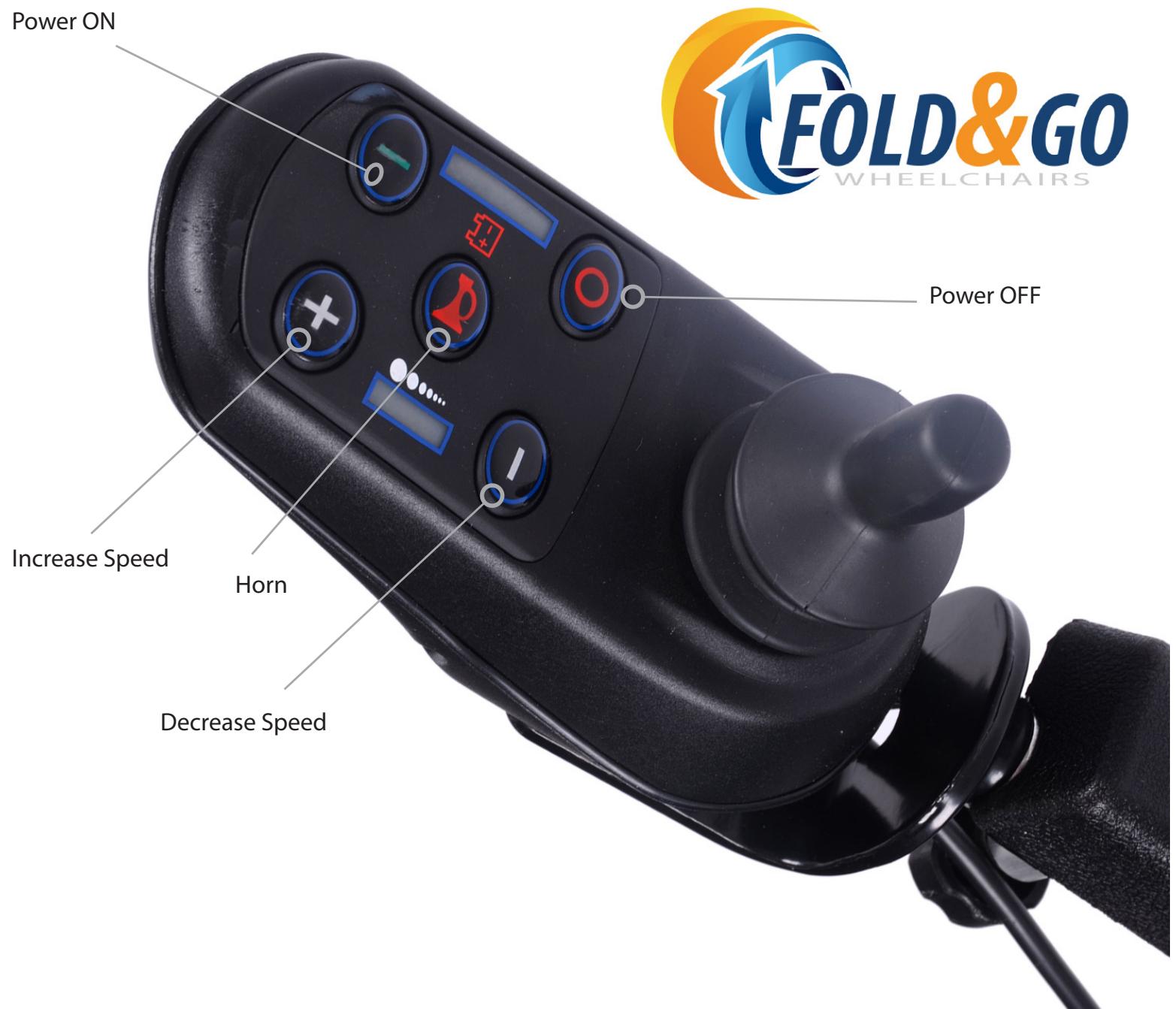
| FORWARD | Move the joystick FORWARD |
| BACKWARD | Move the joystick BACKWARD |
| RIGHT | Move the joystick RIGHT |
| LEFT | Move the joystick LEFT |
| STOP | Release your hand from the joystick |
Joystick Diagnostics
When the LED light on the Joystick flickers, it means that there is something wrong with the wheelchair. An alarm may also sound from the rear motor wheels, brakes, batteries, wire connections, or from the wheelchair itself. Below are the diagnostic codes to help you identify any problems you may be experiencing while using your FOLD & GO Electric Wheelchair:
| Flash or Beep | Description & Troubleshoot |
| Flash Once Slowly | Left rear motor wheel is not connected |
| Flash Twice Slowly | Right rear motor wheel is not connected |
| Flash 3 Times Slowly | Battery is not charging, the cables to the battery may be loose |
| Flash 4 Times Slowly | Check left rear motor, power cable is loose or not connected |
| Flash 5 Times Slowly | Check right rear motor, power cable is loose or not connected |
| Flash 6 Times Slowly | Check left brake motor, power cable is loose or not connected |
| Flash 7 Times Slowly | Check right brake motor, power cable is loose or not connected |
| Flash 8 Times Slowly | Contact FOLD-N-GO Customer Service |
| Flash 9 Times Slowly | Joystick cable is loose to black junction box under the seat |
| One Short Beep | You are trying to move the chair with the Joystick before it is ready |
| Beep in Any Direction | The rear wheels are in manual mode. Move the red lever backwards |
| Flash 4 times Quickly | Left motor is over heated, disconnect cable for 30 seconds then reconnect |
| Flash 5 times Quickly | Right motor is over heated, disconnect cable for 30 seconds then reconnect |
DRIVING CONDITIONS & ENVIRONMENT
- Don't try to drive the FOLD & GO Wheelchair when you are on a transport vehicle, like a bus, subway, trains, planes, etc.
While using public transportation vehicles, look for a place to fix the wheels to the floor of the bus. This will help you avoid harm that can be caused by the vehicle's sudden stop or a traffic accident. - In many countries and regions, power wheelchairs are not allowed on public roads. The user must realize that driving a wheelchair on the road instead of the sidewalk is dangerous.
- For easy recognition at night, a reflective article can be placed on the FOLD & GO Wheelchair. The user can also wear reflective clothing.
- When confronting with other vehicles, please ensure that the driver has noticed you. Before you continue to operate your wheelchair, make eye contact with the driver, and let the driver know your intention until you are sure that it is safe.
- When driving the FOLD & GO Wheelchair keep the chair in balance, in order to avoid being bent over in the forward or backward position.
If you desire to modify or adjust the FOLD & GO Wheelchair, please consult a reputable dealer in advance. The modified wheelchair may need to have addictional adjustment to keep the chair working properly. - Making any modifications to your FOLD & GO Wheelchair will void ALL warranties.
- When you are entering or exiting the FOLD & GO Wheelchair, you must turn off the power supply. Otherwise, if you touch the joystick, it may lead to the unexpected movement.
- The FOLD & GO Wheelchair is not suitable for staircases, or on an escalator. Pay attention when using the chair on the elevator.
- When an elevator is not available, fold up the chair to move it from floor to floor by way of the stairs.

3521 E. Merlot Street, Gilbert, AZ 85298
Customer Service: 480-303-1800
support@foldandgowheelchairs.com
www.foldandgowheelchairs.com
- User/Caregiver Manual
- INTRODUCTION
- User Safety
- Caregiver Safety
- WARNING
- MODEL COMPONENTS
- How to Install & Operate
- Batteries Already Installed
- Joystick Installation
- Manual Mode - No Brakes
- Power Mode - Electromagnetic
- How to UNFOLD the FOLD & GO Electric Wheelchair
- Joystick Diagnostics
- DRIVING CONDITIONS & ENVIRONMENT
Brand : CHICCO
Model : GO ONE
Category : Electric wheelchair