 ManualGo.com
 ES-SA40-S503 - Rasoir électrique PANASONIC - Free user manual and instructions
Find the device manual for free ES-SA40-S503 PANASONIC in PDF.


Download the instructions for your Rasoir électrique in PDF format for free! Find your manual ES-SA40-S503 - PANASONIC and take your electronic device back in hand. On this page are published all the documents necessary for the use of your device. ES-SA40-S503 by PANASONIC.
USER MANUAL ES-SA40-S503 PANASONIC
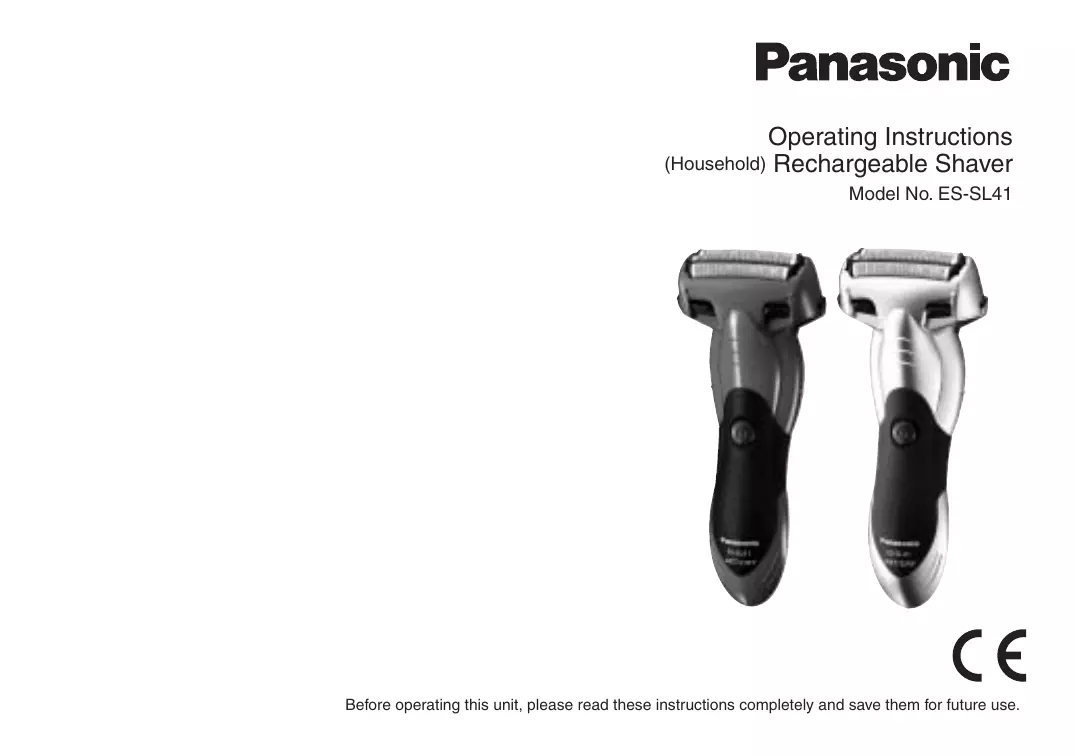
Operating Instructions Rechargeable Shaver Model No. ES‑SL41
Before operating this unit, please read these instructions completely and save them for future use.
GB D F I NL E Operating Instructions
Rechargeable Shaver Model No. ES-SL41
Before operating this unit, please read these instructions completely and save them for future use.
Thank you for choosing a Panasonic shaver ES‑SL41.
With our WET/DRY technology, you can enjoy using your Panasonic shaver dry or in the shower or bath for gentle and easy shaving. Please read all instructions before use.
This shaver has a built-in rechargeable battery. Do not throw into fire, apply heat, or charge, use, or leave in a high temperature environment.
• Disconnect the plug from the household outlet before cleaning to prevent electric shock. • Use the dedicated AC adaptor (RE7‑69) (RE7‑74 for the United Kingdom) only. Do not use the dedicated AC adaptor to charge other appliances. • Terminate usage when there is an abnormality or failure. • Put the plug into a household outlet where there is no moisture and handle it with dry hands. • Never use the AC adaptor in the bathroom or shower room. • Do not wash the AC adaptor with water. • Do not dismantle or replace the battery so that you can use the shaver again. This could cause fire or an electric shock. Have it replaced at an authorised service center. • Remove the shaver from the AC adaptor when storing it. • Do not bend the power cord or wrap it around the AC adaptor. • The supply cord cannot be replaced. If the cord is damaged, the AC adaptor should be scrapped.
• The outer foil is very thin and can be damaged if not used correctly. Check that the foil is not damaged before using the shaver. Do not use the shaver if the foil is damaged as you will cut your skin. • Keep both the inner blades inserted. If only one of the inner blades is inserted, the shaver may be damaged. • Do not use excessive pressure to apply the outer foil to your lip or other part of your face. Do not apply the outer foil directly to blemishes or injured skin. • If you clean the shaver with water, do not use salt water or hot water. Do not soak the shaver in water for a long period of time. • Clean the housing only with a soft cloth slightly dampened with tap water or soapy tap water. Do not use thinner, benzine, alcohol or other chemicals. • Store the shaver in a place with low humidity after use. • Do not store the shaver where it will be exposed to direct sunlight or other heat sources. • Hold the plug when disconnecting it from the household outlet. If you tug on the power cord, you may damage it. • Do not share your shaver with your family or other people. Doing so may result in infection or inflammation. • When storing the shaver, always put it in the carrying holder to avoid scratching the outer foil.
GB H SK CZ PL FIN S N P DK E NL I F D B AC adaptor (RE7‑69)
(RE7‑74 for the United Kingdom) = Charging terminal > Charge indicator lamp Power cord C Carrying holder D Cleaning brush E Operating Instructions F Guarantee leaflet
• Treat yourself to wet lather shaves for at least three weeks and notice the difference. Your Panasonic WET/DRY shaver requires a little time to get used to because your skin and beard need about a month to adjust to any new shaving method.
►Notes ► • This product is intended for household use only. • This appliance is not intended for use by persons (including children) with reduced physical, sensory or mental capabilities, or lack of experience and knowledge, unless they have been given supervision or instruction concerning use of the appliance by a person responsible for their safety. Children should be supervised to ensure that they do not play with the appliance.
Parts identification
A Main body 1 System outer foil 2 Cleaning shutter 3 Side terminals 4 Power switch 5 Foil frame release button 6 Water inlet 7 Foil frame 8 System outer foil release buttons 9 Inner blades : Outer foil section ; Trimmer < Trimmer handle
• This WET/DRY shaver can be used for wet shaving using shaving lather or for dry shaving. You can use this watertight shaver in the shower and clean with water. The following symbol means suitable for use in a bath or shower.
Using the carrying holder
The shaver can be kept vertically or horizontally. When transporting the shaver, you can use the carrying holder to protect the outer foil and prevent erroneous operation of the switch. • When transporting the shaver, be sure to clean off any shavings before attaching the carrying holder.
Charging the shaver Perform the following steps to charge the shaver if it seems to lose the speed. You can charge the shaver with the carrying holder attached.
off the shaver and insert
1 Turn it in the AC adaptor [B] until it
clicks as illustrated.
Attaching the carrying holder
Attach the carrying holder as illustrated. • Check that all four protrusions on the shaver are inserted securely. Removing the carrying holder Remove the carrying holder while pressing down on both sides.
• Wipe off any water droplets on the side terminals.
• If you charge the shaver with power switch turned on, it will start working when you remove from the AC adaptor.
2 Put the plug into a household outlet.
The charge indicator lamp glows red.
• Charging time differs depending on the rated voltage. (See page 11.) • When charging the shaver for the first time or when it has not been in use for more than 6 months, the charge indicator lamp may not glow for a few minutes, or the operating time may shorten. Please charge it for more than 20 hours in such cases.
the plug after charging is
3 Disconnect completed.
• To keep charging the battery will not affect battery performance.
• Recommended ambient temperature for charging is 0 ‑ 35 °C. The battery may not charge properly or at all under extreme low or high temperatures.
2 Hold illustrated above and
• We recommend using the shaver in an ambient temperature range of 0 - 35 °C. If used outside this range, the appliance may stop operating.
1 Press switch [A4].
NL Using the trimmer
Slide the trimmer handle up. Place at a right angle to your skin and move downwards to trim your sideburns.
P You cannot operate the shaver while charging.
• Before shaving, check that the cleaning shutter is closed. • Do not place your fingers on the power switch while using the shaver. This may cause the shaver to turn off. • Do not use shaving creams or face cleansers containing scrubbing compounds as these may cause the outer foil to clog.
SK CZ PL FIN Tips for best shaving results
Start shaving by applying gentle pressure to your face. Stretch your skin with your free hand and move the shaver back and forth in the direction of your beard. You may gently increase the amount of pressure as your skin becomes accustomed to this shaver. Applying excessive pressure does not provide a closer shave.
RO H You can also use a pen grip to hold the shaver.
• The charge indicator lamp glows and stays on until the plug is disconnected from a household outlet.
• A full charge will supply enough power for approx. 7 shaves of 3 minutes each. (This will differ depending on usage.)
Cleaning the shaver 1. Remove the shaver from the AC adaptor [B]. 2. Apply some hand soap and some water to the outer foil. • Close the cleaning shutter [A2]. 3. Turn the shaver on.
4. Slide the cleaning shutter
[A2] until it clicks.
4. Turn the shaver off after
10 - 20 seconds. 5. Remove the outer foil section [A:] and turn the shaver on. 6. Clean the shaver and the outer foil section [A:] with running water.
5. Clean the outer foil section [A:] with running water.
6. Turn the shaver off.
• Rinse with water and shake up and down several times to remove the water. ▼
• Rinse with water and shake up and down several times to remove the water.
7. Wipe off any drops of water with a dry cloth.
8. Dry the outer foil section [A:] and the shaver completely in a shaded area. 9. Attach the outer foil section [A:] to the shaver. • Open the cleaning shutter. • The outer foil section will dry faster if removed from the main body.
1. Press the system outer foil release buttons [A8] and pull down the system outer foil [A1].
2. Align the water inlet surface and the system outer foil mark ( ) and attach securely. • The system outer foil cannot be reversely attached. • Always insert the system outer foil to the foil frame when attaching to the shaver.
Clean the system outer foil
[A1], the shaver body and the trimmer [A;] using the long brush.
P N FIN Replacing the system outer foil and the inner blades
1. Remove the inner blades [A9] one at a time.
• Do not touch the edges (metal parts) of the inner blades to prevent injury to your hand. 2. Insert the inner blades [A9] one at a time until they click.
►►Replacing the inner blades
RO Attaching the outer foil section
After turning the water inlet surface to the front, securely attach the outer foil section [A:] to the shaver, ensuring that it clicks.
PL Removing the outer foil section
Press the foil frame release button [A5] and lift the outer foil section [A:] upwards.
TR Clean the inner blades [A9]
(A) using the short brush by moving it in direction (A). • Do not move the short brush in direction (B) as it will damage the inner blades and affect their sharpness. • Do not use the short brush to clean the outer foils.
►►Replacing the system outer foil
Cleaning with the brush
For environmental protection and recycling of materials
This shaver contains a Nickel‑Metal Hydride battery.
Please make sure that the battery is disposed of at an officially assigned location, if there is one in your country.
Please visit Panasonic web site http://panasonic.net or contact an authorized service center (you find its contact address in the pan‑european guarantee leaflet.) if you need information or if the shaver or the cord gets damaged.
Replacement parts are available at your dealer or Service Center. System outer foil and Replacement parts for inner blades System outer foil ES‑SL41 Inner blades
Information for Users on Collection and Disposal of Old
Equipment and used Batteries These symbols on the products, packaging, and/or accompanying documents mean that used electrical and electronic products and batteries should not be mixed with general household waste. For proper treatment, recovery and recycling of old products and used batteries, please take them to applicable collection points, in accordance with your national legislation and the Directives 2002/96/EC and 2006/66/EC. By disposing of these products and batteries correctly, you will help to save valuable resources and prevent any potential negative effects on human health and the environment which could otherwise arise from inappropriate waste handling. For more information about collection and recycling of old products and batteries, please contact your local municipality, your waste disposal service or the point of sale where you purchased the items. Penalties may be applicable for incorrect disposal of this waste, in accordance with national legislation. For business users in the European Union If you wish to discard electrical and electronic equipment, please contact your dealer or supplier for further information. [Information on Disposal in other Countries outside the European Union] These symbols are only valid in the European Union. If you wish to discard these items, please contact your local authorities or dealer and ask for the correct method of disposal.
230 V Approx. 8 hours
230 V Approx. 8 hours
D See the name plate on the AC adaptor.
In shaving mode: 60 (dB (A) re 1 pW)
In trimmer mode: 60 (dB (A) re 1 pW)
Disposal of the built-in rechargeable battery
Remove the built-in rechargeable battery before disposing of the shaver. Please make sure that the battery is disposed of at an officially designated location if there is one. Do not dismantle or replace the battery so that you can use the shaver again. This could cause fire or an electric shock. Please contact an authorised service center. • Remove the shaver from the AC adaptor when removing the battery. • Perform steps 1 to ; and lift the battery, and then remove it.
GB D F I NL E DK P N S FIN PL CZ SK H F I NL E N S FIN PL
H D F I NL DK FIN GB D F I NL E H SK CZ PL FIN S N P DK GB D F I NL E DK P N S Pulizia
FIN GB D F I DK P N S FIN GB D F I NL E H SK CZ PL FIN S N P DK GB D F I NL E N For at fjerne let snavs
under barbering: 60 (dB (A) re 1 pW) under trimning: 60 (dB (A) re 1 pW)
I GB D F I NL E H SK CZ PL FIN S N P DK GB D F I NL E DK P N S FIN PL Reservedeler for
E Under barbering: 60 (dB (A) re 1 pW)
Under trimming: 60 (dB (A) re 1 pW)
H SK CZ PL FIN S N P DK E NL GB D F I NL E H SK CZ PL FIN S N P DK GB D F DK P N S GB D F I NL E N GB D F I NL E DK P N S FIN PL CZ SK GB D F I NL E DK P N
S GB D F I NL E H SK CZ PL FIN S N P DK GB D F I NL E DK GB D F I NL E H SK CZ PL FIN S N P DK GB D F I NL E N F I NL E P N S PL Service
IMALATCI Panasonic Corporation
1006, Kadoma, Osaka 571-8501, Japan