
11492 - Food processor MAGIMIX - Free user manual and instructions
Find the device manual for free 11492 MAGIMIX in PDF.

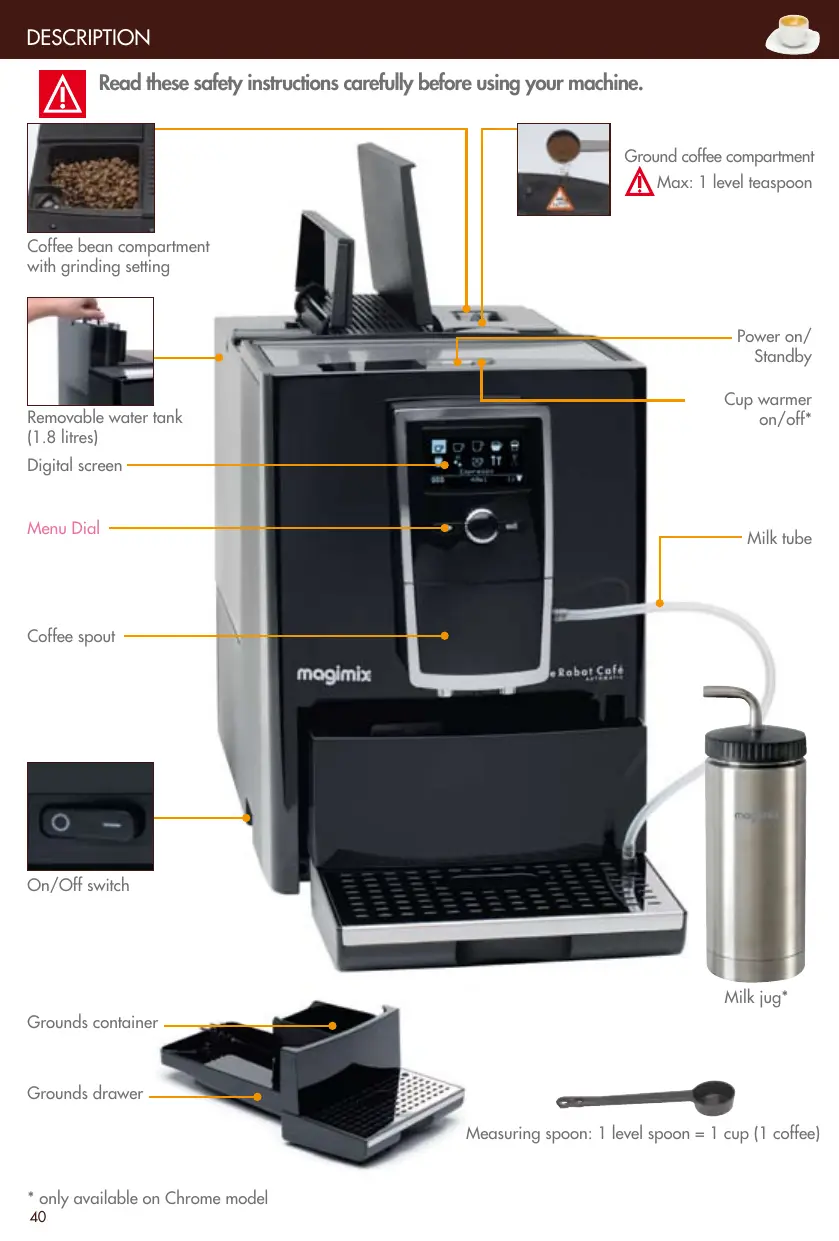


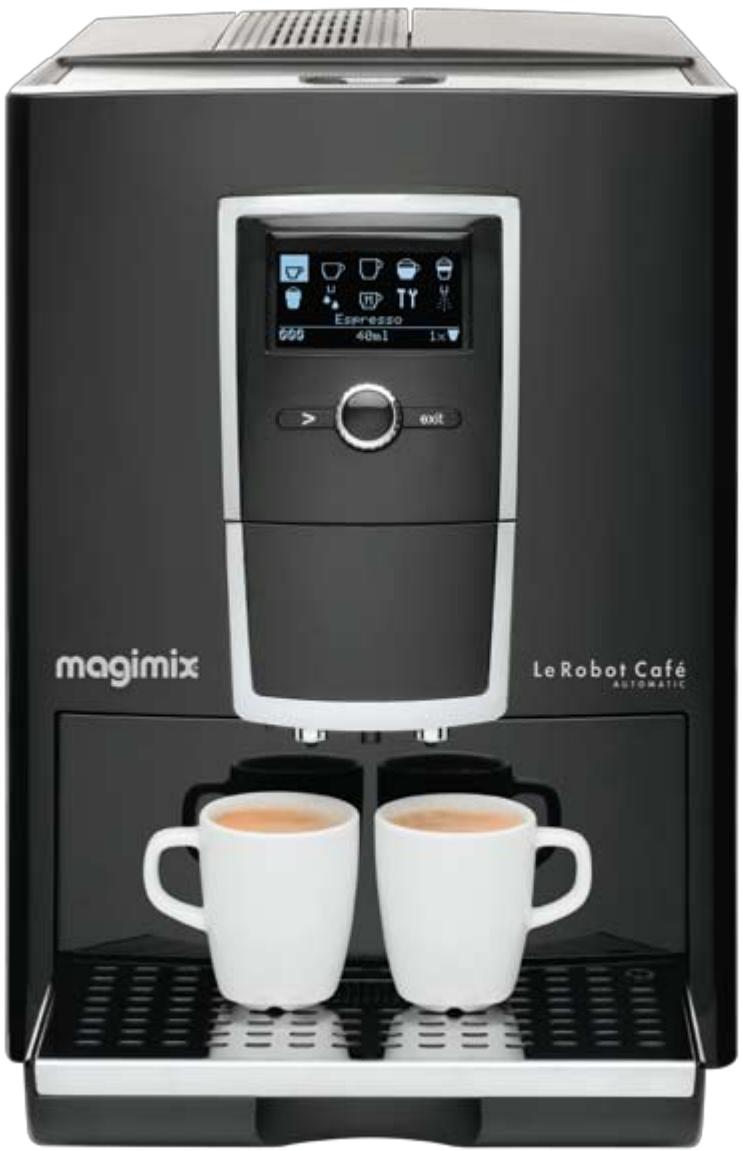
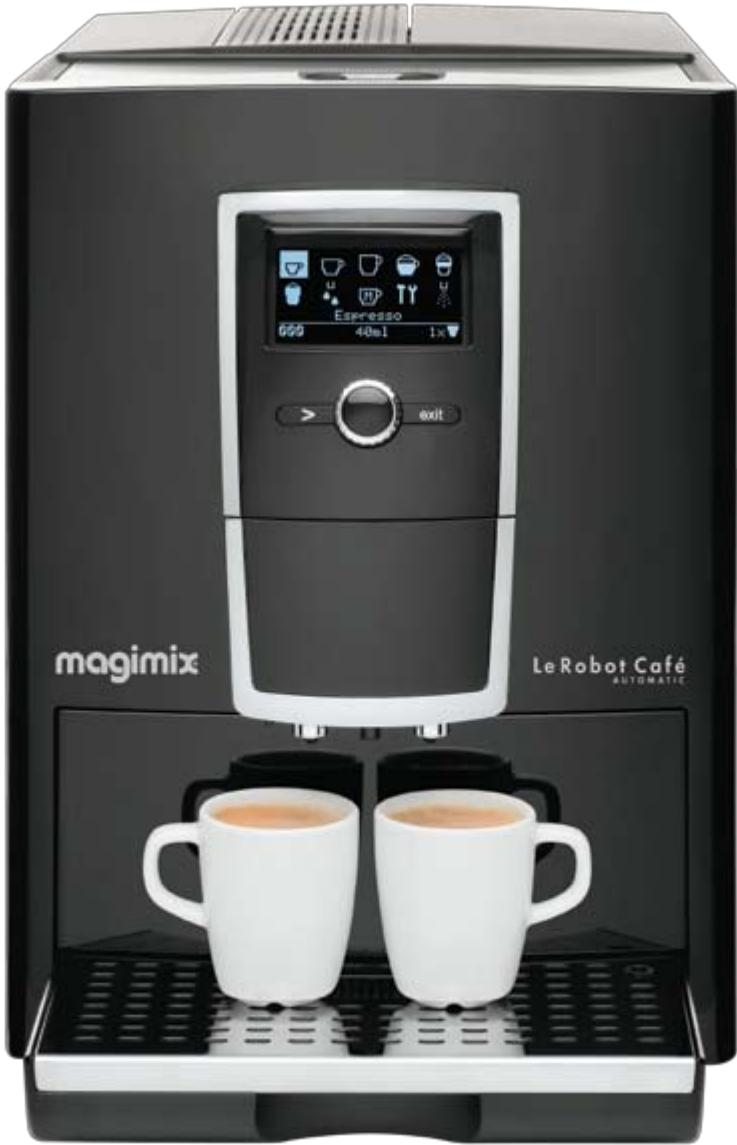
| Product Type | Automatic espresso machine with grinder |
| Brand | MAGIMIX |
| Model | 11492 |
| Power supply | 220-240 V, grounded plug |
| Water tank | 1.8 L removable |
| Bean container capacity | Coffee bean compartment with grind setting |
| Coffee types | Espresso, café crème, lungo, cappuccino, latte macchiato, hot milk, hot water |
| Settings | Strength, volume, temperature (3 levels + custom), grind fineness |
| Display | Digital with drop-down menu |
| Programming | Clock, automatic start and stop |
| Maintenance functions | Nozzle rinse, nozzle clean, auto-clean program, auto-descaling |
| Water filter | Removable filter cartridge (optional) |
| Safety | Auto shut-off, child safety, unplug before cleaning |
| Included accessories | Milk jug, frothing accessory, measuring spoon, grounds container, rinse hose |
| Spare parts and repairability | Water filter, drip tray, steam nozzle, brewing unit, authorized Magimix after-sales service |
| Dimensions (approx.) | Not provided |
| Weight (approx.) | Not provided |
| Warranty | Standard manufacturer warranty, excluding descaling damage |
| General information | For domestic use only, check voltage before use |
Frequently Asked Questions - 11492 MAGIMIX
User questions about 11492 MAGIMIX
0 question about this device. Answer the ones you know or ask your own.
Ask a new question about this device
Download the instructions for your Food processor in PDF format for free! Find your manual 11492 - MAGIMIX and take your electronic device back in hand. On this page are published all the documents necessary for the use of your device. 11492 by MAGIMIX.
USER MANUAL 11492 MAGIMIX
Le Robot Café Automatic
Fr Mode d'emploi
Uk Instructions of use
magimix
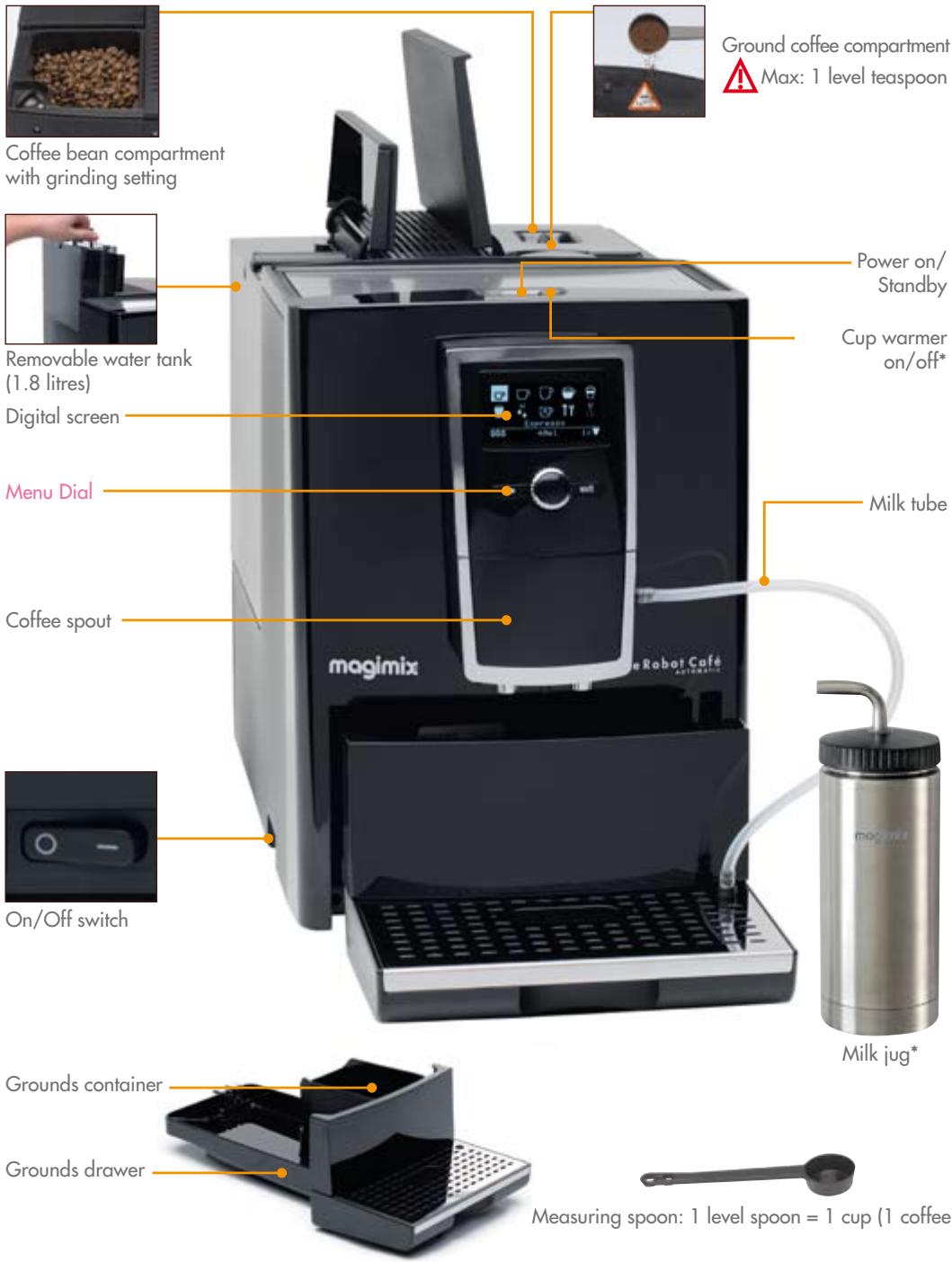
Descriptif 2
Warme milk/Warm water 30
Onderhoud
NORMAAL - HOOG- MAXIMAAL- INDIVIDUEEL
Language selection 42
Setting the clock 43
44
Setting the water hardness level 45
Selecting the temperature 45
Brewing a coffee
Preparing the machine 46
Grinding settings 47
Ground coffee 47
Brewing a cappuccino/latte machiatto 48
Hot milk/hot water 49
Aftercare
Weekly aftercare 50
Rinsing the nozzle 51
Cleaning the nozzle 51
Changing the water filter 52
Cleaning programme 52
Safety instructions 57

Read these safety instructions carefully before using your machine.
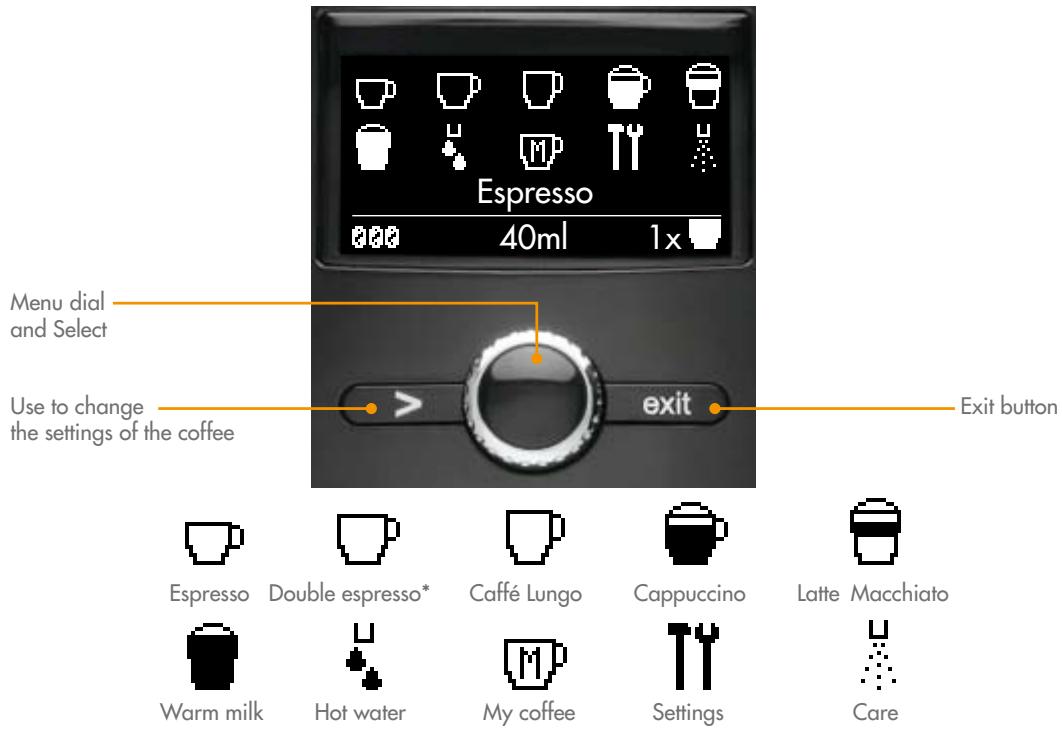
SETTINGS
Coffee recipes
You can change the pre-selection for each preparation
Filter
Indicates whether or not you have chosen to install the water filter. (p. 44)
Water hardness
Choose your water hardness setting (p. 45)
Temperature
Choose between three temperature settings for your coffee. The individual option allows you to set the temperature for each coffee
Times
Setting the on/off time.
Language
Select your language (p. 42)
OFF-Rinse
Rinsing the system
ECO mode
You can set the machine to go into standby later
Statistics
You can find out how many times each function has been used.
The exit button enables you to return to the previous menu at any time.
- medium coffee
Rinsing
Before you use your machine for the first time, you must rinse the water circuit to remove any residual water in the system.
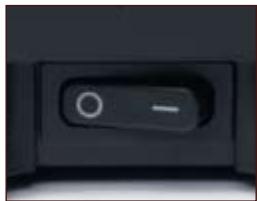
Plug into earthed socket.
Switch the machine on.
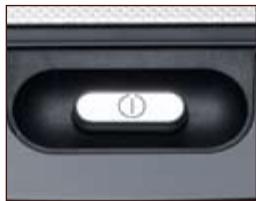
Turn the coffee machine on by pressing the button located on the top of the machine.
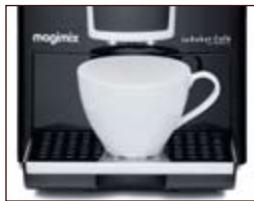
Place a cup underneath the spout.

Fill the water tank with water.
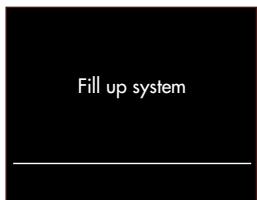
Press the menu dial.

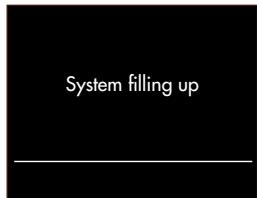
Place a cup underneath the flow head.
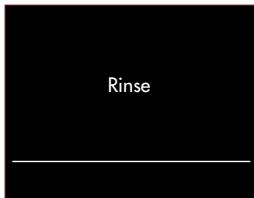
Press the menu dial.
Note: Scroll through the menu by turning the menu dial.
Language selection
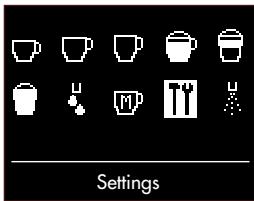
Select 'Settings' using the menu dial.

Select 'Languages'.

Select the desired language.
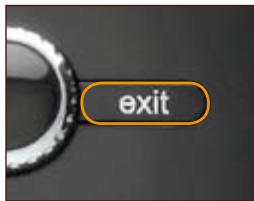
Press the exit button until you return to the main menu.
Setting the clock
You can press the exist button at anytime to go back a step.
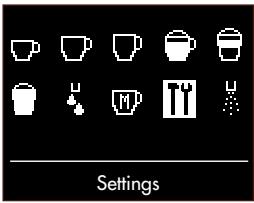
Select 'Settings'.

Select 'Times'.

Select 'Clock'.
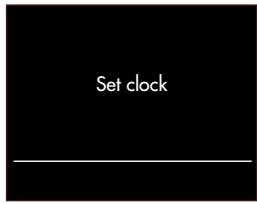
Select the hour and minutes using the menu dial.
Setting the timer for the automatic switch-on
You can press the exist button at anytime to go back a step.
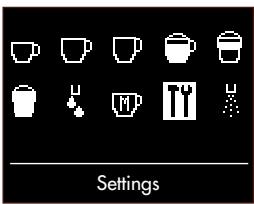
Select 'Settings'

Select 'Times' using the menu dial.
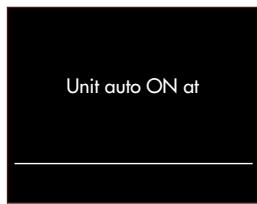
Select 'unit auto on at' using the menu dial.
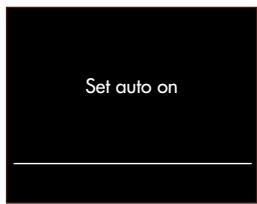
Select the hour and minutes using the menu dial.
Setting the timer for automatic switch-off
You can press the exist button at anytime to go back a step.
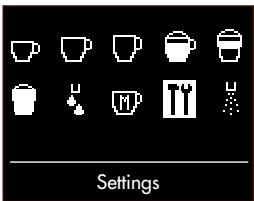
Select 'Settings' using the menu dial.

Select 'Times' using the menu dial.
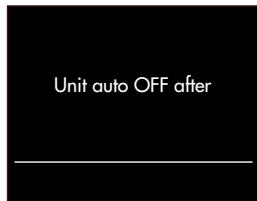
Select 'Unit auto OFF after'.
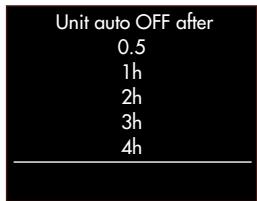
Select preferred time for the machine to switch off after last use.
Installing the water filter
Option 1
If you use the filter option, the water hardness will no longer be displayed.
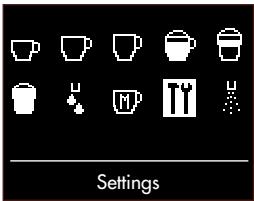
Select 'Settings' using the menu dial

Select 'Filter' using the menu dial.
Place a cup underneath the spout.

Select YES.
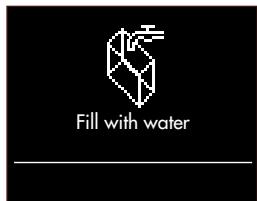
Fill with fresh water.

Empty the water tank. Place the cartridge in the water tank. Press the menu dial.

Press exit to go back.
Option 2
If you decide not to use the filter option, you will need to set the water hardness (p.)
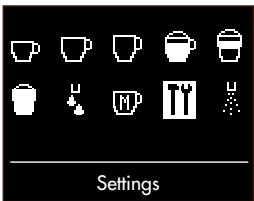
Select 'Settings' using the menu dial.

Select 'Filter' using the menu dial.

Select 'NO' using the menu dial.
Press exit to go back.
Setting the water hardness
If, and only if, you have not installed your filter, you must select the water hardness.
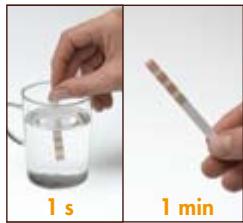
Dip the test strip in cold water.
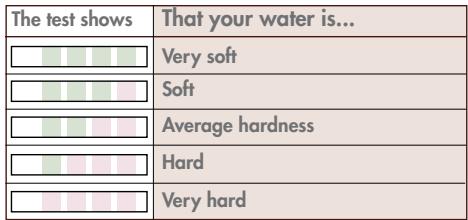
Compare using the chart above.
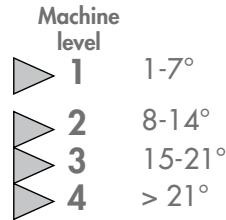
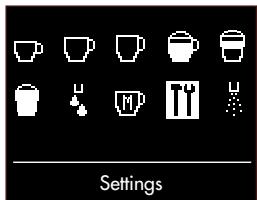
Select 'Settings' using the menu dial.

Select 'Water hardness' using the menu dial.

Select your water hardness level using the menu dial.
Press the exit button until you return to the main menu.
Selecting the temperature
You can choose between four temperature settings for your coffee.
NORMAL - HIGH - MAXIMUM - INDIVIDUAL
The individual option allows you to choose the desired temperature for each type of coffee.
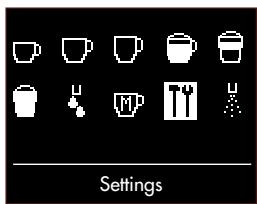
Select 'Settings' using the menu dial.

Select 'Temperature'.

Select the desired temperature using the menu dial.
Press the exit button until you return to the main menu.
Preparing the machine
Fill the water tank with fresh water.
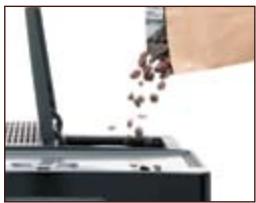
Fill the coffee bean compartment.
Espresso / Coffee cream / Coffee Lungo
You can make your coffee at anytime by pressing the menu dial.
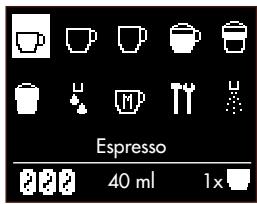
Select your chosen coffee type.
Press if you want to change the settings.
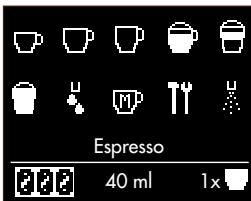
Select the desired intensity of coffee.
Press.
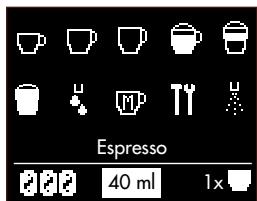
Select the desired level.
Press.
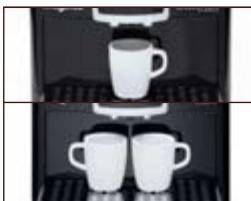
Place one or two cups under the spout.
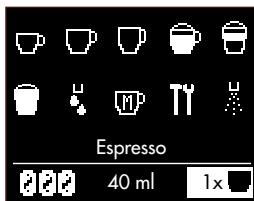
Select one or two cups. Press.
Note: The coffee settings you set ate remembered until you switch your coffee machine off standby mode.
Grinding settings
The paler the beans (lightly roasted) the finer they must be ground.
Only adjust the grind setting while the grinder is running.

Open.
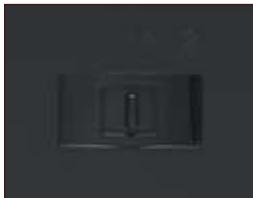
Select your desired level.
Close.
To set to a coarse grind, slide to the right.
To set a finer grind, slide to the left.
Ground coffee

Pour the ground coffee into the compartment. Close the lid.
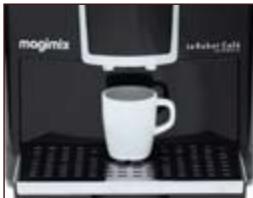
Place 1 cup under the spout.

Press the menu dial.
Never use more than one measuring spoon of ground coffee.
Never insert anything other than ground coffee or cleaning tablets into the ground coffee compartment.
If the ground coffee compartment is opened by mistake or a button has not been pressed within a minute of putting the ground coffee in, the machine will automatically be rinsed through via the spout.
If this happens, close the lid and wait 1 minute.
The settings for each coffee are pre-programmed. However, for each coffee type you can set the strength and volume of your coffee.
It is not possible to prepare simultaneously 2 milk preparations (except on the chrome model).
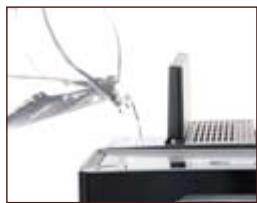
Fill the water tank.
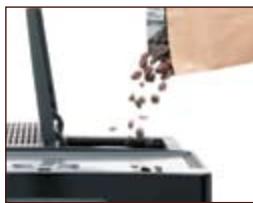
Fill the coffee bean compartment.
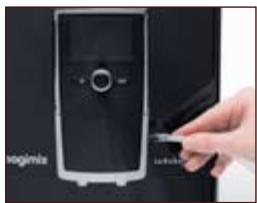
Attach the milk tube.
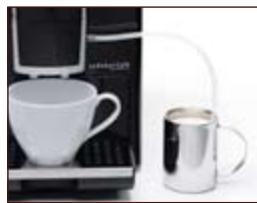
Place 1 cup under the spout. Fill the jug 1/3 full of milk and place the milk tube in the jug.

Select your chosen coffee type.
Press if you want to change the settings.

Select the desired intensity.
Press.

Select the desired volume.
Press.
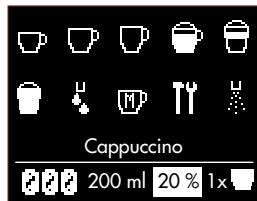
Select the desired amount of froth. Press.
It may take a few seconds for the process to begin.
Rinse the nozzle and your milk jug*immediately after use (see p. 51)
- only available on Chrome model
Warm milk
The settings for each preparation are pre-programmed. However, for each option you can set the strength and volume of your coffee.
It is not possible to prepare milk for 2 coffees simultaneously (except on the chrome model).
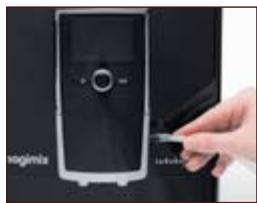
Attach the milk tube.
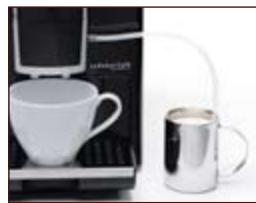
Place 1 cup under the spout. Fill the jug 1/3 full of milk and place the milk tube in the jug.

Select Warm milk.
Press if you want to change the settings.

Select the desired level. Press.
Rinse the nozzle and your milk jug*immediately after use (see p.)
- only available on Chrome model
Hot water

Select Hot water.
Press if you want to change the settings.

Select the desired level. Press the menu dial.

Always unplug the machine and wait for it to cool down before cleaning. Do not put any of the parts in the dishwasher. Do not use an abrasive sponge or aggressive detergent.
Weekly aftercare
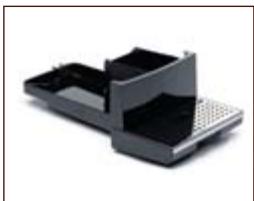
Empty the drip tray and the grinds container.
Water tank
- Tray + grid
- Contacts
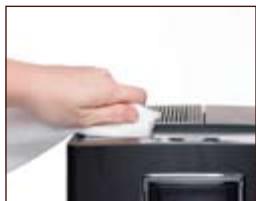
Clean and dry well using water + mild detergent.
Wipe the exterior of the machine housing with a damp cloth.
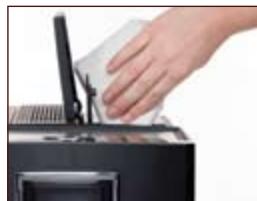
Clean the inside a damp cloth and dry the compartment and the lid.
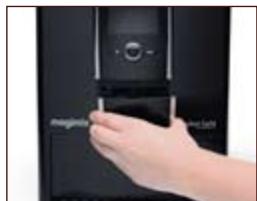
Remove the cover.
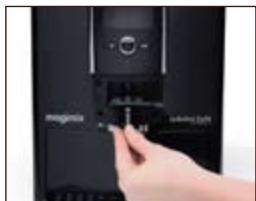
Disassemble and clean under running water.
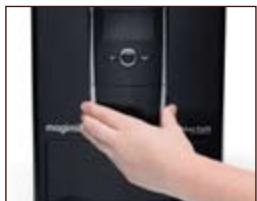
Reassemble and replace.
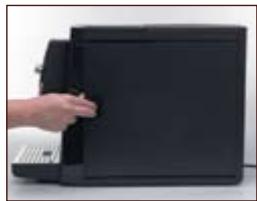
Open the door.
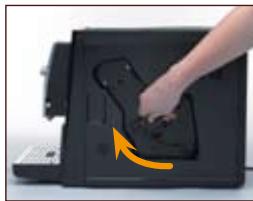
Raise the release handle, pressing the red button at the same time.
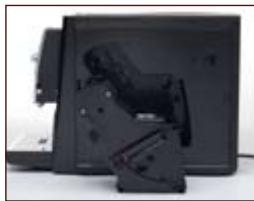
Remove the machine's central unit.
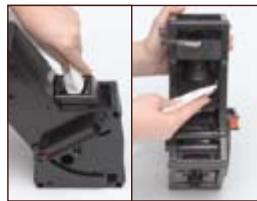
Clean the funnel ^+ filter with a damp cloth.
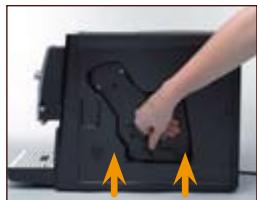
Place the central unit back in the machine.
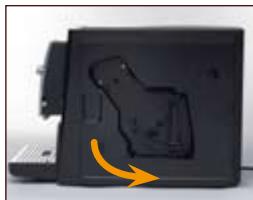
Lock into place by pushing the handle down, pressing the red button at the same time. Screw the door shut.
Rinsing of the nozzle
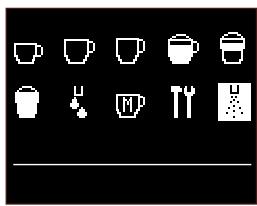
Select Care.
Press the menu dial.
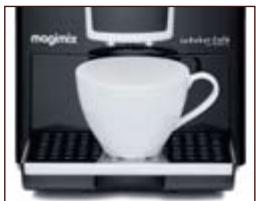
Place a cup underneath the spout.
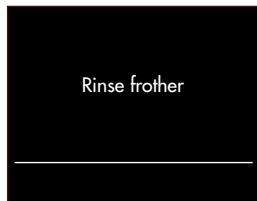
Select Rinse frother. Press.
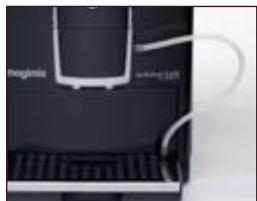
Attach the milk tube on the flow head and the drip tray.

Once the milk tube has been connected press the menu dial.

Cleaning of the nozzle
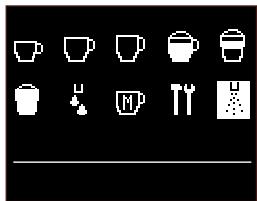
Select Care. Press the menu dial.

Place a cup underneath the spout.

Select Clean frother. Press menu dial.
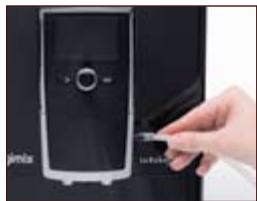
Attach the milk tube to the side of the spout and put the other end in cleaner.

Press menu dial.

Changing the filter
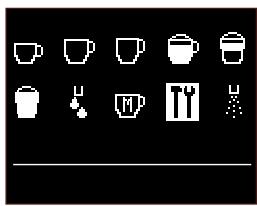
Select Settings. Press menu dial.

Select Filter. Press menu dial.
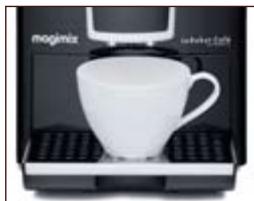
Place a cup underneath the spout.

Select 'YES'. Press the menu dial.

Select 'Replace filter'. Press the menu dial.
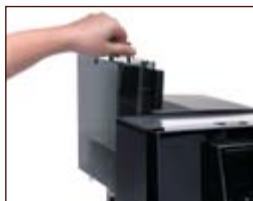
Empty the water tank.
Change the filter.

Press menu dial again.

Cleaning programme
A message on the screen informs you when the machine needs cleaning. Never interrupt the cleaning programme once it has started.

Select Care. Press the menu dial.
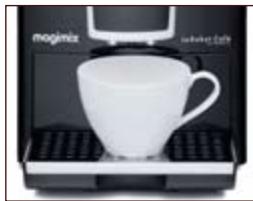
Place a cup underneath the spout.
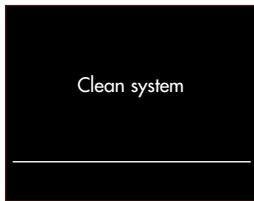
Select 'Clean system'.

Put a cleaning tablet* in the ground coffee compartment. Close the lid.

Press menu dial.
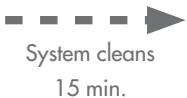

Empty the trays and put them back.
- Cleaning tablets are available from Magimix Customer care.
Dscaling programme
A message will appear on the screen when you need to descale your coffee machine.

Never interrupt the descending programme once it has started.
Never use vinegar or a vinegar-based product for descaling.
Always remove the water filter before descaling.
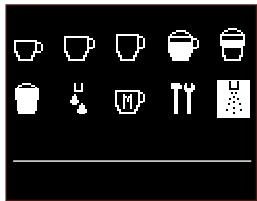
Select Care. Press the menu dial.
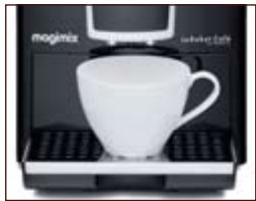
Place a cup underneath the spout.
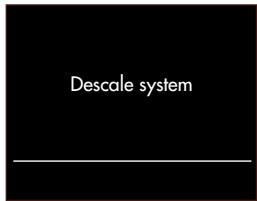
Press the menu dial.

Empty the trays.

Empty the water tank.
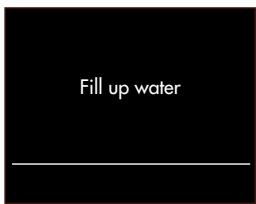
Fill the tank with fresh water + descending product up to 0.5 l mark.

Press the menu dial.


Empty the trays.

Fill the water tank with fresh water.
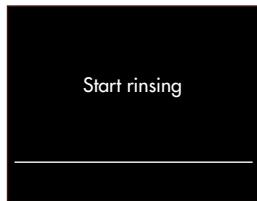
Select using the menu dial.

Espresso
Espresso coffee is characterised by the colour of its creamy golden top, midway between russet and hazel, and by its extremely rich aroma...Espresso coffee represents roughly 40 or 50 ml of black coffee served in a 60 ml cup.

Cappuccino
Fill a large cup 13 full with frothed milk (see "Cappuccino" chapter, p. 49). Froth the milk using the cappuccino attachment. You can either spoon the froth onto your espresso coffee and sprinkle it with cocoa powder or pour the coffee on top of your frothed milk.

Ristretto
This is concentrated espresso coffee, made from the same quantity of ground coffee, but only half the water. It never exceeds 30ml .

Macchiato
"Macchiato" means "spotted" in Italian. It closely resembles cappuccino coffee, but is stronger and has a more powerful aroma. Make a cup of espresso coffee and top it with a spoonful of milk froth.
| Screen messages | Actions |
| Fill up pipe-sys | Press the central switch. Remove or change the water filter. |
| Fill water | Fill the water tank with fresh water. Ensure the water tank is fitted correctly. |
| Fill beans | Pour coffee beans into the coffee bean compartment. This message will remain on the screen until you grind some more coffee. |
| Empty trays | Empty the trays. Clean the contacts at the bottom of the drip tray and dry thoroughly. |
| Trays missing | Ensure the drip tray is correctly positioned. Clean the silver contacts at the back of the drip tray and dry thoroughly. |
| Please clean | Clean the machine (see p. 52). |
| System Calcif | Descale the machine (see p. 53). |
| Filter change | Replace the filter (see p. 52). |
| Close the door | Check that the central unit is properly positioned (see p. 50). Check the door is closed properly. |
| Please rinse | Place a cup under the spout. Press the central switch. |
| Question | Answer |
| No coffee flow. | Check the water tank is fitted properly. Fill the water tank with fresh water. Ensure trays are correctly fitted. Descale your machine (see p. 53) Clean the central unit filter (see p. 52) |
| Coffee flow reduced to a dribble. | Coffee ground too finely: adjust the setting to a coarser grind. |
| Coffee too watery, not strong enough. | Refill the coffee bean compartment. Reduce the volume of coffee in ml. Select a stronger coffee. Reduce the fineness of the grind. |
| Unpleasant taste. | Coffee: stale? Acidic?: replace the coffee beans.. Chlorinated water?: use the filter cartridge or bottled water (low mineral content). After descaling, fill the water tank and rinse the machine through, 1/2 via the nozzle, 1/2 via the flow head. |
| Coffee not hot enough. | Adjust the coffee temperature setting (see p. 45). |
| Insufficient coffee flow. | Refill the coffee bean compartment. |
| Grinder making unusual noise. | Refill the coffee bean compartment. Call Magimix Customer Care 0844 5738655. |
| Milk not frothy enough. | Rinse your pipe and the cappucino device. We recommend using cold, full fat milk. |
| Milk tube not working. | Clean the tube (see p. 51). Ensure it is correctly assembled. |
| No water supply. | Ensure the water tank is full. Rinse the machine (see p. 52). |
| Water around the base of the machine. | Empty the drip tray. If problem continues contact Magimix Customer Care on 0844 5738655. |
| Machine not working at all. | Check all the connections. Close the ground coffee compartment and wait for one minute. Rinse (see p.). Call Magimix Customer Care 0844 5738655. |
| Where can I buy cleaning tablets? | Call Magimix Customer Care on 0844 5738655. |
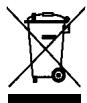
This symbol means that this product must not be treated as household waste. It must be taken to a suitable collection point for the recycling of electrical or electronic equipment.
To find out where your nearest collection points are, contact your local council or the local waste reception centre.
We reserve the right to modify the characteristics of this machine at any time and without prior notice.
The information contained in this document is not legally binding.
All rights reserved for all countries by Magimix.
- Check that the voltage of your power supply corresponds to that shown on the identification plate of your machine.
- Never leave children near the machine unattended. The machine has not been designed for use by children.
- This machine has not been designed for use by persons (including children) with physical, sensory or mental impairments or who are lacking in knowledge or experience, unless they have the necessary supervision or have received instructions as to how to use the machine by a person responsible for their safety.
- The machine must always be connected to an earthed socket.
- Never allow the power cord to dangle over the work surface.
- Never allow the machine or its power cord to come into contact with a hot or wet surface.
- Always unplug the machine after using it, before you fill the water tank and move or clean the machine. Never tug on the power cord to unplug it.
- Never leave the machine and/or its power cord near heat.
- While using the machine, avoid touching certain parts which can become extremely hot (spout, nozzle, etc.).
- Never heat flammable liquids with the steam.
- Always fill the tank with cold water and never add other types of liquid.
- Malfunctions due to failure to descale the machine or the use of a descending method other than that described in the Instructions for Use are not covered by the guarantee.
- Never use your machine if it has fallen, been dropped or if it is not working properly. If the power cord has been damaged, it must be repaired by an agent approved by Magimix. For further information please contact Magimix Customer Care on 0844 5738655, in order to avoid all possible danger.
- Never use your machine outside.
- This machine is intended solely for domestic use. The following usages are not covered by the guarantee: in kitchen areas reserved for personnel in shops, offices and other workplace environments, on farms, by the patrons of hotels, motels and other commercial environments of a residential nature, and in bed and breakfast-type environments.
magimix
www.magimix.com
- Le Robot Café Automatic
- magimix
- Warme milk/Warm water 30
- Onderhoud
- Brewing a coffee
- Aftercare
- Read these safety instructions carefully before using your machine.
- SETTINGS
- Rinsing
- Language selection
- Setting the clock
- Setting the timer for the automatic switch-on
- Setting the timer for automatic switch-off
- Installing the water filter
- Option 1
- Option 2
- Setting the water hardness
- Selecting the temperature
- Preparing the machine
- Espresso / Coffee cream / Coffee Lungo
- Grinding settings
- Ground coffee
- Warm milk
- Hot water
- Weekly aftercare
- Rinsing of the nozzle
- Cleaning of the nozzle
- Changing the filter
- Cleaning programme
- Dscaling programme
- Espresso
- Cappuccino
- Ristretto
- Macchiato
Brand : MAGIMIX
Model : 11492
Category : Food processor