
SCA5CE - Coffee maker CUISINART - Free user manual and instructions
Find the device manual for free SCA5CE CUISINART in PDF.

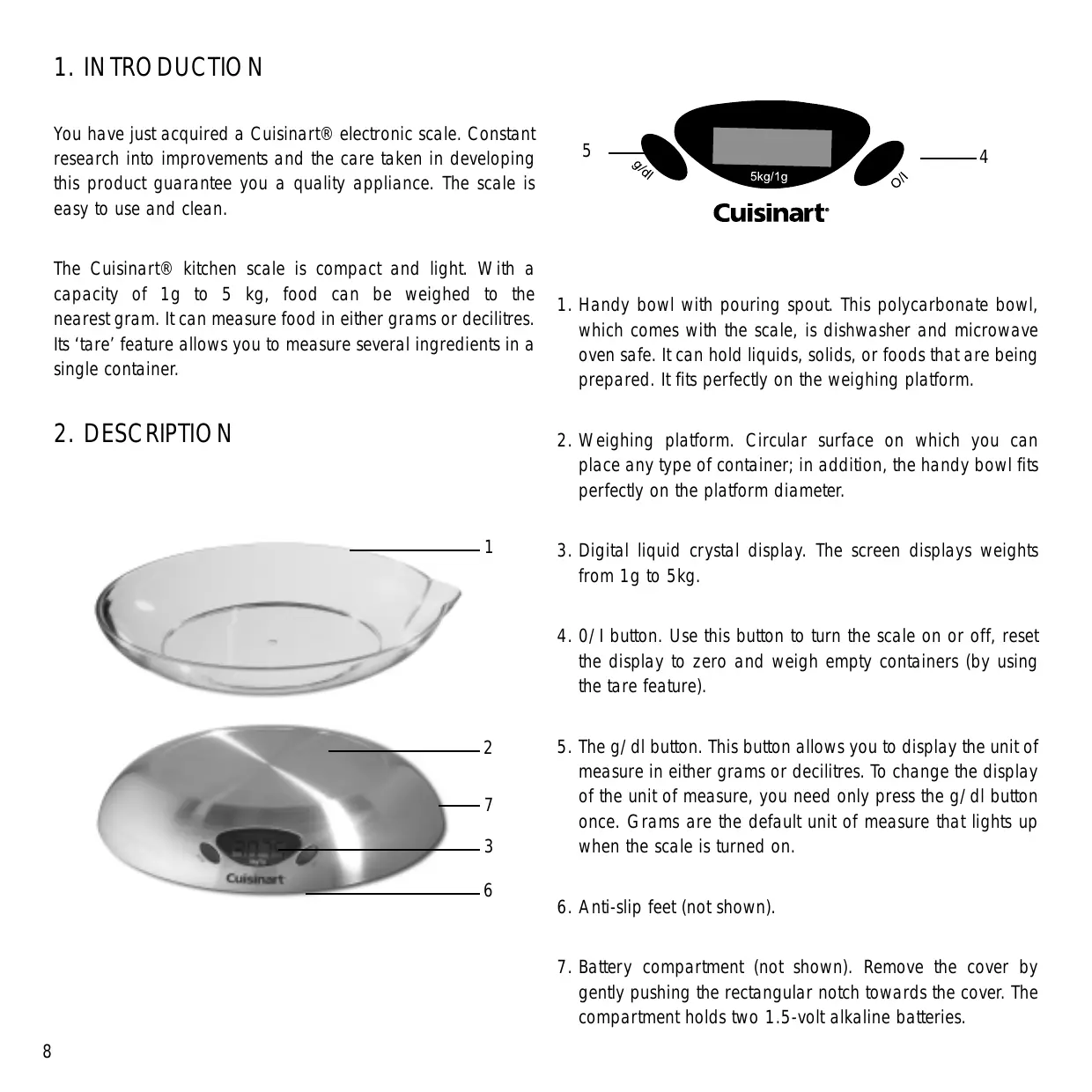


| Product type | Electronic kitchen scale |
| Brand | Cuisinart |
| Model | SCA5CE |
| Maximum capacity | 5 kg / 50 dl |
| Precision | 1 g |
| Measurement units | Grams (g) and deciliters (dl) |
| Power supply | 2 x 1.5 V alkaline batteries (LR03/AAA) |
| Display | Digital LCD screen |
| Tare function | Yes, via 0/1 button |
| Auto-off | After 90 seconds of inactivity |
| Included weighing bowl | Polycarbonate bowl with spout, dishwasher and microwave safe |
| Housing material | Brushed steel |
| Non-slip feet | Yes |
| Care and cleaning | Wipe with a damp cloth and a little soap; do not immerse |
| Safety | Do not immerse, do not use defective batteries, household use only |
| Low battery indicator | "Lo" display |
| Overload indicator | "E---" display |
| Dimensions and weight | Not specified in the manual |
Frequently Asked Questions - SCA5CE CUISINART
User questions about SCA5CE CUISINART
0 question about this device. Answer the ones you know or ask your own.
Ask a new question about this device
Download the instructions for your Coffee maker in PDF format for free! Find your manual SCA5CE - CUISINART and take your electronic device back in hand. On this page are published all the documents necessary for the use of your device. SCA5CE by CUISINART.
USER MANUAL SCA5CE CUISINART
A. Assembly - Installing the batteries 9
B. Operating the appliance - Measuring - The tare feature 9
Messages on the digital screen 10
- Chefs' tips and hints 10
- Questions/Answers 11
- Cleaning and storage 11
- Safety cautions 11
INHALTSVERZEICHNIS
2. CHARACTERISTIQUES PRODUIT
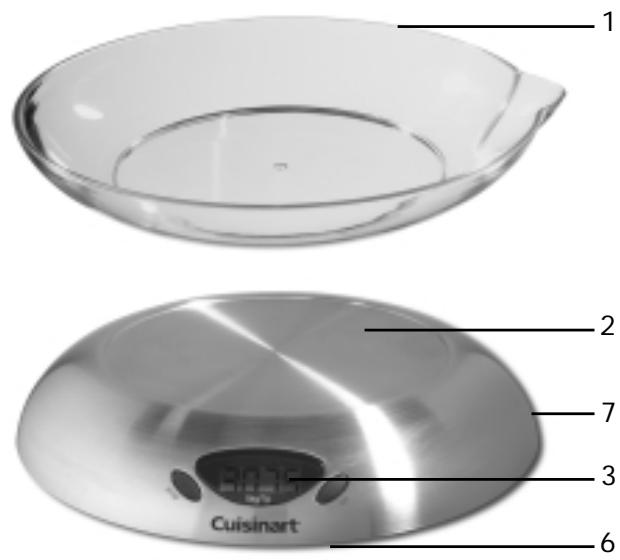
5. QUESTIONS-REPONSES
You have just acquired a Cuisinart® electronic scale. Constant research into improvements and the care taken in developing this product guarantee you a quality appliance. The scale is easy to use and clean.
The Cuisinart® kitchen scale is compact and light. With a capacity of 1g to 5 kg, food can be weighed to the nearest gram. It can measure food in either grams or decilitres. Its ‘tare’ feature allows you to measure several ingredients in a single container.
2.DESCRIPTION
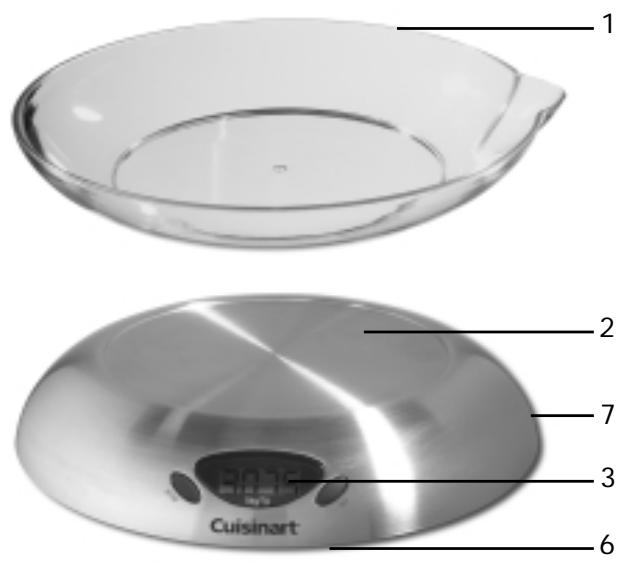
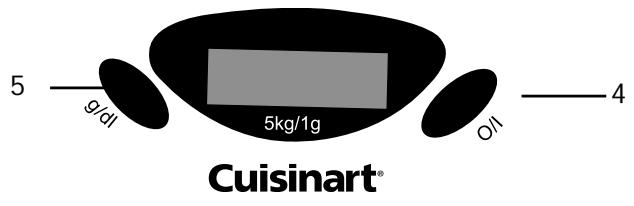
- Handy bowl with pouring spout. This polycarbonate bowl, which comes with the scale, is dishwasher and microwave oven safe. It can hold liquids, solids, or foods that are being prepared. It fits perfectly on the weighing platform.
- Weighing platform. Circular surface on which you can place any type of container; in addition, the handy bowl fits perfectly on the platform diameter.
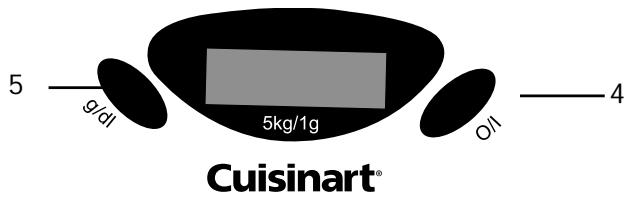
- Digital liquid crystal display. The screen displays weights from 1g to 5kg.
- 0/1 button. Use this button to turn the scale on or off, reset the display to zero and weigh empty containers (by using the tare feature).
- The g/dl button. This button allows you to display the unit of measure in either grams or decilitres. To change the display of the unit of measure, you need only press the g/dl button once. Grams are the default unit of measure that lights up when the scale is turned on.
- Anti-slip feet (not shown).
- Battery compartment (not shown). Remove the cover by gently pushing the rectangular notch towards the cover. The compartment holds two 1.5-volt alkaline batteries.
3. USE OF THE APPLIANCE
A. ASSEMBLY
INSTALLING THE BATTERIES
The scale operates on two 1.5-volt alkaline batteries. Never use defective or leaking batteries as these can damage the appliance. To install the batteries, remove the battery compartment cover by gently pushing the rectangular notch towards the cover. Install the batteries, making sure that the positive (+) and negative (-) terminals on the batteries correspond to the positive (+) and negative (-) terminals inside the compartment. Replace the cover by pushing the two notches intended for this and gently press until you hear a click indicating it has been locked in place.
"Lo" will appear on the digital display when the batteries are low and should be replaced.
IMPORTANT! Use ALKALINE batteries only.
B. OPERATING THE APPLIANCE
MEASURING
Place the scale on a level and even surface. If you use the handy bowl or other container for weighing the ingredients, place it on the platform before turning the scale on. This will prevent the need to press the 0/1 button to reset the scale to zero.
Press the 0/1 button. "8888" will be displayed automatically. After a few seconds, "0" will appear on the digital screen. Now place the food you want to weigh into the bowl or other container, or directly onto the platform. The weight will be displayed on the digital screen.
To change the unit of measure, ie to change from measuring in grams to measuring in decilitres, you need only press the g/dl button.
The scale has a capacity of 1g to 5kg.
NOTE: the maximum capacity of the scale is reduced depending on the weight of the bowl or container you use.
The food is weighed to the nearest gram.
THE TARE FEATURE
This feature lets you weigh the ingredients separately as they are added to the mixture in the bowl or other container. By following these instructions, you use the amounts of each ingredient specified in the recipe.
-
Turn the scale on as described above.
-
When “0” is displayed on the digital screen, place the empty container into which the ingredients are to be measured on the platform.
-
Press the O/I button. Wait until the "O" appears on the digital screen. The aim of this feature is to subtract the weight of the empty container from the total weight of the bowl and the ingredients.
-
Measure the first ingredient. The desired weight or amount will be displayed.
-
Press the 0/1 button so that the weight of the first ingredient is subtracted. Wait until the "0" appears on the digital screen.
-
Weigh the next ingredient. Its weight will appear on the digital screen.
You can repeat the process for several ingredients.
NOTE: If the total weight of the preparation exceeds 5kg or 50dl on the scale (ie, its maximum capacity), "E---" will be displayed on the screen.
To turn the machine off, press the O/I button for a few seconds. If the appliance is left on, it will turn off automatically after 90 seconds of non-use to save battery power.
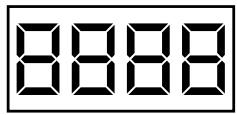
Appears when the scale is turned on. Wait until "0" appears before weighing ingredients.
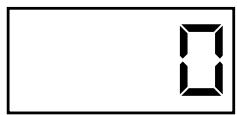
Appears once the scale is ready to measure.
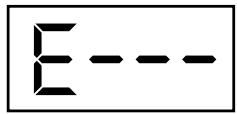
Appears when the scale is overloaded. Remove excess weight from the scale.
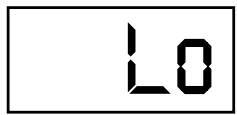
Appears when the batteries are low. Replace them with two new 1.5 volt alkaline batteries.
4. CHEFS' ADVICE

- The Cuisinart® electronic scale is compact, light and easy to use. Operating and cleaning it is also quick and easy. Its brushed stainless steel design makes it robust and durable.
- Thanks to its measurement to the nearest gram, the scale lets you use the exact amounts called for in recipes.
- The handy bowl has a very practical pouring spout. This bowl can be used to heat up or melt ingredients in the microwave. Once it is clean, it can be put upside down on the scale to protect the scale when it is not in use or for storage.
- While making a recipe, the kitchen scale lets you weigh liquids and solids. All you need to do is press the g/dl button and the digital display will automatically change from grams to decilitres.
5. QUESTIONS/ANSWERS
| What do I do if | Answers: |
| my scale doesn’t work? | •Make sure the batteries are pro- perly installed. •Don’t forget to change the batteries when they are dead. |
| the weighed ingredients don’t correspond to my recipe? | •Don’t forget to change the unit of measure according to the food being measured, either solids in g., or liquids in dl. |
6. CLEANING AND STORAGE
Turn the scale off before cleaning it.
Use a damp cloth with a bit of soap or detergent to clean the visible surfaces of the scale.
Avoid letting deposits dry on the scale as this could damage the scale.
Don't use an abrasive sponge or abrasive cleaning products.
Rinse with a damp cloth and dry carefully every time after cleaning it.
The Cuisinart® electronic scale may be left on the kitchen counter, but ensure that it does not come into contact with heat or vibration.
7. SAFETY CAUTIONS
- Do not immerse the scale in water or any other liquid.
-
Do not place under running water.
-
Place the scale on an even, level surface that does not come in contact with heat or vibration.
- Do not let the scale touch hot surfaces or heating appliances.
- Do not store anything on the scale.
- Store the scale out of the reach of children. Do not allow children to use the electronic scale unsupervised.
- Do not use the scale in damp or humid conditions.
- Do not use the scale if it has fallen or if it appears to be damaged.
- Do not insert defective or leaking batteries into the scale.
- Do not handle the battery compartment with wet hands.
- Only use alkaline batteries totalling 3 volts.
- This appliance meets the basic requirements of Directives 89/336/EEC (electromagnetic compatibility) and 73/23/EEC (safety of domestic electrical equipment), as amended by Directive 93/68/EEC (CE marking).
- For domestic use only.
1. EINLEITUNG
Brand : CUISINART
Model : SCA5CE
Category : Coffee maker