Delay Llama XTREME - Jam Pedals - Free user manual and instructions
Find the device manual for free Delay Llama XTREME Jam Pedals in PDF.


User questions about Delay Llama XTREME Jam Pedals
0 question about this device. Answer the ones you know or ask your own.
Ask a new question about this device
Download the instructions for your in PDF format for free! Find your manual Delay Llama XTREME - Jam Pedals and take your electronic device back in hand. On this page are published all the documents necessary for the use of your device. Delay Llama XTREME by Jam Pedals.
USER MANUAL Delay Llama XTREME Jam Pedals


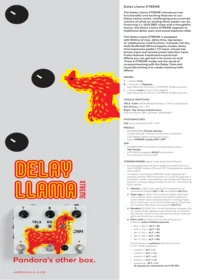
DELAY LLAMA XTREME

Pandora's other box.
Delay Llama XTREME
The Delay Llama XTREME introduces new functionality and exciting features to our Delay Llama series, challenging preconceived notions of what an analog delay pedal can do. Featuring 3 x 3205 BBD chips and a thoughtful layout, the Delay Llama XTREME appeals to traditional delay users and sound explorers alike.
The Delay Llama XTREME is equipped with 800ms of max. delay time, tap tempo w/ subdivisions, hold function, 4 presets, kill-dry, trails (buffered) OR true bypass modes, delay time expression pedal / CV input, remote tap tempo input and remote preset selection input. It also features 4 bold and musical trail effects you can get lost in for hours on end! These 4 XTREME modes are the result of us experimenting with the Delay Time and musically taming it to create inspiring trails effects.
KNOBS:
T = Delay Time
R = Amount of Repeats
(see alternate functions in XTREME Modes section)
L = Delay Level on top of Dry Signal (see alternate functions in XTREME Modes section)
TOGGLE-SWITCHES:
TRLS: Trails ON (buffered bypass) / OFF (true bypass)
KD: Kill Dry ON / OFF
Right: Tap Tempo Subdivisions
(top to bottom: 8th, quarters, dotted 8th)
FOOTSWITCHES:
ON: Turns the pedal ON / OFF
MIDDLE:
• MOMENTARY Preset selector
(cycles through manual mode and 4 x presets)
- LATCHING slightly prolonged press turns XTREME modes ON / OFF
TAP:
• MOMENTARY minimum 2 consecutive stomps: Tap Tempo
- LATCHING engages HOLD (oscillation) for as long as it is pressed
XTREME MODES (delay trails dedicated effects):
- A prolonged press on the middle footswitch will turn the XTREME modes ON and OFF (indicated by middle LED on/off)
-
To select a particular XTREME mode: keeping ALT pressed use the TAP Footswitch to cycle through the 4 available modes indicated by the middle LED flashing, and the corresponding number of the 4 in-line flashing LEDs active:
-
Vibrato (1 LED): sine-wave LFO modulation w/ controls for Depth (ALT + R) and Speed (ALT+L)
-
Tape-age (2 LEDs): this mode emulates the slight and random pitch variations (warble) a physical "worn-down" tape would produce in vintage tape-echo machines, w/ control for frequency (clockwise for more) of deviation occurrences (ALT+L)
-
Random (3 LEDs): this mode randomly changes the ms value of the repeats over fixed time increments (set by the T knob or tap tempo) resulting in abrupt pitch and rhythmic changes
-
Pitch-shift (4 LEDs): this mode will give you 5 distinct pitch-shifted intervals:
• 8ve ↑/ 8ve ↓: ALT + R1
• 2nd ↑/7th ↓: ALT + R2
• 4th ↑/ 5th ↓: ALT + R3
- 5th ↑/ 4th ↓: ALT + R4
• 9th ↑/7th ↓: ALT + R5
and 5 playback patterns the last of which is a 5-mode sequencer
- pattern 1: ALT + L1
- pattern 2: ALT + L2
- pattern 3: ALT + L3
- pattern 4: ALT + L4
- sequencer: ALT + L5
(5 sequences selected by ALT+R1-R5)
PRESETS:
- To recall a preset: press the middle footswitch to cycle through the default mode and 4 presets indicated by 0 and up to 4 of the in-line LEDs.
• To save a preset: - cycle through your preferred slot (1-4) with the middle footswitch
- dial in your preferred delay and XTREME mode settings
- simultaneously press and hold the middle and TAP footswitches until bottom row of LEDs flash 3 times
*Useful information:
- your pedal comes with 4 factory presets loaded with examples of the Vibrato, Tape-Age, Random and Pitch-Shift XTREME modes
- savable parameters: time, repeats, level, subdivisions, XTREME mode settings, XTREME state (ON or OFF upon preset recall)
- if you want a preset to have an XTREME mode active upon recall, save your preset while the XTREME mode is engaged
- if you don't want a preset to have an XTREME mode active upon recall, save your preset while the XTREME mode is disengaged
SIDES AND INSIDES
SIDE PANNEL INPUTS:
- DT: Remotely control Delay Time via EXP pedal (pref. 10K like our EXP1 pedal) or CV controller (see INTERNAL DIP SWITCHES below for more)
- PS: Remotely engage presets via external TRS controller
• {0V, 0V} preset 1
• {0V, 5V} preset 2
• {5V, 0V} preset 3
• {5V, 5V} preset 4
- TAP: Remote tap-tempo device specs - TS mono Jack, Normally Open (NO) momentary switch. TRS can be used if one switching node is on Tip
INTERNAL TRIMMERS:
- Blue rectangle (multi-turn) adjusts max. # of repeats) – clockwise for more
- The black one below, sets the buffered bypass' max. trails decay – clockwise for more
INTERNAL DIP SWITCHES:
- If both up: Expression pedal input mode is active
- If both down: CV input control (mono jack) mode is active (0-5V, more than 5V or less than 0V might harm components in the circuitry)
SPECIFICATIONS
- True or Buffered Bypass
- Works with 9V DC adaptor (tip-negative, isolated power supply recommended)
- Power consumption (max): 130 mA
- Dimensions (jacks, pots etc. included): 14.9 x 12.4 x 5.6 cm / 5.8 x 4.8 x 2.2 inches
- Weight: 620g / 1.35 lbs
- Output and input are in-phase
- 1M input impedance | <1K output impedance
We sent the Delay Llama to the future and it finally made its way back with a taste for the XTREME! So strap in, get comfortable and ride this Llama into uncharted sonic fields which are sure to spark the imagination of even the bravest of sound explorers!



Brand : Jam Pedals
Model : Delay Llama XTREME